Up to 70% off kits30% off services
A refund desk that checks policy before anyone clicks Approve
Refunds are money leaving the business, and in most small teams they are approved in a chat thread. We set up a refund desk where every request is checked against the policy before it is sent, goes to the right approver, and is decided with buttons that each work only once.
Screenshots and test runs from our demo Zapier account.
4 of 4
test requests routed to the right approver, including one blocked
< 1 min
from a submitted request to the approver's email, in a live run
1 click
to decide; the button then switches itself off
- Zapier plan
- Free plan apps, two-step Zaps
- Monthly cost
- $0, and 1 task per request
- Zapier apps
- Zapier Forms, Zapier Tables, Email by Zapier
The problem
Refunds get approved in a chat thread, by whoever answers first.
An agent asks in Slack, someone senior replies "ok", and the refund goes out. Nobody checks whether the order is past the return window, whether the amount is more than the customer paid, or whether this person was allowed to approve it.
When the books are closed at month end, finance cannot see who approved which refund or why.
Teams assume approval workflows need a paid Zapier plan or a separate tool. We wanted to show that the core of one runs on the free plan.
What runs
3 two-step Zaps and 2 tables
Every Zap has one trigger and one action, which is all the free plan allows. The logic lives in Zapier Tables, where steps cost no tasks.
Zap 1
Refund desk · New request: email the approver
- When
- Zapier Tables: new row in "Refund requests" (rows come from the form)
- Then
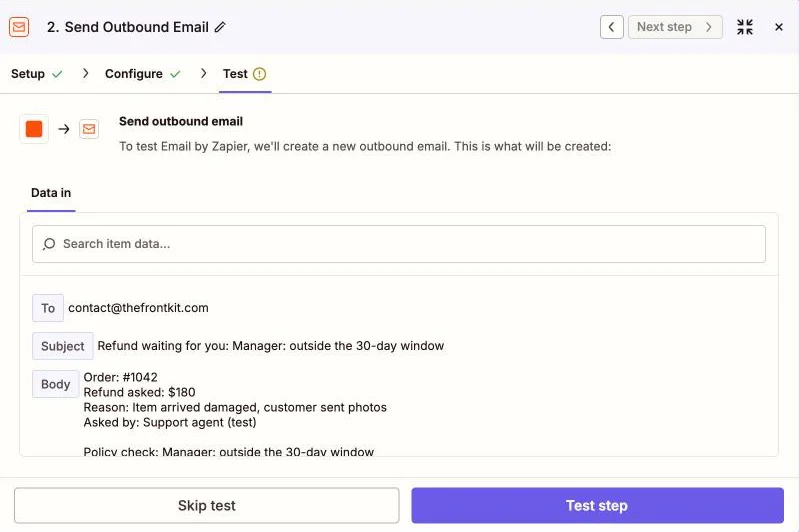
- Email by Zapier: send the approver the order, the amount, the reason and the policy result
1 task per request
Zap 2
Refund desk · Approve button: mark Approved
- When
- Zapier Tables: the Approve button is clicked on a row
- Then
- Zapier Tables: set Status to Approved and stamp the time
0 tasks
Zap 3
Refund desk · Reject button: mark Rejected
- When
- Zapier Tables: the Reject button is clicked on a row
- Then
- Zapier Tables: set Status to Rejected and stamp the time
0 tasks
- Table: Refund requests. One row per request, filled by the form. Formulas check the policy; two buttons record the decision.
- Table: Approver view. A view of the same table with only what an approver needs: amounts, the policy result and the buttons.
From the live account
What it looks like in Zapier

The logic
Formulas, not extra steps
Formula fields in Zapier Tables do the checking. They run on every row for free, and anyone on the team can read and change them.
Days since order
How old the order is, today.
DATEDIFF([Order date], UTCNOW(), "day")Policy check
Applies the refund policy in a fixed order: impossible amounts first, then the window, then the limit.
IF(GT(SUM([Refund amount], 0), SUM([Order amount], 0)), "Blocked: refund is more than the order", IF(GT(SUM([Days since order], 0), 30), "Manager: outside the 30-day window", IF(GE(SUM([Refund amount], 0), 200), "Manager: $200 or more", "Team lead: within policy")))Approver
Routes the request to the person allowed to decide.
IF(ICONTAINS([Policy check], "Manager"), "Finance manager", IF(ICONTAINS([Policy check], "Blocked"), "Nobody: fix the request", "Support team lead"))
Free plan
Where the free plan stopped us, and what we did
Free-plan Zaps have two steps, so no Paths step to route approvals.
The routing lives in a formula. The email Zap only reads the result, so changing the policy never means editing a Zap.
An approval step that pauses a Zap halfway needs a Zap with more than two steps, so a paid plan.
Approve and Reject are buttons in Zapier Tables. Each one switches itself off after a click, so a refund cannot be approved twice.
Email by Zapier sends at most 5 emails a day on the free plan.
Enough for a small team. Past that, the approver works from the Approver view or the alert moves to Slack or Gmail, which are free apps too.
Issuing the refund itself happens in another app.
The desk stops at the decision. The next Zap issues the refund in Stripe or Shopify once a row is Approved.
Each approver should see only their own requests.
The "Approver email" formula maps each role to an address, so the team lead and the finance manager each get only the requests that are theirs.
Tested
What happened when we ran it
Real runs, with sample data.
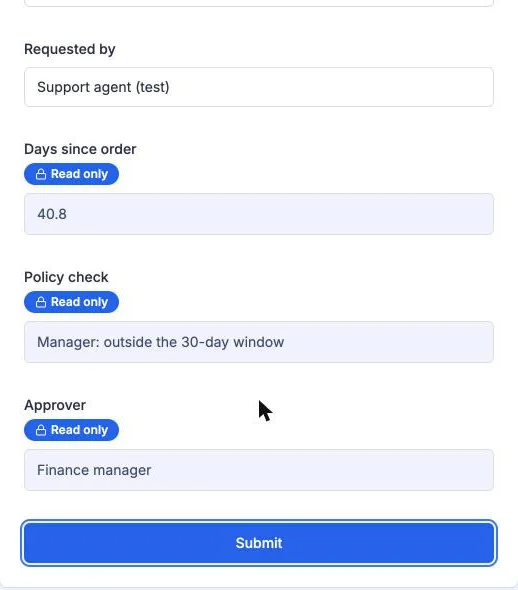
Order #1042: ordered 17 Oct, $180 order, $180 refund
Policy check: "Manager: outside the 30-day window". Approver: Finance manager. Approve clicked: Status Approved, time stamped, button greyed out.
Order #1057: ordered 18 Nov, $64 order, $24 refund
Policy check: "Team lead: within policy". Approver: Support team lead.
Order #1061: ordered 23 Nov, $90 order, $120 refund
Policy check: "Blocked: refund is more than the order". Approver: "Nobody: fix the request".
Order #1066, sent after everything was switched on: ordered 20 Nov, $450 order, $260 refund
Policy check: "Manager: $200 or more". Approver: Finance manager. The approver email went out under a minute after the form was submitted.
What we got wrong first
The form compared amounts as text
In the form's live preview, a $120 refund on a $90 order first showed "within policy". The form passed the amounts as text, and as text "120" sorts before "90". Wrapping each amount in SUM() forces a number, and the check has blocked it correctly since. It is the kind of bug that only shows up when you test with the values people actually type.
For your account
What we set up for you
This is the kind of workflow we deliver in Automation Build & Migration.
- Your refund, credit or discount policy written as table formulas
- A form for the team that asks, with the policy result shown before they send
- Approver views, one-click decisions and an audit trail of who decided when
- The refund issued in Stripe or Shopify once approved, if your plan allows it
Automation Build & Migration: from $5,900, 3 to 6 weeks.
The other builds
Zapier reliability
A Zap Watchdog that explains every failure in plain English
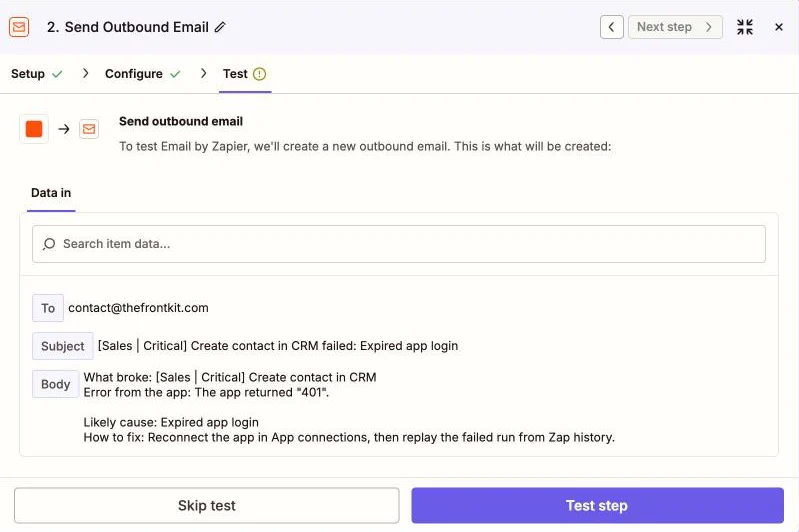
Every failed Zap is logged in Zapier Tables with its owner team, how critical it is, the likely cause and the fix. Critical failures email the owner within minutes. Three two-step Zaps on the free plan.
See the build →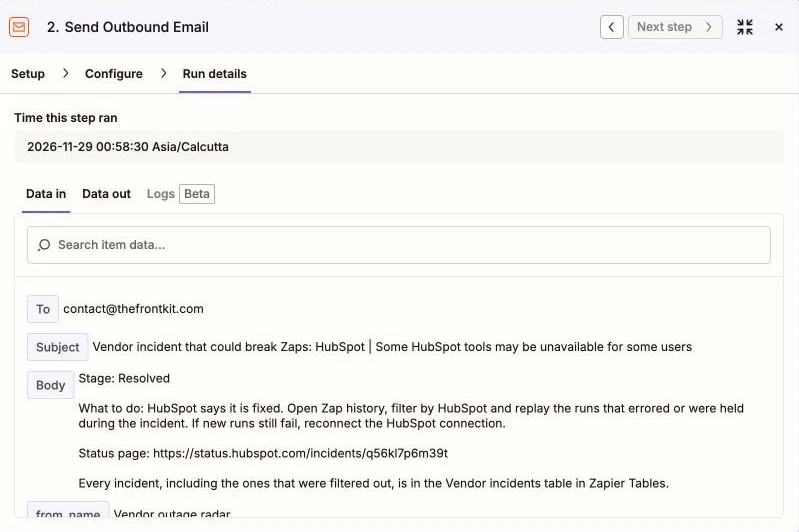
Zapier monitoring
A vendor outage radar that tells you when a failed Zap is not your fault
The public status pages of Zapier, Slack, HubSpot and OpenAI feed a Zapier Table. Formulas name the vendor, the stage and whether the incident could break Zaps, and only those email the team, with what to do and when to replay. Three two-step Zaps on the free plan.
See the build →
Want this running in your Zapier account?
Tell us which Zaps keep breaking or which approvals live in a chat thread. We'll show you what the free plan can carry and where a paid plan earns its keep.