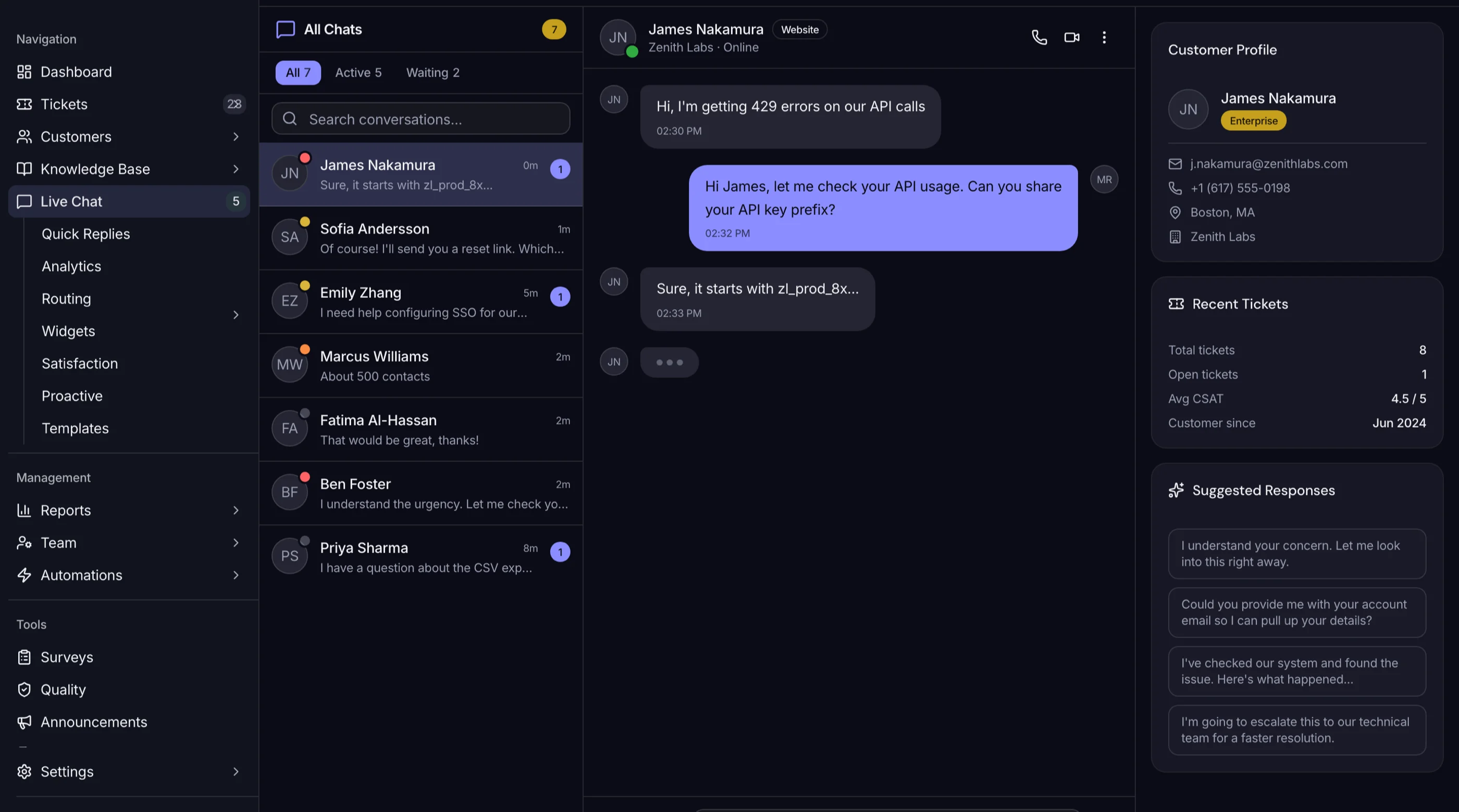
AI Chatbot vs Live Chat: When Each Wins in 2026
AI Chatbot vs Live Chat: When Each Wins in 2026
The conversation in support tools right now is "AI chatbot or live chat." It's the wrong frame. They do different jobs. The teams winning at customer support in 2026 use both, with a clean handoff between them.
The frame that works: AI is for breadth (handle the volume of common questions instantly, 24/7). Live chat is for depth (handle the conversations where a human reading subtext changes the outcome). The interesting design problem is the handoff between the two.
Or skip the build entirely: get the AI UX Kit
The AI UX Kit is shipped: 114 components for chat, citations, feedback, conversation history, voice input, and model selection. The chat UI half of the chatbot/live-chat seam. $79 solo, $179 team, $299 agency.
Get the AI UX Kit → or get every kit (18 total) for $749 via All UI Kits →
When AI Chatbot Wins
The conversations where AI consistently outperforms a human:
Common questions with documented answers. "How do I reset my password?" "What's your refund policy?" "Where do I find my API key?" These have a single correct answer, the answer is in your docs, and AI can find and explain it faster than a human can context-switch into the ticket. Resolution time under 30 seconds, no agent involvement, no queue.
Off-hours coverage. It's 2am in Singapore and your support team is in London asleep. The AI doesn't care. For routine questions, an instant okay answer beats a 9-hour wait for a great answer.
Account lookups and status checks. "What's my order status?" "When does my subscription renew?" "Did my refund go through?" These are tool calls, not conversations. AI plus a function-calling layer handles them in one turn.
Technical lookups in documentation. Developer-facing products especially. "How do I authenticate with OAuth?" "What's the rate limit on the embedding endpoint?" The docs already exist. AI just routes to the right paragraph faster than the developer would by searching.
The deflection math: a well-tuned AI handles 30-50% of inbound volume in most SaaS products. That's not "AI is great." That's "the human team can now focus on the other 50-70% that actually needs them."
When Live Chat Wins
The conversations where AI fails and a human reading subtext changes the outcome:
Frustrated customers. Someone whose third support ticket is escalating doesn't want a chatbot. They want acknowledgment. AI giving them the right answer in their angry state often makes things worse because the tone reads as dismissive even when the content is correct.
Sales conversations. "Should I get the team plan or the agency tier?" is a decision a human walks them through. AI can list features. A salesperson reads what they actually need and recommends. The human conversion rate is 2-3x the AI conversion rate on pricing questions.
Unusual edge cases. "We have a custom contract with you from 2023 and our billing got messed up after the migration." AI doesn't have context, doesn't have authority to fix it, and will frustrate the customer. A senior support agent with database access fixes it in 5 minutes.
Anything involving judgment or empathy. Cancellations where the customer is grieving (literally, sometimes, with bereavement-related account issues). Disputes where the right answer is "we screwed up, let me make it right." Refund decisions outside the policy where a human knows the customer is worth keeping.
High-stakes decisions. Enterprise buyers, large account expansion, partnership inquiries. AI is fine as the first response. The conversation has to escalate to a human within minutes for the deal to close.
The Handoff Is Where Most Teams Get It Wrong
The interesting design problem is the handoff between AI and human. The teams that win at support get this right. The teams that don't lose customers in the seam.
Common failure mode: the AI hands off but doesn't pass context. The human agent gets a fresh conversation with no idea what the AI already tried. The customer has to repeat themselves. Frustration compounds.
Better: when AI escalates, it summarizes the conversation, lists what it already tried, and tags the relevant policies or docs. The human gets a primed conversation, not a cold start.
Another failure mode: the handoff is too aggressive. The AI escalates on the first ambiguous turn. Now humans are pulled into trivial conversations the AI could have handled. Throughput drops.
Better: the AI escalates on signals, not on uncertainty. Signals like frustration sentiment, repeated retries on the same question, explicit "talk to a human" request, account value above a threshold. Uncertainty alone isn't a handoff trigger; uncertainty plus signal is.
Another failure mode: there's no handoff at all. The AI just gives up. "I can't help with that, please email support." Customer rage. Always have a human path one click away.
What This Means for Your Product
Three design rules, if you're building or choosing a support stack in 2026:
Rule 1: AI handles inbound by default, humans handle handoffs. Reverse the typical priority. Don't have humans triage and route. Have AI triage and route, and have humans handle what AI passes up.
Rule 2: Build the handoff explicitly. It's a feature, not a fallback. Design the AI-to-human transition as carefully as you design the AI conversation itself. Include conversation summary, what was tried, why it escalated.
Rule 3: Measure deflection and handoff quality separately. Deflection rate alone optimizes for "AI didn't escalate" which is the wrong metric. You want "customer resolved happily" which sometimes means AI deflection and sometimes means clean handoff. Track both.
The Build vs Buy Implication
If you're buying: hosted chatbots like Intercom Fin and Chatbase handle the AI side but the handoff to your human team is constrained by their integration model. Test the handoff specifically before committing.
If you're building: the handoff is where you have unfair advantage. You can wire conversation summaries into Slack, route by account value, surface relevant docs to the human agent in-context. The AI UX Kit handles the AI side with feedback and citation patterns. The Help Desk Kit handles the human side with inbox, internal notes, and routing-as-code. Together they're the full stack.
For the alternatives if you don't want to build, see Intercom Alternatives: AI Chatbot Options You Can Self-Host. For the build path, see How to Build an AI Chatbot in Next.js.
The Shortcut
The AI UX Kit ships today with chat primitives, citations, and feedback UIs. The Help Desk Kit ships today with the agent-side inbox, internal notes, and routing-as-code. Together they cover the chat UI and the agent inbox, with a clean handoff between them.
Get the AI UX Kit → • Get the Help Desk Kit → • See All UI Kits →
The honest take: the AI-vs-human framing was always a distraction. The real question is what your support workflow looks like, and how cleanly the seam between AI and human reads to the customer. Get the seam right and the cost-per-resolution math works out either way.