NeuralDesk — AI Operations Dashboard for Next.js
Running a single LLM feature is easy. Running ten of them across two models, with cost tracking, latency monitoring, and a way to roll back a bad prompt, is where most teams get stuck. Traditional observability tools don't speak prompt, and the AI-specific ones are either research toys or enterprise-only. This kit gives AI platform teams, ML engineers, and founders shipping AI products 21 screens across 3 sections: a model registry, a prompt library with A/B test results, a playground, evaluations and fine-tuning, token usage and cost analytics, request logs, error and incident tracking, a semantic cache, guardrails, and an audit log.
Starting at $79$13140% OFF· 7-day money-back guarantee
Or get this + all 18 kits for $749 with All UI Kits →
Last updated on August 25, 2026


21 Screens Across 3 Sections
Everything you need to build a complete AI operations platform — from model management to prompt engineering, usage monitoring, and error tracking.

Model registry, prompt library with versioning and A/B results, LLM playground, evaluations, and fine-tuning

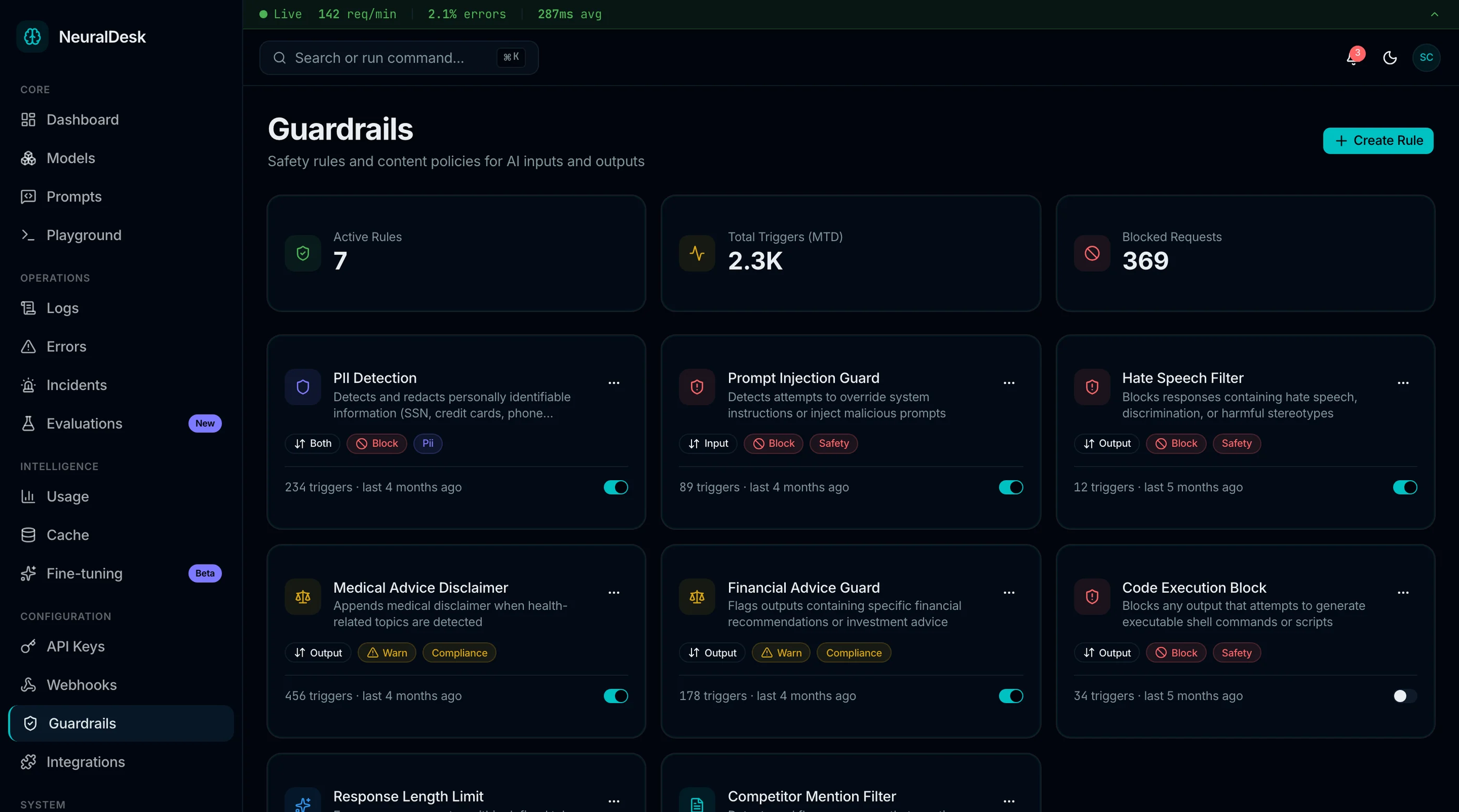
Main dashboard, usage and cost analytics, request logs, error tracking, incidents, semantic cache, and guardrails

Audit log, API keys, webhooks, integrations, team, settings, and login, signup and forgot password
All built with TailwindCSS and shadcn/ui. Accessible, token-driven, and developer-friendly.
Built on a Solid Foundation
Every component follows production-grade patterns for accessibility, responsiveness, and maintainability.

Model & Prompt Management
- Model registry with deployment status and versioning
- Prompt library with templates and A/B test tracking
- LLM playground with parameter configuration
- Version history timeline for models and prompts
- Side-by-side model performance comparison

Monitoring & Analytics
- Token usage dashboards with cost breakdown by model
- Request/response log viewer with advanced filtering
- Latency charts with percentile distribution
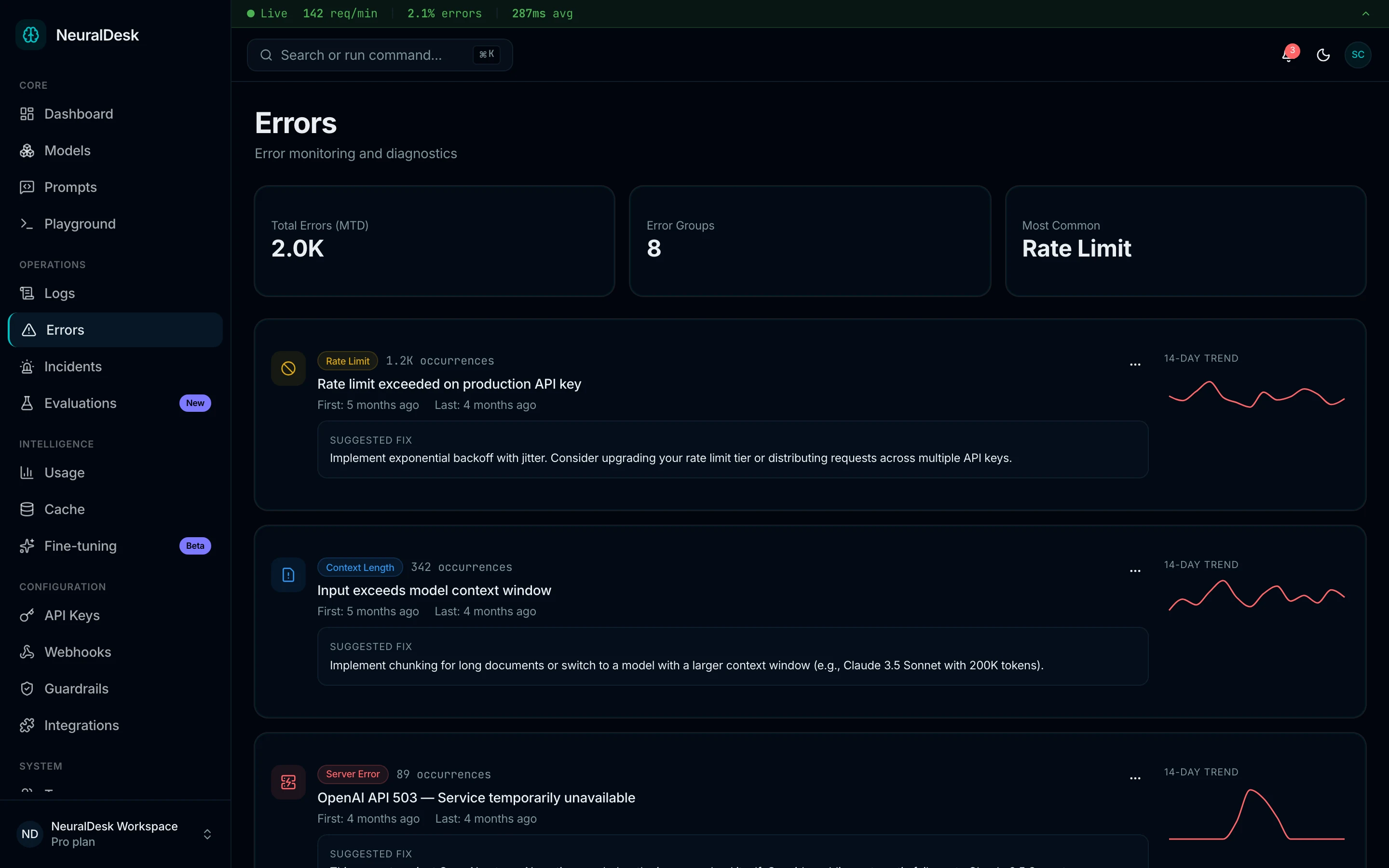
- Error tracking with frequency and resolution workflows
- Budget forecasting with usage trend analysis

Operations & Team
- Ops dashboard with model performance and cost KPIs
- Team management with role-based access indicators
- Settings page for API keys, providers, and preferences
- Auth flows for login, signup, and password recovery
- Responsive sidebar navigation with collapsible sections
21 screens, 3 layouts, 30+ components — everything you need to ship a complete AI operations dashboard.
View all screensWhat's Included in This AI Ops Dashboard
Included
 React + Tailwind code for all 21 screens and components
- oklch tokens covering severity levels, model status, environment tags, and trace state colors
- Structured log viewer and LLM playground
- 5 Recharts dashboards with usage, cost, and latency charts
- Responsive layouts so on-call engineers can triage on a phone and run deep investigations on desktop
- 1 year of updates
Not Included
- Backend, database, or API logic
- LLM provider integrations (OpenAI, Anthropic, etc.)
- Authentication or user management backend
- Real-time log streaming service
Intent: you get a production-grade AI ops dashboard UI. You connect your own LLM providers, data sources, and business logic.
Built for AI/ML Teams, LLM-Powered Startups, and Agencies

AI/ML teams building internal dashboards to monitor model performance, token costs, and prompt quality

Agencies delivering AI operations dashboards and LLM monitoring tools for clients on tight timelines

LLM-powered startups that need a custom ops dashboard without vendor lock-in to LangSmith or Helicone
Note: This is a frontend UI kit — not a hosted AI platform. You bring your own backend, LLM provider, and API.
Key Features
| Feature | Description |
|---|---|
| Model Registry & Management | Centralized model registry with deployment status indicators, version history timeline, performance metrics including latency and throughput, and model comparison views for informed decision-making. |
| Prompt Library & Engineering | Organized prompt library with template management, version control for prompt iterations, A/B test result tracking with performance comparison, and categorized prompt collections for team-wide reuse. |
| Token Usage & Cost Analytics | Detailed token usage dashboards with cost breakdown by model and provider, trend charts for budget forecasting, model-to-model cost comparison, and exportable usage reports for finance teams. |
| Request & Response Logging | Structured log viewer with request/response payloads, latency measurements, token counts, HTTP status codes, advanced filtering by model, status, and date range, and drill-down to individual request details. |
| Error Tracking & Resolution | Error dashboard with categorized error types, frequency analysis charts, resolution status tracking, error detail views with stack context, and timeline of error occurrence patterns. |
| LLM Playground | Interactive playground for testing prompts against registered models, parameter configuration for temperature, max tokens, and top-p, side-by-side response comparison, and conversation history for iterative testing. |
All components are WCAG AA-compliant and optimized for mobile and desktop.
Tech Stack of the AI Ops Dashboard



- Built with TailwindCSS for utility-first styling across all 21 screens
- shadcn/ui-compatible markup, so this fits into existing ML platform UIs
- Radix-backed model pickers, environment switchers, and incident detail modals
- Token-driven colors for severity levels, model status, and trace state across charts and tables
- Recharts integration for usage analytics, cost breakdowns, and latency charts
- Structured log viewer and LLM playground with zero external dependencies
Accessibility Highlights
Every AI operations workflow is inclusive by design. From model registries to log viewers, built for everyone.
Preview Gallery
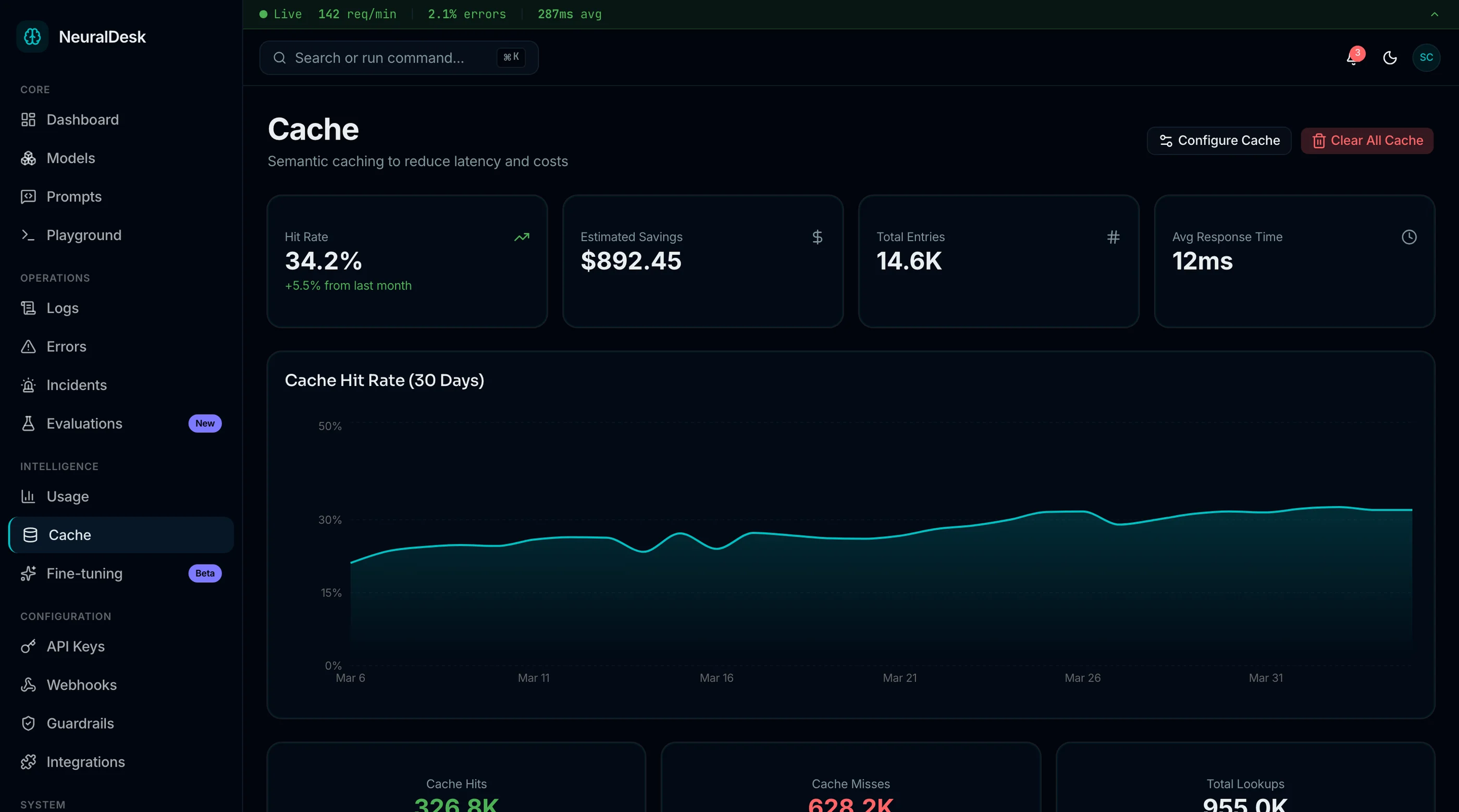
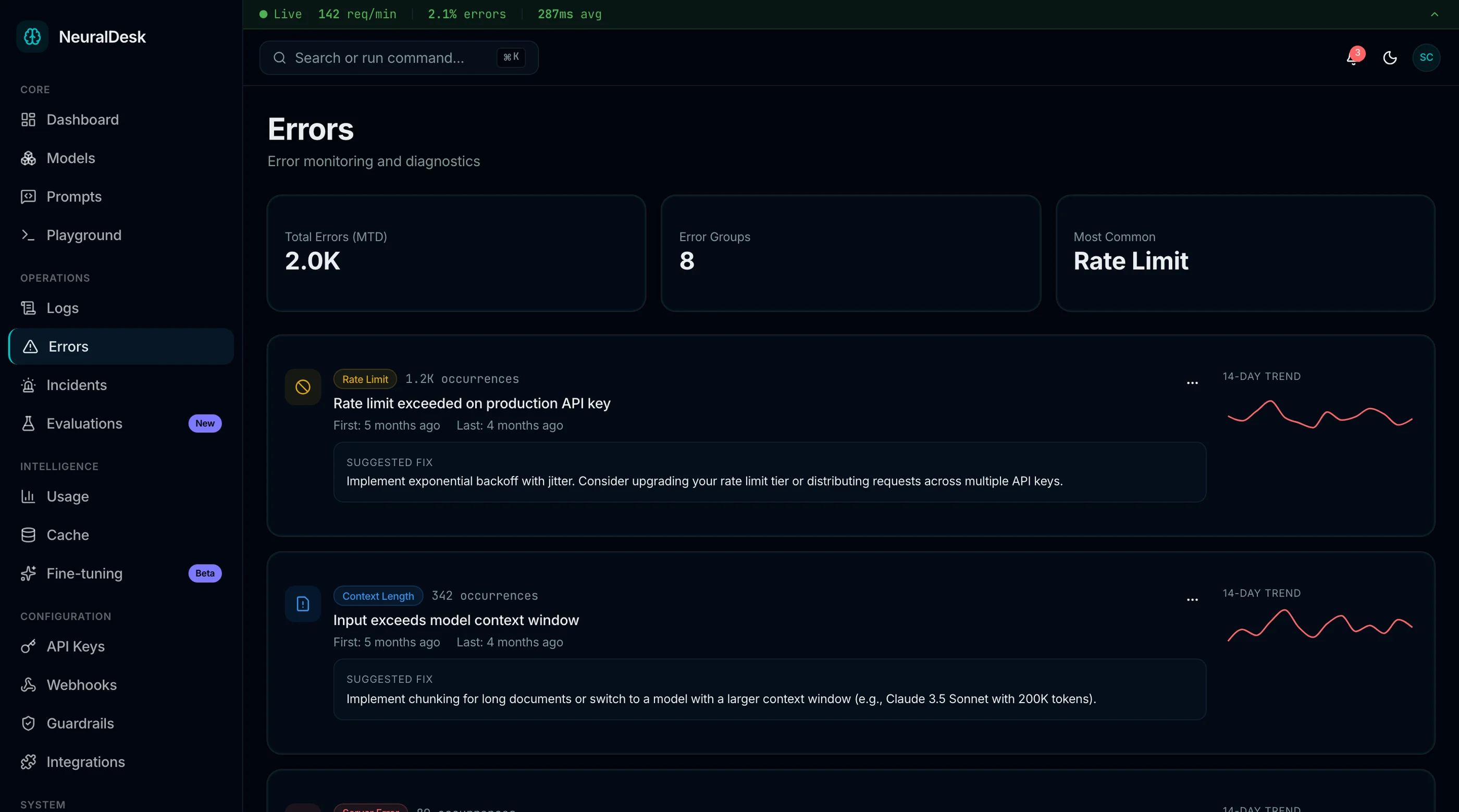
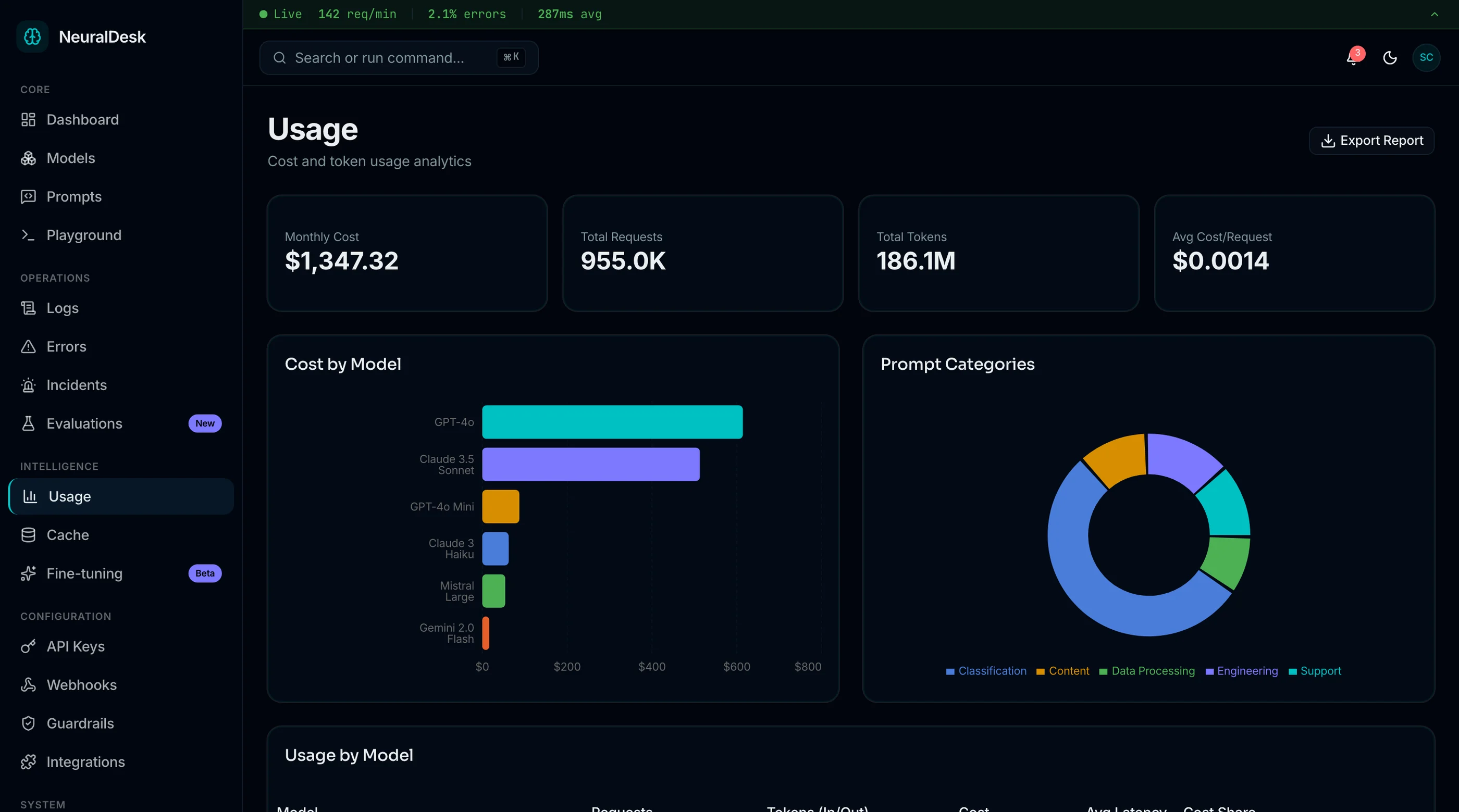
Preview the Next.js AI ops dashboard template screens: request and cost overview, usage analytics, semantic cache, guardrails, error monitoring, and the model registry.
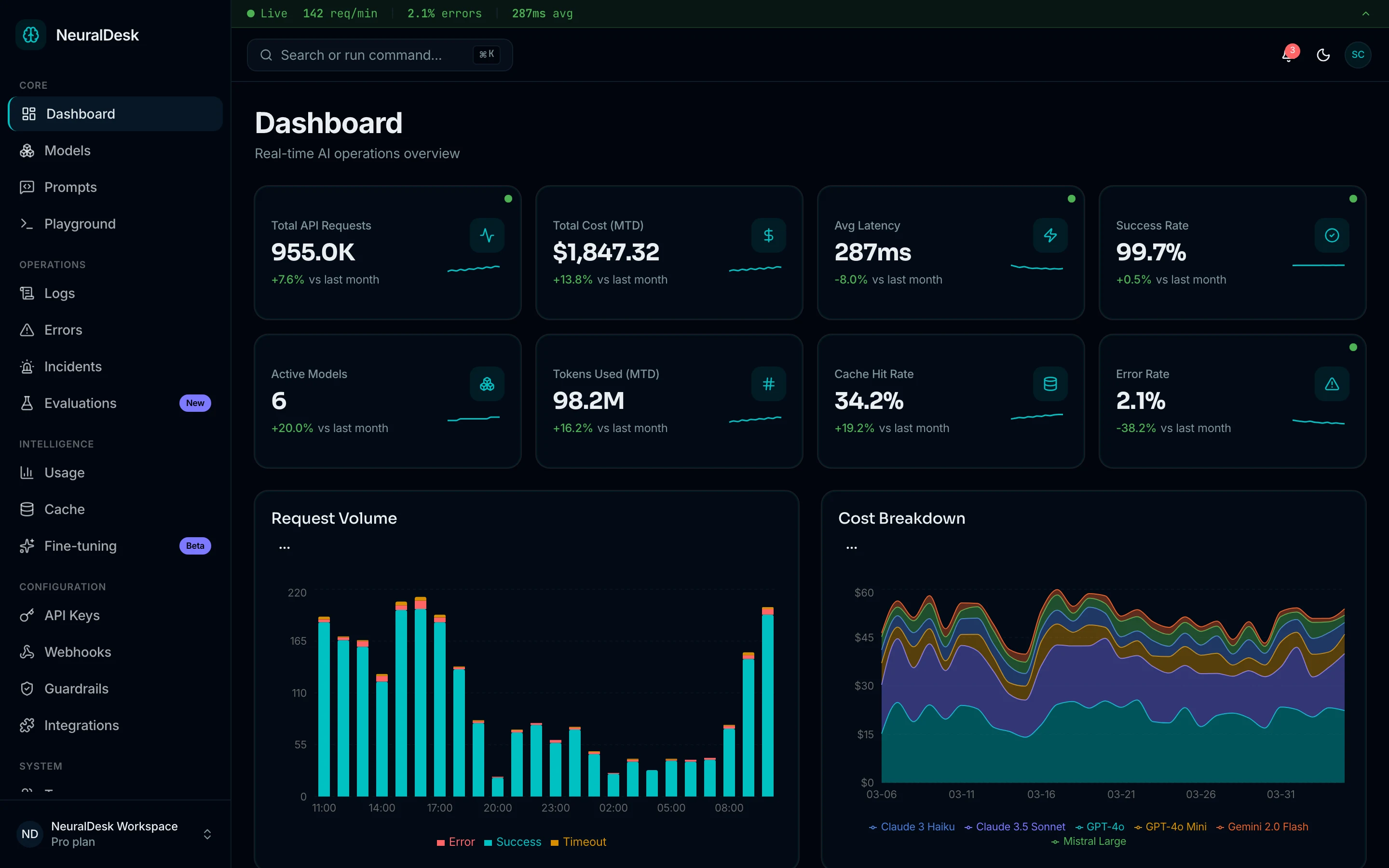



AI ops dashboard with request volume, latency, success rate, and cost breakdown by model
How NeuralDesk — AI Operations Dashboard Compares
See how thefrontkit stacks up against typical alternatives on the features that matter most.
| Feature | thefrontkit | Typical Alternatives |
|---|---|---|
| Model Management | Model registry, deployment status, version history, performance metrics | Basic model list or no registry |
| Prompt Engineering | Prompt library with versioning, templates, A/B test results | Plain text editor or no prompt management |
| Token Usage & Cost | Usage analytics with cost breakdown, model comparison, trend charts | Basic token counter or provider dashboard only |
| Request Logging | Full request/response logs with latency, tokens, status, filtering | Raw logs or no structured log viewer |
| Error Tracking | Error types, frequency analysis, resolution status, drill-down | Generic error page or missing entirely |
| Screen Count | 13 production-ready screens | 3-8 screens with basic layouts |
| WCAG AA Accessibility | Built-in from day one | Usually missing or partial |
| Dark Mode | Token-driven, system-aware | Basic toggle or missing |
Pricing Information
Solo License (1 developer)
Next.js/Tailwind code. 21 screens. Internal projects only.
Team License (Up to 10 developers)
Next.js/Tailwind code. 21 screens. Internal projects only.
Agency License (Unlimited developers, client delivery allowed)
Next.js/Tailwind code. 21 screens. Client delivery allowed.
Pricing Plans

Next.js/Tailwind code. 21 screens. Internal projects only.
- 1 developer license
- Next.js 16 + Tailwind CSS v4 code
- 21 screens: Dashboard, Models, Prompts, Playground, Evaluations, Usage, Logs, Errors, Incidents, Cache, Guardrails, Settings
- Real-time log viewer and LLM playground
- 6 months of updates
- Internal projects only
Next.js/Tailwind code. 21 screens. Internal projects only.
- All current + future apps for 1 year
- Next.js 16 + Tailwind CSS v4 code
- 21 screens: Dashboard, Models, Prompts, Playground, Evaluations, Usage, Logs, Errors, Incidents, Cache, Guardrails, Settings
- Real-time log viewer and LLM playground
- 1 year of updates
- Internal projects only
Next.js/Tailwind code. 21 screens. Client delivery allowed.
- Unlimited developer licenses
- All apps + unlimited client projects
- 21 screens: Dashboard, Models, Prompts, Playground, Evaluations, Usage, Logs, Errors, Incidents, Cache, Guardrails, Settings
- Real-time log viewer and LLM playground
- Priority support
- Client delivery allowed
7-day refund window after you connect your first model trace. License upgrades credit 100% of your previous purchase.
Done-For-You
Skip the setup. We'll launch this app for you.
The team that built NeuralDesk — AI Operations Dashboard deploys it for your business: your branding, your integrations, live in 2-4 weeks. Fixed quote, from $1999.
See all services →- ✓Kit license included
- ✓Your branding via the design token system
- ✓Wired to your backend, CRM, or payment provider
- ✓Deployed to your own account. You own everything
- ✓2 weeks of post-launch fixes
The complete AI ops dashboard UI — model management, prompt engineering, and cost monitoring in one kit
Model registry with version history, prompt library with A/B testing, token usage analytics with cost breakdown, request logging with latency tracking, error monitoring with resolution workflows, and LLM playground. Ship a LangSmith-quality AI ops dashboard on your own stack.
Related Articles
View all posts →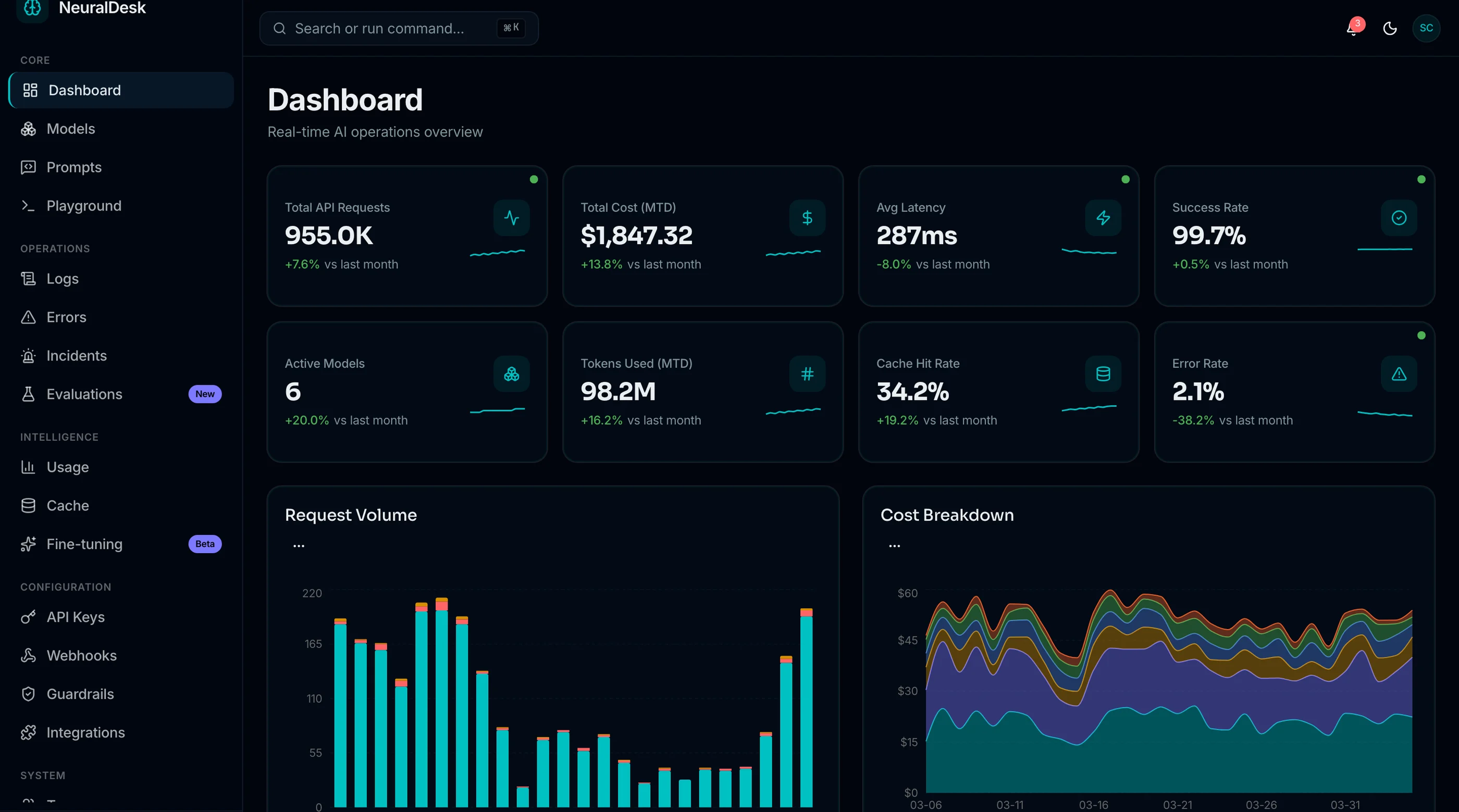
Grafana Alternatives: 8 Observability Tools for 2026
8 Grafana alternatives compared on pricing, stack weight, and hosting: Datadog, New Relic, SigNoz, Netdata, Perses, and building a custom ops dashboard.
Datadog Alternatives: 6 Observability Tools for 2026
Datadog bills surprise teams every quarter. 6 alternatives: Grafana Cloud, New Relic, SigNoz, Prometheus, Better Stack, and a custom AI ops dashboard.
Why AI Ops Dashboards Don't Prevent Incidents
AI ops dashboards promise to prevent incidents and rarely do. Five reasons: prediction without action, alert fatigue, missing runbooks, no feedback loop.
How to Choose an AI Ops Dashboard Template (2026)
A practical guide to picking a Next.js AI ops dashboard template. What separates a real LLM operations tool from an admin panel with a chat widget.
Best AI Ops Dashboard Templates in 2026
Need an AI operations dashboard template? We compared 7 options on model management, prompt engineering, token usage monitoring, request logging.
You Might Also Like
Explore more production-ready business apps.
Explore Related Templates
Find the right starting point for your project.
Next.js SaaS Template
Production-ready SaaS starter with auth, dashboards & Tailwind
Next.js Dashboard Template
Sidebar navigation, data tables & analytics panels
Next.js Landing Page Templates
10 free and paid landing templates compared
React Admin Dashboard
CRM, HR & analytics admin panels
Pricing
Compare plans: Free, Single App, All UI Kits, Agency
Frequently Asked Questions
Find answers to your key questions about thefrontkit. Our FAQ section covers licensing, customization, and technical details, ensuring you have everything you need before getting started.
21 screens total: a main dashboard with request volume, latency, cost and success rate; model registry; prompt library; LLM playground; evaluations; fine-tuning; usage and cost analytics; request logs; error tracking; incidents; semantic cache; guardrails; audit log; API keys; webhooks; integrations; team management; settings; and 3 auth pages (login, signup, forgot password).
No. This is a frontend UI kit. All screens use mock seed data with sample models, prompts, usage metrics, logs, and error records. You connect your own backend, LLM providers, or database. The UI layer handles display, interaction, and form structure.
Yes. All screens consume typed TypeScript interfaces. Replace the seed data imports with API calls to any LLM provider, REST endpoint, or GraphQL service. The UI is completely backend-agnostic and works with OpenAI, Anthropic, Google, Cohere, or any custom model API.
No. The playground provides the full UI for selecting models, configuring parameters (temperature, max tokens, etc.), writing prompts, and viewing responses — but all data is mock. You wire it to your own LLM API to make it functional.
Yes. All screens use semantic HTML, keyboard navigation, proper ARIA labels, focus management, and WCAG AA contrast ratios in both light and dark modes.
Absolutely. The entire color system uses oklch tokens in globals.css. Change the hue value and all 21 screens update instantly. Typography, spacing, and component styles are all token-driven through Tailwind CSS.
Solo and Team licenses are for internal projects. The Agency license allows unlimited developers and client delivery.