Kanban Template: Drag-and-Drop Board, Sprint Planning, and Project Management Dashboard for Next.js
Jira is too much, Trello too little, and Linear is painful for anything outside a five-person engineering team. This Kanban template gives founders and agencies 45 screens of Kanban-first project management: drag-and-drop boards, sprint cycles with burndown charts, Gantt-style timeline and roadmap with milestones, a workload view with capacity status, goals with key results, and full analytics. Built for teams tired of cycling through three PM tools a year.
Starting at $79$13140% OFF· 7-day money-back guarantee
Or get this + all 18 kits for $749 with All UI Kits →
Last updated on August 25, 2026


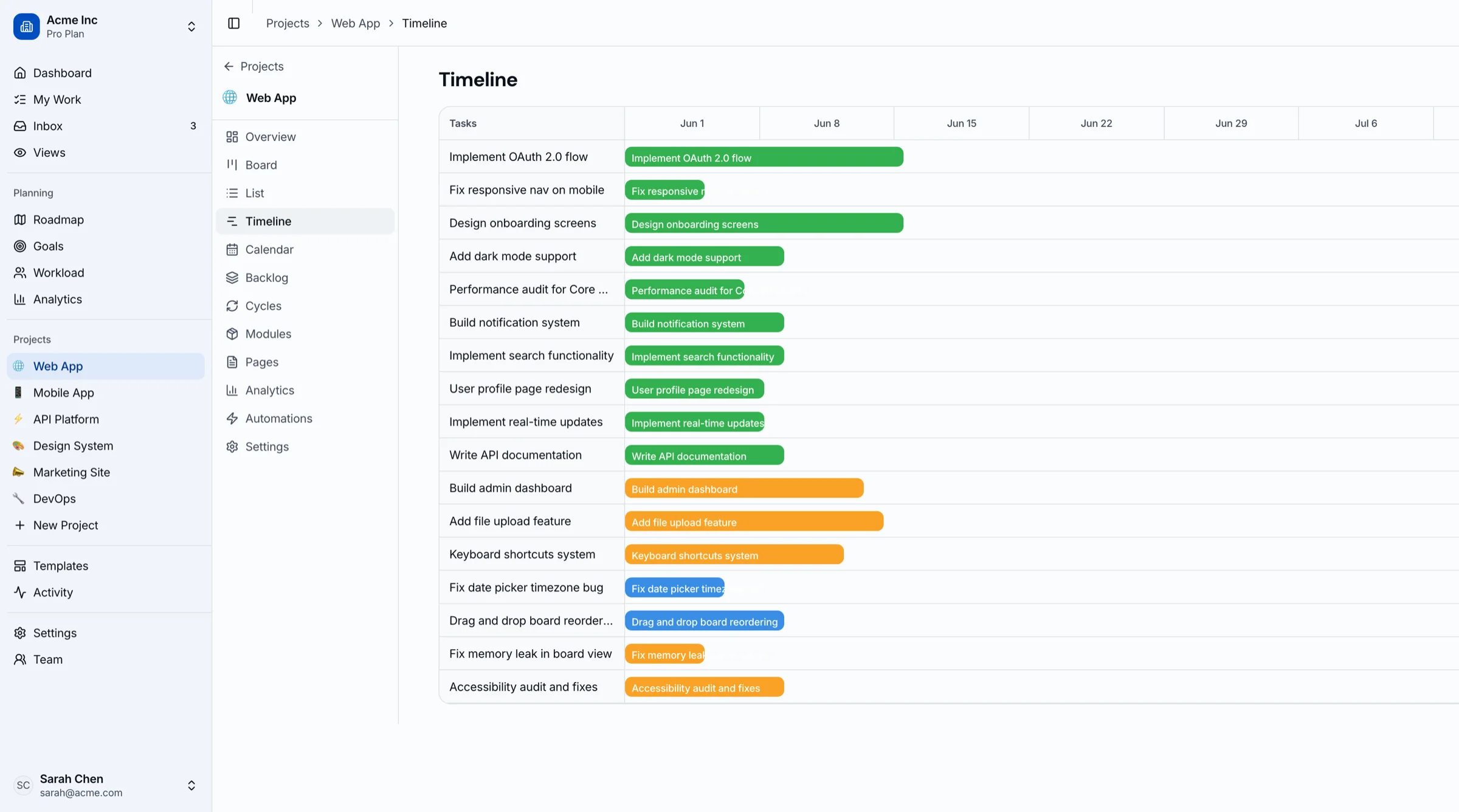
45 Screens Across 12+ Sections
Everything you need to build a complete project management platform: Kanban boards, sprint cycles, roadmap planning, and analytics.

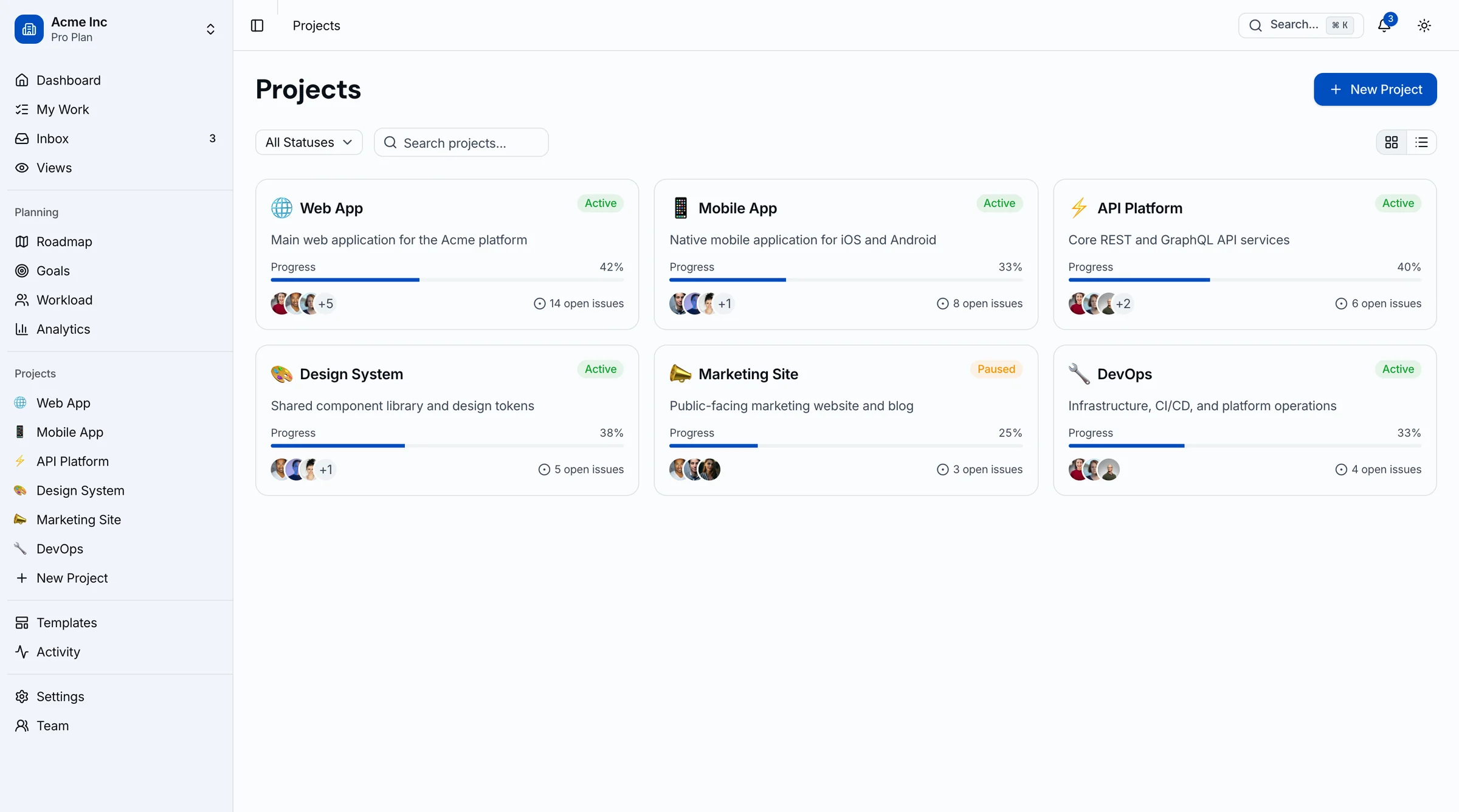
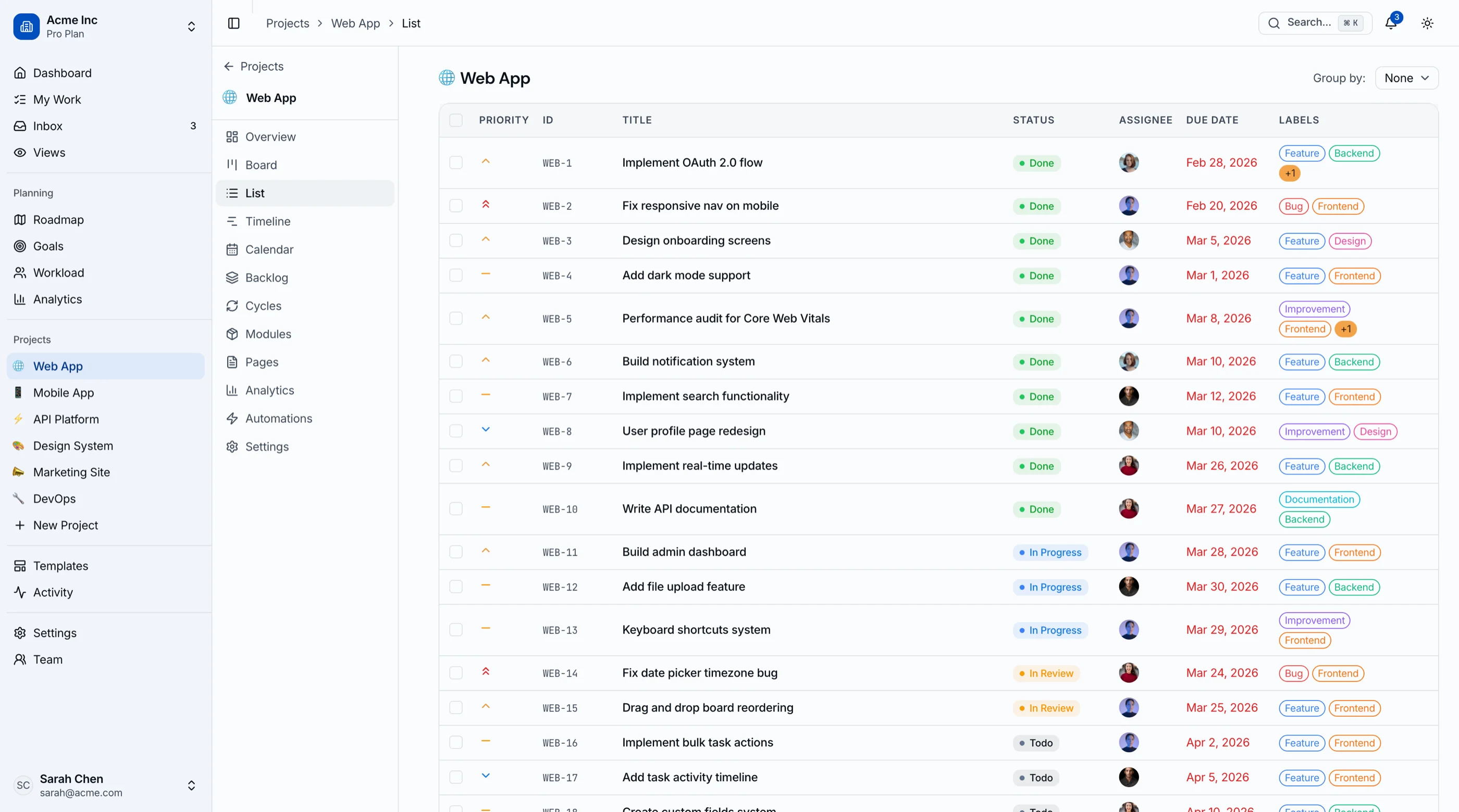
Kanban board, list view, calendar, timeline, backlog, task detail, project overview, project settings

Sprint cycles list, cycle detail, modules list, module detail, wiki pages list, page editor

Project analytics, global analytics, roadmap timeline, workload capacity view, goals tracking
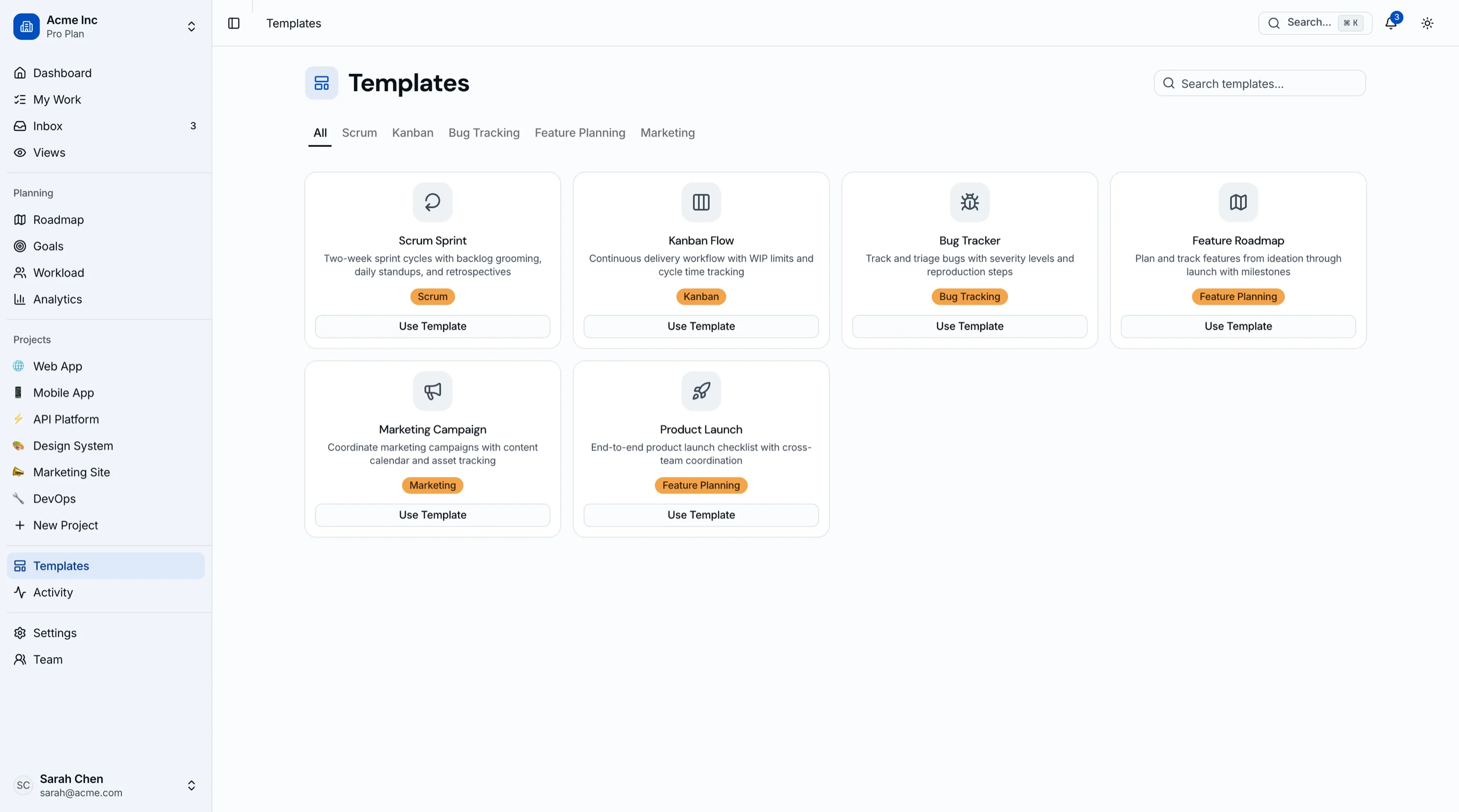
Dashboard, my work, inbox, activity, search, templates, custom views, projects list, new project, automations, team directory, member detail
9 settings pages, login, register, forgot password, onboarding, 404
All built with TailwindCSS and shadcn/ui. Accessible, token-driven, and developer-friendly.
Built on a Solid Foundation
Every component follows production-grade patterns for accessibility, responsiveness, and maintainability.

Task & Board Management
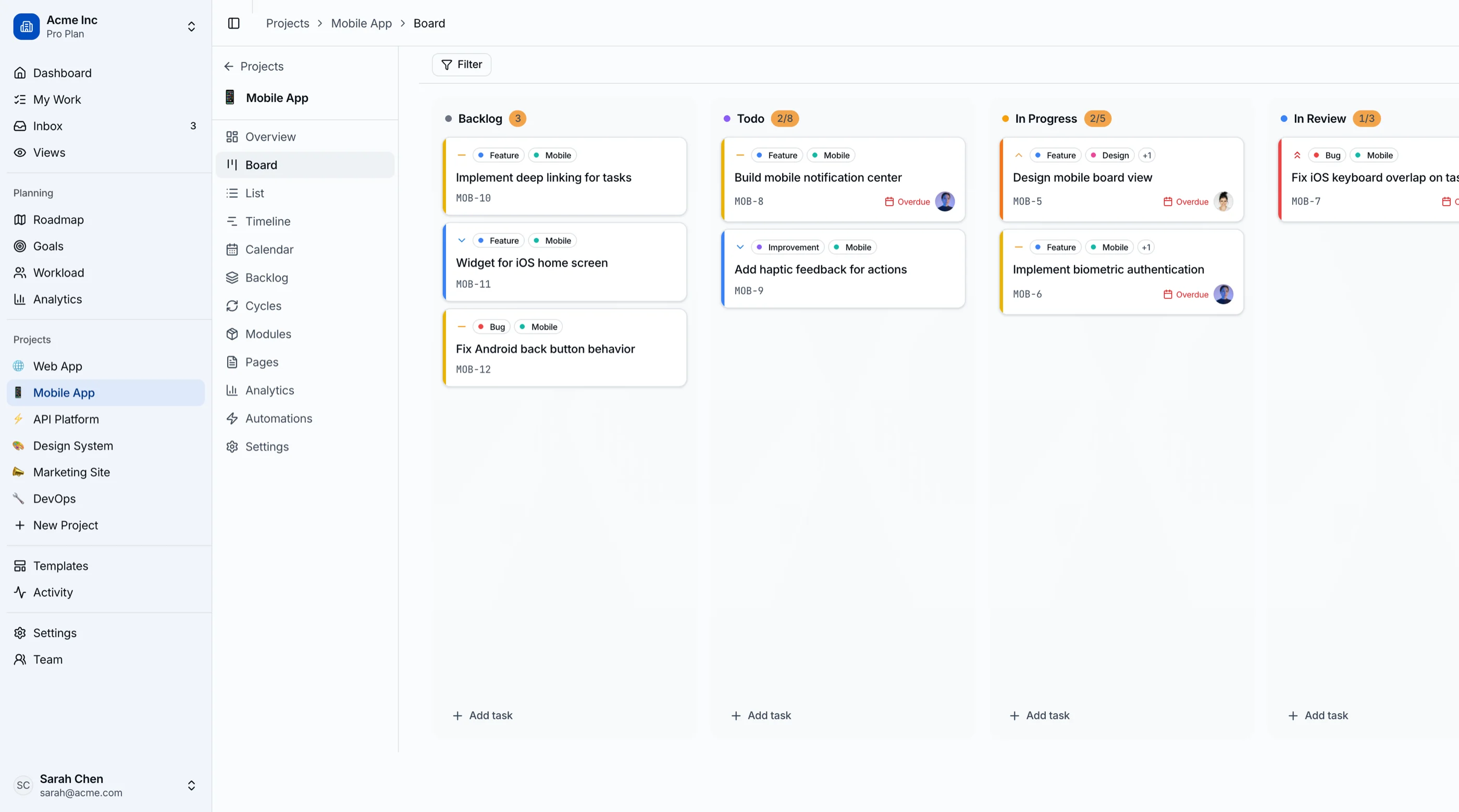
- Kanban board with drag-and-drop between status columns
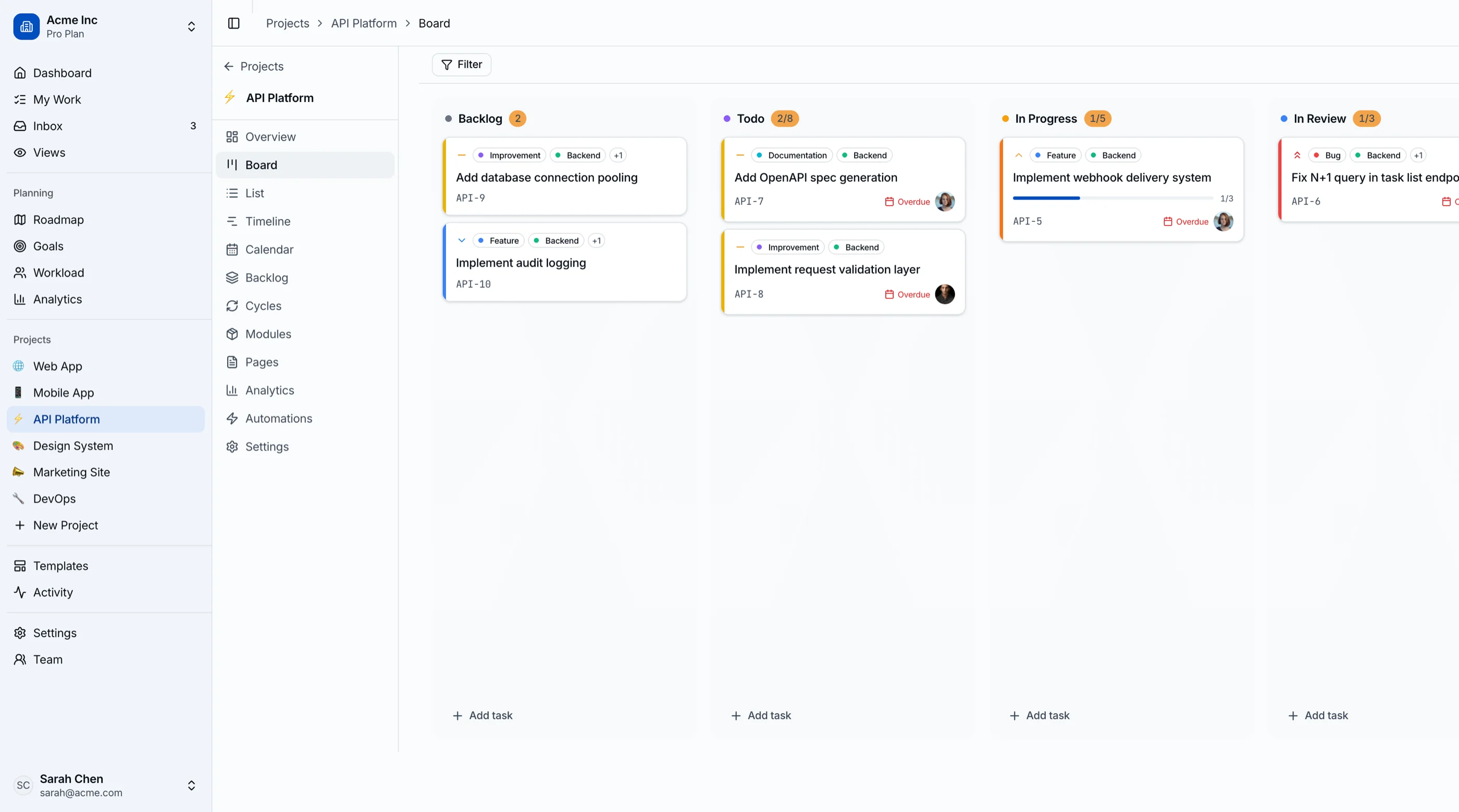
- Task cards with assignee, priority, labels, and due date
- 5 project views: board, list, calendar, timeline, backlog
- Task detail page with subtasks, comments, and activity
- Bulk actions in list view and quick filters

Sprint & Module Planning
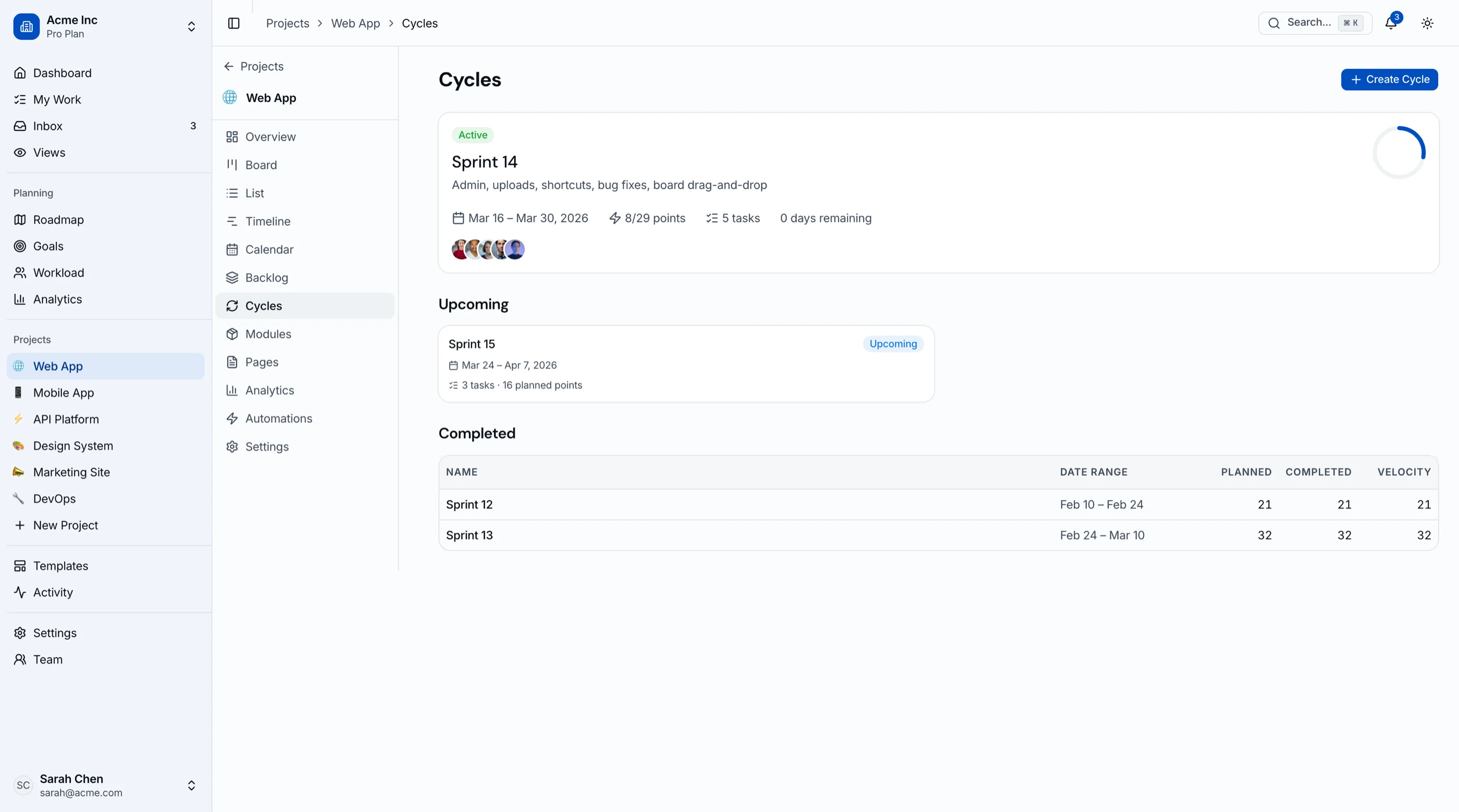
- Sprint cycles with start/end dates and progress tracking
- Burndown chart and completion metrics per cycle
- Modules for grouping related features and epics
- Wiki-style pages with an editor toolbar UI
- Automation rules for workflow triggers and actions

Analytics & Insights
- Velocity charts and completion rate trends
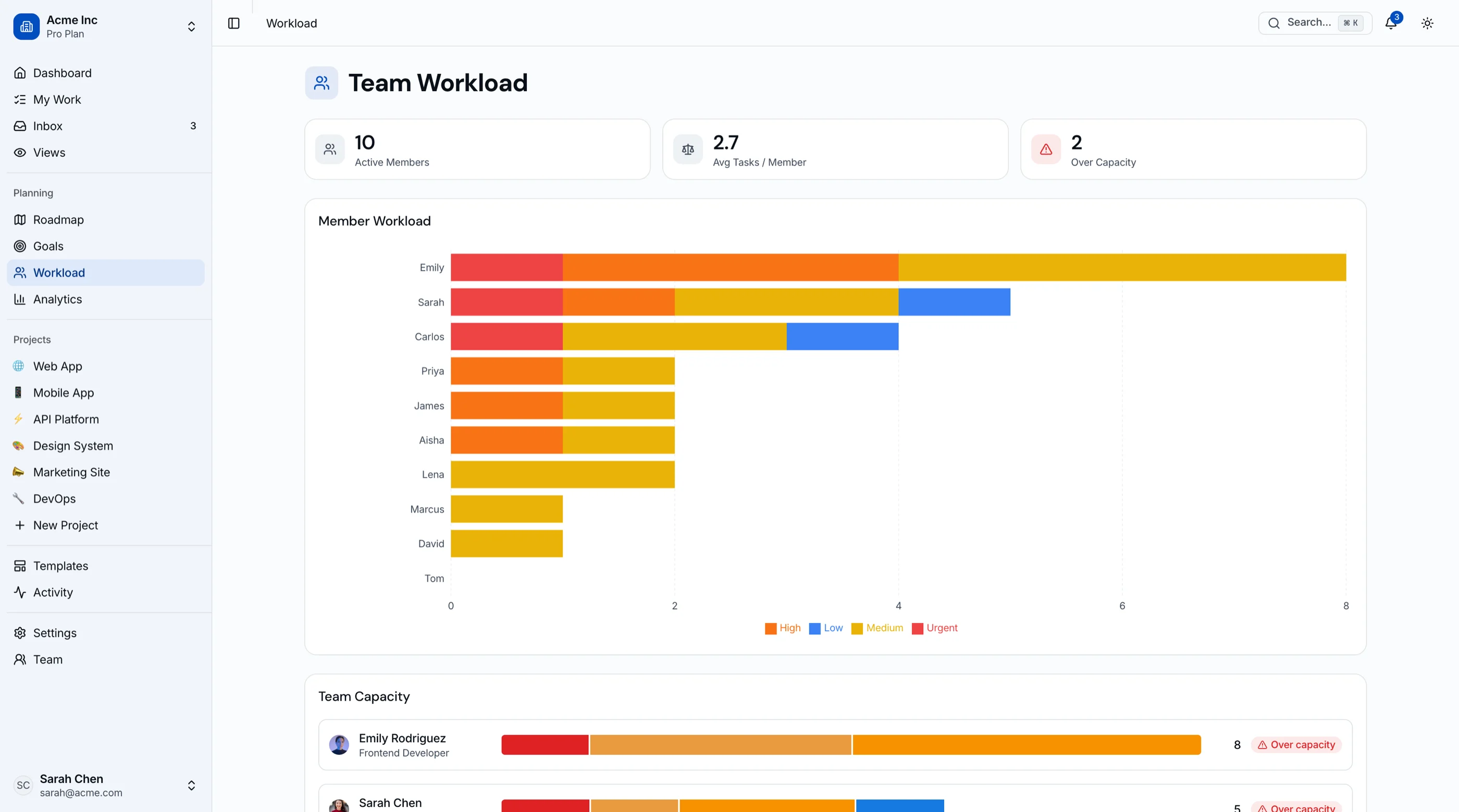
- Workload view with team capacity status
- Roadmap timeline with milestones and quarter planning
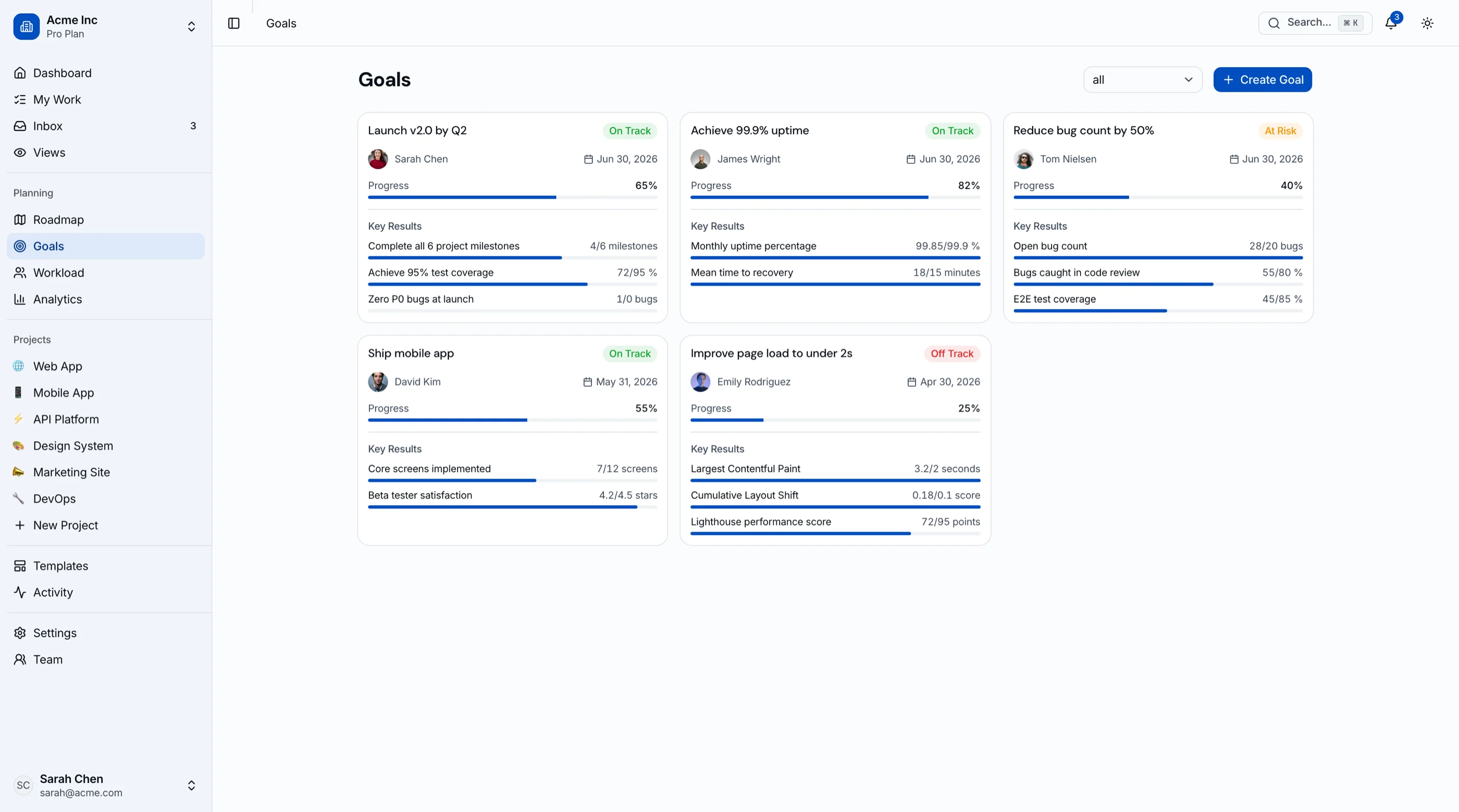
- Goals and OKR tracking with progress indicators
- Activity feed and inbox notification center
45 screens, 3 layouts, 60+ components. Everything you need to ship a complete project management platform.
View all screensWhat's Included in This Kanban PM Kit
Included
 React + Tailwind code for all 45 screens and components
- oklch design tokens covering board statuses, priority labels, and chart palettes
- Kanban board with @hello-pangea/dnd drag-and-drop
- Recharts analytics dashboards with 8+ chart types
- Responsive layouts with horizontally scrolling Kanban columns on mobile
- 1 year of updates
Not Included
- Backend, database, or API logic
- Project data storage or synchronization
- Real-time collaboration or WebSocket service
- Authentication or user management backend
Intent: you get a production-grade project management UI. You connect your own data source, APIs, and business logic.
Built for Product Teams, Agencies, and Engineering Orgs

Product teams building an internal project tracker or issue management tool on Next.js

Agencies delivering project management dashboards and PM tools for clients on tight timelines

Engineering teams that need a custom Kanban tracker without vendor lock-in to Jira or Linear
Note: This is a frontend UI kit, not a hosted PM tool. You bring your own backend, database, and API.
Key Features
| Feature | Description |
|---|---|
| Kanban Board with Drag-and-Drop | Full drag-and-drop board with @hello-pangea/dnd. Task cards show assignee, priority, labels, and due date. Column counts update live. Switch between board, list, calendar, timeline, and backlog views. |
| Sprint Cycles & Modules | Sprint planning with start/end dates, progress bars, and burndown tracking. Modules for grouping related features. Cycle detail pages with filtered issue lists and completion metrics. |
| Roadmap & Timeline | Gantt-style timeline with horizontal bars for task duration. Roadmap view with milestones and quarter planning. Filterable by project, status, and assignee. |
| Workload & Team Management | Workload view with a per-member bar chart and over, under, or balanced capacity status. Team directory with member profiles, activity history, and assigned tasks. Member detail pages with performance overview. |
| Goals & OKR Tracking | Goals dashboard with progress indicators, linked projects, and key results. Track objectives across teams with completion percentages and status updates. |
| Analytics & Activity | Project and global analytics with velocity charts, completion rates, priority distribution, and assignee breakdown. Activity feed with filterable event log. Inbox notifications center. |
All components are WCAG AA-compliant and optimized for mobile and desktop.
The Stack Behind a Production Kanban App




- TailwindCSS handles all 45 screens of layout without a single CSS module
- Drops cleanly into existing shadcn/ui projects without theme conflicts
- Base UI primitives behind every menu, dialog, and sprint selector for accessible keyboard control
- oklch design tokens so every column, badge, and chart shares the same color system
- Recharts integration for analytics dashboards and data visualization
- @hello-pangea/dnd for production-grade Kanban drag-and-drop
Accessibility Highlights
Every project management interaction is inclusive by design. From Kanban boards to sprint planning and analytics, built for everyone.
Preview Gallery
45 screens across Kanban boards, sprints, modules, roadmap, workload, goals, analytics, team, inbox, settings, and auth. Every screen is fully responsive and accessible.
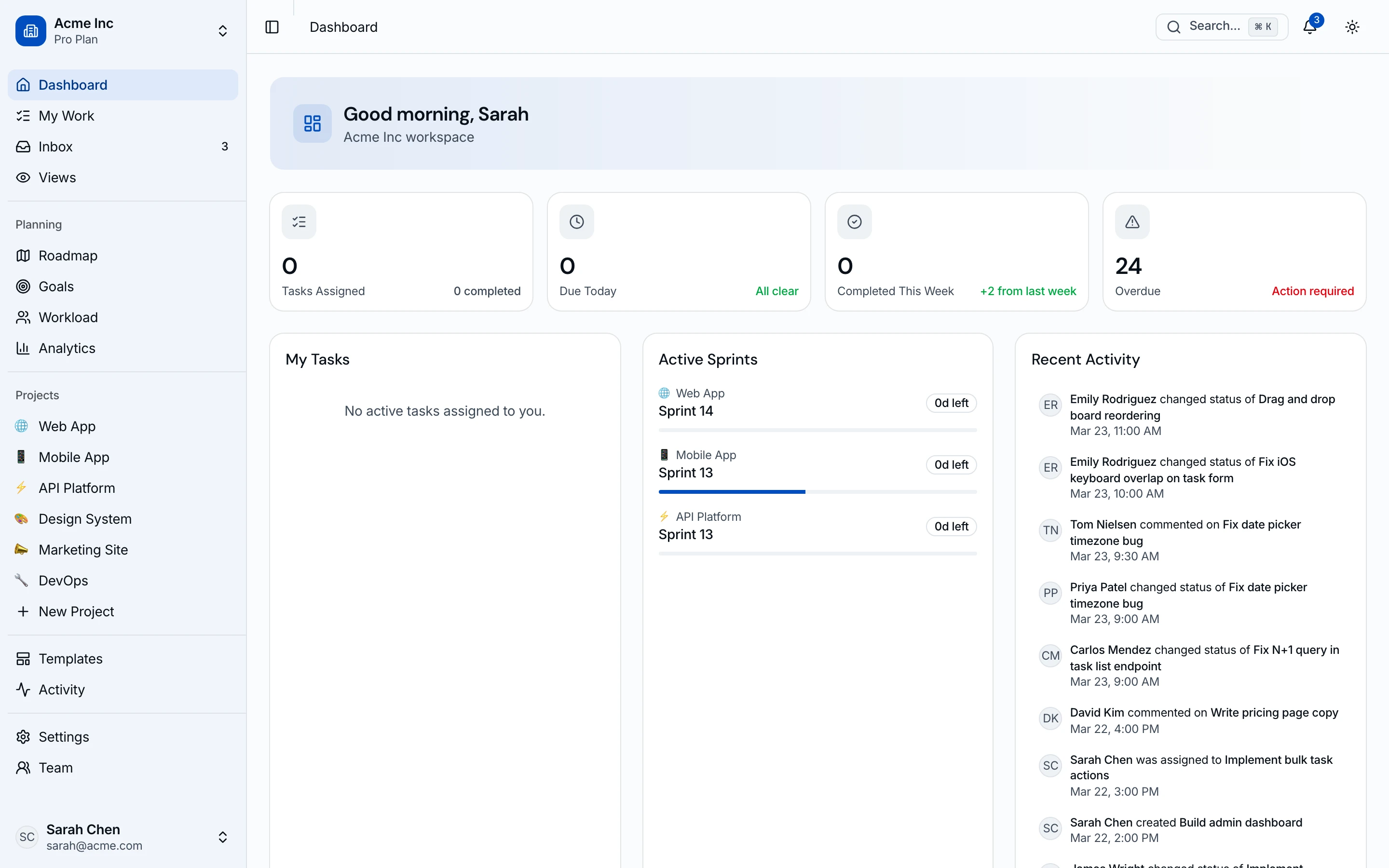
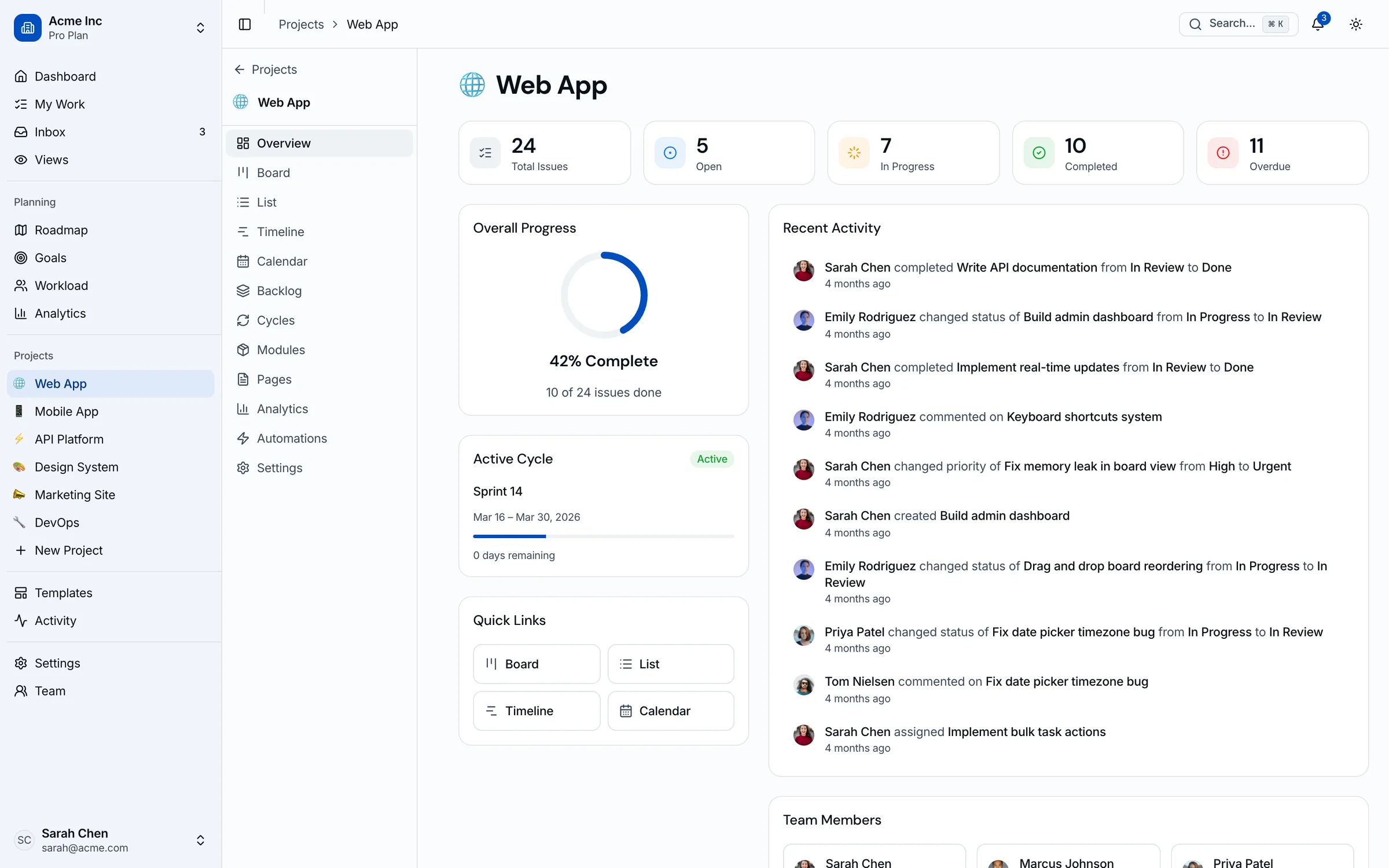
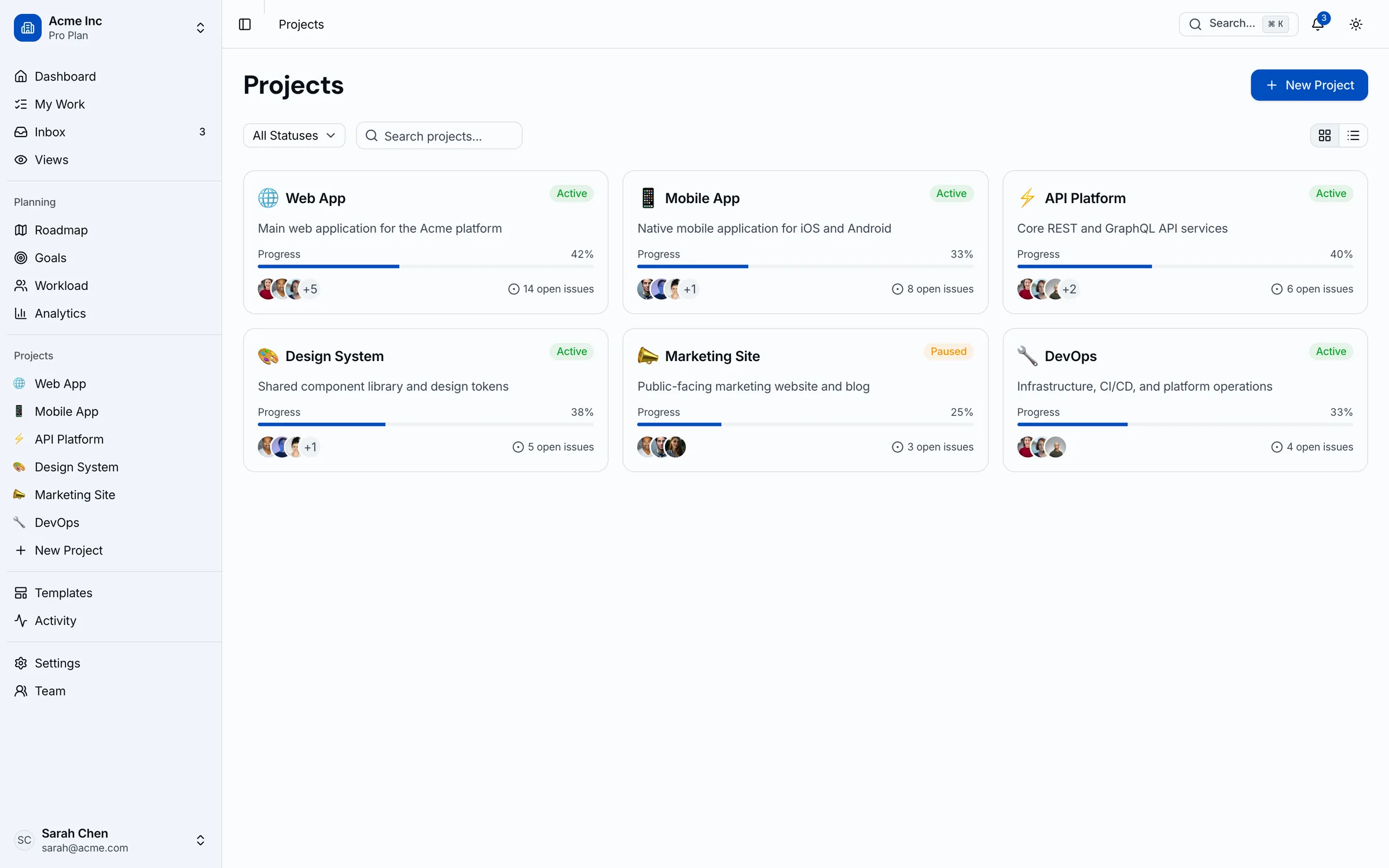
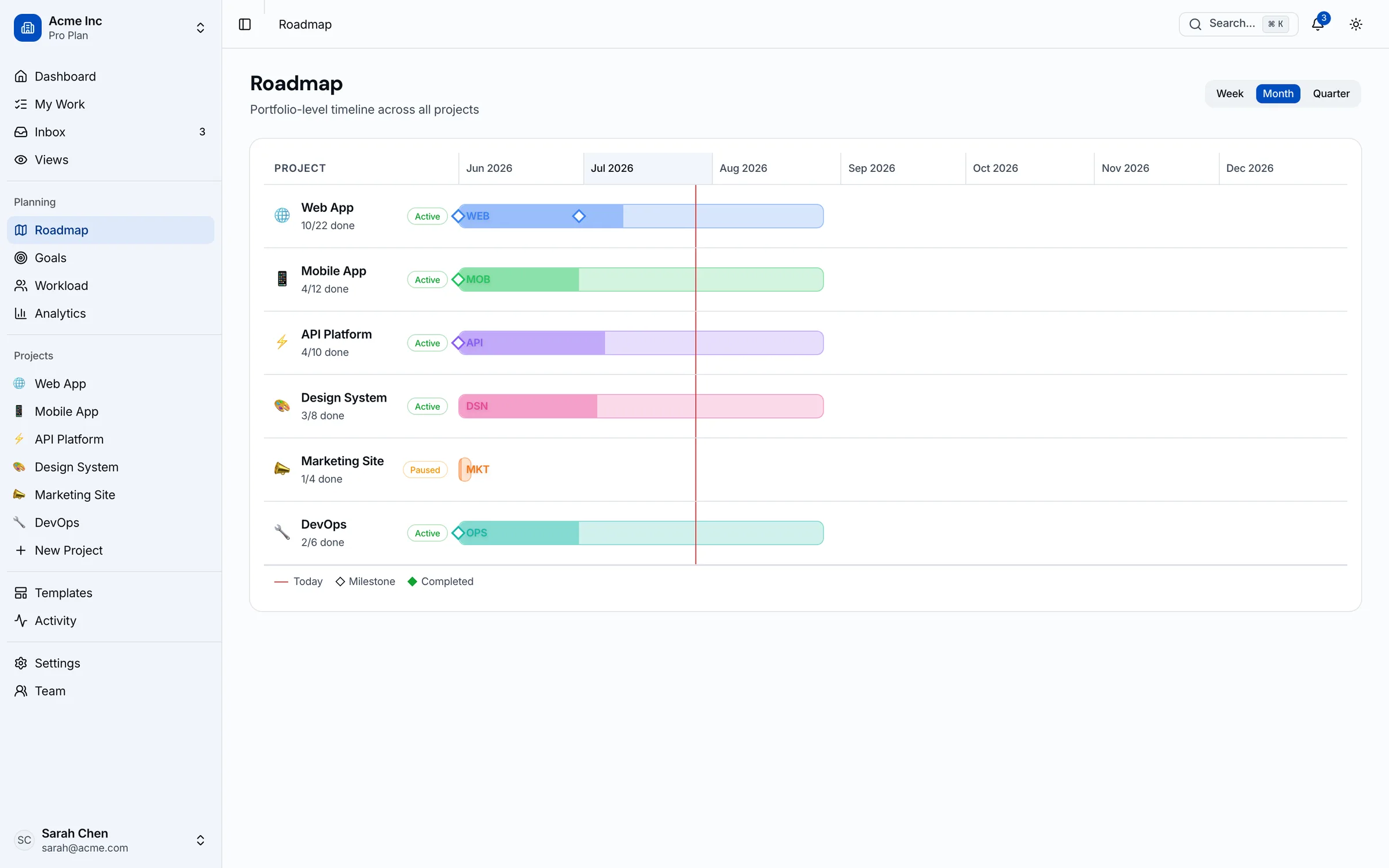
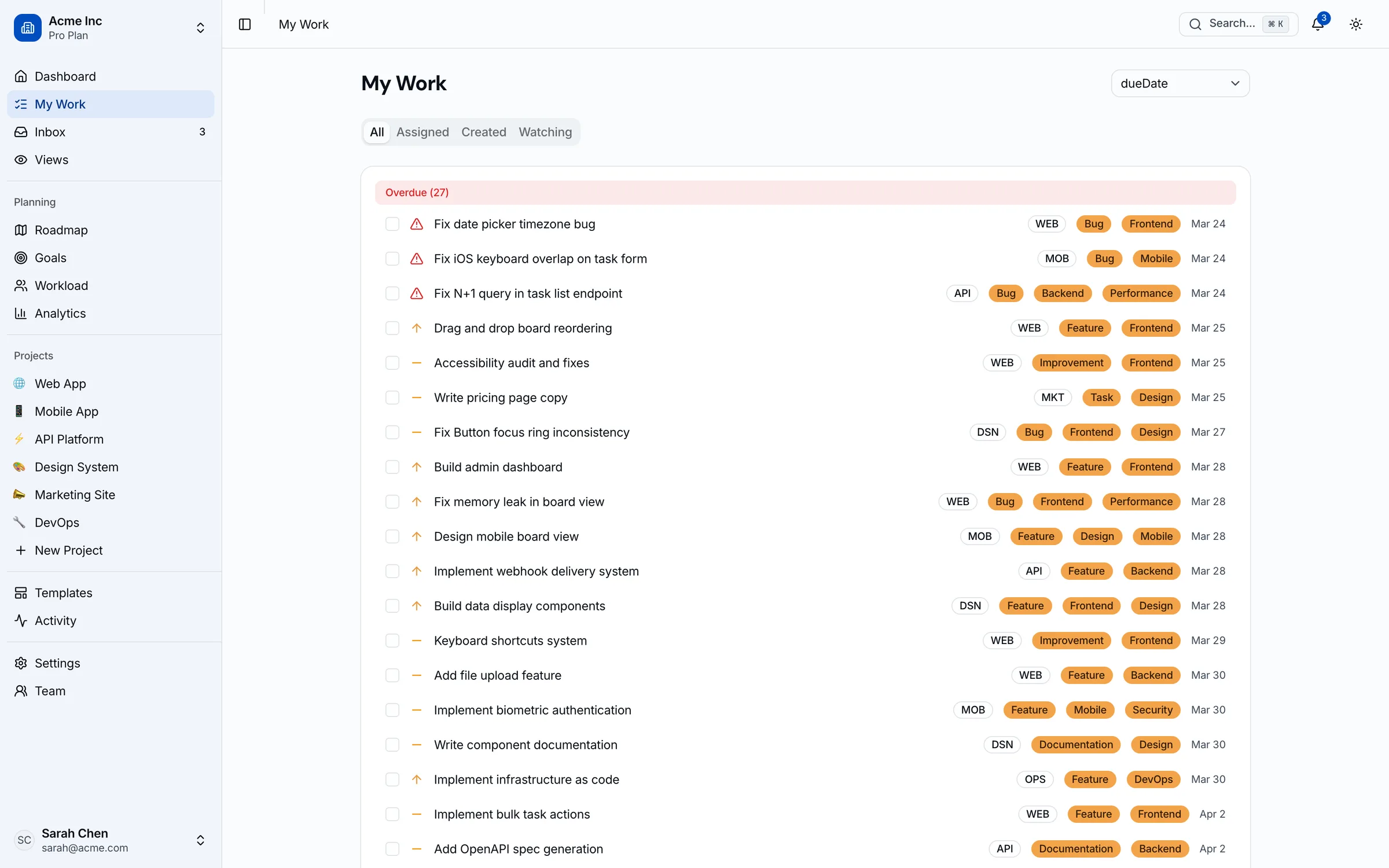
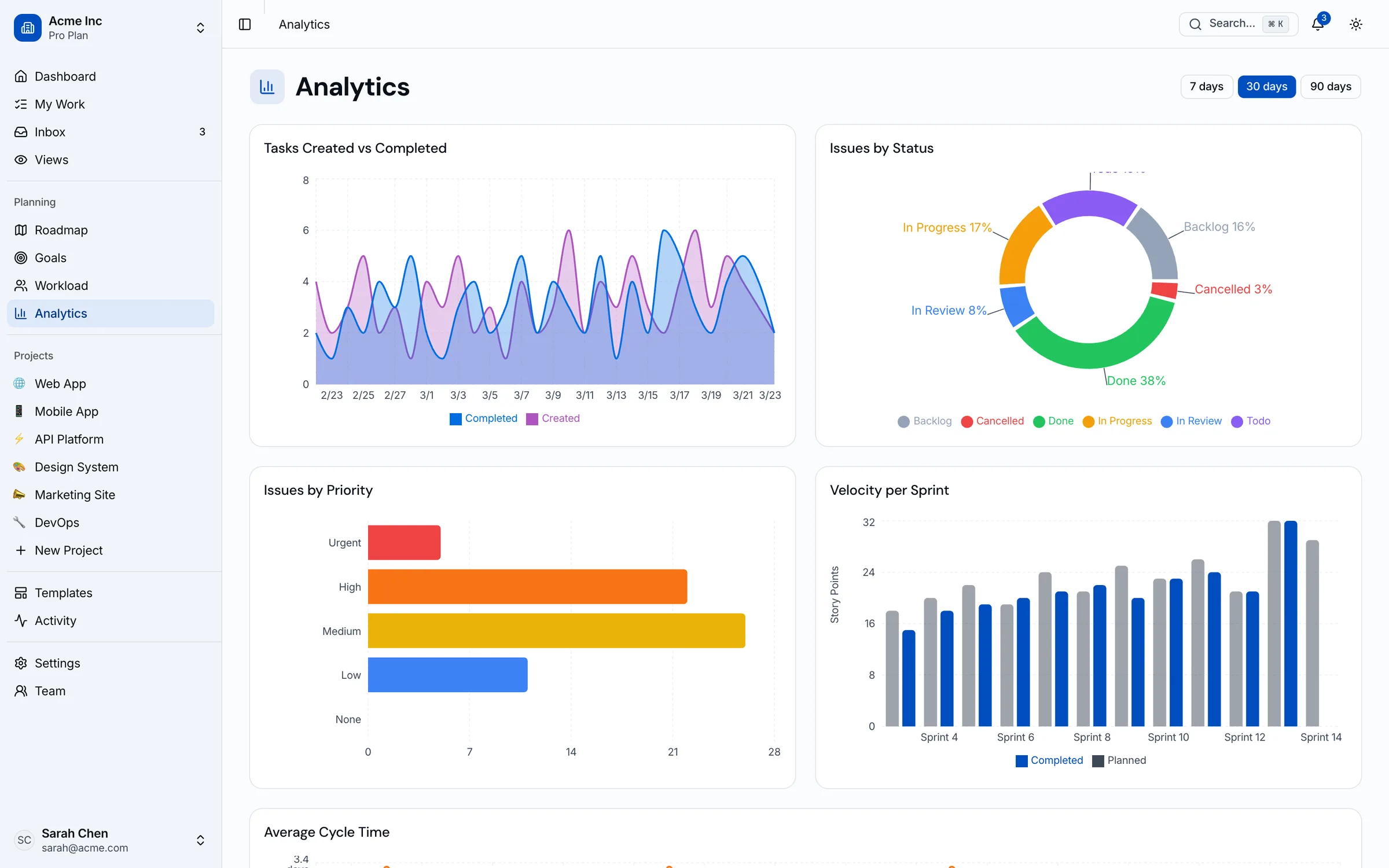
Kanban board with labelled task cards, priority indicators, and per-column WIP counts
How Kanban Template & Project Management Dashboard Compares
See how thefrontkit stacks up against typical alternatives on the features that matter most.
| Feature | thefrontkit | Typical Alternatives |
|---|---|---|
| Kanban Board | Full drag-and-drop Kanban with status columns and task cards | Basic list view or no board UI |
| Sprint Cycles | Sprint planning, burndown tracking, cycle detail with issue management | No sprint support or basic iteration view |
| Modules & Roadmap | Feature grouping with modules, Gantt-style timeline, roadmap planning | No module system or roadmap view |
| Multiple Views | Board, list, calendar, timeline, backlog: 5 views per project | Board-only or list-only view |
| Workload & Team | Workload capacity view, team directory with member detail, capacity tracking | No workload visibility or basic member list |
| Goals & OKRs | Goals tracking with progress, linked projects, and key results | No goals feature, relies on external tools |
| WCAG AA Accessibility | Built-in from day one | Usually missing or partial |
| Dark Mode | Token-driven, system-aware | Basic toggle or missing |
Pricing Information
Solo License (1 developer)
Next.js/Tailwind code. 45 screens. Internal projects only.
Team License (Up to 10 developers)
Next.js/Tailwind code. 45 screens. Internal projects only.
Agency License (Unlimited developers, client delivery allowed)
Next.js/Tailwind code. 45 screens. Client delivery allowed.
Pricing Plans

Next.js/Tailwind code. 45 screens. Internal projects only.
- 1 developer license
- Next.js 16 + Tailwind CSS v4 code
- 45 screens: Kanban, Sprints, Roadmap, Analytics, Settings
- Kanban board with drag-and-drop
- 6 months of updates
- Internal projects only
Next.js/Tailwind code. 45 screens. Internal projects only.
- All current + future apps for 1 year
- Next.js 16 + Tailwind CSS v4 code
- 45 screens: Kanban, Sprints, Roadmap, Analytics, Settings
- Kanban board with drag-and-drop
- 1 year of updates
- Internal projects only
Next.js/Tailwind code. 45 screens. Client delivery allowed.
- Unlimited developer licenses
- All apps + unlimited client projects
- 45 screens: Kanban, Sprints, Roadmap, Analytics, Settings
- Kanban board with drag-and-drop
- Priority support
- Client delivery allowed
Try the kanban board for 7 days. If sprint planning still feels broken, full refund. License upgrades credit 100% of what you paid.
Done-For-You
Skip the setup. We'll launch this app for you.
The team that built Kanban Template & Project Management Dashboard deploys it for your business: your branding, your integrations, live in 2-4 weeks. Fixed quote, from $1999.
See all services →- ✓Kit license included
- ✓Your branding via the design token system
- ✓Wired to your backend, CRM, or payment provider
- ✓Deployed to your own account. You own everything
- ✓2 weeks of post-launch fixes
The complete Kanban template: boards, sprints, roadmap in one kit
Kanban boards with drag-and-drop, sprint cycles, modules, Gantt timeline, workload view, goals tracking, team management, and analytics. Ship a Linear-quality PM tool on your own stack.
Related Articles
View all posts →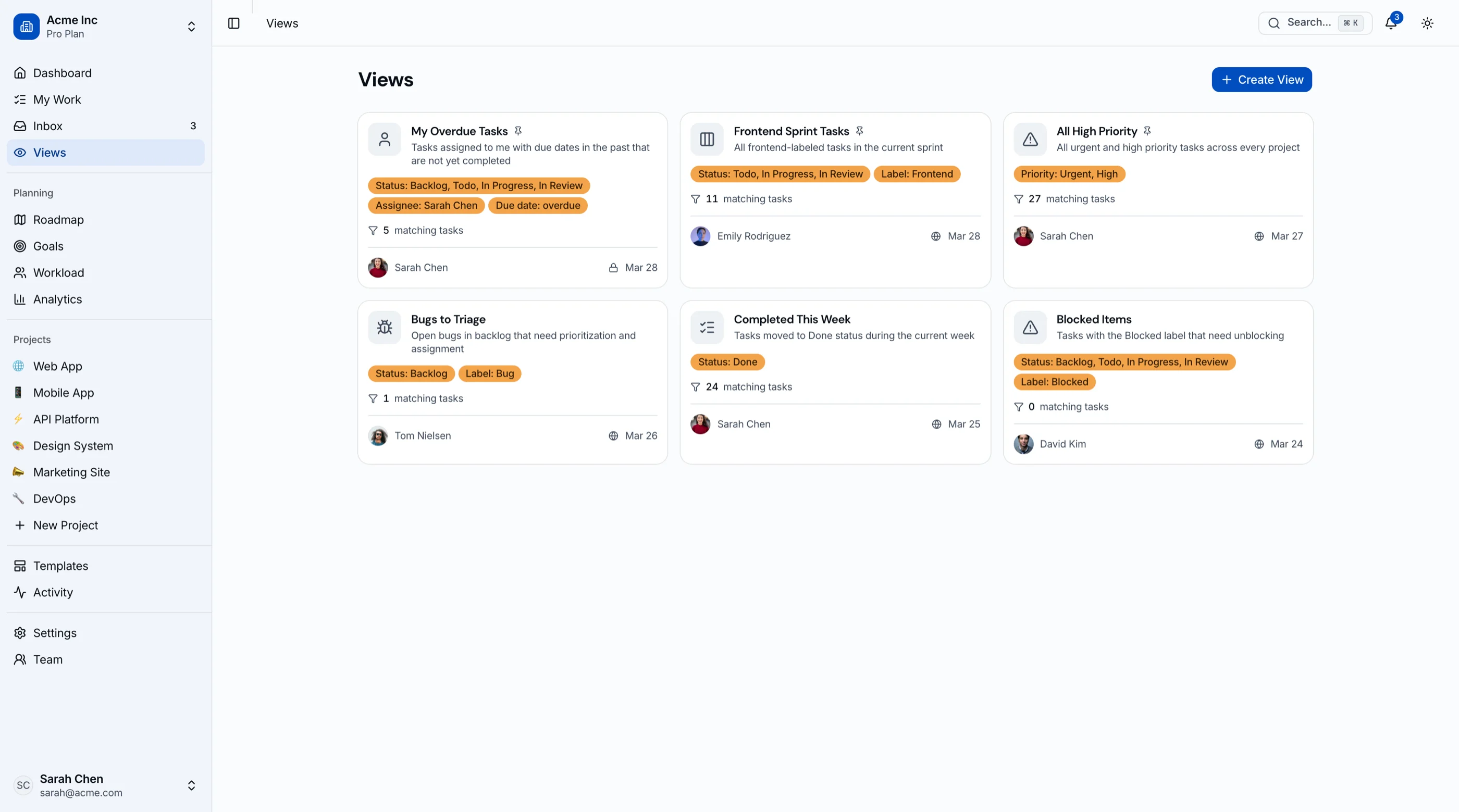
ClickUp Alternatives: 8 Project Management Tools for 2026
8 ClickUp alternatives compared on speed, focus, and hosting: Linear, Asana, monday.com, Notion, Trello, Plane, and building PM features into your product.
monday.com Alternatives: 8 Work Management Tools for 2026
8 monday.com alternatives compared on pricing, seat minimums, and hosting: Asana, ClickUp, Trello, Notion, Linear, and building boards into your app.
Asana Alternatives & Competitors: 8 PM Tools for 2026
8 Asana alternatives and competitors compared on price, free-plan limits and hosting: monday.com, ClickUp, Linear, Trello, Basecamp, Plane and OpenProject.
Trello Alternatives: 8 Kanban Tools for 2026
8 Trello alternatives compared on depth, pricing, and hosting: Asana, ClickUp, Linear, Notion, Plane, Focalboard, and building kanban into your product.
Jira Alternatives: 9 Project Management Tools for 2026
9 Jira alternatives compared on pricing, workflow fit, and hosting: Linear, ClickUp, Asana, Trello, Shortcut, Plane, and building your own kanban app.
Notion Alternatives: 8 Workspace Tools for 2026
8 Notion alternatives compared on pricing, offline support, and data ownership: Obsidian, AppFlowy, AFFiNE, Anytype, Coda, and building your own tools.
How to Build a Kanban App in Next.js (2026)
A practical walkthrough of building a production kanban project management app in Next.js, with drag-and-drop, sprints, and a real data model.
How to Choose a Next.js Kanban Template in 2026
A practical guide to picking a Next.js kanban template. What separates a real project management dashboard from a drag-and-drop board demo.
Best Kanban Board Templates in 2026
Need a kanban board template for your project management dashboard? We compared 7 options on board features, sprint planning, task management.
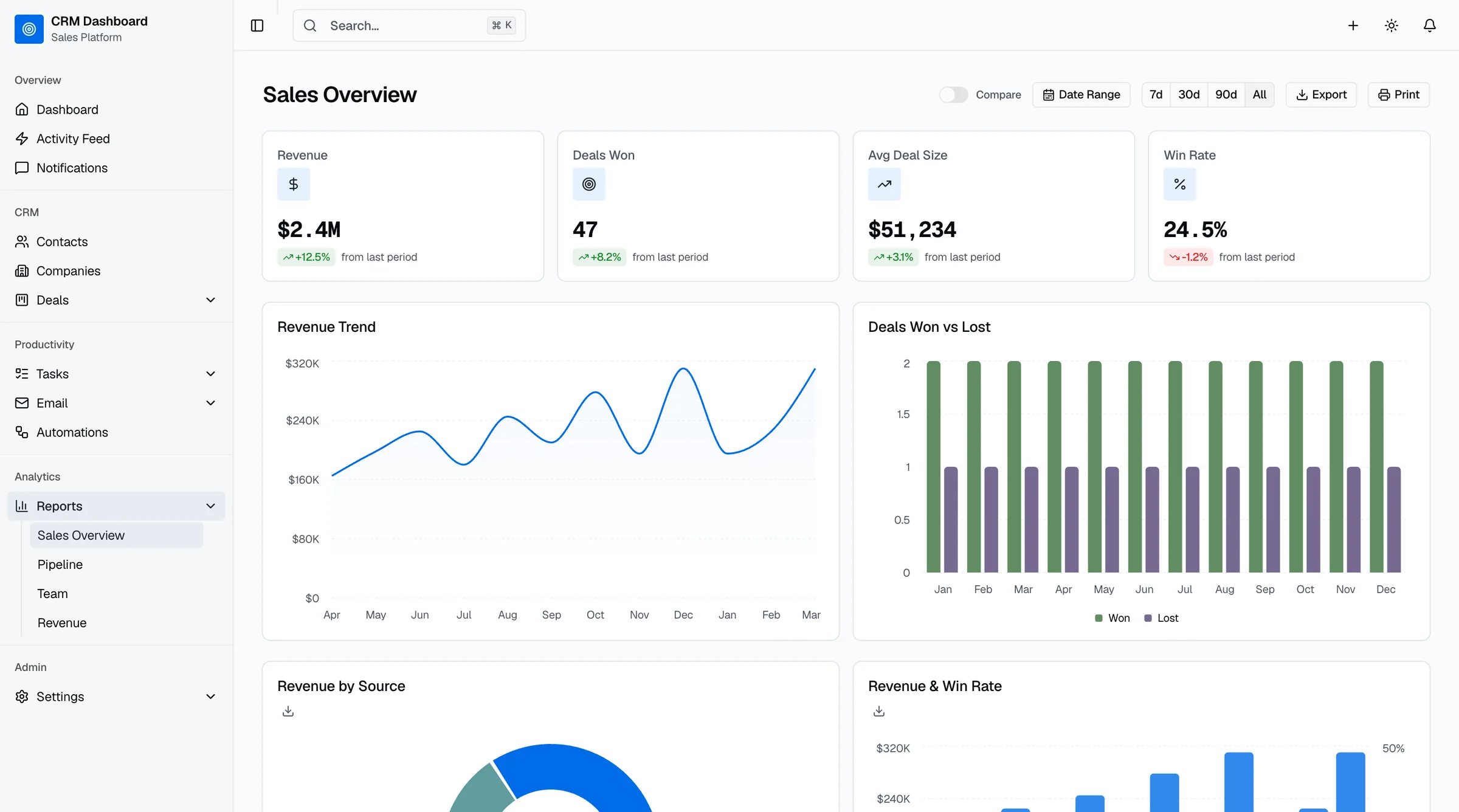
13 Best shadcn Dashboard Templates 2026 (Free & Paid)
13 shadcn dashboard and admin templates compared: free picks like the official blocks and shadcn-admin, plus paid, CRM and SaaS kits. Checked Sept 2026.
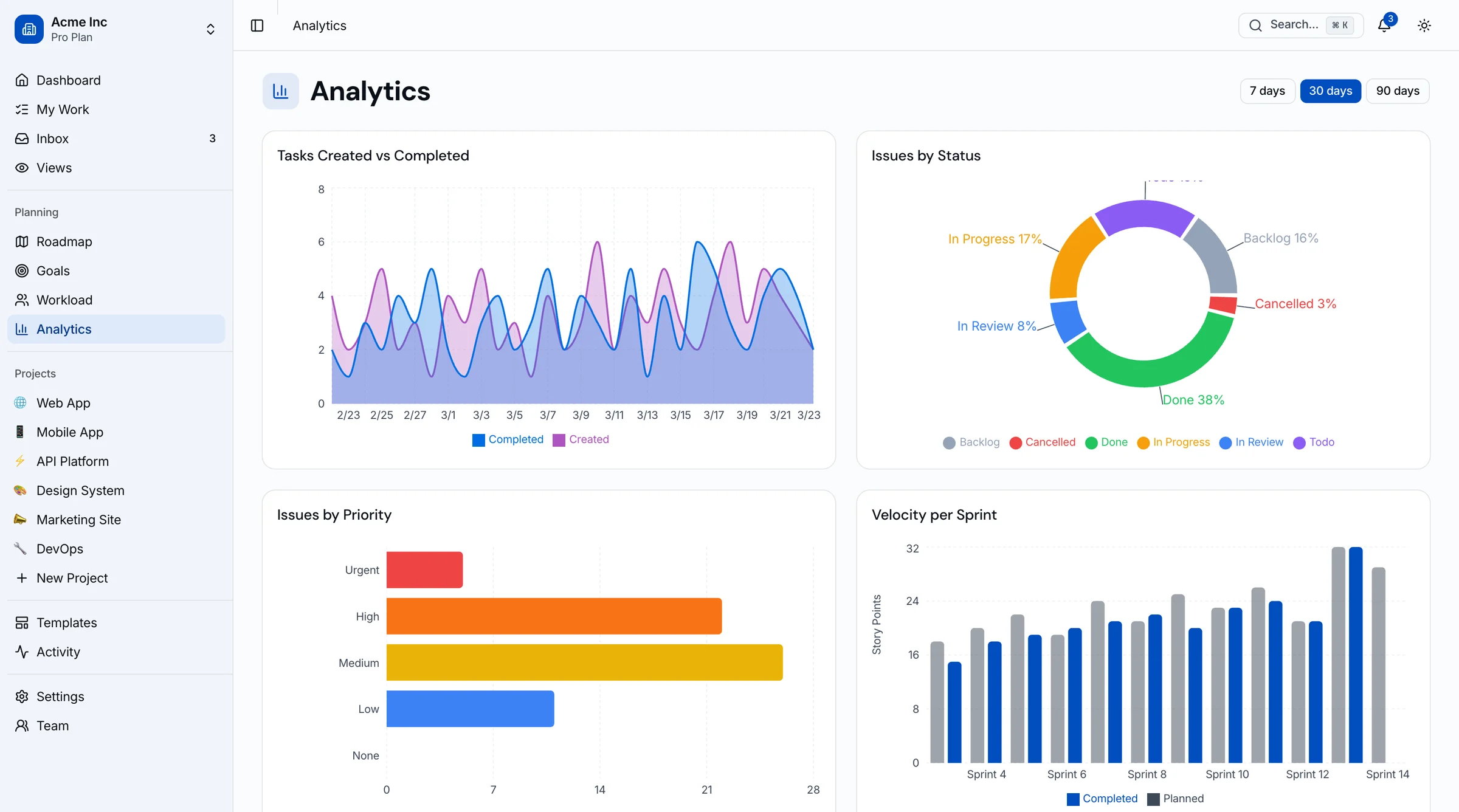
Best Tailwind Dashboard Templates 2026
11 Tailwind CSS dashboard templates tested in real projects. Admin panels, SaaS dashboards, CRM, and analytics compared. Honest picks.
You Might Also Like
Explore more production-ready business apps.
CRM Dashboard Template
42 screens with sales pipeline, contact management, and analytics dashboards.
Social Media Dashboard Template
40+ screens with multi-platform analytics, content calendar, and reporting.
Next.js Blog Template with CMS
27 screens with admin panel, post editor, analytics, and media library.
Explore Related Templates
Find the right starting point for your project.
Frequently Asked Questions
Find answers to your key questions about thefrontkit. Our FAQ section covers licensing, customization, and technical details, ensuring you have everything you need before getting started.
45 screens: project list, new project, project overview, Kanban board with drag-and-drop, list view, calendar view, Gantt-style timeline, backlog, task detail, sprint cycles (list + cycle detail), modules (list + module detail), wiki-style pages (list + page detail), project analytics, project settings, automation rules, roadmap, workload view, goals tracking, team directory with member detail, global analytics, activity feed, inbox notifications, global search, templates library, custom views, my work dashboard, onboarding, 9 settings pages (general, members, labels, integrations, import/export, API, notifications, appearance, billing), 3 auth pages (login, register, forgot password), and a 404 page.
No. This is a frontend UI kit. All screens use mock seed data. You connect your own backend, API, or database. The UI layer handles display, interaction, and form structure.
Yes. The board uses @hello-pangea/dnd for real drag-and-drop between columns. Task cards can be dragged between status columns with smooth animations and column counts update live.
Yes. All screens consume typed data interfaces. Replace the seed data imports with API calls to any project management backend, REST API, or GraphQL endpoint. The UI is completely backend-agnostic.
Yes. All screens use semantic HTML, keyboard navigation, proper ARIA labels, focus management, and WCAG AA contrast ratios in both light and dark modes.
Absolutely. The entire color system uses oklch tokens in globals.css. Change the hue value and all 45 screens update instantly. Typography, spacing, and component styles are all token-driven through Tailwind CSS.
Solo and Team licenses are for internal projects. The Agency license allows unlimited developers and client delivery.
A Kanban template is a pre-built UI kit for visualizing work in columns (typically To Do, In Progress, Done) with drag-and-drop cards. A complete Kanban template for project management includes the board itself plus the surrounding screens: task detail, backlog, sprint cycles, roadmap timeline, workload view, analytics, and team management. Using a Kanban template means you skip 4 to 8 weeks of building drag-and-drop interactions, sprint views, and view switching. This kit is the Next.js + Tailwind version with 45 screens covering boards, sprints, roadmap, and analytics.