Next.js Storefront Template: Product Pages, Cart & Checkout
The customer-facing half of our e-commerce kit. 27 storefront screens including homepage, product listings with advanced filters, product detail with gallery and variants, cart, multi-step checkout, wishlist, and product comparison.
Starting at $99$16540% OFF· 7-day money-back guarantee
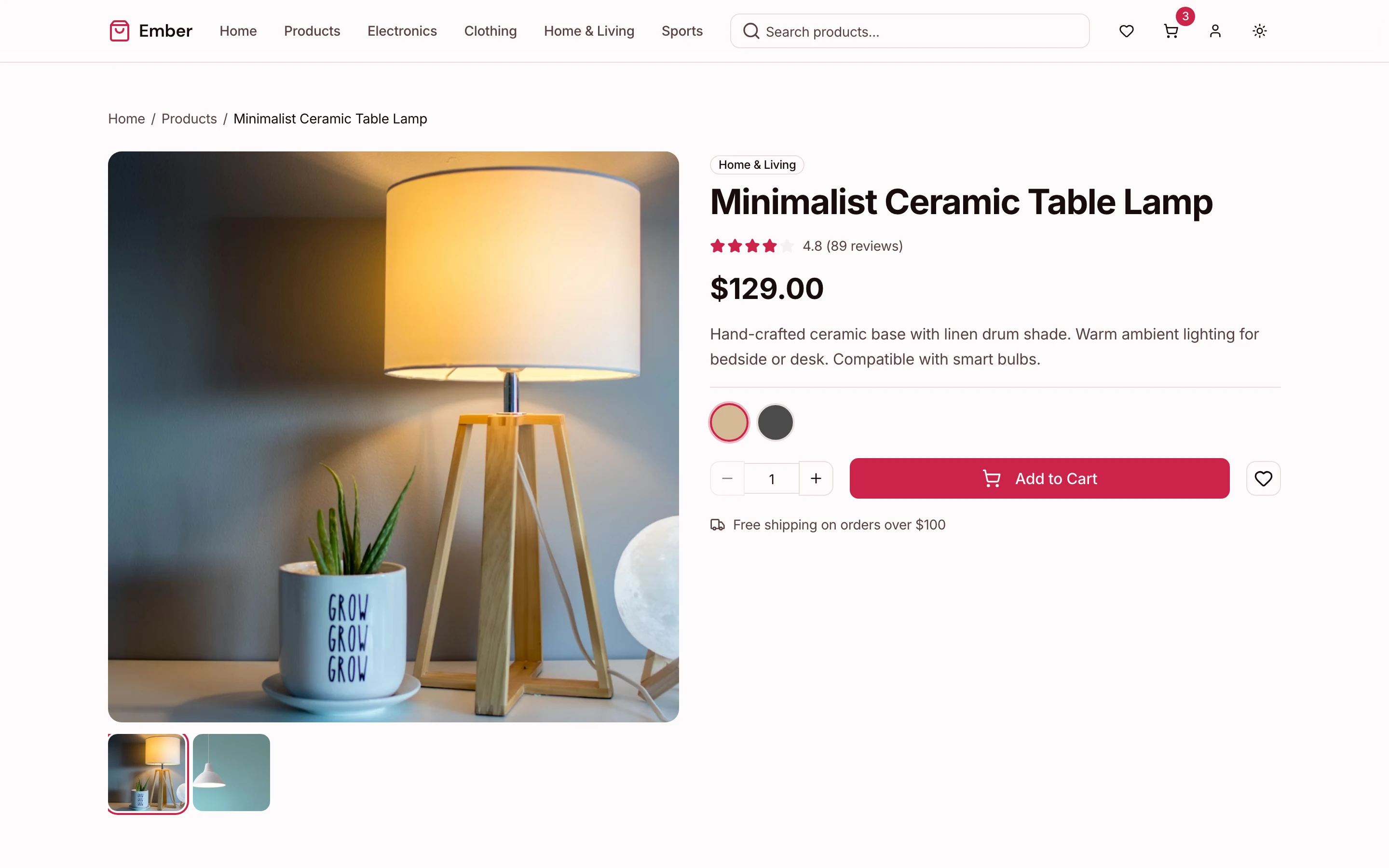
Your storefront is the first thing customers see, and it needs to convert. But building a high-quality product browsing and checkout experience takes serious frontend work. This Next.js storefront template gives you 27 production-ready screens that cover the entire shopping flow: a homepage with hero banners, featured products, and category navigation; product listing pages with sidebar filters for price, color, size, and rating; product detail pages with zoomable image galleries, variant selectors, and review tabs; a search results page with autocomplete and highlighted matches; a full cart with quantity controls and coupon support; a 3-step checkout with a payment form you connect to Stripe or any processor; order confirmation with receipt printing; a wishlist for saved items; and a product comparison view. Every screen is WCAG AA accessible with keyboard navigation, screen reader support, and proper focus management. The oklch design tokens power both light and dark mode, keeping the entire UI visually consistent. This template is part of the E-commerce Starter Kit, which includes 56 screens total — storefront, auth, customer accounts, and admin dashboard.
Key Features
Homepage
Hero banner with featured products, category grid, trending and new arrivals carousel, testimonials, and newsletter signup. Customizable layout sections.
Product Listing
Grid and list view toggle, sidebar filters (price range, category, color swatches, size, rating), sort dropdown, and pagination. Category-specific and search result variants.
Product Detail
Image gallery with zoom and thumbnails, variant selector for size and color, quantity picker, add-to-cart with animation, tabs for description/specs/reviews, related products, breadcrumbs, stock status.
Cart & Checkout
Cart with line items, quantity controls, promo codes, and order summary. 3-step checkout: shipping info, delivery method, payment. Order confirmation with receipt.
Search & Discovery
Search bar with autocomplete suggestions, results grid with match highlighting, "no results" state with recommendations, and filter sidebar integration.
Wishlist & Compare
Saved items grid with add-to-cart, product comparison table for side-by-side spec review (up to 4 products), and empty states for both.
How thefrontkit Compares
| Feature | thefrontkit | Typical Alternatives |
|---|---|---|
| Storefront Screens | 12 complete screens | 3-5 basic pages |
| Product Filters | Price, color, size, rating, category | Category dropdown only |
| Image Gallery | Zoom, thumbnails, mobile swipe | Basic image display |
| Checkout | 3-step flow, ready for any payment processor | Single page or redirect |
| Accessibility | WCAG AA on every screen | Rarely tested |
Ready to Ship Faster?
Skip the boilerplate and start building what matters. Production-ready, accessible, and token-synced.
View E-commerce Starter Kit →Related Resources
Need it built, not just a kit?
The team behind thefrontkit does done-for-you launches and custom builds. Fixed quotes, most projects live in 2-4 weeks, from $1999.
Frequently Asked Questions
This page focuses on the 20 storefront screens. The full E-commerce Starter Kit also includes 4 customer account screens, 9 admin panel screens, 3 auth screens, and utility pages (40 total). All are included in every license.
Yes. The checkout is processor-agnostic: the payment step is a card form with PayPal, Apple Pay and Google Pay options, and no payment SDK is installed. Swap the card form for Stripe Elements or your provider's fields and add your server-side calls.
The filter sidebar includes price range slider, category checkboxes, color swatches, size buttons, and star rating filters. You connect the filter state to your product API. The UI handles all interaction patterns, responsive layout, and keyboard accessibility.
Yes. The gallery supports touch swipe, pinch-to-zoom on mobile, and thumbnail navigation on desktop. All images include proper alt text and loading states.