Next.js Blog Template: Blog CMS with Content Editor & Admin Dashboard
Medium locks your content in, Notion isn't a CMS, and WordPress needs a plugin for everything. This kit gives writers and startup marketing teams 27 screens of a clean publishing workflow: a 9-screen public blog, a 13-screen Ghost-style admin (post editor with SEO fields, media library, subscribers, analytics), 2 auth screens, and 3 utility pages. Headless-friendly so you bring your own database.
Starting at $79$13140% OFF· 7-day money-back guarantee
Or get this + all 18 kits for $749 with All UI Kits →
Last updated on August 25, 2026


What buyers say
11 reviews. Hover or tap to stop and read.
Just took a look at the live demo.snappy and responsive. For a solo founder, this is basically a cheat code to get an MVP out in days instead of weeks. The pricing looks very fair for the amount of hours this would save me.
 Shekhar DFounder & CEO, IndieStack
Just grabbed a license. Honestly, the code quality is way better than other boilerplates I've bought in the past. The folder structure is intuitive, and the TypeScript is actually strict (no any types everywhere). I managed to get the repo running and swapped out the branding in about 10 minutes. The AI chat implementation is butter smooth. Well worth the investment!
 SuneetFull-Stack Developer, Freelance
This looks super clean. I've used shadcn/ui a lot, but having a fully structured 'app shell' with the sidebar, auth, and settings pre-wired is exactly what I need to skip the setup fatigue. It feels way more production-ready than the usual component dumps I see.
 RishabhFrontend Engineer, Razorpay
Congrats on the launch! I've been looking for a solid Next.js starter that isn't just a landing page template. The fact that you included actual AI UX patterns like streaming responses and citations out of the box is a huge time saver. Definitely checking this out for my next SaaS project.
 Mukesh KProduct Manager, TechVentures
The production-ready architecture is the killer feature here. Most starter kits give you components but not real-world workflows. Seeing complete app screens baked in is refreshing. Love that you prioritized accessibility (WCAG) defaults too, that's often overlooked in these kinds of apps.
 Aquib A, KhanDesign Engineer, DesignOps Studio
The attention to detail here is top-notch. Most starter kits feel a bit generic, but thefrontkit has a really premium aesthetic. The dark mode implementation looks flawless. Awesome work team!
 SurajSenior Frontend Developer, Flipkart
Instant buy for me. As a backend dev who struggles with making things look decent, this app starter is a lifesaver. I was about to hire a freelancer just to design my dashboard, but this costs a fraction of that price and the code is already written. The production-ready components make it a no-brainer. It effectively paid for itself in the first hour.
 SaikatBackend Engineer, Turing
We evaluated building our internal dashboard from scratch vs using this. The accessibility compliance alone saved us weeks of remediation work. Design tokens keep everything consistent across our team of eight, and the dark mode implementation actually works with system preferences out of the box.
 BipulTech Lead, Swiggy
Looks solid. Tired of stitching shadcn. auth + tables every project. The AI flow w/ stop/retry + citations is the bit I never finish.
 Alex CStaff Engineer, Remote Startup
Bought this solely to avoid spending my weekend fighting with CSS and responsiveness. As a backend-heavy engineer, frontend usually kills my momentum. thefrontkit just worked out of the box. I hooked up my API routes, and the UI already looked professional without me touching a single style definition. The component abstraction is super clean. 10/10 recommendation for anyone who just wants to ship.
 Aryan A.Backend Engineer, Zerodha
The AI UX Kit looks incredible. I feel like everyone is building AI wrappers right now but struggling with the frontend interaction parts (like handling chat history and safety notices). This kit seems to solve exactly that. Good luck with the launch!
Saurav GAI Product Engineer, Stealth AI

27 Screens Across 4 Sections
Everything you need to build a complete blog platform, from the public reading experience to the admin content management system.

Home feed, article page, categories index, category, tag, author profile, search, about, newsletter archive

Dashboard, posts list, new post, edit post, media library, categories, tags, comments, subscribers, settings, analytics, authors, scheduled

Login, forgot password, 404 page, RSS feed preview, sitemap preview
All built with TailwindCSS and shadcn/ui. Accessible, token-driven, and developer-friendly.
Built on a Solid Foundation
Every component follows production-grade patterns for accessibility, responsiveness, and maintainability.

Content Management
- Post editor with category, tags, and SEO sidebar
- Draft / published / scheduled status workflow
- Media library with drag-drop upload and detail panel
- Categories and tags management with CRUD dialogs
- Comments moderation with approve / reject / spam actions

Blog Reading Experience
- Featured post hero with gradient overlay
- Article page with sticky table of contents
- Reading progress bar and share buttons
- Category and tag filtering with animated grids
- Author profiles with social links and post listings

Analytics & Insights
- Pageview and unique visitor trend charts
- Traffic source breakdown (pie/donut chart)
- Top posts by views (horizontal bar chart)
- Subscriber growth over time (area chart)
- Reading completion rates per post
27 screens, 3 layouts, 40+ components. Everything you need to ship a complete blog platform.
View all screensWhat's Included in This Blog CMS Kit
Included
 React + Tailwind code for all 27 screens and components
- oklch tokens covering body type, code blocks, pull quotes, and category color tags
- Ghost-style admin CMS with 13 management screens
- Recharts analytics dashboard with 3 chart types (area, bar, donut)
- Responsive layouts with reading-optimal line lengths on phones and a wider editor canvas on desktop
- 1 year of updates
Not Included
- Backend, database, or API logic
- Hosted CMS or content delivery
- Email sending or newsletter delivery service
- Authentication or user management backend
Intent: you get a production-grade blog + CMS UI. You connect your own data source, APIs, and business logic.
Built for Bloggers, Dev Teams, and Content Agencies

Indie developers and tech bloggers building a personal or company blog on Next.js

Agencies delivering content platforms and blog sites for clients on tight timelines

Product teams building internal knowledge bases or developer documentation portals
Note: This is a frontend UI kit, not a hosted CMS. You bring your own backend, database, and content API.
Key Features
| Feature | Description |
|---|---|
| Ghost-Style Admin Panel | 13-screen CMS with dashboard, post management, media library, comments moderation, and site settings. Like Ghost or WordPress, but on your own Next.js stack. |
| Analytics Dashboard | Pageview trends, traffic source breakdown, subscriber growth charts, top posts by views, and reading completion rates, all with Recharts. |
| Post Editor with SEO | Markdown editor with a formatting toolbar, category selector, tag picker, featured image upload, excerpt field, and a full SEO sidebar with meta title, description, and slug. |
| Media Library | Drag-and-drop upload zone, responsive image grid, detail panel with alt text, dimensions, file size, URL copy, and delete confirmation. |
| Newsletter & Subscribers | Public newsletter signup forms, subscriber management table with search and CSV export, subscriber growth stats, and newsletter archive page. |
| Full Blog Reading Experience | Featured post hero, category/tag filtering, article pages with table of contents, reading progress bar, share buttons, comments, and related posts. |
All components are WCAG AA-compliant and optimized for mobile and desktop.
Frontend Stack for the Blog CMS



- TailwindCSS handles 27 screens including the author dashboard, post editor, and reader-facing templates
- Built on shadcn/ui patterns, drops into existing content sites without rewriting layouts
- Base UI primitives behind the category and status selects in the post editor and the admin dialogs
- Token-driven typography hierarchy across headings, body, code blocks, and pull quotes
- Recharts integration for analytics dashboards and data visualization
- Built for the Next.js App Router
Accessibility Highlights
Every blog interaction is inclusive by design. From reading articles to managing content, built for everyone.
Preview Gallery
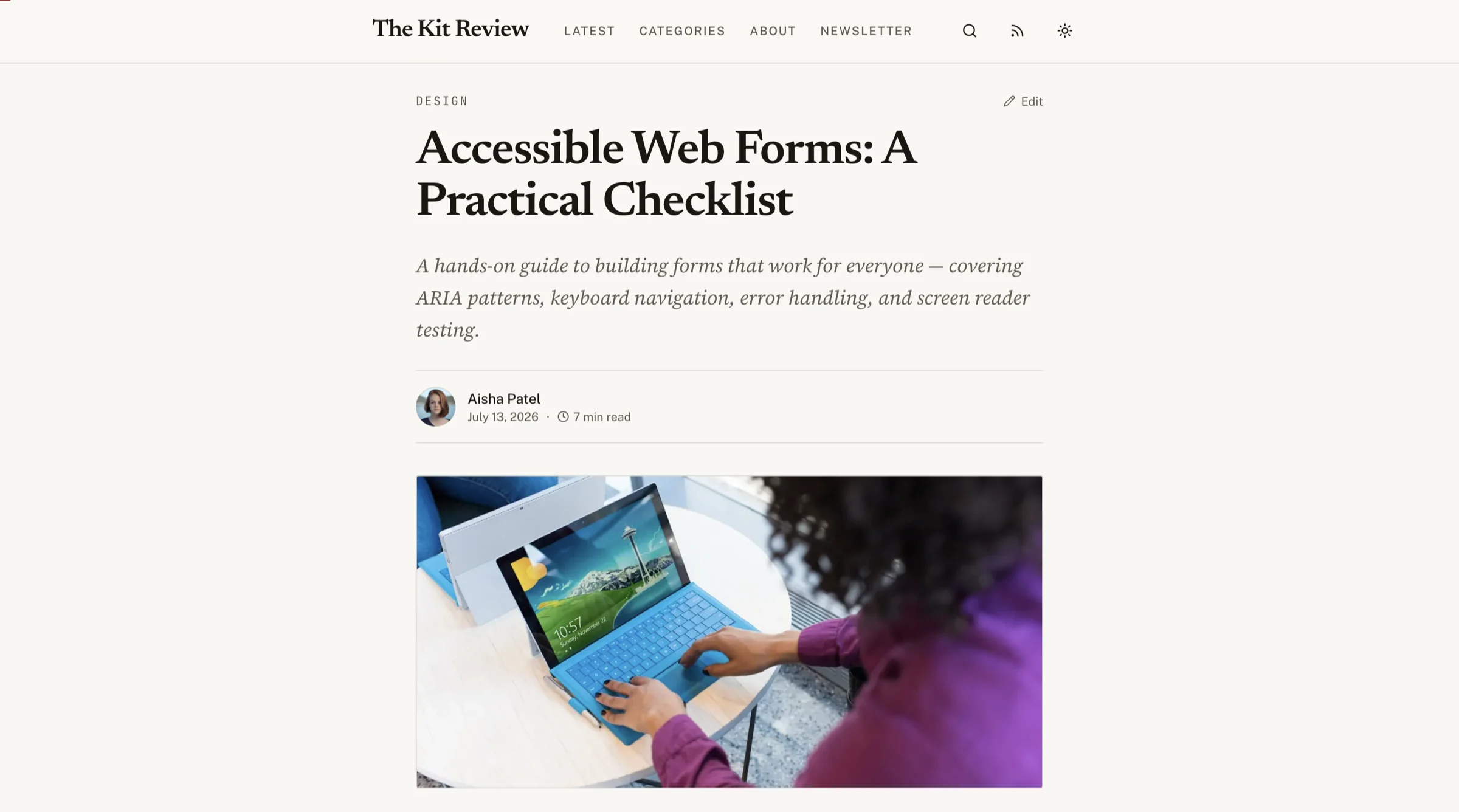
27 screens across public blog, admin CMS, auth, and utility pages. Every screen is fully responsive and accessible.

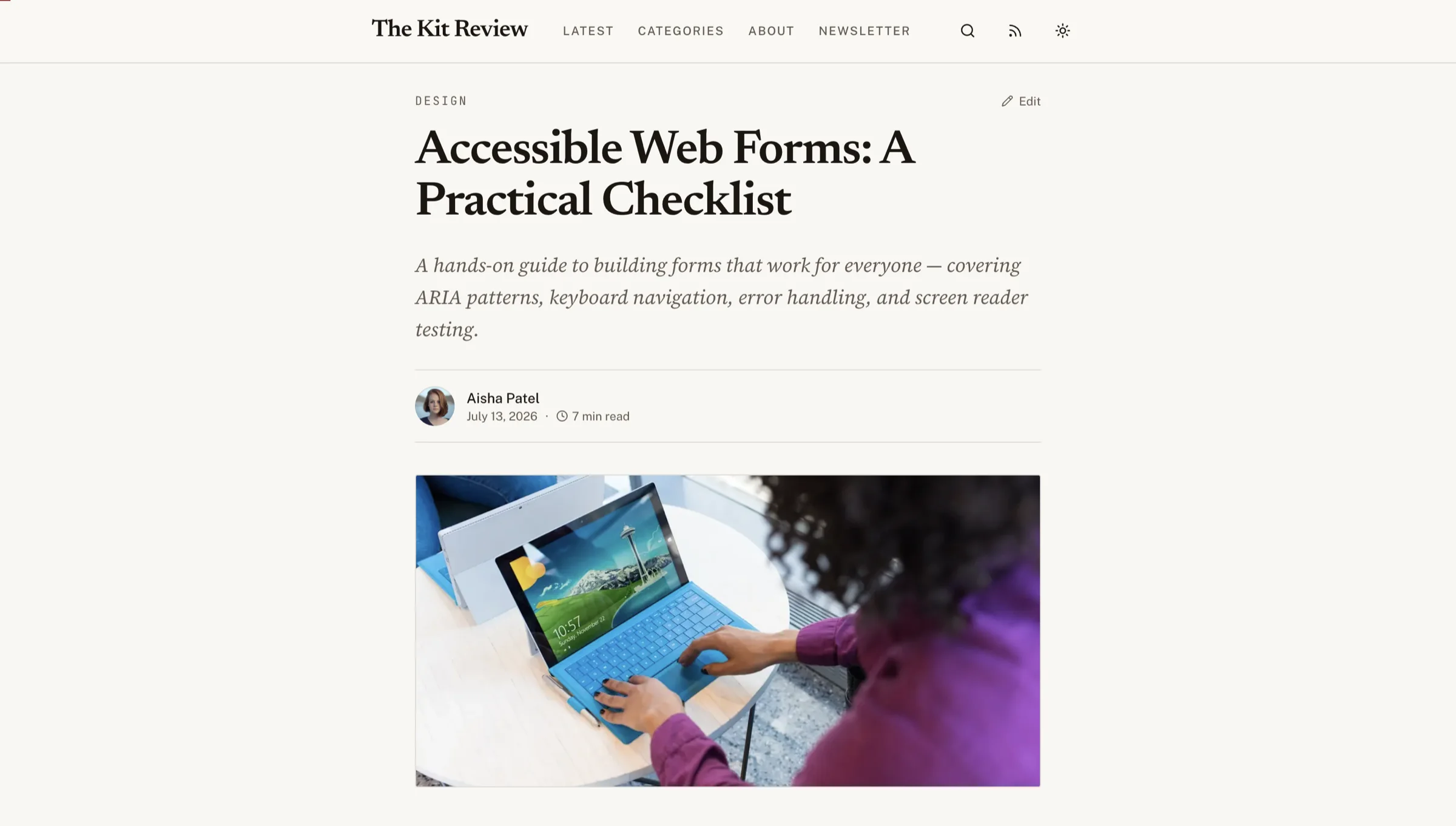


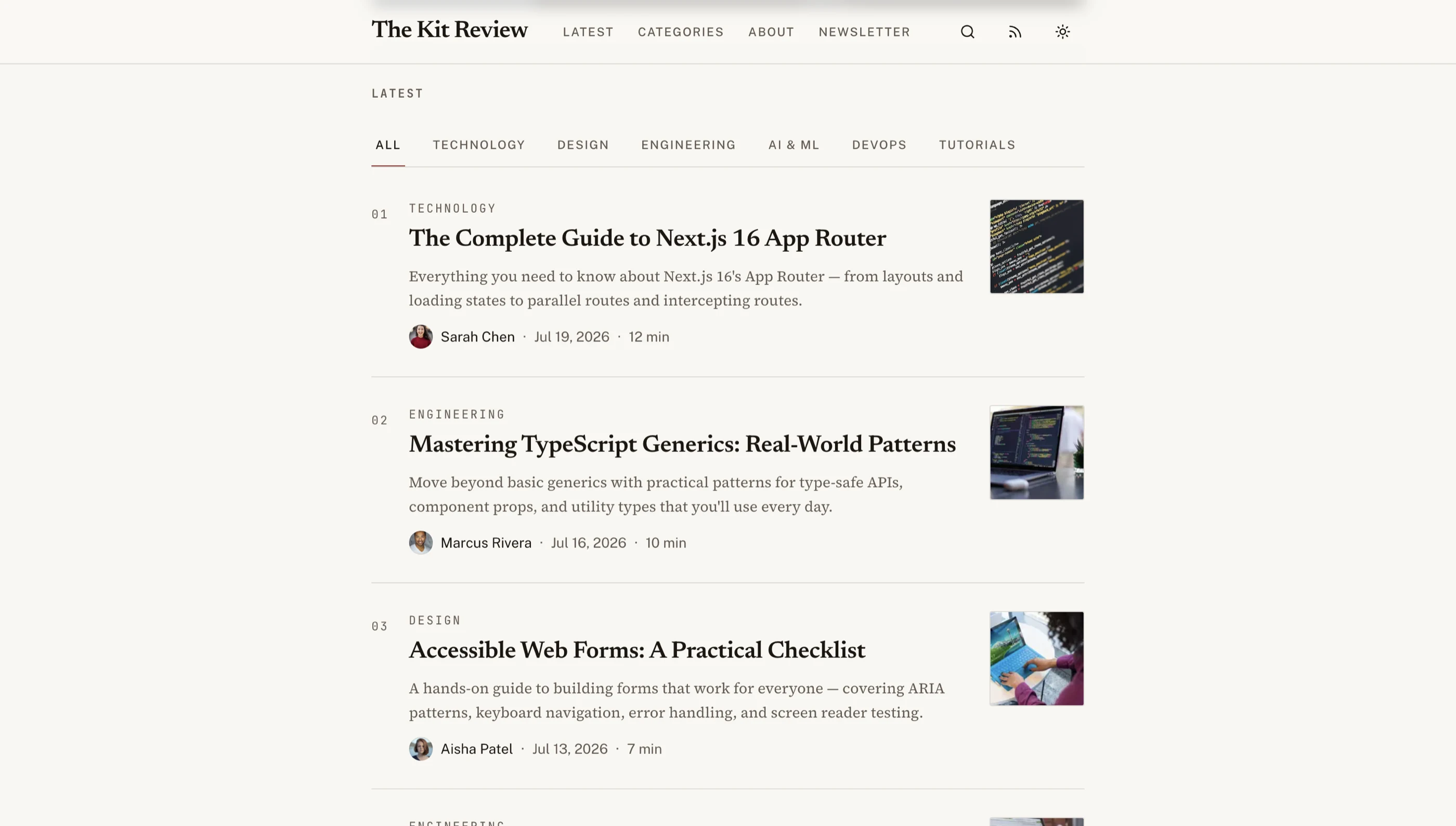
Blog home with a serif masthead, category filters, and a numbered editorial index
How Next.js Blog Template with CMS Compares
See how Frontkit stacks up against typical alternatives on the features that matter most.
| Feature | Frontkit | Typical Alternatives |
|---|---|---|
| Admin CMS Panel | Full Ghost-style admin with 13 screens | Usually missing. Blog-only templates |
| Rich Text Editor | Markdown editor with formatting toolbar and SEO sidebar | Relies on external CMS (Sanity, Contentful) |
| Analytics Dashboard | Pageviews, traffic sources, subscriber growth charts | No analytics UI included |
| Media Library | Upload zone, grid view, image detail panel | External asset management required |
| Comments Moderation | Approve/reject/spam with bulk actions | Third-party comment system (Disqus) |
| Newsletter Management | Subscriber list, export CSV, growth stats | External email service only |
| WCAG AA Accessibility | Built-in from day one | Usually missing or partial |
| Dark Mode | Token-driven, system-aware | Basic toggle or missing |
Pricing Information
Solo License (1 developer)
Next.js/Tailwind code. 27 screens. Internal projects only.
Team License (Up to 10 developers)
Next.js/Tailwind code. 27 screens. Internal projects only.
Agency License (Unlimited developers, client delivery allowed)
Next.js/Tailwind code. 27 screens. Client delivery allowed.
Pricing Plans

Next.js/Tailwind code. 27 screens. Internal projects only.
- 1 developer license
- Next.js 16 + Tailwind CSS v4 code
- 27 screens: Blog, Admin CMS, Auth, Utility
- Ghost-style admin panel with analytics
- 6 months of updates
- Internal projects only
Next.js/Tailwind code. 27 screens. Internal projects only.
- All current + future apps for 1 year
- Next.js 16 + Tailwind CSS v4 code
- 27 screens: Blog, Admin CMS, Auth, Utility
- Ghost-style admin panel with analytics
- 1 year of updates
- Internal projects only
Next.js/Tailwind code. 27 screens. Client delivery allowed.
- Unlimited developer licenses
- All apps + unlimited client projects
- 27 screens: Blog, Admin CMS, Auth, Utility
- Ghost-style admin panel with analytics
- Priority support
- Client delivery allowed
7-day refund window after your first published post. License upgrades credit 100% of your previous purchase.
Done-For-You
Skip the setup. We'll launch this app for you.
The team that built Next.js Blog Template with CMS deploys it for your business: your branding, your integrations, live in 2-4 weeks. Fixed quote, from $1,999.
See all services →- ✓Kit license included
- ✓Your branding via the design token system
- ✓Wired to your backend, CRM, or payment provider
- ✓Deployed to your own account. You own everything
- ✓2 weeks of post-launch fixes
The complete blog platform UI: public site + admin CMS in one kit
9 public blog pages, 13 admin screens, analytics dashboard, media library, and newsletter management. Ship a Ghost-quality blog on your own stack.
Related Articles
View all posts →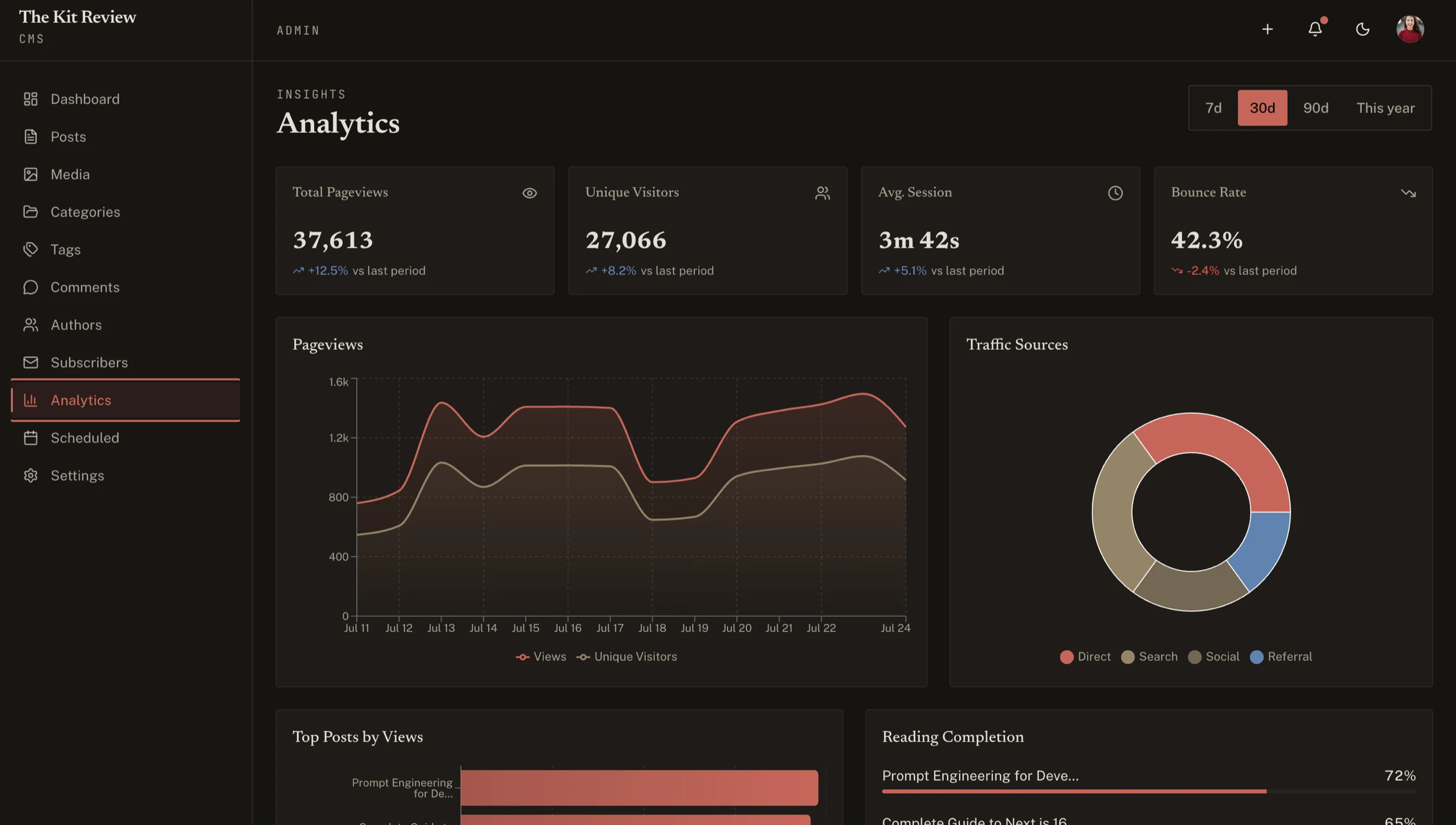
How to Build a Blog with CMS in Next.js (2026)
A practical walkthrough of building a production blog with admin CMS in Next.js, with editor, media library, scheduling, and SEO done right.
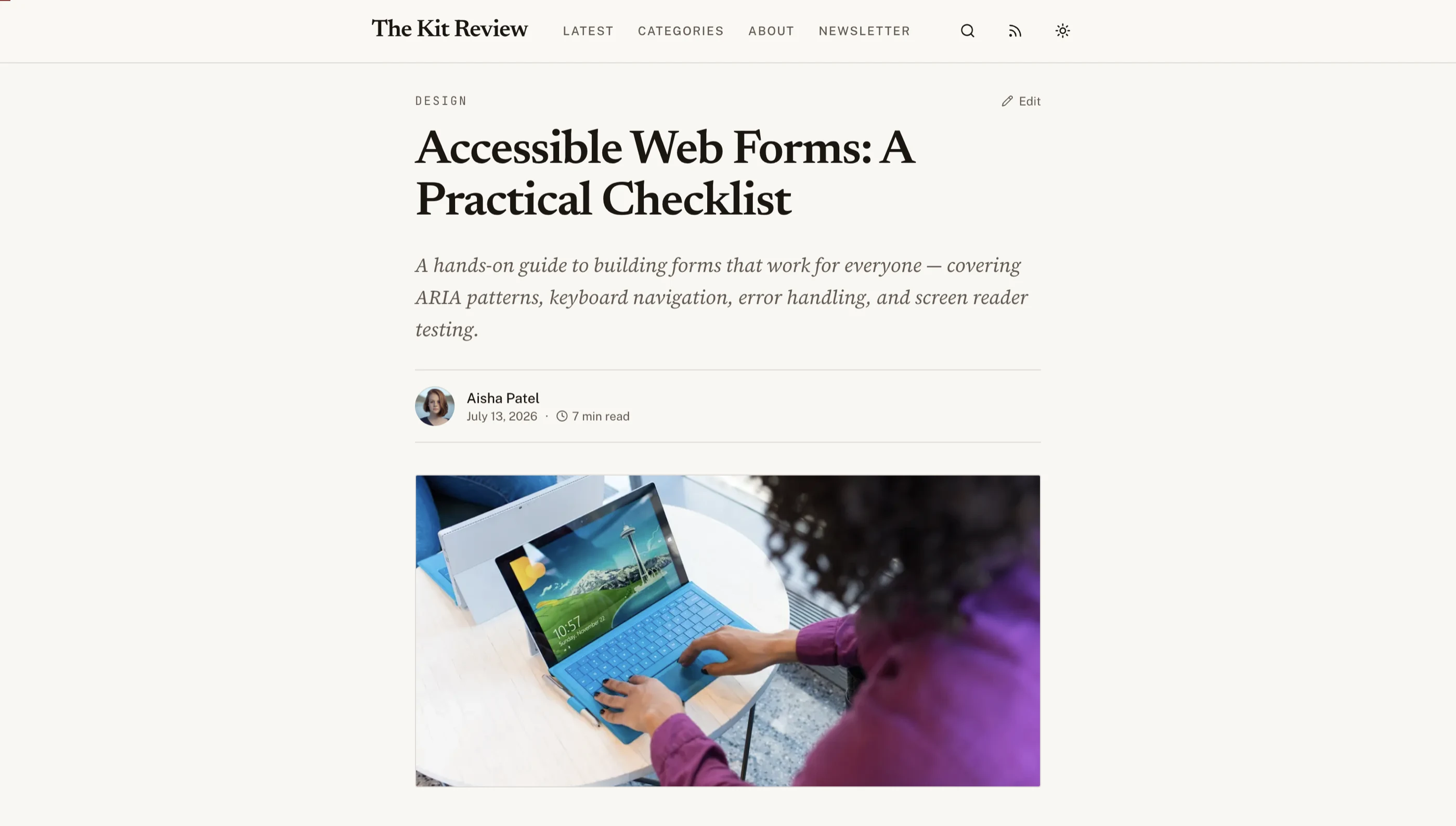
How to Choose a Next.js Blog Template in 2026
A practical guide to picking a Next.js blog template. What separates a real CMS-backed blog from a markdown demo with three sample posts.
Best Next.js Blog Templates 2026: 10 Free & Paid Picks
10 Next.js blog templates and starters for 2026, free and paid: Tailwind starter blog, Payload, Nextra, Vercel's starters and more. Repos checked Sept 2026.
15 Best Next.js Website Templates 2026 (Free & Paid)
15 best Next.js templates for 2026, free and paid: SaaS, e-commerce, blog, portfolio, docs and landing pages. Repos, versions and prices checked Sept 2026.

Next.js Boilerplate vs Building From Scratch
Building your Next.js frontend from scratch sounds like full control, but the real cost is 6-10 weeks of engineering time on auth, layouts, and tables.
You Might Also Like
Explore more production-ready business apps.
Explore Related Templates
Find the right starting point for your project.
Frequently Asked Questions
Find answers to your key questions about Frontkit. Our FAQ section covers licensing, customization, and technical details, ensuring you have everything you need before getting started.
27 screens total: 9 public blog pages (home, article, categories index, category, tag, author, search, about, newsletter), 13 admin CMS pages (dashboard, posts list, new post, edit post, media library, categories, tags, comments, subscribers, settings, analytics, authors, scheduled posts), 2 auth pages (login, forgot password), and 3 utility pages (404, RSS preview, sitemap preview).
No. This is a frontend UI kit. All screens use mock seed data. You connect your own backend, API, or data source. The UI layer handles display, interaction, and form structure.
Yes. The blog pages consume typed data interfaces. Replace the seed data imports with API calls to any headless CMS, database, or content API. The admin panel works the same way. Wire the forms to your backend.
It's a Markdown editor: a content textarea with a formatting toolbar (bold, italic, headings, lists, quotes, code, links), plus category, tags, excerpt, featured image, and an SEO sidebar. For a WYSIWYG experience, drop Novel, Tiptap, or any rich text library into the content area.
Yes. All screens use semantic HTML, keyboard navigation, proper ARIA labels, focus management, and WCAG AA contrast ratios in both light and dark modes.
Absolutely. The entire color system uses oklch tokens in globals.css. Change the hue value and all 27 screens update instantly. Typography, spacing, and component styles are all token-driven through Tailwind CSS.
Solo and Team licenses are for internal projects. The Agency license allows unlimited developers and client delivery.