Best LMS Templates & Course Platforms 2026
Best LMS Templates & Course Platforms in 2026
Most "LMS templates" you find on Google are video gallery demos with no real progress tracking, no quiz builder, no instructor dashboard, and no payment integration. A real learning management system is more than a video grid. It's the lesson player with resume logic, the progress tracking per student, the quiz builder with grading, the instructor dashboard, the certificate generation, and the admin to run it all.
We compared 7 options on what actually matters: video player quality, progress tracking, quiz support, instructor tools, monetization, and whether the template is shippable or just demo-grade.
For a deeper rubric on what to evaluate, see our How to Build an LMS in Next.js guide.
TL;DR: Quick Picks for 2026
| Need | Top pick | Price |
|---|---|---|
| Open-source LMS platform | Moodle | Free |
| Hosted course creator (no code) | Teachable | $39+/mo |
| Hosted with community | Mighty Networks | $41+/mo |
| Embedded into your Next.js app | thefrontkit LMS Template | $131 one-time |
What Makes a Real LMS Template?
Before evaluating any candidate, run it through this checklist:
- Course/section/lesson hierarchy (not a flat lesson list)
- Real video player with resume, speed controls, captions, mobile playback
- Per-student progress tracking with completion auto-detection
- Quiz builder with multiple question types and grading
- Certificate generation on course completion
- Instructor dashboard with student roster and engagement metrics
- Payment integration for paid courses
- WCAG AA accessibility including video captions
If a template fails three or more, it's a video demo, not an LMS.
1. Moodle
The open-source LMS that runs higher education. Mature, free, and overwhelming.
Strengths:
- Free and open source
- Decades of features (quizzes, gradebooks, calendars, forums)
- Active community and plugin ecosystem
- Self-hosted means full data ownership
Weaknesses:
- UI is dated and not built on modern stack
- Customization fights the framework
- Not a "template" — it's a full PHP application
- Steep learning curve for both admins and developers
Best for: Schools and universities. Not the right fit for SaaS-style course platforms or developer-led products.
2. Teachable
Hosted course platform aimed at solo creators and small course businesses.
Strengths:
- Polished UX for both students and instructors
- Strong checkout and payment processing
- Easy course creation flow
- Mobile apps for students
- Affiliate program built in
Weaknesses:
- Hosted SaaS, not a template
- Per-platform pricing ($39-$499/month + transaction fees on lower tiers)
- Limited customization beyond branding
- You don't own the data or codebase
Best for: Solo course creators and small course businesses where speed-to-launch matters more than customization.
3. Thinkific
Comparable to Teachable. Slightly more feature-rich, slightly more expensive.
Strengths:
- Polished course builder
- Built-in community features
- Quiz and assignment support
- Mobile apps
Weaknesses:
- Same as Teachable: hosted SaaS, monthly fees, limited customization
- Slightly higher learning curve than Teachable
Best for: Course creators who want a community layer alongside courses.
4. Podia
Hosted creator platform that includes courses alongside digital downloads, memberships, and email.
Strengths:
- All-in-one for creators
- Simple pricing
- Good for selling courses + ebooks + memberships together
Weaknesses:
- Less focused on LMS features (basic quizzes, no advanced grading)
- Hosted SaaS limitations
- Not ideal for course-first businesses with complex curricula
Best for: Creators selling a mix of courses, ebooks, and memberships from one platform.
5. LearnDash (WordPress plugin)
WordPress plugin that turns any WordPress site into an LMS.
Strengths:
- Self-hosted (you own the data)
- WordPress ecosystem (themes, plugins, integrations)
- One-time license, no monthly fees
- Mature plugin with 100k+ installs
Weaknesses:
- Requires WordPress (a whole stack you may not want)
- Customization means fighting WordPress + LearnDash conventions
- Not a Next.js template
Best for: Teams already invested in WordPress who want LMS features.
6. Mighty Networks
Community-first platform that includes courses.
Strengths:
- Strongest community features in the space
- Native mobile apps
- Course + community + events in one product
Weaknesses:
- Hosted SaaS, monthly fees
- Course features are secondary to community
- Not a template
Best for: Course creators where community is the primary value, not courses.
7. thefrontkit LMS Template
Best for building a course platform you own, on Next.js.
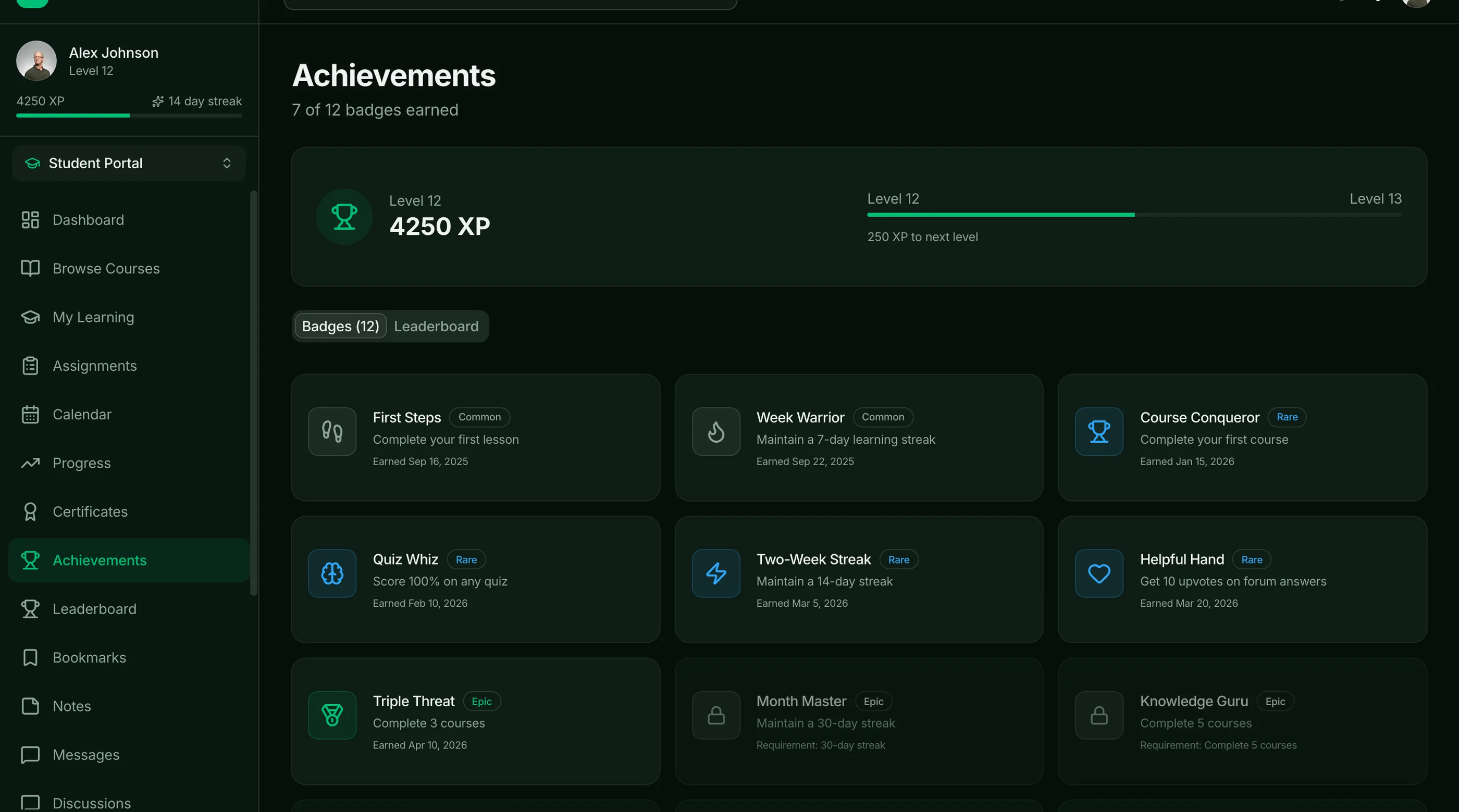
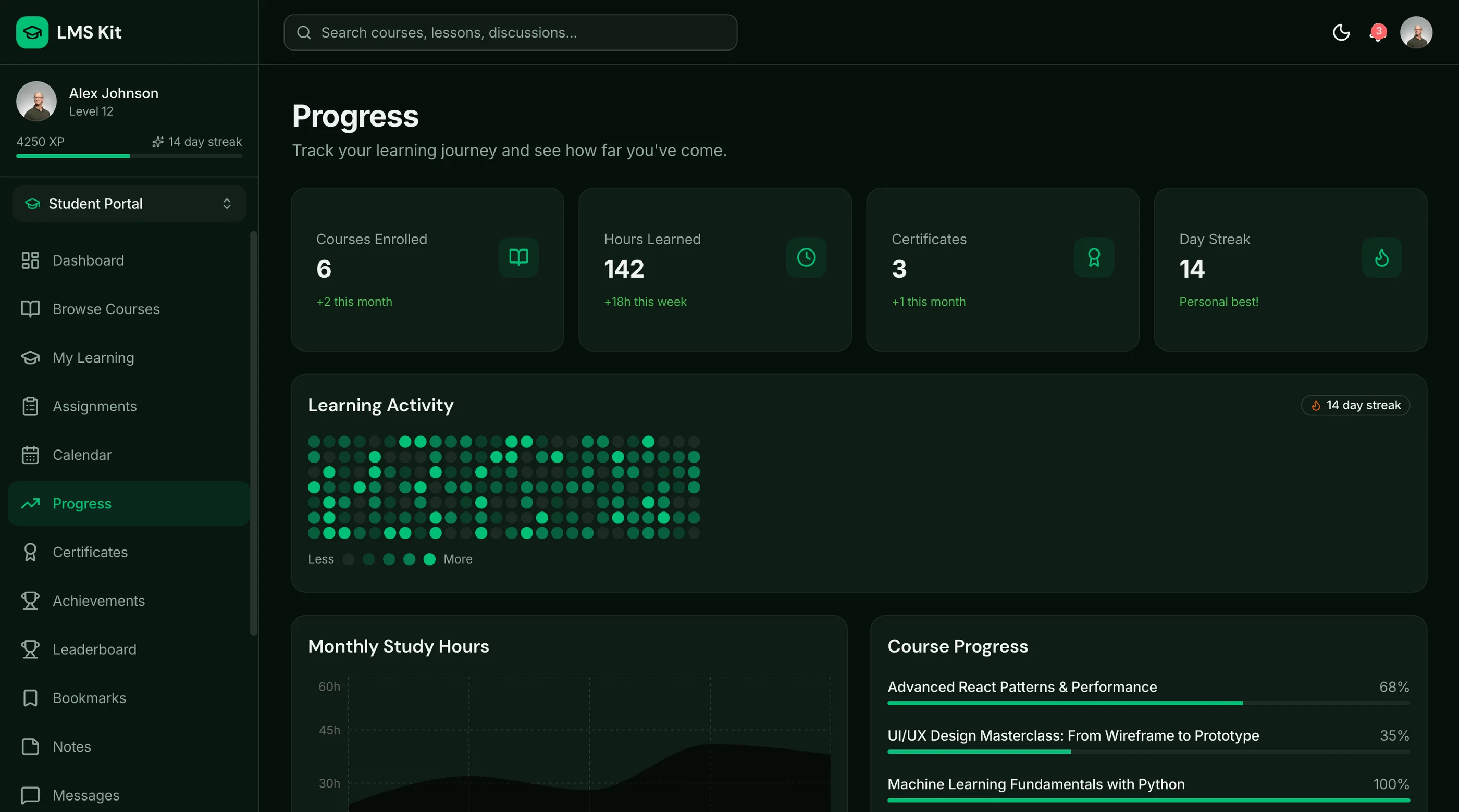
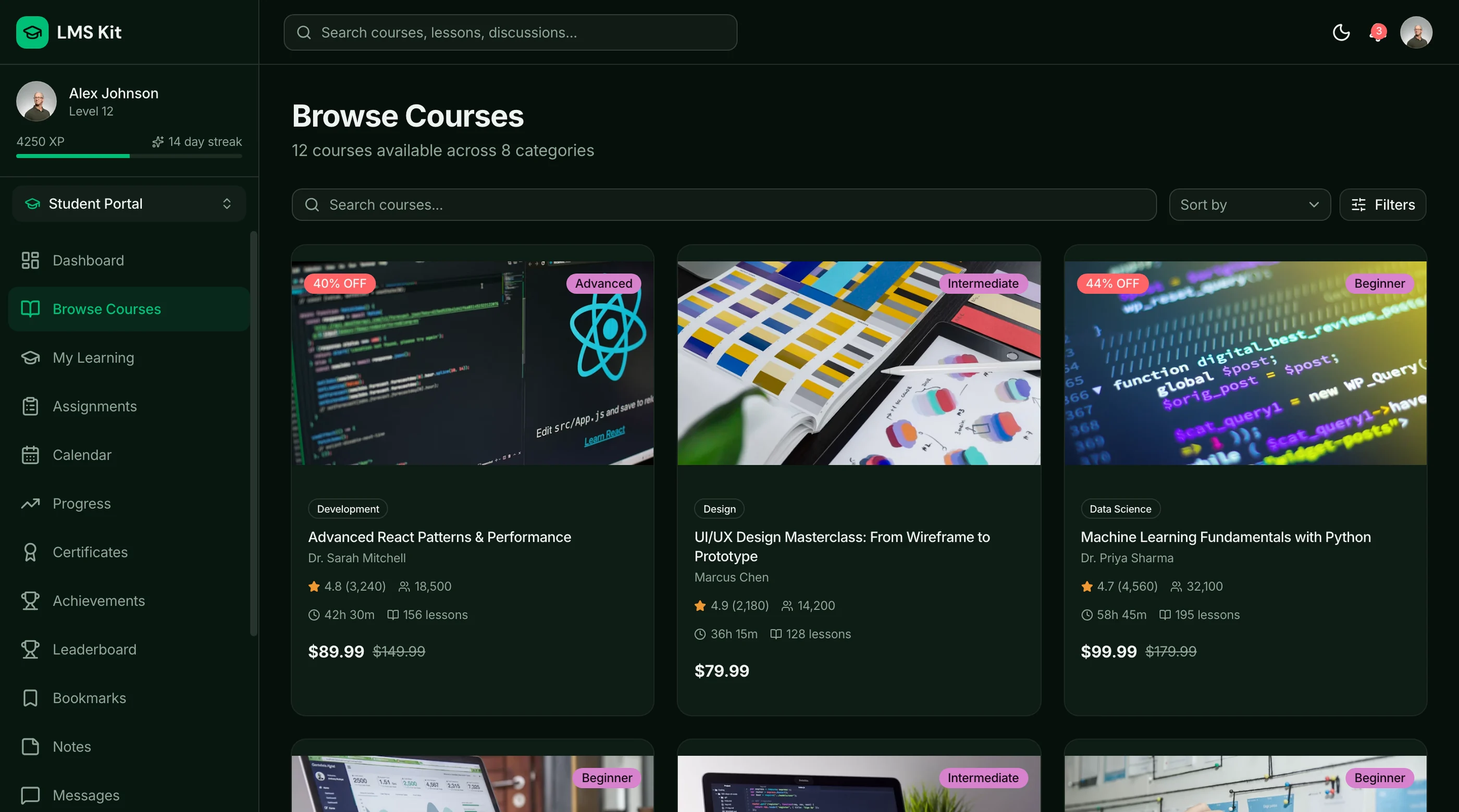
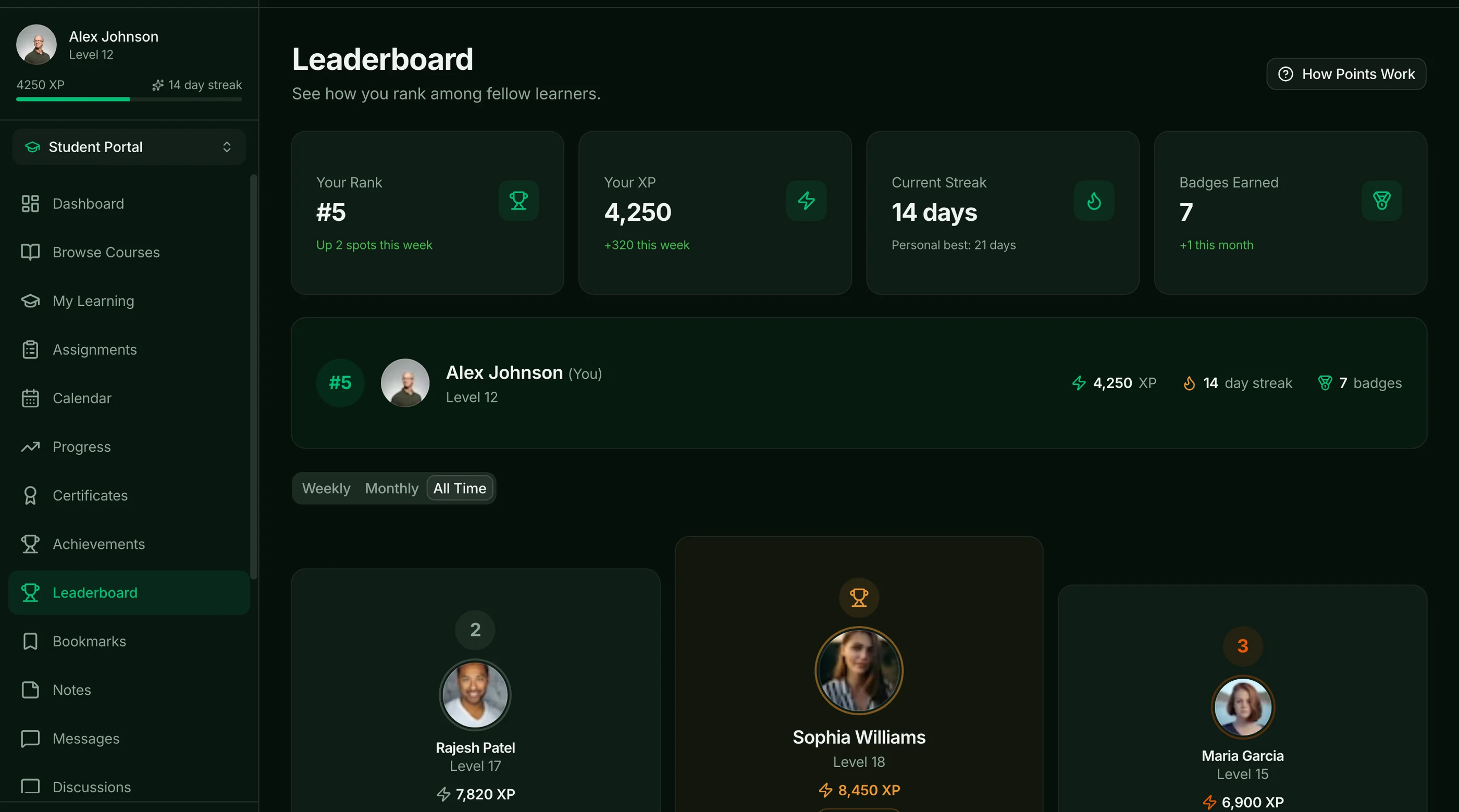
The LMS Template from thefrontkit ships 39 screens across three audiences: 18 for students, 7 for instructors, 8 for admins, and 6 for auth and commerce.
Students get a dashboard, a course catalog with detail pages, a lesson player with sidebar module navigation and bookmarks, a quiz engine with a countdown timer and scored results breakdown, progress tracking with streaks and achievement badges, and threaded discussion forums with upvotes and replies.
Instructors get a curriculum editor with drag-and-drop module and lesson ordering, course management, and analytics with engagement charts. Admins get platform metrics, user management, a course approval queue, and category management. The commerce screens cover pricing plans and checkout.
Worth stating plainly: this is the UI layer. Every screen is React and Tailwind, ready for your data. Video hosting, payment processing, notifications, and your database are yours to connect. The template gives you the twelve-to-sixteen weeks of interface work, not the infrastructure.
Built on Next.js 16, Tailwind CSS v4, and shadcn/ui, WCAG AA throughout. Try the live demo.
- Screens: 39
- Student: Lesson player, quizzes, progress dashboard, discussion forums
- Instructor: Curriculum editor with drag-and-drop, course analytics
- Admin: Platform metrics, user management, course approval queue
- Commerce: Pricing plans and checkout screens
- Not included: Backend, video hosting, payment processing, notifications
- Price: $131 solo / $199 team / $349 agency
8. thefrontkit Full-Stack LMS Kit
Best for launching an LMS on your own database without building the backend.
The Full-Stack LMS Kit takes the template above and wires it to Supabase. It has 55 routes across student, instructor and admin portals, 38 tables with row-level security, and Supabase Auth. It also includes a quiz engine, gamification and certificates, discussions and live sessions, and Server Actions for every mutation.
Worth stating plainly: video hosting and payment processing are still yours to connect. What you skip is designing the schema, the roles and the queries behind every screen.
- Routes: 55
- Backend: Supabase database (38 tables, row-level security), Supabase Auth
- Roles: Student, instructor, admin
- Not included: Video hosting, payment processing
- Price: $332 solo / $499 team / $749 agency
How to Choose
Three questions to narrow it down:
-
Is the LMS your product, or a feature inside a larger product? If feature, you need a template you can embed (the LMS Kit, or self-built). If standalone course business, hosted SaaS (Teachable, Thinkific) is faster.
-
How custom does it need to be? Light branding → hosted SaaS. Deep custom flows or unusual lesson types → template or self-built.
-
Where's your team's stack? Already on WordPress → LearnDash. Already on Next.js → the thefrontkit LMS Template or build from scratch. Neither → Teachable.
For most developer-led businesses building a custom course platform or product where learning is part of the experience, the right answer is to own the frontend: start from the thefrontkit LMS Template, or build from scratch with How to Build an LMS in Next.js.
Adjacent Reads
- How to Build an LMS in Next.js — architecture rubric
- How to Build a SaaS in Next.js — broader SaaS build
- Add Stripe Payments to a Next.js Template — for paid courses
FAQ
What's the difference between an LMS template and a video gallery?
A video gallery shows videos. An LMS adds course structure (sections, lessons), per-student progress tracking, quiz support, completion certificates, instructor dashboards, and payment integration. Templates ship the full system; galleries ship a video player.
Is Moodle free?
Yes, the software is free. You pay for hosting (small) or use a managed Moodle hosting provider ($30-$300/month). Most universities self-host because the data control matters.
Can I integrate course content into my existing Next.js SaaS?
Yes. The cleanest path is the thefrontkit LMS Template, which is built to drop into an existing codebase. Alternatives: build from scratch (12-16 weeks), or embed Teachable via iframe (limited).
How important is video quality?
Critical. Bad video playback (buffering, no resume, no captions) is the single biggest reason students drop courses. Use a real video host (Mux, Cloudflare Stream) — not YouTube embeds for paid courses.
Do I need a quiz builder in v1?
Depends on the course type. Knowledge transfer (Excel, marketing) often skips. Skill development (coding, certifications) needs them. Build day one if quizzes are part of your value prop.
What's the typical pricing for LMS templates?
Hosted SaaS: $39-$499/month. Self-hosted OSS (Moodle): free + hosting. Premium Next.js LMS UI kits: $131-$349 one-time, like the thefrontkit LMS Template.
Is there an LMS template with a backend included?
Yes. The Full-Stack LMS Kit wires the student, instructor and admin portals to Supabase, with 38 tables, row-level security and Supabase Auth. Video hosting and payments are still yours to connect.