Best SaaS Metrics Dashboard Templates 2026
Best SaaS Metrics Dashboard Templates in 2026
Every SaaS founder looks at the same metrics: MRR, churn, LTV, CAC, cohort retention. The data is in Stripe. The math is well-known. So why do most SaaS dashboard templates ship a chart with sample data and call it done?
We compared 6 options that actually deliver — hosted tools, open-source projects, and templates you can self-host. Evaluated on MRR accuracy, churn calculation correctness, cohort retention quality, and customization.
For a deeper rubric, see our How to Build a SaaS Metrics Dashboard in Next.js guide.
TL;DR: Quick Picks for 2026
| Need | Top pick | Price |
|---|---|---|
| Hosted, set-and-forget | ChartMogul | $129+/mo |
| Hosted alternative | Baremetrics | $129+/mo |
| Open-source self-hosted | OSS dashboards on GitHub (quality varies) | Free |
| Embedded in your own SaaS | thefrontkit SaaS Metrics Template | $131 one-time |
What Makes a Real SaaS Metrics Dashboard?
Before evaluating any candidate:
- MRR with breakdown (new, expansion, contraction, churned, net)
- Churn rate (both customer and revenue)
- Cohort retention grid (the most important and most often-skipped chart)
- LTV, CAC, LTV/CAC ratio
- ARPU and pricing tier distribution
- Forecast with at least a simple projection
- Stripe integration that handles proration and annual plans correctly
If a template only shows total MRR and a count of customers, it's a stub.
1. ChartMogul
The dominant hosted SaaS metrics tool. Most-used by funded SaaS companies.
Strengths:
- Polished, mature product
- Stripe, Recurly, Braintree, custom-API integrations
- Cohort retention done right
- Segment-by-anything (plan, country, signup source)
- Mobile app for checking metrics on the go
Weaknesses:
- Hosted SaaS, monthly fees ($129+ depending on MRR)
- You don't own the data
- Limited customization beyond branded reports
Best for: Funded startups where the cost is a rounding error and the team needs metrics now, not in 4 weeks.
2. Baremetrics
Comparable to ChartMogul. Slightly different UI, similar feature set.
Strengths:
- Clean UI, very fast
- Forecast tool is strong
- Open Startups (public metrics) feature is unique
- Cancellation insights and recovery flows
Weaknesses:
- Same as ChartMogul: hosted, monthly fees, limited customization
Best for: Founders who like the open-metrics ethos and want a forecast tool.
3. ProfitWell (now Paddle Metrics)
Free tier of Paddle's analytics product.
Strengths:
- Free tier covers core metrics
- Integrates tightly with Paddle billing
- Retention analysis and cancellation flows
Weaknesses:
- Best features require Paddle as the billing platform
- Free tier has limited segmentation
- Limited customization
Best for: Companies using Paddle for billing (it's the natural pairing).
4. Custom Postgres + Metabase
The DIY hosted route: pipe Stripe data into Postgres, build dashboards in Metabase.
Strengths:
- Free (Metabase OSS) or cheap (Metabase Cloud)
- Full data ownership
- Unlimited customization
Weaknesses:
- You build all the SQL for MRR, churn, cohorts
- Metabase dashboards are functional but not beautiful
- 3-5 weeks of setup before usable
Best for: Teams with SQL skills and time, where flexibility matters more than UX polish.
5. Stripe Sigma + Custom Frontend
Stripe Sigma is Stripe's SQL-against-your-Stripe-data product. Pair with a custom Next.js frontend.
Strengths:
- Stripe data is already there
- No data sync to maintain
- Full control over the frontend
Weaknesses:
- Stripe Sigma costs $1-3 per query (adds up fast)
- You build everything else
- Locked into Stripe
Best for: Stripe-only SaaS that wants metrics as a side feature of their main product.
6. OSS Dashboards on GitHub (Various)
Several open-source SaaS metrics dashboards exist on GitHub. Quality varies.
Strengths:
- Free
- Self-hosted
Weaknesses:
- Most are abandoned or single-developer projects
- MRR calculation accuracy varies
- Limited documentation
- Often missing cohort retention
Best for: Teams comfortable forking and maintaining an OSS project.
7. thefrontkit SaaS Metrics Template
Best for putting a metrics dashboard inside a product you already ship.
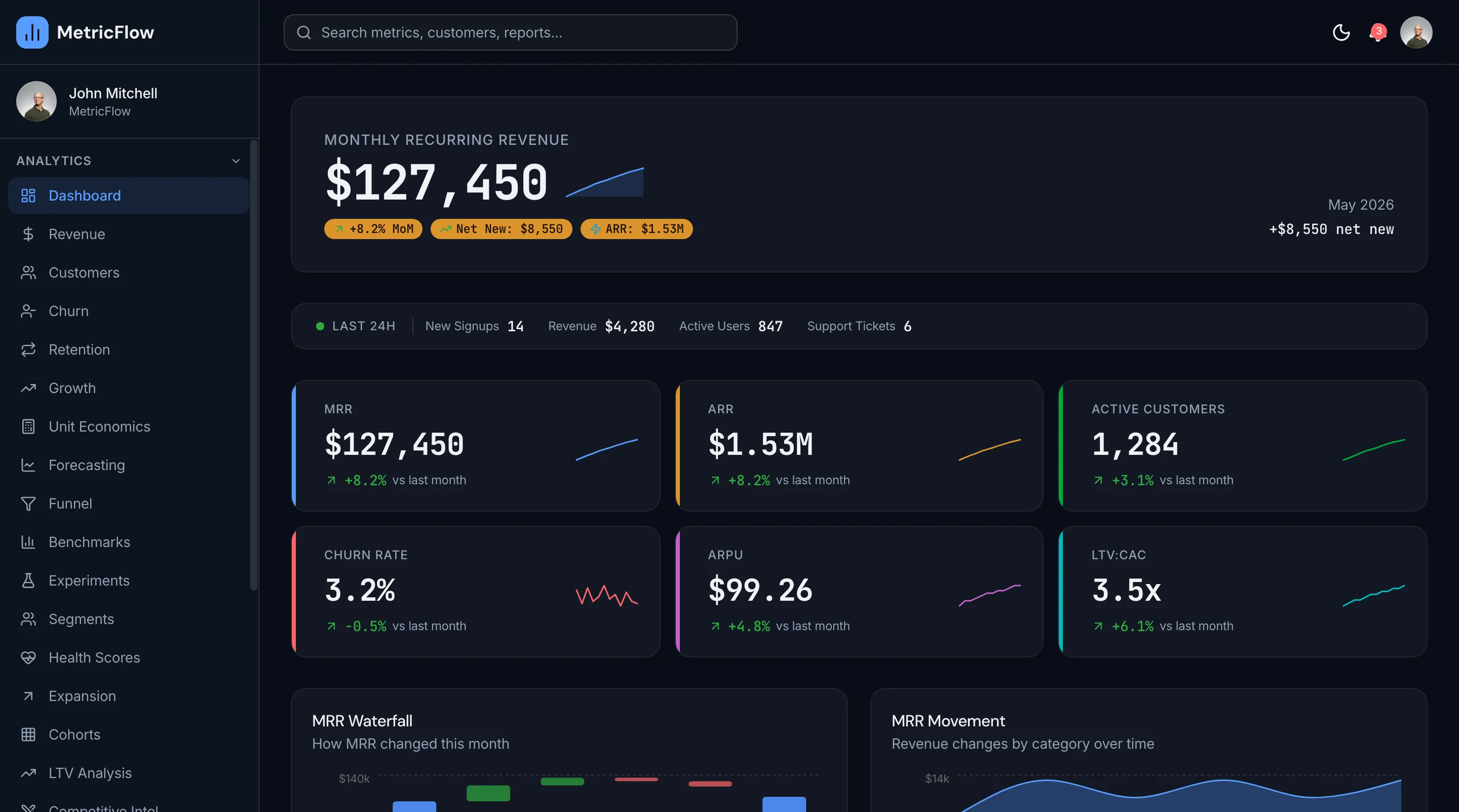
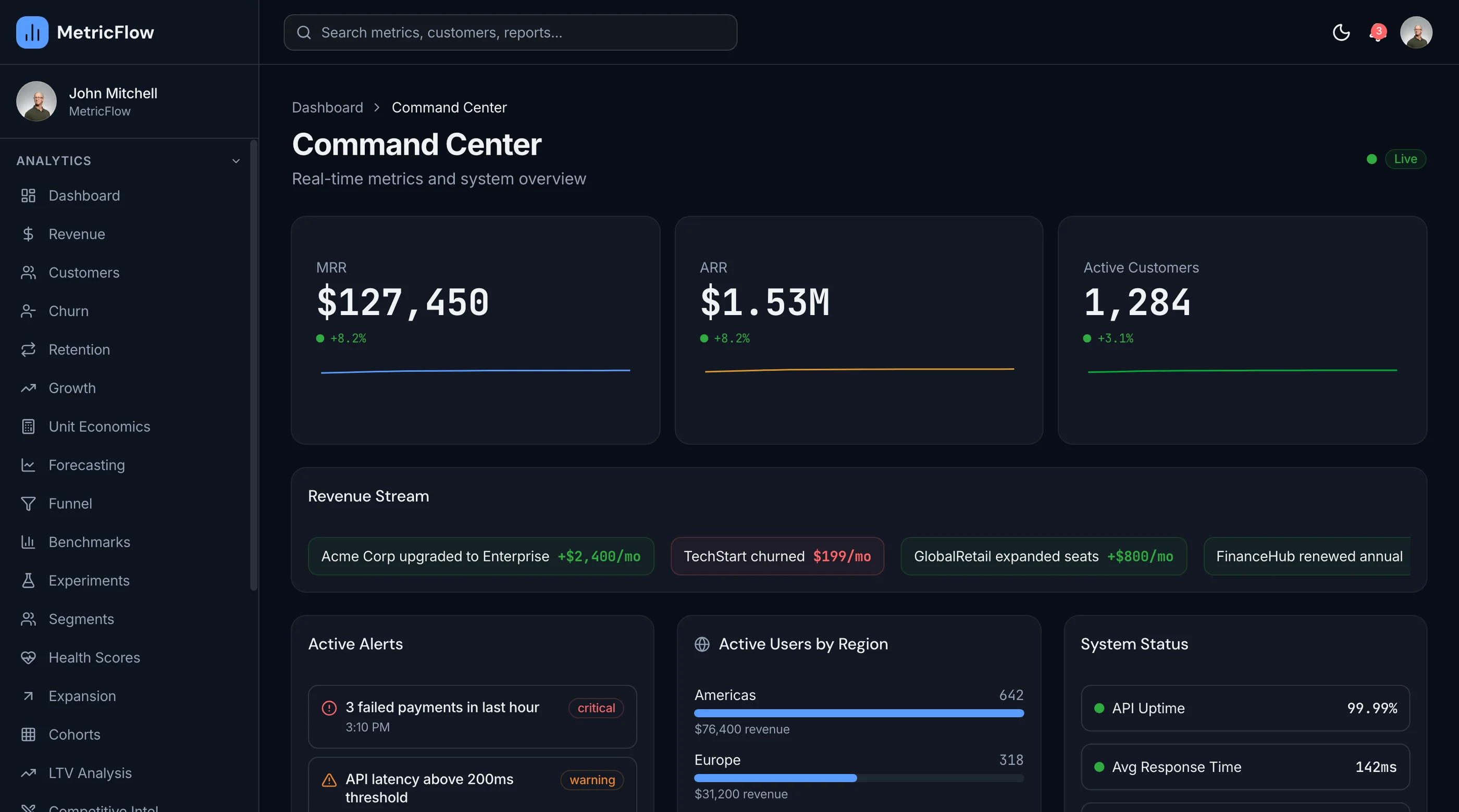
The SaaS Metrics Template from thefrontkit ships 50 screens: 10 analytics, 8 management, 3 settings, and 4 auth and utility.
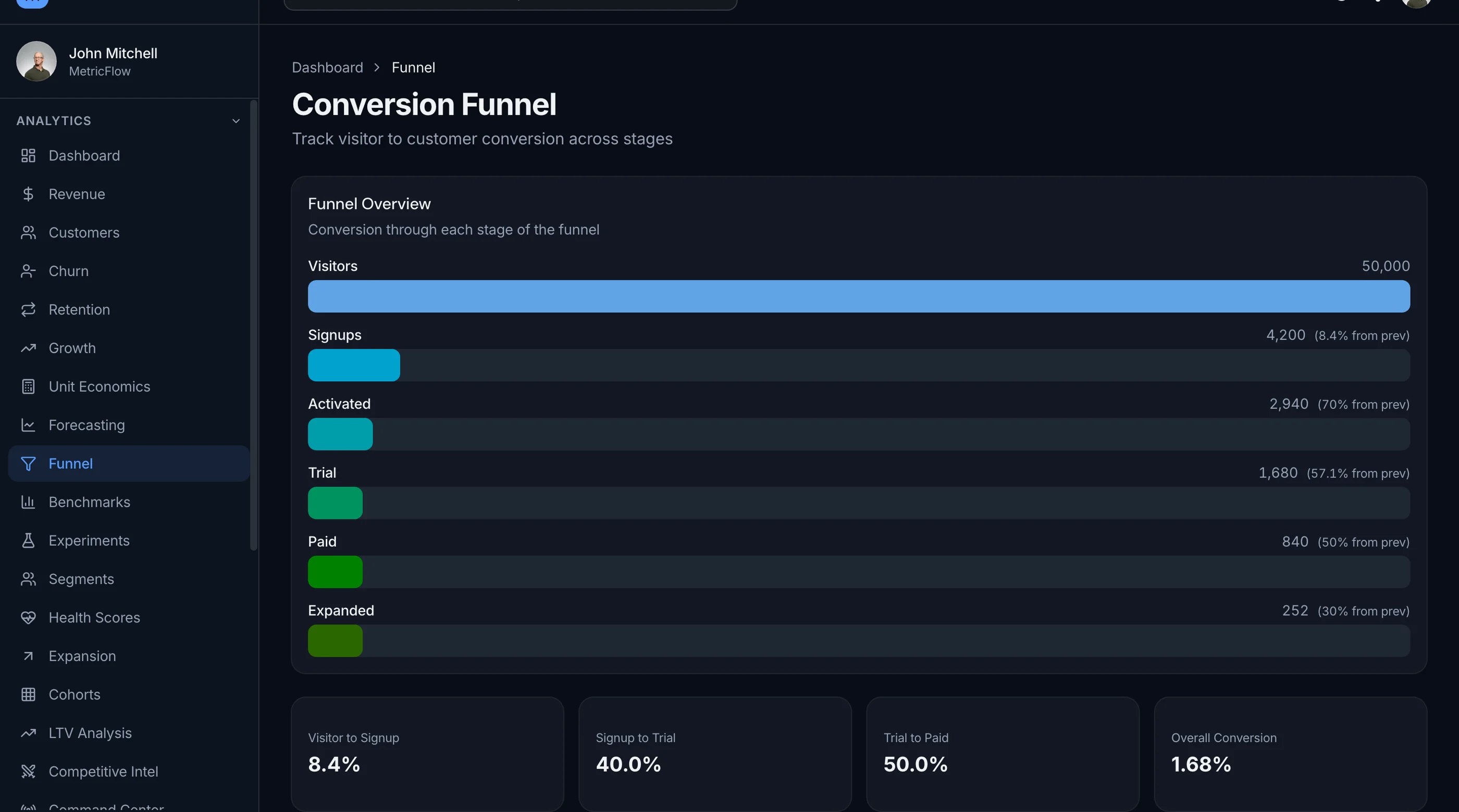
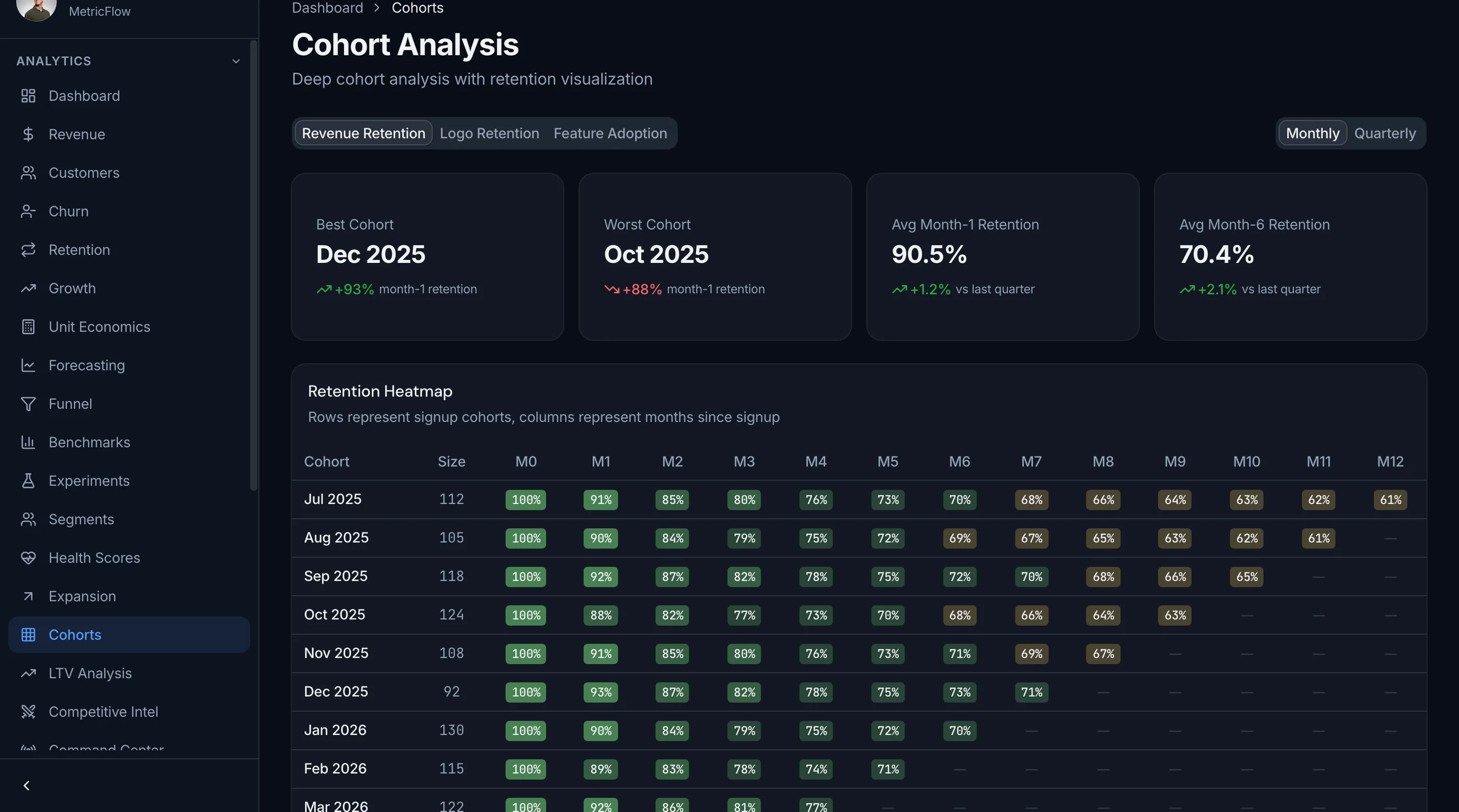
It includes the charts most templates skip. Revenue waterfalls break MRR into new, expansion, contraction, and churned as stacked monthly bars. The cohort retention heatmap is a proper color-coded grid with month-by-month tracking and retention curves. Forecasting runs three scenario bands (projected, optimistic, pessimistic) against actuals with adjustable assumptions. There's a conversion funnel with drop-off rates and time-to-convert, plus KPI cards with trend arrows and sparklines.
Management covers a customer directory with detail views, subscription management, and invoice tracking with payment status. Recharts is wired across 10+ chart types.
The honest boundary: this is the interface, not the math. There is no Stripe integration, no webhook processing, and no MRR calculation engine in the box. You feed it your own numbers from your own billing data. If you want proration handled for you, buy ChartMogul. If you want to render metrics inside your own product and control the presentation, this is the frontend for it.
Built on Next.js 16, Tailwind CSS v4, and shadcn/ui, WCAG AA throughout. Try the live demo.
- Screens: 25
- Revenue: MRR/ARR waterfall charts with new/expansion/contraction/churned
- Retention: Cohort heatmap with color-coded cells and retention curves
- Forecasting: Three scenario bands with adjustable assumptions
- Management: Customers, subscriptions, invoices with status badges
- Not included: Backend, Stripe/billing integration, webhook processing
- Price: $131 solo / $199 team / $349 agency
See the SaaS Metrics Template →
How to Choose
Two questions:
-
Is metrics a side feature or your main thing? Side feature: hosted tool (ChartMogul, Baremetrics). Main thing: build the calculation layer yourself and start from the thefrontkit SaaS Metrics Template for the UI.
-
What's your scale? Under $30k MRR: hosted free tiers (ProfitWell) work. $30k-$2M MRR: ChartMogul/Baremetrics paid tiers are worth it. $2M+ MRR: self-host or build to avoid the per-MRR pricing.
For most pre-Series-B SaaS, the hosted tools are the right call. For products where metrics dashboards are a feature you sell (e.g., a SaaS that helps other SaaS founders), build.
Adjacent Reads
- How to Build a SaaS Metrics Dashboard in Next.js — architecture rubric
- Add Stripe Payments to a Next.js Template — Stripe wiring
- How to Build a SaaS in Next.js — broader SaaS build
FAQ
Is ChartMogul or Baremetrics better?
Similar. ChartMogul has more integrations and slightly better segmentation. Baremetrics has a stronger forecast tool and the Open Startups feature. Both cost about the same. Pick based on integration needs.
Can I just use Stripe's dashboard for metrics?
For the very basics (total MRR, customer count) yes. For real metrics (cohort retention, expansion vs contraction MRR, LTV/CAC) no. Stripe's dashboard is a payments dashboard, not a SaaS metrics tool.
How accurate is Metabase against Postgres for SaaS metrics?
As accurate as the SQL you write. The math is well-known but the corners (proration, refunds, plan switches mid-month) are easy to get wrong. Plan for 1-2 weeks of validating your queries against ChartMogul or Stripe.
Do I need a metrics dashboard at $5k MRR?
Probably not. Stripe's dashboard is enough. Add a real metrics dashboard around $20-30k MRR when the trends matter for decisions.
What's the typical cost of a SaaS metrics dashboard?
Hosted: $99-$299/month at typical SaaS scale. OSS + self-hosted: free + your time. Premium Next.js UI kits: $131-$349 one-time, like the thefrontkit SaaS Metrics Template.