How to Build a SaaS Metrics Dashboard in Next.js
How to Build a SaaS Metrics Dashboard in Next.js in 2026
Every SaaS founder eventually needs the same dashboard: MRR over time, churn rate, customer LTV, ARPU, growth rate, cohort retention. ChartMogul and Baremetrics charge $100-1000/month for it. The data is sitting in your Stripe account. Building your own dashboard takes 3-5 weeks if you know what to measure.
This guide walks through what a real SaaS metrics dashboard has to do, the data model and calculation logic that makes it accurate, and the realistic path from zero to a dashboard you can show your investors.
Or skip the build entirely: get every kit for $749
If you're shipping more than one product, All UI Kits unlocks every Next.js kit on thefrontkit. The full SaaS Metrics Template is in there, plus the SaaS Starter Kit, CRM, HR, Kanban, E-commerce, AI UX, and 11 more. One-time payment, lifetime access, no subscription.
What a Real SaaS Metrics Dashboard Has to Show
The metrics that founders, investors, and operators actually look at.
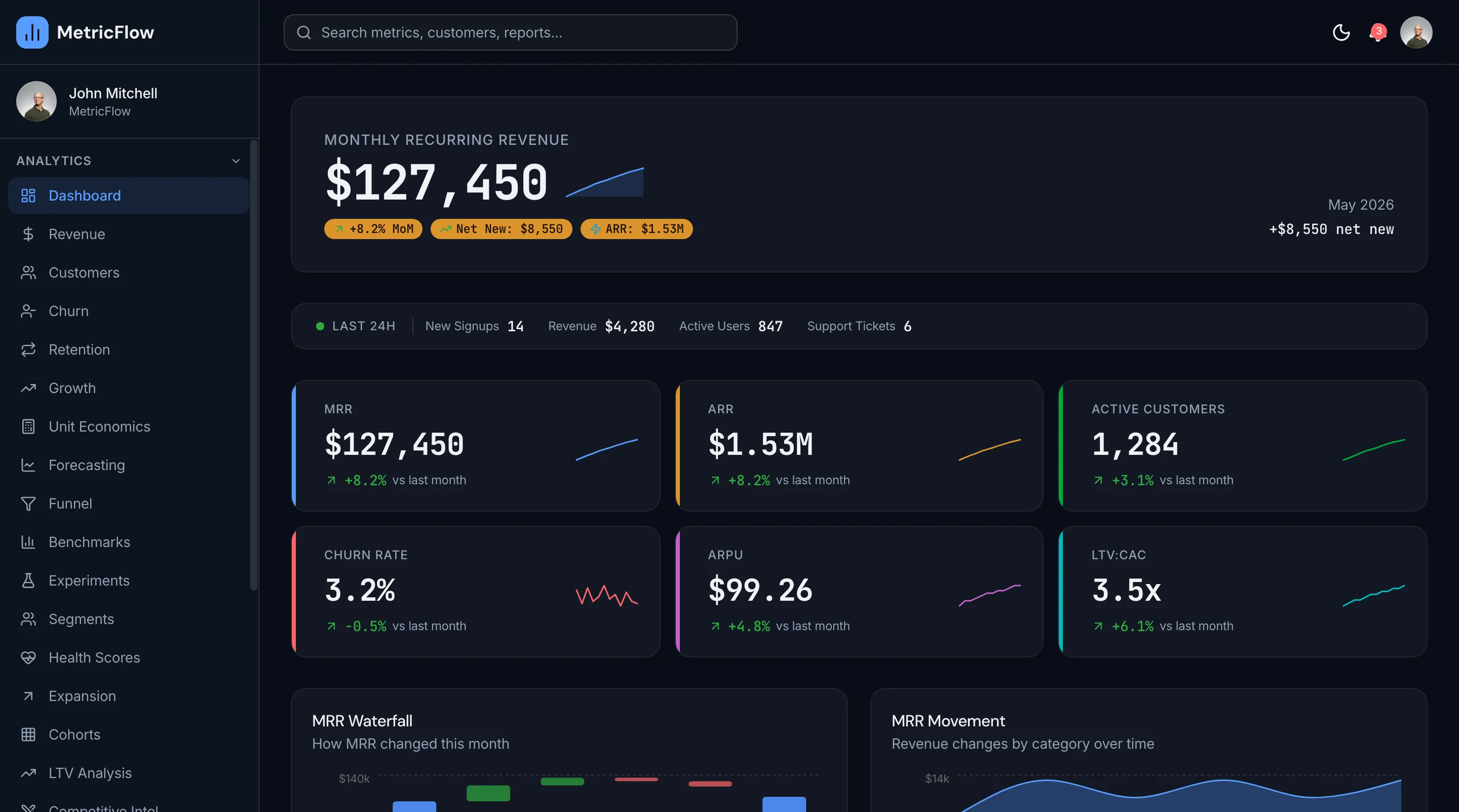
MRR (Monthly Recurring Revenue)
The headline number. But "MRR" hides a lot of complexity:
- New MRR from new customers signing up
- Expansion MRR from existing customers upgrading or adding seats
- Contraction MRR from existing customers downgrading
- Churned MRR from customers canceling
- Net New MRR = New + Expansion - Contraction - Churned
Investors look at all five. Showing only total MRR hides the health of the business.
Churn Rate
The single most important leading indicator. Two flavors:
- Customer churn: % of customers who canceled this month
- Revenue churn: % of MRR lost (this includes downgrades, which customer churn misses)
Calculate both monthly and trailing-12-month. Annual reporting averages out the noise.
LTV and CAC
The unit economics:
- LTV (Lifetime Value) = ARPU / monthly churn rate
- CAC (Customer Acquisition Cost) = total sales+marketing spend / new customers
- LTV/CAC ratio = the health metric (>3 is good, <1 means you're losing money on every customer)
- Payback period = CAC / monthly contribution per customer
These numbers determine fundraising rounds. Make them accurate.
Cohort Retention
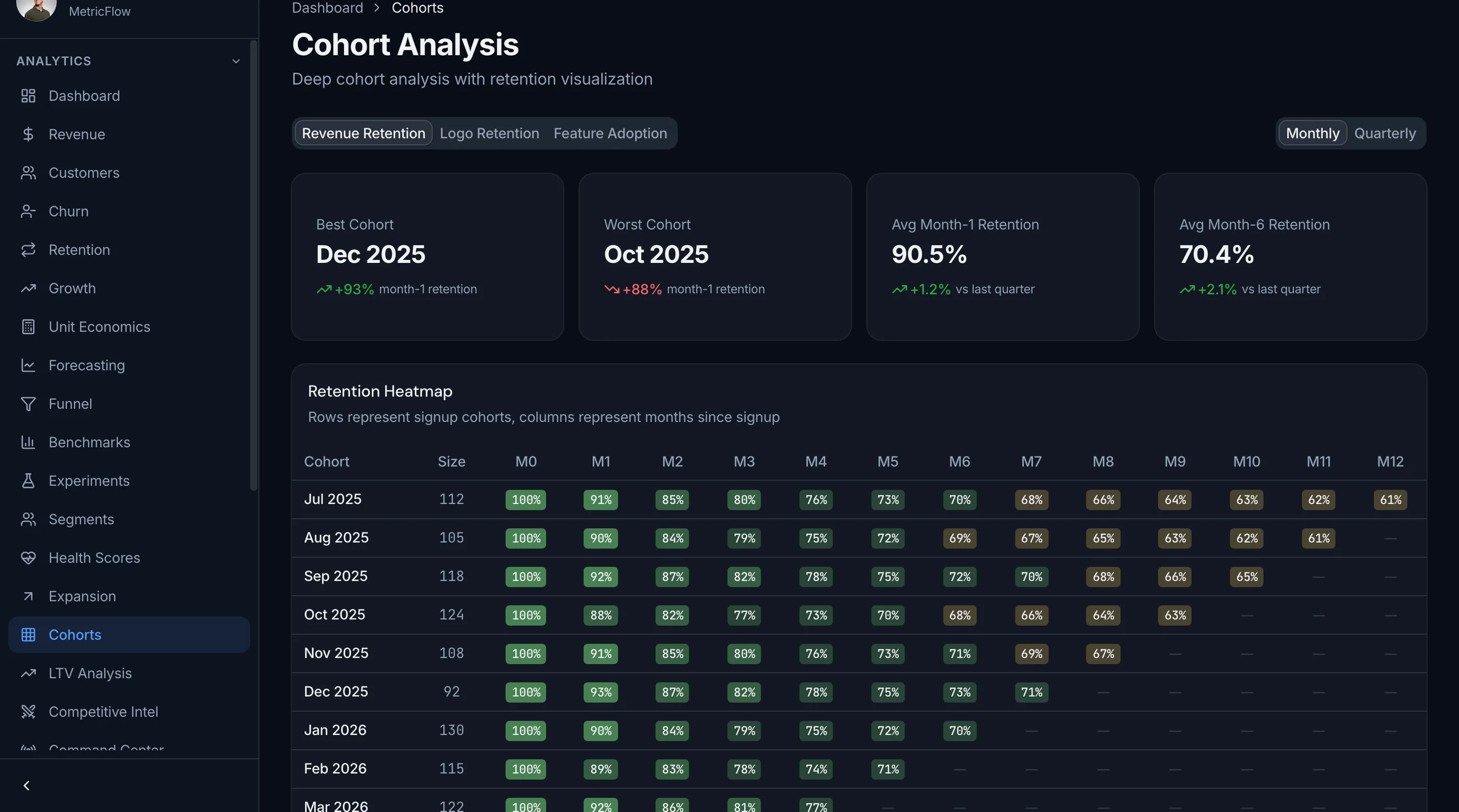
The truth about your churn. A grid showing what percentage of each month's signups are still active 1, 3, 6, 12, 24 months later. If retention curves flatten quickly, you have product-market fit. If they keep declining, you don't.
Customer Count and Trends
Beyond MRR:
- Active customers (paying right now)
- Trial customers (signed up but not paying yet)
- Free customers (if you have a free tier)
- Trial-to-paid conversion rate
- Signups vs paid this month
Distinguish between gross adds (new signups) and net adds (signups minus churn).
ARPU and Pricing Tier Distribution
- ARPU (Average Revenue Per User) = MRR / active customers
- Pricing tier breakdown showing how many customers are on each tier
- ARPU trend over time (rising = expansion working; flat = no upsell motion)
Healthy SaaS has rising ARPU even with flat customer count.
Forecast
A weighted projection of the next 3-6 months based on:
- Current MRR
- Average new MRR per month (last 3 months)
- Average churn rate
- Expansion trends
Investors expect this. Showing only past performance without a forward look is incomplete.
Tech Stack: SaaS Metrics Specific Decisions
Data source: Stripe webhook events are the source of truth. Listen for customer.subscription.created, customer.subscription.updated, customer.subscription.deleted, invoice.paid, invoice.payment_failed.
Database: Postgres. Store every subscription state change as an immutable event row. Aggregate on read.
Charts: Recharts is the default. Tremor for pre-built dashboard primitives. Don't reach for D3 unless you have a visualization specialist.
Date math: date-fns or Day.js with timezone awareness. Month boundaries matter for MRR calculations.
Background jobs: Inngest or Vercel Cron for daily aggregations and snapshots.
Build Path 1: From Scratch (3 to 5 Weeks)
The realistic order:
Week 1: Foundation. Next.js, auth, Stripe webhook handler, subscription event storage.
Week 2: Core calculations. MRR (new/expansion/contraction/churned/net), churn rate (customer and revenue), customer count.
Week 3: Charts and dashboards. MRR over time chart, churn over time, customer count trend.
Week 4: Cohort retention. Build the cohort grid. This is the most complex part.
Week 5: LTV, CAC, ARPU, forecast. The derived metrics.
Faster than other dashboards because the data model is small. Most of the work is correctness in the calculations.
Build Path 2: Using a SaaS Metrics Kit (3 to 5 Days)
A production-ready SaaS metrics kit ships:
- Stripe webhook handler with subscription event storage
- MRR calculation engine (new/expansion/contraction/churned/net)
- Churn rate (customer and revenue) with trailing-12-month view
- LTV, CAC, ARPU, and LTV/CAC ratio
- Cohort retention grid
- Customer count, trial conversion, pricing tier breakdown
- Forecast with confidence interval
- 20-25 screens, WCAG AA accessible
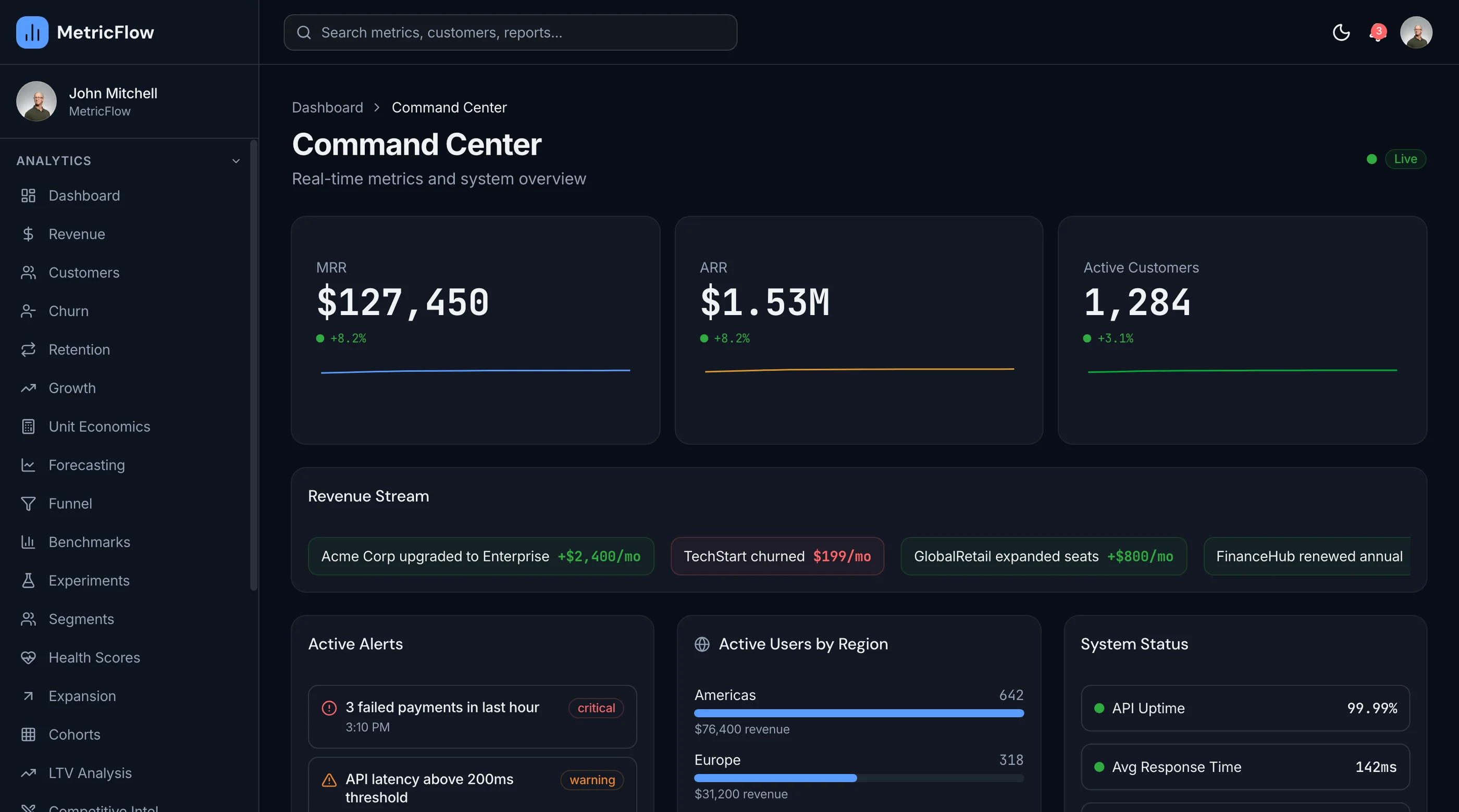
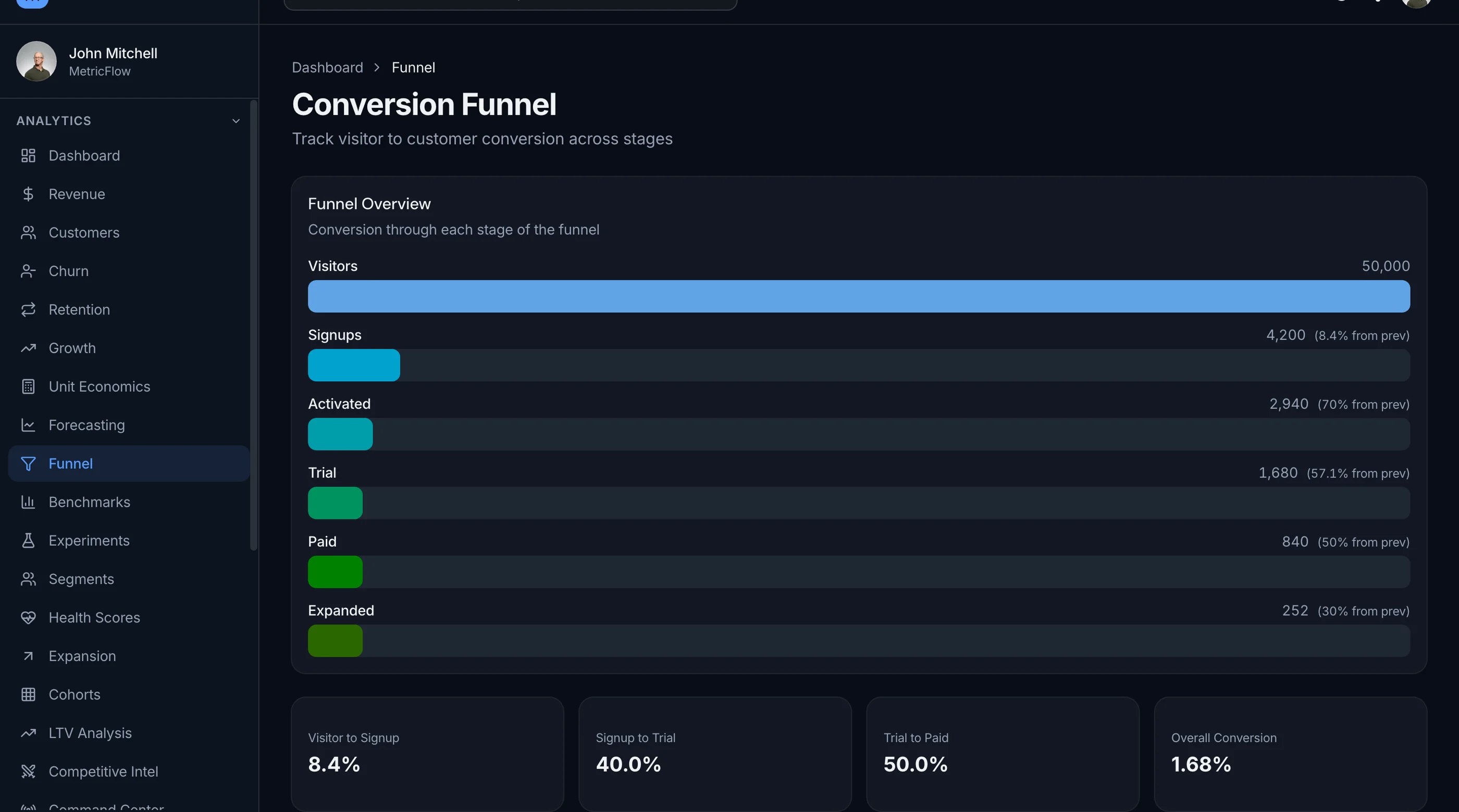
The calculation layer above is yours to write, but the interface does not have to be. The thefrontkit SaaS Metrics Template ships 50 screens covering this list: MRR waterfall charts with the new/expansion/contraction/churned breakdown, a cohort retention heatmap, forecasting with three scenario bands, a conversion funnel, and customer, subscription, and invoice tables. Feed it your own numbers. Try the live demo.
Common Pitfalls
Calculating MRR from invoice totals. Wrong. An annual plan paid upfront gets billed once for 12x the monthly amount, but MRR is the monthly recognized portion. Calculate from subscription state, not from invoice amounts.
Ignoring proration. When a customer upgrades mid-month, Stripe prorates. The MRR change happens immediately, not at the next billing date. Subscription events have the truth.
Confusing customer churn with revenue churn. Customer churn = % of customers who canceled. Revenue churn = % of MRR lost. A customer downgrading from $500/month to $50/month is 90% revenue churn but 0% customer churn. Investors care about both.
Skipping cohort retention. It's the hardest chart to build but the most important for understanding your business. Build it before fancy forecasting.
No timezone awareness. MRR calculations are sensitive to month boundaries. UTC vs local time creates off-by-one-day bugs that throw off totals.
Calculating LTV from gross revenue. LTV should use contribution margin (revenue minus variable costs), not gross. For SaaS, gross is usually close enough; for hardware or services, the difference matters.
Hardcoding subscription tiers. New pricing tiers come quickly. Build the tier breakdown dynamically from your Stripe products, not from a hardcoded list.
Adjacent Reads
- How to Build a SaaS in Next.js — broader build path
- Add Stripe Payments to a Next.js Template — Stripe wiring
- Best SaaS Metrics Dashboard Templates 2026 — head-to-head comparison
FAQ
Should I build this or use ChartMogul / Baremetrics?
ChartMogul and Baremetrics ($100-1000/month) handle 95 percent of SaaS metrics needs out of the box. Build your own when you want full data ownership, you need custom metrics they don't support, or the cost adds up at scale. Most pre-Series-B startups should use the hosted tool until they cross $2-3M ARR. After that, the math favors building.
How accurate are Stripe-only MRR calculations?
Very, if Stripe is your only billing system. The subscription events tell you exactly when MRR changes. Inaccuracies usually come from: incorrect proration handling, ignoring failed payments (mark as past-due, not churned, until the dunning period ends), and timezone bugs at month boundaries.
What's the difference between MRR and ARR?
MRR is monthly recurring revenue. ARR is annual recurring revenue (MRR × 12). For SaaS with monthly plans, MRR is the operating metric. For SaaS with annual plans, ARR is sometimes more natural. Investors talk in ARR; operators talk in MRR.
Do I need cohort retention in v1?
Yes. It's the single most important chart for understanding product-market fit. Build it before any fancy forecasting.
How do I handle annual plans?
Annual subscriptions still contribute to MRR — divide the annual amount by 12. The customer paid upfront but the revenue is recognized monthly. Stripe's subscription events handle this correctly if you read the items[].price.recurring.interval field.
How many screens does a real SaaS metrics dashboard need?
The minimum is around 15: overview dashboard, MRR detail, churn detail, customer list, cohort retention, LTV/CAC, ARPU and pricing tier, forecast, settings (workspace, Stripe integration, team), and auth (5). A full-featured tool with custom segments and alerts is 20-25 screens.
Want it shipped without hiring a developer?
The build path above assumes you have engineers. If you don't, the team behind thefrontkit does done-for-you launches: we deploy the kit, apply your branding, and wire it to your stack. Fixed quotes, most builds ship in 2-4 weeks, from $1999.