HR Dashboard Template vs Building from Scratch
If you're building an HR dashboard, you'll hit this question early:
Do we buy a template or build everything from scratch?
A lot of teams lean toward building from scratch because HR workflows feel "simple enough." Employee tables, leave forms, an org chart. How hard can it be?
Then three months pass, and you're still debugging the org chart zoom behavior while the leave management module hasn't been started. This post compares the two approaches in practical terms: time, cost, quality, and the hidden complexity that makes HR dashboards harder than they look.
What Every HR Dashboard Needs (Baseline Scope)
Regardless of company size or industry, an HR dashboard needs:
- Employee directory: list/grid views, search, department filters
- Employee profiles: personal info, job details, documents, activity
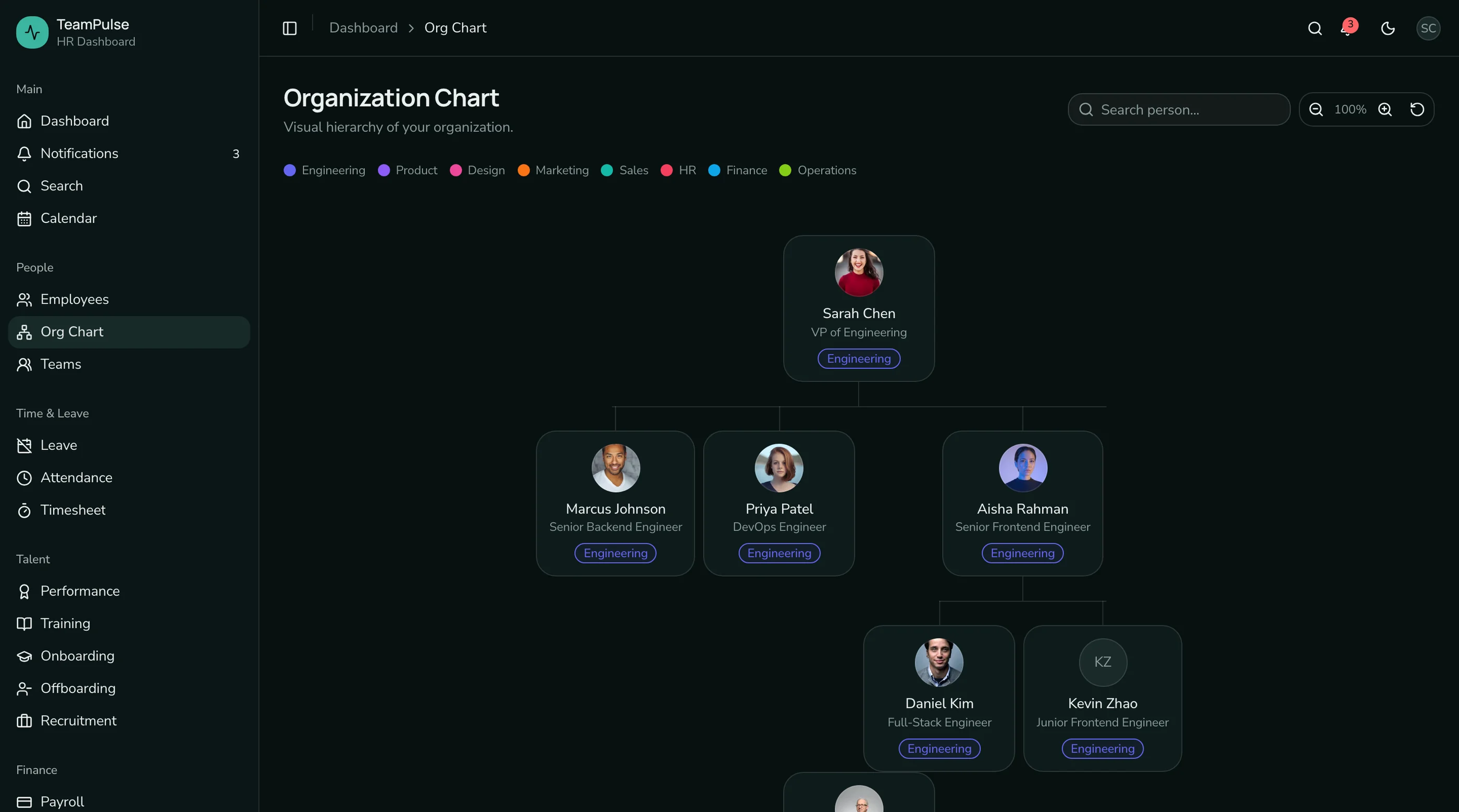
- Org chart: visual hierarchy with manager relationships
- Leave management: balances, request workflows, team calendar, policies
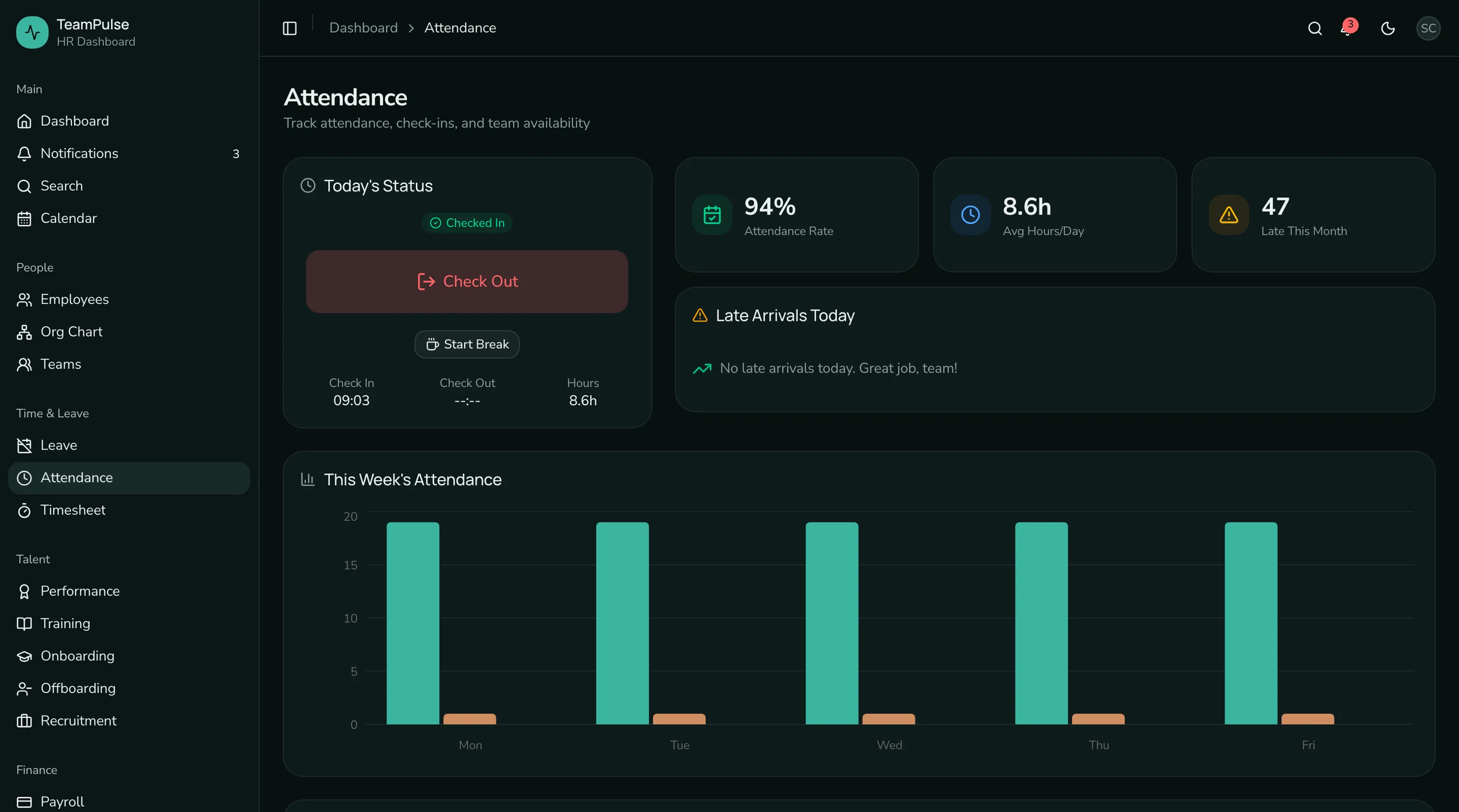
- Attendance tracking: check-in/out, heatmap calendar, reports
- Performance reviews: review forms, goals, OKRs, rating cycles
- Onboarding: task checklists, progress tracking, templates
- Settings: departments, roles, work schedules, notifications
- Auth: login, register, forgot password
That's the baseline. A recruitment pipeline with kanban board, applicant profiles, and job posting management pushes the screen count even higher.
The HR Dashboard App covers all of the above in 48 screens.
Time Comparison: Months vs Days
Assume a small team with 1-2 React engineers.
Building From Scratch (Typical)
- Employee directory with grid/list toggle, search, filters: 1-2 weeks
- Employee profiles with tabs and edit forms: 1-2 weeks
- Org chart with zoom, search, collapsible branches: 2-3 weeks
- Leave management (balances, workflows, calendar, policies): 2-3 weeks
- Attendance (check-in, heatmap, reports, settings): 2 weeks
- Performance (review forms, goals, OKRs, cycles): 2-3 weeks
- Onboarding (checklists, progress, templates): 1-2 weeks
- Recruitment (kanban, job postings, applicant profiles): 2 weeks
- Settings suite: 1 week
- Auth screens: 3-5 days
- Design system (tokens, dark mode, responsive): 2 weeks
- Accessibility testing and fixes: 1-2 weeks
Total: 16-24 weeks before you connect a single API.
Starting With a Template
- Install and set up the template: 1-2 hours
- Customize colors and branding with design tokens: 1-2 hours
- Review all 37 screens, identify what to keep/modify: 1 day
- Replace seed data with API calls: 1-2 weeks (depends on your backend)
- Customize workflows for your specific HR policies: 1-2 weeks
- Add any company-specific screens: 1 week
Total: 3-5 weeks to a fully functional HR dashboard.
The difference is 4-5x in time. And that's conservative, because the "from scratch" estimate doesn't account for design iteration, code review cycles, or the inevitable redesign when stakeholders see the first version and want changes.
Cost Comparison
From Scratch
At $150/hour for a senior React developer:
- 16-24 weeks = 640-960 hours
- $96,000-$144,000 in developer time
For a startup with internal developers on salary, the cost is the opportunity cost: 4-6 months of engineering time that could go toward your product differentiator.
Template Approach
- Template license: $99-$349 (depending on team size)
- Customization and API integration: 3-5 weeks = 120-200 hours
- $18,000-$30,000 in developer time
That's roughly 80% less cost. The template covers the 37 screens that are the same across every HR dashboard. Your engineers focus on the parts that are unique to your product.
The Hidden Complexity
HR dashboards look deceptively simple because the individual screens aren't complex. An employee table is a table. A leave form is a form. But the total surface area is what kills you.
Screen count. 37 screens means 37 sets of responsive breakpoints, 37 sets of loading states, 37 sets of empty states, and 37 screens that need to work in both light and dark mode. Each screen is simple. The aggregate is not.
Org chart. This single feature routinely takes 2-3 weeks. Building a tree from flat data, rendering connecting lines, handling zoom and pan, supporting search with path highlighting, and making it responsive. Most teams underestimate this by 3-4x.
Form complexity. The employee add wizard has 20+ fields across multiple steps. The performance review form has multi-section ratings with different scales. The leave policy editor has conditional logic. Forms are the unglamorous work that consumes the most engineering time.
Accessibility. HR dashboards are workplace tools. They need to be accessible under WCAG AA. That means keyboard navigation for every table, screen reader announcements for every status change, proper focus management in modals and wizards, and contrast ratios that pass across both themes. Retrofitting accessibility is 2-3x more expensive than building it in from the start.
State management. The leave approval workflow involves optimistic updates (mark as approved immediately, roll back on API failure), the recruitment kanban needs drag-and-drop state, and the attendance check-in needs real-time status. These aren't hard individually, but across 37 screens, the state management complexity adds up.
What You Lose With a Template
Let's be honest about the tradeoffs.
You inherit someone else's code structure. The template organizes components and pages a certain way. If your team has strong opinions about file structure, you'll need to reconcile those. With the thefrontkit template, the structure follows standard Next.js conventions (App Router, component colocation), so there's usually not much to change.
You might not need all 37 screens. If you're building an internal tool for a 20-person company, you might only need the employee directory and leave management. In that case, a template is still faster (delete what you don't need), but the cost savings are less dramatic.
Customization has limits. The template's design tokens let you change colors, typography, and spacing globally. But if you want a fundamentally different layout pattern (say, a horizontal nav instead of a sidebar), you're modifying the layout system. That's doable but takes more effort than changing tokens.
What You Gain
Proven patterns. The org chart works. The leave workflow handles edge cases. The attendance heatmap renders correctly across months with different day counts. These patterns have been tested and refined. Building from scratch means discovering and solving these edge cases yourself.
Consistency. 37 screens that all follow the same design system, the same component patterns, the same spacing scale. When you build from scratch over 4-6 months, design drift is inevitable. Early screens look different from later ones. The template maintains consistency because everything was built together.
Accessibility baked in. Every screen has keyboard navigation, ARIA labels, focus management, and WCAG AA contrast. If you're building for enterprise or government clients, this is a requirement. Building it from scratch means your engineers need accessibility expertise. The template means they don't.
Time to market. The most important gain. If you're building an HR product, every month of development delay is a month of revenue you're not generating. If you're building an internal tool, every month of delay is a month your HR team is stuck with spreadsheets.
When to Build from Scratch
There are valid reasons to build from scratch:
- You're building a fundamentally different kind of HR tool. If your product is an AI-powered HR assistant that doesn't look like a traditional dashboard, a template won't help.
- Your team needs the learning experience. If this is a training project to build React skills, the journey matters more than the destination.
- You have 6+ months and no deadline pressure. If time isn't a constraint, building from scratch gives you maximum control.
For everyone else, starting with a template and customizing is the pragmatic choice.
The Recommended Approach
- Start with the HR Dashboard App template. $131 for the Solo license, $199 for Team.
- Customize the design tokens. Change the hue value in
globals.cssand the entire 37-screen dashboard adopts your brand colors. - Replace seed data with API calls. The template uses typed TypeScript interfaces for all data. Swap the mock imports with your API client.
- Modify workflows for your policies. Adjust the leave types, review cycle phases, and onboarding templates to match your company's HR processes.
- Add company-specific screens if needed. The template's component library gives you the building blocks.
You'll have a production-ready HR dashboard in 3-5 weeks instead of 4-6 months. Try the live demo to see if the coverage matches your requirements.