12 Best Next.js Dashboard Templates 2026 (Free & Paid)
12 Best Next.js Dashboard Templates in 2026
Most Next.js dashboard templates look great in the demo. Then you build on top of one and find the data table can't sort, the sidebar breaks on mobile, or the whole thing is still on Next.js 14 and Tailwind v3.
We compared 12 Next.js dashboard and admin templates: 8 free and 4 paid, including our own kits (marked, so you can weigh that). We checked every repo, licence, price and framework version in September 2026. A few templates that still show up in older lists aren't Next.js at all, and one popular template's website is currently offline.
Or skip the choice: get every kit for $749
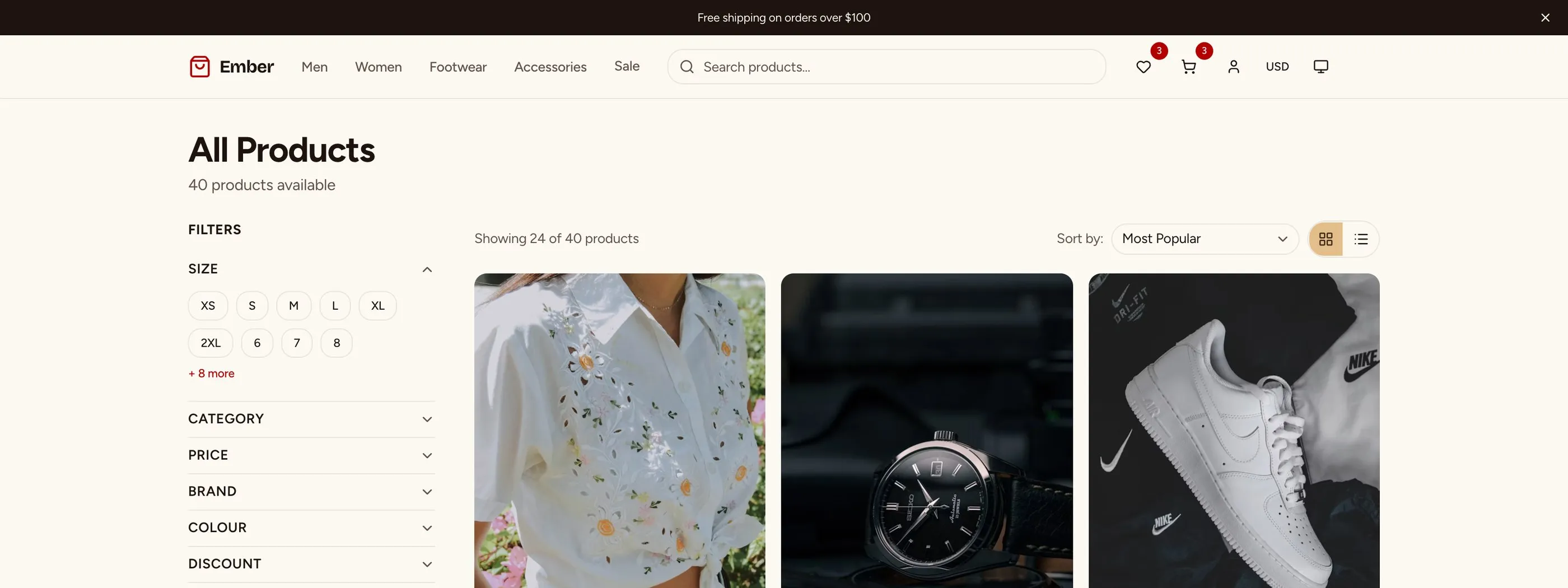
If you're shipping more than one product, All UI Kits unlocks every Next.js kit on thefrontkit: SaaS Starter, CRM Dashboard, HR Dashboard, Sales Dashboard, Finance Dashboard, Kanban PM, Inventory Management, and 11 more. Plus every future kit. One-time payment, no subscription.
Quick Picks
| Need | Pick | Price |
|---|---|---|
| Best free Next.js dashboard starter | next-shadcn-dashboard-starter | Free |
| Free, several dashboards included | Studio Admin | Free |
| Free Tailwind admin with lots of pages | TailAdmin Next.js | Free, Pro from $59 one-time |
| Official Vercel example with Postgres and auth | Next.js Admin Dashboard | Free |
| Production SaaS dashboard, WCAG AA | thefrontkit SaaS Starter Kit (ours) | $79 |
| Domain dashboards (CRM, HR, finance, sales) | thefrontkit dashboard kits (ours) | From $165 |
What Makes a Next.js Dashboard Template Production-Ready
"Production-ready" comes down to five things. Most templates get one or two right. Very few get all five.
Layout Shell
A dashboard layout needs a sidebar for primary navigation, a topbar for global actions (search, notifications, user menu), and a main content area. The sidebar should collapse into a mobile drawer on screens under 768px. If the template doesn't handle this responsive behavior, you'll spend a week building it yourself.
Data Tables
Tables are where most dashboard templates fall apart. A production data table needs sorting (click column headers), filtering (text, select, date range), pagination (with page size options), row selection (with bulk actions), and column visibility toggles. If the template ships a static HTML table, it's a demo, not a product.
Forms and Settings
Every SaaS dashboard has settings pages: account details, billing, team management, notification preferences. These need consistent form components with validation, error messages, and loading states. If the template only shows a dashboard homepage with metric cards, you'll be building the other 20 screens from scratch.
Dark Mode
Dashboard users spend hours in the UI. Dark mode isn't optional. But there's a difference between dark mode that's engineered into the design system via design tokens and dark mode that's hacked on with CSS class overrides. The former lets you rebrand in minutes. The latter breaks every time you add a new component.
Accessibility
WCAG AA compliance is where most templates fail completely. Screen readers should navigate the sidebar. Keyboard users should operate every data table action. Focus should be trapped correctly in modals and drawers. If your template ignores this, you'll face problems when enterprise customers ask about compliance or when accessibility lawsuits hit your industry.
Comparison Table
| Template | Price | Next.js | Tailwind | UI layer | GitHub stars |
|---|---|---|---|---|---|
| next-shadcn-dashboard-starter | Free (MIT) | 16 | v4 | shadcn/ui | ~7k |
| Studio Admin | Free (MIT) | 16 | v4 | shadcn/ui | ~3k |
| TailAdmin Next.js | Free (MIT), Pro from $59 | 16 | v4 | Tailwind | ~2.6k |
| NextAdmin | Free, Pro from $89 | 16 | v4 | TailGrids | ~570 |
shadcn/ui Blocks (dashboard-01) |
Free (MIT) | 16 | v4 | shadcn/ui | ~124k (shadcn/ui) |
| Vercel Next.js Admin Dashboard | Free (MIT) | 15 | v3 | shadcn/ui | ~1.6k |
| Tremor dashboard templates | Free (MIT) | 14 | v3 | Tremor | ~500 |
| Materio (free) | Free (MIT), Pro from $79 | 14 (Pro: 16) | v3 (Pro: v4) | MUI + Tailwind | ~2k |
| thefrontkit SaaS Starter Kit | $79 | App Router | shadcn/ui | Paid | |
| thefrontkit dashboard kits | From $165 | 16 | v4 | shadcn/ui | Paid |
| Mosaic by Cruip | $69 one-time | Not stated | Not stated | Tailwind | Paid |
| Shadcn UI Kit | From $79 one-time | 16 | v4 | shadcn/ui | Paid |
Versions are what each repo's default branch uses today. Paid prices are one-time, and several were on sale when we checked, so confirm on the vendor's page.
Free Next.js Dashboard Templates
1. next-shadcn-dashboard-starter
Best free Next.js dashboard starter.
next-shadcn-dashboard-starter by Kiranism (about 7k stars) is a Next.js 16 App Router starter on shadcn/ui and Tailwind v4. It includes Clerk authentication with organisations and billing, TanStack Table data tables, Recharts, working forms and a Docker setup. It's actively maintained.
It's a starter, so expect a set of example pages to extend rather than dozens of finished screens.
- Price: Free (MIT)
- Stack: Next.js 16, Tailwind v4, shadcn/ui, Clerk
2. Studio Admin
Best free template with several ready-made dashboards.
Studio Admin by arhamkhnz (about 3k stars) ships Default, CRM, Finance, Analytics and Productivity dashboards, auth screens and theme presets. It's on Next.js 16 and Tailwind v4 with TanStack Table and Recharts, and it's updated almost daily.
- Price: Free (MIT)
- Stack: Next.js 16, Tailwind v4, shadcn/ui
3. TailAdmin Next.js
Best free Tailwind admin template with a big page count.
TailAdmin (about 2.6k stars) is a Tailwind-first admin template on Next.js 16 and Tailwind v4, with charts, tables, forms, calendar and i18n. It doesn't use shadcn/ui or Radix, so interactive components like dropdowns and dialogs are its own, which is worth testing with a keyboard.
The Pro version is a one-time purchase per framework: $59, $119 or $299 at the time of writing (listed down from $99, $279 and $599), with Figma files and lifetime updates.
- Price: Free (MIT), Pro from $59 one-time
- Stack: Next.js 16, Tailwind v4
4. NextAdmin
Best free option if you like TailGrids.
NextAdmin (about 570 stars) is a Next.js 16 and Tailwind v4 admin dashboard built on TailGrids components. Version 2.0 adds AI coding-agent files (AGENTS.md, prompts). The free core is on GitHub, and Pro is one-time: Starter $89, Team $299, Extended $599 when we checked.
Not to be confused with next-admin by Premier Octet, which is a Prisma CRUD library rather than a dashboard template.
- Price: Free core, Pro from $89 one-time
- Stack: Next.js 16, Tailwind v4, TailGrids
5. shadcn/ui Blocks (dashboard-01)
Best if you want the official shadcn patterns and nothing else.
shadcn/ui's Blocks include dashboard-01, a full dashboard page with sidebar, chart cards and a data table, plus sidebar, login and signup blocks. It's Next.js 16 and Tailwind v4 and matches the latest shadcn/ui exactly. You get one dashboard page, so every other screen is yours to build.
- Price: Free (MIT)
- Stack: Next.js 16, Tailwind v4, shadcn/ui
6. Vercel's Next.js Admin Dashboard
Best official example of a dashboard wired to a real database.
Vercel's admin dashboard template shows App Router patterns with Auth.js, Postgres and shadcn/ui. It's a reference implementation more than a product: a few screens, but real server-side data fetching you can learn from.
It's on Next.js 15 and Tailwind v3, and was last updated in January 2026.
- Price: Free (MIT)
- Stack: Next.js 15, Tailwind v3, shadcn/ui, Auth.js, Postgres
7. Tremor dashboard templates
Best for analytics-heavy dashboards.
Tremor, the dashboard chart library Vercel acquired in 2025, publishes its dashboard templates as public MIT repos, with strong KPI cards and chart variety. The catch is age: the dashboard template is on Next.js 14 and Tailwind v3, and the repos have been quiet since early 2026. Tremor also isn't shadcn/ui, so mixing it with shadcn means two styling systems.
- Price: Free (MIT)
- Stack: Next.js 14, Tailwind v3, Tremor
8. Materio (free version)
Best if your team already uses MUI.
Materio by ThemeSelection combines MUI with Tailwind. The free repo is on Next.js 14 and Tailwind v3. The paid version is on Next.js 16, Tailwind v4 and MUI v7, from $79 one-time.
- Price: Free (MIT), Pro from $79 one-time
- Stack: MUI + Tailwind
Paid Next.js Dashboard Templates
9. thefrontkit SaaS Starter Kit (ours)
Best for production SaaS dashboards where accessibility matters.
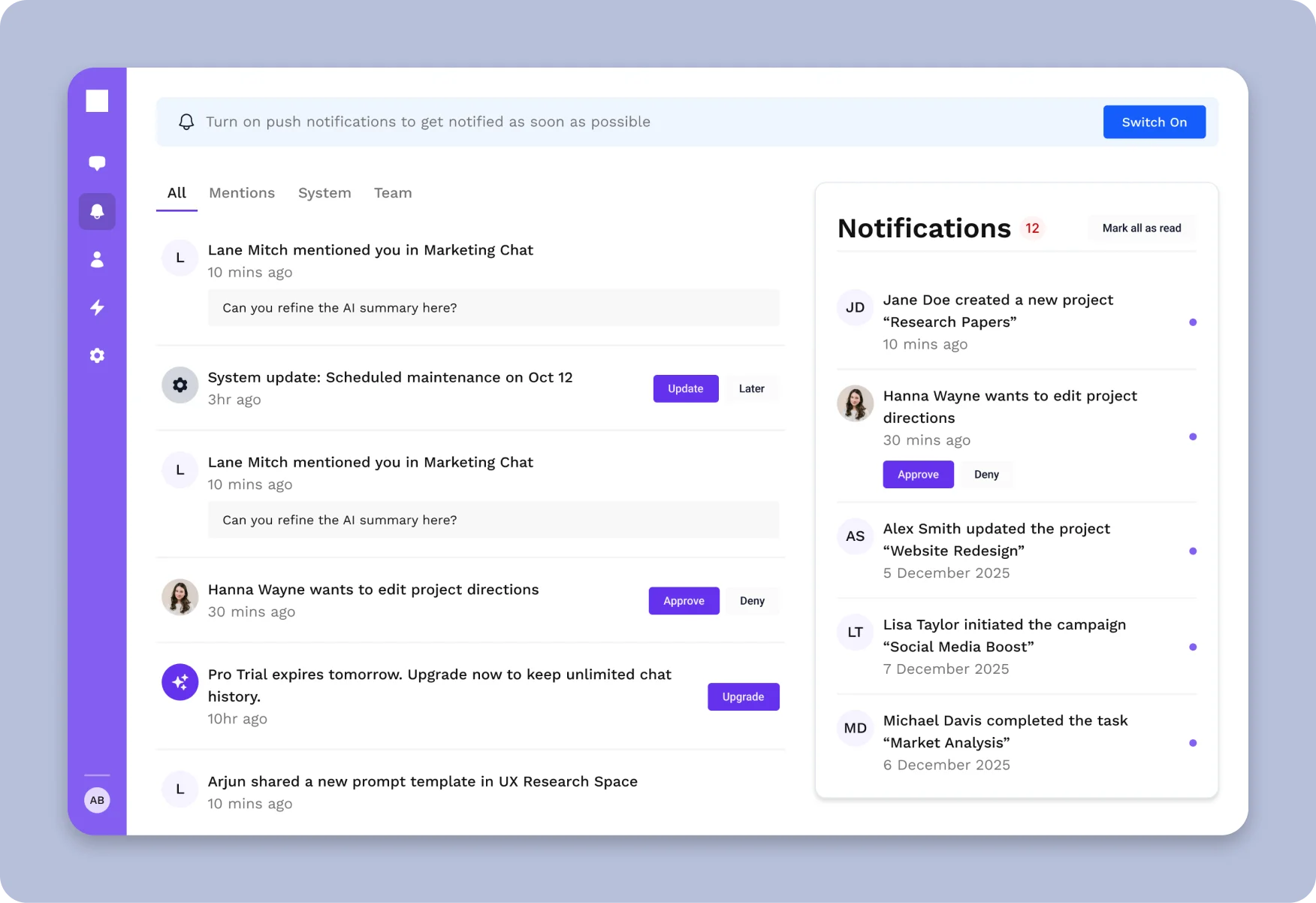
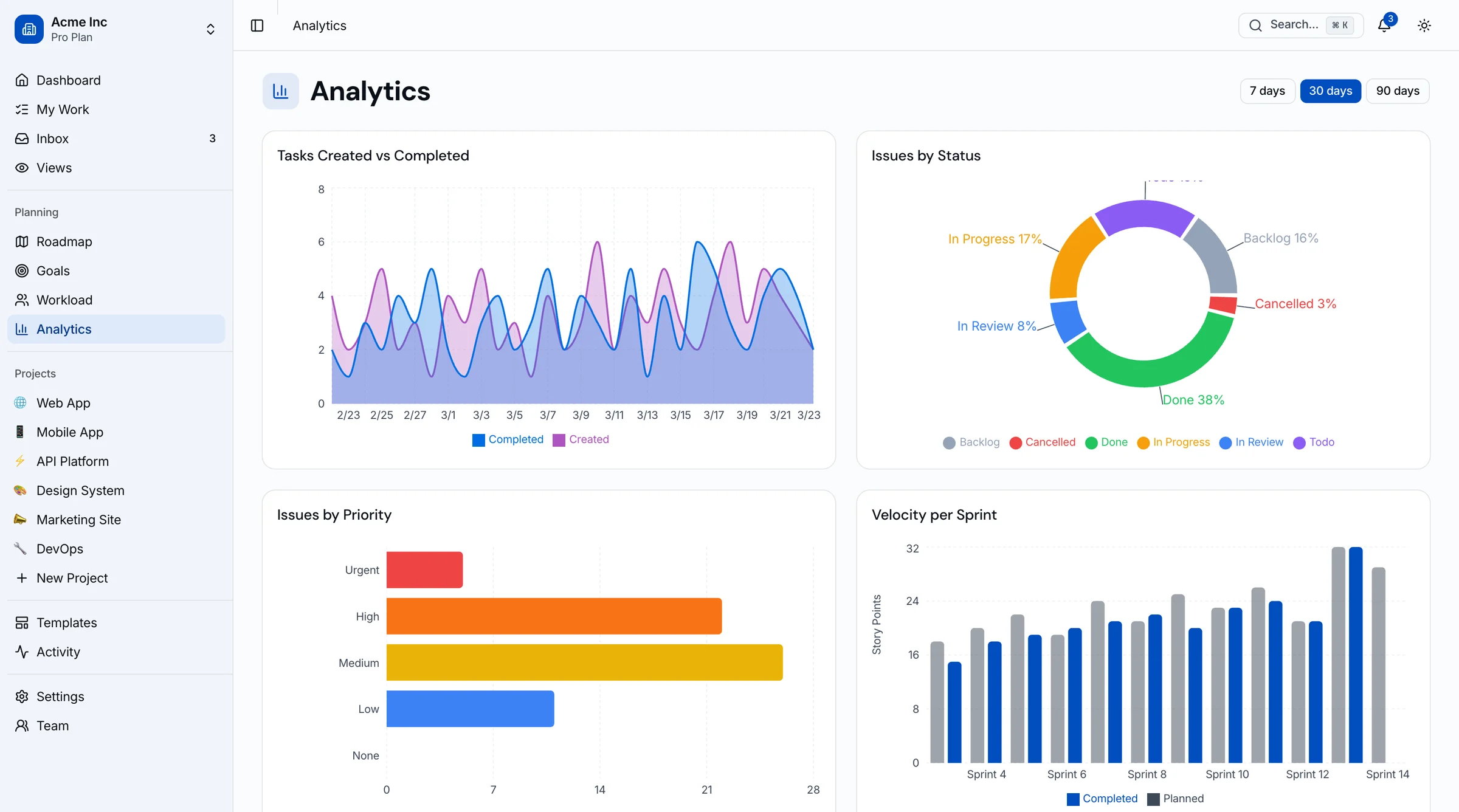
The SaaS Starter Kit is our Next.js App Router kit on shadcn/ui with 135+ components: auth screens (login, signup, password reset, OTP), a dashboard shell, settings (account, billing, team, notifications), team management, notifications and data tables with sorting, filtering and pagination. It's built to WCAG AA and runs on a design token system, so rebranding is a CSS variable change.
It's a frontend kit. You bring your own backend, auth provider and database.
- Includes: 135+ components
- Accessibility: WCAG AA
- Price: $79 solo, $179 team, $299 agency
10. thefrontkit domain dashboards (ours)
Best when your dashboard is for a specific job.
A generic admin shell gets you a sidebar and some cards. A domain kit gets you the actual screens. Each of these is Next.js 16, Tailwind v4 and shadcn/ui:
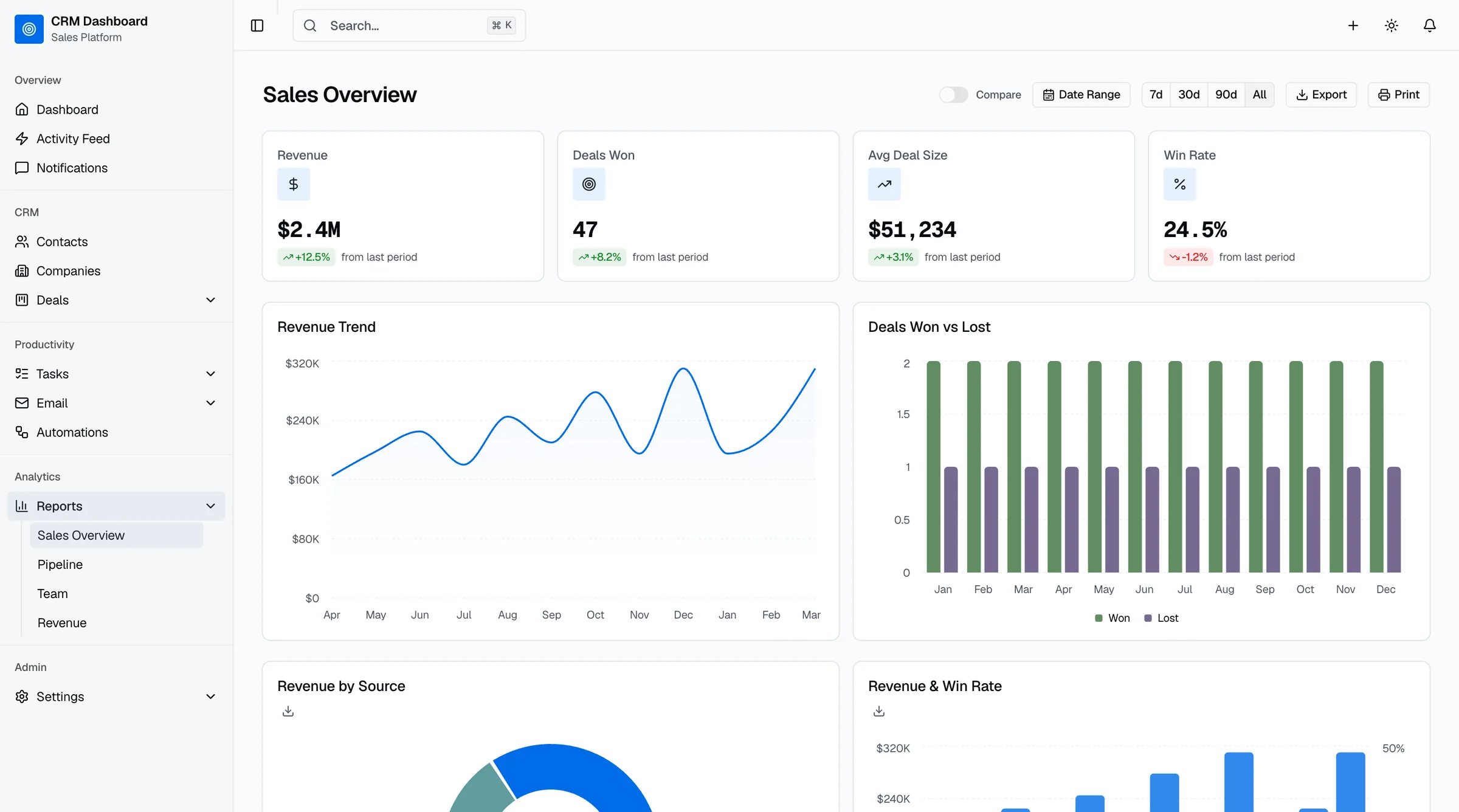
- CRM Dashboard: 42 screens, Kanban pipeline, contacts, deals, email, reports
- HR Dashboard: 48 screens, employee directory, leave, attendance, org chart, reviews, recruiting
- SaaS Metrics: 50 screens, MRR/ARR, churn, cohorts, forecasting
- NeuralDesk AI Ops: 13 screens, model registry, prompts, token usage, logs
- Finance Dashboard and Sales Dashboard: 9 screens each
There's also an Inventory Management template with 32 screens. Full-stack versions with Supabase exist for CRM, Kanban, LMS, blog and e-commerce.
- Price: From $165
11. Mosaic by Cruip
Best for a polished design across several frameworks.
Mosaic is Cruip's admin dashboard, sold in HTML, React, Next.js and Vue versions for $69 one-time. It's also part of Cruip's Classic Bundle ($79 one-time for 20 templates), which is the better deal if you'd use more than one.
- Price: $69 one-time
12. Shadcn UI Kit
Best for lots of shadcn dashboard layouts.
Shadcn UI Kit has 16 admin dashboards, 17 web app templates and 300+ blocks on Next.js 16 and Tailwind v4. There's a free tier with one template, and Pro was $79 one-time when we checked.
- Price: Free tier, paid from $79 one-time
Often Listed, but Check First
- shadcn-admin (satnaing). Around 14k stars and often called a Next.js dashboard, but it's built with Vite and TanStack Router. Great for a single-page admin, but not Next.js.
- Horizon UI. Its free Tailwind Next.js repo was last updated in January 2025 (Next.js 15, Tailwind v3), and horizon-ui.com was offline when we checked, so we couldn't confirm Pro pricing.
Which One to Pick
- Side project or MVP: next-shadcn-dashboard-starter or Studio Admin. Both are free, current and on shadcn/ui.
- Internal tool, you want lots of pages fast: TailAdmin's free version.
- Learning App Router data patterns: Vercel's admin template.
- Production SaaS you'll sell to businesses: the SaaS Starter Kit, for WCAG AA and a token system you won't have to retrofit.
- A CRM, HR, finance or sales product: start from the matching domain kit instead of a generic shell.
- Agency work across many clients: a token-based kit on an agency licence ($299 for the SaaS Starter), so each rebrand is a theme change.
Frequently Asked Questions
What is the best free Next.js dashboard template?
For most people in 2026, next-shadcn-dashboard-starter. It's on Next.js 16, Tailwind v4 and shadcn/ui, it's MIT licensed, and it includes Clerk auth, data tables and charts. Studio Admin is a close second if you want several dashboard layouts (CRM, finance, analytics) out of the box.
Is shadcn-admin a Next.js template?
No. satnaing's shadcn-admin is built with Vite and TanStack Router. If you need Next.js, use next-shadcn-dashboard-starter, Studio Admin or the official shadcn/ui dashboard block.
Are free Next.js dashboard templates good enough for production?
For internal tools, often yes. For customer-facing products, check three things first: whether it's on a current Next.js and Tailwind version, whether it covers settings, billing and team screens (most free starters don't), and whether it's keyboard and screen-reader accessible. Retrofitting any of those takes longer than people expect.
Which Next.js dashboard templates use Tailwind v4?
Of the ones we checked: next-shadcn-dashboard-starter, Studio Admin, TailAdmin, NextAdmin, the shadcn/ui blocks, Shadcn UI Kit and thefrontkit's dashboard kits. Vercel's admin template, Tremor's templates and Materio's free version are still on Tailwind v3.
Do Next.js dashboard templates include a backend?
Usually not. Most are frontend templates you connect to your own API or database. Vercel's admin template is an exception with Postgres and Auth.js wired in, and thefrontkit's full-stack kits add Supabase.
Related Guides
- Best shadcn Dashboard Templates: shadcn/ui-specific roundup
- Best Tailwind Dashboard Templates: the wider Tailwind ecosystem
- Building an Accessible React Dashboard: dashboard accessibility patterns
- Best CRM Dashboard Templates
- Best HR Dashboard Templates
- Best Finance Dashboard Templates