13 Best shadcn Dashboard Templates 2026 (Free & Paid)
Best shadcn Dashboard Templates in 2026
shadcn/ui gives you components you copy into your project and own. It doesn't give you a finished dashboard. You still have to assemble the sidebar, data tables, charts, settings pages and auth screens, and that's the part a template saves you.
We compared 13 shadcn dashboard and admin templates: 6 free, 3 paid from other makers, and 4 of our own kits (marked clearly, so you can weigh that). We checked every repo, licence, price and framework in September 2026, because this space moves fast. One popular pick from last year is now archived, another turned out to be a text editor, and one of the most-starred "shadcn admin" templates isn't Next.js at all.
Or get every shadcn-based kit for $749
If you're shipping more than one product, All UI Kits unlocks every Next.js + shadcn/ui kit on thefrontkit: SaaS Starter, CRM Dashboard, HR Dashboard, Kanban PM, E-commerce, Blog CMS, AI UX, Inventory Management, and 10 more. Plus every future kit. One-time payment, no subscription.
Quick Picks
| Need | Pick | Price |
|---|---|---|
| Free, official, Next.js | shadcn/ui Blocks (dashboard-01) |
Free |
| Free admin panel (Vite, not Next.js) | shadcn-admin | Free |
| Free Next.js starter with auth | next-shadcn-dashboard-starter | Free |
| Free with CRM and finance dashboards | Studio Admin | Free |
| Many paid dashboard variants | Shadcn UI Kit | From $79 one-time |
| Production SaaS app shell | thefrontkit SaaS Starter Kit (ours) · live demo | $79 |
| shadcn CRM template | thefrontkit CRM Dashboard (ours) · live demo | $165 |
What Makes a Good shadcn Dashboard Template?
- Layout. A collapsible sidebar that turns into a drawer on mobile, a topbar and a content area. shadcn's own sidebar block is a good baseline.
- Data tables. Sorting, filtering, pagination, row selection and column visibility. Most good templates use TanStack Table here.
- Charts. shadcn/ui's chart components are built on Recharts, so a template using Recharts will match the rest of your UI.
- Forms and settings. Validation, error states and loading states, not just static inputs.
- Dark mode and theming. Built on CSS variables, so a rebrand is a token change.
- Framework. Check it before you fall for the screenshots. Some popular templates are Vite + React Router, which matters if you want Next.js server components and routing.
- Maintenance. shadcn/ui moved to Tailwind CSS v4 and Next.js 16. A template last updated in 2023 will fight you on both.
Comparison Table
| Template | Price | Framework | Tailwind | GitHub stars | Best for |
|---|---|---|---|---|---|
| shadcn/ui Blocks | Free (MIT) | Next.js 16 | v4 | ~124k (shadcn/ui) | Starting from official patterns |
| shadcn-admin | Free (MIT) | Vite + TanStack Router | v4 | ~14k | Free admin panel, non-Next.js |
| next-shadcn-dashboard-starter | Free (MIT) | Next.js 16 | v4 | ~7k | Next.js starter with Clerk auth |
| Studio Admin | Free (MIT) | Next.js 16 | v4 | ~3k | Several dashboard variants |
| thefrontkit SaaS Starter Kit | $79 | Next.js | Paid | SaaS app shell, WCAG AA | |
| thefrontkit CRM Dashboard | $165 | Next.js 16 | v4 | Paid | CRM and sales pipeline |
| Shadcn UI Kit | From $79 one-time | Next.js 16 | v4 | Paid | Lots of dashboard layouts |
| shadcn studio | Free tier, paid from $99 one-time | Not stated | Not stated | ~2k | Blocks, themes and templates |
| shadcnblocks | Admin Kit from $299 one-time | Not stated | Not stated | Paid | Huge block library |
| thefrontkit Kanban PM | $131 | Next.js 16 | v4 | Paid | Project management |
| thefrontkit Social Media | $131 | Next.js 16 | v4 | Paid | Social analytics |
| Shadboard | Free (MIT) | Next.js 15 | v4 | ~700 | i18n and RTL |
| shadcn-admin-kit | Free (MIT) | Vite + React Router | v4 | ~1k | CRUD admin on any API |
Stars and prices checked September 2026. Paid prices are one-time and some were on sale when we checked, so confirm on the vendor's page.
Free shadcn Dashboard Templates
1. shadcn/ui Blocks (official)
Best free starting point if you want to stay close to shadcn itself.
The official Blocks page has copy-paste building blocks, including dashboard-01: a full dashboard with sidebar, chart cards and a data table. There are also 16 sidebar variants and several login and signup screens. It's built with Next.js 16 and Tailwind CSS v4, uses Recharts and TanStack Table, and it's MIT licensed.
It's a set of blocks, not an app. You get one dashboard page, not settings, user management or billing screens. But everything matches the latest shadcn/ui exactly, which no third-party template can promise.
- Price: Free (MIT)
- Includes: Dashboard page, 16 sidebars, auth screens
- Watch out for: You build every other page yourself
2. shadcn-admin by satnaing
Best free admin panel, if you don't need Next.js.
shadcn-admin is the most-starred community shadcn admin template, at around 14k stars. It has 10+ pages, a collapsible sidebar, global search, TanStack Table and Recharts, plus partial auth through Clerk.
The catch that trips people up: it's built with Vite and TanStack Router, not Next.js. That's fine for an internal tool or single-page app. If you want Next.js server components, server actions and file-based routing, look at #3 or #4 instead.
- Price: Free (MIT)
- Framework: Vite + TanStack Router, Tailwind v4
- Last commit: June 2026
3. next-shadcn-dashboard-starter by Kiranism
Best free Next.js dashboard starter with real auth.
next-shadcn-dashboard-starter (about 7k stars) is a Next.js 16 App Router starter with Clerk authentication, including organisations and billing, TanStack Table, Recharts and working forms. It's actively maintained and uses Tailwind v4.
It's a starter rather than a full product. Expect a handful of example pages you extend, not dozens of finished screens.
- Price: Free (MIT)
- Framework: Next.js 16, Tailwind v4
- Includes: Clerk auth, data tables, charts, forms
4. Studio Admin by arhamkhnz
Best free template with several ready-made dashboards.
Studio Admin (about 3k stars) ships Default, CRM, Finance, Analytics and Productivity dashboards, plus auth screens and theme presets. It's Next.js 16 with Tailwind v4, uses TanStack Table and Recharts, and is updated often. There are also variants built on Base UI, React Aria and TanStack Start.
- Price: Free (MIT)
- Framework: Next.js 16, Tailwind v4
- Includes: 5 dashboard variants, auth, theme presets
5. Shadboard
Best free option for multilingual and right-to-left dashboards.
Shadboard comes as a full kit and a starter, with NextAuth, i18n with RTL support, a theme customizer, Recharts and TanStack Table. It's on Next.js 15 and Tailwind v4.
Worth knowing: its last update was in December 2025, so it's behind on Next.js 16.
- Price: Free (MIT)
- Framework: Next.js 15, Tailwind v4
6. shadcn-admin-kit by marmelab
Best for CRUD admin panels on top of an existing API.
shadcn-admin-kit comes from the team behind react-admin. It's a component framework more than a template: list, show, edit and create views, a data table with export and bulk actions, login and access control, all wired to whatever backend you have. It runs on Vite and React Router.
- Price: Free (MIT)
- Framework: Vite + React Router 7, Tailwind v4
Paid shadcn Dashboard Templates
7. thefrontkit SaaS Starter Kit (ours)
Best for a production SaaS app shell with accessibility built in.
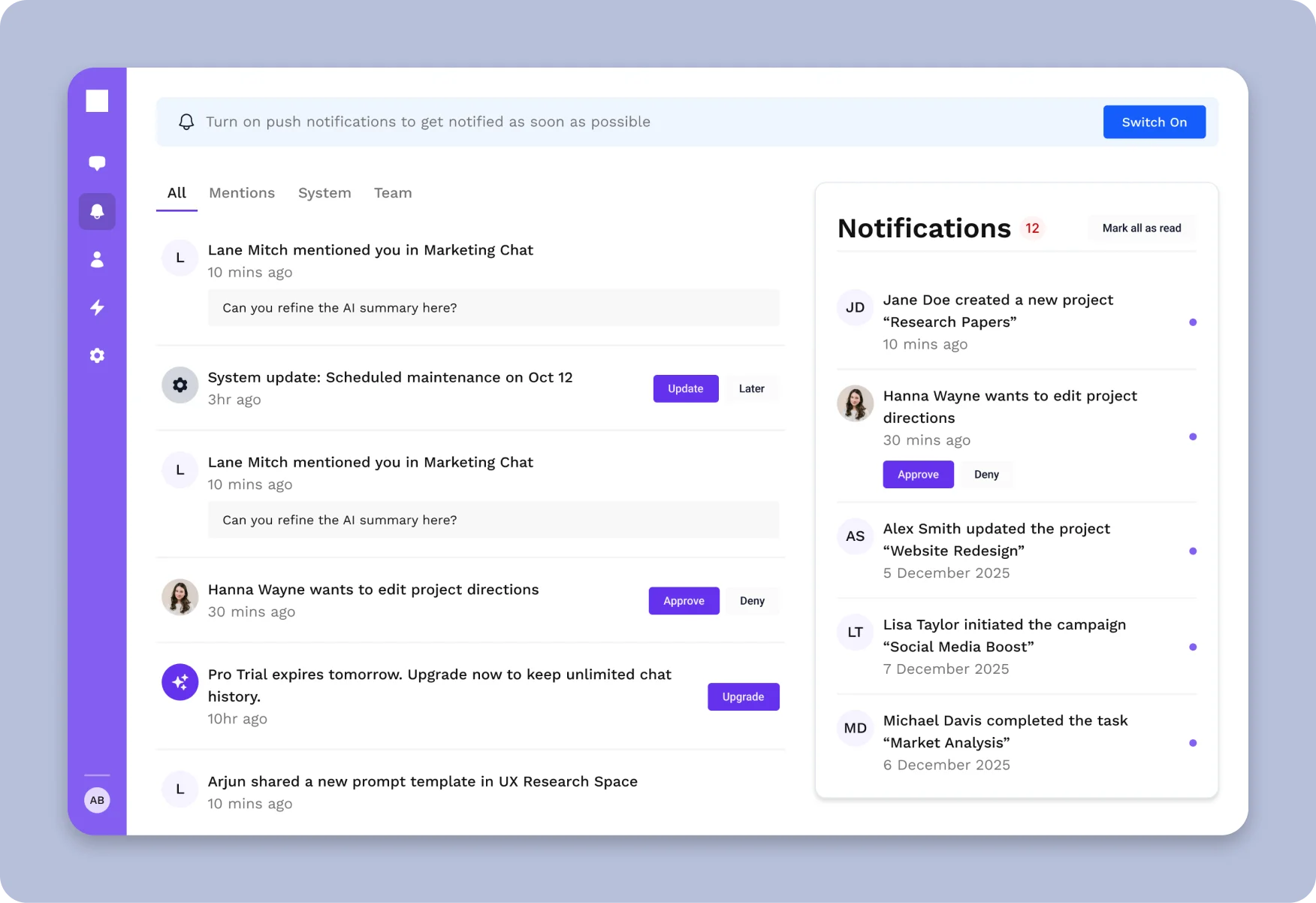
The SaaS Starter Kit is our Next.js + shadcn/ui kit with 135+ components: auth screens, a dashboard shell, settings, team management, notifications and data tables. Everything sits on a design token system, so rebranding is a CSS variable change, and every component is built to WCAG AA.
The difference from the free starters is depth. Settings covers account, billing, team and notification preferences, and auth covers login, signup, password reset and OTP. You're not writing those screens yourself.
- Includes: 135+ components, auth, dashboard shell, settings, team management
- Accessibility: WCAG AA
- Live demo: Try it in your browser
- Price: From $79
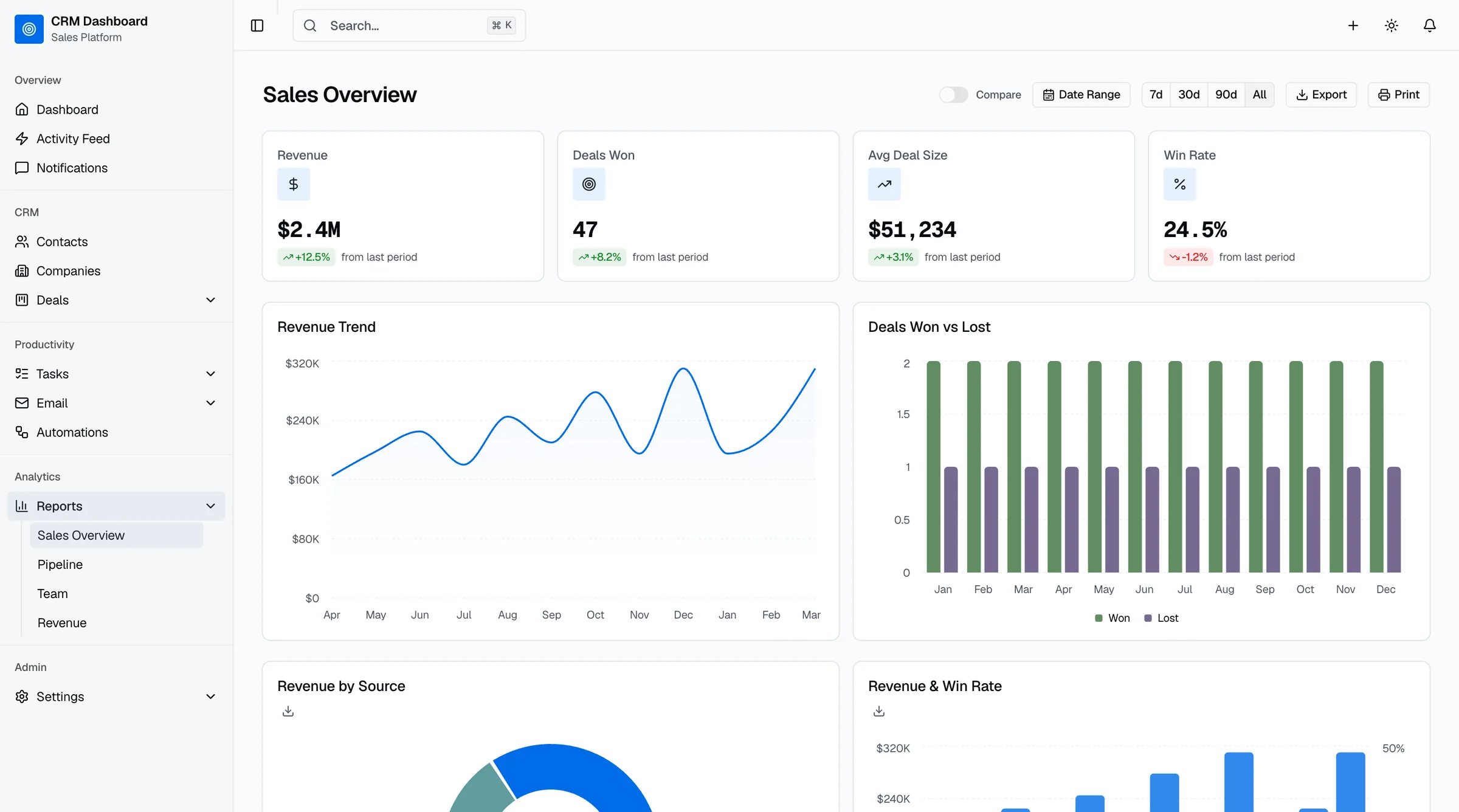
8. thefrontkit CRM Dashboard (ours)
Best shadcn CRM template.
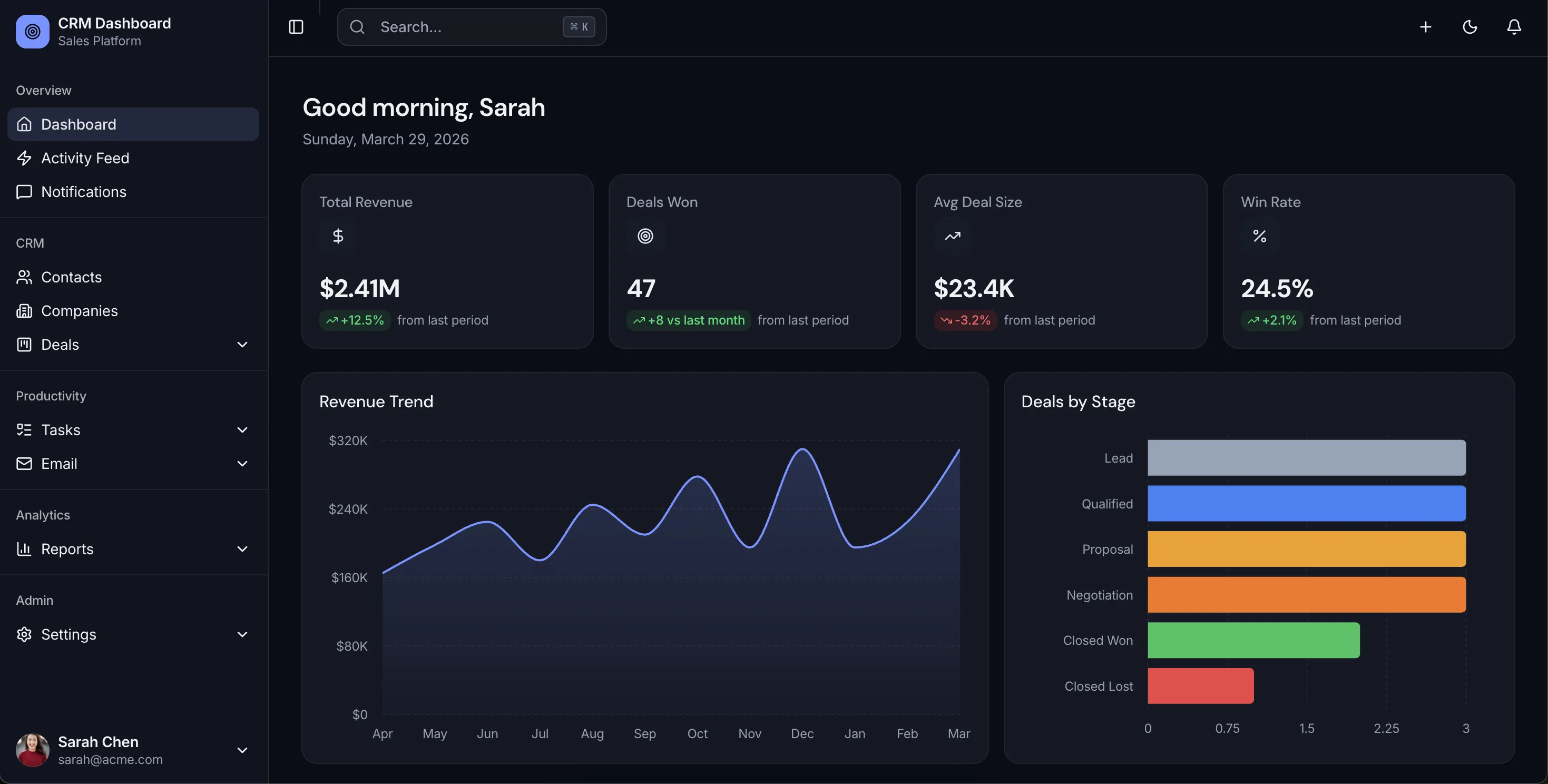
The CRM Dashboard Template has 42 screens: sales dashboard, a drag-and-drop Kanban pipeline, contacts, companies, deals, tasks, email, reports and settings. It includes 4 Recharts analytics dashboards and uses OKLCH design tokens for deal stages and status badges. Built with Next.js 16, Tailwind CSS v4 and shadcn/ui. Try the live demo.
If you need a working backend too, the Full-Stack CRM Kit adds Supabase.
- Screens: 35+
- Price: From $165
9. Shadcn UI Kit
Best if you want lots of dashboard layouts to pick from.
Shadcn UI Kit sells 16 admin dashboards, 17 web app templates and 300+ blocks on Next.js 16, React 19 and Tailwind v4. There's a free Starter tier with one template. Pro was $79 one-time when we checked (listed down from $129), and Team was $199.
- Price: Free tier, paid from $79 one-time
- Framework: Next.js 16, Tailwind v4
10. shadcn studio
Best for blocks and theming alongside templates.
shadcn studio has 1,000+ blocks, 100+ pages and 25+ templates, including admin dashboards, plus a theme generator. There's a free Community tier. Paid plans are one-time, from $99 for Basic at the time of writing.
- Price: Free tier, paid from $99 one-time
11. shadcnblocks
Best for a very large block library.
shadcnblocks has 1,800+ blocks. Its Admin Kit and 20 templates come with the Premium plan, $299 one-time. The cheaper Pro plan ($149) doesn't include the Admin Kit.
- Price: Admin Kit from $299 one-time
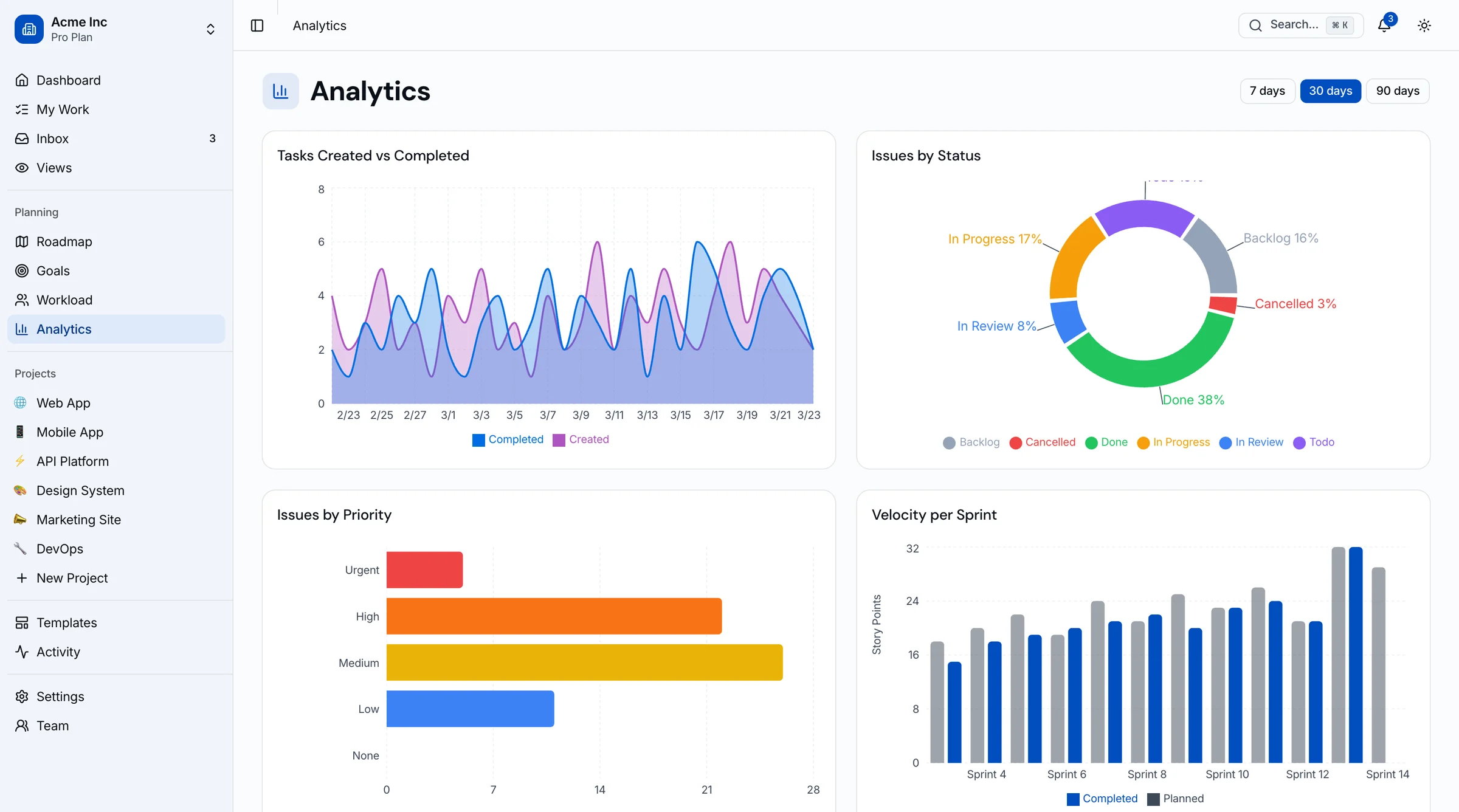
12. thefrontkit Kanban & Project Management (ours)
Best for project management dashboards.
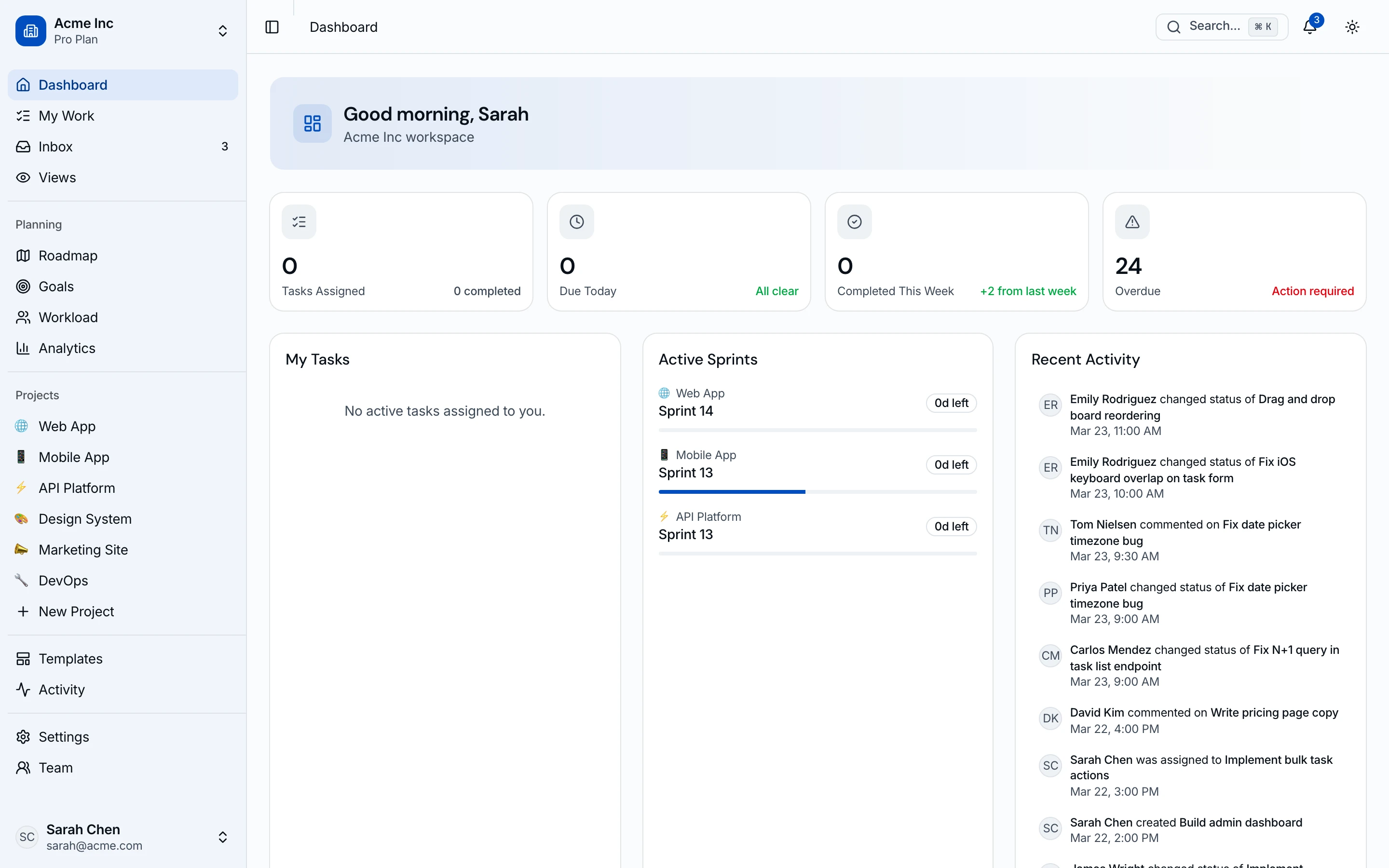
The Kanban & Project Management Template has 45 screens: drag-and-drop board, list and calendar views, a timeline, workload view, sprint cycles, roadmap, goals and team analytics. Next.js 16, Tailwind v4, shadcn/ui, WCAG AA. Try the live demo.
- Price: From $131
13. thefrontkit Social Media Dashboard (ours)
Best for social media analytics dashboards.
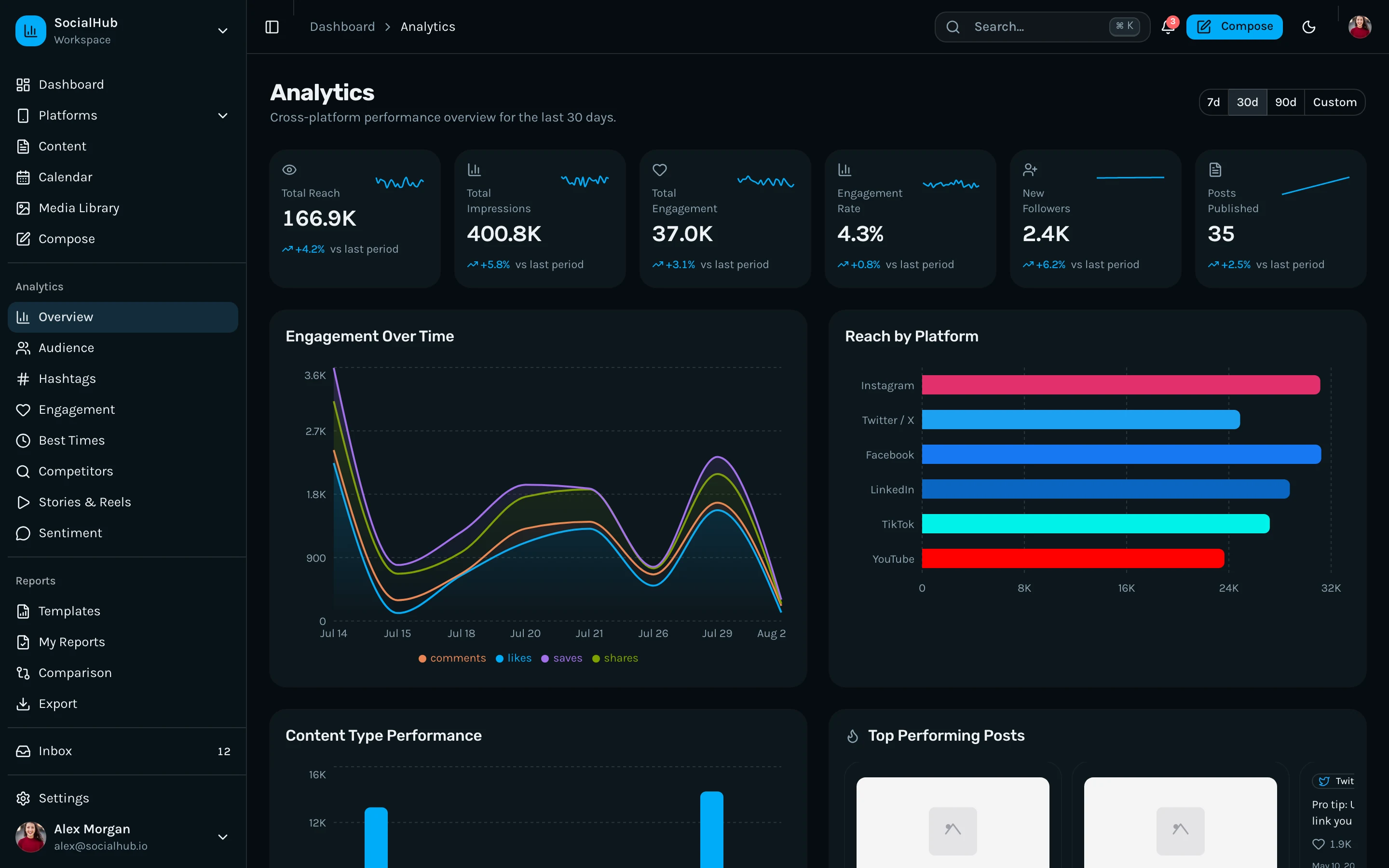
The Social Media Dashboard Template has 35+ screens: multi-platform analytics, content calendar, post composer, audience insights, competitor tracking, social inbox and reporting. Next.js 16, Tailwind v4, shadcn/ui. Try the live demo.
- Price: From $131
More shadcn dashboards from us: HR Dashboard (48 screens), SaaS Metrics (50 screens, MRR and churn), NeuralDesk AI Ops (13 screens), Finance Dashboard and Sales Dashboard (9 screens each).
Often Recommended, but Check First
- Taxonomy (shadcn-ui/taxonomy). It's still in a lot of lists, but its README now says it's archived and won't get updates. It's also a SaaS demo app on early Next.js 13 and Tailwind v3, not a dashboard template.
- Tremor. A good free dashboard and chart component library (Vercel acquired it in 2025 and made Tremor Blocks free). It's built on Radix and Tailwind but it isn't shadcn/ui, and its repos have been quiet since early 2025.
- NextAdmin (nextadmin.co). A popular Next.js admin template, but it's built on TailGrids rather than shadcn/ui.
- Plate. Sometimes listed as a "Plate UI dashboard". Plate is a rich-text editor built with shadcn/ui, and it has no dashboard template.
How to Choose
- Prototype or internal tool, Next.js: start with the official Blocks or Studio Admin.
- Internal tool, framework doesn't matter: shadcn-admin is the most polished free option.
- Need auth working today: next-shadcn-dashboard-starter, with Clerk.
- Selling to businesses that ask about accessibility: a WCAG AA kit like the SaaS Starter Kit saves you an audit later.
- Building a CRM, PM tool or social tool: a domain kit gets you 35 to 50 finished screens instead of a generic shell.
Test on a phone before you commit. The sidebar should become a drawer, tables should scroll sideways, and charts should resize. Plenty of templates skip this.
Frequently Asked Questions
What is shadcn/ui?
shadcn/ui is a collection of React components built on Radix UI primitives and styled with Tailwind CSS. You don't install it as a dependency. You copy components into your project with its CLI and own the code, which gives you full control over styling and behaviour. See our shadcn UI vs Material UI comparison for how it stacks up.
Are there free shadcn dashboard templates?
Yes. The official shadcn/ui Blocks include a full dashboard page (dashboard-01). shadcn-admin is the most-starred free admin template, but it runs on Vite rather than Next.js. For free Next.js options, next-shadcn-dashboard-starter includes Clerk auth, and Studio Admin ships CRM, finance and analytics dashboards. All of them are MIT licensed.
Is shadcn-admin built with Next.js?
No. satnaing's shadcn-admin uses Vite and TanStack Router. It's a good single-page admin panel, but if you want Next.js App Router features, use the official Blocks, next-shadcn-dashboard-starter or Studio Admin.
Is there a shadcn CRM template?
Yes. Studio Admin (free) includes a CRM dashboard page. For a full CRM frontend with pipeline, contacts, companies, deals, tasks, email and reports, our CRM Dashboard Template has 42 screens on Next.js 16 and shadcn/ui.
How do I add charts to a shadcn dashboard?
Use shadcn/ui's chart components, which are built on Recharts and styled to match your theme. That's what the official dashboard block and most templates on this list use. Tremor is an alternative with a wider set of dashboard charts, but it isn't shadcn-based.
Does shadcn/ui work with Tailwind CSS v4 and Next.js 16?
Yes. The official shadcn/ui project now runs on Tailwind v4 and Next.js 16, and most actively maintained templates here have moved too. Older templates on Tailwind v3, like Taxonomy, need a migration first.
What's the best shadcn dashboard template for SaaS?
Look for auth screens, settings with billing and team management, accessible data tables, dark mode built on design tokens, and a responsive sidebar. For free, next-shadcn-dashboard-starter covers auth and the basics. For a finished app shell with WCAG AA, the SaaS Starter Kit is what we built for that job. For broader Next.js options, see our Next.js dashboard templates guide.