Best Finance Dashboard Templates 2026
Best Finance Dashboard Templates in 2026
Building a finance dashboard from scratch is one of the most deceptively complex frontend projects you can take on. You need a net worth overview with income and expense trend lines, a transaction list with filters, categories, search, and date ranges, an accounts page supporting bank accounts, credit cards, and investment accounts, budget tracking with progress bars and spending breakdowns, a bill management system with recurring payments and due date reminders, savings goals with progress rings and target date projections, financial reports with income vs expense comparisons and category analysis, and a settings suite for profile and preferences.
That is 8-10 screens before you write a single line of backend code or connect a single banking API. A finance dashboard template gives you the entire UI layer so you can focus on your Plaid integration, transaction categorization engine, and the specific financial workflows that differentiate your product.
We compared 7 finance dashboard templates on what matters most: transaction management depth, budget tracking features, savings goal workflows, report quality, accessibility, and whether the template has enough screens to build a real fintech product or just a landing page demo.
Or skip the choice: get every kit for $749
If you're shipping more than one product, All UI Kits unlocks every Next.js kit on thefrontkit. The full Finance Dashboard Kit, plus the SaaS Starter Kit, CRM Dashboard, HR Dashboard, Sales Dashboard, Kanban PM, AI UX, and 11 more. Plus every future kit. One-time payment, lifetime access, no subscription.
What Makes a Good Finance Dashboard Template?
Transaction management. A transaction list is not transaction management. You need filterable columns with category tags, a search bar that covers merchants and descriptions, date range pickers for custom periods, income and expense toggles, and sorting by amount, date, or category. Users interact with the transaction page more than any other screen in a finance app. If the template skips filters and search, you are building the most used screen from scratch.
Account management. Personal finance is not one bank account. A good template supports multiple account types: checking, savings, credit cards, investment accounts, and loans. Each account needs a balance display, institution name, account type indicator, and connection status. Multi-account support is what separates a toy demo from a template you can actually ship.
Budget tracking. Budget categories need visual progress bars showing spent vs. allocated amounts. You need a spending breakdown chart, ideally a doughnut or bar chart, that shows where money is going by category. Overspend alerts with color-coded indicators tell users when they have exceeded a limit. Without visual progress tracking, a budget page is just a table of numbers.
Bill management. Recurring payments are the foundation of bill tracking. You need a list of upcoming bills with due dates, payment amounts, autopay status, and frequency indicators. A payment calendar view showing what is due this week and this month makes the difference between a useful bill tracker and a static list. Most templates skip bill management entirely, which means you are building it yourself.
Goals and savings. Savings goals need progress tracking with visual indicators, target amounts, projected completion dates based on contribution rates, and contribution history. Users want to see how close they are to an emergency fund, a vacation, or a home down payment. Goal cards with progress rings and target dates give the interface the motivational quality that makes finance apps sticky.
Accessibility. Finance dashboards are used daily by people managing their money. Transaction tables need keyboard navigation. Budget progress bars need screen reader labels that announce percentages. Charts need alternative text or data table fallbacks. Form fields for bill amounts and goal targets need proper labels and error messages. Enterprise fintech customers will audit for WCAG compliance, and consumer finance apps face regulatory scrutiny on accessibility. This is not optional.
The 7 Best Finance Dashboard Templates
1. thefrontkit Finance Dashboard Template
Best overall finance dashboard template for production applications.
The Finance Dashboard App from thefrontkit is the most complete finance-specific template available. 27 screens covering the full personal finance workflow, from the net worth overview to accounts, cards, investments, transfers, budgets, savings goals and analytics.
The main dashboard gives you an at-a-glance net worth display with stat cards, income vs expense trend lines, a cash flow area chart with monthly comparisons, and a real-time activity feed showing recent transactions across all linked accounts. This is not a single card with a balance number. It is a full overview screen that tells users exactly where they stand financially.
The transaction page has a searchable, filterable list with category color tags, date range picker, income and expense toggle, and sorting by amount, date, and merchant. The accounts page provides a unified view of bank accounts, credit cards, and investment accounts with live balances, account types, and connection status indicators for linked financial institutions.
Budget tracking includes monthly budget categories with animated progress bars, spent vs. allocated breakdowns, overspend alerts with visual indicators, and doughnut charts for spending distribution by category. Recurring payments and subscriptions sit alongside transactions, and transfers come with saved recipients. The goals page shows savings progress with visual progress rings, target amounts, projected completion dates, and contribution history for multiple goals like emergency fund, vacation, and home down payment.
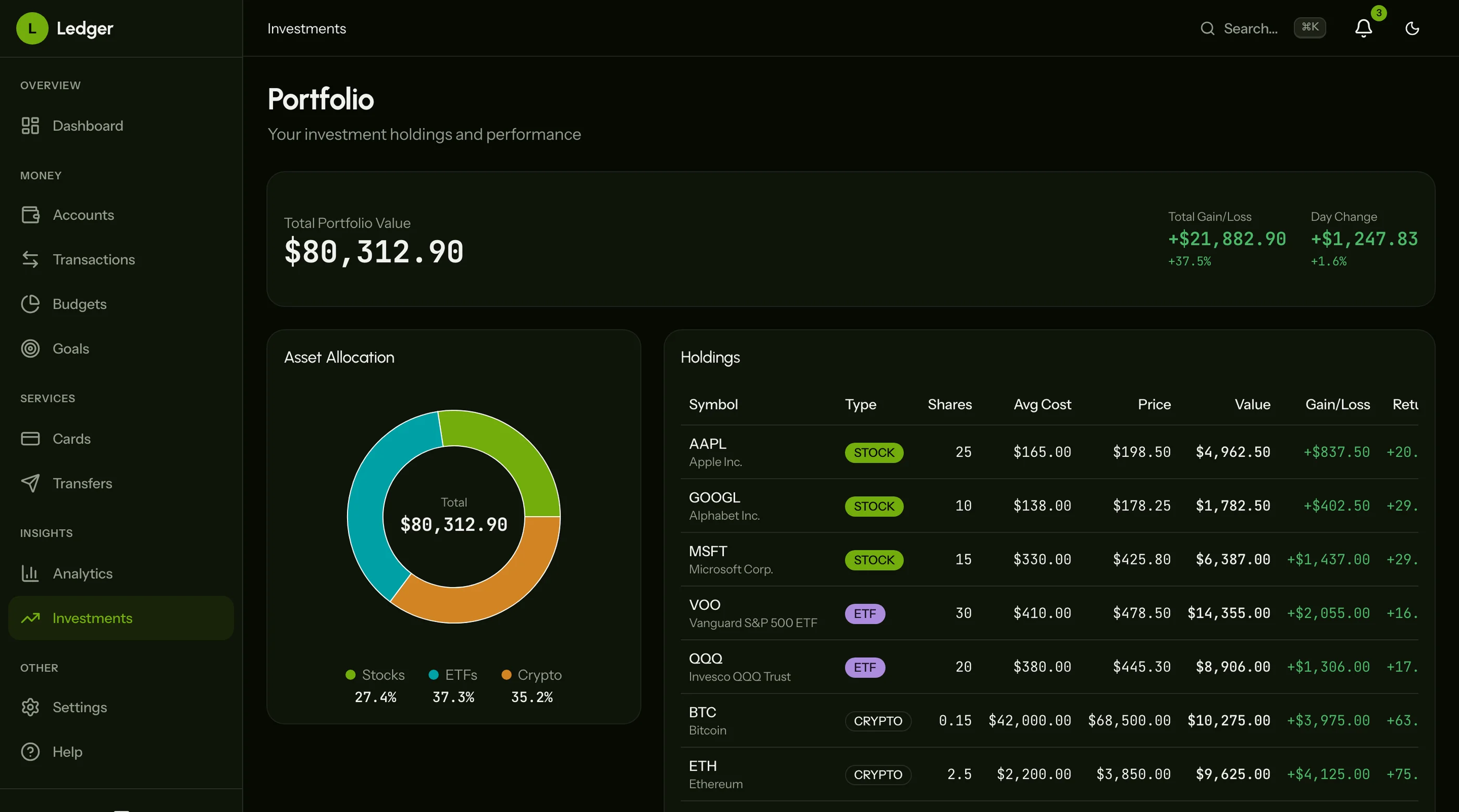
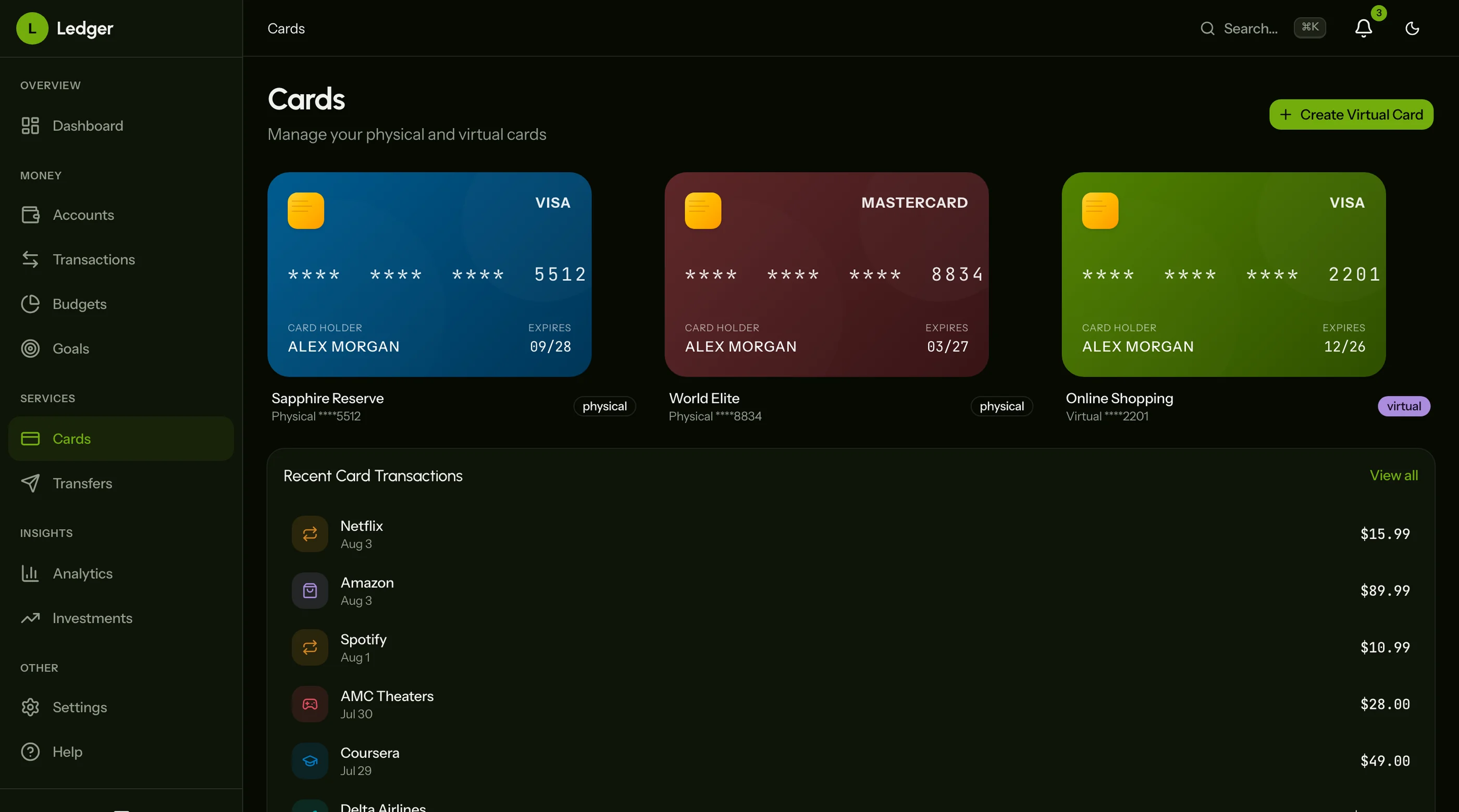
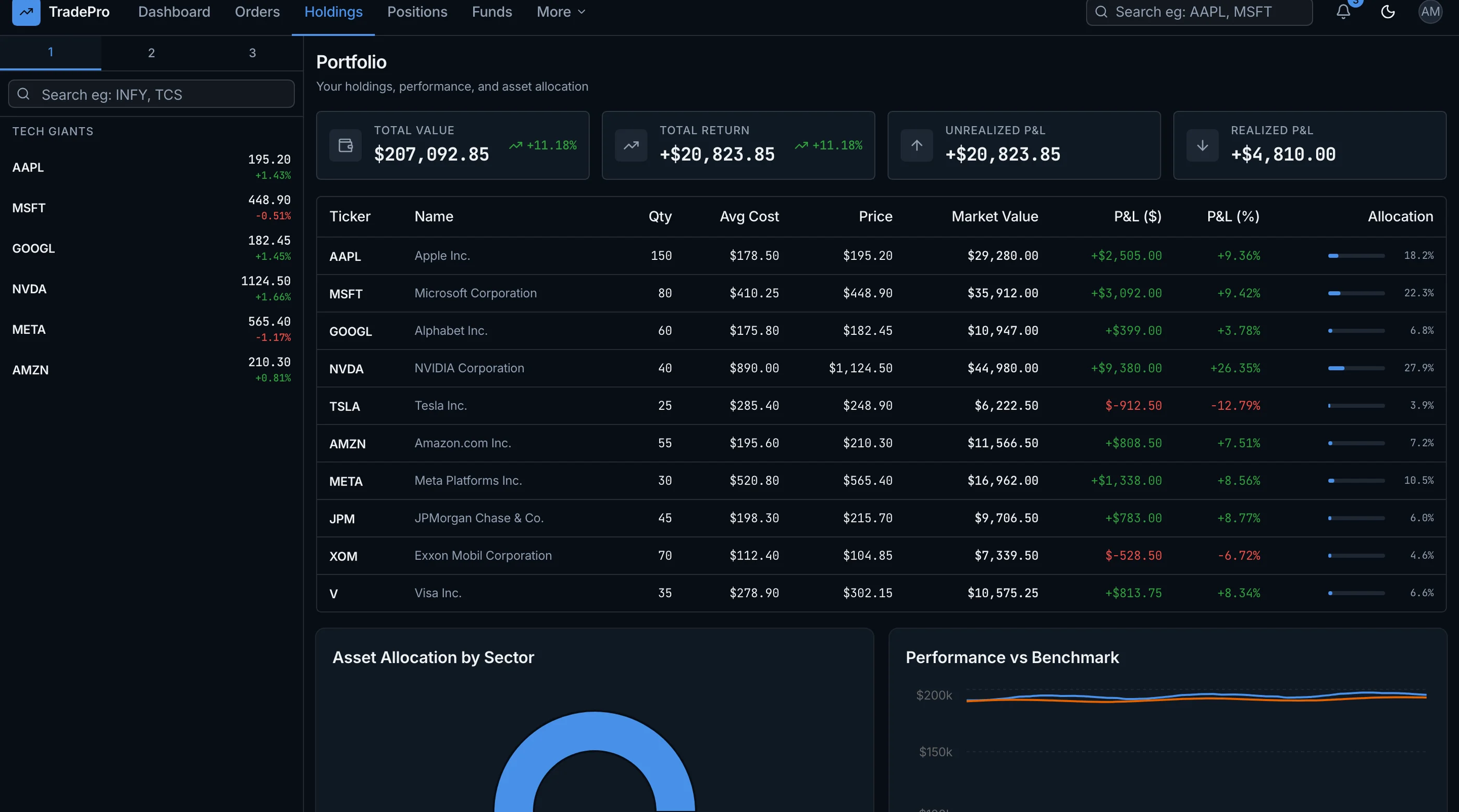
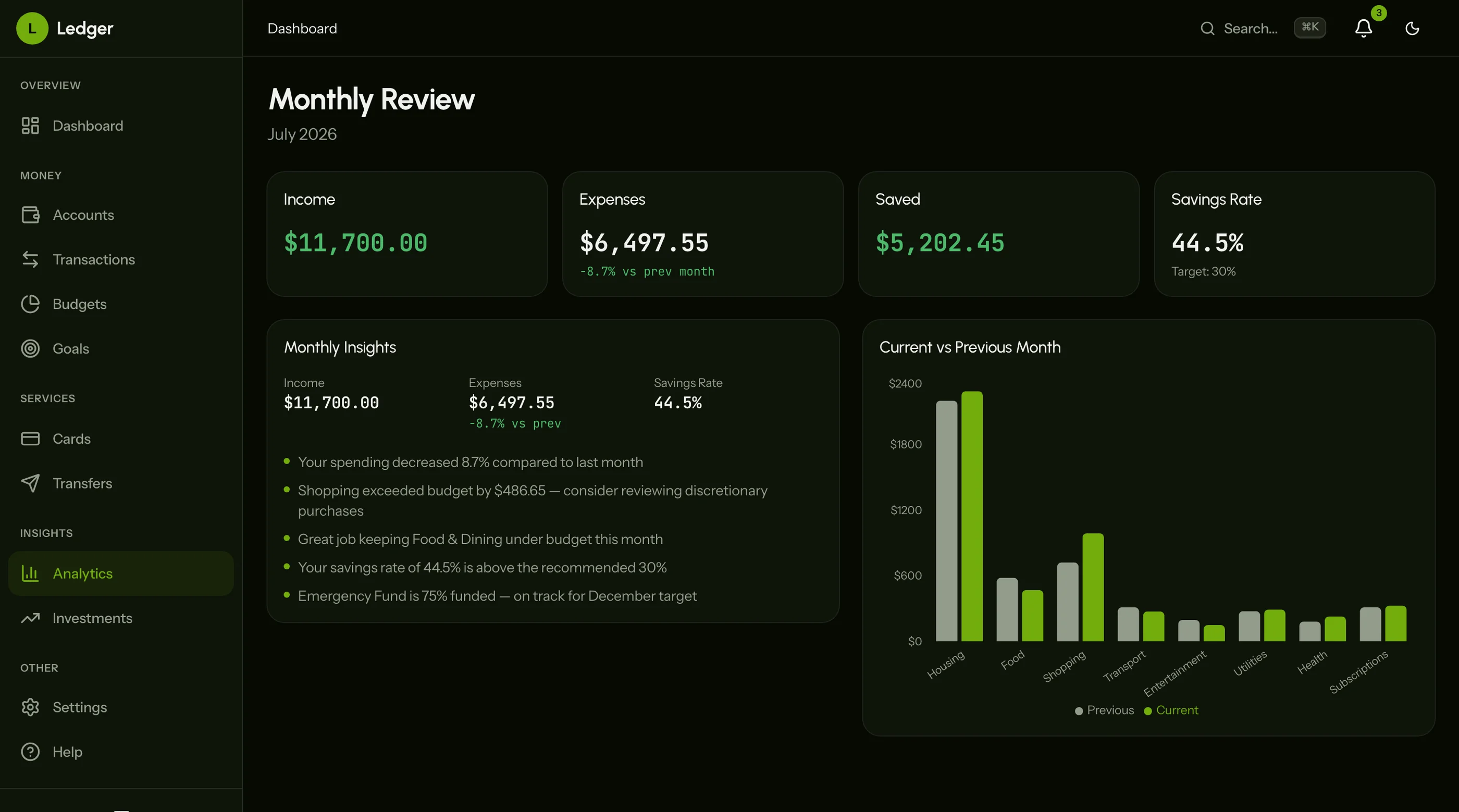
Cards and investments each get a list and a detail view, with card designs and recent card transactions, and a portfolio with asset allocation and per-holding gains. Analytics covers net worth trends and a monthly review of income, expenses and savings rate. Settings cover general preferences, integrations, notifications and security, and there's a help center.
Every screen is WCAG AA accessible. Transaction tables support keyboard navigation. Budget progress bars and goal trackers are screen-reader tested. Charts include reduced motion support for animations. The oklch design token system means rebranding the entire kit takes minutes, not days. Try the live demo.
- Screens: 27
- Transactions: Filters, categories, search, date ranges, sorting
- Budgets: Progress bars, spending breakdowns, overspend alerts
- Goals: Progress rings, target dates, contribution history
- Cards and investments: Card views, portfolio allocation, per-holding gains
- Analytics: Net worth trends, monthly review
- Stack: Next.js 16, Tailwind CSS v4, shadcn/ui, Recharts
- Accessibility: WCAG AA
- Price: From $131
2. Shadboard Finance Variant
Best free option with basic layouts adaptable for finance.
Shadboard is a free Next.js dashboard that includes various layout variants. You can adapt the general admin tables, charts, and form primitives into finance-specific views. The component library gives you data tables with sorting, area and bar charts, and card layouts that could serve as account summaries or budget overviews.
You will build the transaction filters, budget progress bars, bill management, savings goals, and everything finance-specific yourself. The value is in the responsive layout structure and the shadcn/ui component foundation, not finance functionality. Expect to spend 2-3 months adding the domain-specific screens.
- Screens: 5-8 (adaptable for finance)
- Transactions: Basic table layout
- Budgets: Not included
- Goals: Not included
- Stack: Next.js, shadcn/ui, Tailwind CSS
- Accessibility: Basic
- Price: Free
3. TailAdmin with Finance Theme
Best free Tailwind dashboard with finance-adaptable components.
TailAdmin includes data tables, multiple chart types, and form components that you could repurpose for finance workflows. The component library is large, with 40+ components giving you building blocks for transaction lists and budget forms. But there are no finance-specific screens included.
You are starting with a general admin template and building every finance feature yourself. The charts could become income vs expense trend lines, and the tables could become transaction lists, but the categorization, filtering, and progress tracking logic is all on you. Good for teams who want Tailwind component primitives and plan to invest significant time in finance customization.
- Screens: 3-5 (finance-adaptable)
- Transactions: Data table primitives
- Budgets: Not included
- Goals: Not included
- Stack: Next.js, React, Tailwind CSS
- Accessibility: Basic
- Price: Free, Pro from $49
4. Apex Dashboard
Best premium admin template you could theme for finance.
Apex is a premium admin dashboard with multiple layout variants and high-quality components. The dashboard cards and analytics components could be repurposed for net worth summaries and spending metrics. The included chart library could serve income vs expense visualizations.
But there are no dedicated finance screens. Transaction management with filters and categories, budget progress bars, bill scheduling, and savings goals all need to be built from scratch. You are paying for a polished admin foundation, not a finance product.
- Screens: 2-3 (finance-themed dashboard)
- Transactions: Not included
- Budgets: Not included
- Goals: Not included
- Stack: Next.js 16, React 19, Tailwind CSS v4, shadcn/ui
- Accessibility: Partial
- Price: Premium
5. Mint/YNAB UI Clones
Best for learning finance dashboard UI patterns.
Several open-source projects on GitHub attempt to replicate the look of Mint, YNAB, or other personal finance apps. Quality varies dramatically. Some have basic transaction lists and budget forms. Most are abandoned after the initial commit and have not been updated in over a year. Check the last commit date and dependency versions before investing time.
These are useful for studying how mature finance products structure their UI: how YNAB handles budget categories, how Mint displays account aggregation, how spending breakdowns are visualized. But they are not production foundations. You will spend more time fixing outdated dependencies and broken layouts than building features.
- Screens: Varies (3-10)
- Transactions: Basic lists in some
- Budgets: Sometimes a category form
- Goals: Rarely
- Stack: React (various)
- Accessibility: Minimal
- Price: Free (open source)
6. React Admin Finance Plugins
Best for teams already using an admin framework.
Admin frameworks like React Admin, Refine, and AdminJS offer CRUD-based interfaces with data provider abstractions. You could wire these to a financial data source and get basic transaction lists and account tables. Some have chart plugins that could display spending trends.
The problem is that finance UIs are not CRUD. Budget progress bars, savings goal rings, bill calendars, and net worth trend lines do not fit the create-read-update-delete pattern that admin frameworks are optimized for. You will spend heavy customization time overriding the default table-and-form layouts to build something that looks like a finance app instead of a database admin panel.
- Screens: Varies (depends on configuration)
- Transactions: CRUD table
- Budgets: Not included
- Goals: Not included
- Stack: React (various frameworks)
- Accessibility: Varies
- Price: Free (open source) to Premium
7. Google Sheets Budget Templates
Best for non-technical users who need a spreadsheet, not a web app.
If you searched "finance dashboard template" and you are tracking personal expenses for a household or a small team, you might need a spreadsheet rather than a web application. Google Sheets budget templates give you income trackers, expense categories, monthly summaries, and basic charts without any code.
This is only relevant if a spreadsheet solves the problem. If you are building a fintech product, a personal finance app for customers, or need multi-user access with role-based permissions, you need a web-based solution. Spreadsheets do not scale to transaction feeds, bank API connections, or real-time budget tracking.
- Type: Spreadsheet (not a web template)
- Price: Free
Comparison Table
| Template | Screens | Transactions | Budgets | Goals | Reports | Accessibility | Price |
|---|---|---|---|---|---|---|---|
| thefrontkit | 9 | Full (filters, categories, search) | Full (progress bars, breakdowns) | Full (progress rings, targets) | Full (income vs expenses, trends) | WCAG AA | From $131 |
| Shadboard | 5-8 | Basic table | Not included | Not included | Not included | Basic | Free |
| TailAdmin | 3-5 | Data table primitives | Not included | Not included | Not included | Basic | Free/$49 |
| Apex | 2-3 | Not included | Not included | Not included | Not included | Partial | Premium |
| Mint/YNAB clones | 3-10 | Basic lists | Sometimes | Rarely | Rarely | Minimal | Free |
| React Admin plugins | Varies | CRUD table | Not included | Not included | Not included | Varies | Free/Premium |
| Google Sheets | N/A | Rows | Columns | Columns | Basic charts | N/A | Free |
Which Finance Dashboard Template Should You Pick?
For a production fintech application with transaction management, budget tracking, savings goals, and financial reporting, the thefrontkit Finance Dashboard App covers the most ground. 27 screens across the dashboard, accounts, cards, investments, transactions, transfers, budgets, goals, analytics and settings is enough to build a complete personal finance platform without starting from scratch. Try the demo.
For a free starting point where you will build the finance features yourself, Shadboard or TailAdmin give you layout primitives and component libraries. Expect to spend 2-3 months building the finance-specific screens, especially transaction filtering, budget progress tracking, and savings goal visualizations.
For studying finance UI patterns, open-source Mint and YNAB clones can be educational references for understanding how established products structure their interfaces. Just do not use them as production foundations.
For a small household that just needs to track income and expenses, start with a Google Sheets budget template. Build the web app when you outgrow the spreadsheet.
Common Questions
How many screens does a production finance dashboard need?
A minimum viable finance dashboard needs 6-8 screens: a net worth overview, transaction list with filters, account management, budget tracking, and settings. A full-featured personal finance platform has 9-12+ screens when you add bill management, savings goals, detailed reports, and onboarding flows. The thefrontkit finance template ships with 27 screens covering all core workflows.
Can I use a finance dashboard template with my own backend?
Yes. Finance templates provide the frontend UI layer. You connect them to your own backend API, database, or financial data provider. The templates include typed data structures and component interfaces for transactions, accounts, budgets, and goals. You provide the actual financial data and business logic.
Can I connect this to a real banking API like Plaid?
Yes. All screens in the thefrontkit template consume typed TypeScript interfaces. Replace the seed data imports with API calls to Plaid, Yodlee, Stripe, or any REST or GraphQL financial data service. The transaction list, account balances, and net worth calculations will update automatically when you swap the data source. The UI is completely backend-agnostic.
How customizable are the colors and branding?
The thefrontkit template uses an oklch design token system in globals.css. Change the hue value and all 27 screens update instantly across both light and dark modes. Typography, spacing, component styles, and chart colors are all token-driven through Tailwind CSS. Rebranding for a client takes minutes, not days.
How long does it take to build a finance dashboard from scratch?
A basic finance dashboard with a transaction list and account overview takes 2-3 months of frontend work. A full-featured platform with budget tracking, bill management, savings goals, and financial reports takes 5-7 months. Templates compress the frontend timeline to days, letting you focus on banking API integrations, transaction categorization, and the financial logic that makes your product different.