How to Choose a Next.js Finance Dashboard Template in 2026
How to Choose a Next.js Finance Dashboard Template in 2026
A transactions table is not a finance dashboard. A pie chart of spending categories is not a finance dashboard. Both are pieces of one, and most "finance templates" stop at exactly that point.
A real Next.js finance dashboard runs the user's entire money workflow: transactions with filters and search, budget tracking with progress visualization, savings goals with auto-allocation, account aggregation across banks, recurring detection, and reporting that actually helps decisions. Building that from scratch is 4 to 8 weeks of frontend work for a competent developer.
This guide covers what actually matters in a Next.js finance dashboard template, the build-vs-buy math, and a practical evaluation checklist.
Or skip the choice: get every kit for $749
If you're shipping more than one product, All UI Kits unlocks every Next.js kit on thefrontkit. The full Finance Dashboard Kit, plus the SaaS Starter Kit, CRM Dashboard, HR Dashboard, Sales Dashboard, Kanban PM, AI UX, and 11 more. Plus every future kit. One-time payment, lifetime access, no subscription.
What a Real Next.js Finance Dashboard Template Needs
Personal finance UX is harder than it looks. Here's what separates production-ready from a chart-and-table demo.
Transaction Management That Scales
The transaction list is where users spend most of their time. What it needs:
- Filterable columns with category tags, account, type (income/expense), date range
- Search across merchants and descriptions because users search "Whole Foods" not "category: groceries"
- Date range pickers with presets (this month, last month, YTD, custom)
- Sort by amount, date, or category because every user has a different mental model
- Bulk operations for re-categorizing or splitting
- Inline edit for category and notes (round-trip to a modal kills the flow)
- Pagination or infinite scroll that handles 10k+ transactions
A transaction list that doesn't filter, search, and bulk-edit is unusable for any user with more than 100 transactions.
Budget Tracking with Progress Visualization
Spending categories are table stakes. Budgets are the differentiator. The minimum:
- Category-level budgets with monthly amounts
- Progress bars showing actual spending vs budget for the current period
- Visual warning when a category is over budget or close to limit
- Trend view comparing this month's spending against last month
- Roll-over budgets for categories like groceries (some months you spend more, some less)
- Custom date ranges for non-monthly budgets (annual, quarterly)
The bar isn't fancy. It's emotional: when a user sees their "Dining Out" budget at 95% on day 18 of the month, they decide whether to cook. That's the product.
Savings Goals with Auto-Allocation
Goals turn budgeting from defensive (don't overspend) into offensive (save for a thing). What good goal UI does:
- Goal entity with target amount, target date, and current progress
- Visual progress (filling bar, ring chart, dollar amounts)
- Auto-allocation rules where surplus from one account routes to goals
- Multiple concurrent goals with priority order
- Projected completion date based on current pace
- Streak tracking for consistency-based goals
Without goals, the dashboard is reactive. With goals, it has a forward-looking story.
Account Aggregation Across Banks
Most users have 3 to 5 financial accounts (checking, savings, credit card, brokerage). A dashboard that only handles one account misses the point. Real coverage:
- Multi-account view with balances by account
- Total net worth computed across accounts (assets minus liabilities)
- Account-level transaction filtering
- Account type categorization (checking, savings, credit, investment)
- Provider attribution (Chase, Wells Fargo, Vanguard) for clarity
Aggregation in production requires Plaid, Finicity, or MX integration. The template should ship the UI; you wire the data.
Recurring Detection
Users want to know what's auto-billed every month. The minimum:
- Recurring transaction detection (the template doesn't have to compute this, but the UI should support displaying it)
- Subscription view with monthly amount, last charged date, next expected charge
- Cancellation reminders for unwanted recurring charges
- Spending projections based on recurring commitments
This is where some finance apps (Rocket Money, Truebill) build their entire moat. The UI primitives should be in your template.
Reports That Actually Inform Decisions
Most finance reports are charts that look pretty but don't drive action. Real reports:
- Income vs expense trend with savings rate computed
- Category breakdown by month with comparison to historical average
- Cash flow forecast projecting next 30 days based on recurring and trend
- Net worth trend over time
- Tax category summary for the year (deductible expenses, charitable giving)
The bar isn't more charts. It's reports that answer real questions a user asks at month-end: "Did I save more than last month? How much did dining cost this quarter? Am I on track for my goal?"
Accessibility for Money UX
Money is stressful. Bad accessibility makes it worse. Basics:
- Keyboard navigation through transaction lists (power users edit dozens of categories per session)
- Screen reader announcements for balance updates and goal progress
- WCAG AA color contrast on income/expense indicators (don't rely on red/green alone)
- Large tap targets on mobile (most users check finance dashboards on phones)
- Sensitive numbers (balances, account numbers) not exposed to screen readers when masked in the UI
Build vs Buy: Honest Math
A weekend-quality finance dashboard with a transactions table and a pie chart is doable in a week. A production-ready Next.js finance dashboard covering the criteria above is 4 to 8 weeks of frontend work plus Plaid/MX integration time.
The math:
- Build it yourself: 4–8 weeks frontend + integration time
- Buy a paid template ($79–$299): you skip the frontend; you still wire up the bank API
- Use a personal finance SaaS (Copilot, Monarch, YNAB): $80–$150/year per user
The decision usually comes down to:
- Are you building a personal-finance product or a money management feature in a larger product? Selling personal finance → build/buy. Adding to an existing product → may be smaller scope.
- Will you ever do white-label or B2B? Templates make that path possible. Hosted SaaS does not.
A Practical Evaluation Checklist
Before committing to any Next.js finance dashboard template:
- Open the demo. Try to filter transactions by category and date. Does it work fluidly?
- Look for budget tracking. Are there progress bars per category, or just a list?
- Find savings goals. Is there a dedicated goal entity with visualization?
- Check the accounts section. Are multiple account types supported?
- Look for recurring/subscription UI. Is it present?
- Open the reports section. Are there at least 3 distinct report types?
- Try the dashboard on your phone. Does it adapt for the most common use case (quick balance check)?
- Check the screen count. Under 25 screens means you're building the rest.
How the Finance Dashboard Kit Approaches Each Requirement
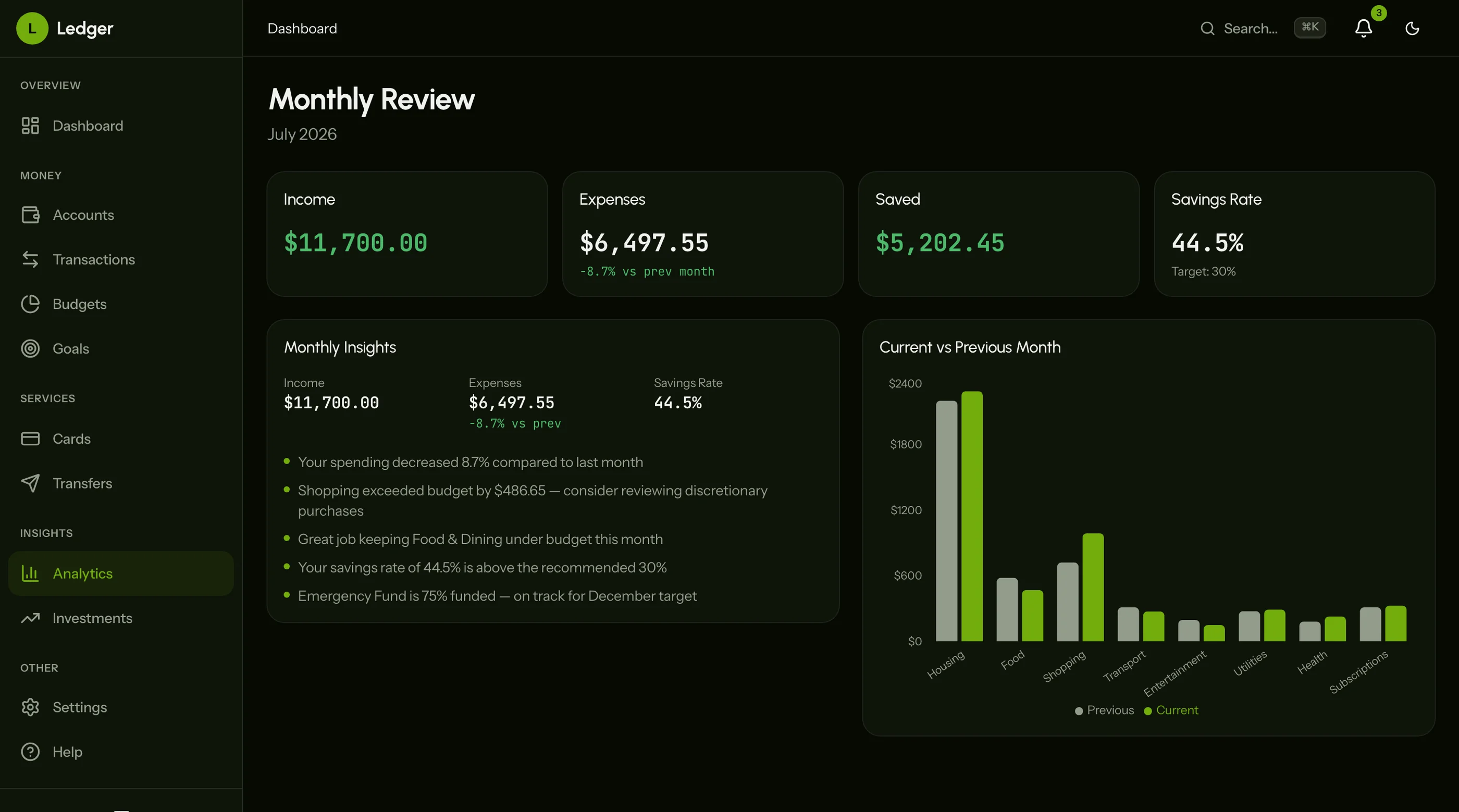
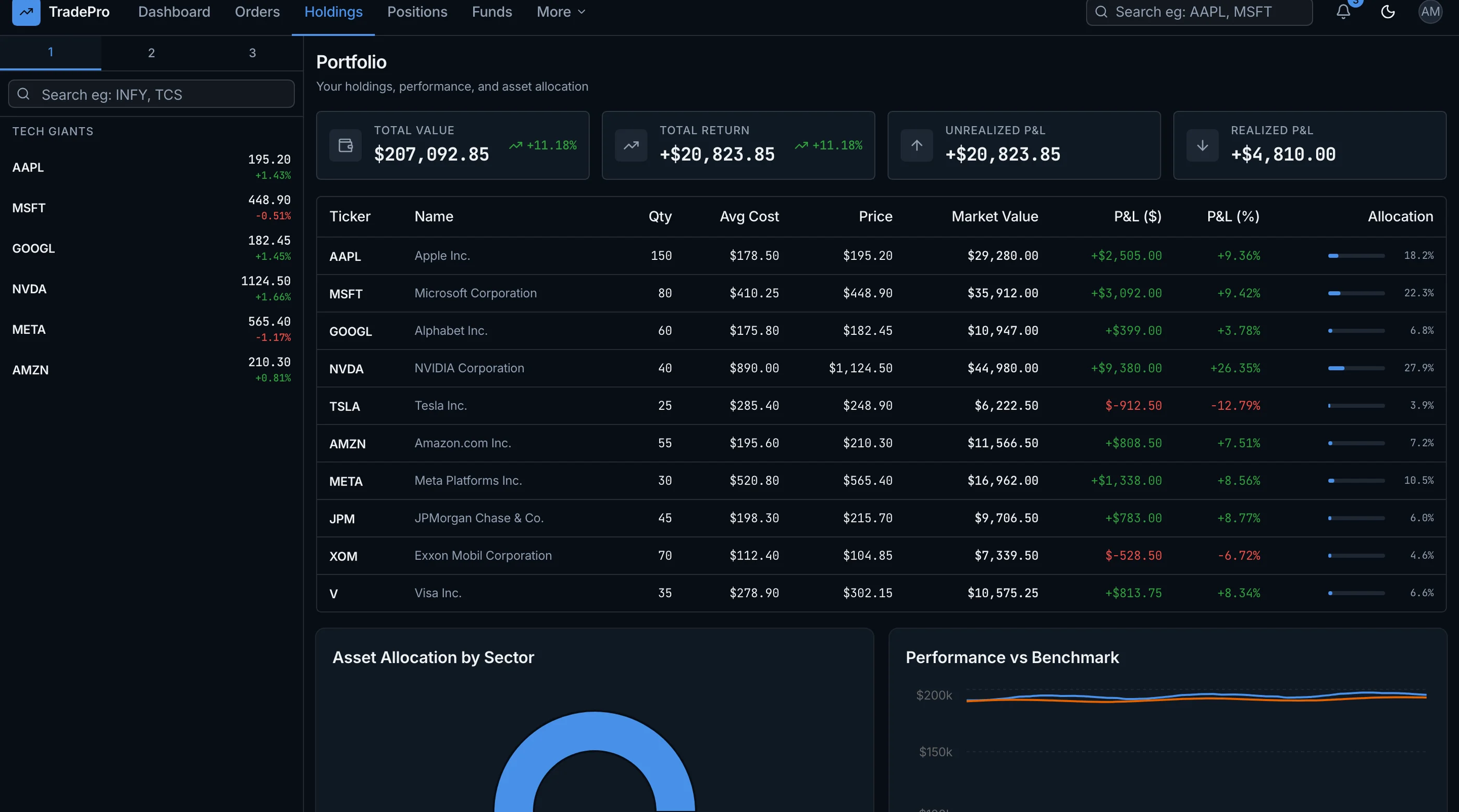
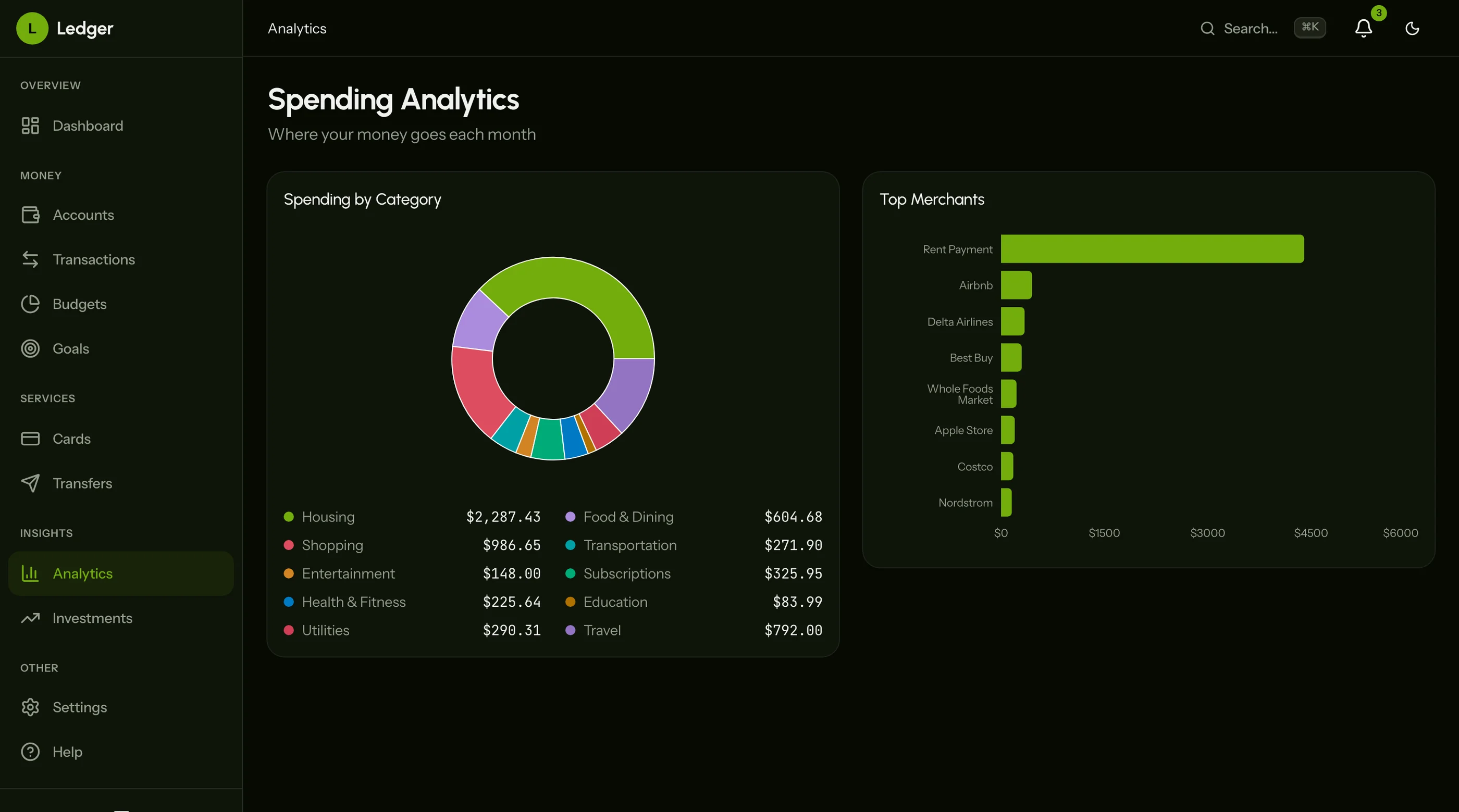
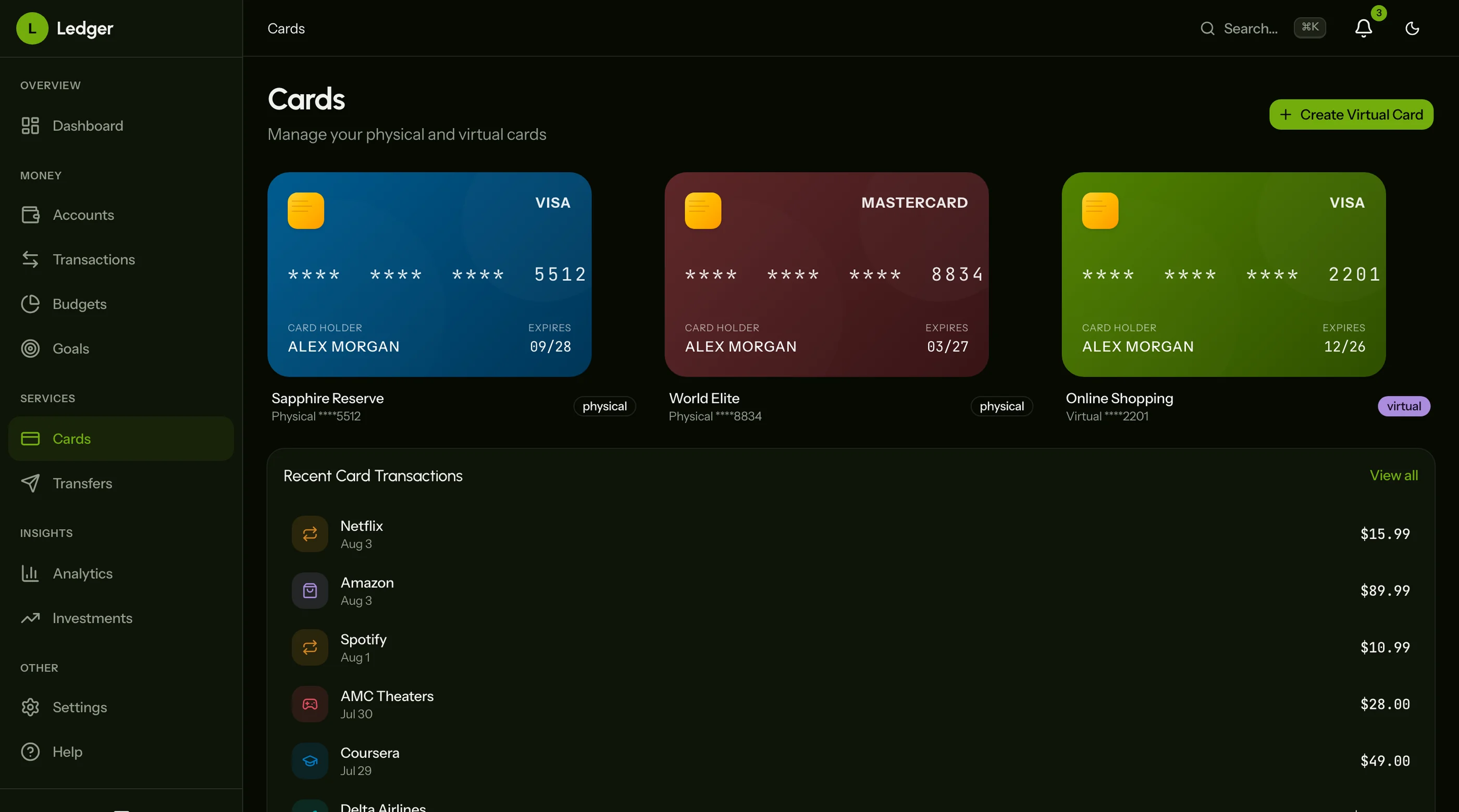
The Finance Dashboard Kit was built specifically to clear this checklist. 8-12 screens of dense fintech UI on Next.js 16, Tailwind CSS v4, shadcn/ui, and Recharts.
Transactions ship with filterable columns, search across merchant and description, date range presets, inline category edit, and bulk re-categorization. The list virtualizes for 10k+ transactions.
Budgets are category-level with monthly amounts, progress bars per category, visual warning when over budget, and historical comparison.
Savings goals are a dedicated entity with target amount, target date, progress visualization (ring chart), and projected completion date.
Account aggregation supports multi-account view, computed net worth, account type categorization, and provider attribution. The UI is ready for Plaid/MX integration.
Recurring detection UI ships with subscription view (monthly amount, last charged, next expected), cancellation reminders, and projected commitments.
Reports cover income vs expense trend with savings rate, category breakdown with historical comparison, cash flow forecast, net worth trend, and tax category summary.
WCAG AA accessibility verified across transaction lists, budget progress, and goal flows.
Common Mistakes When Building From Scratch
Building the transaction list with no inline editing. Users re-categorize transactions constantly. Forcing them through a modal for every edit kills the flow. Inline edit is mandatory.
Treating budgets as "categories with a number." Budgets are emotional UX. Progress visualization, warning states, and historical comparison aren't decoration — they're the product.
Skipping multi-account from day one. Single-account is a fundamentally different data model. Plan for multi-account up front.
Forgetting recurring detection in the UI. Even if you can't compute recurring detection in v1, the UI primitives (subscription view, recurring flag on transactions) should be in the data model.
Underestimating chart variety. A pie chart and a line chart isn't enough. Finance needs bar, area, donut, gauge, and trend in many flavors. Pick a charting library that handles all of them (Recharts works).
Adjacent Reads
- Best Finance Dashboard Templates 2026 — head-to-head comparison of 7 options
- Best Next.js Dashboard Templates 2026 — broader dashboard category
- Best Sales Dashboard Templates 2026 — for sales/revenue dashboards specifically
- Next.js Boilerplate vs Building From Scratch — the broader build-vs-buy decision
FAQ
What is a Next.js finance dashboard template?
A Next.js finance dashboard template is a pre-built personal finance or fintech UI that runs on the Next.js framework. A complete template includes transaction management with filtering and search, budget tracking with progress visualization, savings goals, multi-account aggregation, recurring detection, and reports for income/expense, net worth, and tax categories. Using one means you skip 4 to 8 weeks of frontend work and focus on the bank API integrations and the algorithms that differentiate your product.
Can I connect a finance template to Plaid or Finicity?
Yes, if the template uses typed TypeScript interfaces for accounts, transactions, and balances. Replace the seed data imports with calls to Plaid, MX, Finicity, or Yodlee. The template should ship the UI; you handle authentication and data sync with the bank aggregator.
How many screens does a finance dashboard need?
Minimum 8-10 screens: dashboard overview, transactions list, transaction detail, budgets, goals, accounts, settings, and auth. Add another 4-6 for reports (income/expense, category breakdown, cash flow, net worth, tax). Full-featured personal finance apps run 20+ screens. The Finance Dashboard Kit covers the core 8-12 screens with depth.
Should I build for personal finance or B2B/business finance?
Different products. Personal finance optimizes for individual users with 3-5 accounts and a budget. Business finance optimizes for accounts payable/receivable, invoicing, multi-entity reporting, and audit trails. The data model is different. Pick one when starting.
What's the difference between a finance dashboard and accounting software?
Finance dashboards (Mint, Copilot, Monarch) help individuals understand and improve their money. Accounting software (QuickBooks, Xero, Wave) helps businesses track every dollar for tax and audit purposes. They look similar but the workflows diverge: accounting needs double-entry bookkeeping, journal entries, and audit trails. Finance dashboards don't.
Is real-time bank sync part of the template?
No. Templates ship the UI assuming data comes from somewhere. Real-time bank sync requires Plaid (US/CA), Finicity, MX, Yapily (EU), or TrueLayer (UK) integration. The template should accept the synced data through typed interfaces; you handle the actual sync logic.