How to Choose a Next.js CRM Dashboard Template in 2026
How to Choose a Next.js CRM Dashboard Template in 2026
Most CRM dashboard templates you'll find are contact lists with a chart on top. That's not a CRM. A real CRM dashboard is a sales workflow: pipeline you can see, contacts that don't live in three spreadsheets, deal tracking with forecasting, and analytics dashboards your sales manager actually opens on Monday.
Building that from scratch with Next.js takes 6 to 8 weeks of frontend work before you write a single backend integration. The right template skips most of it. The wrong one gives you a pretty homepage and a contact form, and you're back to building the CRM yourself.
This guide walks through what actually matters in a Next.js CRM dashboard template, the trade-offs between building and buying, and a practical checklist you can use to evaluate any option.
Or skip the choice: get every kit for $749
If you're shipping more than one product, All UI Kits unlocks every Next.js kit on thefrontkit. The full CRM Dashboard Kit, plus the SaaS Starter Kit, HR Dashboard, Sales Dashboard, Kanban PM, E-commerce, AI UX, and 11 more. Plus every future kit. One-time payment, lifetime access, no subscription.
What a Real Next.js CRM Dashboard Template Needs
A CRM is more than a contact form. Here's what separates a production-ready template from a demo.
A Pipeline You Can Actually See
The sales pipeline is the heart of any CRM. Sales managers live in it. Reps update it daily. If the pipeline isn't great, the rest of the dashboard doesn't matter.
Minimum viable pipeline:
- Kanban board with drag-and-drop between stages, smooth animation, and clear drop targets
- Deal cards showing company name, deal value, owner avatar, expected close date, and probability
- Column totals that update in real time as deals move
- Multiple pipelines (sales, customer success, recruiting — your buyer's choice)
- Custom stages configurable per pipeline
- Stage probabilities for forecasting math
- Filter and search that work across stages
Skip the pipeline that's "a kanban with deal cards on it." Skip the static read-only mockup. Real reps need to update deals fast, in mobile views, between meetings.
Contact and Company Records With Real Data
A CRM that treats contacts as a flat list will collapse the moment you import 1,000 leads. What real contact management needs:
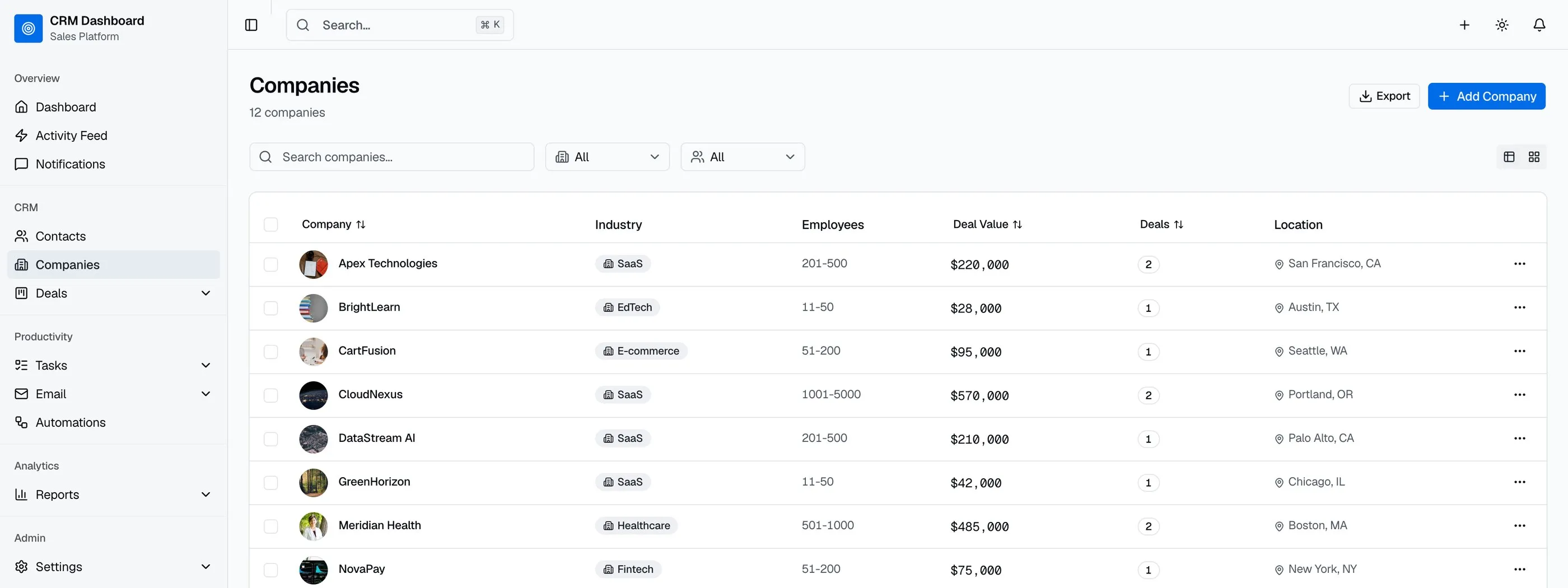
- Searchable table with column sorting, multi-select, and bulk actions
- Detail pages with activity timelines (calls, emails, meetings, notes), related deals, and document attachments
- Company entity separate from contacts, with multi-contact linking
- Lead source tracking (where did this contact come from?)
- Tags for flexible segmentation outside structured fields
- CSV import wizard with column mapping (because every CRM eventually inherits a spreadsheet)
- Custom fields for the inevitable "we need to track X" requirement
The contact detail page is where reps actually do work. Skimping on it means rebuilding it within a quarter.
Sales Forecasting That Math Out
A pipeline without forecasting is a list. A pipeline with forecasting is a tool sales leaders use to commit numbers to the board.
What good forecasting UI shows:
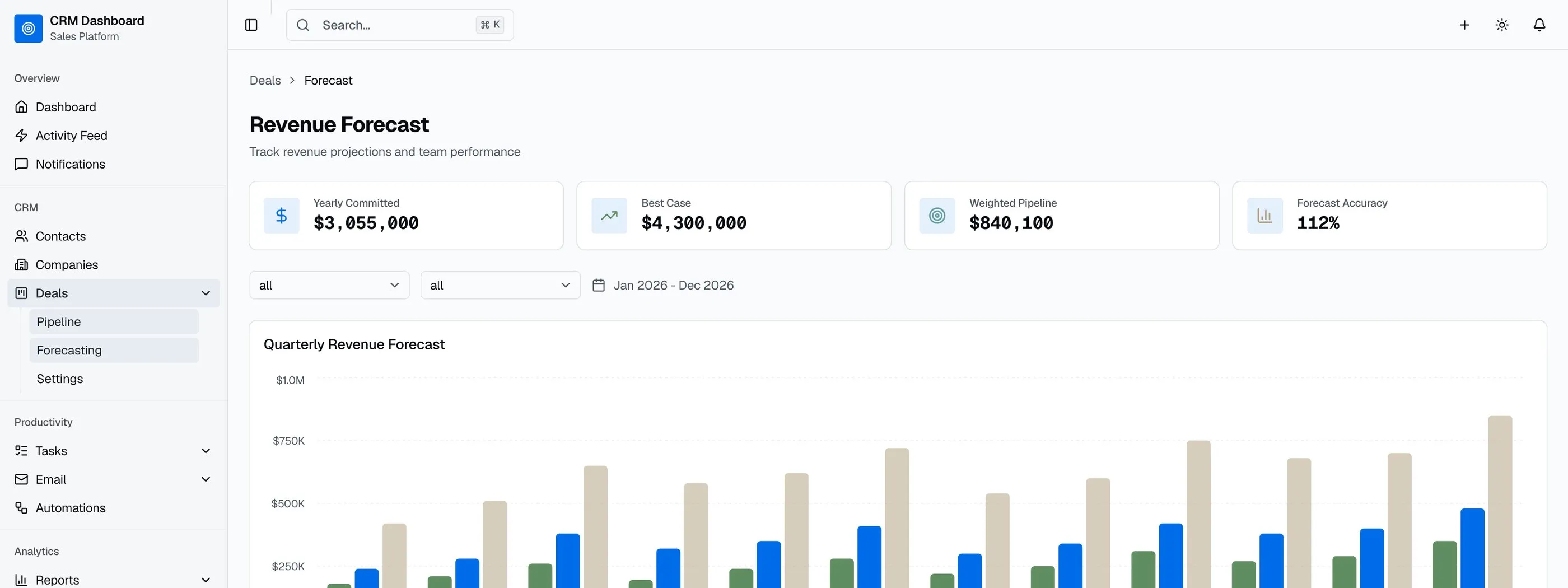
- Committed, best case, and pipeline amounts for the current period
- Team breakdown by rep with quota attainment
- Stage-weighted forecast using the probability per stage
- Visualization beyond the table — bar chart by month, line chart for trend, sometimes a funnel
The hard part isn't the math (it's straightforward weighted-pipeline calculation). The hard part is the UI: presenting three different forecast numbers without making the rep panic, showing trend without overwhelming the manager, and making mobile-readable so the VP can check it before a board meeting.
Analytics Dashboards That Sales Teams Actually Open
Most CRMs ship "an analytics dashboard." Most CRM users never open it because it's a wall of charts with no narrative. What gets opened daily:
- Sales overview — KPI cards (MRR, deals closed this period, pipeline value, win rate) above the fold, revenue trend below
- Pipeline analytics — conversion rates between stages, average stage duration, stalled deals flagged
- Team performance — leaderboard with quota attainment, top reps, deals closed per rep
- Revenue breakdown — by product, by industry, by deal size
The bar isn't fancier charts. It's narrative: each dashboard should answer one question a real sales person asks every week.
Email Integration That Doesn't Live in Another Tab
Sales reps don't want to leave the CRM to send an email. The minimum email integration:
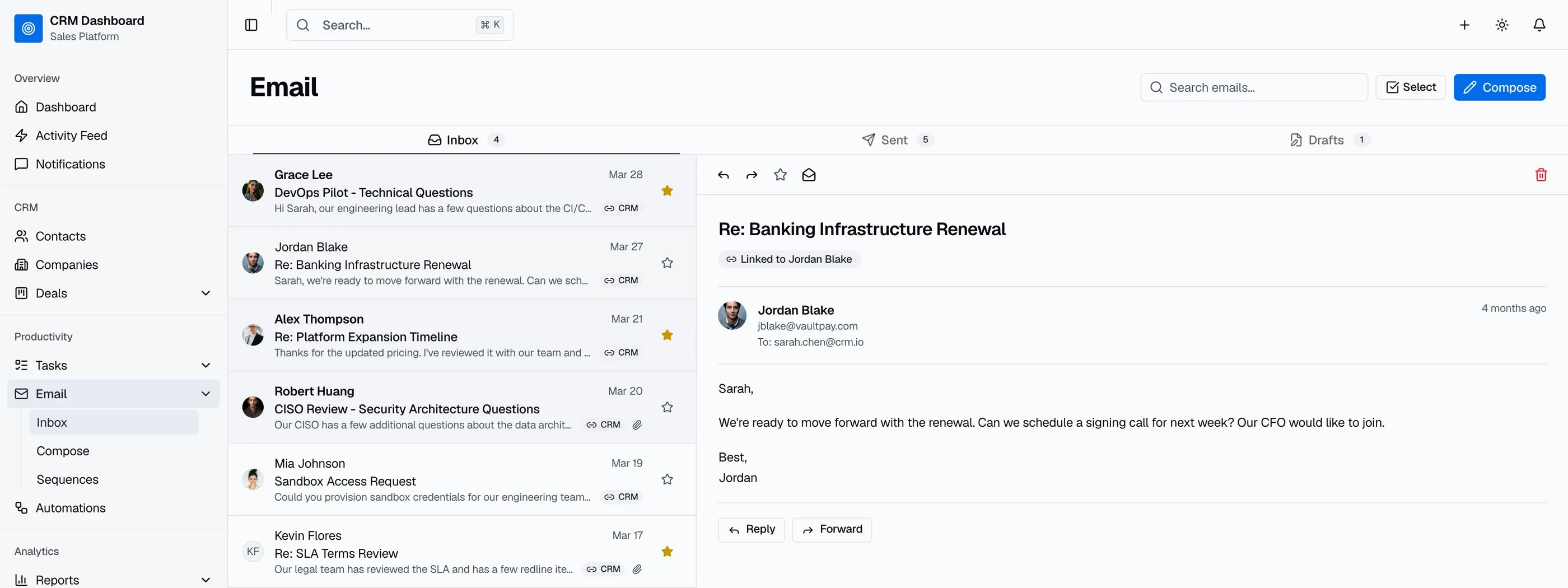
- Inbox view with conversations grouped by contact, not by message
- Compose with contact autocomplete from the CRM
- Templates with merge fields (
{{first_name}},{{company}}) - Sequences for multi-touch outreach with stats per step
- Linked threads showing email history on every contact detail page
You don't have to ship a full email client. You do have to ship enough to keep the rep in your tool.
WCAG AA Accessibility
Enterprise sales targets and compliance teams increasingly require accessibility documentation. The bar for a CRM:
- Keyboard-navigable pipeline and tables
- Screen reader announcements for stage changes
- WCAG AA color contrast in light and dark modes (sales teams work in both)
- ARIA roles on pipelines so the board structure is interpretable
- Focus management on modal-heavy workflows (deal edit, contact import)
If you sell to mid-market and up, this isn't optional.
Build vs Buy: Honest Math
A weekend-quality CRM with a contact list and a single pipeline view is doable in two weeks. A production-ready Next.js CRM dashboard covering the criteria above is genuinely 8 to 12 weeks of frontend work for a competent developer, plus design and accessibility review.
The math:
- Build it yourself: 8–12 weeks × your loaded rate, plus maintenance
- Buy a paid template ($79–$299 in this market): you skip the bulk of frontend work but inherit the template's data model
- Fork a free open-source CRM (Twenty, Plane, etc.): more flexible but you're building on someone else's product, not your own
The decision usually comes down to two questions:
- Is the CRM your product or your internal tool? If it's your product (you sell CRM-as-a-service), build it. If it's internal (your sales team uses it), buy and customize.
- Will you need integrations Salesforce/HubSpot don't have? If yes, build/buy. If no, just use Salesforce — building a CRM frontend to compete with what they ship out of the box is not the move.
A Practical Evaluation Checklist
Before committing to any Next.js CRM dashboard template, run it through this checklist:
- Open the demo. Drag a deal across two columns of the pipeline. Does the column total update?
- Click on a contact. Count the fields on the detail page: timeline, related deals, company link, tags. How many are there?
- Open the forecasting page. Are committed, best case, and pipeline shown separately?
- Look at the analytics dashboards. Count them. Is there more than one?
- Check for email integration. Is it inbox + compose + templates + sequences, or just a "send email" button?
- Open the template on your phone. Does the pipeline reflow? Can you tap deal cards?
- Tab through the pipeline with a keyboard. Can you move a card without a mouse?
- Check the screen count. Under 20 screens means you're building the rest yourself.
Templates that pass all eight are worth paying for. Most fail on at least three.
How the CRM Dashboard Kit Approaches Each Requirement
The CRM Dashboard Kit was built specifically to clear this checklist. 42 screens covering pipeline, contacts, companies, deals, tasks, email, reports, settings, and auth — all on Next.js 16, Tailwind CSS v4, shadcn/ui, and Recharts.
The pipeline uses @hello-pangea/dnd with smooth animation, real-time column totals, and keyboard alternatives for accessibility. Deal cards show company, value, owner, close date, and probability. Multiple pipelines with custom stages are supported. Filters persist across page reloads.
Contact and company management ship with full CRUD, detail pages with activity timelines, CSV import with column mapping, and tags. The data model includes lead sources and custom field hooks.
Sales forecasting shows committed, best case, and pipeline amounts. Team breakdown by rep with quota attainment. Recharts bar and line visualizations for monthly trend.
Four analytics dashboards: sales overview, pipeline conversion, team performance (radar chart for skill spread), and revenue breakdown by product, industry, and deal size.
Email integration includes Gmail-style inbox with reading pane, compose with contact autocomplete, templates with merge fields, and multi-step sequences with performance stats.
WCAG AA accessibility is verified across pipeline interactions, table navigation, modal flows, and forecasting screens.
Try the live demo on a phone first — the pipeline mobile experience is the fastest test of whether a CRM template is real or a demo.
Common Mistakes When Building From Scratch
Even strong frontend teams hit these walls:
Building the pipeline first, the contact detail later. Contact detail is where reps spend most of their time. By the time you've shipped the pipeline, the team realizes the detail page is missing half the fields they need.
Treating forecasting as "another report." Forecasting is its own UX problem. Three numbers (committed, best case, pipeline) presented without context confuse reps. Forecasting needs a narrative layout with clear definitions.
Skipping the import wizard. Every CRM eventually receives a CSV from a previous tool. An import wizard with column mapping, deduplication, and preview is 1 to 2 weeks of work that's easy to defer until it's too late.
Underestimating email integration scope. "Send email from CRM" is a one-week feature. Inbox + compose + templates + sequences is six weeks. Decide which one you need up front.
Forgetting custom fields. Every CRM needs to track "the thing this customer has that no other CRM thinks about." Custom field support is hard to retrofit. Plan it into the data model from day one.
Adjacent Reads
- How to Build a CRM in Next.js — step-by-step build walkthrough
- Best CRM Dashboard Templates 2026 — head-to-head comparison of 7 options
- Best Next.js Dashboard Templates 2026 — broader dashboard category
- Best Sales Dashboard Templates 2026 — for sales-focused dashboards without full CRM
- Next.js Boilerplate vs Building From Scratch — the broader build-vs-buy decision
FAQ
What is a Next.js CRM dashboard template?
A Next.js CRM dashboard template is a pre-built customer relationship management interface that runs on the Next.js framework. A complete template includes the sales pipeline (Kanban or list), contact and company records, deal tracking with forecasting, analytics dashboards, email integration, and the surrounding settings and team-management screens. Using one means you skip 8 to 12 weeks of frontend work and focus on your backend, integrations, and the workflow logic that differentiates your CRM from Salesforce or HubSpot.
What's the difference between a CRM template and a CRM platform?
A CRM template is source code you own and customize. A CRM platform (Salesforce, HubSpot, Pipedrive) is a hosted service you subscribe to. Templates give you full control over UX, integrations, and pricing but require development work. Platforms give you instant functionality but limit customization and charge per seat. If you're building a CRM to sell, you need a template. If you need a CRM for internal use, consider a platform first.
Can I connect a CRM template to Salesforce or HubSpot APIs?
Yes, if the template is built properly. Production-ready Next.js CRM templates use typed TypeScript interfaces for deals, contacts, companies, and activities. Replace the seed data imports with API calls to the Salesforce REST API, HubSpot CRM API, Pipedrive, or your own backend. The UI layer should be completely backend-agnostic.
How many screens does a real CRM need?
A minimum viable CRM is around 20 screens: dashboard, pipeline, contact list, contact detail, company list, company detail, deal detail, task list, basic analytics, and settings. A full-featured CRM with email integration, advanced analytics, team management, and reporting runs 30 to 40+ screens. The CRM Dashboard Kit ships 42 screens to clear that bar.
Do I need drag-and-drop on the sales pipeline?
For real production use, yes. Sales reps expect to drag deals between stages — it's the muscle memory from Trello, Pipedrive, and every other modern tool. If your CRM forces them through a dropdown or modal to change stage, adoption suffers. The bar in 2026: smooth drag with @hello-pangea/dnd or dnd-kit, touch support on mobile, and keyboard alternatives for accessibility.
Is forecasting required, or is it a nice-to-have?
Required for any CRM targeting sales teams above 5 reps. Below that, sales managers track forecast in a spreadsheet anyway. Above that, the spreadsheet falls over and they need the CRM to do it. Forecasting is also the feature most sales VPs ask about in a buying conversation — it's a credibility signal as much as a practical tool.