Best Help Desk & Support Ticket Templates 2026
Best Help Desk & Support Ticket Templates in 2026
Most "help desk templates" you find on Google are inbox UI demos with no email integration, no SLA tracking, and no knowledge base. A real help desk is more than a list of messages with reply buttons. It's the email parsing, the assignment rules, the SLA tracking, the canned responses, the internal notes, the knowledge base, the customer portal, and the reporting that managers actually look at.
We compared 7 options on what matters: inbox quality, email integration, SLA tracking, knowledge base, and whether the template is shippable or just demo-grade.
For a deeper rubric, see our How to Build a Help Desk in Next.js guide.
TL;DR: Quick Picks for 2026
| Need | Top pick | Price |
|---|---|---|
| Open-source self-hosted | Zammad | Free |
| Hosted, small team | Help Scout | $25+/user/mo |
| Hosted, full features | Zendesk | $55+/user/mo |
| Embedded in your Next.js app | thefrontkit Help Desk Template | $131 one-time |
What Makes a Real Help Desk Template?
Before evaluating any candidate:
- Unified inbox with filter and search
- Email integration with threading
- Assignment (manual, round-robin, rule-based)
- SLA tracking with breach alerts
- Canned responses for repeat questions
- Internal notes separate from customer-visible replies
- Knowledge base integration
- Customer portal for self-serve
- Reporting with the 6-7 standard charts
If a template fails three or more, it's an inbox demo, not a help desk.
1. Zammad
Open-source help desk that competes feature-for-feature with paid alternatives.
Strengths:
- Genuinely full-featured (SLA, KB, customer portal, multi-channel)
- Self-hosted, free
- Active development
- Can ingest from email, Twitter, Telegram, SMS, Facebook
Weaknesses:
- Ruby on Rails stack (not Next.js)
- UI is functional but feels dated
- Self-hosting needs DevOps
Best for: Teams that need a real help desk without the per-seat cost and don't mind running their own infrastructure.
2. Help Scout
Hosted help desk aimed at small-to-mid teams. Polished UX.
Strengths:
- Easiest help desk to onboard
- Strong inbox UX
- Built-in knowledge base
- CSAT and reporting included
- Reasonable per-user pricing
Weaknesses:
- Hosted SaaS, monthly fees
- Limited customization
- Reporting could be deeper
Best for: Small support teams (3-15 agents) who want speed-to-launch without compromises.
3. Zendesk
The enterprise help desk. Big, powerful, expensive.
Strengths:
- Most feature-complete in the space
- Massive integration ecosystem
- Strong enterprise features (compliance, audit, SSO)
- AI-powered features at higher tiers
Weaknesses:
- Expensive ($55-$215/agent/month)
- Steep learning curve
- Overkill for small teams
Best for: Mid-to-large support orgs that need enterprise features and have the budget.
4. Intercom
Help desk + live chat + product tours, focused on growth and engagement.
Strengths:
- Best-in-class live chat
- Strong product tour and onboarding tools
- AI Fin agent for automated support
- Tight integration of marketing and support
Weaknesses:
- Expensive (pricing scales aggressively with usage)
- Heavier focus on chat than ticketing
- Complex pricing tiers
Best for: B2B SaaS where chat-first support is the strategy.
If live chat is the part you actually want and Intercom's pricing is the part you do not, we compared the cheaper chat-first tools in Tidio alternatives and competitors. For stores specifically, Gorgias alternatives and competitors covers the e-commerce angle.
5. Front
Shared inbox tool that's grown into a help desk.
Strengths:
- Best-in-class email collaboration
- Familiar inbox-style UX (looks like Gmail)
- Strong for sales and support teams that work out of email
Weaknesses:
- Email-first model less suited to pure ticketing
- Pricier than alternatives
- Knowledge base is weak
Best for: Teams that prefer Gmail-style UX over traditional ticketing.
6. Freshdesk
Hosted help desk with a generous free tier.
Strengths:
- Free tier (up to 10 agents, basic features)
- Comparable feature set to Zendesk at lower cost
- Knowledge base, SLA, automation all included
- Multi-channel support
Weaknesses:
- UI less polished than Help Scout or Intercom
- Free tier has notable limitations
- Customer support on lower tiers is slow
Best for: Cost-conscious teams that need a real help desk on a budget.
7. thefrontkit Help Desk Template
Best for embedding a full support desk inside a Next.js product you own.
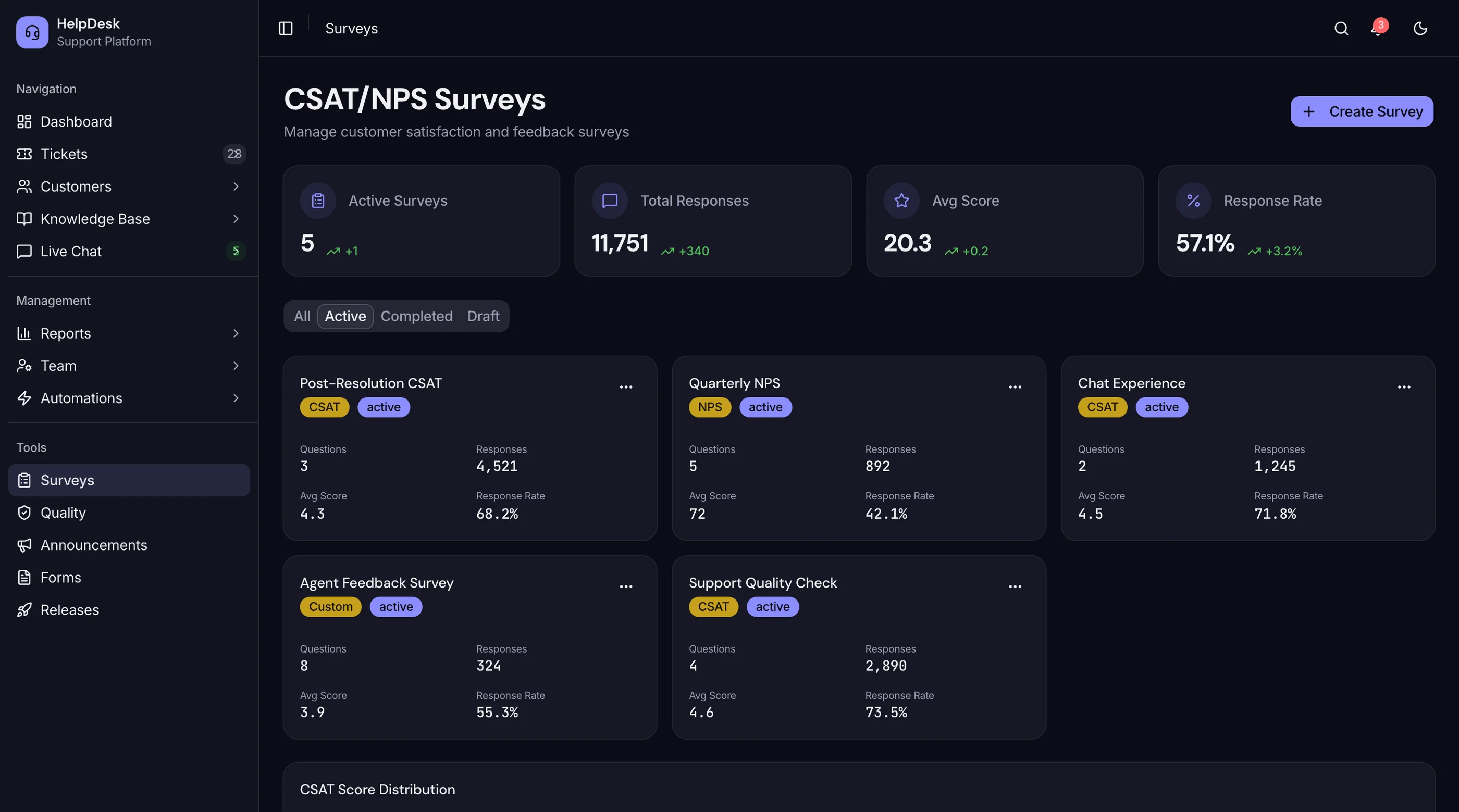
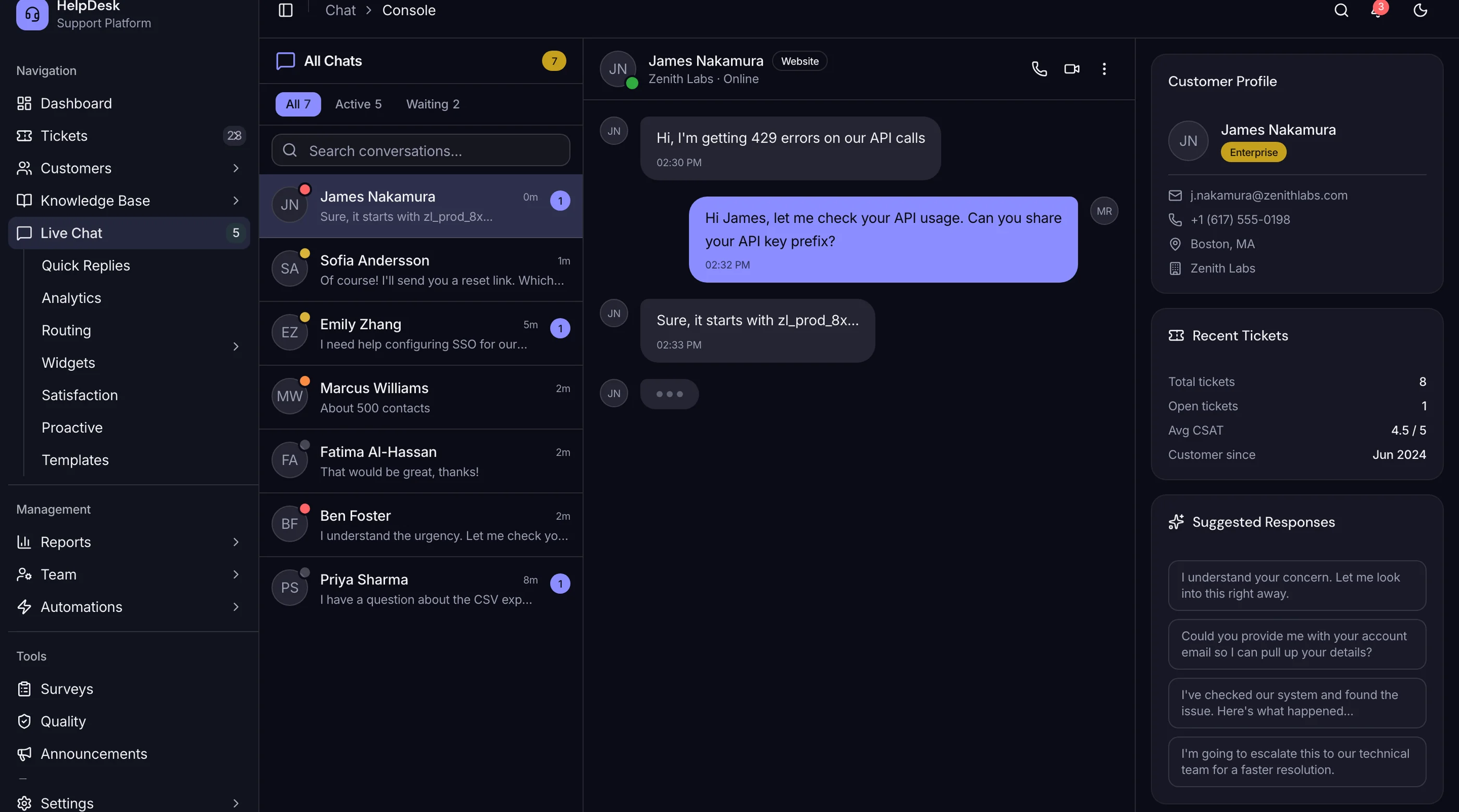
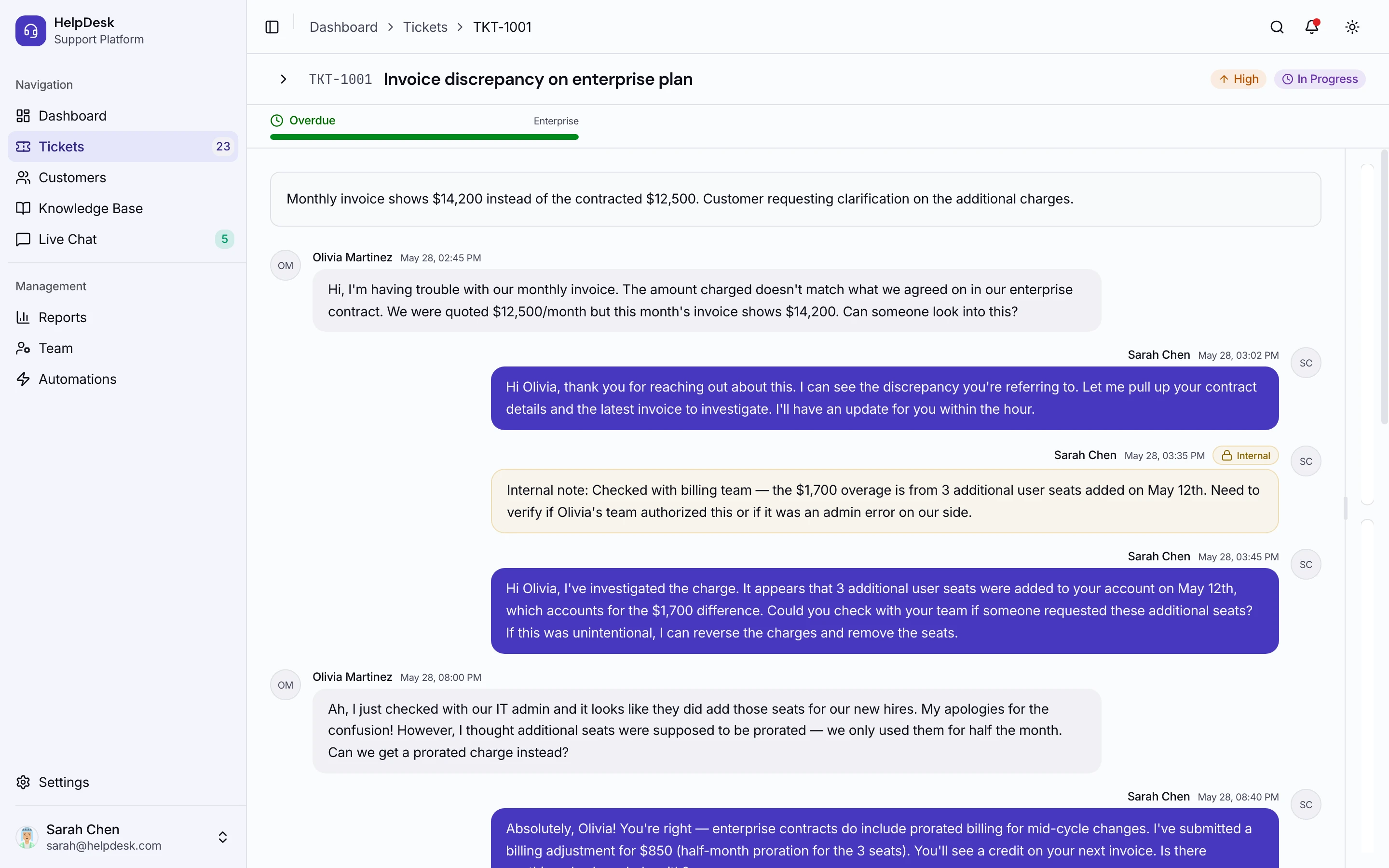
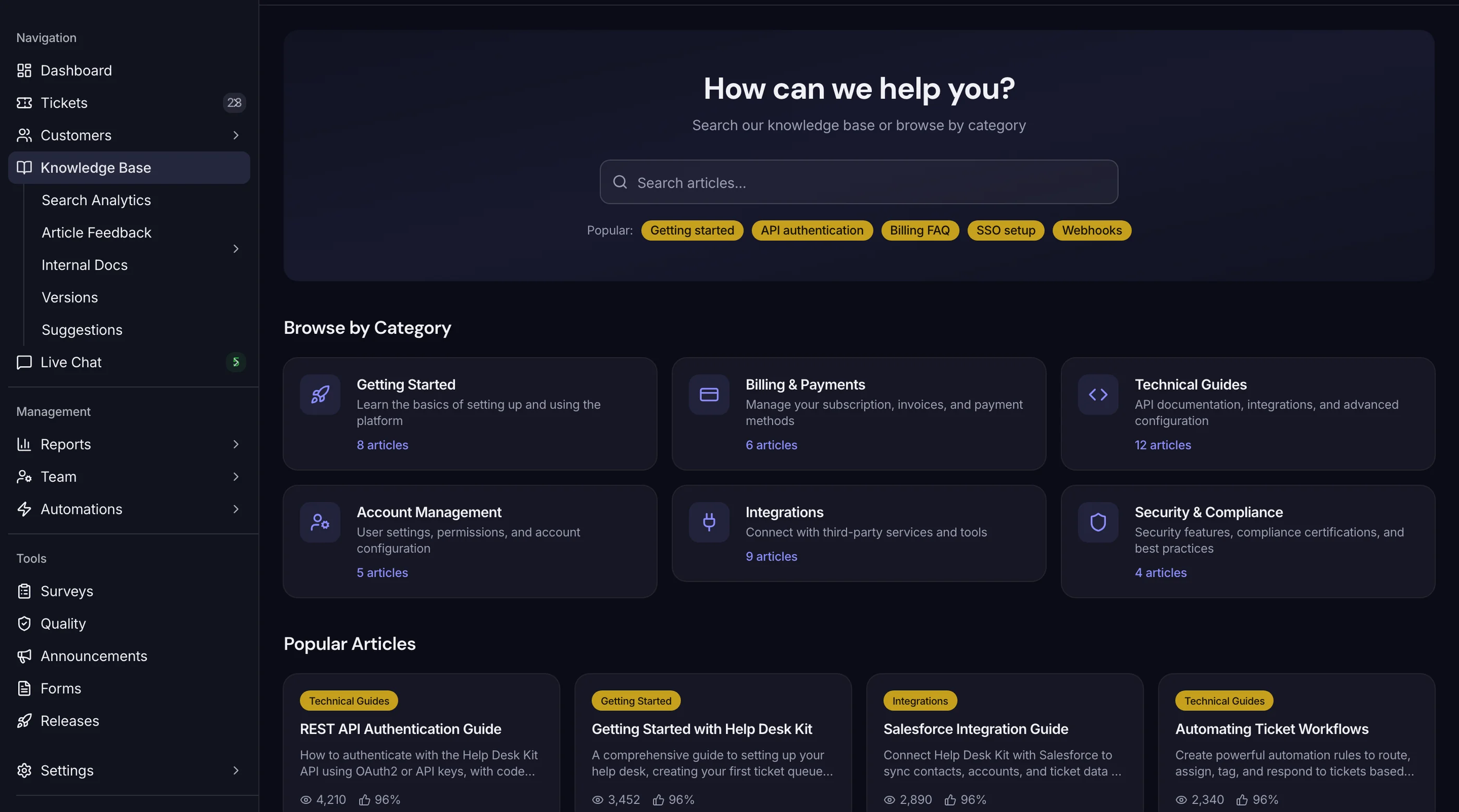
The Help Desk Template from thefrontkit ships 110 screens covering the whole support workflow: ticketing, live chat, knowledge base, customer profiles, SLA tracking, automations, and team scheduling.
The ticket side has a threaded conversation view with agent and customer messages, internal notes, file attachments, and an activity timeline. A drag-and-drop Kanban board handles triage with priority columns, SLA indicators, and assignee avatars. Live chat runs its own queue with typing indicators, a conversation list, and a customer context panel beside the thread.
Past the inbox: an SLA dashboard with breach alerts and compliance gauges, a knowledge base editor with category assignment and article analytics, a customer directory with interaction timelines and company associations, and agent performance analytics covering response times, resolution rates, CSAT, and workload heatmaps. Team management adds a roles and permissions matrix, shift scheduling, and workload distribution.
One thing to be clear about: this is the frontend. You get every screen and component in React and Tailwind, with Recharts wired across the analytics dashboards. You bring the backend, the database, the real-time messaging layer, and the email delivery. If you wanted a hosted help desk, buy Help Scout. If you wanted to own the support experience inside your own product without spending three months on UI, this is the shortcut.
Built on Next.js 16, Tailwind CSS v4, and shadcn/ui, WCAG AA throughout. Try the live demo.
- Screens: 45
- Inbox: Threaded tickets, internal notes, attachments, Kanban triage board
- Chat: Live chat UI with queue management and customer context
- Knowledge base: Article editor with categories and content analytics
- SLA: Tracking dashboard with breach alerts and compliance gauges
- Reporting: Agent performance, response times, CSAT, volume trends
- Not included: Backend, database, WebSocket infrastructure, email delivery
- Price: $131 solo / $199 team / $349 agency
How to Choose
Three questions:
-
Standalone product or embedded in another product? If embedded (a SaaS where you bundle support tooling), you need a template you own. If standalone, hosted SaaS is faster.
-
Team size? 1-5 agents: Help Scout or Freshdesk free tier. 5-15: Help Scout. 15+: Zendesk or self-hosted Zammad.
-
Do you need chat-first? Yes: Intercom. No: any of the others.
For most developer-led businesses building a product where support tooling is part of the experience (e.g., a SaaS for agencies that includes customer support), the right answer is to own the UI: build it yourself, or start from the thefrontkit Help Desk Template and wire it to your own backend.
Adjacent Reads
- How to Build a Help Desk in Next.js — architecture rubric
- How to Build a CRM in Next.js — adjacent customer-data tool
- How to Build a SaaS in Next.js — broader SaaS build
FAQ
Is Zammad really free?
The software is free. Self-hosting costs (small VPS, $10-30/month) and your team's time to operate it. For most small teams, it's a real free alternative to paid help desks.
Should I use Help Scout or Zendesk?
Help Scout for teams under 20 agents that want speed and simplicity. Zendesk for 20+ agents that need enterprise features (SSO, audit logs, advanced routing). The pricing gap is real — Help Scout is significantly cheaper.
Can I integrate help desk into my existing Next.js SaaS?
Yes. Options: embed Intercom/Zendesk via widget (fast, limited control), or drop in the thefrontkit Help Desk Template and connect it to your own backend (full control, lives in your codebase).
How important is AI in help desk in 2026?
Increasingly important. At minimum: AI-suggested replies, AI categorization, AI ticket summarization. Most hosted tools have this built in. Building it yourself is doable via OpenAI/Anthropic API but it's an extra week of work.
What's the most underrated help desk feature?
Canned responses. 60-80% of replies are variants of 10-20 templates. Without canned responses, agents type the same things hundreds of times per week. The single biggest productivity win.
What's the typical pricing?
Hosted SaaS: $25-$215/agent/month. Self-hosted OSS (Zammad): free + your hosting. Premium Next.js UI kits: $131-$349 one-time, like the thefrontkit Help Desk Template.