How to Build a CRM in Next.js (2026)
How to Build a CRM in Next.js in 2026
A CRM is deceptively complex. It looks like "a table of contacts with some pipelines." It's actually a dozen interconnected entities (contacts, companies, deals, activities, tasks, notes, emails) with permissions, custom fields, automation, and reporting layered on top. Building one in Next.js from scratch is realistically a four-month project.
This guide walks through what a real CRM has to do, the architecture decisions you can't postpone, and the two paths to get there — building from scratch or starting from a kit and customizing.
Or skip the build entirely: get every kit for $749
If you're shipping more than one product, All UI Kits unlocks every Next.js kit on thefrontkit. The CRM Dashboard Kit (35+ screens with pipeline, contacts, deals, reports), plus the SaaS Starter Kit, HR Dashboard, Kanban PM, E-commerce, AI UX, and 12 more. One-time payment, lifetime access, no subscription.
What a Real Next.js CRM Has to Do
A CRM is the system of record for customer relationships. Anything less ends up as a database tool, not a CRM.
Contacts and Companies as Linked Entities
A contact belongs to a company. Companies have many contacts. This sounds obvious but most early CRM builds treat them as flat records with a "company" text field. That fails the moment you need to view all contacts at one company, see deal totals per company, or merge duplicate companies.
Build them as first-class entities from day one. Contact has a company_id foreign key. Company has aggregated counts and totals computed at query time or cached.
Pipeline as a Kanban Board (and More)
The deal pipeline is the heart of the CRM. Most users expect a kanban view: drag deals between stages, see the count and value per stage, filter by owner or close date.
But the pipeline is also:
- A forecast showing weighted revenue by close date
- A funnel chart showing conversion rates between stages
- A leaderboard showing wins per rep
- A history showing how long deals sit in each stage
- A filter target — "show me only deals over $50k closing this month"
Build the data model around stages, deal value, close date, owner, and stage-change timestamps. Every view above comes from variations on those fields.
Activity Timeline
Every contact and deal needs a timeline of what happened. Calls logged, emails sent, meetings attended, notes added, stage changes, file uploads, owner reassignments. The timeline is read 10x more than it's written, so build it for read performance.
Pattern: an activities table with type, actor_id, subject_id, subject_type, metadata (JSONB), and created_at. Index by subject so contact timelines and deal timelines query fast.
Tasks Linked to Deals and Contacts
Reps live in tasks. Every CRM needs:
- Create a task linked to a contact, deal, or both
- Set a due date, owner, priority
- See "my tasks today / this week / overdue"
- Mark complete with a timestamp
- Recurring tasks for follow-ups
- Bulk operations (assign 20 leads to one rep)
Tasks usually become the most-used feature after the pipeline. Underbuilt task functionality is the most common complaint about early CRMs.
Custom Fields
You'll be asked for them within two weeks of launch. The pattern:
- Each entity (contact, deal, company) supports user-defined custom fields
- Field types: text, number, date, dropdown (single and multi), checkbox, file
- Fields are configurable from settings, not hardcoded
- Custom fields appear in the entity detail view, in the table view as toggleable columns, and in filters
Schema pattern: a custom_fields definition table and a custom_field_values table with polymorphic associations. Or JSONB on each entity with a separate schema definition. Both work; JSONB is simpler for small scale.
Reporting
CRM reports are how managers measure their team. The minimum:
- Pipeline value by stage with trend over time
- Activities per rep (calls, emails, meetings logged)
- Win rate by rep, by source, by deal size
- Forecast (weighted pipeline by expected close date)
- Aging report (deals stuck in stages too long)
- Lost reasons breakdown
These are the same charts every sales leader has used for 30 years. Don't innovate here; ship the standards.
Permissions and Visibility
Real CRMs handle this:
- Reps see their own deals by default
- Managers see their team's deals
- Admins see everything
- Some objects (companies, contacts) are shared; others (notes, certain deals) are private
Build a permissions layer at the server-action / API-route level. Frontend filtering alone is a security incident waiting to happen.
Tech Stack: The CRM-Specific Decisions
The general Next.js stack applies (Next 16, App Router, Tailwind v4, shadcn/ui). The CRM-specific additions:
Drag-and-drop: @hello-pangea/dnd or dnd-kit for the pipeline kanban. Custom implementations are not worth the time.
Charts: Recharts for everything except complex Gantt. Tremor is fine if you want pre-built dashboard primitives. Avoid D3 unless you have a senior visualization engineer.
Email integration: Resend for outbound, Postmark inbound parsing if you need to log replies into the timeline. Plan for OAuth into Gmail/Outlook for two-way sync at v2.
Search: Postgres tsvector full-text search is enough for v1. Algolia or Typesense at scale (>50k records per workspace).
File storage: R2 or Supabase Storage. CRMs accumulate files (proposals, contracts, business cards) faster than you'd expect.
Audit log: A standalone audit_log table. Compliance asks for who-edited-what timestamps; building this retroactively is painful.
Build Path 1: From Scratch (12 to 16 Weeks)
The realistic order:
Week 1-2: Foundation. Next.js setup, auth (Clerk or Auth.js), basic app shell, database schema for users and teams.
Week 3-4: Contacts and companies. Tables, detail views, create/edit forms, search. Get the data model right; everything else builds on this.
Week 5-6: Deals and pipeline. Deal entity, stages, kanban board with drag-and-drop, deal detail page.
Week 7-8: Activities and tasks. Activity timeline, task model, task list views, due date logic.
Week 9-10: Custom fields. Definition UI, value storage, integration into table views and detail pages.
Week 11-12: Reporting. The 6-7 standard reports above. Charts on Recharts.
Week 13-14: Permissions. Role model, server-action checks, filtered queries.
Week 15-16: Polish. Empty states, error states, dark mode, accessibility, performance, settings.
Realistic for most teams is 16 to 20 weeks because every entity has more edge cases than it looks.
Build Path 2: Using a CRM Dashboard Kit (1 to 2 Weeks)
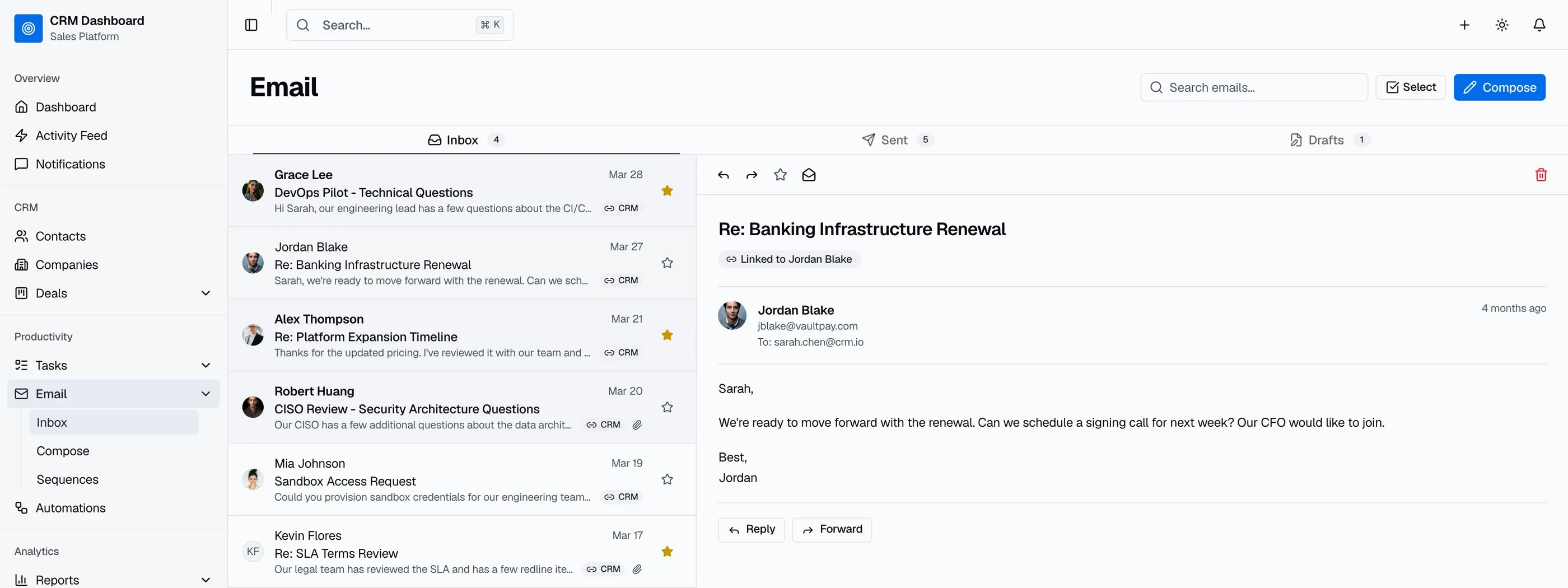
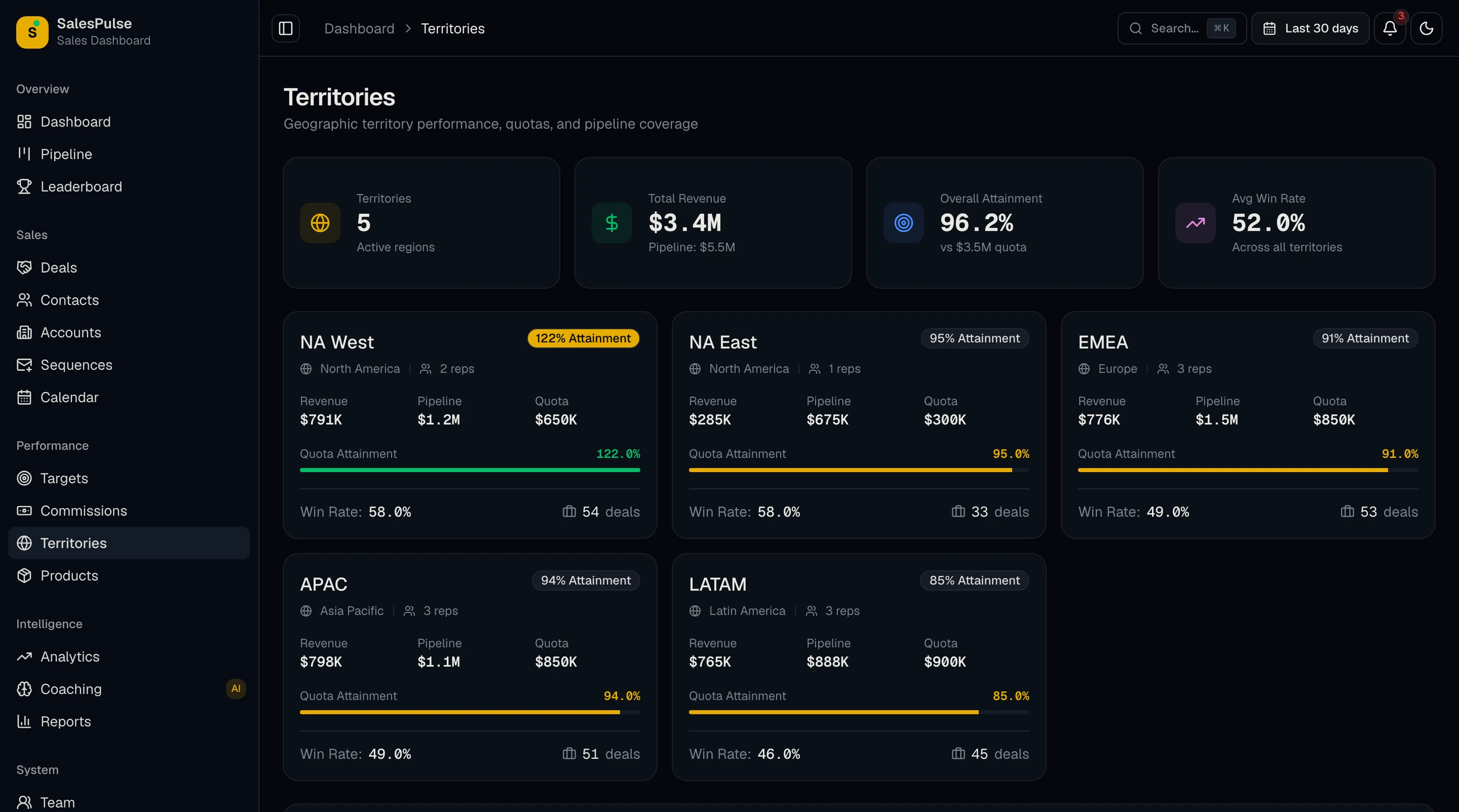
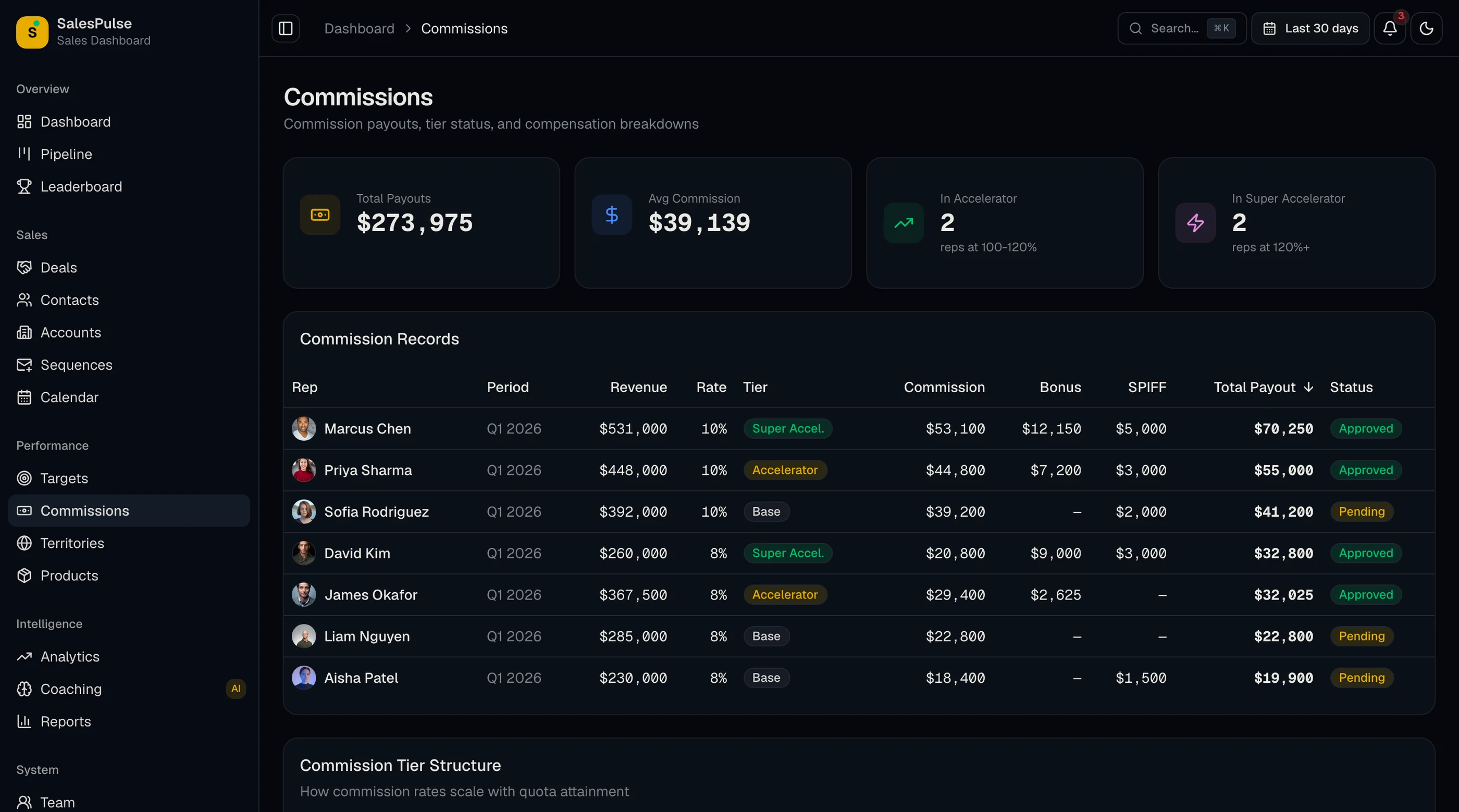
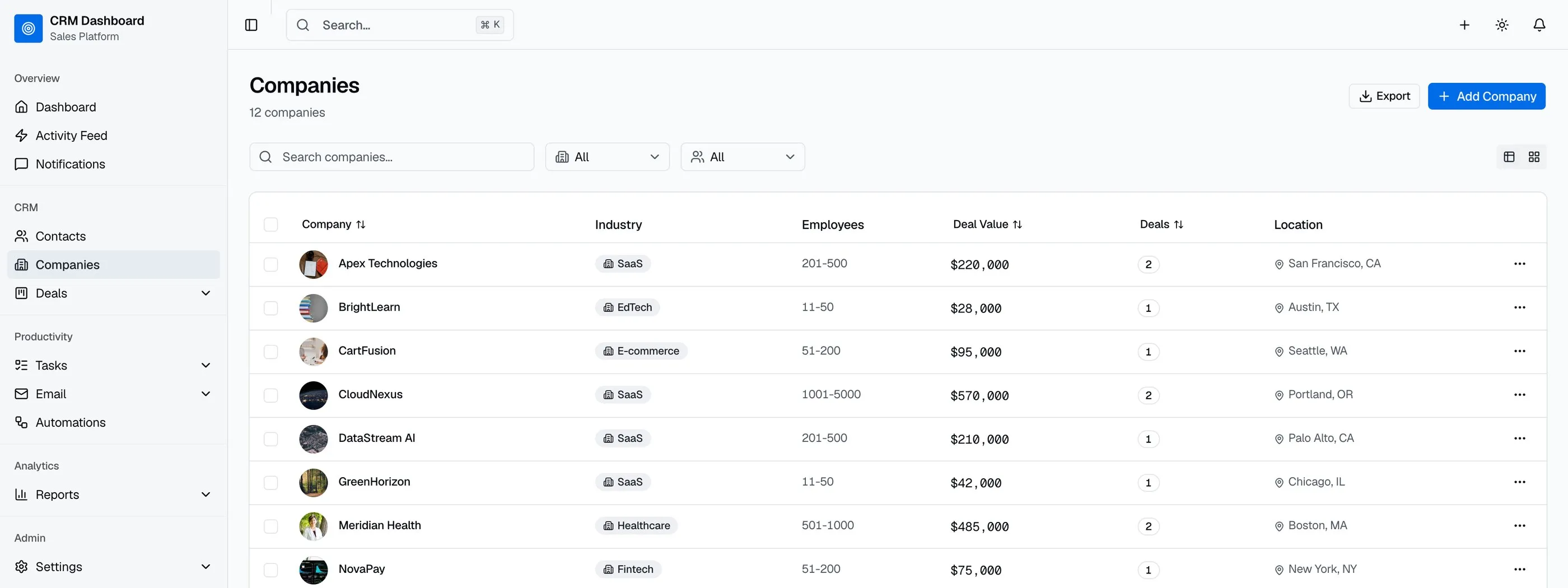
The CRM Dashboard Kit ships:
- Contacts with company linking, search, filters
- Companies with aggregated deal totals
- Deals with kanban pipeline (drag-and-drop), list view, calendar view, forecast
- Activity timeline pattern wired across contacts and deals
- Tasks with due dates, owners, priorities, and filtered views
- Custom field architecture (definition + values)
- 4 reports (pipeline, activities, win rate, forecast)
- Permissions-aware components
- 35+ screens on Next.js 16, Tailwind v4, shadcn/ui
Work that remains:
- Wire your auth provider into the existing screens
- Connect your database, replace seed data with real queries
- Add your industry-specific custom fields and pipeline stages
- Build any unique automation logic on top of the existing chrome
For most teams, the kit reduces a 16-week build to a 2-week customization.
Build Path 3: Start From the Full-Stack CRM Kit (Backend Included)
The kit above is the interface. The work it leaves you (auth, database, real queries) is where most of a CRM build actually goes. The Full-Stack CRM Kit ships that part already wired:
- 45 routes: dashboard, contacts, companies, deals, tasks, email, reports and settings
- 19 Supabase tables with migrations, row-level security, triggers and full-text search on contacts and companies
- Supabase Auth with email/password, Google and GitHub sign-in
- A drag-and-drop pipeline that persists to the database
- Server Actions for every create, update and delete, across 15 action files
What's left is your business: pipeline stages, custom fields, branding and any automation specific to how your team sells. It starts at $332, and the docs walk through setup. If you'd rather not do the setup yourself, we can launch it for you.
Step-by-Step from the Kit
The realistic two-week customization:
Day 1: Setup and brand. Clone, install, run. Replace logo, colors, brand name. Update copy in marketing pages.
Day 2-3: Database. Set up Postgres. Apply the schema. Migrate seed data to a real CRM dataset (your own contacts as a starting point).
Day 4-5: Auth. Wire Clerk, Auth.js, or Supabase Auth into the existing login/signup screens.
Day 6-7: Pipeline configuration. Set up your sales stages. Match them to the kit's stage entity. Test the kanban drag-and-drop with real deal data.
Day 8-9: Custom fields. Add the fields specific to your industry (e.g., "lead source," "deal currency," "renewal date" for SaaS).
Day 10: Reports. Validate the 4 built-in reports work with your data. Tweak filter defaults to match your team's workflow.
Day 11-12: Permissions. Define your team's role structure. Wire role checks into the existing permission layer.
Day 13-14: Deploy and beta. Vercel deploy, custom domain, beta test with your sales team.
Common Pitfalls
Treating contacts and companies as one entity. You'll merge duplicates, you'll filter by company, you'll show deal totals per company. Build them as separate linked entities from the start.
Hardcoding pipeline stages. Every sales team has different stages. Storing stages as a configuration entity (not an enum) means new customers can define their own without a code change.
Skipping the activity timeline until "later". Sales reps live in the timeline. A CRM without it is a database tool. Build the timeline pattern with the first entity you ship.
Ignoring search until you have data. Search across contacts and deals is the second-most-used feature after the pipeline. Build full-text search from day one with tsvector; upgrade to Algolia or Typesense when scale demands it.
Underbuilding custom fields. Custom fields are not optional. Build the architecture from day one even if you ship with only three standard fields. Retrofitting custom fields into a hardcoded schema is a one-month project.
Forgetting bulk operations. Reps need to assign 20 leads at once, change owner on a batch of deals, mark a list of tasks complete. Build bulk action UI with the first table you build.
Skipping audit logs. Compliance will ask. Build the audit_log table on day one and append to it from every server action.
Adjacent Reads
- How to Choose a Next.js CRM Dashboard Template — evaluation rubric
- Best CRM Dashboard Templates 2026 — head-to-head comparison
- Best Next.js Dashboard Templates 2026 — broader dashboard category
- SaaS Starter Kit vs Building From Scratch — broader build-vs-buy logic
FAQ
How long does it take to build a CRM in Next.js from scratch?
A competent solo engineer at full speed builds a credible Next.js CRM in 12 to 16 weeks. Realistic timelines, including the long tail of edge cases per entity (deduplication, merging, custom fields, bulk operations), land closer to 16 to 22 weeks. The variance is mostly in custom fields, permissions, and reporting — the data model is straightforward; the surrounding tooling is what takes time. A CRM dashboard kit removes 14 of those weeks by giving you the pre-built chrome.
Should I use a kanban library or build my own drag-and-drop?
Use a library. The mainstream options in 2026 are @hello-pangea/dnd (maintained fork of react-beautiful-dnd) and dnd-kit. Custom drag-and-drop is one of the hardest things to build correctly: autoscroll at column edges, touch support on mobile, keyboard accessibility, multi-column reordering. Every team that tries to build their own ships something worse than the library version, six weeks later.
How should I handle custom fields without making the data model a mess?
Two patterns work. First: a custom_field_definitions table and a custom_field_values table with polymorphic associations to whichever entity owns the field. This is normalized but requires joins. Second: a JSONB column on each entity with a separate definitions table for the UI. This is denormalized but reads are simpler. JSONB is fine up to 100k records per entity. Move to the normalized pattern at scale.
Do I need a separate marketing site for a CRM product?
Yes. The marketing site (landing, pricing, features, about, blog, integrations) drives signups. The product UI (pipeline, contacts, deals) serves existing users. They have different design needs and different audiences. Build them in the same codebase for design system consistency but as separate route segments. The marketing site lives at the root; the product lives under /app or a subdomain.
Can I use a CRM kit with a custom backend like Salesforce or HubSpot?
Yes, if the kit uses a backend-agnostic data layer. Production-ready Next.js CRM kits use typed TypeScript interfaces for entities (Contact, Company, Deal). Replace the data loading functions with API calls to Salesforce, HubSpot, or your own backend, and the UI works the same. The UI layer is decoupled from the data source.
How many screens does a real CRM need?
The minimum for a credible CRM is around 25 screens: dashboard, contacts list and detail, companies list and detail, deals list and pipeline kanban, deal detail, tasks list and detail, activity feed, 4 reports, settings (profile, team, integrations, custom fields, pipeline stages, billing), and auth (5 screens). A full-featured CRM that competes with HubSpot or Pipedrive at the lower end is 35 to 50 screens. The CRM Dashboard Kit ships 42 screens to clear this bar.
Is there a version of the CRM kit with the backend already built?
Yes. The Full-Stack CRM Kit adds a Supabase backend to the same screens: 19 tables with row-level security, Supabase Auth, and Server Actions for every mutation. You bring your branding and business rules instead of wiring a database from scratch.
Want it shipped without hiring a developer?
The build path above assumes you have engineers. If you don't, the team behind thefrontkit does done-for-you launches: we deploy the kit, apply your branding, and wire it to your stack. Fixed quotes, most builds ship in 2-4 weeks, from $1999.