Sales Dashboard Templates 2026: 10 Options (Excel, BI & Code)
Best Sales Dashboard Templates in 2026
Short answer: the right sales dashboard template depends on where your sales data lives and who builds the dashboard.
- Small team, deals in a spreadsheet: HubSpot's free sales dashboard template for Excel and Google Sheets.
- Data in a CRM, need charts fast: a free Looker Studio template (Coupler.io has sales templates for HubSpot, Salesforce and Pipedrive), or Microsoft's free Power BI sales sample.
- TV dashboards and leaderboards: Geckoboard, from $79/month.
- Building a sales app or internal tool: a code template like thefrontkit SalesPulse (Next.js), or free starters like Shadboard and TailAdmin.
We checked every price and feature below on the vendor's own page in September 2026. Spreadsheet and BI templates come first, then code templates for developers.
Or skip the choice: get every kit for $749
If you're shipping more than one product, All UI Kits unlocks every Next.js kit on thefrontkit. The full Sales Dashboard Kit, plus the SaaS Starter Kit, CRM Dashboard, HR Dashboard, Finance Dashboard, Kanban PM, AI UX, and 11 more. Plus every future kit. One-time payment, lifetime access, no subscription.
What a Sales Dashboard Should Track
Whatever tool you use, a useful sales dashboard answers the same questions a sales manager asks every Monday:
- Revenue: closed-won this month and quarter, against target
- Pipeline: total and weighted pipeline value by stage, and pipeline coverage (pipeline divided by remaining quota)
- Conversion: win rate, stage-to-stage conversion, and average sales cycle length
- Deal size: average deal size and its trend
- Rep performance: quota attainment per rep, a leaderboard, and activity (calls, emails, meetings)
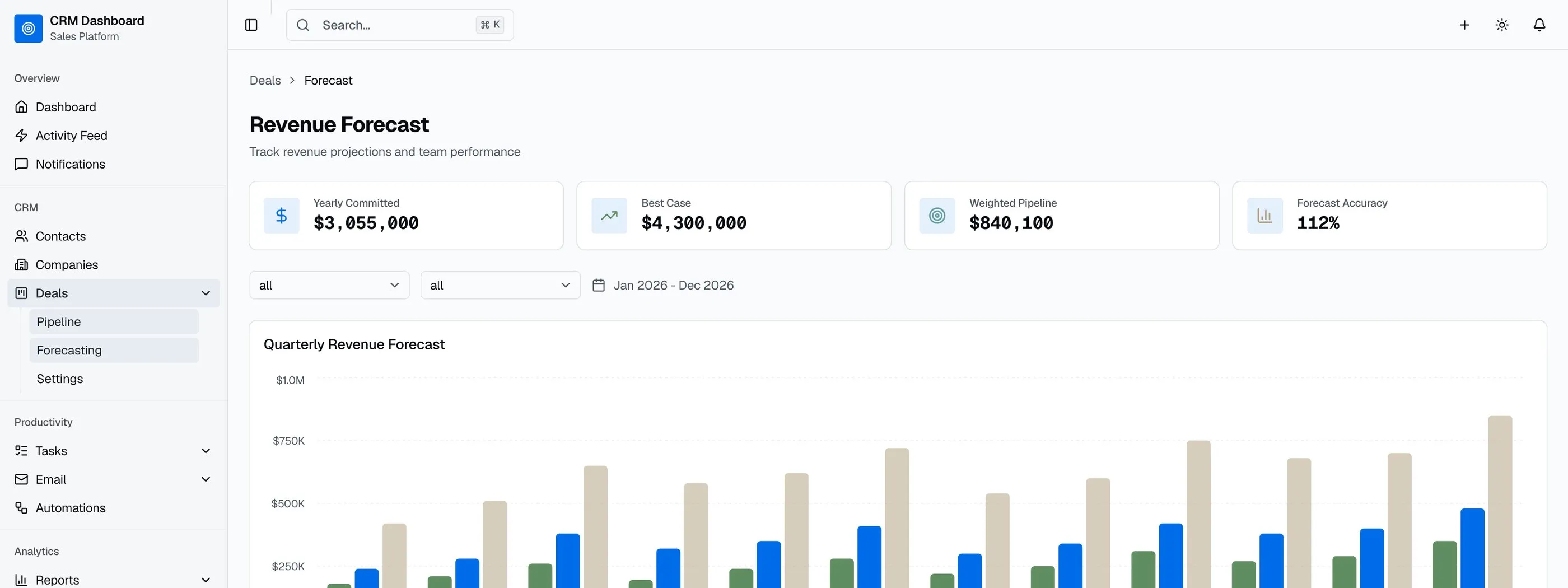
- Forecast: expected revenue by close date, and forecast vs actual
If you're choosing a template, check it covers most of this list. Many "sales dashboard templates" are a revenue chart and three KPI cards.
Spreadsheet and BI Sales Dashboard Templates
HubSpot Sales Dashboard Template (Excel and Google Sheets)
Best free template for small teams.
HubSpot's template is a free download for Excel and Google Sheets, with no email or trial required. It tracks pipeline value by stage and close probability, sales KPIs (win rate, average deal size, cycle length, monthly revenue), each rep's quota against closed revenue, funnel conversion rates, and activity (calls, emails, meetings, demos). The charts update automatically. HubSpot pitches it at teams of 1 to 10 reps.
- Format: Excel, Google Sheets
- Price: Free
Want a spreadsheet CRM to go with it? Our free CRM template has a deal pipeline with weighted values and an auto-calculating dashboard.
Power BI Sales and Marketing Sample
Best free way to learn Power BI sales reporting.
Microsoft's Sales and Marketing sample is a ready-made dashboard and 4-page report for a fictional manufacturer. You can open it in Power BI Desktop without a license, or as a built-in sample in the Power BI service with a free Fabric account. It's a learning sample, not a template you point at your CRM, but it shows how a sales report is structured.
- Format: Power BI (.pbix)
- Price: Free to explore. Sharing reports needs Power BI Pro at $14 per user/month (billed yearly)
Looker Studio Templates (via Coupler.io)
Best free option for dashboards on live CRM data.
Google's Looker Studio (now called Data Studio in Google's docs) is free. Coupler.io publishes sales dashboard templates for Looker Studio, Power BI and Google Sheets, with versions for Pipedrive, Salesforce, HubSpot and GoHighLevel. The templates are free to start, but you need a Coupler.io account to connect your data.
- Format: Looker Studio, Power BI, Google Sheets
- Price: Looker Studio is free. Coupler.io has a free start
Geckoboard
Best for sales TV dashboards and leaderboards.
Geckoboard is built for dashboards on an office screen. Its sales examples include a leaderboard, pipeline, rep performance, activity and manager dashboards, plus ready-made HubSpot and Salesforce dashboards.
- Price: Essentials from $79/month billed yearly (2 dashboards), Performance $319/month. 14-day free trial, no card needed
Databox
Best free plan for a single user.
Databox connects to CRMs and ad platforms and has sales dashboard templates. The free plan covers 1 user and 3 data sources, which is enough for a founder tracking their own pipeline.
- Price: Free plan. Paid from $71/month (Analyst, billed yearly)
monday.com Sales Dashboards
Best if your team already runs deals in monday.com.
Dashboards come with every monday.com plan, including Free. Free and Basic dashboards can only pull from one board. Standard and above can combine several boards, which is what you need to report across pipeline, activities and targets.
- Price: monday CRM starts at $12 per seat/month (Basic, billed yearly)
Code Templates for Developers
Building a sales tool, a client portal, or an internal dashboard your team will use every day? You'll want a code template. These give you the UI (pipeline boards, deal tables, quota gauges, leaderboards, report charts), and you connect Salesforce, HubSpot, Pipedrive or your own API.
1. thefrontkit SalesPulse
Best overall sales dashboard template for production applications.
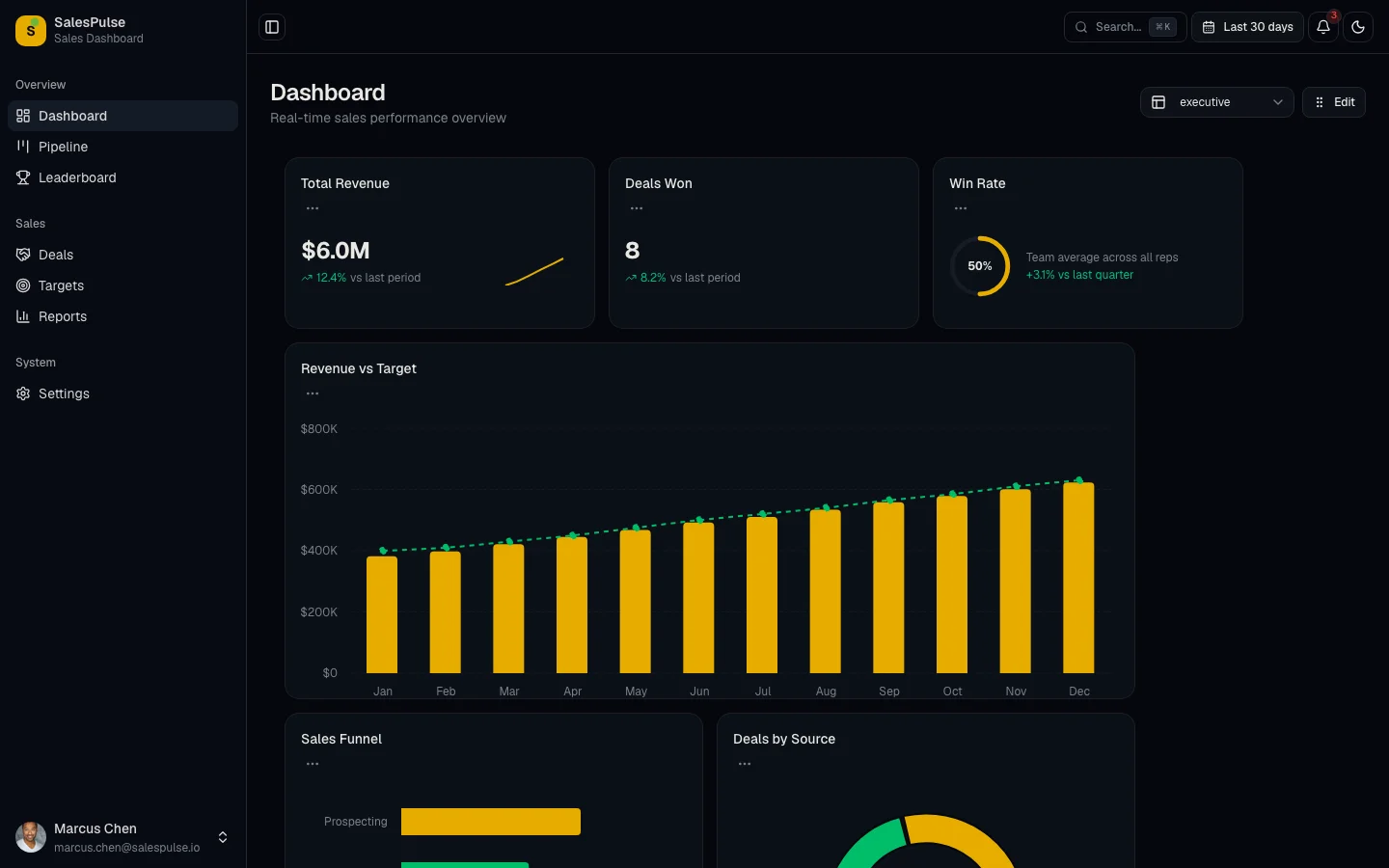
The SalesPulse Sales Dashboard from thefrontkit is a purpose-built sales performance template with 20 screens covering the complete sales workflow from pipeline management to revenue reporting.
The main dashboard opens with KPI cards for total revenue, deals closed, average deal size, and win rate. Below that, conversion funnel visualization shows how deals move through stages, quota attainment gauges show individual and team progress, and monthly revenue trend charts with period comparisons give managers the snapshot they need without clicking anywhere else.
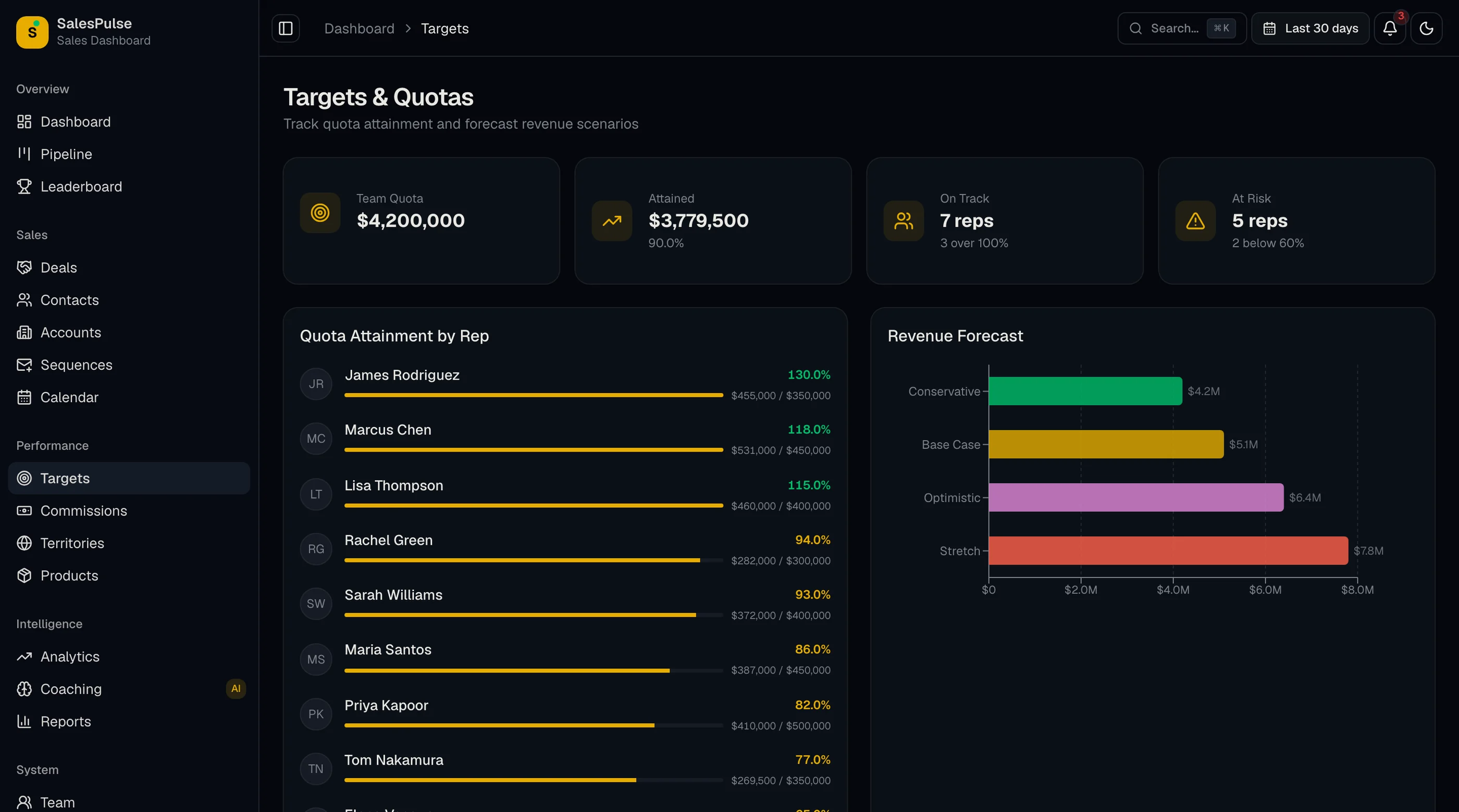
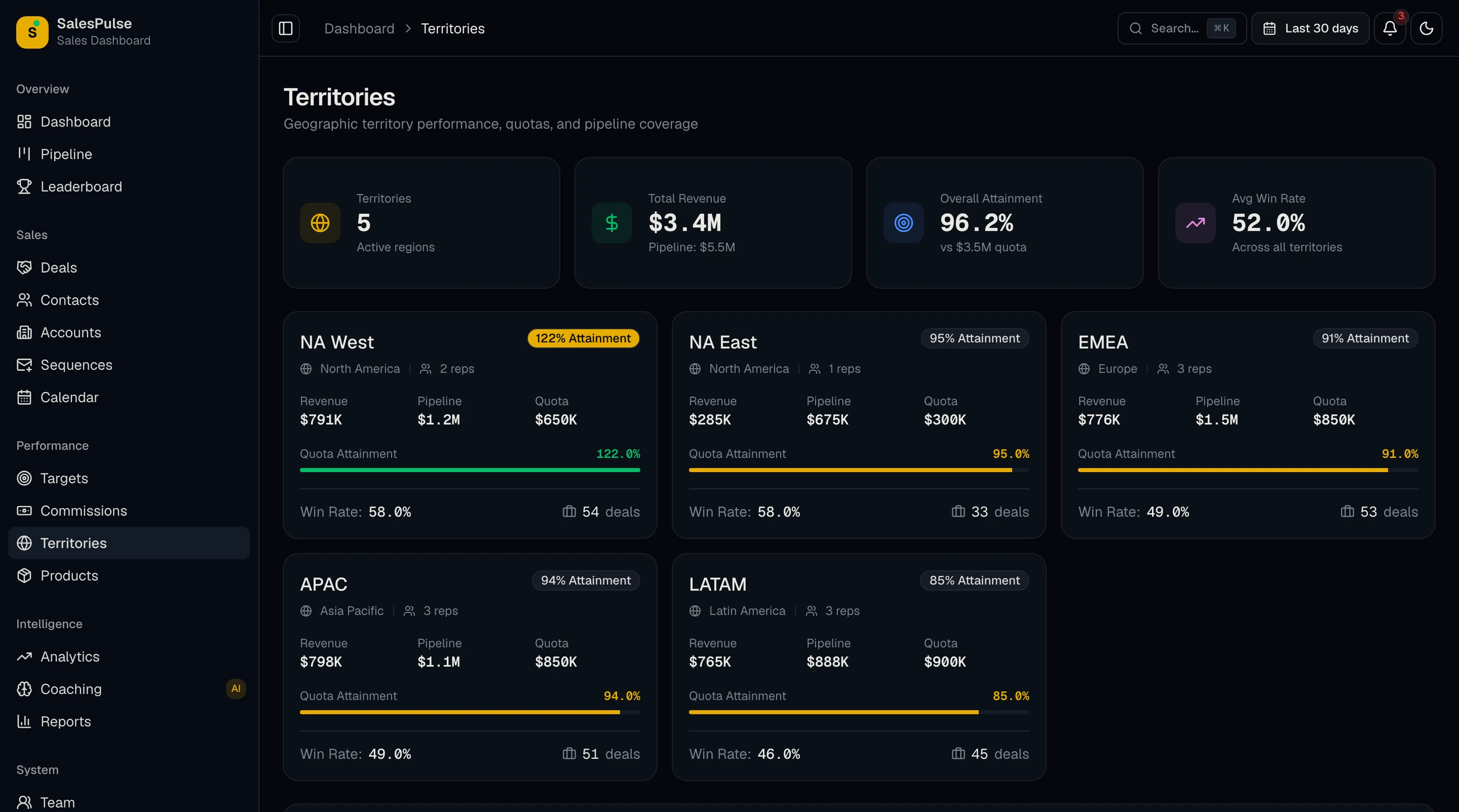
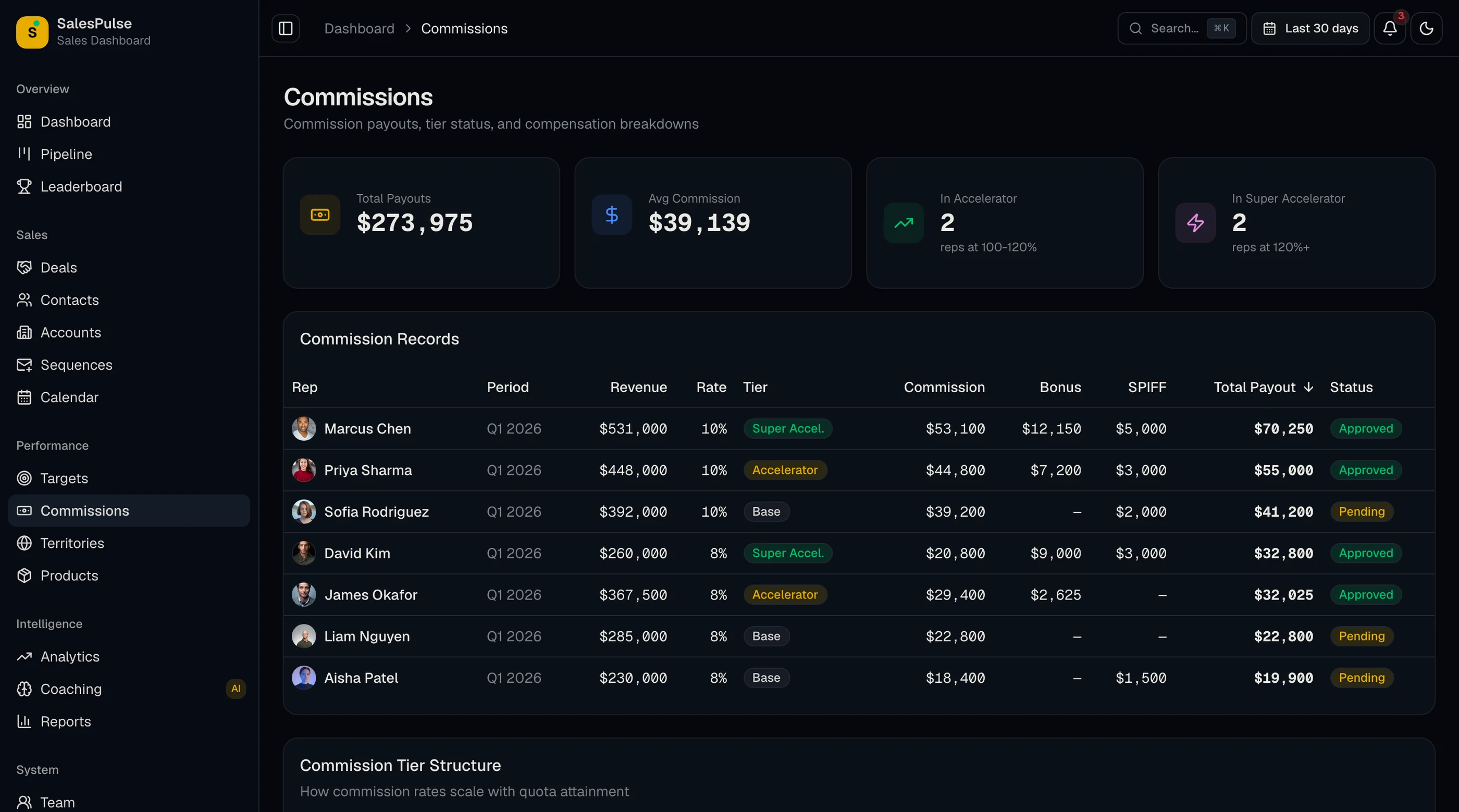
Beyond the dashboard, the kit covers the rest of a sales team's day. The pipeline board is Kanban-style with drag-and-drop between stages and keyboard alternatives. Deals, accounts (with account detail), contacts and products each have their own screens. Targets track individual and team quotas. The leaderboard ranks reps by revenue, deals closed and win rate. Commissions, territories, team and coaching screens cover sales management. Sequences and a calendar cover outreach. Analytics and reports handle win rates, forecasts and revenue trends.
Every screen is built for WCAG AA. Data tables support keyboard navigation, sorting and filtering, and forms have labels and error messages that screen readers announce. Built on Next.js 16, Tailwind CSS v4, shadcn/ui and Recharts, with light and dark mode. Try the live demo.
- Screens: 20 (Dashboard, Pipeline, Deals, Accounts, Account detail, Contacts, Products, Targets, Leaderboard, Commissions, Territories, Team, Coaching, Sequences, Calendar, Analytics, Reports, Settings, Login, Register)
- Pipeline: Kanban with drag-and-drop and keyboard alternatives
- Management: Targets, leaderboard, commissions, territories, coaching
- Reports: Revenue trends, win rates, forecasts, conversion funnels
- Stack: Next.js 16, Tailwind CSS v4, shadcn/ui, Recharts
- Accessibility: WCAG AA
- Price: From $131
2. Shadboard
Best free Next.js dashboard with a CRM layout.
Shadboard is a free, MIT-licensed Next.js dashboard built with shadcn/ui and Tailwind CSS v4. It includes CRM, analytics and ecommerce dashboards. The CRM dashboard gives you metric cards, charts and tables to start from. You'll build the pipeline board, deal detail views, quota tracking and leaderboard yourself.
- Stack: Next.js 15, React 19, shadcn/ui, Tailwind CSS v4
- License: MIT
- Price: Free
3. TailAdmin
Best Tailwind admin template with ready CRM and sales dashboards.
TailAdmin's free version includes one dashboard. The Pro version lists 10 dashboards, including CRM and Sales, plus a large set of Tailwind components, charts and tables. It's a general admin template, so sales-specific workflows like pipeline boards and quota tracking are up to you.
- Stack: React/Next.js, Tailwind CSS
- Price: Free version. Pro one-time from $59 (Business $119, Extended $299)
4. react-admin (Atomic CRM)
Best for CRUD-heavy sales admin panels.
react-admin is an open-source (MIT) framework for data-driven admin apps, and its Atomic CRM demo ships with public source code: contacts, companies, deals and tasks. It's strongest at record management with ready data providers for REST and GraphQL. Visual sales reporting like quota gauges, leaderboards and forecast charts isn't the focus.
- Stack: React, Material UI
- License: MIT
- Price: Free. Enterprise Edition from €145/month
Comparison Table
| Template | Type | Best for | Pipeline board | Quota tracking | Leaderboard | Price |
|---|---|---|---|---|---|---|
| HubSpot template | Excel / Sheets | Teams of 1-10 reps | Stage columns | Per rep | No | Free |
| Power BI sample | BI | Learning Power BI | No | No | No | Free (Pro $14/user/mo to share) |
| Looker Studio via Coupler.io | BI | Live CRM data | Charts | Depends on template | Depends on template | Free start |
| Geckoboard | SaaS | Office TV dashboards | Charts | Yes | Yes | From $79/mo |
| Databox | SaaS | Solo founders | Charts | Goals | No | Free plan; from $71/mo |
| monday.com | SaaS | Teams already on monday | Board | Via boards | No | CRM from $12/seat/mo |
| thefrontkit SalesPulse | Code (Next.js) | Production sales apps | Drag-and-drop | Individual + team | Yes | From $131 |
| Shadboard | Code (Next.js) | Free starting point | No | No | No | Free |
| TailAdmin | Code (React/Next.js) | Tailwind admin base | No | No | No | Free; Pro from $59 |
| react-admin | Code (React) | CRUD admin panels | No | No | No | Free; EE from €145/mo |
Which Sales Dashboard Template Should You Pick?
For a production sales dashboard with pipeline visualization, deal management, quota tracking, leaderboard, and revenue reporting, the thefrontkit SalesPulse template covers the most ground. 20 screens purpose-built for sales performance is enough to ship a real product without starting from scratch. Try the demo.
For a free starting point where you'll build the sales features yourself, Shadboard or TailAdmin give you layout primitives and component libraries. Expect to spend 2-3 months building pipeline boards, deal detail views, and quota tracking from scratch.
For a CRUD-heavy sales admin where the focus is on record management rather than visual dashboards, react-admin gives you the data layer and form components to build on.
For reporting on the CRM you already have, start with Looker Studio (free) or Power BI. You don't need to build anything.
For a non-technical team that just needs to track deals and revenue, start with HubSpot's spreadsheet template or our free CRM template. Build or buy a web app when you outgrow it.
Common Questions
How many screens does a production sales dashboard need?
A minimum viable sales dashboard needs 5-7 screens: revenue overview, pipeline board, deal list, basic reports, and settings. A full-featured sales performance platform has 8-15 screens when you add deal detail views, quota tracking, leaderboards, advanced reporting, and team management. The thefrontkit SalesPulse template ships with 20 screens covering dashboard, pipeline, deals, targets, leaderboard, reports, settings, and authentication.
Where can I get a free sales dashboard template?
HubSpot's sales dashboard template for Excel and Google Sheets is free with no signup. Looker Studio is free, and Coupler.io offers free-to-start Looker Studio sales templates for HubSpot, Salesforce and Pipedrive. For developers, Shadboard is a free MIT-licensed Next.js dashboard with a CRM layout.
Is there a sales dashboard template in Excel?
Yes. HubSpot's free sales dashboard template works in Excel and Google Sheets and tracks pipeline, win rate, deal size, quota per rep, funnel conversion and activity. Our free CRM template also works in Excel and includes a deal pipeline with an auto-calculating dashboard.
What should a sales team performance dashboard include?
Quota attainment per rep, a leaderboard (revenue, deals closed, win rate), activity counts, pipeline by rep, and trend lines against last period. Managers also want a coaching view: which reps have stalled deals or low conversion at a specific stage.
Can I connect a sales dashboard template to Salesforce or HubSpot?
Yes. BI tools like Looker Studio, Power BI, Geckoboard and Databox connect to both through built-in or third-party connectors. Code templates like SalesPulse ship with typed seed data you replace with API calls to Salesforce, HubSpot, Pipedrive or your own backend.
What's the difference between a sales dashboard template and a CRM template?
A sales dashboard template focuses on performance: pipeline, revenue, quota attainment, leaderboards and forecasts. A CRM template is broader, covering contacts, companies, email, tasks and the pipeline as one module among many. If you mainly need to report on sales performance, pick a sales dashboard. If you need to manage relationships, look at CRM dashboard templates.
How long does it take to build a sales dashboard from scratch?
A basic sales dashboard with revenue overview and a static pipeline takes 3-4 weeks of frontend work. A full-featured sales performance platform with interactive pipeline, deal management, quota tracking, leaderboards, and reporting takes 3-5 months. Templates compress the frontend to days, letting you focus on CRM API integration, data pipelines, and the business logic that makes your tool valuable.
Related Guides
- Pipedrive Alternatives: 10 Options Compared: if you're deciding between switching CRMs and building your own dashboard
- How to Build a Sales Dashboard in Next.js: the full build guide, screen by screen
- Why Sales Dashboards Stop Getting Opened After 6 Weeks: the failure modes to design against
- CRM Dashboard Examples: real CRM dashboard layouts and what they track