How to Build a Blog with CMS in Next.js (2026)
How to Build a Blog with CMS in Next.js in 2026
A markdown-in-Git blog with three posts is a weekend project. A real blog with a CMS — where marketing can publish without engineering, where images are optimized automatically, where SEO controls live per post, and where scheduled posts actually publish on time — is four to six weeks of work.
This guide walks through what a real blog-with-CMS has to do, the architecture decisions you can't postpone, and the two paths to ship one in Next.js.
Or skip the build entirely: get every kit for $749
If you're shipping more than one product, All UI Kits unlocks every Next.js kit on thefrontkit. The Blog CMS Kit (27 screens with admin, Markdown editor, media library, scheduling), plus the SaaS Starter Kit, CRM, HR, Kanban, E-commerce, AI UX, and 11 more. One-time payment, lifetime access, no subscription.
What a Real Blog with CMS Has to Do
The features that separate a real blog product from a markdown site.
The Public Blog Experience
Where readers spend their time:
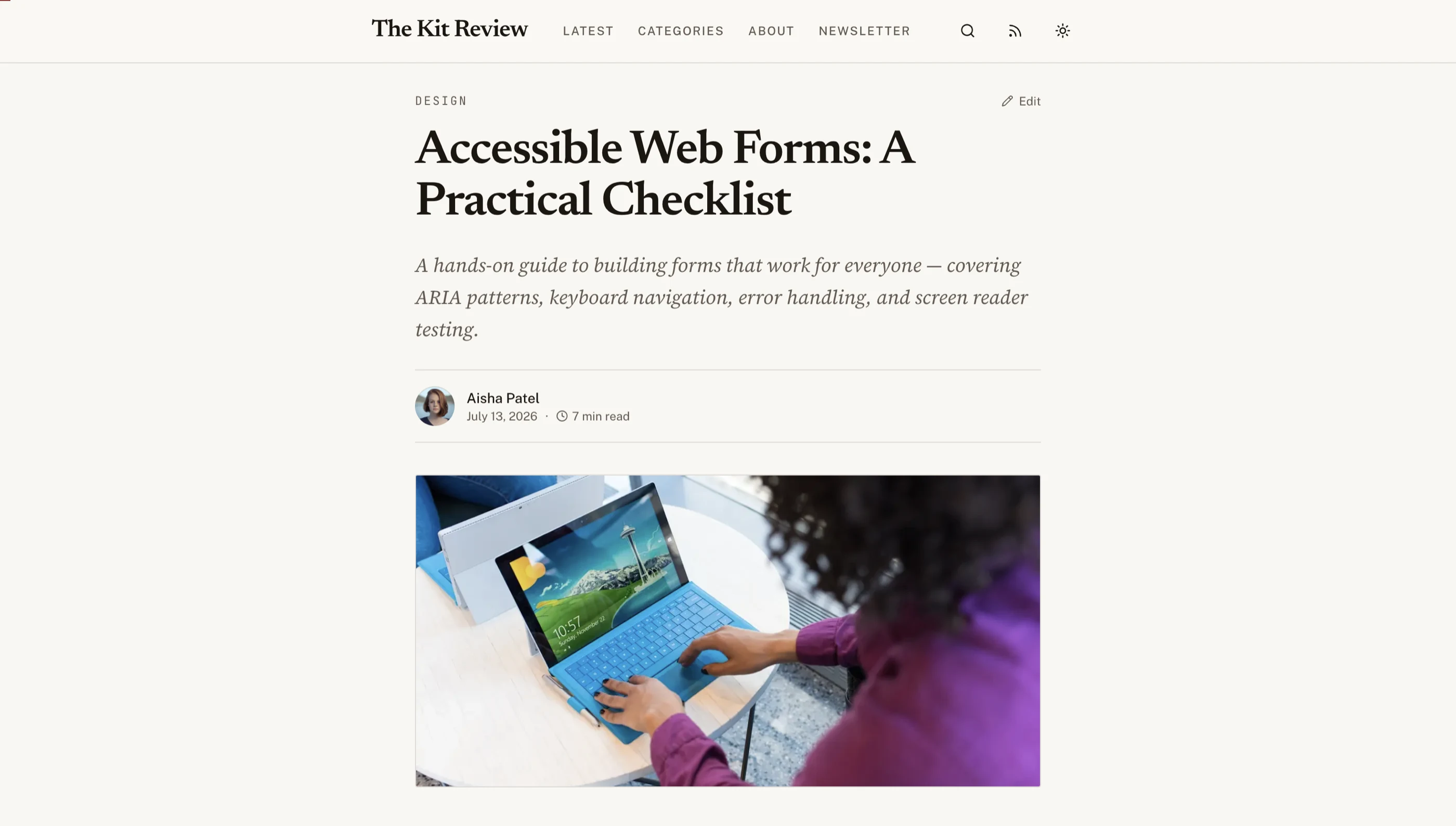
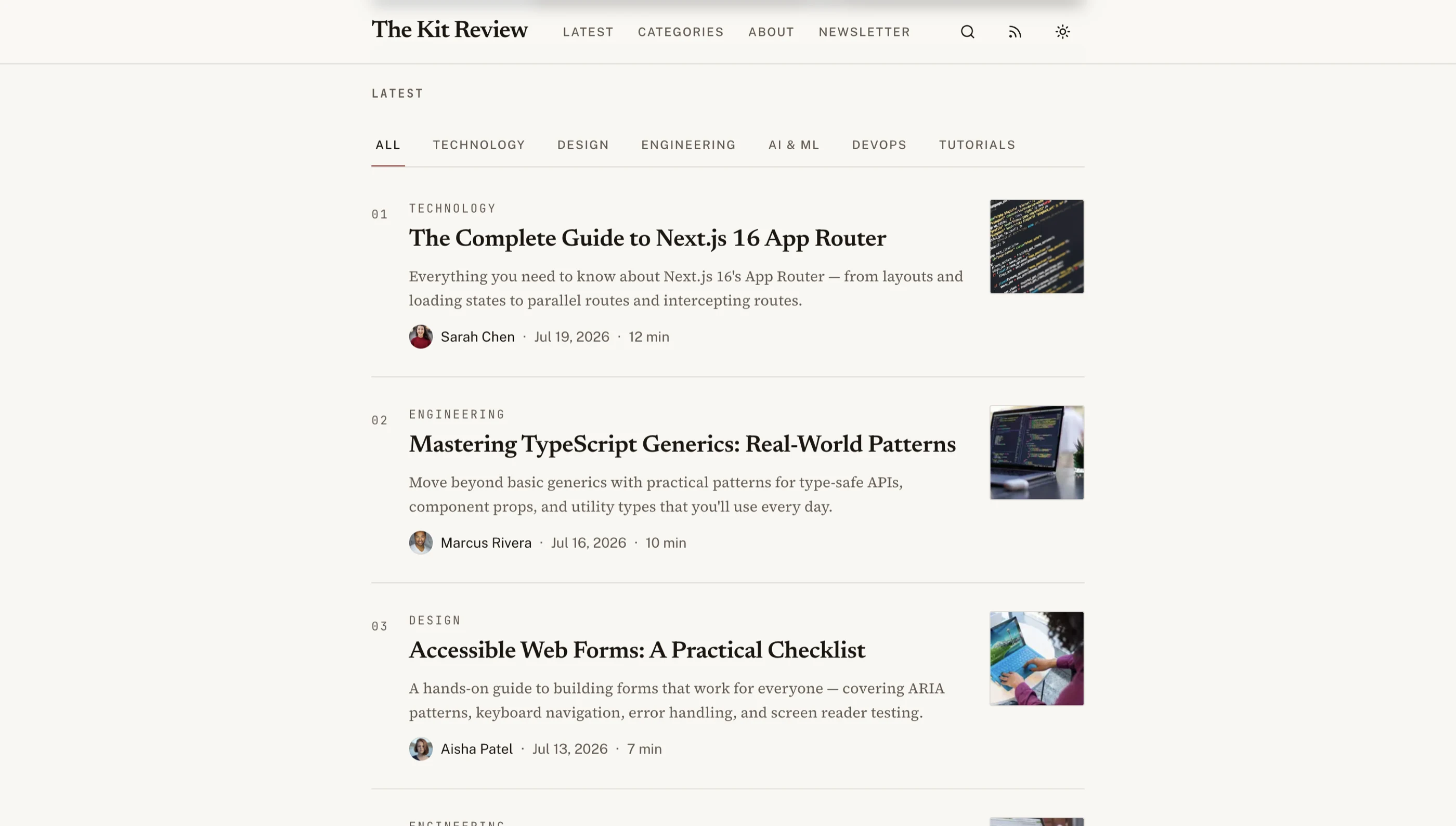
- Post list with hero images, titles, excerpts, reading time, publish date
- Individual post page with reading-friendly typography, proper heading hierarchy, code syntax highlighting, image lazy-loading, embed support (YouTube, Twitter, CodeSandbox, Figma)
- Tag and category archive pages with the same structure as the main list
- Author profile pages for multi-author blogs
- Search across post content (Postgres
tsvectorfor v1) - RSS feed at
/feed.xml - JSON feed at
/feed.json - Sitemap at
/sitemap.xmlwith<lastmod>accurate to actual edit times
The reading experience is judged in the first 5 seconds. Heavy hero images, layout shift, render-blocking scripts — any of these will tank your blog's bounce rate.
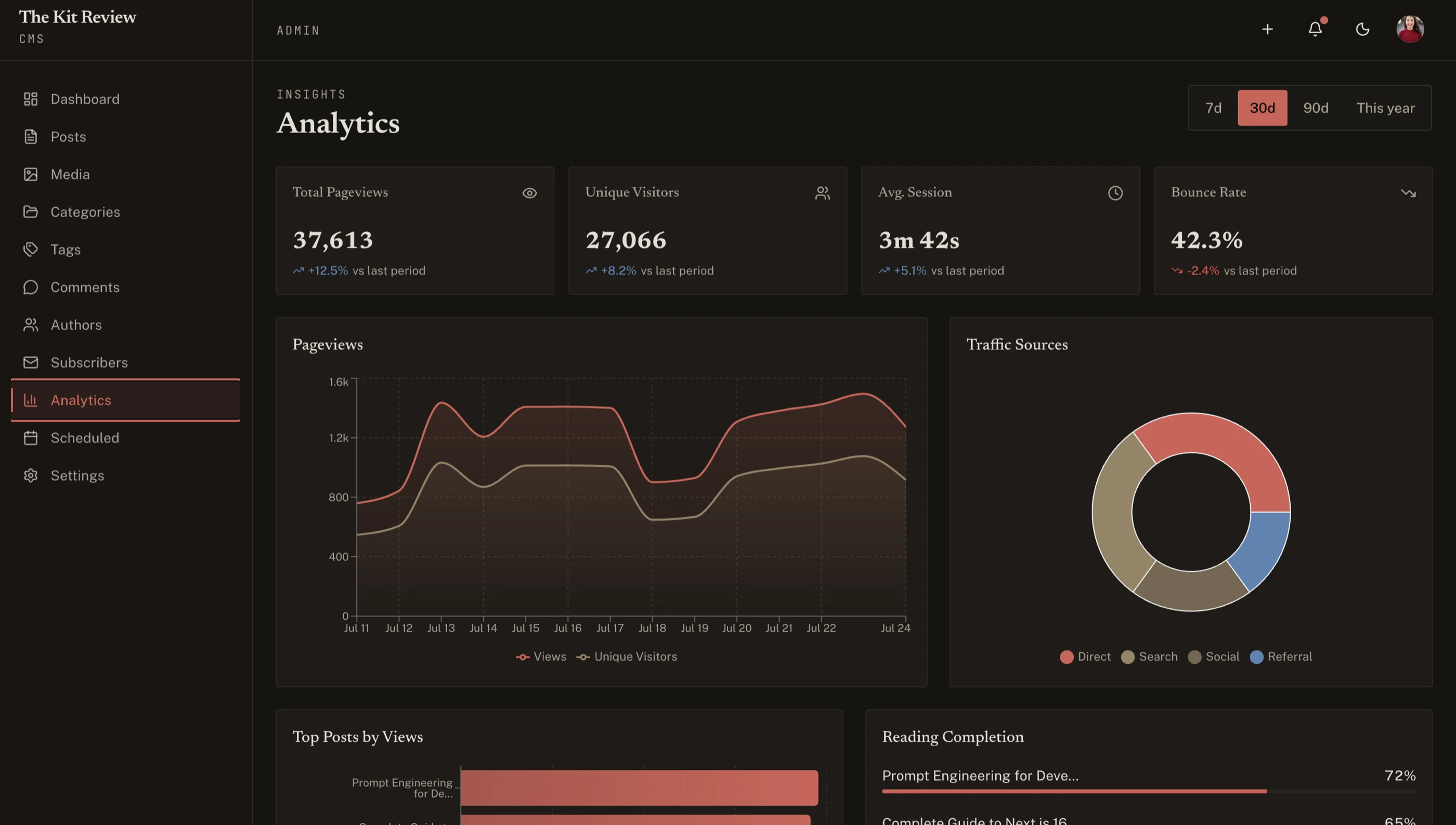
Admin Dashboard
Where content gets created:
- Post list with status (draft, scheduled, published), last-edited timestamp, author, search, filter, bulk operations
- Post editor with title, slug, hero image, excerpt, body, SEO panel, scheduling
- Calendar view for scheduled posts
- Author profiles management
- Tag and category management
- Media library browsable
- Settings (site title, default OG image, social handles, analytics IDs)
- Audit log of who edited what
The admin is 60 percent of the build. Skip it and you're a personal blog, not a product.
Rich Text Editor
The single most-judged feature in any CMS.
- Tiptap, Lexical, or comparable rich-text framework under the hood
- Slash commands for headings, lists, images, code blocks, embeds
- Markdown shortcuts that auto-convert (
#becomes H1,>becomes blockquote) - Image upload inline with paste-from-clipboard and drag-drop
- Code blocks with syntax highlighting and language selection
- Embed support for YouTube, Twitter/X, CodeSandbox, Figma at minimum
- Callouts (info, warning, success, danger)
- Tables with add/remove rows and columns
- Link editing with hover-to-edit UX
- Auto-save so writers never lose work
Avoid contenteditable from scratch. Tiptap is the modern default; Lexical is Meta's bet.
Media Library
Every published post has images. Without a library, every image is a manual upload, an arbitrary file name, and an unoptimized 2 MB PNG.
- Centralized storage with search by file name and tags
- Automatic variant generation at upload (320w, 640w, 1024w, 1920w) for srcset
- Format conversion to WebP and AVIF
- Alt-text field required on every image
- CDN delivery so the public blog doesn't pay egress per pageview
- Browse from editor to insert images without leaving the post
Image weight is the number one reason blogs fail Core Web Vitals.
SEO Controls Per Post
The fields that need to exist:
- Custom title tag separate from H1
- Meta description with character counter (155-char limit visible)
- Custom slug (URL-only, separate from title)
- OG image override because hero image often isn't the right aspect ratio
- Canonical URL for syndicated posts
- Indexable / noindex toggle for drafts and gated content
- Structured data (Article, BlogPosting, BreadcrumbList) rendered automatically
Without these, your blog launches with whatever defaults the template ships, which is rarely what you want six months in.
Scheduling
Beyond a publish toggle:
- Schedule for future date and time with timezone awareness
- Cron job or background scheduler that actually publishes at the right time
- Calendar view of upcoming scheduled posts
- Auto-status updates (scheduled → published when the time hits)
The scheduling system needs to survive deploys. Use Vercel Cron, Inngest, or Trigger.dev for the actual job. Don't rely on setTimeout.
Tech Stack: Blog-Specific Decisions
Editor: Tiptap (most popular) or Lexical (Meta's). Both are good. Tiptap has a larger plugin ecosystem.
Database: Postgres. Posts table with foreign keys to authors, categories, tags. JSONB column for editor content (Tiptap stores JSON).
Media storage: Cloudflare R2 or Supabase Storage. Image transformation via Cloudflare Images or Vercel's built-in next/image with proper config.
Background jobs: Inngest, Trigger.dev, or Vercel Cron for scheduling.
Email: Resend if you offer email subscriptions. ConvertKit, Substack, or Beehiiv if you go full newsletter.
Search: Postgres tsvector for under 1,000 posts. Algolia or Typesense at scale.
Analytics: Plausible, Fathom, or PostHog. Skip GA4 if you can — it's slow and complicated.
Build Path 1: From Scratch (4 to 6 Weeks)
Week 1: Foundation. Next.js setup, database schema (posts, authors, categories, tags, media). Auth for admin.
Week 2: Public blog. Post list, post detail, tag/category archives, RSS, sitemap.
Week 3: Admin. Post list, calendar view, settings, tag/category management.
Week 4: Editor. Tiptap with slash commands, image upload, embed support, code blocks.
Week 5: Media library. Storage, variant generation, browse-from-editor UX.
Week 6: SEO, scheduling, polish. Per-post SEO fields, structured data, scheduling job, accessibility pass, performance pass.
Realistic for most teams: 6 to 8 weeks. The editor alone can take 2-3 weeks if you underestimate Tiptap.
Build Path 2: Using a Blog CMS Kit (1 Week)
The Blog CMS Kit ships:
- Public blog with post list, detail, tag/category archives
- Admin dashboard with post list, calendar, settings
- Tiptap editor with slash commands, image upload, embeds, code blocks, callouts
- Media library with automatic variant generation (WebP, AVIF, multiple sizes)
- Per-post SEO panel (title, description, slug, OG image, canonical, noindex)
- Scheduling with calendar view
- Author profiles
- Tags and categories
- RSS, JSON feed, sitemap auto-generated
- 30+ screens on Next.js 16, Tailwind v4, shadcn/ui
What remains:
- Wire auth (Clerk, Auth.js, or Supabase Auth)
- Connect database
- Configure your media storage (R2, Supabase, or Cloudflare Images)
- Set up the scheduling cron (Vercel Cron, Inngest)
- Brand the public blog
One week of customization vs six weeks of building.
Build Path 3: Start From the Full-Stack Blog CMS Kit (Backend Included)
If you want the CMS to run on your own database rather than a hosted headless CMS, the Full-Stack Blog CMS Kit ships it wired to Supabase:
- 29 routes across the public blog, admin CMS and auth
- 11 tables with migrations, row-level security, triggers and seed data
- Admin, editor and author roles enforced in the database with row-level security
- Public comments without an account, with approve, reject and spam moderation
- Newsletter signup that writes to a subscribers table
- Server Actions for every mutation, across 10 action files
It starts at $249. Try the live demo or read the docs.
Step-by-Step from the Kit
Day 1: Setup and brand. Clone, theme, run locally. Replace logo, colors, brand name.
Day 2: Database. Postgres setup. Apply schema. Migrate any existing posts.
Day 3: Auth. Wire your provider. Configure admin vs writer roles.
Day 4: Media storage. Set up R2 or Supabase Storage. Configure variant generation.
Day 5: Scheduling cron. Wire Vercel Cron or Inngest to run the publish job every minute.
Day 6: SEO and analytics. Verify per-post SEO fields. Wire analytics (Plausible, PostHog, etc.). Submit sitemap to Google Search Console.
Day 7: Deploy and beta. Vercel deploy, custom domain, soft launch with 3 posts to test the publishing flow end-to-end.
Common Pitfalls
Skipping the admin dashboard "for v1." The first time a marketing person wants to publish without engineering involvement, you have a different product. Either commit to MDX-in-Git as the path forever, or build the admin from day one.
Using contenteditable from scratch. Tiptap, Lexical, and ProseMirror exist for a reason. Custom rich text editors are six months of work and still have bugs the libraries fixed years ago.
Skipping image optimization. Every image as a 2 MB PNG kills page speed. Build the variant generation pipeline (320w, 640w, 1024w, 1920w in WebP and AVIF) from day one.
Hardcoded SEO. Per-post title tags, meta descriptions, and OG image overrides have to be in the schema from day one. Retrofitting them means backfilling every existing post.
Building a scheduling toggle without a scheduler. A "publish at" date in the database with no cron job to actually publish at that time is a decorative field. Wire the actual scheduler before shipping the UI.
Forgetting RSS. RSS is alive in 2026. Aggregators, newsletter syndication, and a non-trivial reader segment depend on it. Ship /feed.xml from day one.
Ignoring Core Web Vitals. Blog templates are uniquely vulnerable because images are everywhere. Lighthouse mobile run should pass 90+ before launch.
Adjacent Reads
- How to Choose a Next.js Blog Template — evaluation rubric
- Best Next.js Blog Templates 2026 — head-to-head comparison
- What Is a Next.js Template? — definitions
- Next.js Boilerplate vs Building From Scratch — broader build-vs-buy
FAQ
How long does it take to build a blog with CMS in Next.js from scratch?
A competent solo engineer at full speed builds a credible Next.js blog with CMS in 4 to 6 weeks. Realistic timelines, including the editor's edge cases, media variant pipeline, and scheduling reliability, land closer to 6 to 10 weeks. The editor alone routinely takes 2-3 weeks if Tiptap is new to the team. A blog CMS kit removes 5 of those weeks by giving you the editor and media library pre-built.
Should I use Tiptap or Lexical for the editor?
Both are good. Tiptap has a larger plugin ecosystem, more community starters, and better documentation in 2026. Lexical is Meta's bet and has stronger performance on large documents. For a standard blog, Tiptap is the safer default. For a doc/wiki product with 100k-word documents, Lexical's performance matters more.
Do I need a separate headless CMS like Sanity or Contentful?
Depends on team and scale. A headless CMS gives you a polished editorial UI for free at the cost of $99-$999/month and vendor lock-in. A self-built blog with CMS gives you full control at the cost of 1-6 weeks of build time. For most SaaS products where the blog supports marketing, a self-built CMS pays off within 4-6 months. For editorial-heavy products (news sites, publications), a headless CMS earns its cost.
How do I handle MDX vs WYSIWYG content?
Pick one. MDX is great for developer blogs where every writer is a developer; WYSIWYG is the only path for non-developer writers. Some blogs offer both (Tiptap with a "view source" toggle to MDX), but the data model gets messy and writers get confused. Decide based on who your writers are, not what feels technically purer.
How do I make scheduled publishing reliable?
Don't rely on setTimeout or in-process scheduling. Use Vercel Cron, Inngest, or Trigger.dev. The job runs every minute, queries for posts with status = 'scheduled' AND publish_at <= now(), sets them to published. Reliable, observable, and survives deploys.
How many screens does a real blog with CMS need?
The minimum is around 18 pages: post list, post detail, tag archive, category archive, author profile, search, RSS, sitemap, admin login, admin dashboard, post editor, post list (admin), calendar, media library, tags, categories, authors, settings, and audit log. A full-featured CMS with multi-author teams, scheduled email digests, and comment moderation lands at 30 to 40 pages. The Blog CMS Kit ships 27 screens to cover most of this bar.
Is there a blog CMS kit with the backend already built?
Yes. The Full-Stack Blog CMS Kit runs the public blog and admin CMS on Supabase: 11 tables with row-level security, multi-author roles, moderated comments and newsletter signup.
Want it shipped without hiring a developer?
The build path above assumes you have engineers. If you don't, the team behind thefrontkit does done-for-you launches: we deploy the kit, apply your branding, and wire it to your stack. Fixed quotes, most builds ship in 2-4 weeks, from $1999.