How to Choose a Next.js Blog Template in 2026
How to Choose a Next.js Blog Template in 2026
Most "Next.js blog templates" you find on Google are not blogs. They are three markdown files in a /posts folder with a hardcoded list page and zero CMS. Good for a personal site, useless for any team that actually publishes content.
A production-ready Next.js blog template needs the blog plus the surrounding tooling: an admin dashboard for writing and scheduling, an image library, SEO controls per post, RSS feed generation, sitemap automation, and a way for non-developers to edit without opening a code editor. Without those, the "blog" is a static portfolio that happens to have a few articles.
This guide walks through the criteria that actually matter when evaluating a Next.js blog template, the trade-offs between building from scratch, using a headless CMS, or buying a kit, and a practical checklist for any candidate.
Or skip the choice: get every kit for $749
If you're shipping more than one product, All UI Kits unlocks every Next.js kit on thefrontkit. The full Blog CMS Kit (admin dashboard, rich text editor, scheduling, media library), plus the SaaS Starter Kit, CRM Dashboard, HR Dashboard, E-commerce, AI UX, and 12 more. Plus every future kit. One-time payment, lifetime access, no subscription.
What a Real Next.js Blog Template Needs
A list of posts on a /blog page is the easy part. Everything else is what separates a real blog template from a portfolio side project.
A Working Admin Dashboard
The single biggest gap in most "blog templates" is the absence of an admin interface. Markdown-in-Git works for solo developer blogs but fails the moment a marketing person, a founder, or a content writer needs to publish without a pull request.
A real admin dashboard ships:
- Post list with status (draft, scheduled, published), last edited timestamp, and search
- Rich text editor (or MDX editor with live preview) that handles paragraphs, headings, lists, links, code blocks, images, and embeds
- Auto-save so a content writer never loses 20 minutes of work to a closed tab
- Draft / publish / schedule states with a calendar picker, not just a boolean
- Bulk operations to delete or archive multiple posts at once
- Author profiles so multiple writers can claim their posts
Skip any template that shows you "the public blog UI" without showing you the admin. The admin is 60 percent of the build.
A Decent Editor (Not Just a Textarea)
The editing experience is where most blog templates fail hardest. The bar:
- Tiptap, Lexical, or a comparable rich-text framework under the hood. Avoid contenteditable-from-scratch.
- Slash commands for inserting headings, lists, images, code, and embeds without taking hands off the keyboard
- Image upload directly inside the editor with paste-from-clipboard and drag-drop, not a separate "add image" modal
- Inline embed support for YouTube, X/Twitter, CodeSandbox, and Figma at minimum
- Markdown shortcuts that auto-convert (
# headingbecomes an H1) - Mobile-tolerable — most editors are unusable on phones, but a real product makes at least basic editing possible
If the demo editor is a <textarea> or a contenteditable div with no formatting toolbar, walk away.
Media Library with Image Variants
Every published post has at least one hero image. Most have three to ten inline images. Without a media library, every image becomes a manual upload, an arbitrary file name, and an unoptimized 2 MB PNG.
The minimum viable media library:
- Centralized image storage with search by file name and tags
- Automatic variant generation at upload time (320w, 640w, 1024w, 1920w) so
<picture>srcsets are free - Format conversion to WebP and AVIF so old PNGs and JPEGs don't drag down Core Web Vitals
- Alt-text field on every image, surfaced prominently so writers can't forget it
- CDN delivery so the public blog isn't paying egress per pageview
Image weight is the number one reason blogs fail Core Web Vitals. A template that ignores this leaves you in performance debt forever.
SEO Controls Per Post
A blog without per-post SEO controls is a blog that will not rank. The fields you need:
- Custom title tag (separate from the H1 — they should usually differ)
- Meta description with character count visible (155 is the realistic limit)
- Custom slug so URLs don't auto-derive into something ugly
- Open Graph image override because the default hero is often the wrong aspect ratio
- Canonical URL for syndicated posts
- Indexable / noindex toggle for staging posts and gated content
- Structured data rendered automatically (Article, BlogPosting, BreadcrumbList, Person for author)
Without these, every post launches with whatever defaults the template ships, which is rarely what you want six months in.
RSS, Sitemap, and Feeds Out of the Box
These should be free with a real blog template:
- RSS feed at
/feed.xmlfor readers, aggregators, and Substack-style ingestion - JSON Feed at
/feed.jsonfor modern readers - Sitemap at
/sitemap.xmlincluding every post with<lastmod>accurate to the actual edit time - Tag and category index pages that are also in the sitemap
- Author archive pages if you have multiple writers
Templates that don't ship these by default mean you'll be writing them yourself or pasting AI-generated boilerplate at midnight before launch.
Performance That Doesn't Embarrass You
Blog templates are uniquely vulnerable to performance regressions because content is the product. Standards that should be non-negotiable:
- LCP under 2.5 seconds on a slow 4G connection — usually means images are properly sized and not blocking the first paint
- CLS under 0.1 — every image and embed must declare width and height
- No render-blocking third-party scripts in the head — analytics goes deferred or via Partytown
- Lazy hydration on below-the-fold components so the time to interactive on a long-form post isn't terrible
If the template's own demo doesn't pass Core Web Vitals on a Lighthouse mobile run, your forked version won't either.
Build vs Buy vs Headless CMS
Three paths, three honest cost profiles.
Build it yourself with markdown in Git. Fast to start. Zero CMS cost. Works great for solo developer blogs. Fails the moment a non-developer wants to publish. Roughly two days of work plus the maintenance tail every time you want to add a feature (scheduling, image variants, draft preview).
Use a headless CMS (Contentful, Sanity, Strapi). The CMS handles content management. You build the public blog UI in Next.js. Costs $99 to $999 per month depending on traffic and seats, plus the engineering time to wire up the CMS API to your frontend and build the admin field configuration. Roughly four to six weeks for a polished result.
Buy a Next.js blog template that bundles admin + frontend. $79 to $299 one-time. Skip the CMS subscription forever. Inherit the template author's choices for editor, media library, and SEO. Roughly one weekend to brand and deploy. The catch: you own the codebase, so updates are on you.
The decision usually comes down to two questions:
- Will non-developers publish? If yes, you need an admin dashboard. Markdown-in-Git is off the table.
- Is content the entire product, or supporting marketing? If it's the product, splurge on a headless CMS for the long tail of editorial features. If it's marketing, buy a template and ship.
A Practical Evaluation Checklist
Before committing to any Next.js blog template, run it through this checklist with the live demo open:
- Open the admin dashboard. Can you create, edit, and publish a post without touching code?
- Try the editor. Can you paste an image from your clipboard? Insert a code block? Add a YouTube embed?
- Schedule a post for the future. Does the template actually publish it on time, or is that field decorative?
- Edit the SEO panel. Are there fields for title tag, meta description, slug, OG image, and canonical?
- Open the public blog on your phone. How fast does the first post load? Are images the right size?
- Check the page source for an Article or BlogPosting schema. Is it there and is it valid?
- Look for
/feed.xml,/sitemap.xml. Do they exist and contain every post? - Open the comparison or pricing page. Count the screens. Under 15 admin screens means scheduling, media, and settings are probably missing.
Templates that pass all eight are the ones worth paying for. Most fail on three or more.
How the Blog CMS Kit Approaches Each Requirement
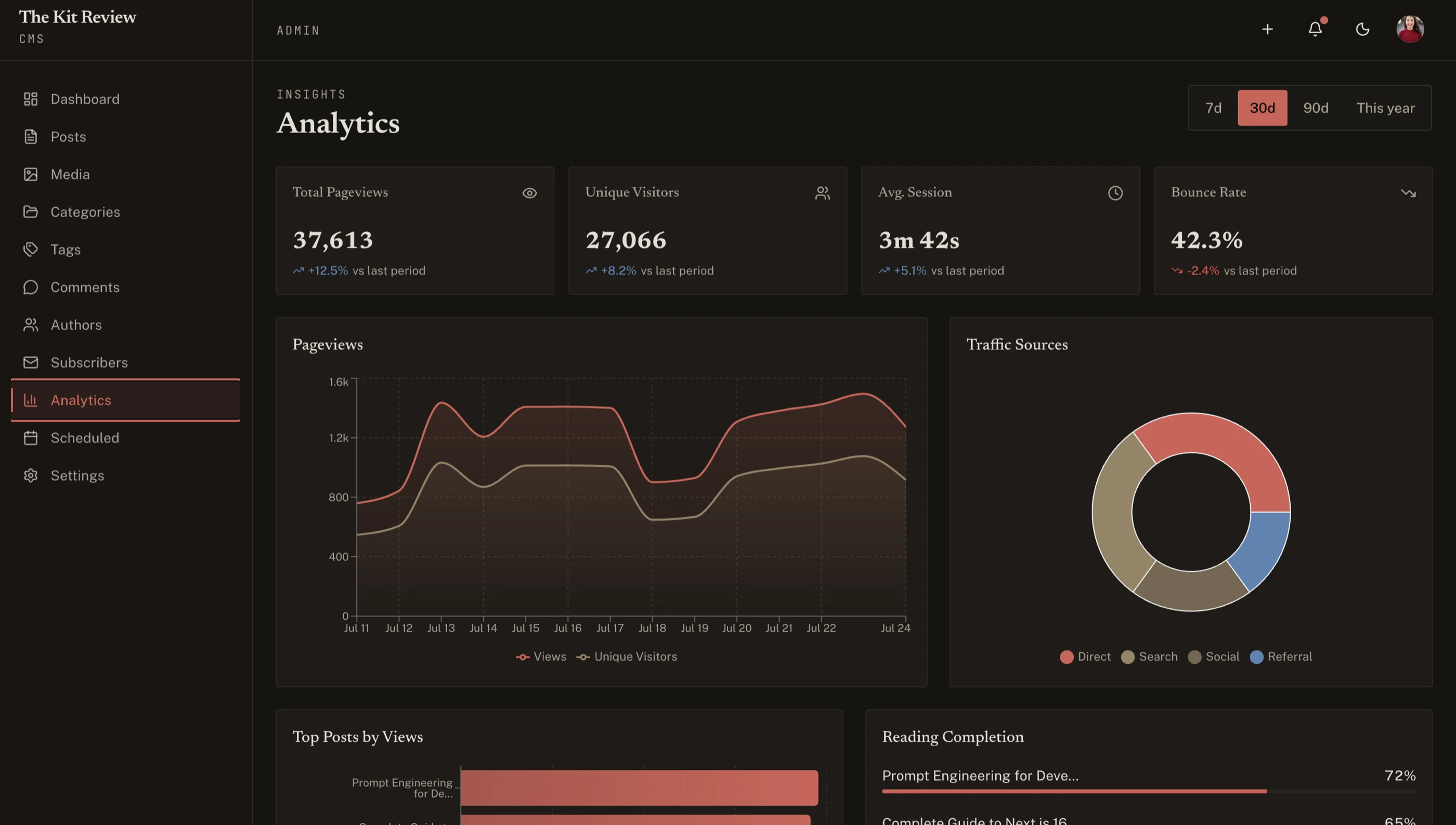
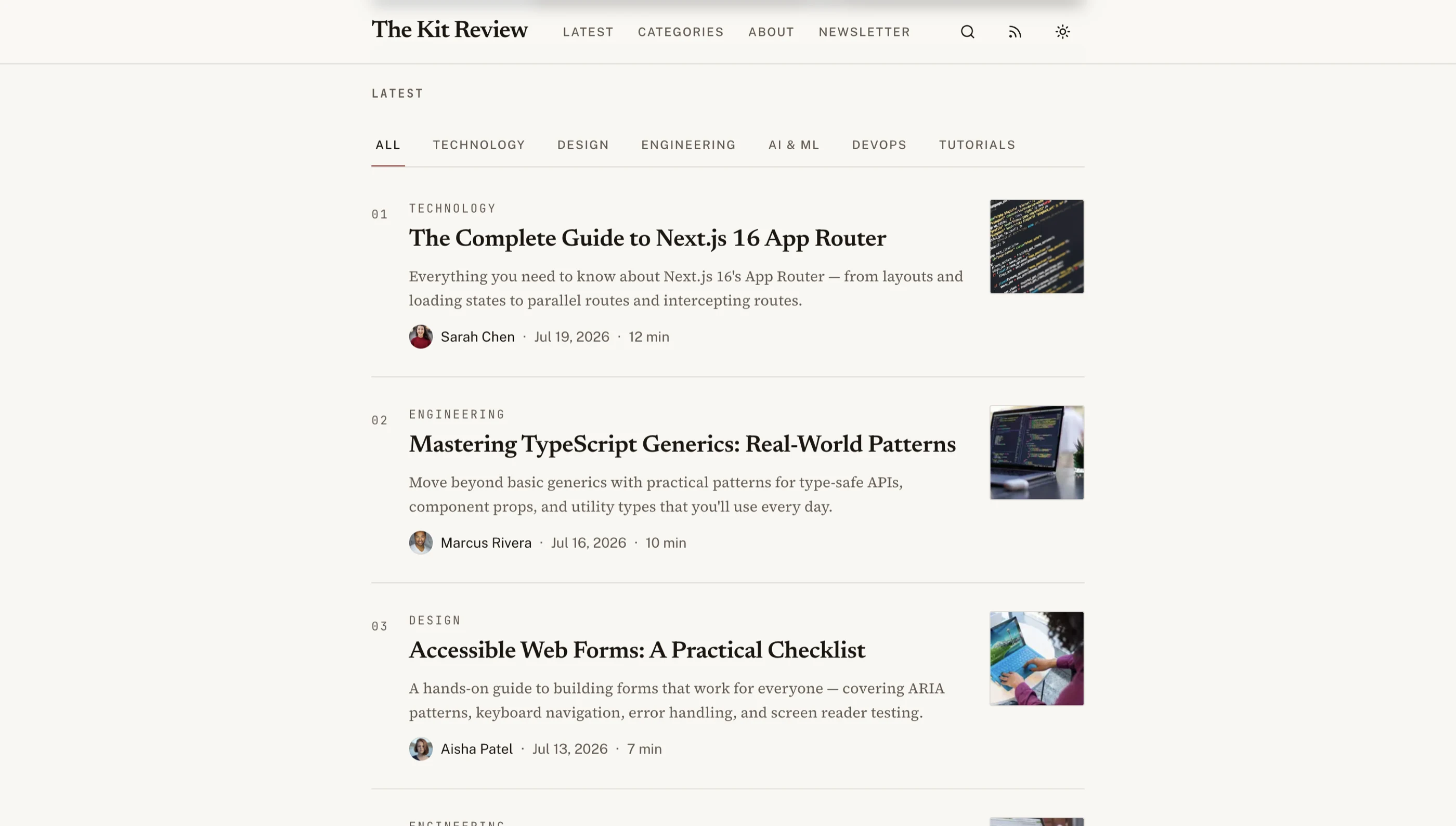
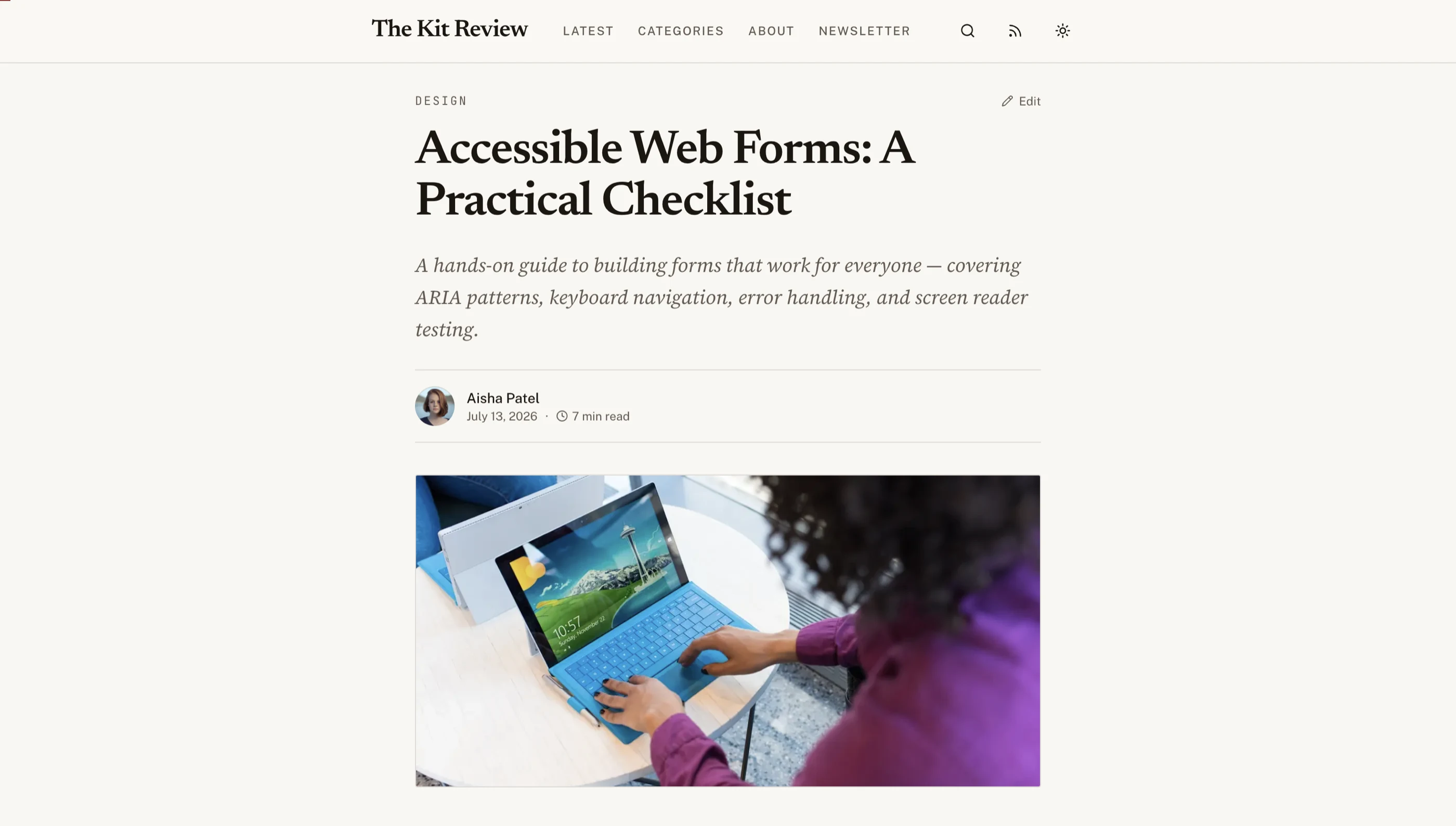
The Next.js Blog CMS Template was built to clear the checklist above. 27 screens, with the admin dashboard, Markdown post editor, media library, scheduling, and SEO controls all built in. Runs on Next.js 16, Tailwind CSS v4, and shadcn/ui.
The admin dashboard handles draft / scheduled / published states. The post list includes status badges, last-edited timestamps, search, bulk operations, and a calendar view for upcoming scheduled posts. Auto-save fires every few keystrokes.
The editor is Tiptap-based with slash commands for headings, lists, images, code, YouTube embeds, X/Twitter embeds, and callouts. Markdown shortcuts work. Paste-from-clipboard images auto-upload through the media library.
The media library generates 320w, 640w, 1024w, and 1920w variants in WebP and AVIF on upload. Alt text is a required field, with a small banner reminder when posts are about to publish with images that are missing alt text. Original files stay accessible for download.
Every post has its own SEO panel: title tag, meta description (with live character counter), slug, OG image override, canonical URL, and a noindex toggle for draft previews. Article and BreadcrumbList schemas render automatically from this data.
RSS feed, JSON feed, and sitemap update on every publish. Tag and author archive pages are auto-generated. Reading time is computed on save.
Performance was a primary design constraint. Hero images use the variant set with proper srcset attributes. Inline images lazy-load. The public blog passes Core Web Vitals on the live demo on a slow 4G throttle.
Try the live demo to test the editor — that's the part most templates fail on.
Common Mistakes When Building From Scratch
Even strong frontend teams hit these walls when they roll their own blog:
Skipping the admin dashboard "for v1." The first time a marketing person asks to publish a post and the answer is "send me the markdown over Slack," you have a different product than you thought. Either commit to a headless CMS or build the admin first.
Treating the editor as a textarea. Writers need formatting. Code writers need code blocks. Marketing needs embeds. A <textarea> for content was last acceptable in 2010. Use Tiptap, Lexical, or ProseMirror from day one.
Hardcoding image dimensions. Every image in the wild is a different size. A blog template that requires manual width and height for each image is broken. Build the image pipeline to generate variants automatically, store the actual dimensions in your database, and emit them into the page on render.
Forgetting RSS. RSS is not dead, especially for technical blogs. Aggregators, newsletter syndication, and a non-trivial percentage of readers consume content through feed readers. Ship /feed.xml from the start.
Ignoring scheduled publishing. "We'll just publish manually" lasts about three weeks. The first time someone wants a post to go live at 9am Tuesday while they're on a plane, you need a scheduler.
Building the public blog before the SEO controls. Migrating posts to add per-post SEO fields after the fact is painful because every existing post needs values backfilled. Build the SEO fields into the post model on day one.
Adjacent Reads
- How to Build a Blog with CMS in Next.js — step-by-step build walkthrough
- Best Next.js Blog Templates 2026 — head-to-head comparison of 10 options
- Best Next.js Website Templates 2026 — broader category that includes blog templates
- What Is a Next.js Template? — definitions and category context
- Next.js Boilerplate vs Building From Scratch — the broader build-vs-buy decision
FAQ
What is a Next.js blog template?
A Next.js blog template is a pre-built blog with a public reading experience plus the admin tooling around it: a dashboard for creating and editing posts, a rich text editor, a media library, SEO controls per post, scheduling, RSS and sitemap generation, and tag and author archive pages. A complete template means a non-developer can publish without touching code. Using one means you skip 4 to 6 weeks of frontend work plus the CMS subscription you'd otherwise pay forever.
What's the difference between a Next.js blog template and a headless CMS?
A headless CMS (Contentful, Sanity, Strapi) is a hosted product that handles content storage and provides an admin UI. You build your own frontend in Next.js to consume its API. You pay monthly. A Next.js blog template bundles the admin UI and the frontend together as code you own. You pay once. Headless CMSes are better for editorial-heavy products with complex content models. Templates are better when the blog is supporting marketing for a SaaS or product business.
Can I use a Next.js blog template with MDX instead of a database?
Some can be configured that way. The MDX-in-Git approach works when the only writers are developers and the publishing cadence is light. Once you have multiple non-developer writers, drafts, scheduled posts, or even a single editor who wants to upload images without using Git, MDX-in-Git stops working and you need a database-backed CMS. Pick the template based on your actual workflow, not the technical purity of static files.
How important is the admin dashboard quality?
Critical, and usually underweighted. The admin dashboard is where every single piece of content gets created, edited, and published. If the editor is annoying, your writers will publish less. If scheduling is broken, your publishing strategy is broken. If the media library doesn't generate variants, your performance will be permanently slow. Spend twice as long evaluating the admin as you do evaluating the public blog UI.
How many pages does a real Next.js blog template need?
The minimum for a credible blog is about 12 to 15 pages: post list, individual post, tag archive, author profile, RSS feed, sitemap, admin login, admin dashboard, post editor, media library, scheduled posts view, and settings. A full-featured template that handles multi-author teams, comments, and newsletter integration is 25 to 35 pages. The Blog CMS Kit ships 27 screens to cover the realistic publishing workflow.