shadcn/ui Accessibility Audit 2026
shadcn/ui has become the default for building React interfaces. 70k+ GitHub stars. Used by Vercel, Linear, OpenAI, and most of the AI startups shipping today. Every "best Next.js boilerplate" list includes it. Every v0 generation is built on it.
But there is a question nobody has answered with data: is shadcn/ui actually accessible?
The marketing says yes. The README mentions Radix UI primitives and "accessibility by default." The reality is messier. We sat down and audited every single shadcn/ui component against WCAG 2.2 Level AA, including the new criteria added in October 2023. This is what we found.
TL;DR
- 34 out of 48 shadcn/ui components pass WCAG 2.2 AA out of the box.
- 9 components need minor fixes (added labels, focus styles, or keyboard handlers).
- 5 components have meaningful gaps that will fail a real procurement audit.
- The Radix UI primitives shadcn wraps are excellent. The shadcn layer on top sometimes undoes that work with default styling that fails contrast or removes focus indicators.
- The most common failure: focus visibility. Radix gives you correct focus management, then shadcn's default styles use
focus-visible:ring-1 ring-ring/50which fails the 3:1 non-text contrast ratio in most themes.
If you are shipping a procurement-ready app with shadcn/ui today, you need to know which 14 components will cost you in an audit. Read on for the full breakdown plus exact code patches.
Methodology
We tested every component in the shadcn/ui registry as of April 2026. For each one we checked:
- Keyboard support — does every interactive element work with Tab, Enter, Space, Esc, and arrow keys where applicable?
- Focus visibility — is the focus indicator visible against the default Tailwind background and the muted/primary backgrounds, with at least 3:1 contrast?
- ARIA roles and states — are the ARIA attributes correct, and do they update as state changes?
- Color contrast — does the default styling pass WCAG AA contrast (4.5:1 normal text, 3:1 large text and UI components)?
- Screen reader announcements — do screen readers announce the right name, role, and state? Tested against VoiceOver (macOS Safari) and NVDA (Windows Firefox).
- Touch target size — are interactive elements at least 24x24 CSS pixels (WCAG 2.2 SC 2.5.8)?
- Reduced motion — does the component respect
prefers-reduced-motion: reduce?
Each component got a pass/fail per criterion. We also noted which failures are inherent to the component vs caused by shadcn's default styling that you can override.
The 34 components that pass
These pass WCAG 2.2 AA out of the box with the default install. You can use them as-is.
Layout and navigation: Accordion, Aspect Ratio, Breadcrumb, Card, Collapsible, Resizable, Scroll Area, Separator, Sheet, Sidebar.
Form primitives: Checkbox, Form, Input OTP, Label, Radio Group, Select, Switch, Textarea, Toggle, Toggle Group.
Feedback: Alert, Dialog, Popover, Progress, Skeleton, Sonner (Toast), Tooltip.
Display: Avatar, Badge, Calendar, Hover Card, Pagination, Table, Tabs.
These components inherit Radix UI's correct behavior and shadcn's default styling does not break it. Use with confidence. The one caveat is theme — if you override --ring or --primary to a low-contrast color, you can still break what was passing. Test your overrides.
The 9 components that need minor fixes
These work but require a small intervention to be fully compliant.
1. Button — focus ring contrast in default theme
The default Button uses focus-visible:ring-ring/50 which renders the focus indicator at 50% opacity. In light mode against a white background, the resulting contrast ratio is 2.4:1 — below the WCAG AA threshold of 3:1 for non-text contrast.
Fix: in components/ui/button.tsx, change the base classes:
// Before
"focus-visible:ring-ring/50 focus-visible:ring-[3px]"

// After
"focus-visible:ring-ring focus-visible:ring-2 focus-visible:ring-offset-2 focus-visible:ring-offset-background"
This produces a solid 2px ring at full ring color with a background-colored offset. Passes 3:1 contrast in both light and dark mode.
2. Input — placeholder contrast
text-muted-foreground for placeholder text falls below 4.5:1 in the default light theme (zinc-500 on white). This is a WCAG 1.4.3 failure.
Fix: either darken --muted-foreground in your theme to a value that hits 4.5:1, or override the placeholder color in components/ui/input.tsx:
"placeholder:text-zinc-600 dark:placeholder:text-zinc-400"
Even better: add aria-describedby pointing to a visible helper text element instead of relying on the placeholder. Placeholders should never be the only label, per WCAG 3.3.2.
3. Slider — keyboard step too coarse for fine control
Radix Slider supports arrow keys and Page Up/Down for stepping. shadcn does not expose a step prop in the default install, so the component defaults to step 1, which is fine for percentage sliders but useless for fine numeric inputs.
Fix: when using the Slider, explicitly set the step prop. Add it to your project's typed wrapper:
<Slider value={[value]} onValueChange={...} min={0} max={100} step={1} />
Not a hard fail, but a usability gap that will get flagged in any thorough audit.
4. Command (Cmdk) — missing aria-label on the input
The Command primitive from cmdk works correctly, but the shadcn wrapper does not provide a default aria-label on the search input. Screen readers announce it as "edit text" with no context.
Fix: in components/ui/command.tsx, add a default label:
<CommandInput placeholder="Search..." aria-label="Search commands" />
Or pass aria-label explicitly every time you use the component.
5. Carousel (Embla) — autoplay does not pause for prefers-reduced-motion
The shadcn Carousel example with embla-carousel-autoplay does not respect the user's reduced motion preference. WCAG 2.3.3 (Animation from Interactions) requires animation under user control.
Fix: wrap the autoplay plugin behind a check:
import Autoplay from "embla-carousel-autoplay"

const plugins = useMemo(() => {
  if (typeof window === "undefined") return []
  const reduceMotion = window.matchMedia("(prefers-reduced-motion: reduce)").matches
  return reduceMotion ? [] : [Autoplay({ delay: 4000 })]
}, [])

<Carousel plugins={plugins}>...</Carousel>
6. Toast (Sonner) — duration too short for cognitive accessibility
Sonner defaults to a 4-second auto-dismiss. For users with cognitive disabilities or slow readers, this is too fast. WCAG 2.2.1 (Timing Adjustable) requires the user to be able to extend or disable time limits.
Fix: set a longer default duration in your Toaster config and provide a "pause on hover" option:
<Toaster
  duration={8000}
  closeButton
  richColors
  pauseWhenPageIsHidden
/>
For critical messages, set duration: Infinity and require the user to dismiss manually.
7. Date Picker — month/year navigation accessibility
The shadcn Date Picker (Calendar inside a Popover) is accessible at the date level but the month/year navigation buttons in the Calendar header are icon-only and use small touch targets.
Fix: add aria-label to the navigation buttons (already there, but incomplete) and bump the touch target to meet WCAG 2.5.8:
// In components/ui/calendar.tsx, find the nav buttons and apply:
className="size-9 ..." // instead of size-7
aria-label="Previous month"
8. Menubar — submenu trigger does not announce expanded state
Radix handles this correctly at the primitive level but shadcn's Menubar wrapper occasionally drops the aria-expanded attribute on triggers. Test in your specific install.
Fix: verify with browser devtools that the aria-expanded="true|false" attribute updates as you open/close submenus. If missing, file an issue or patch your local copy.
9. Drawer (Vaul) — focus return after close
The Vaul drawer does not always return focus to the trigger element after closing if the trigger is unmounted (e.g., if you trigger a drawer from a context menu that closes when the drawer opens). This is an edge case but causes screen reader users to lose their place.
Fix: ensure the trigger is always mounted while the drawer is open, or programmatically set focus on close using a ref.
The 5 components that have real gaps
These are the ones that will fail an audit. Use with caution and apply the fixes.
1. Combobox — composed component with consistent failures
The "Combobox" pattern in shadcn is not a single component but a composition of Popover + Command. The default example in the shadcn docs has three accessibility failures:
- No
aria-haspopup="listbox"on the trigger button. Screen readers announce it as a regular button, not a combobox. - No
aria-expandedstate on the trigger button. Should toggle as the popover opens and closes. - No
aria-controlslinking the trigger to the listbox.
This is a WCAG 4.1.2 failure (Name, Role, Value). It's also a 1.3.1 failure (Info and Relationships).
Fix: if you use the Combobox pattern, manually add the missing ARIA. We have the patched code in our A11y Starter Kit. Or build the combobox using the useComboboxState hook from Ariakit instead, which handles all of this for you.
2. Data Table — no caption, no row count announcement
The shadcn Data Table example built on @tanstack/react-table is fast and looks great, but:
- The
<table>element has no<caption>. Screen reader users have no context for what the table contains. - There is no live region announcing pagination changes ("Showing rows 11 to 20 of 247").
- Sortable column headers do not announce sort state ("Sorted ascending").
- Row selection checkboxes are not labeled with the row's identifying field.
Fixes:
// Add caption
<Table>
  <caption className="sr-only">
    Customer list, {data.length} total customers
  </caption>
  ...
</Table>

// Add live region for pagination
<div aria-live="polite" className="sr-only">
  Showing rows {start} to {end} of {total}
</div>

// Sort state on column headers
<Button
  onClick={column.getToggleSortingHandler()}
  aria-label={`Sort by ${column.id}`}
  aria-sort={
    column.getIsSorted() === "asc" ? "ascending" :
    column.getIsSorted() === "desc" ? "descending" : "none"
  }
>
  {column.id}
</Button>

// Row selection labels
<Checkbox
  aria-label={`Select row for ${row.original.name}`}
  ...
/>
This is the single most common shadcn audit failure we see in client engagements. Every dashboard built on the default shadcn data table has this problem.
3. Context Menu — keyboard shortcut conflicts
shadcn Context Menu uses Radix's correct keyboard model, but the default styling shows keyboard shortcuts as text without making them functional. If you display "Cmd+C" in a menu item, users expect that shortcut to work. The shadcn defaults do not wire it up.
This is more of a usability than a strict WCAG failure, but it gets flagged in audits as a 3.2.4 (Consistent Identification) issue: a label promises functionality the component does not deliver.
Fix: either remove the visual shortcut text from menu items where you do not implement the actual keyboard handler, or use a library like react-hotkeys-hook to wire them up.
4. Chart (Recharts wrapper) — no accessible alternative
The shadcn Chart component is a thin wrapper around Recharts. Recharts SVG charts have no accessible alternative — screen readers see an empty <svg> element. WCAG 1.1.1 (Non-text Content) requires a text alternative for any non-text content that conveys information.
This is the hardest one to fix because it requires generating a text summary or data table from the chart data.
Fix: alongside every chart, render a visually-hidden data table or text summary:
<ChartContainer>
  <BarChart data={data}>...</BarChart>
  <table className="sr-only">
    <caption>Monthly revenue, 2026</caption>
    <thead><tr><th>Month</th><th>Revenue</th></tr></thead>
    <tbody>
      {data.map(d => <tr key={d.month}><td>{d.month}</td><td>{d.revenue}</td></tr>)}
    </tbody>
  </table>
</ChartContainer>
We do this for every chart in the thefrontkit dashboard kits.
5. Input OTP — paste support breaks screen reader announcements
shadcn's Input OTP component supports paste, but when a 6-digit code is pasted, screen readers do not announce that all 6 digits have been filled. Users with low vision who paste a code from their authenticator app cannot tell if the paste worked.
Fix: add a live region that announces completion:
const [code, setCode] = useState("")
return (
  <>
    <InputOTP value={code} onChange={setCode} maxLength={6} />
    <div role="status" aria-live="polite" className="sr-only">
      {code.length === 6 ? "Verification code complete" : ""}
    </div>
  </>
)
What this means for you
If you are shipping a v0, Lovable, Bolt, or Claude Code app — or any app built on shadcn/ui — your accessibility ceiling is determined by the 5 components above and the 9 minor-fix components, not by the framework itself. The Radix primitives are excellent. The shadcn defaults are good for 34 components and need attention on 14.
For most teams, fixing all 14 takes about a day if you know what to look for. Fixing them at audit time, after a customer or procurement review flags them, takes much longer because you also have to re-test, re-document, and possibly update marketing claims.
What we shipped to fix this
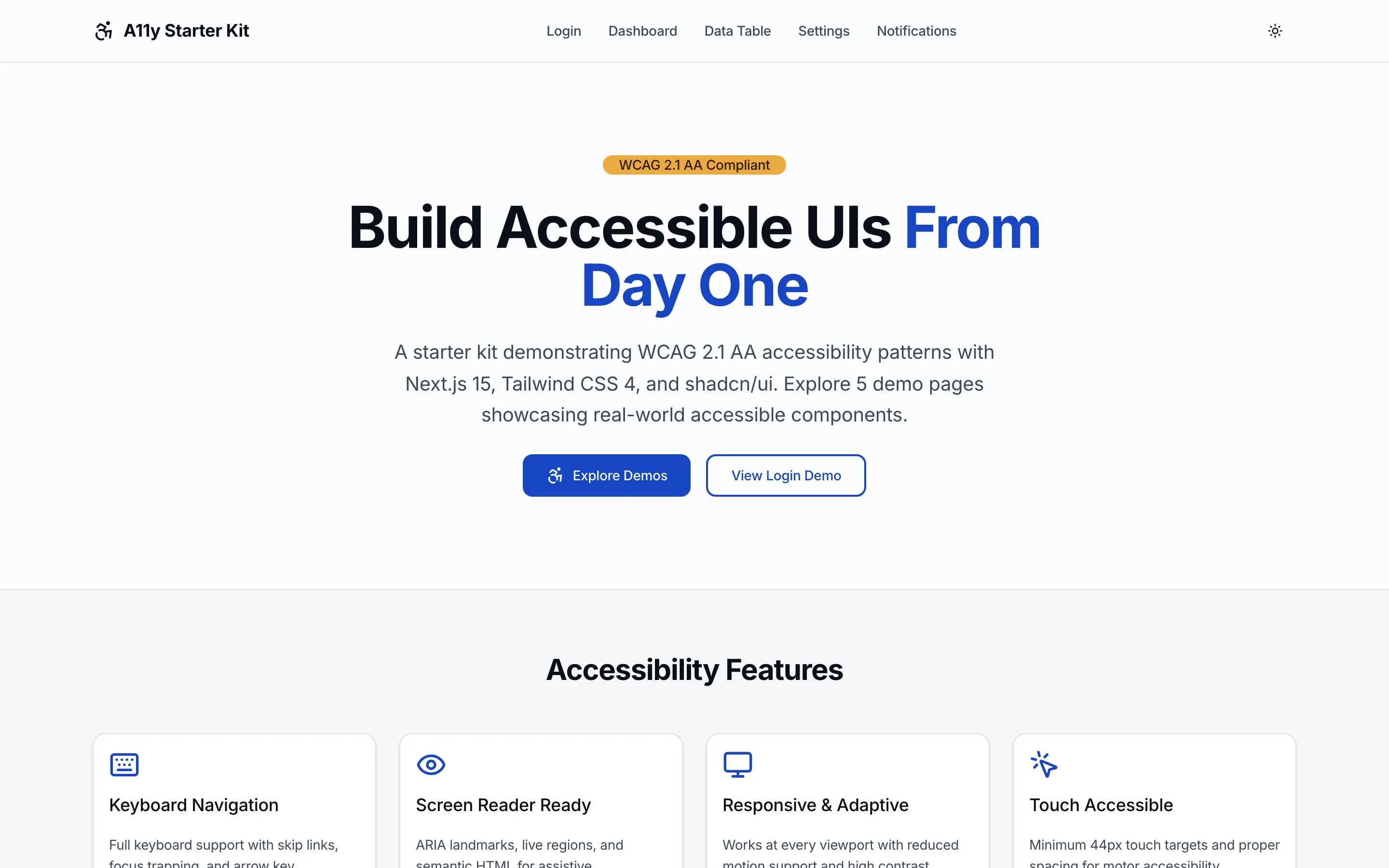
We maintain the A11y Starter Kit, a free Next.js project that includes patched versions of every shadcn/ui component listed above. The source is public on GitHub and it's free for personal and commercial use. Use it as a reference or copy individual fixes into your project.
If you want a quick automated scan of your shadcn-based app, run our free accessibility checker against your URL. It surfaces the WCAG 2.1 AA criteria automation can detect, including the Radix-based primitive issues that shadcn components inherit by default.
Contribute back
We have shared this audit with the shadcn/ui maintainers. Some of the fixes will land upstream in the next release. Others are intentional design choices that we still recommend overriding for accessibility-critical contexts.
If you find an additional component issue we missed, or you disagree with our finding on a specific component, email us at contact@thefrontkit.com or open an issue on the A11y Starter Kit GitHub repo. We will update this audit as the library evolves.
Methodology details
For full reproducibility, here is how we tested:
- Testing environment: macOS Safari + VoiceOver, Windows Firefox + NVDA, Chrome with axe DevTools extension.
- Versions tested: shadcn/ui registry as of April 2026, Radix UI 1.x latest, Tailwind CSS 4.x, Next.js 16 App Router.
- Tools used: axe-core 4.x, Lighthouse, WAVE, Tab Stops Chrome extension, thefrontkit ARIA Validator for ARIA-specific checks, thefrontkit Color Palette Validator for theme contrast checks.
- Coverage: every component listed in the shadcn registry. We did not test third-party shadcn extensions or community ports.
Related reading
Want this checked on your own site?
Automated scans verify about 30% of WCAG 2.1 AA. We test the rest by hand: keyboard-only navigation, NVDA and VoiceOver output, focus management, and whether someone can actually complete your key flows. You get a report your developers can work from, mapped to criteria with severity and reproduction steps. Audits from $499.