What Is WCAG 2.1 AA? A Plain-Language Guide
What Is WCAG 2.1 AA?
WCAG 2.1 AA is a set of technical standards that define how to make web content accessible to people with disabilities. WCAG stands for Web Content Accessibility Guidelines. The "2.1" is the version number. The "AA" is the conformance level.
When a company says "our product meets WCAG AA," they mean their website or application follows the success criteria defined in this standard at the A and AA levels. It's the most commonly referenced accessibility benchmark in legal requirements, procurement contracts, and corporate accessibility policies worldwide.
The standard is published by the World Wide Web Consortium (W3C), the same organization that maintains HTML, CSS, and other web standards. It's not a law itself, but laws in dozens of countries point to it as the definition of "accessible."
The Three Conformance Levels: A, AA, AAA
WCAG defines three levels of conformance, each building on the one below it:
Level A (Minimum)
The bare minimum for accessibility. If your site fails Level A criteria, it's likely unusable for some people with disabilities.
Examples of Level A requirements:
- Images have alt text
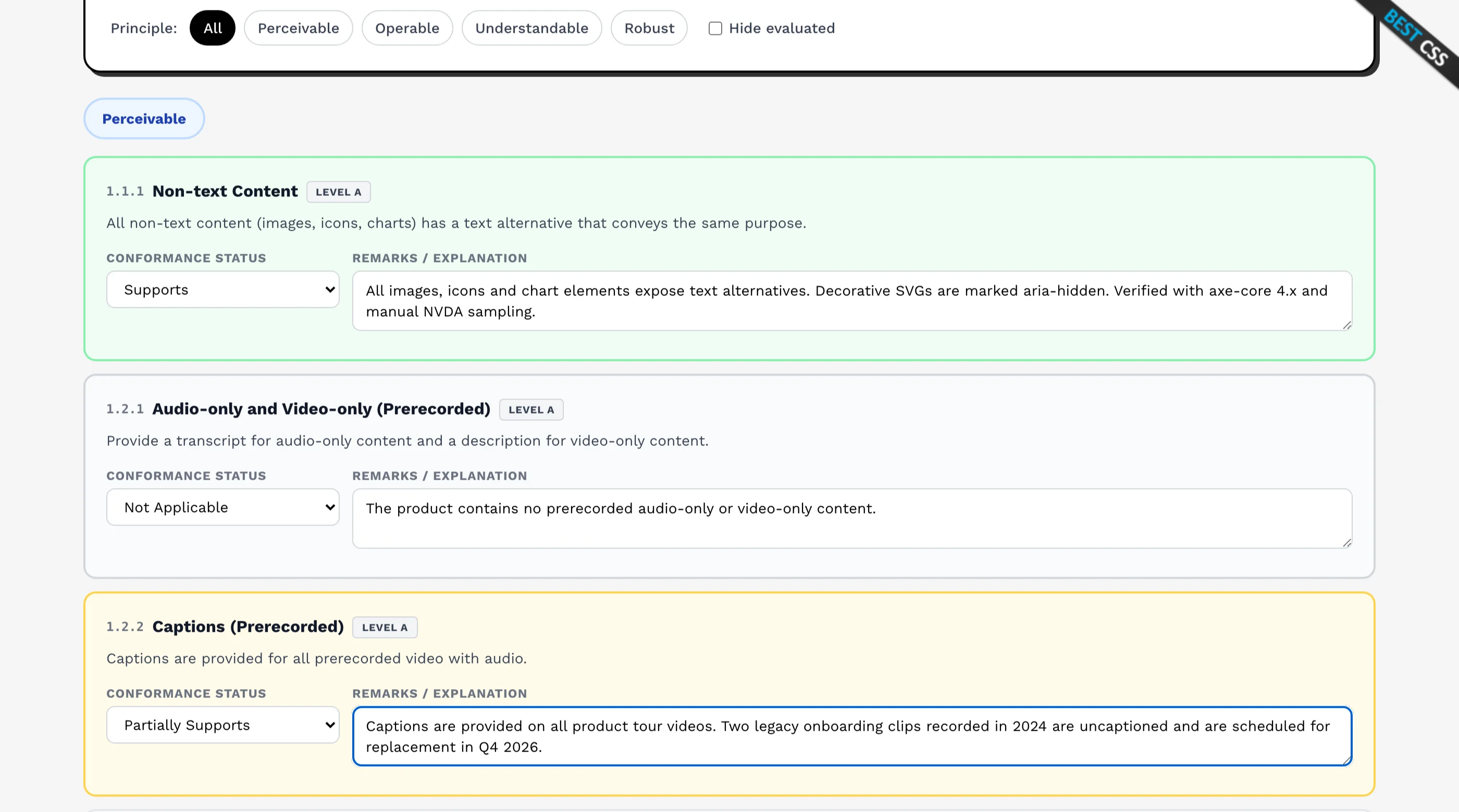
- Videos have captions
- All functionality works with a keyboard
- Page has a title
- Form fields have labels
Level AA (Standard)
The level that most laws, regulations, and enterprise contracts require. AA includes all Level A criteria plus additional requirements for color contrast, text resizing, consistent navigation, and more.
Examples of Level AA requirements (in addition to Level A):
- Text has at least 4.5:1 color contrast ratio
- Text can be resized to 200% without breaking
- Content reflows at 320px width without horizontal scrolling
- Focus indicators are visible on all interactive elements
- Error messages suggest corrections
- Consistent navigation across pages
Level AAA (Enhanced)
The highest level. AAA is aspirational for most products. Meeting every AAA criterion across an entire application is rarely practical or required. Some specific features or pages may meet AAA, but full AAA conformance is not the standard that laws or contracts typically demand.
Examples of Level AAA requirements (in addition to AA):
- 7:1 color contrast for text
- Sign language interpretation for video
- No timing limits on any interaction
- Context-sensitive help available on every page
The bottom line: When someone says "accessible," they almost always mean WCAG 2.1 Level AA. That's the target.
The Four Principles of WCAG
Every WCAG criterion falls under one of four principles, summarized by the acronym POUR:
Perceivable
Users must be able to perceive the content. Information can't be invisible to all of a user's senses.
This covers text alternatives for images, captions for video, sufficient color contrast, and content that adapts to different display settings (zoom, orientation, text spacing).
Operable
Users must be able to operate the interface. Every interaction must be possible through multiple input methods.
This covers keyboard accessibility, enough time to complete tasks, no content that causes seizures, clear navigation, and visible focus indicators.
Understandable
Users must be able to understand both the content and how the interface works. The UI should be predictable and help users avoid and correct mistakes.
This covers page language declarations, consistent navigation, meaningful error messages, and labels that describe their inputs.
Robust
Content must work with current and future assistive technologies. The code must be clean enough that screen readers, voice control, and other tools can interpret it correctly.
This covers valid HTML, proper ARIA attributes, and status messages that get announced without stealing focus.
For a complete criterion-by-criterion checklist, see WCAG AA Checklist for Web Apps.
Who Does WCAG Apply To?
Legally
Accessibility laws vary by country, but most reference WCAG 2.1 AA directly or indirectly:
United States:
- ADA (Americans with Disabilities Act): Doesn't mention WCAG explicitly, but courts consistently use WCAG 2.1 AA as the benchmark. The Department of Justice published a final rule in 2024 requiring state and local government web content to meet WCAG 2.1 AA.
- Section 508: Requires federal agencies and their vendors to meet accessibility standards based on WCAG 2.0 AA (updated to reference 2.1 in practice).
European Union:
- European Accessibility Act (EAA): Requires products and services (including websites and mobile apps) to be accessible. Takes effect June 2025. References EN 301 549, which maps directly to WCAG 2.1 AA.
- Web Accessibility Directive: Already requires public sector websites in EU member states to meet WCAG 2.1 AA.
Canada:
- Accessible Canada Act: Sets accessibility standards for federally regulated organizations. Provincial laws (like AODA in Ontario) require WCAG 2.0 AA for large organizations.
United Kingdom:
- Equality Act 2010 and Public Sector Bodies Accessibility Regulations 2018: Require public sector websites to meet WCAG 2.1 AA.
Australia:
- Disability Discrimination Act 1992: Has been applied to web accessibility cases. Australian government websites must meet WCAG 2.0 AA minimum.
Contractually
Even where the law is ambiguous, enterprise procurement is not. Most B2B SaaS companies encounter WCAG AA as a hard requirement in:
- RFPs and vendor assessments: Enterprise buyers include accessibility requirements in procurement documents. If you can't demonstrate WCAG AA compliance, you lose the deal.
- VPATs (Voluntary Product Accessibility Templates): Enterprise customers request these to evaluate your product's accessibility. A VPAT documents which WCAG criteria your product meets. See What Is a VPAT? for how they work, or fill one in free.
- Customer contracts: Large customers increasingly include accessibility clauses in their service agreements.
For more on how accessibility affects enterprise sales, see Accessibility for Startup Founders and Win RFPs with Accessibility Receipts.
WCAG 2.1 vs 2.0 vs 2.2
WCAG 2.0 (December 2008)
The original version. 61 success criteria across three levels. Still referenced in some older laws and contracts. Does not address mobile accessibility or cognitive disabilities adequately.
WCAG 2.1 (June 2018)
Added 17 new success criteria to 2.0, primarily addressing:
- Mobile accessibility: Orientation, pointer gestures, motion actuation
- Low vision: Reflow, non-text contrast, text spacing
- Cognitive disabilities: Identify input purpose, status messages
WCAG 2.1 is backward-compatible with 2.0. If you meet 2.1 AA, you automatically meet 2.0 AA.
This is the version most current laws and contracts reference.
WCAG 2.2 (October 2023)
Added 9 more success criteria, including:
- Focus Not Obscured: Focused elements must not be completely hidden behind sticky headers, modals, or other content
- Dragging Movements: Functionality that uses dragging must have a non-dragging alternative
- Target Size (Minimum): Interactive targets must be at least 24x24 CSS pixels (with exceptions)
- Consistent Help: Help mechanisms appear in the same location across pages
- Accessible Authentication: Login doesn't require cognitive function tests (like remembering a password without paste support)
WCAG 2.2 is also backward-compatible. Meeting 2.2 AA means you meet 2.1 AA and 2.0 AA.
Which Version Should You Target?
Target WCAG 2.1 AA as your baseline. This is what most laws and contracts require right now. If you can also address the WCAG 2.2 criteria (especially focus not obscured, target size, and accessible authentication), do it. They're practical improvements that make your product genuinely better.
What Disabilities Does WCAG Address?
WCAG criteria collectively address a wide range of disabilities:
| Disability Category | Examples | Key WCAG Areas |
|---|---|---|
| Visual | Blindness, low vision, color blindness | Alt text, color contrast, screen reader support, text resizing, reflow |
| Auditory | Deafness, hard of hearing | Captions, transcripts, visual alternatives to audio cues |
| Motor | Limited fine motor control, paralysis, tremors | Keyboard accessibility, target sizes, no timing pressure, pointer alternatives |
| Cognitive | Learning disabilities, memory issues, attention disorders | Clear language, consistent navigation, error prevention, predictable behavior |
| Neurological | Seizure disorders, vestibular disorders | No flashing content, reduced motion support |
Importantly, many accessibility improvements help everyone, not just people with diagnosed disabilities. Keyboard navigation benefits power users. Captions help people in noisy environments. Good contrast helps everyone reading in sunlight. Clear error messages help every user who makes a typo.
Common WCAG AA Failures in Web Applications
These are the criteria that web apps fail most often:
1. Insufficient Color Contrast
The single most common failure. Body text needs 4.5:1 contrast, and most gray-on-white or light-on-light color schemes don't meet this. Check every text color in both light and dark mode.
2. Missing Keyboard Navigation
Custom components (dropdown menus, date pickers, modals, sliders, tabs) built without keyboard support. If you can't Tab to it and activate it with Enter or Space, it fails.
3. Missing or Generic Alt Text
Images with no alt attribute, or alt text like "image" or "photo" that doesn't describe the content. Decorative images should use alt="" to be skipped by screen readers.
4. Form Fields Without Labels
Using placeholder text as the only label. Placeholders disappear when users type, leaving them with no indication of what the field expects. Every input needs a visible <label>.
5. No Visible Focus Indicator
Removing the browser's default focus outline with outline: none and not replacing it with a custom focus style. Keyboard users can't see where they are on the page.
6. Dynamic Content Not Announced
Toast notifications, inline error messages, loading states, and live updates that appear visually but aren't announced to screen readers. Use aria-live, role="status", or role="alert".
7. Missing Page Titles
Pages with generic titles like "Dashboard" on every page, or no title at all. Each page needs a unique, descriptive title.
8. Modals That Don't Trap Focus
Opening a modal but allowing Tab to move focus to elements behind it. When a modal is open, focus should be trapped inside it until it's closed.
How to Get Started with WCAG AA Compliance
Step 1: Audit Your Current State
Run an automated scan with axe DevTools or Lighthouse. This catches about 30-40% of accessibility issues. Then do a manual keyboard test on your main user flows.
Step 2: Fix the High-Impact Issues First
Start with contrast, keyboard navigation, and form labels. These affect the most users and are the most commonly tested by enterprise customers.
Step 3: Build Accessibility Into Your Component Library
Don't fix accessibility page by page. Fix it at the component level so every instance is accessible. If your Button component is accessible, every button in your app is accessible.
Step 4: Use Pre-Built Accessible Components
Libraries like shadcn/ui (built on Radix UI), Headless UI, and React Aria handle the complex accessibility patterns for you. The thefrontkit SaaS Starter Kit and AI UX Kit are built on shadcn/ui and Radix, with WCAG AA compliance verified across every component. For examples of accessible templates in action, see our accessible Next.js blog templates and accessible ecommerce checkout guide.
Step 5: Test Continuously
Add eslint-plugin-jsx-a11y to your linter. Include axe-core in your integration tests. Test with a screen reader (VoiceOver on Mac, NVDA on Windows) at least once per release cycle.
For a detailed, criterion-by-criterion implementation guide, see WCAG AA Checklist for Web Apps.
WCAG AA and SaaS Products
If you're building a SaaS product, WCAG AA compliance isn't just about doing the right thing (though it is). It's a business requirement that directly affects your ability to sell:
- Enterprise deals require it. Most enterprise procurement processes include accessibility in their evaluation criteria.
- Government contracts require it. Section 508 (US) and equivalent laws in other countries mandate it for any software used by government agencies.
- Lawsuits are increasing. ADA web accessibility lawsuits in the US have grown every year. SaaS products are not exempt.
- It's cheaper to build it in than to retrofit. Fixing accessibility after launch costs 10-100x more than building it in from the start.
The most efficient path is to start with components that are already accessible. The thefrontkit SaaS Starter Kit ships with WCAG AA compliance built into every component: auth screens, dashboard layouts, data tables, forms, and settings pages. You start with a compliant foundation and maintain compliance as you build on top of it.
For more on the business case, see:
- Why Accessibility Should Be Your First Priority
- Accessibility for Startup Founders
- Win RFPs with Accessibility Receipts
Start accessible from day one: View SaaS Starter Kit | View AI UX Kit | WCAG AA Checklist
Want this checked on your own site?
Automated scans verify about 30% of WCAG 2.1 AA. We test the rest by hand: keyboard-only navigation, NVDA and VoiceOver output, focus management, and whether someone can actually complete your key flows. You get a report your developers can work from, mapped to criteria with severity and reproduction steps. Audits from $499.