Best HR Dashboard Templates in 2026
Best HR Dashboard Templates in 2026
Building an HR dashboard from scratch is a massive undertaking. You need an employee directory with search and filters, profile pages with personal and job details, an interactive org chart, leave management with request workflows and policy administration, attendance tracking with heatmaps and reports, onboarding checklists with progress tracking, performance reviews with goals and rating cycles, a recruitment pipeline with a kanban board, and a settings suite for everything from departments to work schedules.
That's 30-40 screens before you write a single line of backend code. An HR dashboard template gives you the UI layer so you can focus on your HRIS integrations, payroll connections, and the specific workflows that make your HR platform different.
We compared 7 HR dashboard templates on what matters: employee management depth, leave and attendance features, performance review workflows, org chart quality, accessibility, and whether the template has enough screens to build a real HR tool or just a demo.
Or skip the choice: get every kit for $749
If you're shipping more than one product, All UI Kits unlocks every Next.js kit on thefrontkit. The full HR Dashboard Kit, plus the SaaS Starter Kit, CRM Dashboard, Kanban PM, E-commerce, AI UX, Blog CMS, and 11 more. Plus every future kit. One-time payment, lifetime access, no subscription.
What Makes a Good HR Dashboard Template?
Employee management. The employee directory is the foundation. You need grid and list views with search and department filters, individual profile pages with tabs for personal info, job details, documents, and activity. An add/edit flow that handles the complexity of employee data. And an org chart that actually reflects reporting lines.
Leave management. A leave request form isn't leave management. You need balance tracking per leave type, a team calendar showing who's out, approval workflows with bulk approve/reject, policy administration with holiday calendars, and reports showing leave patterns across departments.
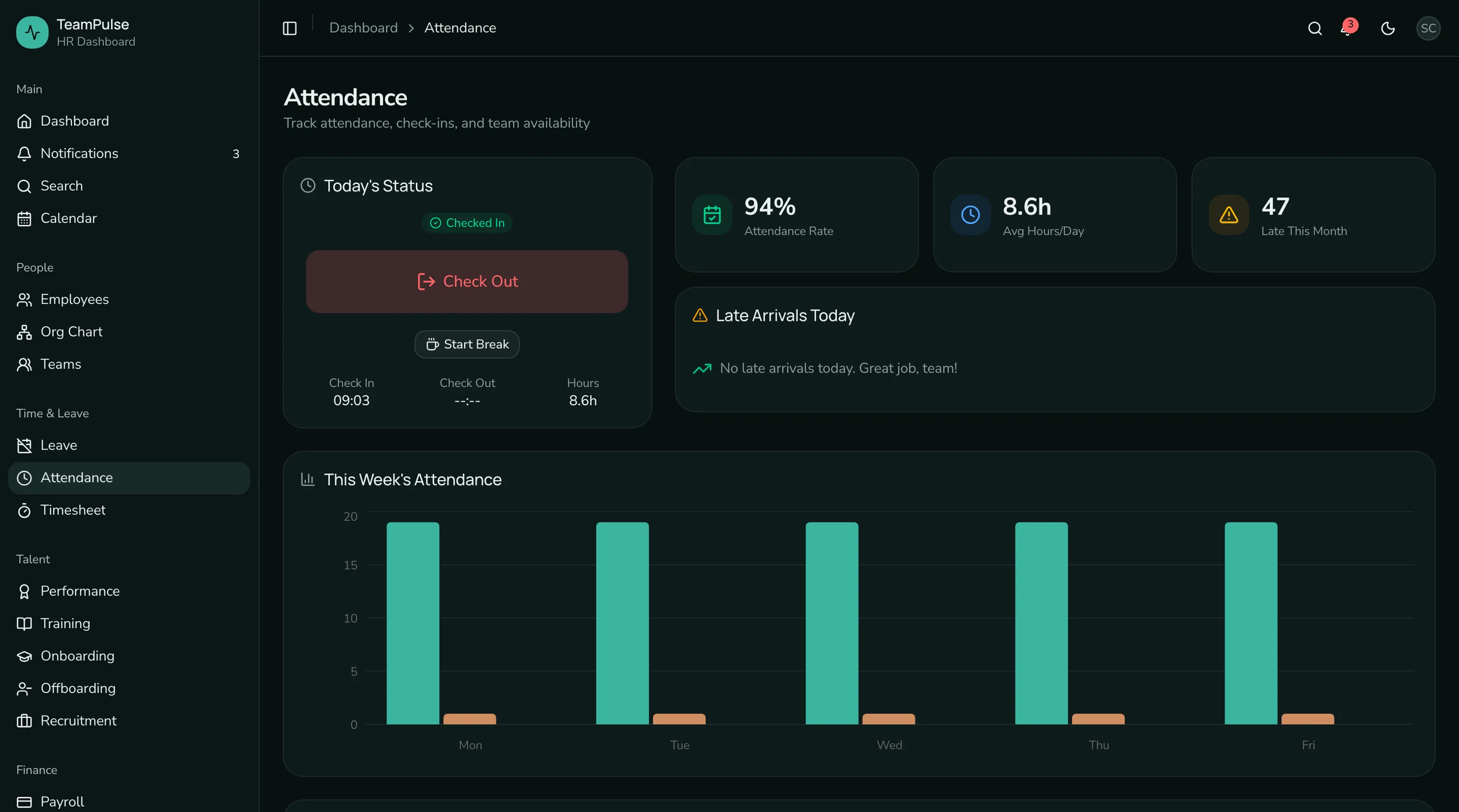
Attendance tracking. Check-in/check-out is the basics. A good template includes an attendance heatmap calendar, weekly and monthly charts, department comparison reports, and admin settings for work schedules and overtime rules.
Performance reviews. Review forms with rating scales are table stakes. You also need review cycle management with timeline phases, goals and OKR tracking with key results, rating distribution analytics, and team performance summaries. Building this from scratch is where most HR projects stall.
Onboarding. New hire checklists with phased tasks, progress indicators, template management by role and department, and buddy assignment. This is the workflow that HR teams use every week, and most templates skip it entirely.
Accessibility. HR dashboards are used all day by people managers, HR admins, and employees self-servicing. Keyboard navigation for tables and forms, screen reader support for dashboards, and proper form labeling aren't optional. Enterprise customers will audit for WCAG compliance.
The 7 Best HR Dashboard Templates
1. thefrontkit HR Dashboard Template
Best overall HR dashboard template for production applications.
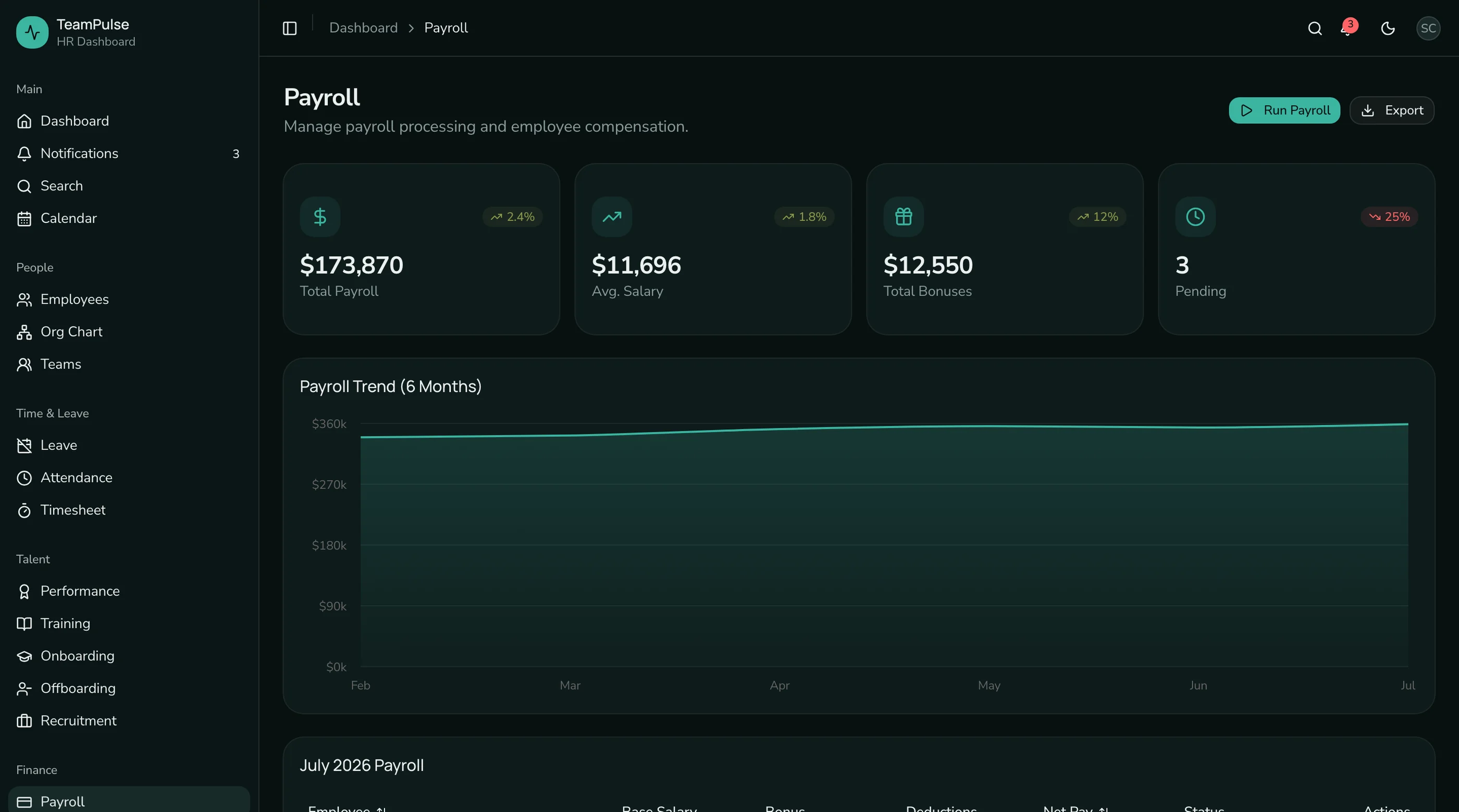
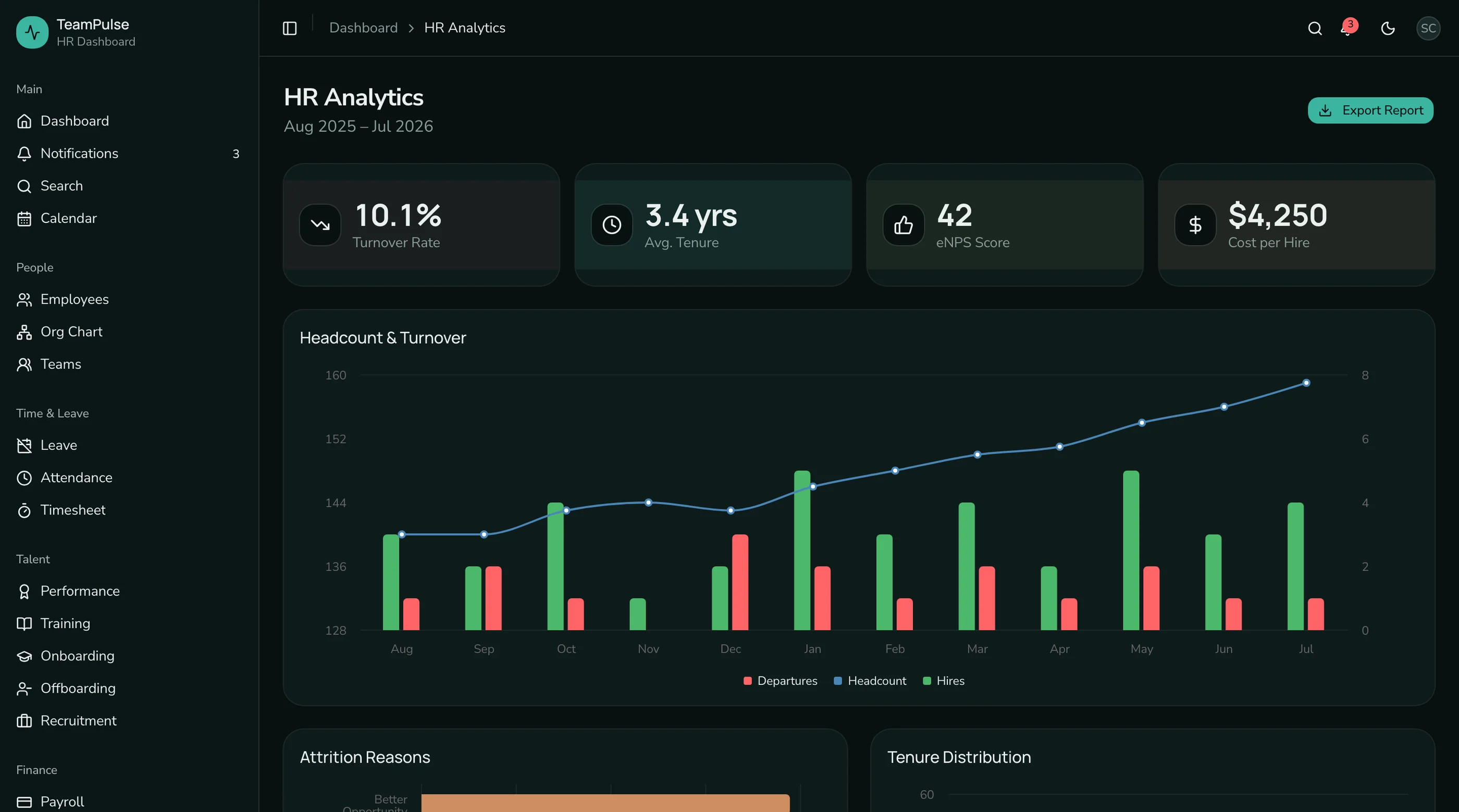
The HR Dashboard App from thefrontkit is the most complete HR-specific template available. 48 screens covering the full HR workflow from employee management to recruitment.
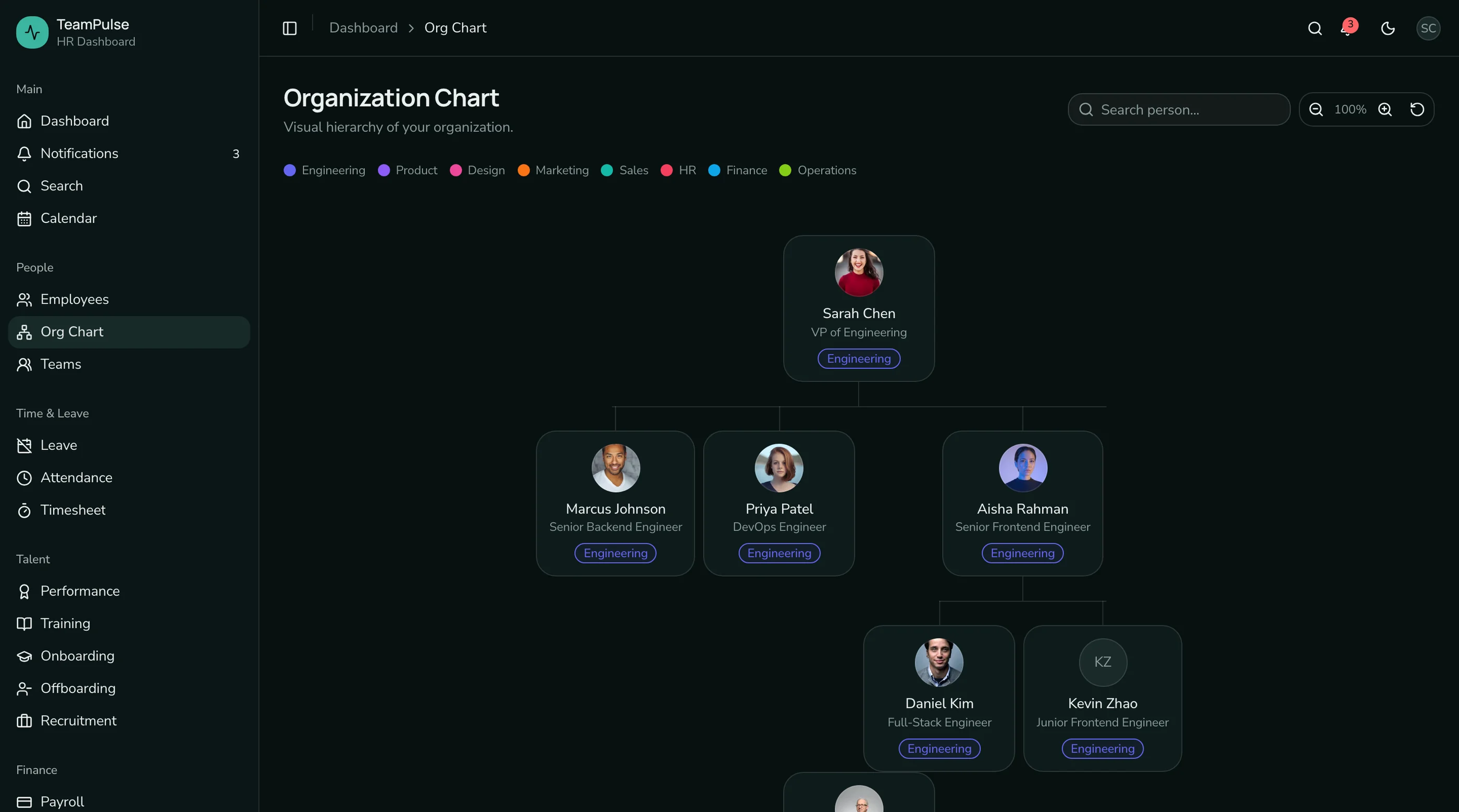
The employee directory has grid and list views with department filters, detailed profile pages, a multi-step add wizard, and an interactive org chart with search, zoom, and department color coding. Leave management includes balance cards with progress bars, a team availability calendar, request admin with bulk approve/reject, and configurable leave policies with holiday calendars.
Attendance tracking goes beyond basic check-in: you get a monthly heatmap calendar, weekly bar charts, department comparison reports, and admin settings for schedules and overtime. Performance reviews include cycle management with timeline phases, multi-section review forms with star ratings, OKR-style goals with key results, and rating distribution charts.
The onboarding section is something most HR templates lack entirely: active hire tracking, phased task checklists with circular progress indicators, customizable templates, and buddy assignment. The recruitment module has a kanban pipeline, job posting management, and applicant profiles with interview timelines.
Every screen is WCAG AA accessible. Tables support keyboard navigation. Forms have proper labels and error handling. The design token system means rebranding takes minutes. Try the live demo.
- Screens: 37
- Employee Management: Directory, profiles, org chart, teams, add wizard
- Leave: Balances, team calendar, request workflows, policies
- Attendance: Check-in/out, heatmap, reports, settings
- Performance: Review cycles, goals, OKRs, rating distribution
- Onboarding: Checklists, progress rings, templates
- Recruitment: Kanban pipeline, job postings, applicant profiles
- Stack: Next.js 16, Tailwind CSS v4, shadcn/ui, Recharts
- Accessibility: WCAG AA
- Price: From $131
2. Shadboard HR Variant
Best free option with basic HR layouts.
Shadboard is a free Next.js dashboard that includes various dashboard layouts. You can adapt the general admin tables and forms into HR-specific views. The component library gives you data tables, charts, and form primitives.
You'll build the employee directory, leave workflows, attendance tracking, and everything HR-specific yourself. The value is in the layout structure, not HR functionality.
- Screens: 5-8 (adaptable for HR)
- Employee Management: Basic table layout
- Leave: Not included
- Attendance: Not included
- Stack: Next.js, shadcn/ui, Tailwind CSS
- Accessibility: Basic
- Price: Free
3. TailAdmin HR Pages
Best free Tailwind dashboard with HR-adaptable components.
TailAdmin includes data tables, charts, and form components that you could repurpose for HR workflows. The component library is large (40+ components), giving you building blocks. But there are no HR-specific screens included.
You're starting with a general admin template and building every HR feature yourself. Good for teams who want Tailwind component primitives and plan to invest 2-3 months in HR customization.
- Screens: 3-5 (HR-adaptable)
- Employee Management: Data table primitives
- Leave: Not included
- Stack: Next.js, React, Tailwind CSS
- Accessibility: Basic
- Price: Free, Pro from $49
4. Apex Dashboard with HR Theme
Best premium admin template you could theme for HR.
Apex is a premium admin dashboard with multiple layout variants. The components are high quality, and you could build HR views using the included tables, charts, and form elements. But there are no dedicated HR screens.
The dashboard cards and analytics components could be repurposed for headcount metrics and department stats, but employee profiles, leave workflows, and performance reviews need to be built from scratch.
- Screens: 2-3 (HR-themed dashboard)
- Employee Management: Not included
- Leave: Not included
- Stack: Next.js 16, React 19, Tailwind CSS v4, shadcn/ui
- Accessibility: Partial
- Price: Premium
5. HR.js by Various Open Source Projects
Best for learning HR UI patterns.
Several open-source projects on GitHub attempt to build HR dashboards with React. Quality varies wildly. Some have basic employee lists and leave request forms. Most are abandoned after initial commits. Check the last commit date and star count before investing time.
These work for studying how HR UIs are structured, but they aren't production foundations. You'll spend more time fixing bugs and upgrading dependencies than building features.
- Screens: Varies (3-10)
- Employee Management: Basic lists
- Leave: Sometimes a request form
- Attendance: Rarely
- Stack: React (various)
- Accessibility: Minimal
- Price: Free (open source)
6. BambooHR/Rippling UI Clones
Best for understanding enterprise HR UI patterns.
A few projects attempt to replicate the look of established HR platforms. These are useful for understanding what a mature HR product looks like, but they're typically incomplete, legally questionable for production use, and not maintained.
If you want to study how BambooHR structures its employee directory or how Rippling handles its settings hierarchy, these can be educational references.
- Screens: Varies (5-15)
- Quality: Incomplete replicas
- Accessibility: Minimal
- Price: Free (open source)
7. Google Sheets HR Templates
Best for non-technical teams who don't need a web app.
If you searched "HR dashboard template" and you're managing a team of 10-20 people, you might need a spreadsheet, not a web application. Google Sheets HR templates give you employee databases, leave trackers, and basic attendance logs without any code.
This is only relevant if a spreadsheet solves the problem. If you're building an HR product, an internal portal for 100+ employees, or need role-based access control, you need a web-based solution.
- Type: Spreadsheet (not a web template)
- Price: Free
Comparison Table
| Template | Screens | Employee Mgmt | Leave Mgmt | Attendance | Performance | Accessibility | Price |
|---|---|---|---|---|---|---|---|
| thefrontkit | 37 | Full (directory, profiles, org chart) | Full (workflows, policies) | Full (heatmap, reports) | Full (cycles, goals, OKRs) | WCAG AA | From $131 |
| Shadboard | 5-8 | Basic table | Not included | Not included | Not included | Basic | Free |
| TailAdmin | 3-5 | Data table primitives | Not included | Not included | Not included | Basic | Free/$49 |
| Apex | 2-3 | Not included | Not included | Not included | Not included | Partial | Premium |
| HR.js (OSS) | 3-10 | Basic lists | Sometimes | Rarely | Rarely | Minimal | Free |
| BambooHR clones | 5-15 | Incomplete replicas | Partial | Partial | Partial | Minimal | Free |
| Google Sheets | N/A | Rows | Columns | Columns | Not applicable | N/A | Free |
Which HR Dashboard Template Should You Pick?
For a production HR application with employee management, leave workflows, attendance tracking, and performance reviews, the thefrontkit HR Dashboard App covers the most ground. 48 screens is enough to build a complete HR platform without starting from scratch. Try the demo.
For a free starting point where you'll build the HR features yourself, Shadboard or TailAdmin give you layout primitives and component libraries. Expect to spend 3-4 months building the HR-specific screens.
For studying HR UI patterns, open-source projects and enterprise clones can be educational references. Just don't use them as production foundations.
For a small team that just needs to track employees and leave, start with a Google Sheets template. Build the web app when you outgrow the spreadsheet.
Common Questions
How many screens does a production HR dashboard need?
A minimum viable HR dashboard needs 15-20 screens: employee directory, profiles, leave request form, leave admin, attendance log, basic settings, and auth. A full-featured HR platform has 30-40+ screens when you add org charts, performance reviews, onboarding, recruitment, and reporting. The thefrontkit HR template ships with 48 screens.
Can I use an HR dashboard template with my own backend?
Yes. HR templates provide the frontend UI layer. You connect them to your own backend API, HRIS, or payroll system. The templates include the data structures and component interfaces. You provide the actual employee data and business logic.
What's the difference between an HR template and an HR platform?
An HR template is source code you own and customize. An HR platform (BambooHR, Rippling, Gusto) is a hosted service you subscribe to. Templates give you full control but require development work. Platforms give you instant functionality but limit customization and charge per employee. If you're building an HR product to sell, you need a template. If you need HR tools for internal use, consider a platform first.
Does the org chart actually work?
In the thefrontkit template, yes. It builds a visual tree from employee manager relationships with search highlighting, zoom controls, department color coding, and collapsible branches. Most other templates either skip the org chart entirely or include a static image.
How long does it take to build an HR dashboard from scratch?
A basic HR dashboard with employee directory and leave management takes 2-3 months of frontend work. A full-featured platform with attendance, performance reviews, onboarding, and recruitment takes 6-9 months. Templates compress the frontend to days, letting you focus on HRIS integrations and business logic.
Related Guides
- HR Dashboard Template Overview — directory, org chart, leave, performance, recruitment
- Next.js HR Dashboard Template — Next.js-specific HR setup
- Best shadcn Dashboard Templates — 10 shadcn/ui dashboard templates compared
- Best CRM Dashboard Templates — CRM-specific dashboards