10 Best CRM Dashboard Templates 2026 (Free & Paid)
10 Best CRM Dashboard Templates in 2026
Building a CRM frontend from scratch is a big project: a Kanban deal pipeline, contacts and companies with search and filters, deal detail views with activity timelines, tasks, email views, analytics dashboards and settings. That's 30 to 40 screens before any backend work.
Most things sold as "CRM dashboard templates" are actually a single CRM-themed dashboard page inside a general admin template. That's useful, but it isn't a CRM. So for every entry below we say exactly which CRM screens it has. We compared 10 options, 6 of them free, and checked repos, licences and prices in September 2026. One is our own, marked.
Looking for layout ideas rather than code? See our CRM dashboard examples: 8 dashboards and the metrics each one should show.
Or skip the choice: get every kit for $749
If you're shipping more than one product, All UI Kits unlocks every Next.js kit on thefrontkit: the CRM Dashboard Kit, plus the SaaS Starter Kit, HR Dashboard, Sales Dashboard, Kanban PM, E-commerce, AI UX, and 11 more. One-time payment, no subscription.
Quick Picks
| Need | Pick | Price |
|---|---|---|
| Full CRM frontend, WCAG AA | thefrontkit CRM Dashboard (ours) | $165 |
| Free, open-source Next.js CRM | NextCRM | Free |
| Free CRM on shadcn with a Kanban pipeline | Atomic CRM | Free |
| Most popular open-source CRM | Twenty | Free (AGPL) |
| Free CRM dashboard page to start from | Studio Admin | Free |
| Paid admin template with a CRM dashboard | Apex Dashboard | $69 |
What Makes a Good CRM Dashboard Template?
Sales pipeline. The deal pipeline is the heart of any CRM. You need a Kanban board with drag-and-drop between stages, deal cards showing value and close date, and the ability to filter by owner, stage, and date range. If the pipeline is a static mockup, the template is a demo, not a foundation.
Contact management. A list of names isn't contact management. You need individual contact detail views with communication history, associated deals, tasks, notes, and tags. Company management with hierarchies. Import/export capability. Search that works across all fields.
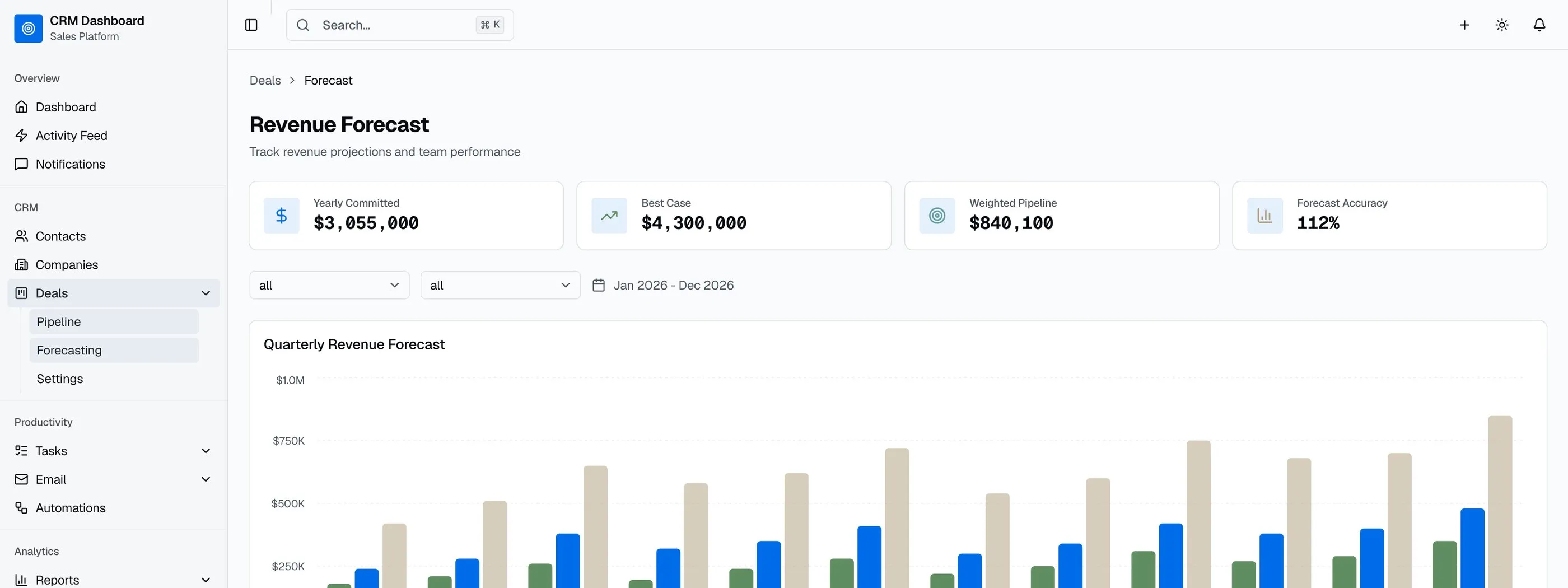
Deal tracking. Beyond the pipeline view, you need deal detail pages with stage history, associated contacts, tasks, revenue forecasting, and win/loss analytics. This is where most CRM templates fall short because they build the board but not the detail views.
Analytics dashboards. Revenue by period, pipeline value by stage, win rate, average deal size, sales cycle length, team leaderboards. A CRM without analytics is just a contact list. (For which metrics belong on each screen, see our CRM dashboard examples.)
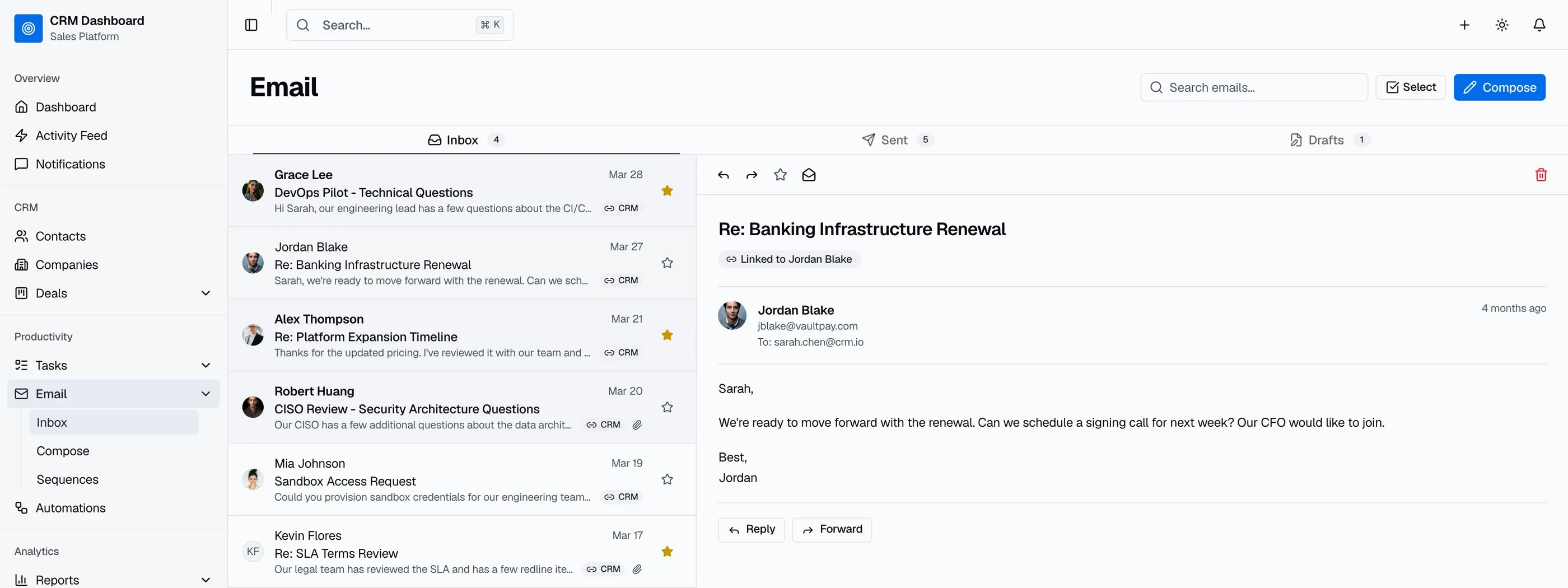
Email integration UI. Even if you don't integrate with real email APIs initially, the UI patterns for inbox, compose, sequences, and templates need to exist. Adding email UI later means redesigning the navigation and information architecture.
Accessibility. CRM users spend 6-8 hours a day in the interface. Keyboard navigation for pipeline boards, screen reader support for data tables, and proper form labeling aren't optional for production use. Enterprise customers will audit for WCAG compliance before signing.
The 10 Best CRM Dashboard Templates
1. thefrontkit CRM Dashboard Template (ours)
Best full CRM frontend for production apps.
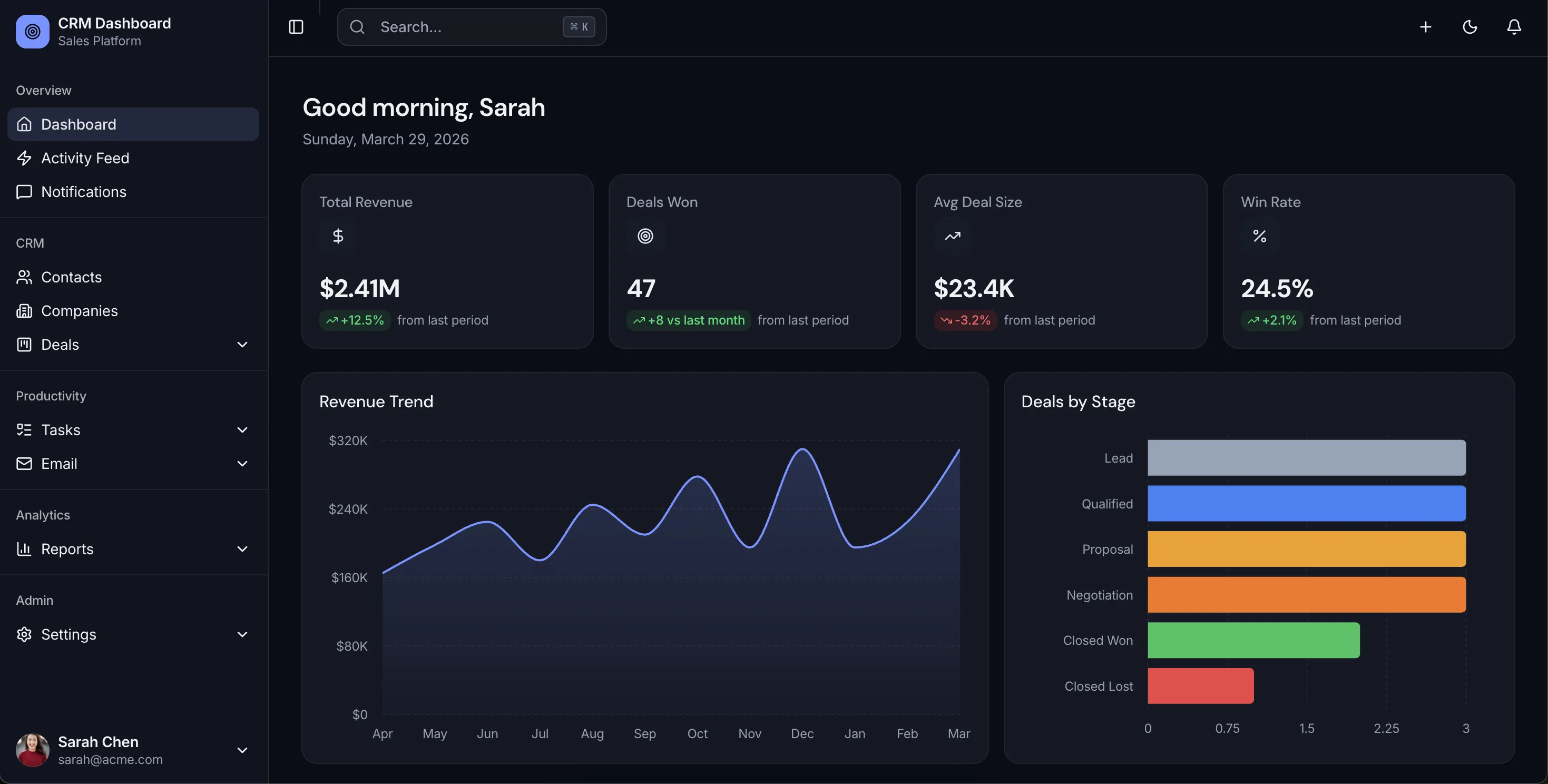
The CRM Dashboard Template has 42 screens across a sales dashboard, a drag-and-drop Kanban pipeline, contacts, companies, deals, tasks, email, reports and settings. It includes 4 Recharts analytics dashboards, sales forecasting, and OKLCH design tokens for deal stages and status badges. Built with Next.js 16, Tailwind CSS v4 and shadcn/ui, to WCAG AA, with keyboard alternatives for the pipeline's drag-and-drop. Try the live demo.
It's a frontend kit. If you want the backend too, the Full-Stack CRM Kit adds Supabase (45 routes).
- CRM screens: Pipeline, contacts, companies, deals, tasks, email, reports, settings
- Stack: Next.js 16, Tailwind v4, shadcn/ui, Recharts
- Accessibility: WCAG AA
- Price: From $165
2. NextCRM
Best free, open-source CRM built on Next.js.
NextCRM (about 700 stars) is a working open-source CRM on Next.js 16, Tailwind v4 and shadcn/ui, with a CRM dashboard, accounts, contacts, leads, opportunities, contracts, products and approvals. It's a full app rather than a template, so expect to learn its data model before you customize.
- CRM screens: Dashboard, accounts, contacts, leads, opportunities, contracts
- Stack: Next.js 16, Tailwind v4, shadcn/ui
- Licence: MIT
- Price: Free
3. Atomic CRM
Best free CRM with a Kanban deal pipeline.
Atomic CRM (about 1.3k stars) comes from marmelab, the team behind react-admin. It has a dashboard, contacts, companies, a Kanban deal pipeline, notes, tasks, an activity log, tags and data import, with a Supabase backend. It's built with Vite on shadcn-admin-kit, not Next.js.
- CRM screens: Dashboard, contacts, companies, deals pipeline, tasks
- Stack: Vite, React, shadcn-admin-kit, Supabase
- Licence: MIT
- Price: Free
4. Twenty
Best open-source CRM app, if AGPL works for you.
Twenty (about 57k stars) is by far the most popular open-source CRM: a full Salesforce-style app with a React frontend and a NestJS and GraphQL backend. You'd self-host it or build on it, not treat it as a template. Check the licence: it's mainly AGPL-3.0, with some commercially licensed parts, which rules out many closed-source commercial uses.
- Type: Full CRM app
- Stack: React, NestJS, GraphQL (not Next.js)
- Licence: AGPL-3.0 plus commercial parts
- Price: Free self-hosted, paid cloud
5. Studio Admin (CRM dashboard page)
Best free CRM dashboard page to start from.
Studio Admin (about 3.1k stars) includes a CRM dashboard with KPI cards, an opportunities table, pipeline activity and task reminders, plus a general Kanban page. There are no contact or deal detail pages. It's actively maintained on Next.js 16 and Tailwind v4.
- CRM screens: One CRM dashboard page
- Stack: Next.js 16, Tailwind v4, shadcn/ui
- Licence: MIT
- Price: Free
6. Shadboard (CRM dashboard page)
Free CRM dashboard with i18n and RTL.
Shadboard (about 700 stars) has a CRM dashboard page with revenue and sales trends, lead sources, sales by country, active projects and an activity timeline, plus a general Kanban app. No contacts or deals pages. It was last updated in December 2025, on Next.js 15.
- CRM screens: One CRM dashboard page
- Stack: Next.js 15, Tailwind v4, shadcn/ui
- Licence: MIT
- Price: Free
7. Apex Dashboard (CRM variant)
Best paid admin template with a CRM dashboard.
DashboardPack's Apex Dashboard includes a CRM dashboard variant with pipeline value, a deal-stages chart, lead sources and a filterable deals table, plus a separate Kanban board app. It's on Next.js 16, Tailwind v4 and shadcn/ui. $69 Personal, $149 Developer, $349 Lifetime, one-time.
- CRM screens: CRM dashboard, deals table
- Stack: Next.js 16, Tailwind v4, shadcn/ui
- Price: From $69 one-time
8. Shadcn UI Kit (CRM dashboard)
Best if you want many dashboard styles, CRM among them.
Shadcn UI Kit includes a CRM dashboard as one of 16 admin dashboards, on Next.js 16 and Tailwind v4. Other CRM screens aren't listed publicly, so check the demo. Pro was $79 one-time when we checked.
- CRM screens: CRM dashboard
- Price: From $79 one-time
9. TailAdmin Pro (CRM dashboard)
Best Tailwind-only option.
TailAdmin has a CRM dashboard among its 10 dashboard variants, but only in the paid Pro version: the free Next.js repo has no CRM page. Pro is a one-time purchase, $59 for the Next.js Starter licence when we checked (listed at $99).
- CRM screens: CRM dashboard (Pro only)
- Stack: Next.js App Router, Tailwind
- Price: From $59 one-time
10. Materio Pro (CRM dashboard)
Best if your team uses MUI.
ThemeSelection's Materio Pro includes a CRM dashboard, on Next.js 16, Tailwind v4 and MUI v7. The free version doesn't include it. Pro starts at $79 one-time.
- CRM screens: CRM dashboard (Pro only)
- Stack: Next.js 16, MUI v7, Tailwind v4
- Price: From $79 one-time
Not on this list: HubSpot clone repos (the ones on GitHub are small student projects last touched in 2022 and 2023) and Mosaic by Cruip (a good admin template, but it doesn't list any CRM pages). And if you just need to track deals as a team, a spreadsheet may be enough: try our free CRM template.
Comparison Table
| Template | Type | Pipeline board | Contacts | Stack | Licence | Price |
|---|---|---|---|---|---|---|
| thefrontkit CRM | Full CRM frontend | Yes | Yes | Next.js 16 | Commercial | $165 |
| NextCRM | Full app | Not confirmed | Yes | Next.js 16 | MIT | Free |
| Atomic CRM | Full app | Yes | Yes | Vite | MIT | Free |
| Twenty | Full app | Yes | Yes | React + NestJS | AGPL + commercial | Free / cloud |
| Studio Admin | CRM dashboard page | No | No | Next.js 16 | MIT | Free |
| Shadboard | CRM dashboard page | No | No | Next.js 15 | MIT | Free |
| Apex Dashboard | CRM dashboard page | Separate Kanban app | No | Next.js 16 | Commercial | $69 |
| Shadcn UI Kit | CRM dashboard page | Not listed | Not listed | Next.js 16 | Commercial | $79 |
| TailAdmin Pro | CRM dashboard page | Not listed | Not listed | Next.js | Commercial | $59 |
| Materio Pro | CRM dashboard page | Not listed | Not listed | Next.js 16 | Commercial | $79 |
Which CRM Dashboard Template Should You Pick?
- Building a CRM product and want the whole frontend: the thefrontkit CRM Dashboard, or the Full-Stack CRM Kit with Supabase.
- Want a free, working CRM to fork: NextCRM (Next.js, MIT) or Atomic CRM (Vite, MIT). Twenty is the most mature, but AGPL.
- Only need a CRM dashboard page inside an admin panel: Studio Admin for free, Apex or Shadcn UI Kit if you want more polish.
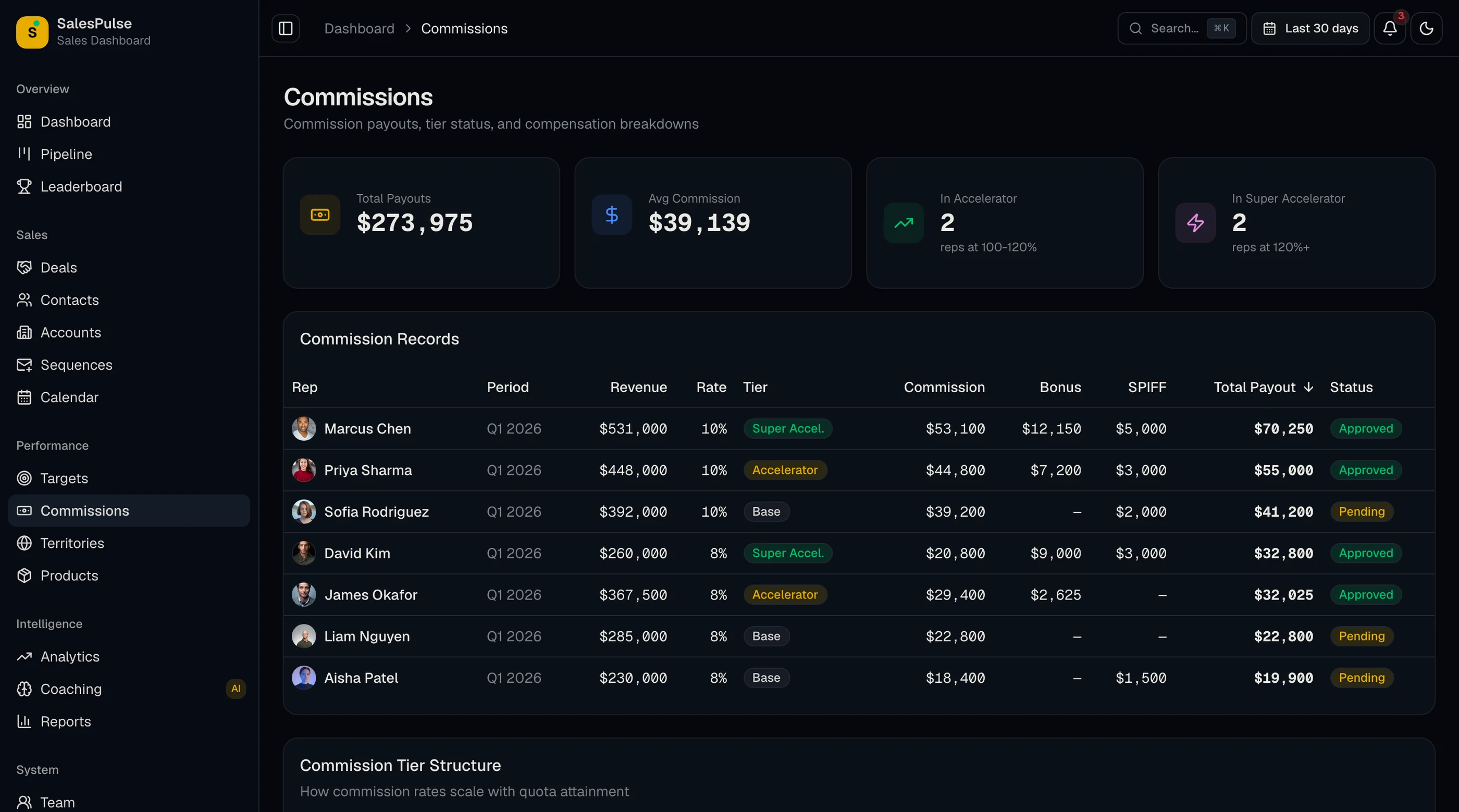
- Need a sales dashboard rather than a CRM: the Sales Dashboard Template (20 screens) covers pipeline analytics, forecasting and rep leaderboards.
Common Questions
Is there a free CRM dashboard template?
Yes. For a single CRM dashboard page, Studio Admin and Shadboard are free and MIT licensed. For a whole CRM you can fork, NextCRM (Next.js) and Atomic CRM (Vite) are free and MIT. TailAdmin's and Materio's CRM dashboards are only in their paid versions.
How many screens does a production CRM need?
A minimum viable CRM needs 15-20 screens: pipeline board, deal detail, contact list, contact detail, company list, company detail, task list, basic analytics, and settings. A full-featured CRM has 30-40+ screens when you add email integration, advanced analytics, team management, and reporting. The thefrontkit CRM template ships with 42 screens.
Can I use a CRM dashboard template with my own backend?
Yes. CRM templates provide the frontend UI layer. You connect them to your own backend API (Node.js, Python, Rails, etc.) or a headless CRM platform. The templates include the data structures and component interfaces. You provide the actual data.
What's the difference between a CRM template and a CRM platform?
A CRM template is source code you own and customize. A CRM platform (Salesforce, HubSpot) is a hosted service you subscribe to. Templates give you full control but require development work. Platforms give you instant functionality but limit customization. If you're building a CRM product to sell, you need a template. If you need a CRM to use internally, consider a platform first.
Do I need drag-and-drop for the sales pipeline?
For user experience, yes. Sales teams expect to drag deals between stages. But make sure the template also supports keyboard-based stage changes for accessibility. The thefrontkit template includes both.
How long does it take to build a CRM from scratch?
A basic CRM with pipeline, contacts, and deals takes 2-4 months of frontend work. A full-featured CRM with email integration, analytics, team management, and reporting takes 6-12 months. Templates compress the frontend to days, letting you focus on backend logic and integrations.
Related Guides
- CRM Dashboard Examples: 8 dashboard layouts and the metrics to track on each
- CRM Dashboard Template Overview: pipeline, contacts, forecasting, 4 analytics dashboards
- Pipedrive Alternatives: 10 Options Compared: free, open-source, and self-hosted CRM options
- HubSpot Alternatives: 8 Options Compared: what to use after the free-to-paid cliff
- Best Sales Dashboard Templates in 2026: sales-performance-focused templates
- Best shadcn Dashboard Templates in 2026: shadcn/ui dashboard templates compared
- Best Next.js Dashboard Templates in 2026: Next.js dashboard options reviewed
- Best HR Dashboard Templates: HR and people management dashboards
- Best Finance Dashboard Templates: Finance and accounting dashboards