How to Build an HR Dashboard in Next.js (2026)
How to Build an HR Dashboard in Next.js in 2026
HR software is the SaaS category most engineers underestimate. The interfaces look simple. Behind every list of employees and every leave request is a tangled web of policies, eligibility rules, accrual math, calendar logic, document storage, and compliance requirements. A real HR dashboard is more complex than most CRMs.
This guide walks through what an HR dashboard has to actually handle, the architecture decisions you can't skip, and the two paths to ship one in Next.js — from scratch or starting from a kit.
Or skip the build entirely: get every kit for $749
If you're shipping more than one product, All UI Kits unlocks every Next.js kit on thefrontkit. The HR Dashboard Kit (37 screens with employees, leave, attendance, onboarding, recruitment), plus the SaaS Starter Kit, CRM, Kanban, E-commerce, AI UX, and 12 more. One-time payment, lifetime access, no subscription.
What a Real HR Dashboard Has to Handle
The features that distinguish a real HR product from a glorified contacts list.
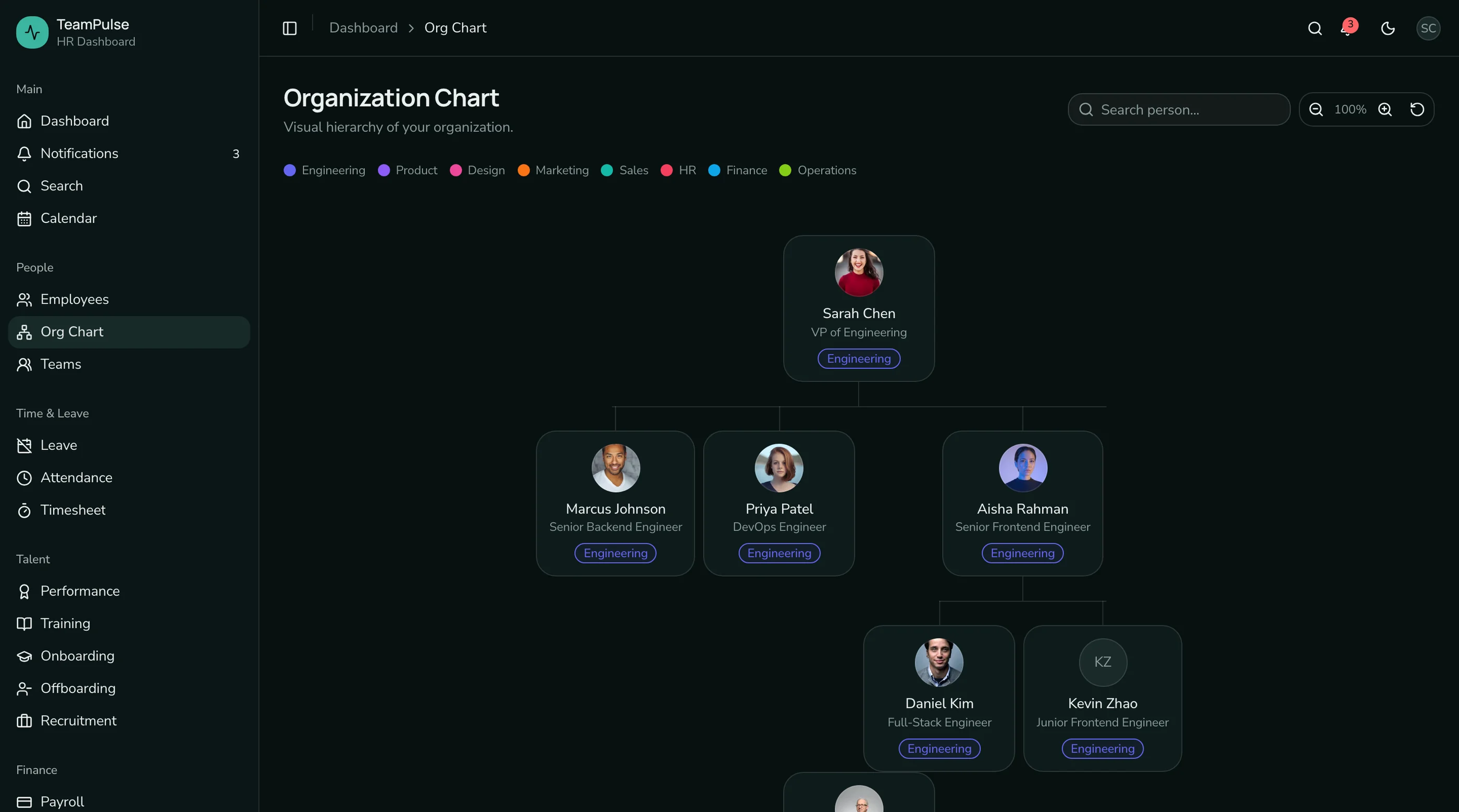
Employee Directory with Org Chart
The first feature anyone builds. The features that make it real:
- Profile pages with role, manager, department, location, contact info, photo, start date
- Org chart view showing reporting structure, expandable by branch
- Search and filter by department, location, role, employment type (full-time, contract, intern)
- Bulk operations for HR admins (assign manager, change department, off-board)
- Custom fields for organization-specific data (employee ID, security clearance, certifications)
The org chart specifically requires thoughtful UX. Trees with 200+ nodes get unusable fast. Lazy-load branches, collapse by default below the user's level, and provide a list-view fallback.
Leave Management
The most complex part of most HR products.
- Leave types with different policies (PTO, sick, parental, bereavement, unpaid, sabbatical)
- Accrual rules that vary by employee (tenure-based, prorated, capped, carry-over rules)
- Request flow — employee requests, manager approves or rejects, HR oversight
- Balance tracking with year-end roll-over math
- Team calendar showing who's out and when
- Conflict detection when too many people from one team request the same day
- Holiday calendars per country or region
Most of the engineering is the accrual math. "Employee accrues 1.5 PTO days per month, capped at 25, with up to 5 days carrying over each year" turns into a real algorithm. Build it with extensive unit tests.
Attendance Tracking
For products that need it (most don't, but enterprise customers ask):
- Time in / time out logging with manual entry and optional integrations (Slack, biometric devices)
- Daily summaries by employee
- Weekly view for managers
- Late and absent detection with notifications
- Overtime calculation by jurisdiction (US, EU, India have different rules)
Attendance is the feature most HR products bolt on awkwardly. Build it as a separate module from leave so the data models don't entangle.
Onboarding and Offboarding Workflows
Templated multi-step processes:
- Onboarding checklist assigned to a new hire (signing documents, ordering laptop, IT account setup, team intros, training modules)
- Owner assignment per step (HR, IT, hiring manager, the new hire themselves)
- Deadline tracking with reminder emails
- Document signing integrated with HelloSign, DocuSign, or PandaDoc
- Offboarding mirror (revoke access, exit interview, final paycheck, equipment return)
Onboarding is usually the second feature HR teams ask for after the directory. Build a templated workflow engine, not a hardcoded checklist.
Performance Reviews
The annual or quarterly cycle:
- Review templates with rating scales, open questions, peer feedback
- 360 reviews pulling input from manager, peers, direct reports, self
- Calibration meetings with bulk-edit views
- Goal tracking with check-ins between reviews
- Salary recommendation workflow tied to review outcomes
Most teams skip this in v1 and bolt it on later. That's usually the right call unless performance reviews are the primary value prop.
Recruitment / ATS
If the HR product handles hiring:
- Job postings with public application pages
- Candidate pipeline as a kanban (applied, screen, interview, offer, hired)
- Interview scheduling with calendar integration
- Scorecards filled by interviewers
- Offer letters with templating and approval flow
ATS functionality can be its own product. If your HR product needs it, scope the v1 narrowly: job posting, application form, pipeline kanban. Skip everything else.
Documents and Compliance
- Per-employee document storage (offer letters, contracts, IDs, certifications)
- Document expiry tracking (visas, certifications) with renewal reminders
- E-signature integration for new documents
- Audit log of every document access (compliance-sensitive)
- GDPR / data export flow on employee request
In regulated industries this is the entire product. In most SaaS HR tools, it's table stakes with reasonable expiry tracking.
Tech Stack: HR-Specific Decisions
General Next.js stack applies. HR-specific:
Date handling: date-fns or Day.js with timezone plugin. Leave math, holiday calendars, and attendance all require correct timezone behavior. Don't use native Date for anything critical.
Calendar UI: FullCalendar or a custom build on top of date-fns. FullCalendar is feature-rich but heavy. A custom month-view component in React is usually enough for HR.
E-signature: HelloSign or DocuSign API. PandaDoc if document templating is part of the feature.
Document storage: R2 or Supabase Storage with server-side encryption. PII is involved.
Background jobs: Inngest for reminder emails. "Renew your visa 30 days before expiry" turns into hundreds of scheduled jobs.
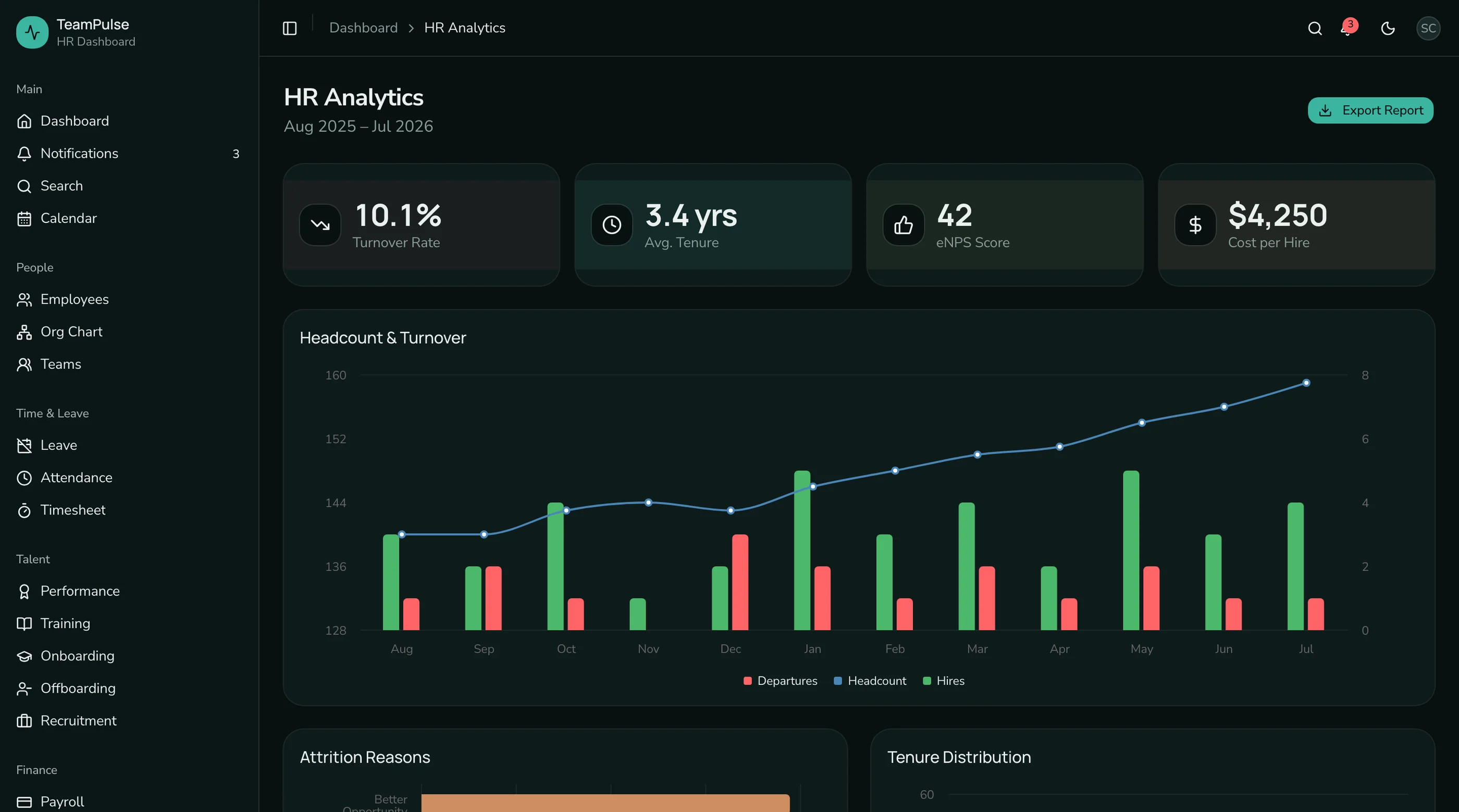
Charts: Recharts. HR dashboards are heavy on simple bar and line charts.
Build Path 1: From Scratch (14 to 18 Weeks)
Realistic order:
Week 1-2: Foundation. Next.js, auth, multi-tenant database setup (HR data is per-company, never per-user).
Week 3-4: Employee directory. Profiles, org chart, search, filters, custom fields.
Week 5-7: Leave management. Leave types, accrual rules, request flow, balance tracking, team calendar.
Week 8-9: Documents. Storage, expiry tracking, access controls.
Week 10-11: Onboarding workflows. Template engine, step assignment, deadline tracking.
Week 12-13: Attendance (if needed).
Week 14-15: Reports. Headcount, leave usage, attendance summaries, turnover trends.
Week 16-17: Permissions. Employee vs manager vs HR vs admin roles.
Week 18: Polish. Empty states, dark mode, accessibility, performance.
For most teams: 18 to 24 weeks because leave management alone routinely takes 5 to 7 weeks.
Build Path 2: Using an HR Dashboard Kit (2 to 3 Weeks)
The HR Dashboard Kit ships:
- Employee directory with org chart, search, filters
- Leave types, accrual configuration, request and approval flow
- Team calendar with leave overlays
- Attendance with daily/weekly views
- Onboarding workflow templates with step assignment
- Performance review templates
- Recruitment pipeline (kanban + candidate detail)
- Document storage with expiry tracking
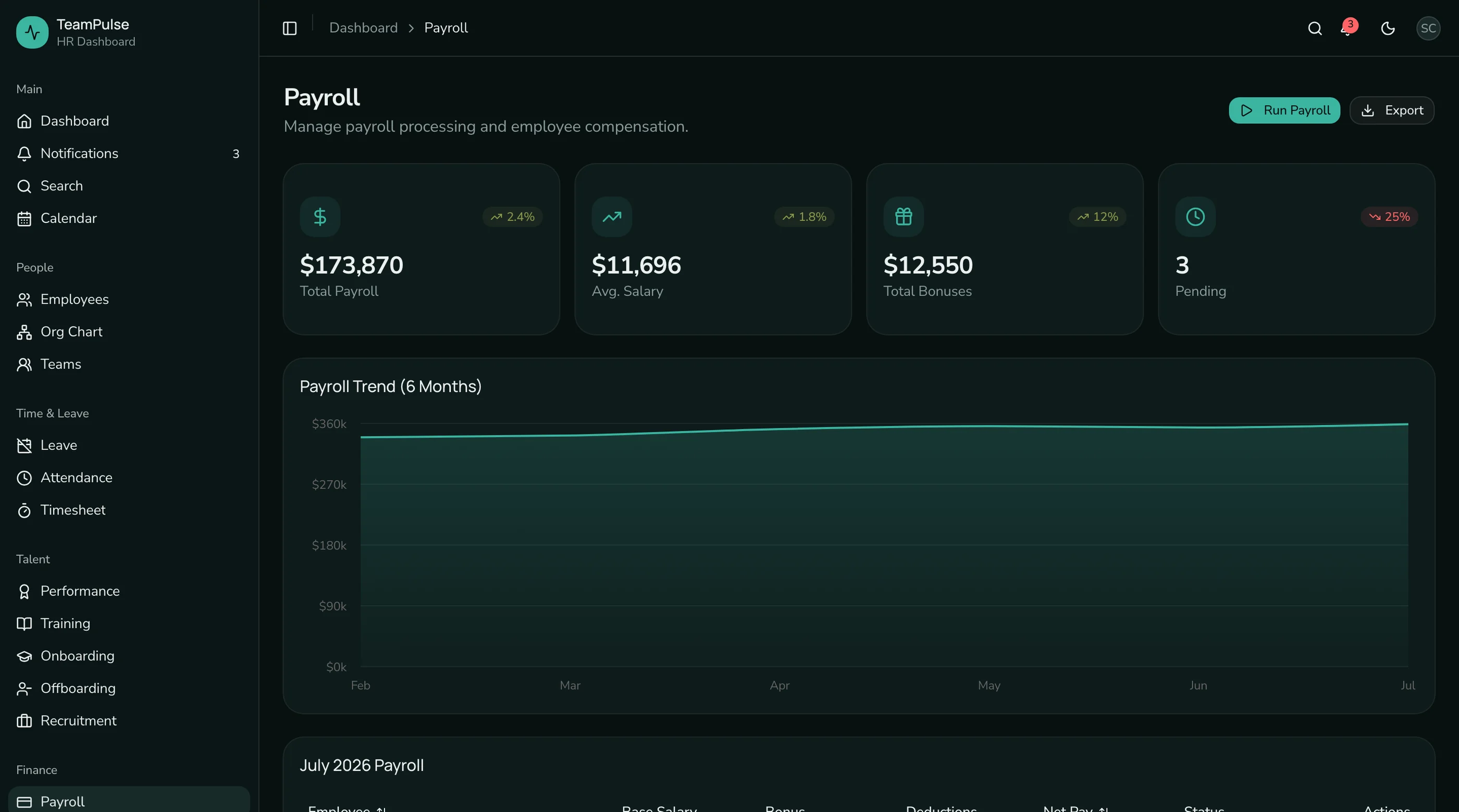
- 37 screens on Next.js 16, Tailwind v4, shadcn/ui
What remains:
- Wire auth and database
- Configure leave policies for your jurisdiction
- Set up holiday calendars
- Customize onboarding templates for your company
- Plug in e-signature provider (HelloSign or DocuSign)
For most teams the kit cuts an 18-week build to 2 to 3 weeks of customization.
Step-by-Step from the Kit
Day 1-2: Setup, brand, database. Clone, theme, database setup, migrations.
Day 3-4: Auth. Wire your provider. Set up the role model (admin, HR, manager, employee).
Day 5-7: Leave configuration. Define your company's leave types and accrual rules. Configure regional holiday calendars.
Day 8-9: Onboarding templates. Replace seed templates with your company's actual onboarding steps.
Day 10-11: Documents. Wire your e-signature provider. Configure document categories.
Day 12-13: Permissions and reports. Verify the permission model matches your org. Validate reports with real data.
Day 14-15: Deploy. Vercel deploy, custom domain, beta with HR team.
Common Pitfalls
Building leave management as "request → approve." That ignores the accrual math, which is 80 percent of the complexity. Start with the accrual algorithm; the request UI is the easy part.
Treating org chart as a single view. Org charts above 50 employees become unusable without lazy loading, collapse-by-default, and a list-view fallback.
Storing PII in plain text. Employee data is sensitive. Database-level encryption at rest, encryption in transit, and access logs on every read of sensitive fields are not optional.
Underbuilding the holiday calendar. Hardcoded US holidays don't work for global teams. Pull from a library or build a per-region holiday configuration from day one.
Ignoring timezones. Attendance and leave straddle midnight. Without correct timezone handling, employees in different regions see different versions of the truth.
Skipping the audit log. HR data access is compliance-sensitive. Every read of sensitive fields and every change to employee records needs to be logged.
Not building offboarding. Onboarding gets built; offboarding gets neglected. Then someone leaves and IT can't track which accounts to revoke. Build both at the same time.
Adjacent Reads
- How to Choose a Next.js HR Dashboard Template — evaluation rubric
- Best HR Dashboard Templates 2026 — head-to-head comparison
- Best Next.js Dashboard Templates 2026 — broader dashboard category
- SaaS Starter Kit vs Building From Scratch — broader build-vs-buy
FAQ
How long does it take to build an HR dashboard in Next.js from scratch?
A competent solo engineer at full speed builds a credible Next.js HR dashboard in 14 to 18 weeks. Realistic timelines, including the long tail of accrual math, timezone handling, holiday calendars, and compliance requirements, land closer to 20 to 26 weeks. Leave management alone is routinely a 5 to 7 week project. An HR dashboard kit removes 14 to 16 of those weeks by giving you the chrome and the data model.
Why is leave management so much harder than it looks?
Because the rules vary by employee, by company, by jurisdiction, and by leave type. An employee with 5 years' tenure accrues 2 PTO days per month, capped at 30, with up to 10 carrying over. A new hire accrues 1 day per month, prorated from start date, capped at 15. Different leave types have different policies (sick days might not roll over; bereavement has no accrual at all). The math is genuinely complicated, and the UI for explaining a balance to an employee is its own design problem.
Do I need attendance tracking for a B2B HR product?
Usually no for SMB customers; usually yes for enterprise customers and for any company with hourly workers. The first version can skip attendance entirely and focus on leave + employee directory. Most companies that ask for attendance also need integration with their access control system or biometric devices, which is a v2 conversation.
How should I handle GDPR / data export?
Build a per-employee data export from day one. When an employee requests their data, the export should bundle profile fields, leave history, performance reviews, documents, and audit log entries into a single zip file. The deletion flow is more sensitive: soft-delete first with a 90-day retention, then hard-delete. Compliance review with legal counsel before launching in EU markets.
Can I use an HR dashboard kit for a global team with multiple jurisdictions?
Yes, if the kit treats holiday calendars, leave types, and accrual rules as configuration rather than hardcoded constants. Production-ready HR kits handle multi-region configuration. Verify with the demo before buying — try to add a non-US holiday calendar and see whether the UI supports it.
How many screens does a real HR dashboard need?
The minimum for a credible HR product is around 25 screens: dashboard, employees list and detail, org chart, leave types, leave request, leave approval, team calendar, attendance, onboarding templates, onboarding instance, documents per employee, 4 reports, settings (org, leave policy, roles, integrations), and auth (5 screens). A full-featured product including recruitment and performance reviews lands at 35 to 50 screens. The HR Dashboard Kit ships 48 screens to clear this bar.
Want it shipped without hiring a developer?
The build path above assumes you have engineers. If you don't, the team behind thefrontkit does done-for-you launches: we deploy the kit, apply your branding, and wire it to your stack. Fixed quotes, most builds ship in 2-4 weeks, from $1999.