How to Build an Inventory Management App in Next.js (2026)
How to Build an Inventory Management App in Next.js in 2026
Cin7 Core starts at $349/month. Zoho Inventory is $39/user/month. Fishbowl Inventory is $4,395 upfront plus support. The hosted inventory management space is expensive because the underlying problem is genuinely complex: SKU variations, multi-warehouse stock, lot tracking, purchase orders, sales orders, returns, transfers, count adjustments, and the audit trail to reconstruct any state.
The good news: most of this complexity is solved patterns. The bad news: shortcuts in the data model become migrations later, and migrations on inventory tables are scary because they touch live operational data.
This guide walks through what the app has to do, the data model that holds up, and the parts most builders get wrong on the first attempt.
Or skip the build entirely: get the Inventory Management Kit
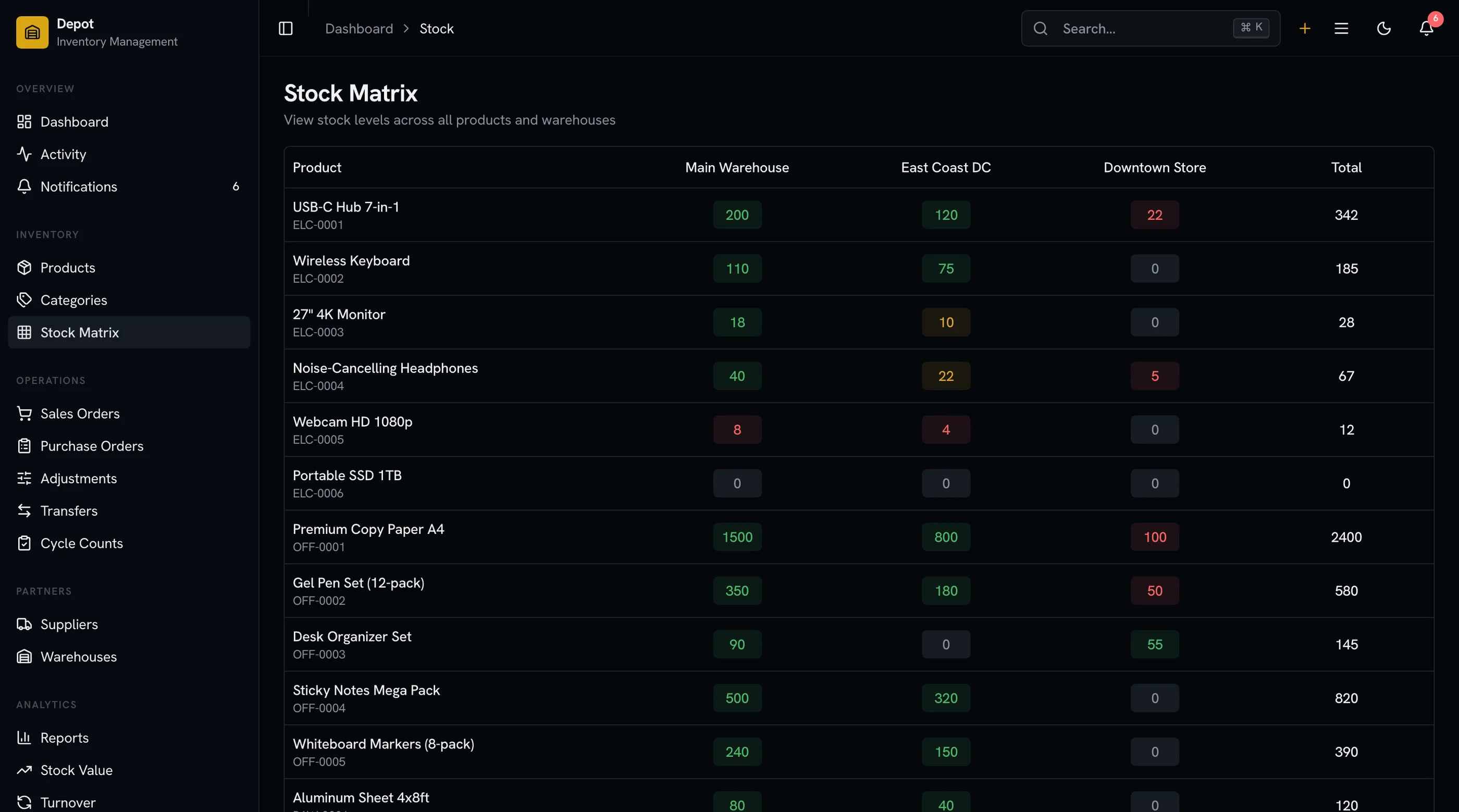
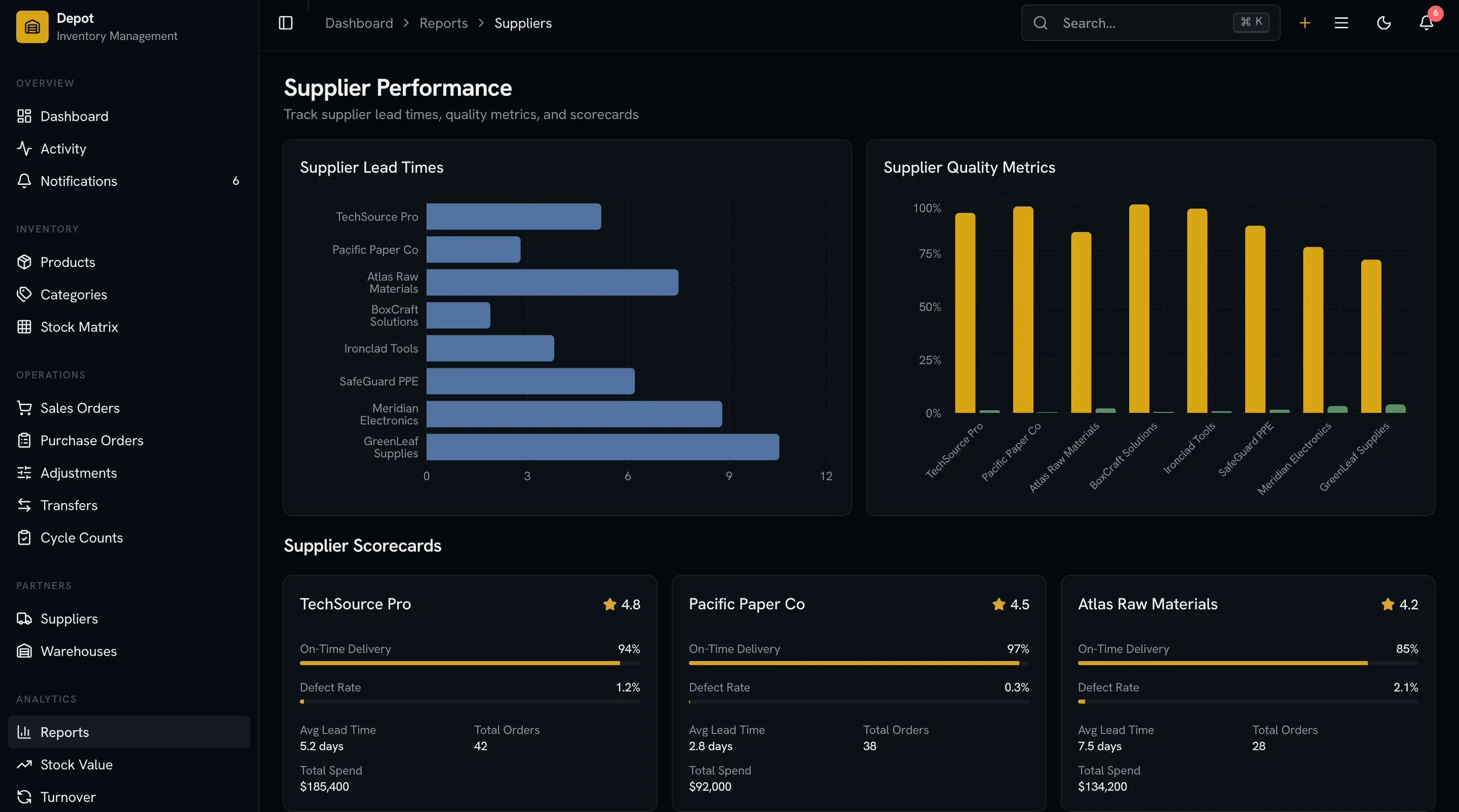
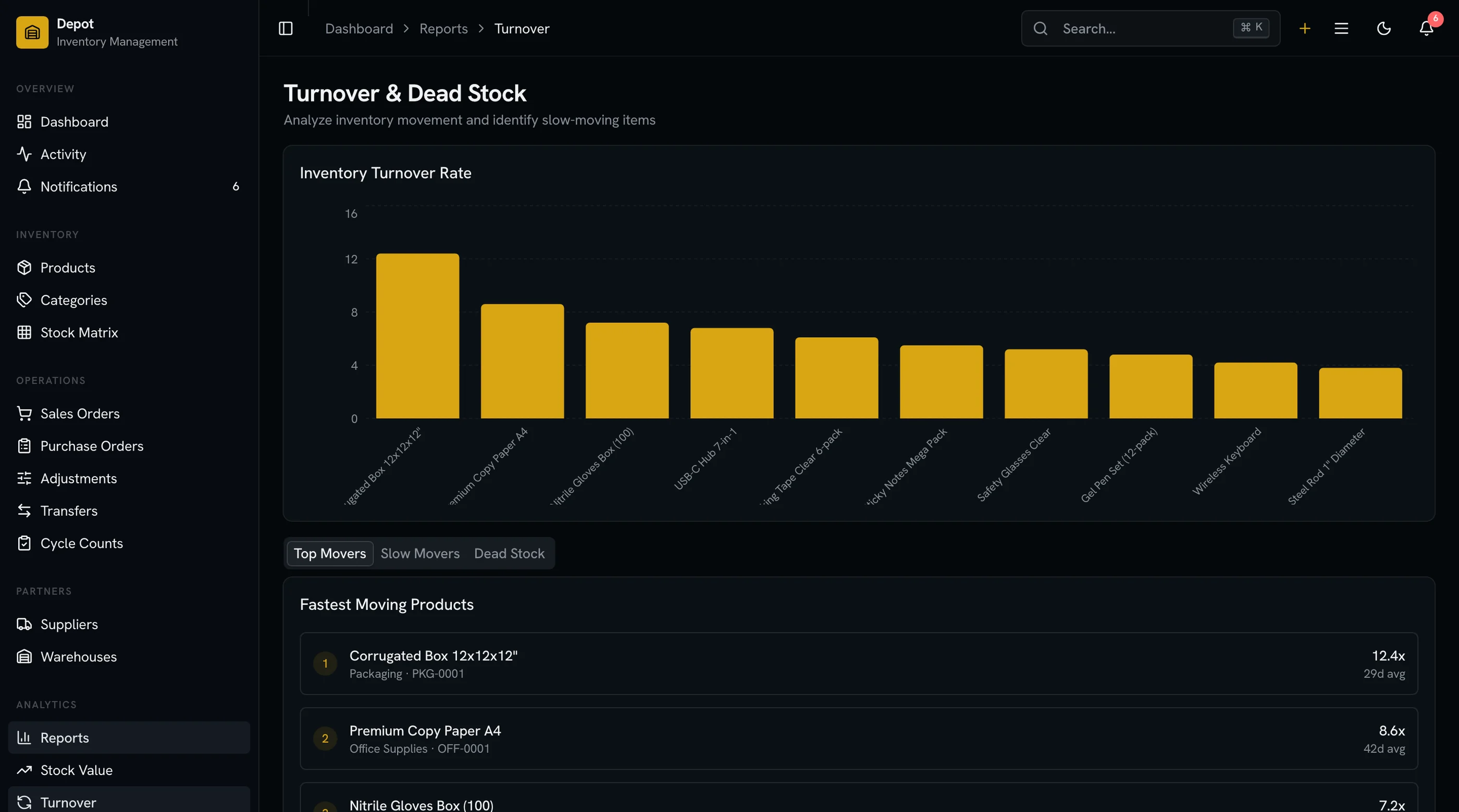
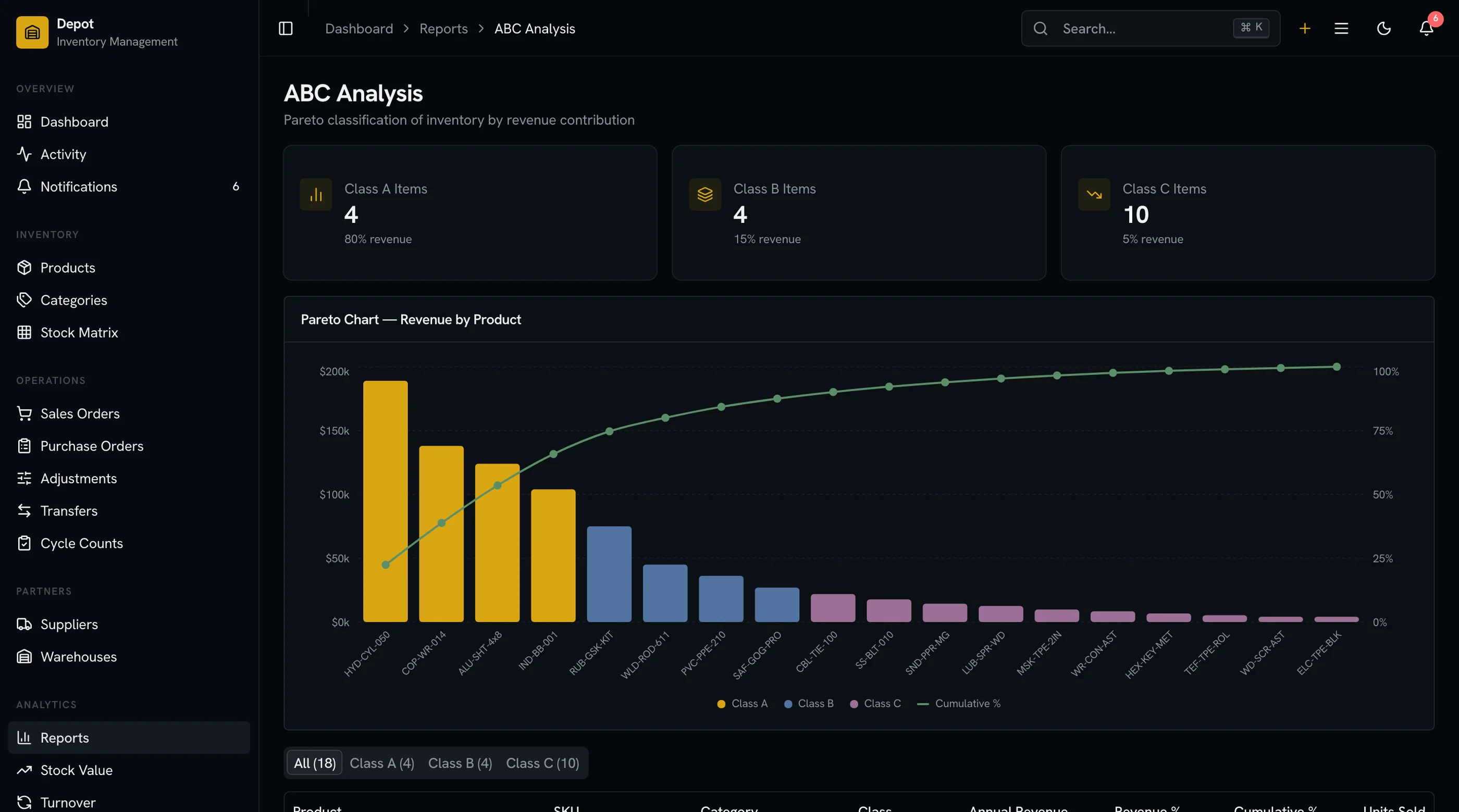
The Inventory Management Kit is shipped: screens for SKUs, stock levels, purchase orders, sales orders, warehouses, transfers, and reporting. Next.js + Tailwind + shadcn/ui. $131 solo, $199 team, $349 agency.
Get the Inventory Management Kit → or get every kit (18 total) for $749 via All UI Kits →
What a Real Inventory Management App Has to Do
The minimum:
- SKU catalog with variants (size, color), barcodes, photos, suppliers
- Multi-warehouse stock levels with per-warehouse reorder points
- Stock movements (receive, sell, transfer, adjust, return) — append-only
- Purchase orders with vendor management and partial receiving
- Sales orders integrating with channels (Shopify, Amazon, manual)
- Cycle counts with discrepancy resolution
- Lot/serial tracking for regulated products
- Reporting with stock value, days-of-supply, sell-through
If your app is just "SKUs with a quantity column you UPDATE," it's a sticky note, not inventory management.
The Data Model (The Part That Matters Most)
This is where most builders go wrong. The shortcut is products table with current_stock column. That column gets updated whenever stock moves. The problem: you've lost history. You can't answer "what was stock last Tuesday?" or "where did that 15-unit difference come from?"
The right model is append-only stock_movements plus a derived stock_levels view (or materialized table).
Five core entities:
products: the SKU. id, sku, name, description, barcode, default_cost, default_price, tax_category, unit_of_measure, is_serialized, is_lot_tracked, min_stock, max_stock, lead_time_days, supplier_id.
product_variants: size/color/etc combos. id, product_id, sku (variant-specific), attributes (jsonb: {size: "L", color: "Blue"}), cost, price, barcode. Most catalogs need this from day one even if launching with no variants.
warehouses: physical or logical locations. id, name, code, address, is_active, is_default.
stock_movements: every change. id, variant_id, warehouse_id, quantity_delta (positive for in, negative for out), movement_type (receive, sale, transfer_out, transfer_in, adjustment, return), reference_id (PO, SO, transfer ID, etc.), reference_type, unit_cost, lot_number, serial_number, created_by, created_at. Never UPDATE this table. Append only.
stock_levels (materialized): current state. variant_id, warehouse_id, quantity_on_hand, quantity_reserved, quantity_available, weighted_average_cost, last_movement_at. Refresh via trigger or materialized view.
The append-only stock_movements table is the unfair advantage. Every other table is derivable. When something looks wrong, you can replay the history and find the bug.
Multi-Warehouse: The Trap
Most builders model "stock per product" and hard-code one warehouse. Adding the second warehouse becomes a 6-week refactor.
Model multi-warehouse from day one even if launching with one location. stock_movements.warehouse_id is required. stock_levels is per-(variant_id, warehouse_id) pair. UI handles the single-warehouse case gracefully (collapses the warehouse picker).
When the second warehouse arrives, it's a config change, not a refactor.
Stock Movement Types: The Glue
Every operational action produces stock movements:
- Receive (from PO): positive movement,
reference= purchase_order_line_id - Sale (to customer): negative movement,
reference= sales_order_line_id - Transfer: pair of movements (negative at source warehouse, positive at destination), linked by
transfer_id - Adjustment (cycle count discrepancy): signed movement,
reference= adjustment_id with reason code - Return (from customer): positive movement,
reference= return_id
The reason code on adjustments is the most-overlooked feature. "Cycle count discrepancy" alone is useless. "Damaged in handling," "miscounted," "found behind shelf" lets you analyze recurring loss causes.
Purchase Orders
The flow:
- PO created with vendor, expected delivery date, line items
- PO sent (status:
submitted) - Goods arrive (often partial)
- Receiving creates stock_movements (positive) per line received
- PO line tracks
quantity_ordered,quantity_received,quantity_billed - Three-way match: PO ↔ receipt ↔ vendor invoice
- PO closes when fully received and billed
The partial receiving is the most-skipped feature. You order 100 units, 60 arrive on Tuesday, 40 on Friday. The system has to handle this without breaking the audit trail.
Sales Orders and Channel Integration
If you're selling on Shopify, Amazon, eBay, or your own site, sales orders come from those channels via webhooks or polling.
The data flow:
- Order placed on Shopify
- Webhook fires to your endpoint
- Sales order created in your system, status
pending - Stock reserved (separate from quantity_on_hand)
- Picking/packing triggers
quantity_reserved → quantity_on_hand decrementvia stock_movement - Shipped: update SO status, notify channel
The quantity_reserved field on stock_levels is the trick. It prevents overselling: quantity_available = quantity_on_hand - quantity_reserved. Channels see quantity_available so they don't accept orders for stock that's already promised.
Cycle Counts
Regular physical counts catch the inevitable drift between system and reality.
The flow:
- Generate count list (subset of SKUs, often by location or ABC class)
- Worker physically counts, enters quantities
- System compares to expected (
quantity_on_hand) - Discrepancies surfaced for review
- Approved discrepancies become adjustments (stock_movements with
adjustmenttype)
The discrepancy review screen is the most-skipped UI in DIY inventory systems. Without it, every count just blindly overwrites the system, hiding theft, breakage, and process bugs.
Reporting That Operators Use
Three reports get opened daily:
Stock Value — SUM(quantity_on_hand × weighted_average_cost) by warehouse. This is the number the finance team needs for the balance sheet.
Days of Supply — for each SKU, quantity_on_hand / average_daily_sales. Flags SKUs running low. Pair with reorder point and lead time to surface what to reorder this week.
Sell-Through Rate — sales_quantity_period / starting_inventory_period. Identifies dead stock and bestsellers.
Three more get opened weekly: stock adjustment summary (loss analysis), ABC analysis (80/20 of stock value), and turnover report.
Performance Reality
At 1,000 SKUs and 50K movements/year, queries are fast. At 50,000 SKUs and 10M movements/year, you'll feel it.
Optimizations in order:
- Index
stock_movementson(variant_id, warehouse_id, created_at) - Materialize
stock_levelsas a trigger-updated table, not a view - Partition
stock_movementsby year for archival - Cache reporting queries (stock value, ABC analysis) with 1-hour TTL
For warehouse-of-things complexity (Amazon-scale): you'll outgrow Postgres for movements. But that's a $50M revenue problem, not a day-one problem.
What's the Build Time?
For a single engineer:
- SKU catalog + variants UI: 2 weeks
- Stock movements + warehouse model: 2 weeks
- Purchase orders + receiving: 2 weeks
- Sales orders + Shopify integration: 2 weeks
- Cycle counts + adjustments: 1 week
- Reporting: 2 weeks
- Polish + mobile + multi-warehouse UX: 2 weeks
Total: ~13 weeks. 6-7 weeks with a 2-person team. With a kit that has the UI for SKUs, stock levels, POs, SOs, warehouses, and reporting, ~4-5 weeks because the work is the integration and the movement logic, not the UI.
For a more focused look at existing options, see Best Inventory Management Templates 2026.
The Shortcut
The Inventory Management Kit ships the UI: SKU catalog, variants, warehouses, stock levels, purchase orders, sales orders, transfers, cycle counts, reporting. Built on Next.js + Tailwind + shadcn/ui. Charts via Recharts.
You bring the channel integrations (Shopify, Amazon webhooks) and the business logic on top. $131 solo, $199 team, $349 agency.
Get the Inventory Management Kit → or See All UI Kits →
The honest take: inventory management software is hard because the operational reality (partial deliveries, multi-channel sales, breakage, transfers, returns) is irreducibly complex. The dashboard is the visible 10%. The data model is the 90% that determines whether the system breaks at scale. Spend engineering on the data model first.
For the multi-warehouse reality most templates skip, see Inventory Templates That Handle Multi-Warehouse Reality.
Want it shipped without hiring a developer?
The build path above assumes you have engineers. If you don't, the team behind thefrontkit does done-for-you launches: we deploy the kit, apply your branding, and wire it to your stack. Fixed quotes, most builds ship in 2-4 weeks, from $1999.