Pipedrive Alternatives: 10 Sales CRMs Compared for 2026
Pipedrive Alternatives: 10 Options Compared for 2026
Short answer: for a very small team, the best free Pipedrive alternatives are HubSpot's free CRM (up to 2 users) and, if you can self-host, Twenty. Freshsales is the cheapest paid start at $9/user/month billed annually. The best cheap paid option is Zoho CRM, from $14/user/month billed annually and cheaper than Pipedrive at the top tiers. The best open-source option is Twenty, if you can self-host. If your problem is the reporting rather than the CRM, the better move is to keep Pipedrive and build the dashboard layer separately.
The rest of this page is how we got to those picks: ten options compared on price, sales motion, and hosting, with the honest weaknesses of each.
Pipedrive Lite is $14/seat/month, Growth is $24, Premium is $49 and Ultimate is $69, billed annually ($19, $34, $64 and $89 billed monthly). For a 10-person sales team on Growth or Premium, that's $2,880-$5,880 a year. Reasonable for what it does, but the deeper issue is that Pipedrive (like Salesforce, HubSpot, and Close) is opinionated about how sales should work, and that opinion may not match your team.
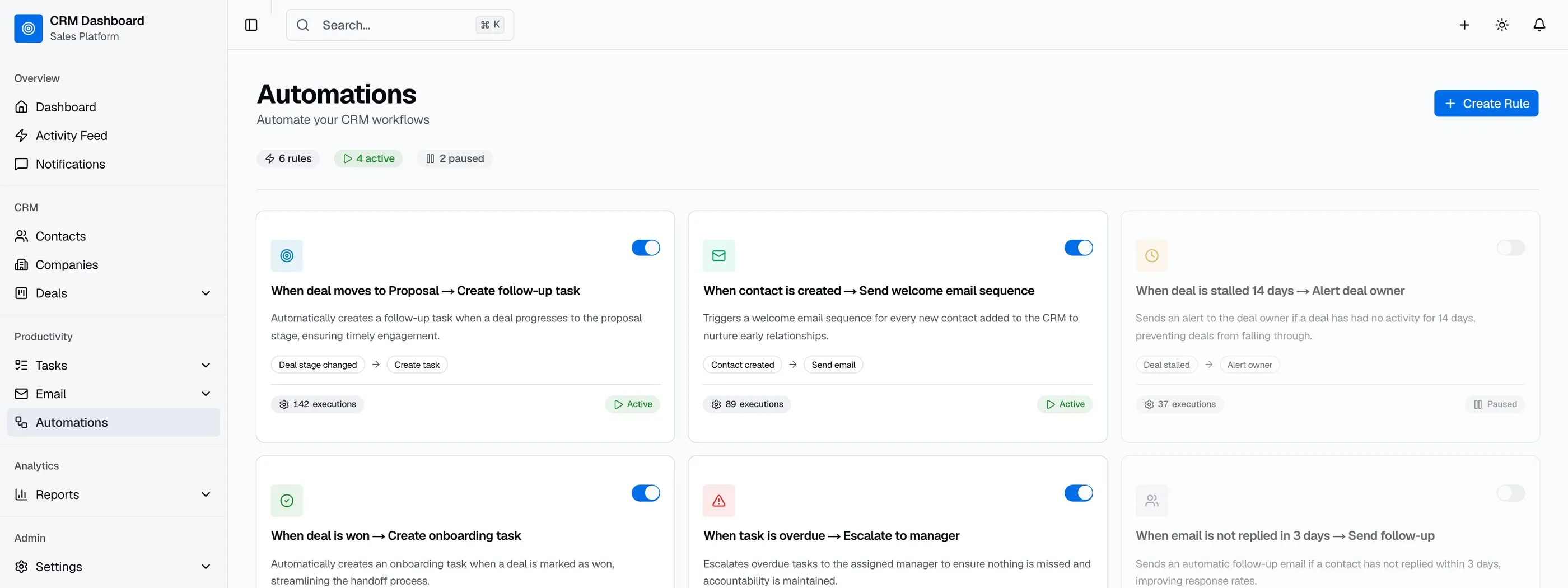
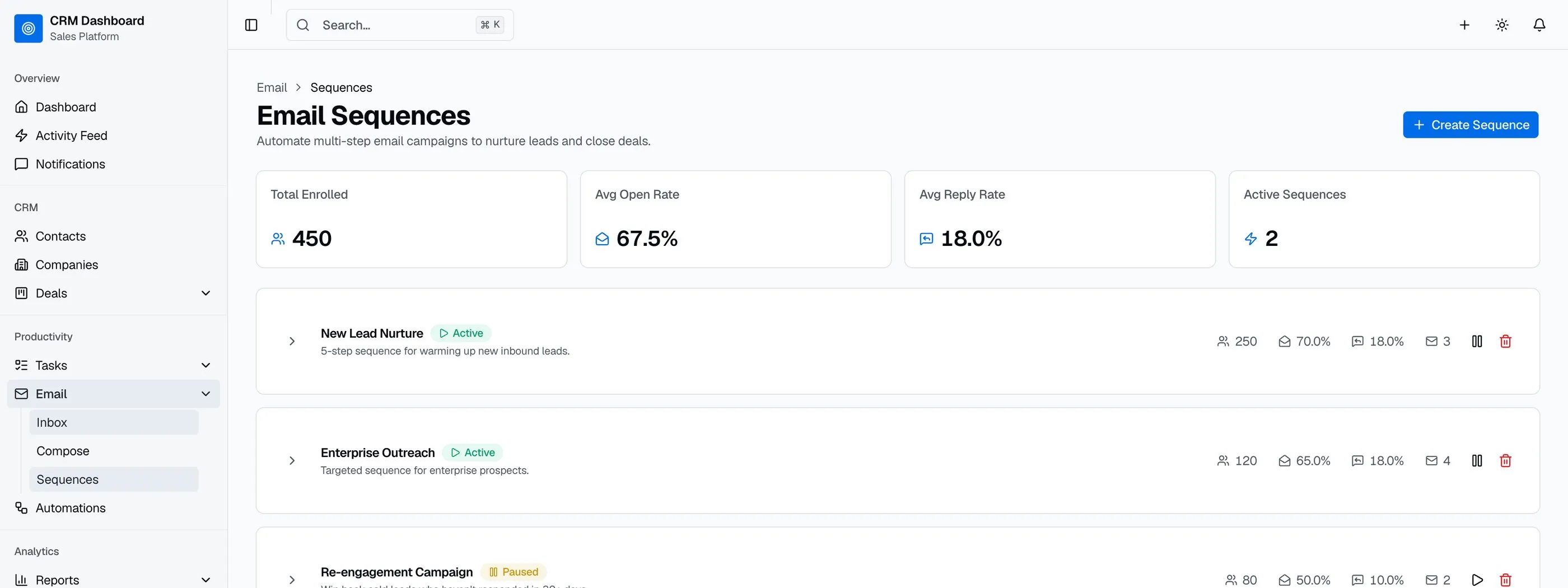
The teams that move off Pipedrive in 2026 do it for two reasons: cost at scale (the per-seat fees compound), and workflow fit (the deal-stage model assumes a certain sales motion that doesn't match every team's). Ten alternatives worth comparing, from free tiers to open-source self-hosted to building the dashboard layer yourself.
For a deeper rubric on what a sales dashboard has to show, see our How to Build a Sales Dashboard in Next.js guide.
TL;DR: Quick Picks for 2026
| Need | Top pick | Price |
|---|---|---|
| Founder-led sales teams | Clarify | Free tier, Starter from $40/mo (annual) |
| Free CRM for 1-2 users | HubSpot Free | Free for up to 2 users |
| Cheapest paid, full-featured | Zoho CRM | $14+/user/mo |
| Pipedrive-like UI, better phone/email built in | Freshsales | $9+/user/mo, 21-day trial |
| Cold-call/SDR focused | Close | $35+/user/mo, power dialer from $99 |
| AI-assisted, small biz | Salesflare | Paid plans (see its pricing page) |
| Selling from your Gmail inbox | Salesflare or HubSpot Free | Free (HubSpot, 2 users) or paid |
| Data-model flexibility, modern UI | Attio | Free tier, $35+/user/mo |
| Open-source modern CRM | Twenty | Free (self-host) |
| Open-source traditional CRM | EspoCRM | Free (self-host) |
| Embedded dashboard in your Next.js app | thefrontkit Sales Dashboard Kit | $131+ |
Clarify's placement in this post is sponsored. The assessment of it is our own, and the rest of the list is unpaid.
What Pipedrive Actually Does Well
Worth saying clearly: Pipedrive has the cleanest UI in the CRM space and the lowest learning curve for new reps. Their automation engine is solid. The mobile app actually gets used. For sales teams under 25 reps that follow a standard deal-stage motion, Pipedrive is hard to beat.
The case for alternatives isn't that Pipedrive is bad. It's that the deal-stage model has limits, and at certain team sizes the per-seat math doesn't work.
When to Leave Pipedrive
Three signals:
- You're over 25 reps and per-seat fees are becoming a serious budget line.
- Your sales motion doesn't fit deal stages (e.g., partnership-driven, account-based, RFP-heavy).
- You want the dashboard inside your product for customer-facing sales analytics or partner enablement.
1. Clarify
AI-native CRM that automatically captures sales activity from email and calendar instead of relying on manual CRM updates.
Strengths:
- Automatically captures contacts, companies, deals, and meeting activity from connected email and calendar accounts
- Rep AI sales agent prepares meeting briefs, summarizes calls, drafts follow-ups, and captures tasks
- Lead Finder and Campaigns combine prospecting and outbound email in one platform
- Custom Agents let you start from a template or build your own in natural language to automate go-to-market workflows
- Unlimited seats on every plan; pricing is based on AI credits rather than per-user licenses
- Native integrations with Gmail, Outlook, Slack, ChatGPT, and Claude
Weaknesses:
- No marketing automation
- Newer platform with a smaller integration ecosystem than long-established CRMs
- Less suited to large enterprise sales organizations with complex RevOps requirements
Best for: Founder-led sales teams and growing B2B businesses that want an AI-native CRM. The unlimited-seat, credit-based pricing is the part worth modelling against Pipedrive's per-seat math if you're adding headcount.
2. HubSpot Free CRM
The most-used free CRM. The hook for HubSpot's broader stack, but the free tier is actually useful.
Strengths:
- Free for up to 2 users
- Contacts, deals, tasks, email tracking included
- Polished UI (more polished than Pipedrive in many ways)
- Email + calendar integration solid
- Easy upgrade path to paid Sales Hub if needed
Weaknesses:
- Free tier limits in workflows, reporting, custom properties
- Upgrade to paid Sales Hub jumps quickly ($90/seat/month Professional, plus a required $1,500 onboarding fee)
- HubSpot universe is sticky (hard to leave once you're in)
- Reporting on free tier is basic
Best for: Small teams or solo founders who want a real CRM without paying yet. Be aware of the upgrade trajectory; we cover what happens after the free tier in our HubSpot alternatives comparison.
3. Zoho CRM
The value pick. Zoho CRM matches Pipedrive's entry price and undercuts it at the top tiers.
Strengths:
- $14-$52/user/month billed annually: the same $14 entry price as Pipedrive Lite, and $40 and $52 at the top against Pipedrive's $49 and $69
- Full feature set: workflows, scoring, forecasting, territory management
- Zia AI: limited on Standard and Professional, with predictions and anomaly detection on Enterprise and Ultimate
- Sits inside the broader Zoho suite (Books, Desk, Campaigns) if you want one vendor
- Bigin, their $7/user pipeline-only product, is the closest direct Pipedrive clone on the market
Weaknesses:
- UI is busier than Pipedrive; new reps take longer to settle in
- Configuration depth cuts both ways: easy to build a mess
- Support quality varies by region and plan
- The suite pull is real (the more Zoho you adopt, the harder it is to leave)
Best for: Cost-conscious teams that want more CRM per dollar and will invest a week in setup. If you only want the pipeline view, look at Bigin first.
4. Freshsales
Freshworks' CRM. The closest experience to Pipedrive on this list, with phone and email built into the base product.
Strengths:
- Paid from $9/user/month billed annually, with a 21-day trial
- Built-in phone, email and chat from the Growth plan
- Contact scoring and deal insights on the Pro plan; Freddy AI Agent is a paid add-on
- Kanban pipeline view that Pipedrive users recognize immediately
- Clean UI, fast onboarding
Weaknesses:
- Reporting is weaker than Zoho or HubSpot paid tiers
- Marketplace is smaller than Pipedrive's
- AI features gated to higher tiers
- Less common in agencies, so fewer consultants know it
Best for: Teams that like Pipedrive's model but want calling and email native, or want a cheaper entry point with a real free tier.
5. Close
CRM built specifically for high-volume outbound and SDR teams.
Strengths:
- Built-in calling and SMS (no third-party tool needed)
- Power dialer on Growth and a predictive dialer on Scale
- Email sequences with reply detection
- Reporting focused on activity-driven sales
- Strong for inside-sales motions
Weaknesses:
- Dialer plans run $99-$139/user/month billed annually (Growth and Scale), more than Pipedrive
- Built for outbound, so it feels wrong for inbound-heavy teams
- UI more dense than Pipedrive
- Overkill for teams not running heavy outbound
Best for: Outbound-heavy teams, SDR organizations, anyone running 50+ calls per rep per day.
6. Salesflare
AI-assisted CRM that auto-creates contacts and activity from email, calendar, and LinkedIn.
Strengths:
- Auto-enrichment of contacts (pulls in LinkedIn, email signatures, calendar)
- Activity tracking that reps don't have to manually log
- Mobile app focused on the rep's day
- Paid plans only; check current prices on Salesflare's pricing page
Weaknesses:
- Smaller than Pipedrive (fewer integrations)
- Reporting is decent but less customizable
- AI features can be hit-or-miss
- Less suited to large enterprise complexity
Best for: Small to mid-size B2B teams who want the CRM to do more of the data entry automatically.
7. Attio
The CRM for teams whose data model doesn't fit deal stages. Built around flexible objects and views rather than a fixed pipeline.
Strengths:
- Data model is fully customizable: companies, people, deals, plus any object you define
- UI quality is the best on this list (Notion-grade polish)
- Real-time collaboration, shared views, and notes built in
- Free tier for small teams; Plus from $35/user/month billed annually (up to 10 seats)
- Strong API and webhook support for product-led teams
Weaknesses:
- Young product; some classic sales-management features (quotas, forecasting) are thinner
- Pricing climbs at the Pro/Enterprise tiers
- Flexibility means you have to design your own process
- Not self-hostable
Best for: Startups and partnership/account-based teams whose motion never fit Pipedrive's deal-stage model in the first place.
8. Twenty
Modern open-source CRM. The Notion-meets-Linear of the CRM world.
Strengths:
- Free and open source (AGPLv3), actively developed
- Modern stack (React, GraphQL, Postgres)
- UI is genuinely good (closer to Linear than EspoCRM)
- Extensibility via plugins and custom objects
- Self-hostable, also cloud-hosted with paid tiers
Weaknesses:
- Newer project; feature set still growing
- Integrations limited compared to Pipedrive
- Self-hosting needs Node + Postgres comfort
- Some enterprise features still on the roadmap
Best for: Developer-led teams who want a modern open-source CRM and are happy contributing or running the bleeding edge.
9. EspoCRM
The traditional open-source CRM. Mature, full-featured, PHP-based.
Strengths:
- Free open-source, mature (10+ years of development)
- Full CRM feature set (contacts, accounts, opportunities, cases, calendar)
- Customizable via admin UI
- Self-hosted, also cloud-hosted with paid tiers
- Reports, workflows and BPM come in the Advanced Pack add-on (bundled with cloud plans)
Weaknesses:
- PHP/Apache stack (LAMP-style hosting)
- UI is functional but dated
- Mobile experience is weak
- Customization beyond admin UI requires PHP
Best for: Teams that want a full traditional CRM, self-hosted, with mature feature coverage and don't mind the PHP stack.
10. Build the Dashboard on Top with the Sales Dashboard Kit
The build path is different from the others: you're not replacing the CRM, you're building the dashboard layer on top. Keep Pipedrive (or HubSpot, Salesforce) as the system of record. Build a custom dashboard that pulls the data and presents it the way your team works.
What this looks like:
- CRM stays where it is (reps work in it)
- Your dashboard syncs daily (or via webhook) and stores deals + activities + history
- Custom views: per-rep, per-team, per-product, per-region
- Custom calculations: your forecast logic, your activity scoring, your win/loss categorization
- White-label inside your product if you sell to sales teams
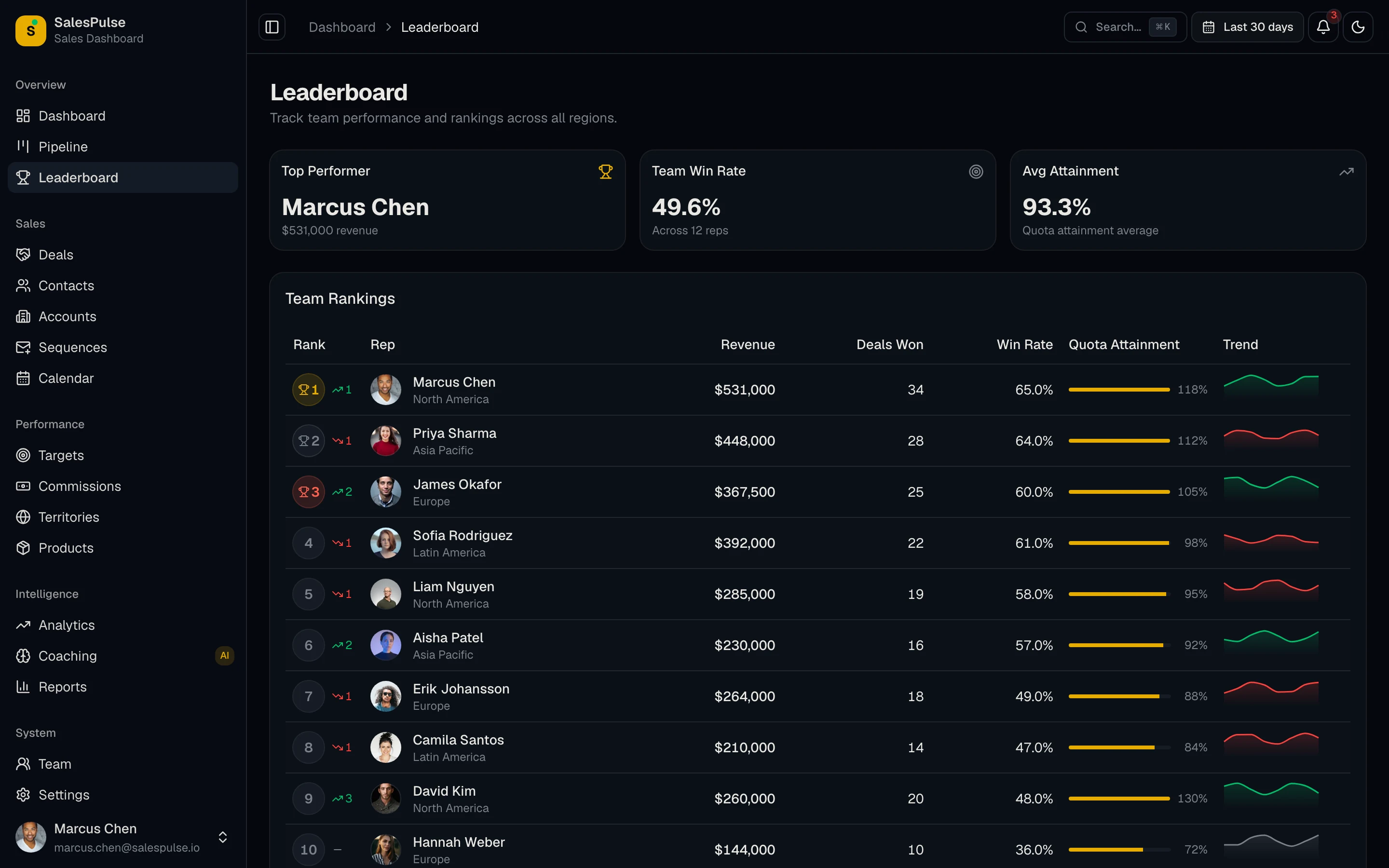
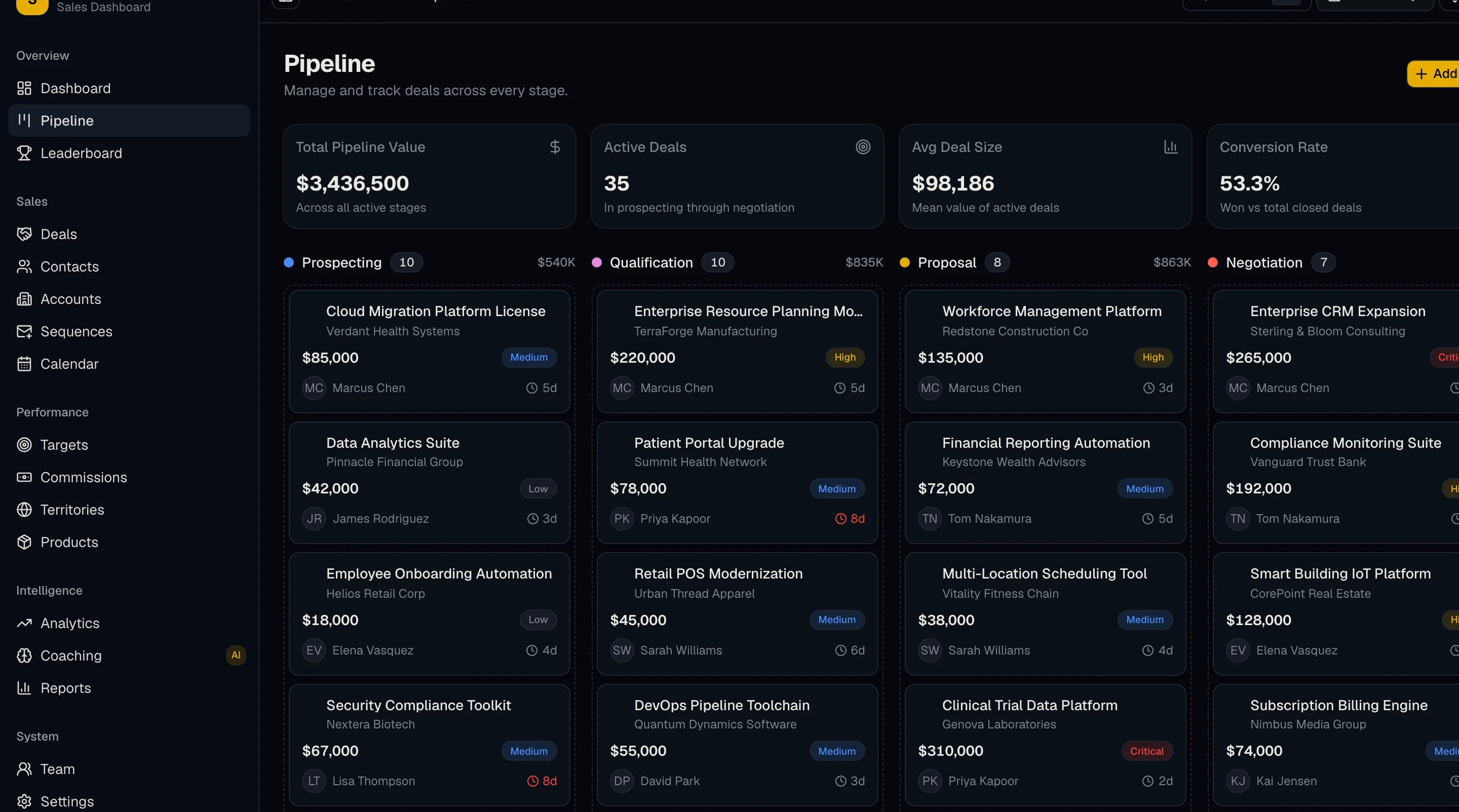
The Sales Dashboard Kit gives you the UI: pipeline funnel + stacked bar + Kanban, quota progress, forecast chart, activity dashboard, leaderboard, win/loss analytics, deal velocity. Next.js + Tailwind + shadcn/ui.
You bring the CRM integration (the Salesforce REST API, HubSpot API and Pipedrive API are all well documented). $131 solo, $199 team, $349 agency, or get every kit (18 total) for $749 via All UI Kits.
For sales-tech product teams selling to sales orgs, this is the right call. The CRM stays strongest at the rep's workflow, and the dashboard handles the manager's analysis. For which metrics belong on it, see our CRM dashboard examples.
Recommendation by Team Profile
| You | Pick |
|---|---|
| Founder-led, selling out of your inbox | Clarify |
| Solo or 1-3 reps | HubSpot Free (2 users), Freshsales Growth ($9/user), or Pipedrive Lite |
| Cost-conscious, 5-25 reps | Zoho CRM (or Bigin if you only need the pipeline) |
| Liked Pipedrive's model, want native calling | Freshsales |
| Outbound-heavy SDR team | Close |
| Small B2B, low data-entry tolerance | Salesflare |
| Non-standard sales motion (partnerships, ABM) | Attio |
| Engineering-strong, want modern stack | Twenty |
| Want full traditional CRM, self-hosted | EspoCRM |
| Keep CRM, add custom dashboard | Build with the Sales Dashboard Kit |
| Building sales analytics into a SaaS product | Build with the Sales Dashboard Kit |
| Salesforce shop wanting custom reporting | Build with the Sales Dashboard Kit |
Pricing at a Glance (10-Person Team, Annual)
Rough annual cost for a 10-rep team on the mid tier of each product, billed annually:
| Product | Mid-tier price | ~Annual cost (10 reps) |
|---|---|---|
| Pipedrive (Premium) | $49/user/mo | $5,880 |
| Clarify (Starter) | $40/mo, unlimited seats (pitched for teams up to 3) | $480 + AI credit usage |
| HubSpot Sales Hub (Professional) | $90/user/mo | $10,800, plus $1,500 onboarding |
| Zoho CRM (Enterprise) | $40/user/mo | $4,800 |
| Freshsales (Pro) | $39/user/mo | $4,680 |
| Close (Growth) | $99/user/mo | $11,880 |
| Attio (Pro) | $79/user/mo | $9,480 |
| Twenty (self-hosted) | Free | Hosting only (our estimate: ~$240-600) |
| EspoCRM (self-hosted) | Free | Hosting only (our estimate: ~$240-600) |
| Sales Dashboard Kit + your CRM's free tier | One-time $131-$349 | $131-$349 once, plus hosting |
Annual list prices from each vendor's pricing page in September 2026. Salesflare isn't listed because its pricing page couldn't be checked. The pattern holds though: per-seat SaaS compounds with headcount, self-hosted compounds with your time.
Pipedrive vs Freshsales (Freshworks CRM)
This is the head-to-head most people end up at, because Freshsales is the closest thing to Pipedrive on this list. Same Kanban pipeline, similar learning curve, lower entry price. Freshsales is Freshworks' sales CRM, so "Pipedrive vs Freshworks" usually means this comparison too.
| Pipedrive | Freshsales | |
|---|---|---|
| Free plan | No | No (21-day trial) |
| Entry paid plan | Lite, $14/user/mo (annual) | Growth, $9/user/mo |
| Mid tier | Premium, $49/user/mo (annual) | Pro, $39/user/mo (annual) |
| 10 reps on the mid tier, per year | $5,880 | $4,680 |
| Pipeline UI | Best in class | Very close |
| Reporting | Stronger | Weaker than Zoho or HubSpot paid tiers |
| Marketplace | Larger | Smaller |
Pick Pipedrive if your reps live in the pipeline view and you rely on its marketplace apps, or your team is already trained on it. Switching costs are real, and the pricing gap on the mid tier is about $1,200 a year for 10 reps.
Pick Freshsales if you're starting fresh, you want the cheapest paid start ($9/user/month billed annually), or you want calling and email in the CRM without buying extras. It's also the easier call if your support team already runs on Freshdesk, since both are Freshworks products.
If neither fits, the rest of this list covers the other directions: cheaper (Zoho), more flexible (Attio), or self-hosted (Twenty, EspoCRM).
Connecting Pipedrive to the Rest of Your Stack
Whichever CRM you pick, the next problem is the same one. Deals have to turn into invoices, and closed-won has to reach finance without someone retyping it. Here's what Pipedrive gives you out of the box, as of September 2026:
- QuickBooks Online: Pipedrive's QuickBooks integration lets you create an invoice from the deal and watch its status (Open, Paid, Overdue, Partially paid, Voided) from inside Pipedrive. It only works with QuickBooks Online, the invoice currency has to match the customer's currency in QuickBooks, and product edits don't sync in either direction. (Pipedrive support)
- Xero: two-way sync usually comes from marketplace apps such as SyncQ.
- Everything else goes through the API. Pipedrive gives each company a daily token budget that scales with plan and seat count, plus burst limits every two seconds (rate limits). A big backfill on the Lite plan runs out of room quickly.
Creating an invoice from a deal is the easy part. The trouble starts with deals billed in installments, products that change after the deal closes, customers in more than one currency, and contacts that need to stay in step in both CRM and accounting. That's usually when a spreadsheet appears in the middle.
If that spreadsheet already exists, this is work we do. Our CRM integration audit maps what's actually flowing between your CRM and your accounting tool, finds where records drift, and gives you a written fix plan, from $499. Or run the free sync health checklist first.
Frequently Asked Questions
What is the best alternative to Pipedrive?
There isn't one answer, because the reason you're leaving decides the pick. Leaving on cost: Zoho CRM from $14/user/month billed annually, or HubSpot's free CRM if you have 2 users or fewer. Leaving because the deal-stage model doesn't fit: Attio, which lets you shape the data model around your motion. Leaving because you want to own it: Twenty for a modern stack, EspoCRM for a mature one. Leaving because the reporting is weak: keep Pipedrive and build the dashboard on top of its API.
What is the best free alternative to Pipedrive?
For very small teams, HubSpot's free CRM (up to 2 users) gives you real deal tracking and solid email integration, and Freshsales starts at $9/user/month billed annually, with built-in calling on its paid plans. If you can self-host, Twenty gives you a modern CRM with no per-seat fees at all. And if you're a team of one or two, our free CRM spreadsheet template may be all you need for now.
What is the best open-source alternative to Pipedrive?
Twenty if you want a modern stack and UI (React, GraphQL, Postgres) and can live with a younger feature set. EspoCRM if you want mature, complete CRM functionality and don't mind a PHP stack and a dated interface.
Is there a cheaper CRM that works like Pipedrive?
Bigin by Zoho ($7/user/month) is the closest direct clone of Pipedrive's pipeline-first model. Freshsales ($9+/user/month) is the closest full-CRM experience. Both cost a fraction of Pipedrive's mid tiers.
Is there a Pipedrive alternative that works inside Gmail?
Yes. Salesflare is the closest fit if you live in your inbox: it builds contacts and logs activity from your email, calendar, and LinkedIn instead of asking reps to type it in. HubSpot Free also has solid email and calendar integration, with email tracking included on the free tier. Clarify integrates with Gmail natively too, which is why it suits founder-led sales where the inbox is the pipeline.
What is the best Pipedrive alternative for a small business?
With 2 or 3 reps, HubSpot's free CRM (up to 2 users) will cover you, and Freshsales Growth at $9/user/month is the cheapest paid step up (with a 21-day trial). Between 5 and 25 reps and watching budget, Zoho CRM is the value pick from $14/user/month billed annually, or Bigin at $7 if all you want is the pipeline. Small B2B teams that hate data entry should look at Salesflare instead, since it logs most activity automatically.
What is the best Pipedrive alternative for a growing team?
Growth is where per-seat pricing starts to hurt, so the question becomes what scales with headcount. Zoho CRM and Freshsales stay affordable as you add reps. Clarify charges per workspace rather than per seat, so adding people doesn't change the bill. Self-hosting Twenty removes per-seat cost entirely, at the cost of running it yourself.
Is Freshsales better than Pipedrive?
For small teams on a budget, often yes. Freshsales has paid plans from $9/user/month billed annually (the old free plan is gone, but there's a 21-day trial), and phone and email built in from the Growth plan. Pipedrive has no free plan and starts at $14/user/month billed annually, but its pipeline UI, reporting and marketplace are stronger. At 10 reps on the mid tier, Freshsales Pro costs about $4,680 a year against $5,880 for Pipedrive Premium.
Can I keep Pipedrive and just fix the reporting?
Yes, and for a lot of teams that's the honest answer. Reps keep working in Pipedrive; you pull deals and activities via the Pipedrive API into your own dashboard with your own forecast logic and views. That's the build path described above with the Sales Dashboard Kit, and our CRM dashboard examples list the metrics worth putting on it.
How hard is it to migrate off Pipedrive?
The data export is easy (CSV for contacts, orgs, deals, activities; the API for everything else). The hard part is process: pipeline stages, automations, and email templates have to be rebuilt in the new tool. It's a good moment to rebuild them in the right order, which our CRM automation guide walks through. Budget a week for a small team, and run both tools in parallel for at least one sales cycle before switching off. Our CRM implementation plan covers migration and adoption step by step.
Does Pipedrive integrate with QuickBooks?
Yes. Pipedrive's QuickBooks Online integration creates invoices from deals and shows their payment status in Pipedrive. It doesn't work with QuickBooks Desktop, product edits don't sync either way, and currencies have to match the customer's QuickBooks currency. For fuller two-way sync, teams add a third-party connector or custom middleware.
The Honest Take
Pipedrive is the right answer for many small to mid-size teams. The alternatives win at specific edges: AI-native capture with unlimited seats (Clarify), free for tiny teams (HubSpot), value (Zoho), Pipedrive-like with native calling (Freshsales), outbound (Close), AI assistance (Salesflare), flexible data model (Attio), modern open-source (Twenty), traditional open-source (EspoCRM), or custom dashboard (build it).
The under-explored option for many teams is the last one: keep the CRM you have and build the dashboard separately. The CRM is best at the rep's workflow. A custom dashboard is best at your manager's analysis. They're different jobs.
For the failure modes that hit most sales dashboards (whether hosted or built), see Why Sales Dashboards Stop Getting Opened After 6 Weeks.
Want it shipped without hiring a developer?
The build path above assumes you have engineers. If you don't, the team behind thefrontkit does done-for-you launches: we deploy the kit, apply your branding, and wire it to your stack. Fixed quotes, most builds ship in 2-4 weeks, from $1999.