Teachable Alternatives: 9 Course Platforms for 2026
Teachable Alternatives: 9 Course Platforms Compared for 2026
Teachable has no free plan (just a 7-day trial). Starter is $39/month ($29 billed yearly) and takes a 7.5% transaction fee on every sale. Builder removes the fee at $89/month ($69 yearly), and Growth is $189/month ($139 yearly).
That 7.5% adds up fast. Sell a $200 course to 1,000 students on Starter and Teachable keeps $15,000. On Builder the same year costs $828 in subscription fees. So the first thing most creators do is upgrade, and the second is shop around.
People leave Teachable for three reasons: fees, customization, and ownership (your students and their data live on Teachable's platform). This post covers all three. Platforms 1 to 4 are hosted course platforms, 5 to 7 are WordPress plugins, 8 and 9 are open source, and the last option is building your own.
We checked every price on the vendor's own pricing page in September 2026.
Building your own course platform? Start with the LMS Kit
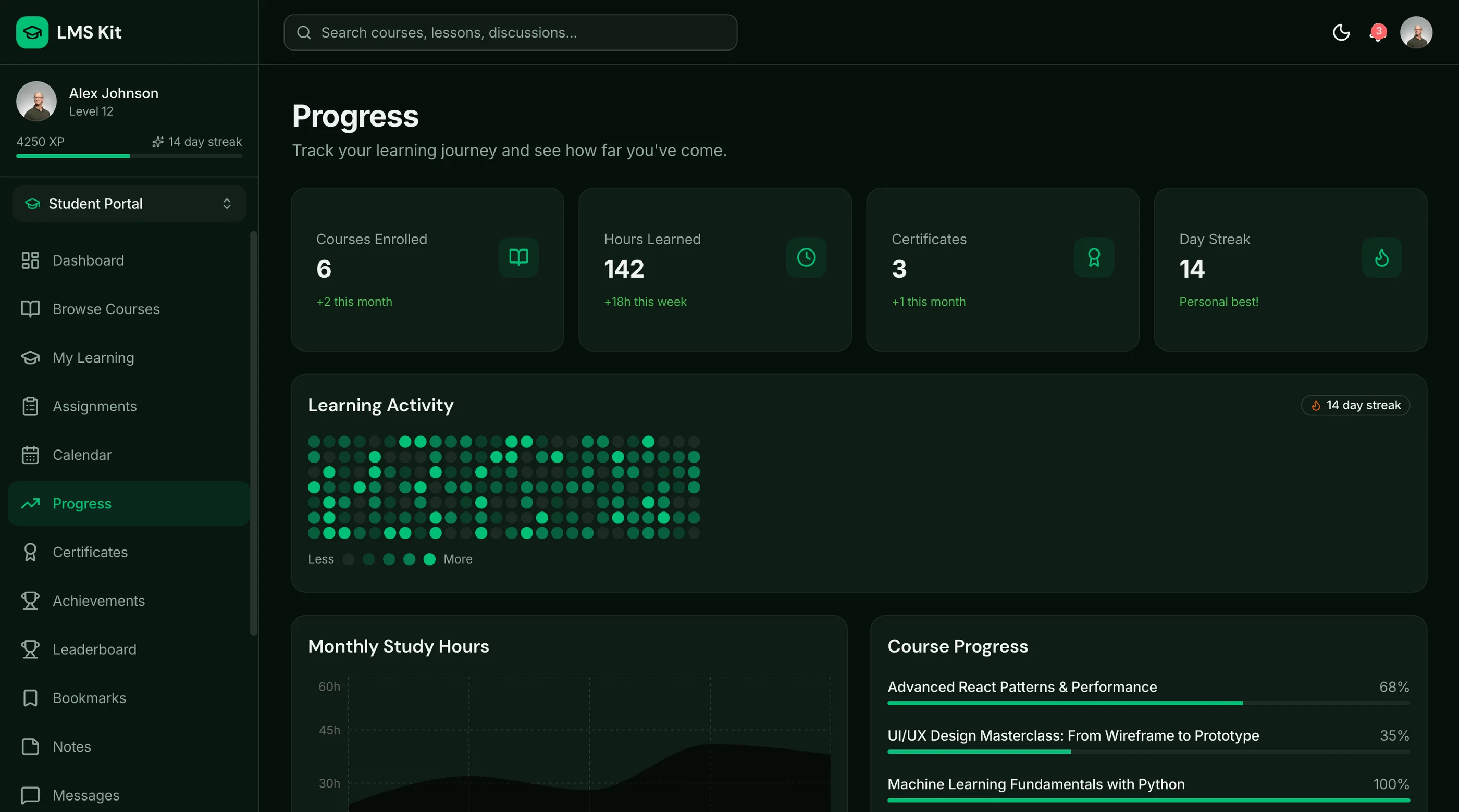
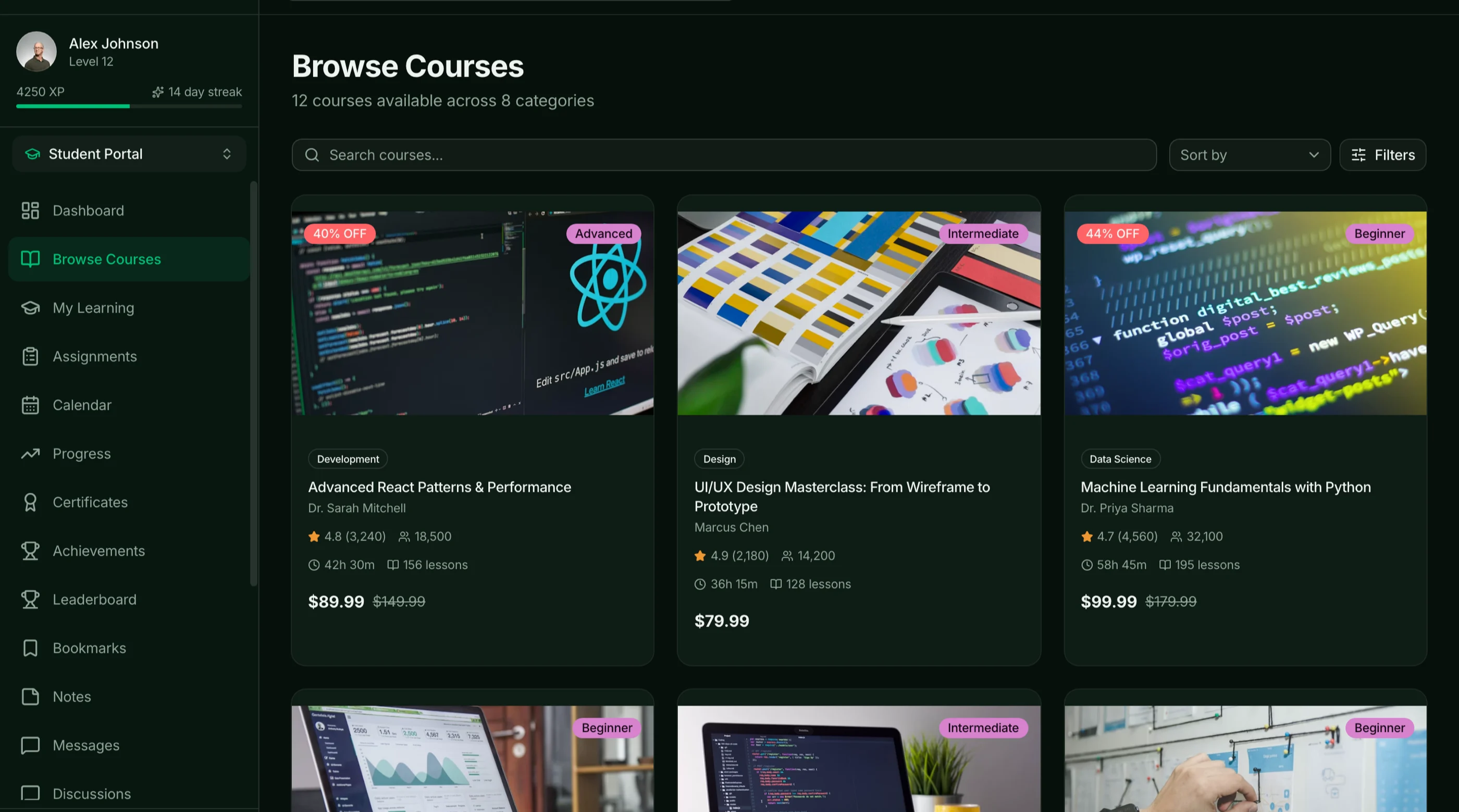
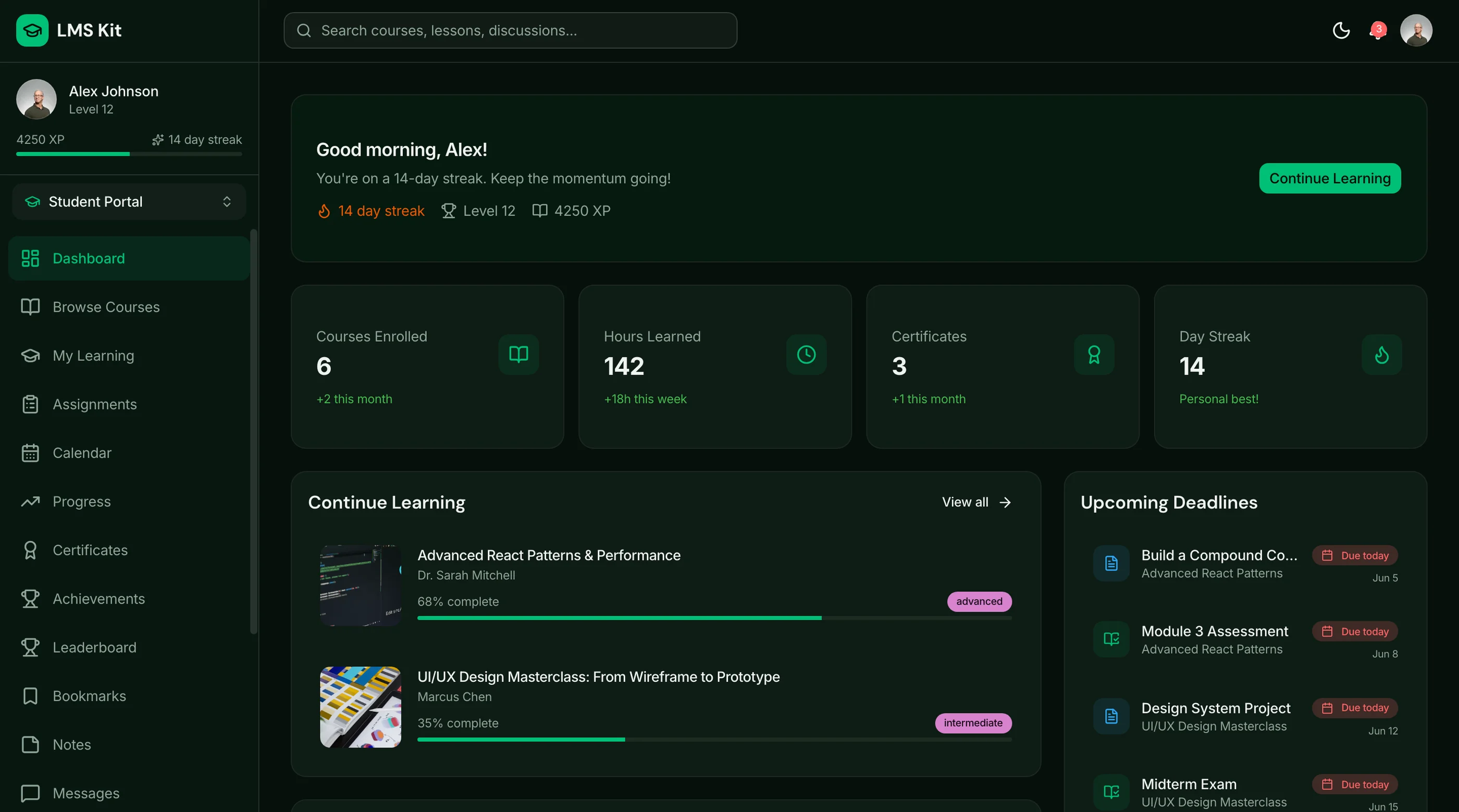
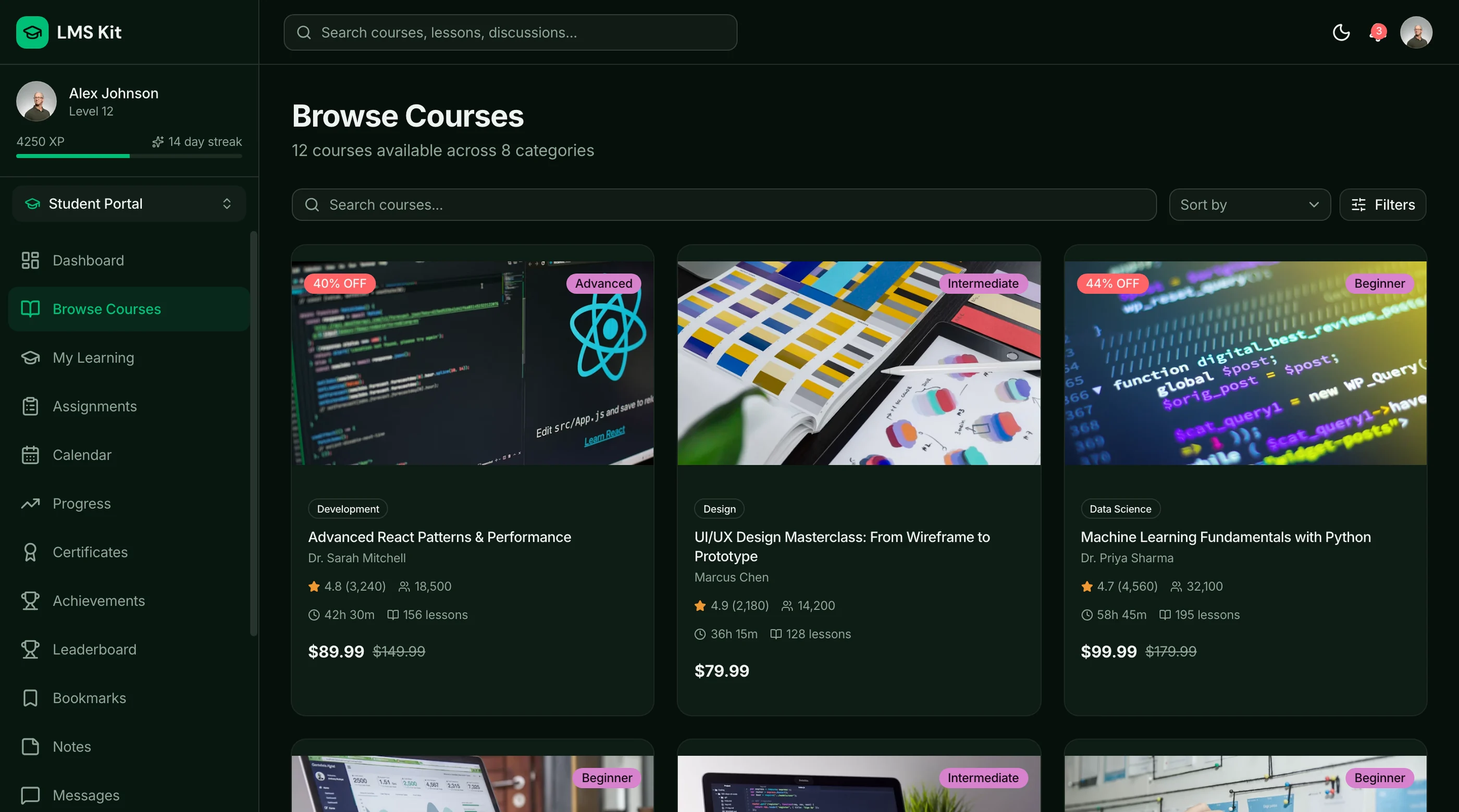
The LMS Kit gives you 39 screens: student dashboard, course catalog, a video lesson player with bookmarks, a quiz engine with timer and scoring, discussion forums, certificates, live sessions, instructor tools and an admin panel. Next.js 16, Tailwind v4 and shadcn/ui. $131 solo, $199 team, $349 agency.
Get the LMS Kit → or get every kit (18 total) for $749 via All UI Kits →
TL;DR: Quick Picks for 2026
| Need | Top pick | Price |
|---|---|---|
| Closest Teachable-style hosted platform | Thinkific | From $40/mo (yearly) |
| Interactive courses, cheapest entry | LearnWorlds | From $24/mo (yearly) |
| All-in-one (courses, email, website) | Kajabi | From $143/mo (yearly) |
| Simple storefront for courses and downloads | Podia | From $42/mo (yearly) |
| WordPress site already | LearnDash or Tutor LMS | From $199/year |
| Free and open source | Moodle | Free (self-hosted) |
| Your own branded platform | thefrontkit LMS Kit | $131+ one-time |
What Teachable Actually Does Well
Teachable's onboarding is among the fastest in the market: you can go from zero to a live course in an afternoon. Checkout, drip scheduling, completion certificates and student progress tracking all work well. For a first-time creator validating an idea, it earns its price.
The case to switch isn't that Teachable is bad. It's that the fee on Starter punishes early sales, and the platform owns the audience layer.
When to Leave Teachable
- The 7.5% Starter fee is costing more than an upgrade would. Starter costs more than Builder once you sell about $530 a month in courses on yearly billing ($670 on monthly billing). Past that, Builder or a no-fee competitor is cheaper.
- You want a custom learning experience (cohorts, gamification, interactive video, a branded community) that Teachable's templates don't support.
- You're building a multi-product business (courses, memberships, software, services) and Teachable is becoming one of several disconnected tools.
1. Thinkific
The closest hosted competitor: similar feature set, a different take on the builder.
Strengths:
- Basic $54/month ($40 yearly), Start $109 ($82), Grow $219 ($164)
- Strong course builder, communities, and good customization
- Mature app store and integrations
- 30-day free trial
Weaknesses:
- Thinkific Payments charges 2.9% per sale
- No free plan
- Same hosted model, so the same data ownership question
Best for: Creators who want Teachable-style simplicity with more customization.
2. LearnWorlds
The interactive-course platform, with the cheapest paid entry point here.
Strengths:
- Starter $29/month ($24 yearly), Pro Trainer $99 ($79), Learning Center $299 ($249)
- Interactive video (in-video questions and more), assessments and certificates
- Branded mobile app available on higher tiers
- 30-day free trial
Weaknesses:
- Starter charges $5 per paid enrollment (higher plans have no fee)
- Steeper learning curve than Teachable
- Prices exclude VAT
Best for: Creators and training businesses that care about engagement and interactive content.
LearnWorlds vs Teachable
| Teachable | LearnWorlds | |
|---|---|---|
| Entry plan | Starter $39/mo ($29 yearly) | Starter $29/mo ($24 yearly) |
| Fee on entry plan | 7.5% per sale | $5 per paid enrollment |
| No-fee plan from | Builder, $89/mo ($69 yearly) | Pro Trainer, $99/mo ($79 yearly) |
| Free trial | 7 days | 30 days |
| Interactive video | Basic | A core strength |
| Ease of setup | Faster | More options, more to learn |
Choose Teachable if you want the fastest path to a live course and a simple store. Choose LearnWorlds if interactive video, assessments and a branded academy matter more than setup speed. On a cheap $30 course, LearnWorlds' $5 per enrollment on Starter is a bigger bite than Teachable's 7.5%. On a $300 course it's much smaller.
3. Kajabi
The all-in-one creator business platform.
Strengths:
- Courses, website, email marketing, funnels, community and payments in one tool
- No platform revenue share (you pay card processing, from 2.7% to 2.9% plus 30¢ on Kajabi Payments in the US)
- Polished for creators who sell high-ticket programs
Weaknesses:
- Basic $179/month ($143 yearly), Growth $249 ($199), Pro $499 ($399)
- Overkill if you only need a course player
- Hosted, with the same ownership trade-off
Best for: Established creators who want to replace five tools with one.
4. Podia
Simple storefront for courses, downloads and memberships.
Strengths:
- Mover $49/month ($42 yearly), Shaker $99 ($84), Earthquaker $179 ($150)
- Sells courses, digital downloads, webinars and memberships from one storefront
- Very easy to use; 30-day trial with no card
Weaknesses:
- Mover charges a 5% transaction fee and caps subscribers and products
- Lighter course features than Thinkific or LearnWorlds
Best for: Creators selling a mix of small digital products, not just one flagship course.
5. LearnDash (WordPress)
The best-known WordPress LMS plugin.
Strengths:
- Essentials $259/year, Pro $399, Elite $599 (now sold through Liquid Web)
- Deep course, quiz and drip features, huge add-on ecosystem
- Your site, your students, no transaction fees from LearnDash
Weaknesses:
- You run WordPress: hosting, updates, plugin compatibility
- No free plan (a 48-hour trial)
Best for: Creators and businesses already running WordPress.
6. Tutor LMS (WordPress)
The WordPress LMS with a free core.
Strengths:
- Free, open-source core (GPL-3.0)
- Pro from $199/year for one site, or lifetime licences from $499
- Frontend course builder, quizzes, certificates and monetization add-ons
Weaknesses:
- WordPress stack with everything that implies
- The best features are in Pro
Best for: WordPress users who want to start free and upgrade later.
7. Sensei LMS (WordPress)
Automattic's WordPress LMS.
Strengths:
- Free, open-source core (GPL-2.0)
- Sensei Pro $179/year for one site, Agency $360/year for up to 20 sites
- Native WordPress feel, from the company behind WordPress.com and WooCommerce
Weaknesses:
- Less feature-rich than LearnDash or Tutor LMS
- Course design constrained by WordPress blocks
Best for: Simple courses on an existing WordPress site.
8. Moodle
The classic open-source LMS. (Its own market is mapped in our Moodle alternatives guide.)
Strengths:
- Free and open source (GPL-3.0), 20+ years of development
- Excellent quizzes and assessments, huge plugin ecosystem
- Full data ownership
- MoodleCloud hosting from $170/year for 50 users if you don't want to self-host
Weaknesses:
- PHP stack and a dated default UI
- Built for academic use (courses, grading, semesters) more than the creator economy
- Self-hosting needs DevOps
Best for: Schools, training organizations and anyone who needs assessment depth.
9. Open edX
The enterprise open-source LMS behind edX.
Strengths:
- Free and open source (AGPL-3.0), used at university scale
- Strong assessment and analytics
- Designed for both cohort-based and self-paced learning
Weaknesses:
- Heavy stack and a real DevOps commitment (or a paid hosting provider)
- Default UI is academic, not consumer
- Overkill for solo creators
Best for: Universities, enterprise L&D and training providers with engineering resources.
Or Build Your Own in Next.js
The build path is now realistic for any creator with engineering help. Drizzle + Postgres for courses and progress, Mux or Cloudflare Stream for video hosting, Stripe for payments, Next.js for the learner UI. Our How to Build an LMS in Next.js guide walks through the data model, and our custom LMS vs white-label LMS comparison prices the build against staying on a hosted platform.
What you get:
- Full data ownership (every student interaction is yours)
- Custom learning experiences (cohorts, gamification, AI tutors, branded community)
- Embed in your product (no Teachable subdomain)
- Multi-product flexibility (courses, memberships, software, services in one platform)
- No platform subscription or transaction fees (you still pay for hosting, video and payment processing)
What it costs:
- 6-10 weeks for a real first version (catalog, video player, progress tracking, payments)
- Ongoing maintenance (video infrastructure, payment edge cases, accessibility)
- You're on the hook for the learning experience design
For a creator doing $100K+/year in course revenue, the build typically pays back in months and compounds in flexibility.
Skip the Build: LMS Kit
The LMS Kit gives you 39 screens on Next.js 16, Tailwind v4 and shadcn/ui: student dashboard, course catalog, a video lesson player with sidebar navigation and bookmarks, a quiz engine with timer, scoring and results, threaded discussion forums, certificates, achievements, live sessions, instructor tools and an admin panel. For what separates a good LMS template from a demo, see why most LMS templates fail. Want the backend too? The Full-Stack LMS Kit adds Supabase (55 routes).
Frontend kit. You bring your own video host (Mux or Cloudflare Stream recommended), payment processor (Stripe or Lemon Squeezy for tax handling), and email lifecycle (Resend or Loops). $131 solo, $199 team, $349 agency. Or get every kit (18 total) for $749 via All UI Kits.
Get the LMS Kit → or See All UI Kits →
Recommendation by Creator Stage
| Stage | Pick |
|---|---|
| First course, validating the idea | Teachable Starter or LearnWorlds Starter |
| Selling steadily, want no fees | Teachable Builder, Thinkific or LearnWorlds Pro Trainer |
| Want interactive courses | LearnWorlds |
| Want one tool for the whole business | Kajabi |
| Selling a mix of digital products | Podia |
| WordPress site already | LearnDash, Tutor LMS or Sensei LMS |
| School or training organization | Moodle or Open edX |
| Building your own branded platform | The LMS Kit |
Frequently Asked Questions
What is the best alternative to Teachable?
For most creators, Thinkific or LearnWorlds. Thinkific is the closest like-for-like, while LearnWorlds is cheaper to start ($24/month billed yearly) and stronger on interactive video. Kajabi is the pick if you want courses, email and your website in one tool.
Is there a free alternative to Teachable?
Teachable, Thinkific, LearnWorlds, Kajabi and Podia no longer have free plans, just trials. Free options are open source: Moodle and Open edX (self-hosted), or the free cores of Tutor LMS and Sensei LMS on a WordPress site.
Is LearnWorlds better than Teachable?
LearnWorlds is better for interactive, assessment-heavy courses and has a cheaper entry plan ($24 vs $29 a month billed yearly) and a longer trial (30 days vs 7). Teachable is faster to set up. On entry plans, LearnWorlds charges $5 per paid enrollment and Teachable 7.5% per sale, so which is cheaper depends on your course price.
How much does Teachable charge per sale?
On Starter, 7.5% per transaction. Builder, Growth and Custom plans have 0% Teachable transaction fees. Payment processing fees still apply on every plan.
Can I self-host a course platform?
Yes. Moodle and Open edX are free and open source, but need hosting and maintenance (or a hosting provider). WordPress plugins like LearnDash and Tutor LMS run on your own WordPress site. Or build a custom platform on Next.js, where the LMS Kit gives you the frontend.
The Honest Take
Hosted platforms win the first year: they're fast and you can focus on the content. Owned platforms win later, once fees and limits start costing more than running your own. The switching cost grows with every student you add, so decide early which kind of business you're building.
Want it shipped without hiring a developer?
The build path above assumes you have engineers. If you don't, the team behind thefrontkit does done-for-you launches: we deploy the kit, apply your branding, and wire it to your stack. Fixed quotes, most builds ship in 2-4 weeks, from $1999.