Best Next.js Ecommerce Templates 2026 (Free & Paid)
Best Next.js Ecommerce Templates in 2026
Quick picks:
- Selling on Shopify? Next.js Commerce by Vercel. Free, MIT, and checkout hands off to Shopify.
- Want Stripe and a hosted backend? Your Next Store. Free code, paid platform from $30/month.
- Want a free full-stack store with its own admin? The Payload ecommerce template (still in beta) or Saleor Storefront.
- Need a complete, accessible frontend for your own backend? The thefrontkit E-commerce Kit. 56 screens across storefront, customer account and admin, from $165.
The right choice mostly comes down to one question: where does your product, cart and order data live? A Next.js ecommerce template is either tied to a commerce backend (Shopify, Saleor, Medusa, Payload, Stripe) or it's a frontend you connect to whatever you already run. Pick the backend first, and the template usually follows.
Every fact below was checked against each project's GitHub repo or pricing page in September 2026.
Next.js Ecommerce Templates Compared
| Template | Backend | Checkout | Admin panel | License | Price |
|---|---|---|---|---|---|
| Next.js Commerce | Shopify | Redirects to Shopify checkout | Shopify Admin | MIT | Free (plus Shopify plan) |
| Your Next Store | Stripe + YNS platform | Stripe | YNS platform | MIT | Free code; platform from $30/mo |
| Saleor Storefront | Saleor | Built in (Stripe) | Saleor Dashboard | FSL-1.1 (becomes Apache 2.0) | Free (self-host or Saleor Cloud) |
| Payload ecommerce template | Payload CMS | Built in (Stripe) | Payload admin, same app | MIT (beta) | Free |
| Medusa DTC Starter | Medusa | Built in | Medusa Admin | MIT | Free |
| NextMerce | Sanity | Included | Sanity Studio | No license file on free repo | Free; Pro from $79 |
| CozyCommerce | PostgreSQL + Prisma | Stripe | Built-in admin | Commercial | From $99 |
| thefrontkit E-commerce Kit | Any API (frontend only) | Multi-step UI, bring your processor | 13 admin screens | Commercial | From $165 |
Shopify Hydrogen isn't on the list because it isn't Next.js. It's built on React Router.
The 8 Best Next.js Ecommerce Templates
1. Next.js Commerce (Vercel)
Best for Shopify stores that want a custom headless frontend.
Vercel's official template is the most-starred option by far (about 14,000 stars) and it's actively maintained. It's lean on purpose: home, search and collection pages, product pages, a slide-out cart and CMS pages. There's no checkout or customer account area in the app. When shoppers check out, they're sent to Shopify's hosted checkout.
Vercel only maintains the Shopify version. Community forks exist for BigCommerce, Medusa and Saleor.
- Backend: Shopify
- Stack: Next.js 15 (canary), React 19
- License: MIT
- Price: Free, plus your Shopify plan
2. Your Next Store
Best for small catalogs that want Stripe payments without running a commerce backend.
Your Next Store (about 5,500 stars) is a fast, minimal storefront: home, product, category, collection, search, blog and content pages, and order success. It runs on Stripe plus the hosted YNS platform, so you need a YNS API key. It isn't a standalone Stripe-only store.
- Backend: Stripe + YNS platform
- Stack: Next.js 16, React 19
- License: MIT
- Price: Code is free. Platform plans start at $30/month (Starter), $60 (Growth) and $360 (Pro), with no platform transaction fees
3. Saleor Storefront
Best for teams that want an open-source, API-first commerce engine.
Saleor's official Next.js storefront includes a real checkout (Stripe and a test gateway), customer accounts, orders, cart, search, categories and collections. The backend and admin come from Saleor, either self-hosted or on Saleor Cloud.
Check the license before you fork it. The storefront uses the Functional Source License (FSL-1.1), which converts to Apache 2.0 after a delay. It's not MIT.
- Backend: Saleor (GraphQL)
- Stack: Next.js 16, React 19
- License: FSL-1.1-ALv2
- Price: Free to self-host
4. Payload Ecommerce Template
Best free option with the admin panel in the same app.
Payload's template ships the storefront and a full admin panel (/admin) in one Next.js app. It covers shop, product, checkout, order confirmation, account, addresses, orders, guest order lookup, login, signup and password reset. Stripe is wired in through Payload's ecommerce plugin.
The catch: Payload still labels the template beta, so expect changes.
- Backend: Payload CMS (runs inside your Next.js app)
- Stack: Next.js 16, React 19, Stripe
- License: MIT
- Price: Free
5. Medusa DTC Starter
Best for Medusa users. Skip the old Next.js starter.
Heads up if you're following an older tutorial: Medusa's long-running nextjs-starter-medusa repo is now archived and deprecated. Medusa points to its newer DTC starter instead. The old starter had Stripe checkout, accounts and order pages, and plenty of blog posts still recommend it. New projects should start from the DTC starter.
- Backend: Medusa
- License: MIT
- Price: Free
6. NextMerce
Best budget paid template with a Sanity-backed catalog.
NextMerce's free repo covers home, shop (with and without a sidebar), product detail, cart, checkout, wishlist, account, sign-in and sign-up, contact and blog layouts, using Sanity for content. The Pro version is a one-time purchase and lists Stripe and PayPal.
The free repo has no license file, so check the terms with the author before you use it commercially.
- Backend: Sanity CMS
- Stack: Next.js 16, React 19
- Price: Free, Pro from $79 (Business $149, Extended $449)
7. CozyCommerce
Best paid full-stack template with a built-in admin.
CozyCommerce is a commercial Next.js store from the team behind TailAdmin. It includes PostgreSQL with Prisma, NextAuth, Algolia search, Stripe, a built-in CMS and an admin dashboard. It's closer to a complete app than a template, which suits you if you don't want a separate commerce platform.
- Backend: PostgreSQL + Prisma
- Price: One-time, from $99 (Business $169, Extended $449)
8. thefrontkit E-commerce Kit
Best complete, accessible frontend for a custom or existing backend.
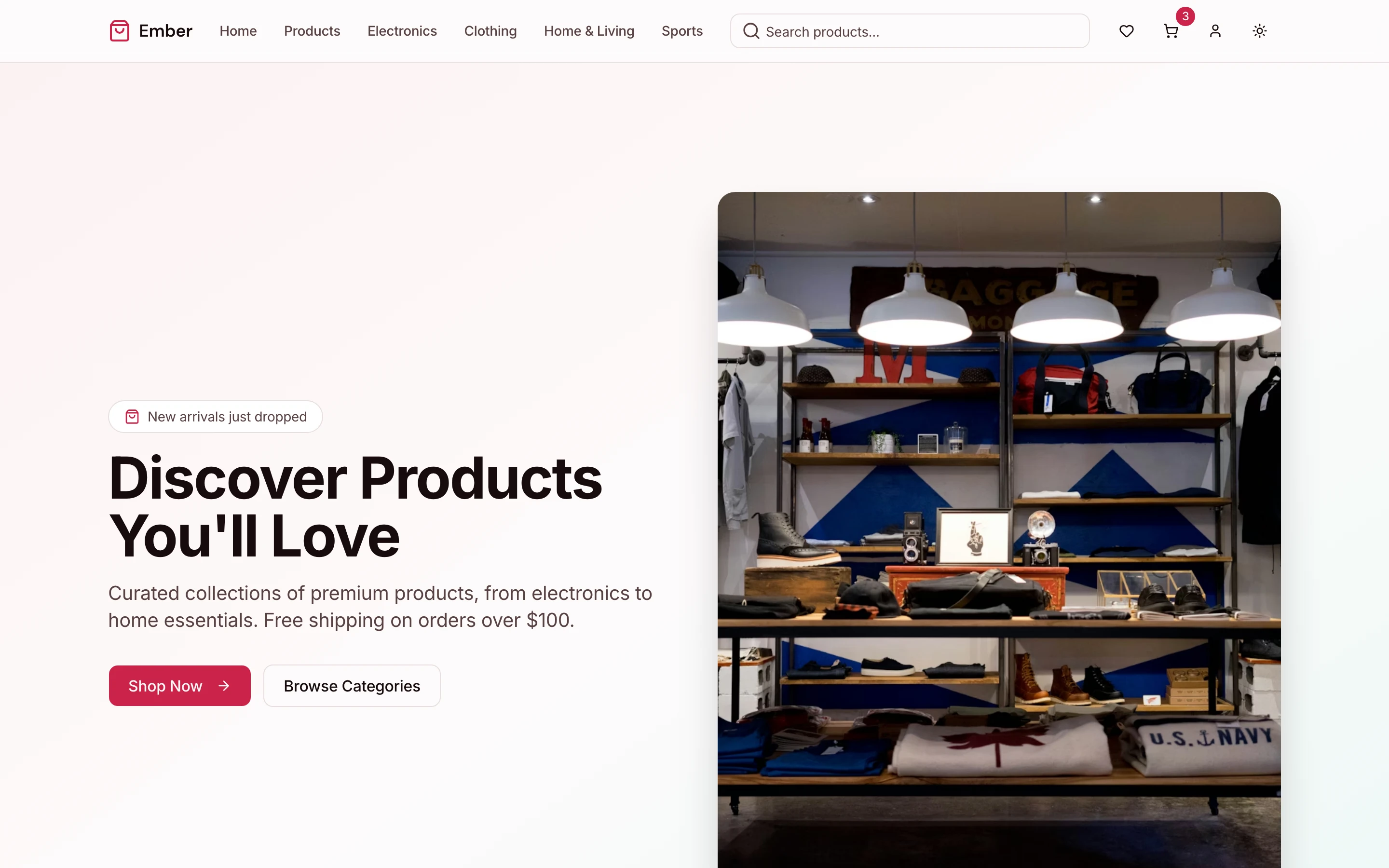
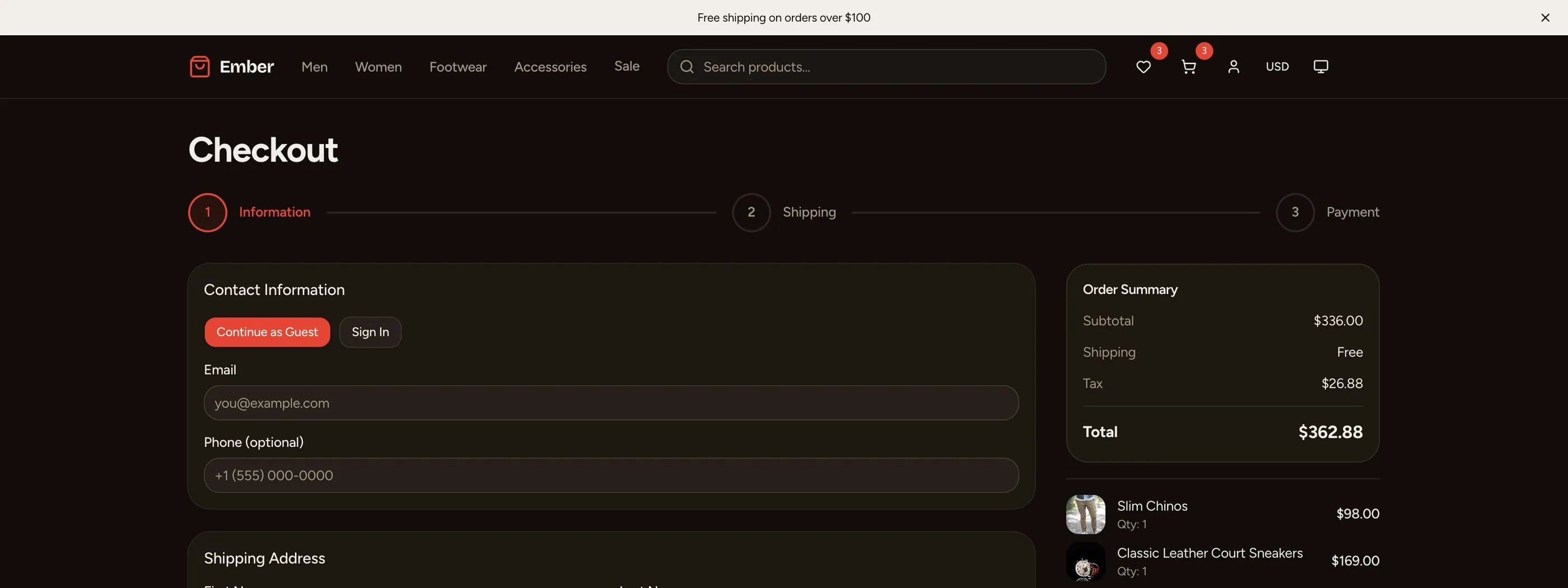
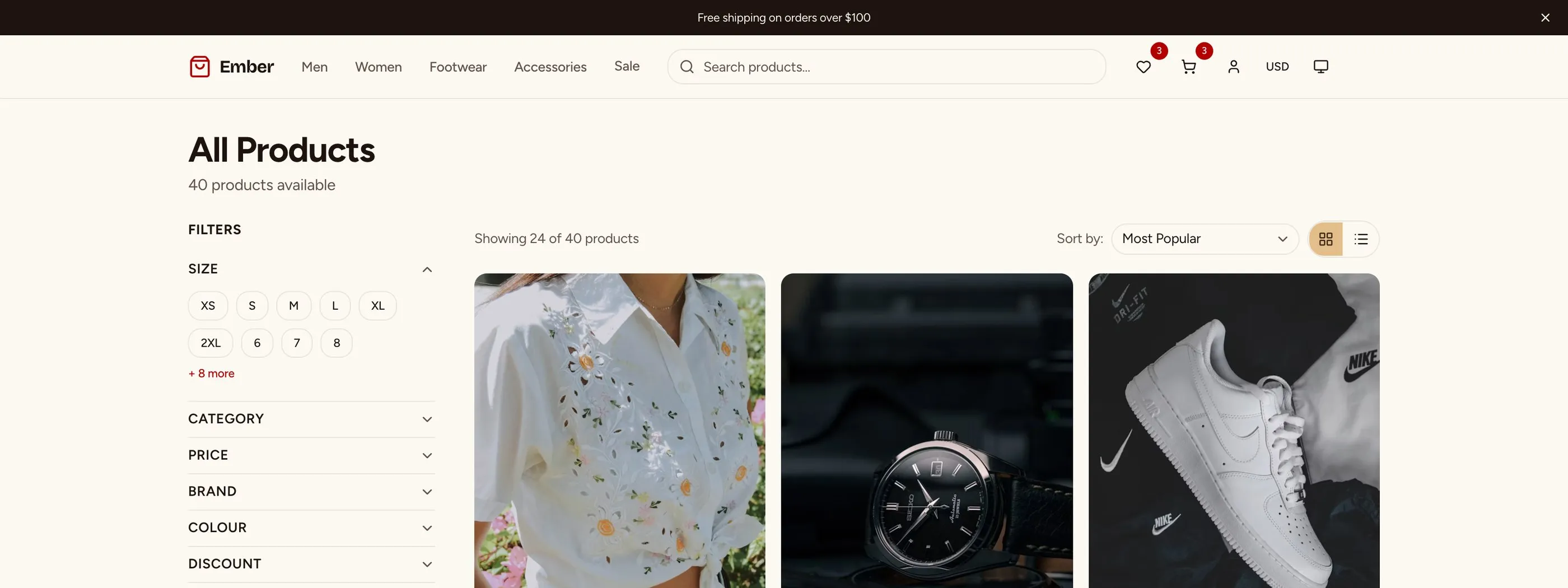
Most templates above are tied to a backend. The thefrontkit E-commerce Kit is the opposite: a frontend-only Next.js app with 56 screens that you connect to your own API, whether that's a custom backend, Medusa, Saleor or anything else.
- Storefront: home, product listing, product detail, categories, collections, search, cart, a multi-step checkout (shipping, then payment), order confirmation, wishlist, compare, gift cards and size guide, plus content pages (about, FAQs, shipping, returns, blog, contact)
- Customer account: dashboard, orders, order detail with tracking, returns, addresses, payment methods, reviews, rewards, notifications and settings
- Admin: dashboard, analytics, products (list, create, edit), orders and order detail, customers and customer detail, discounts, returns, reviews and settings
- Auth: login, register, forgot password
The checkout is UI only. The payment step has a card form plus PayPal, Apple Pay and Google Pay options, and you wire it to Stripe or any other processor. Every screen is built for WCAG AA with keyboard navigation and a design token system, so you can rebrand from one file.
- Stack: Next.js 16, React 19, Tailwind CSS v4, shadcn/ui, Recharts
- Price: From $165, one-time
What to Look For in a Next.js Ecommerce Template
Backend fit. This comes first. A Shopify template won't help if your catalog lives in a custom database, and a frontend-only kit means you still need a commerce backend.
Checkout. Check whether the template has its own checkout, hands off to a hosted one (Shopify), or only gives you UI. Hosted checkout is the least work and the least control.
Customer accounts and admin. Many "templates" are storefront only. If you need order history, returns, or an admin for products and orders, count those screens before you buy.
Maintenance and license. Look at the last commit, the Next.js version, and the license. Two of the best-known options have changed recently: Medusa archived its Next.js starter, and Saleor's storefront moved to FSL.
Accessibility. Shopping flows are complex: product grids, variant pickers, filters and checkout forms all need to work with a keyboard and a screen reader. Most templates don't test for this. See our accessible ecommerce checkout guide and WCAG AA checklist.
Design tokens. A store almost always gets rebranded. Templates with colors and spacing as CSS variables (Tailwind v4 @theme) are much easier to restyle than ones with hardcoded values. More on that in what design tokens are.
Why Next.js for Ecommerce?
- SEO: server rendering and static generation get product and category pages indexed properly.
- Images: the built-in Image component handles responsive sizes and lazy loading, which matters with hundreds of product photos.
- Server-side logic: route handlers and server actions cover cart operations and payment webhooks without a separate server.
- Layouts: App Router layouts keep the header, nav and cart mounted while pages change.
Choosing between a headless build and a hosted platform? Read Next.js vs Shopify for developers.
Frequently Asked Questions
What is the best free Next.js ecommerce template?
For Shopify stores, Vercel's Next.js Commerce. For a free store with its own admin panel, the Payload ecommerce template (still in beta) or Saleor Storefront with a self-hosted Saleor backend. Medusa users should start from the Medusa DTC starter, since the older Next.js starter is archived.
Is Next.js Commerce free?
Yes. The code is MIT licensed and free. You need a Shopify store to run it, and checkout happens on Shopify's hosted checkout, so Shopify's plan fees apply.
Does Next.js Commerce include checkout?
Not its own. The cart sends shoppers to Shopify's checkout URL. That keeps payments and PCI compliance on Shopify's side, but you can't customize the checkout pages in Next.js.
Can I use a Next.js ecommerce template with Stripe?
Yes. Your Next Store, the Payload template, Saleor Storefront and CozyCommerce all include Stripe. Frontend-only templates like the thefrontkit E-commerce Kit give you the checkout UI, and you connect Stripe (or another processor) yourself.
Is Shopify Hydrogen a Next.js template?
No. Hydrogen is Shopify's own React framework built on React Router. If you want Next.js with Shopify, use Next.js Commerce.
How long does it take to build a Next.js ecommerce store from scratch?
A basic storefront with product pages and a cart takes a few weeks. Add customer accounts, a real checkout, an admin panel and accessibility testing, and it's usually several months of frontend work. For a realistic week-by-week plan, see How to Build an E-commerce Site in Next.js.