How to Choose a Next.js Sales Dashboard Template in 2026
How to Choose a Next.js Sales Dashboard Template in 2026
Most "sales dashboards" are revenue charts with a quota progress bar. That's not a dashboard. That's a vanity metric.
A real sales dashboard runs the entire workflow for a revenue team: pipeline visualization that managers actually trust, deal management with stage history and forecast accuracy, quota tracking by rep and by period, leaderboards that motivate without burning out the team, and revenue reports that hold up in a board meeting. Building that from scratch with Next.js is 8 to 12 screens of dense, data-rich UI before you write any backend code.
This guide covers what actually matters in a Next.js sales dashboard template, the build-vs-buy math, and a practical evaluation checklist.
Or skip the choice: get every kit for $749
If you're shipping more than one product, All UI Kits unlocks every Next.js kit on thefrontkit. The full Sales Dashboard Kit, plus the SaaS Starter Kit, CRM Dashboard, HR Dashboard, Finance Dashboard, Kanban PM, AI UX, and 11 more. Plus every future kit. One-time payment, lifetime access, no subscription.
What a Real Next.js Sales Dashboard Template Needs
A revenue chart is not a sales dashboard. Here's what separates production-ready from a single-metric demo.
Pipeline Visualization That Sales Managers Trust
The pipeline is the screen sales managers open first. If they don't trust the visualization, they revert to their CRM. What good pipeline UX requires:
- Stage-by-stage view showing deal count and total value per stage
- Stage probability so forecast math is meaningful
- Pipeline aging flagging deals stuck at a stage longer than typical
- Filter by rep, region, product, deal size for slice-and-dice
- Trend over time showing pipeline velocity (are deals moving faster or slower)
- Win/loss visualization showing where deals die
Sales managers test pipeline tools by trying to identify the bottleneck stage. A dashboard that surfaces this in one click wins. A dashboard that forces them through three filter dropdowns loses.
Deal Management With Stage History
A list of open deals is not deal management. Real deal management needs:
- Deal detail pages with stage history (when did this move from Qualified to Proposal?)
- Contact and account linking showing all stakeholders on the deal
- Note/activity timeline with calls, emails, meetings logged
- Next action and next date so the rep always knows what's next
- Custom fields for the inevitable "we need to track X" requirement
- Bulk operations for re-assignment or stage change
The deal detail page is where reps spend most of their detail time. Skimping on it means reps fall back to spreadsheets to track context.
Quota Tracking by Rep and Period
Quotas are how revenue teams keep score. The minimum:
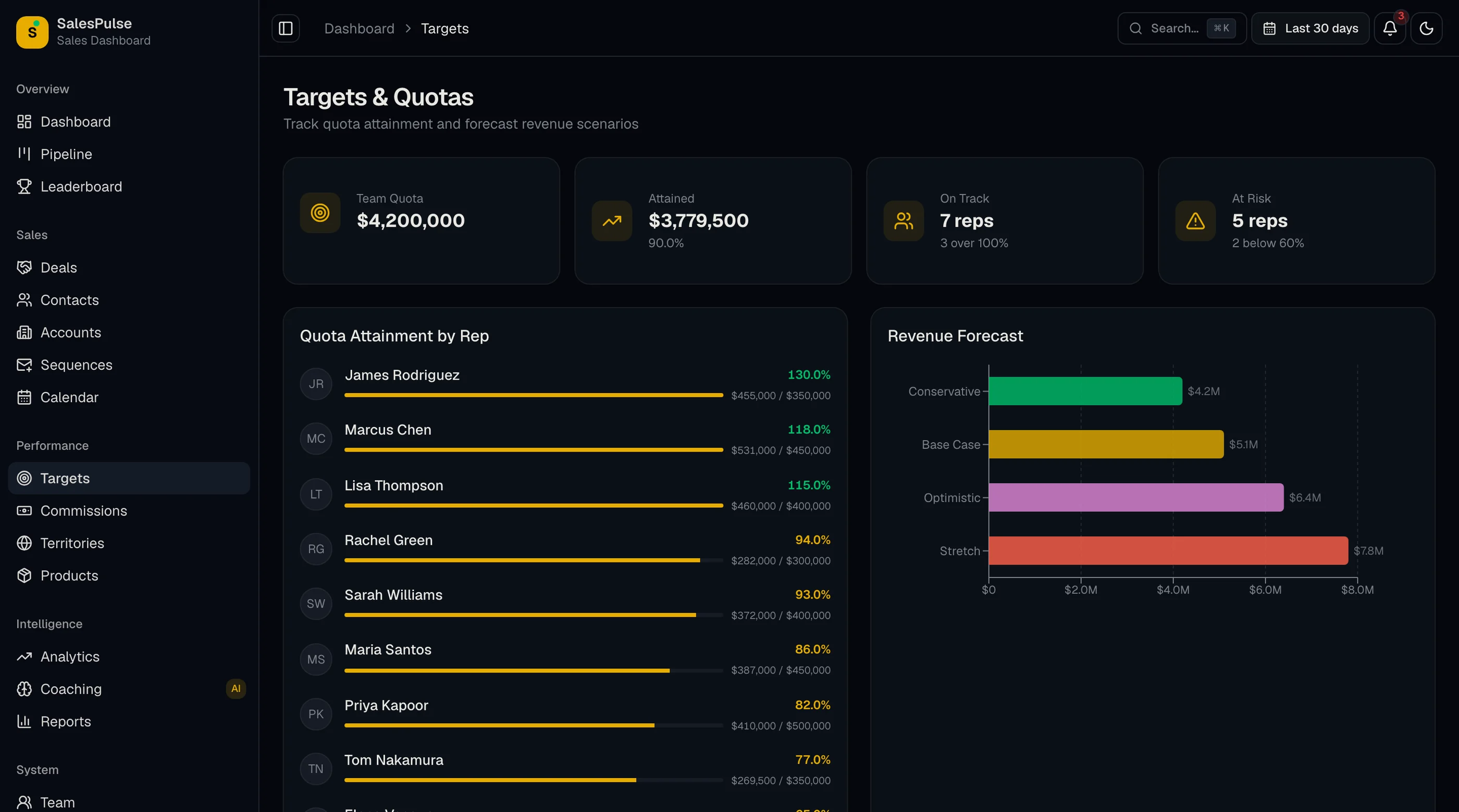
- Quota assignment per rep with monthly, quarterly, and annual targets
- Attainment percentage for the current period
- Pacing indicator (are they on track based on time elapsed?)
- Historical attainment showing each rep's last 4-12 periods
- Quota distribution view showing team aggregate attainment
- Forecasting projecting end-of-period attainment based on current pipeline
Without quota tracking, you have a revenue dashboard not a sales dashboard. The two serve different audiences.
Leaderboards Without Burnout
Leaderboards motivate the top performers and demoralize the bottom. The bar for good leaderboard UX:
- Configurable metrics (revenue, deals closed, calls made, demos booked)
- Time-bound (today, this week, this month, this quarter)
- Team and individual views so smaller teams can compete with smaller teams
- Recognition badges for hitting milestones (first deal of month, biggest deal of quarter)
- Trend arrows showing if a rep is improving over time
The hard part is the social design. Default to "top 5 + me" view rather than "all 50 reps ranked top to bottom." The latter tanks morale on day one.
Revenue Reports That Hold Up in Board Meetings
Most sales reports are screenshots that won't survive a CFO's questions. Real reports:
- MRR / ARR breakdown with new, expansion, contraction, churn
- Revenue by segment (industry, deal size, region, product)
- Cohort analysis showing how each month's cohort performs over time
- Conversion funnel with stage-by-stage conversion rates
- Win rate trends over time
- Average deal size and sales cycle trend
The bar isn't fancier charts. The bar is "your CFO asks 'why is win rate down 5%?' and the dashboard answers in two clicks."
Accessibility for Long Use
Sales teams live in the dashboard 8 hours a day. Basics:
- Keyboard navigation through the pipeline and deal tables
- Screen reader announcements for stage changes and quota updates
- WCAG AA color contrast on revenue charts and status indicators
- Color not the only differentiator (don't rely on red/green alone for win/loss)
- Mobile experience that supports quick check-ins between meetings
Build vs Buy: Honest Math
A weekend-quality sales dashboard with a revenue chart and quota bar is doable in a week. A production-ready Next.js sales dashboard covering the criteria above is 8 to 12 screens of dense data UI requiring 6 to 10 weeks of frontend work plus integration time with your CRM.
The math:
- Build it yourself: 6–10 weeks frontend + CRM integration
- Buy a paid template ($79–$299): you skip the frontend; you still wire the data from Salesforce, HubSpot, or Pipedrive
- Use a sales-performance SaaS (Gong, Clari, Aviso): $100+/user/month, locked into their workflow
The decision usually comes down to:
- Are you selling sales software or using it internally? Selling → build/buy. Internal → consider SaaS first.
- Do you need integrations the SaaS tools don't have? Custom data sources, proprietary metrics, multi-CRM aggregation? Build/buy.
A Practical Evaluation Checklist
Before committing to any Next.js sales dashboard template:
- Open the demo. Look at the pipeline. Can you identify the bottleneck stage in one glance?
- Click on a deal. Does the detail page have stage history, activity timeline, and next-action fields?
- Find the quota section. Does it show attainment, pacing, and forecast?
- Look at the leaderboard. Is it configurable? Does it have time bounds?
- Open reports. Are there separate views for MRR breakdown, conversion funnel, and cohort analysis?
- Try the dashboard on your phone. Can a manager check pipeline before walking into a meeting?
- Check the screen count. Under 15 screens means you're building most of it.
- Check the chart variety. Revenue charts come in many flavors (bar, line, area, donut, funnel). Are they all there?
How the Sales Dashboard Kit Approaches Each Requirement
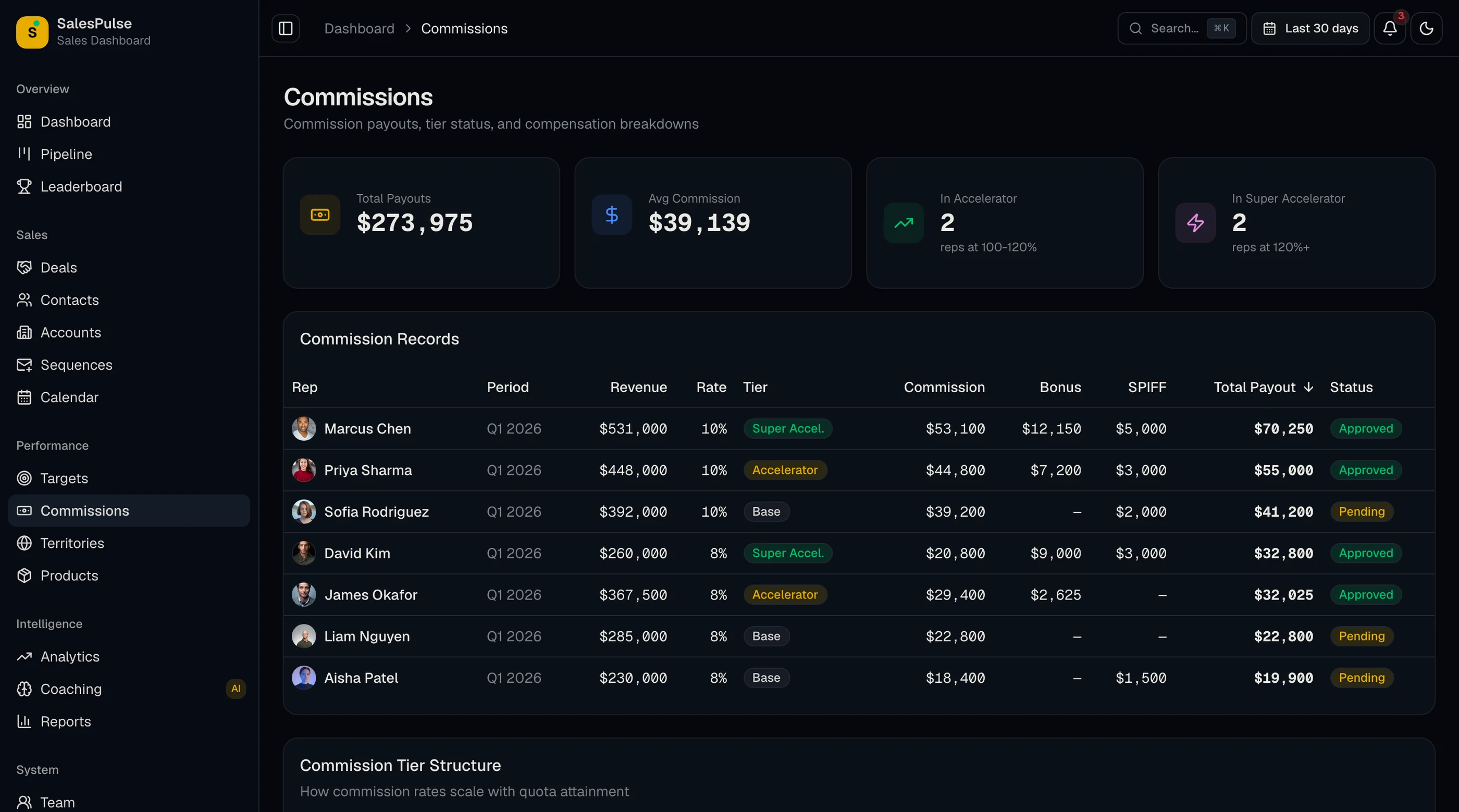
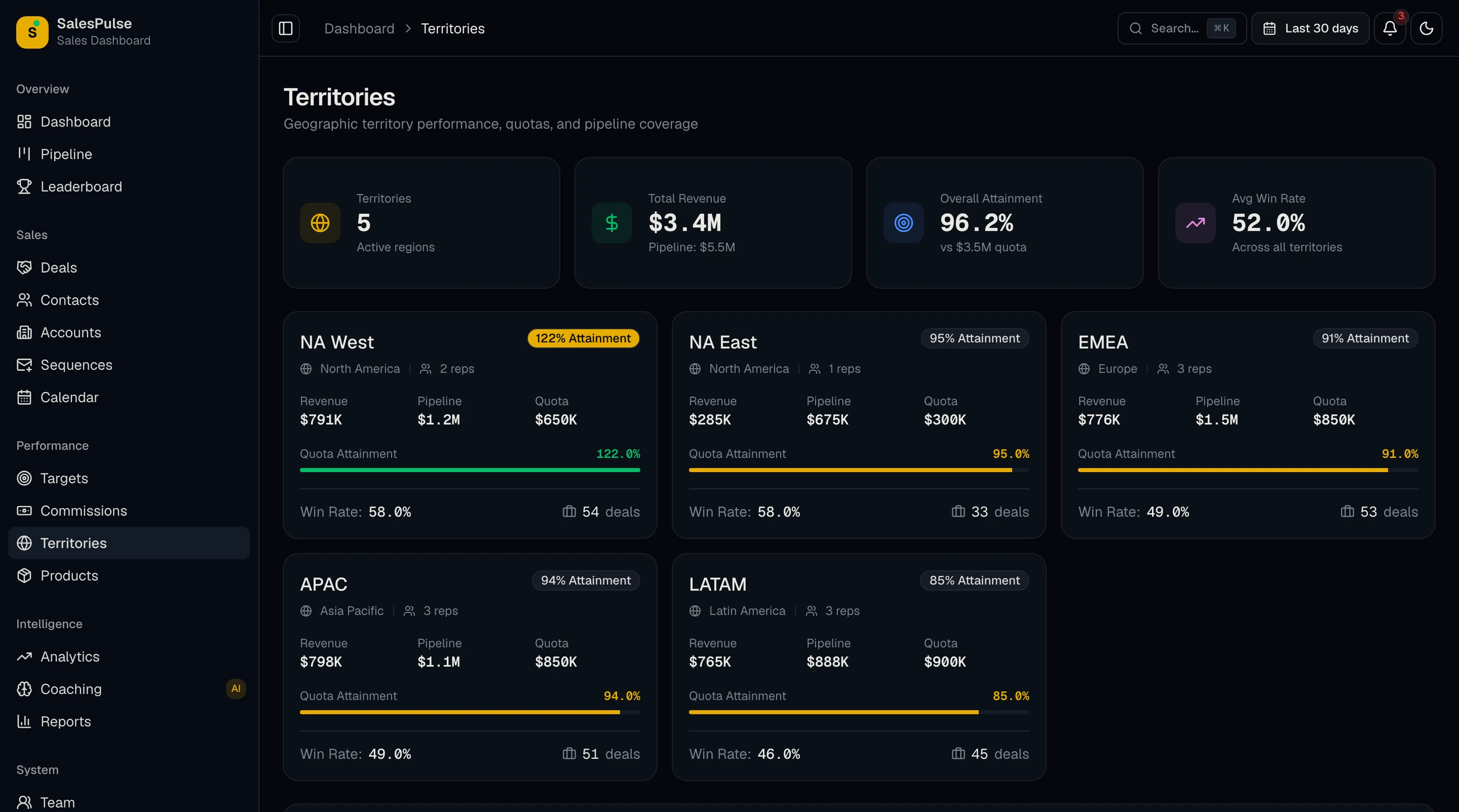
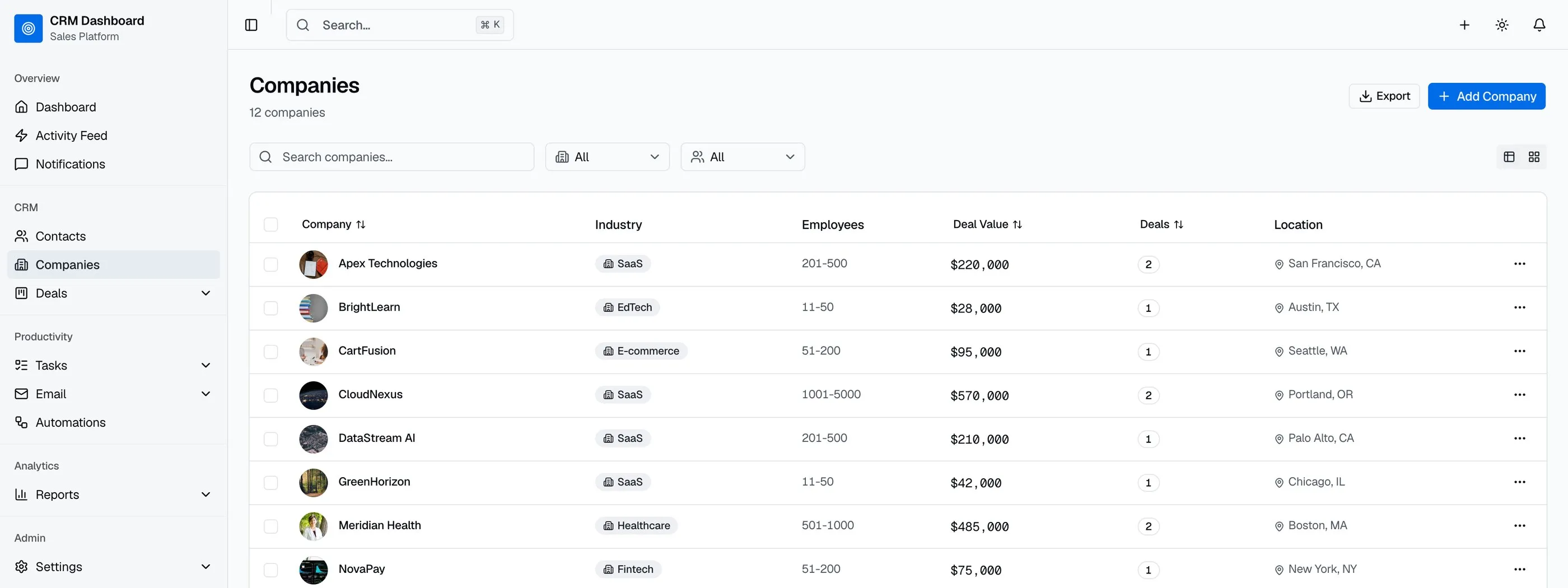
The Sales Dashboard Kit was built specifically to clear this checklist. Dense data-rich UI on Next.js 16, Tailwind CSS v4, shadcn/ui, and Recharts.
The pipeline ships with stage-by-stage view (count and value per stage), stage probability for forecast math, pipeline aging that flags stuck deals, filters by rep/region/product/size, velocity trend, and win/loss visualization.
Deal management includes detail pages with stage history, contact and account linking, activity timeline (calls, emails, meetings), next-action fields, custom-field hooks, and bulk operations.
Quota tracking covers per-rep assignment, attainment percentage with pacing indicator, historical attainment over 4-12 periods, team aggregate view, and forecasting based on current pipeline.
Leaderboards are configurable by metric (revenue, deals, calls, demos) and time bound (today, week, month, quarter). Team and individual views. Recognition badges and trend arrows.
Revenue reports cover MRR/ARR breakdown with new/expansion/contraction/churn, revenue by segment, cohort analysis, conversion funnel with stage-by-stage rates, win rate trends, and average deal size + sales cycle trend.
WCAG AA accessibility verified across pipeline interactions, deal table navigation, and report flows.
Common Mistakes When Building From Scratch
Building one big "sales report" page instead of a dashboard. A sales dashboard has many small focused views, not one giant chart wall. Manager opens pipeline view, then quota view, then leaderboard. Each is its own screen.
Skipping pipeline aging. Stale deals are the silent revenue killer. A pipeline view without aging hides them.
Forecast as "sum of pipeline value." Sum without stage probability is fantasy revenue. Real forecast multiplies by stage probability and surfaces committed, best case, and pipeline separately.
Building a leaderboard without time bounds. Year-to-date leaderboards punish reps mid-year and don't motivate the back half. Time-bound (week, month, quarter) leaderboards keep everyone competing.
Using only line charts for revenue. Different questions need different chart types. Use bar for comparison, line for trend, funnel for conversion, donut for distribution. A line-chart-only dashboard answers only one question.
Adjacent Reads
- Best Sales Dashboard Templates 2026 — head-to-head comparison of 7 options
- Best CRM Dashboard Templates 2026 — for a fuller CRM not just sales
- Best Next.js Dashboard Templates 2026 — broader dashboard category
- Next.js Boilerplate vs Building From Scratch — the broader build-vs-buy decision
FAQ
What is a Next.js sales dashboard template?
A Next.js sales dashboard template is a pre-built revenue-team UI that runs on the Next.js framework. A complete template includes pipeline visualization, deal management with stage history, quota tracking with attainment and pacing, leaderboards with configurable metrics, revenue reports including MRR/ARR breakdown and cohort analysis, and the surrounding settings and team-management screens. Using one means you skip 6 to 10 weeks of frontend work and focus on the CRM integrations and the workflow logic that differentiates your tool.
What's the difference between a sales dashboard and a CRM?
A CRM tracks customer relationships, contacts, deals, and activities. A sales dashboard tracks performance metrics derived from CRM data: pipeline health, quota attainment, win rates, forecast accuracy. The CRM holds the data; the dashboard interprets it. Some teams use the dashboard inside their CRM. Others run a separate sales-performance tool layered on top.
Can I connect a sales dashboard template to Salesforce, HubSpot, or Pipedrive?
Yes, if the template uses typed TypeScript interfaces for deals, contacts, accounts, and activities. Replace the seed data imports with API calls to your CRM. The Salesforce REST API, HubSpot CRM API, and Pipedrive API all expose the data you need. The template should ship the UI; you handle authentication and data sync.
How many screens does a sales dashboard need?
Minimum 8 screens: pipeline overview, pipeline by stage, deal list, deal detail, quota overview, leaderboard, revenue report, and settings. Add 4-6 more for cohort analysis, win/loss reports, activity log, and forecasting. The Sales Dashboard Kit covers the core lineup.
Is forecasting the same thing as pipeline value?
No. Pipeline value is the sum of all open deals. Forecast multiplies each deal by its stage probability. Pipeline value of $1M with 25% average win rate forecasts to $250k. The difference matters: sales leaders commit numbers based on forecast, not pipeline value. A dashboard that conflates them gets reps in trouble at quarter-end.
Do I need leaderboards if my team is under 5 reps?
Probably not. Leaderboards work best with 10+ reps where there's room for healthy competition. With 3-5 reps, leaderboards turn into ranking the same people daily, which gets political. Use individual progress against quota instead.