Choosing a Next.js Social Media Dashboard
How to Choose a Next.js Social Media Dashboard Template in 2026
Most "social media dashboards" you'll find on Google are charts. They show follower count, engagement rate, and a single line graph. That's not a dashboard. That's a metric widget.
A real social media dashboard runs an entire workflow: schedule content across six platforms, see analytics for each one with platform-specific metrics, manage a content calendar with drag-and-drop, monitor a unified inbox, and pull reports for clients or stakeholders. Building that from scratch with Next.js takes 4 to 6 months of frontend work.
This guide covers what actually matters in a Next.js social media dashboard template, the trade-offs in build vs buy, and a practical evaluation checklist.
Or skip the choice: get every kit for $749
If you're shipping more than one product, All UI Kits unlocks every Next.js kit on thefrontkit. The full Social Media Dashboard Kit (35+ screens, multi-platform analytics, content calendar), plus the SaaS Starter Kit, CRM Dashboard, HR Dashboard, E-commerce, AI UX, Blog CMS, and 11 more. Plus every future kit. One-time payment, lifetime access, no subscription.
What a Real Next.js Social Media Dashboard Template Needs
A social media dashboard with one analytics page is not enough. Here's what production-ready coverage looks like.
Multi-Platform Analytics, Not Just Twitter Numbers
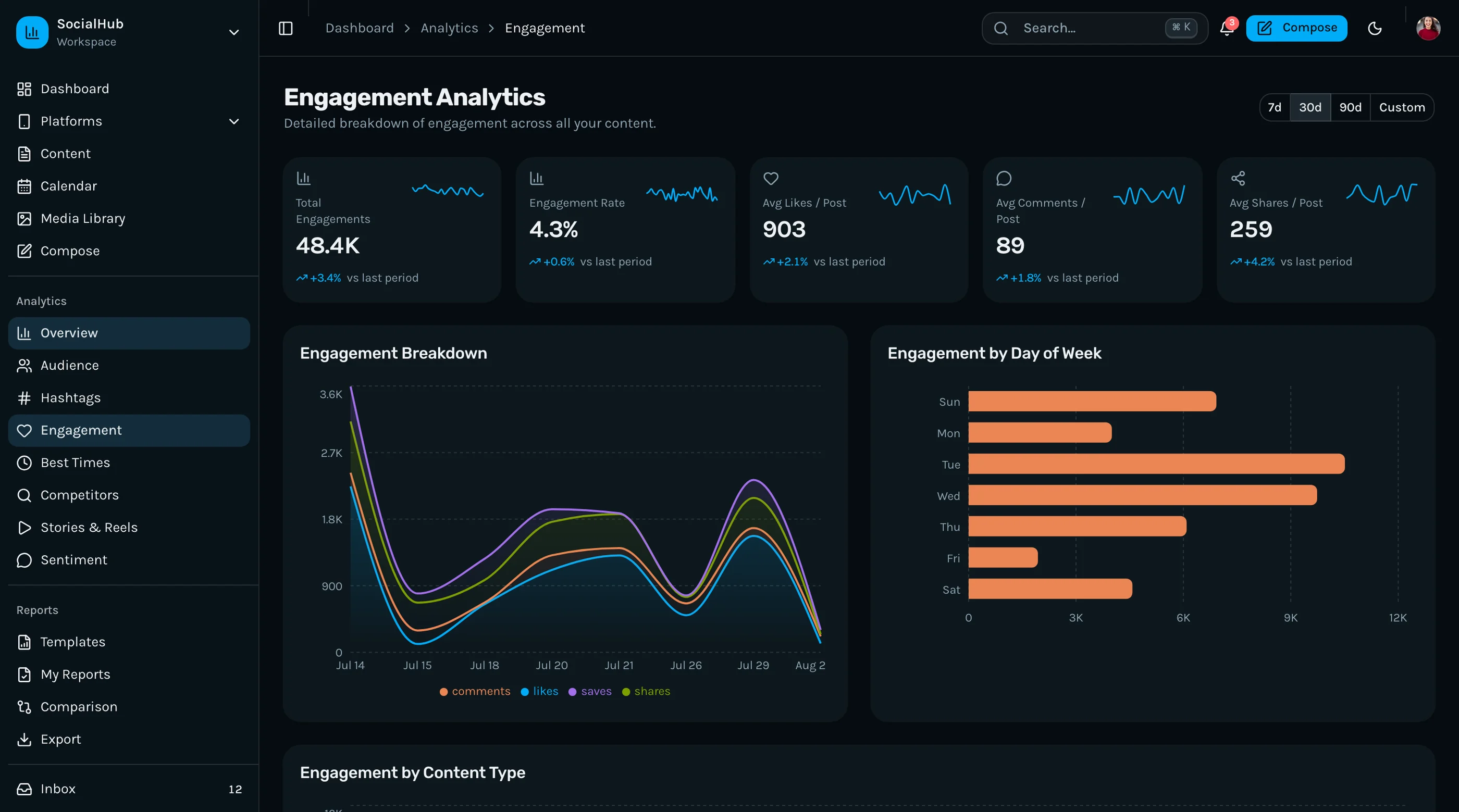
Every platform measures engagement differently. Twitter has impressions and quote tweets. Instagram has saves and reach. LinkedIn has dwell time. TikTok has play-through rate. A real dashboard surfaces the right metric per platform, not a Twitter-only view dressed up as multi-platform.
Minimum platform coverage in 2026:
- Instagram (feed posts, Reels, Stories)
- Twitter/X (posts, threads, quote engagement)
- Facebook (Pages and Groups)
- LinkedIn (company posts, individual posts, video)
- TikTok (video metrics, follower growth)
- YouTube (videos, Shorts, audience retention)
Each one needs its own page with platform-native metrics, not a generic chart that says "engagement: 5.2%" without context.
Content Calendar with Drag-and-Drop
Social media teams schedule across weeks, not days. The calendar is where the work happens. The minimum viable calendar:
- Monthly grid view with posts placed on the day they're scheduled
- Weekly view for the current sprint of content
- Drag-and-drop rescheduling — pick up a post, drop it on a different day, the time stays
- Platform color coding so the team can see "we're heavy on Twitter, light on Instagram this week"
- Inline preview of post content (image thumbnail, first line of caption)
- Status indicators (draft, scheduled, posted, failed)
Touch drag on mobile is critical here. Content managers reschedule on their phones constantly.
Post Composer with Multi-Platform Awareness
The composer is the daily workflow tool. What separates real from demo:
- Multi-platform selector so the team can write once and post to 4 platforms with platform-specific customizations
- Character counter per platform (Twitter 280, LinkedIn 3,000, etc.)
- Image and video upload with crop preview per platform's aspect ratio
- Preview tabs showing how the post renders on each selected platform
- Schedule picker with timezone awareness
- Hashtag suggestion field (even if the suggestions are static for now)
- First-comment field for Instagram
A composer that just has a single textarea and a publish button forces the team back to native apps.
Unified Social Inbox
DMs, comments, mentions, and replies live in different places on different platforms. A unified inbox aggregates them. Even if the aggregation is read-only at first (you can't reply from your dashboard yet), the consolidation is the value.
Minimum inbox:
- All-platform feed sorted by recency
- Filter by platform (only show LinkedIn) and by type (only mentions)
- Read/unread state stored locally
- Snooze for items to come back to
- Mark as handled without forcing reply
This is the screen managers open first thing Monday morning. Get it right.
Reports for Clients and Stakeholders
If you're building for agencies, reporting is the killer feature. The minimum:
- Custom date range picker with presets (last 7 days, last 30, MTD, QTD)
- Cross-platform summary with the top metrics by platform
- Top performing posts identified across platforms (which post drove the most engagement this period?)
- Export to PDF with cover page, summary, and detailed metrics
- Branding controls so agencies can put their client's logo on the report
Without reports, the dashboard is for internal use only. With reports, agencies can monetize the dashboard as a service.
Audience and Sentiment Analysis
The harder analytics layer:
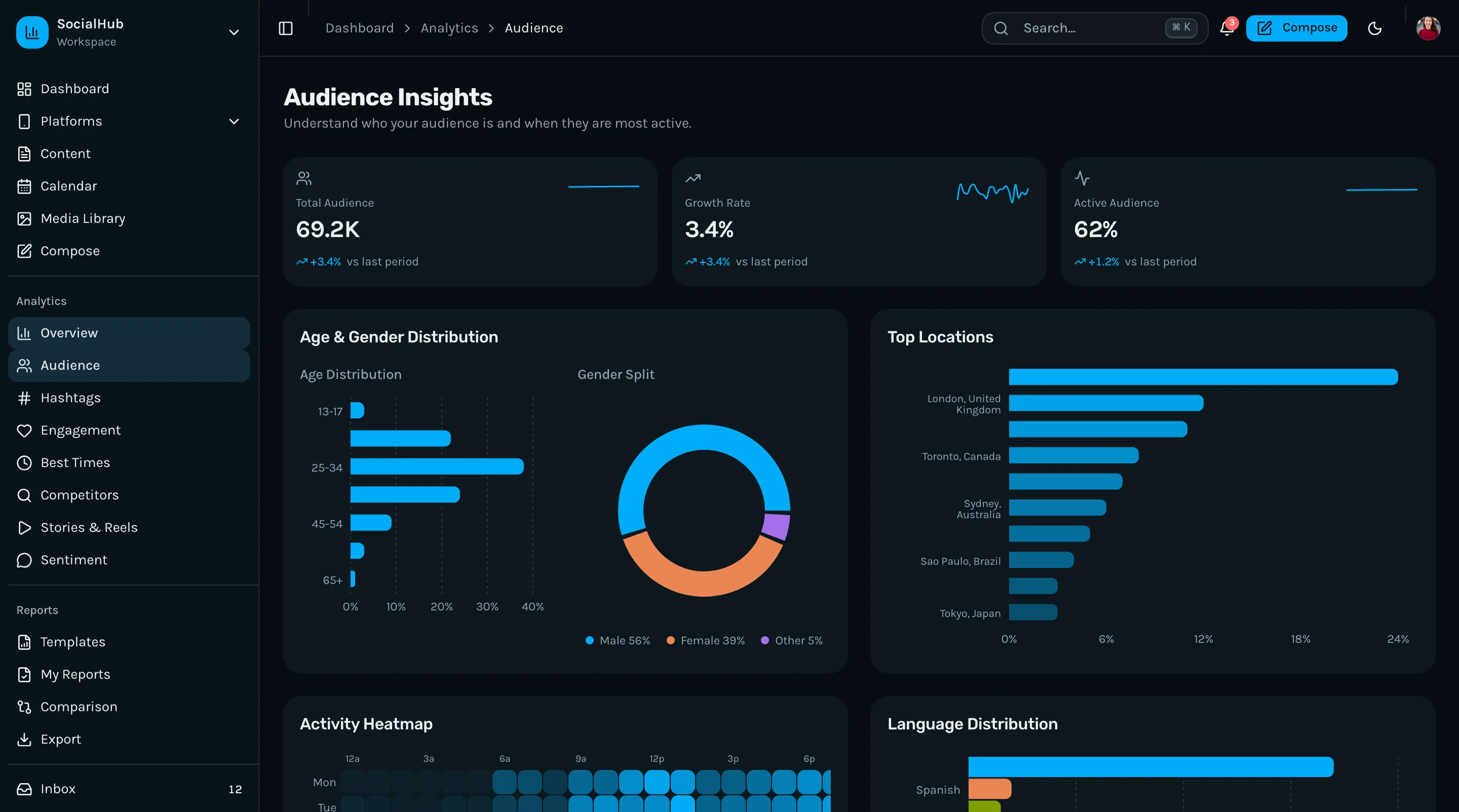
- Audience demographics per platform (age, gender, geography where the platform exposes it)
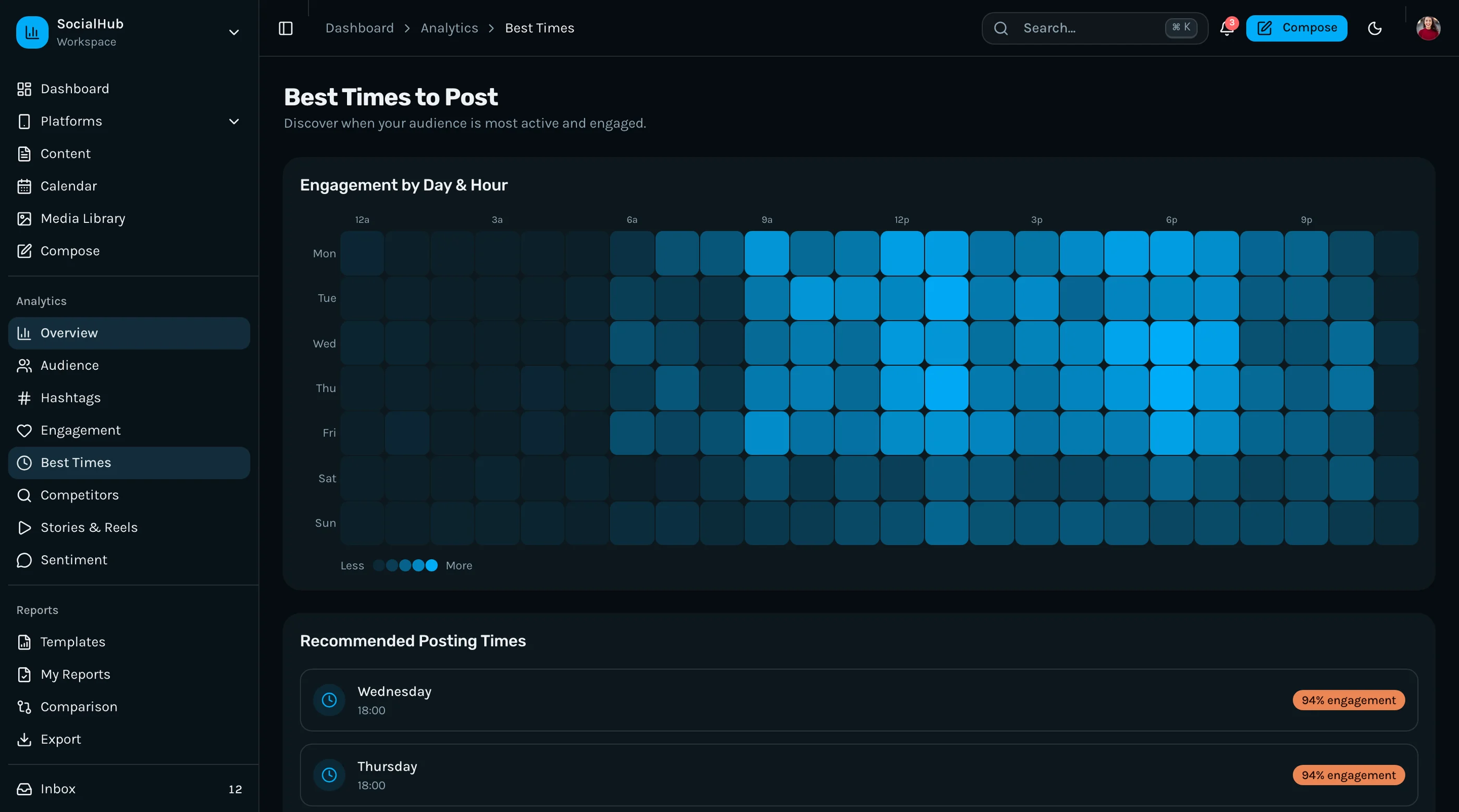
- Best posting times computed from your own post performance, not a generic study
- Hashtag performance showing which tags actually drive reach
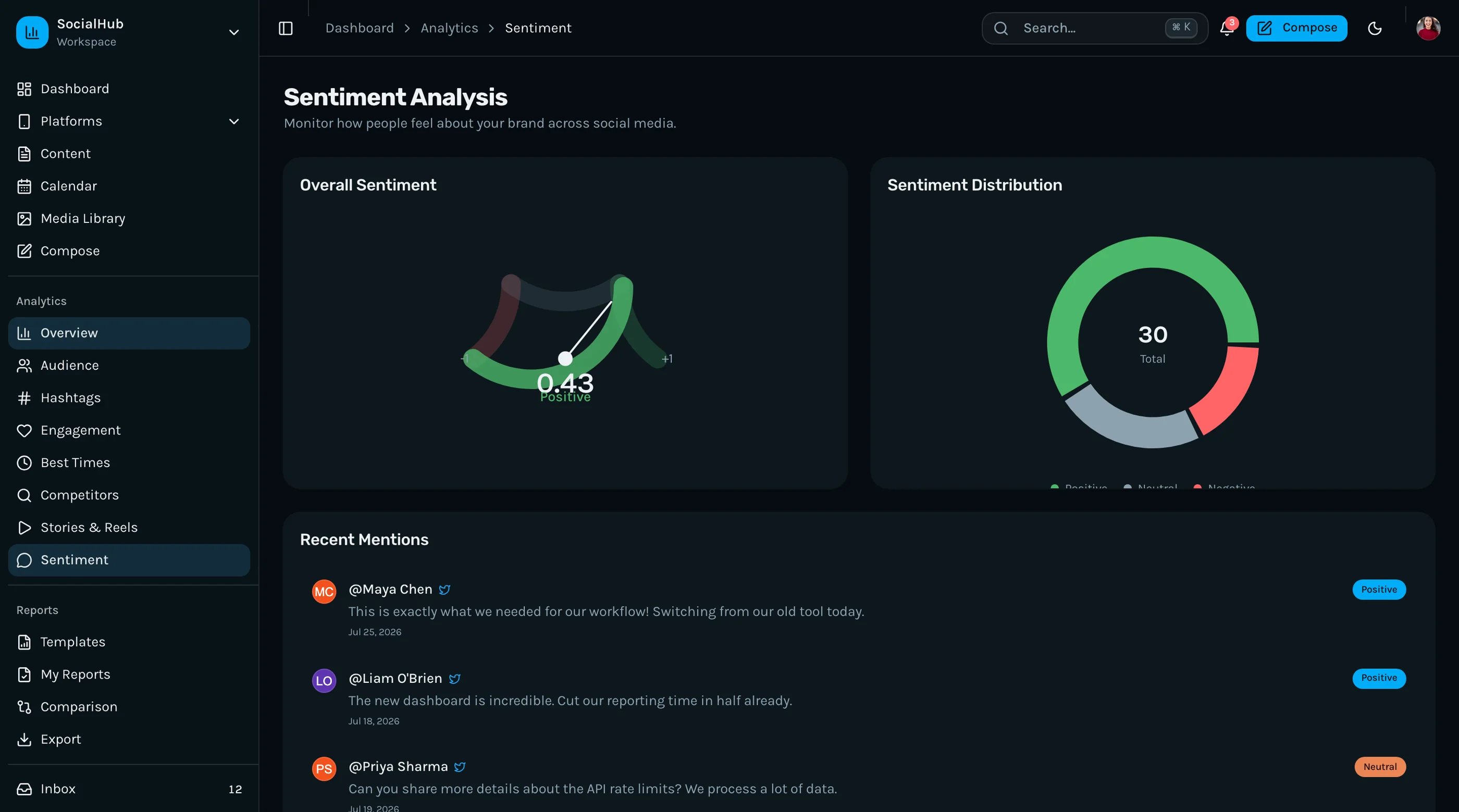
- Sentiment analysis on comments and mentions (positive/neutral/negative breakdown)
Some templates fake these screens with mock data. Real templates pre-build the UI but require backend integration to populate. That's fine. The UI is the hard part.
Accessibility
Social media managers work long hours, often in dark mode, often on phones. WCAG AA basics:
- Keyboard navigation through the calendar grid and post lists
- Screen reader announcements when a draft saves or a post schedules
- Color contrast on platform color coding (don't rely on color alone)
- Focus management when modal composer opens and closes
Build vs Buy: Honest Math
A weekend-quality dashboard with one platform and a chart is achievable in a week. A production-ready Next.js social media dashboard covering the criteria above is 4 to 6 months of frontend work for a competent developer, plus integration work for each platform's API.
The math:
- Build it yourself: 4–6 months frontend + API integration time per platform
- Buy a paid template ($99–$299): you skip the frontend; you still wire up the platform APIs (no template ships with your Instagram credentials)
- White-label existing SaaS (Buffer, Hootsuite): you don't own the codebase or the customer
The decision usually comes down to:
- Are you selling the dashboard or using it internally? Selling → buy a template, customize, brand. Internal → consider Buffer.
- Do you need integrations Buffer/Hootsuite don't have? If yes, build/buy. If no, don't reinvent the wheel.
A Practical Evaluation Checklist
Before committing to any Next.js social media dashboard template:
- Open the demo. Count the platform-specific pages. Are there at least 5 (Instagram, Twitter, Facebook, LinkedIn, plus one more)?
- Click the content calendar. Is it monthly grid or just a list? Can you drag a post to a different day?
- Open the composer. Does it support multiple platforms with per-platform character counts and previews?
- Check the inbox. Is it cross-platform aggregated or platform-specific tabs?
- Look for reports. Can you export a date range as PDF?
- Open the demo on your phone. Does the calendar collapse to a usable mobile view?
- Tab through the calendar with your keyboard. Can you reach individual day cells and posts?
- Check the screen count. Under 25 screens means you're building the rest.
Most templates fail on 4 or more of these.
How the Social Media Dashboard Kit Approaches Each Requirement
The Social Media Dashboard Template was built specifically to clear this checklist. 35+ screens across overview, 6 platform-specific dashboards, content calendar, post composer, content library, social inbox, reports, settings, and auth — all on Next.js 16, Tailwind CSS v4, shadcn/ui, and Recharts.
Six platform pages: Instagram, Twitter/X, Facebook, LinkedIn, TikTok, and YouTube. Each shows platform-native metrics: Twitter has impressions and quote tweets, Instagram has saves and reach, LinkedIn has dwell time, TikTok has play-through, YouTube has audience retention. No generic chart pretending to be six platforms.
The content calendar uses @hello-pangea/dnd for drag-and-drop rescheduling. Monthly and weekly views. Platform color coding. Touch drag works on mobile. Status indicators for draft, scheduled, posted, failed.
The post composer supports multi-platform with per-platform character counts, preview tabs, image upload with platform aspect ratios, schedule picker, hashtag field, and first-comment field for Instagram.
Unified social inbox aggregates DMs, comments, mentions, and replies across platforms. Filter by platform and type. Snooze and handled states.
Reports include custom date range, cross-platform summary, top performing posts, and PDF export.
WCAG AA accessibility verified across the calendar grid, post lists, composer modals, and platform pages.
Try the live demo on a phone first — the calendar mobile drag experience is the fastest way to evaluate whether a social media template is real.
Common Mistakes When Building From Scratch
Building Twitter-first and "porting" to other platforms. Twitter has the simplest data model, so it gets built first. Then Instagram's Stories and Reels don't fit the model, LinkedIn's company-vs-individual distinction is awkward, and TikTok's metrics need new chart types. Plan for all platforms from day one.
Treating the calendar as "a list with dates." A grid calendar with drag-and-drop is significantly harder than a date-sorted list. If you're going to ship a calendar, ship the grid.
Skipping platform-specific preview in the composer. A single textarea looks the same regardless of platform. Real social media teams need to see how a 280-character tweet will render vs a 3,000-character LinkedIn post. Without per-platform preview, the team writes in your tool, then re-edits in the native app.
Aggregating the inbox too late. The unified inbox is one of the highest-value features. If it ships in v2, the team uses native apps for DMs and never adopts the dashboard.
Forgetting timezones. Posts schedule across timezones. The team is in San Francisco but their audience is in London. Without timezone-aware scheduling, posts land at 3am local time and tank engagement.
Adjacent Reads
- Best Social Media Dashboard Templates 2026 — head-to-head comparison of 7 options
- Best Next.js Dashboard Templates 2026 — broader dashboard category
- Best Tailwind Dashboard Templates 2026 — Tailwind-specific options
- Next.js Boilerplate vs Building From Scratch — the broader build-vs-buy decision
FAQ
What is a Next.js social media dashboard template?
A Next.js social media dashboard template is a pre-built interface for managing social media presence across multiple platforms. A complete template includes platform-specific analytics pages, a content calendar with drag-and-drop scheduling, a multi-platform post composer, a unified inbox for DMs and mentions, reporting with PDF export, and the surrounding settings screens. Using one means you skip 4 to 6 months of frontend work and focus on the platform API integrations and the workflow logic that differentiates your tool.
Does the template include the platform integrations (Instagram API, Twitter API, etc.)?
No. Production-ready social media dashboard templates are frontend-only. They ship with mock data structured for typed TypeScript interfaces. You wire up your own integrations using each platform's official API (Instagram Graph API, Twitter API v2, LinkedIn Marketing API, etc.) or a third-party aggregator like Ayrshare, Ampyer, or SocialBee. The UI layer stays backend-agnostic.
How many platforms should a social media dashboard support?
At minimum: Instagram, Twitter/X, Facebook, LinkedIn, and one more depending on your audience (TikTok for B2C, YouTube for content creators, Pinterest for ecommerce). Most agencies want all six. Templates that only cover 2 or 3 platforms force you to build the rest yourself, which is significant work given each platform's data model differs.
Is a content calendar worth the engineering cost?
Yes, for any tool targeting social media managers or agencies. The calendar is the screen they open first thing Monday morning to plan the week. Dashboards without calendars (just chronological post lists) lose adoption because managers can't visualize the cadence. The implementation cost is 2 to 3 weeks of frontend work; the alternative is users opening Buffer or Hootsuite alongside your tool.
Can I use this kind of template for client reporting?
Yes, if it includes a report builder with custom date ranges and PDF export. Agencies need to deliver branded reports to clients weekly or monthly. A template without report export forces the agency to manually screenshot dashboards and assemble decks, which kills the value proposition.
How does scheduling actually work across timezones?
The right approach: store all scheduled times in UTC on the backend, display in the user's local timezone in the UI, and post to each platform at the UTC moment. The composer should explicitly show "Posting at 9am PST = 12pm EST = 5pm GMT" so the user understands when their audience will see the post. Templates that punt on this leave the user to do timezone math in their head, which guarantees mistakes.