Connecteam Alternatives: 10 Options Compared for 2026
Connecteam Alternatives: 10 Options Compared for 2026
The best Connecteam alternatives are Homebase for single-location shops that want scheduling and payroll together, When I Work for simple per-user scheduling, Deputy for multi-site teams with labor law rules to follow, and 7shifts for restaurants. Sling is the cheapest paid scheduler on this list, Buddy Punch and Workyard are strong if time tracking is the real job, and Blink is the pick if you mainly need a frontline chat and news app.
Connecteam splits its product into three hubs: Operations (time clock, scheduling, forms, tasks), Communications (chat, updates, surveys, knowledge base) and HR & Skills (time off, courses, documents, onboarding). Each hub has its own plans. Billed yearly, Basic is $29/month, Advanced is $49 and Expert is $99, and each price covers your first 30 users. Billed monthly, those become $35, $59 and $119. Past 30 users you pay extra per user, for example $2.50/user/month on Operations Advanced billed yearly. There's also a Small Business Plan that's free for up to 10 users.
That flat price is a great deal for a team of 25 using one hub. A 25-person team that wants the time clock, the chat app and time-off tracking on the Advanced tier pays for three hubs: $147/month billed yearly. That sends some teams looking. Others want a tool built for one industry, or payroll from the same vendor. Ten alternatives below.
Need a full HR platform instead of a shift app? We've compared BambooHR alternatives and Gusto alternatives too.
Want an HR tool you own outright? There's a build path
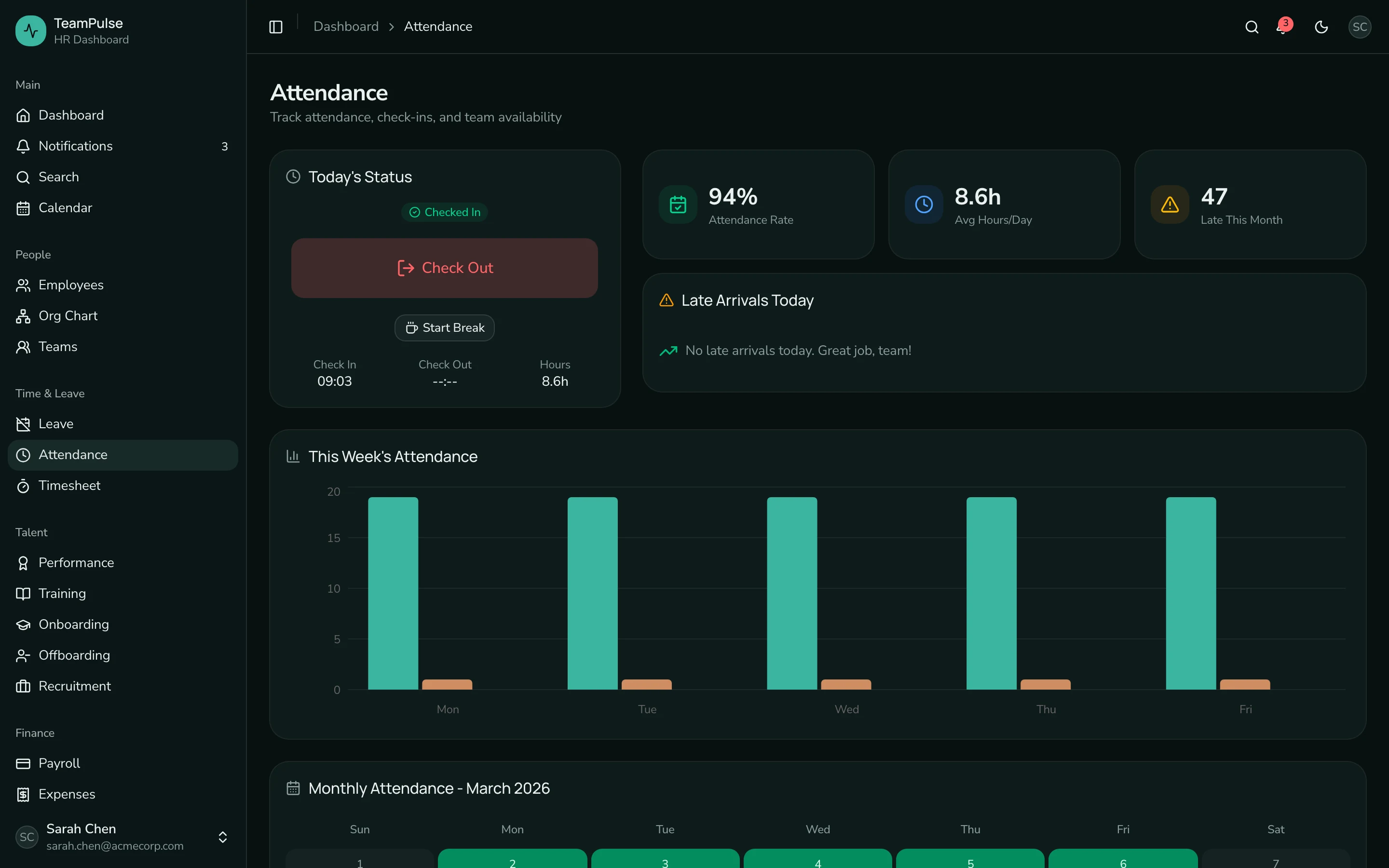
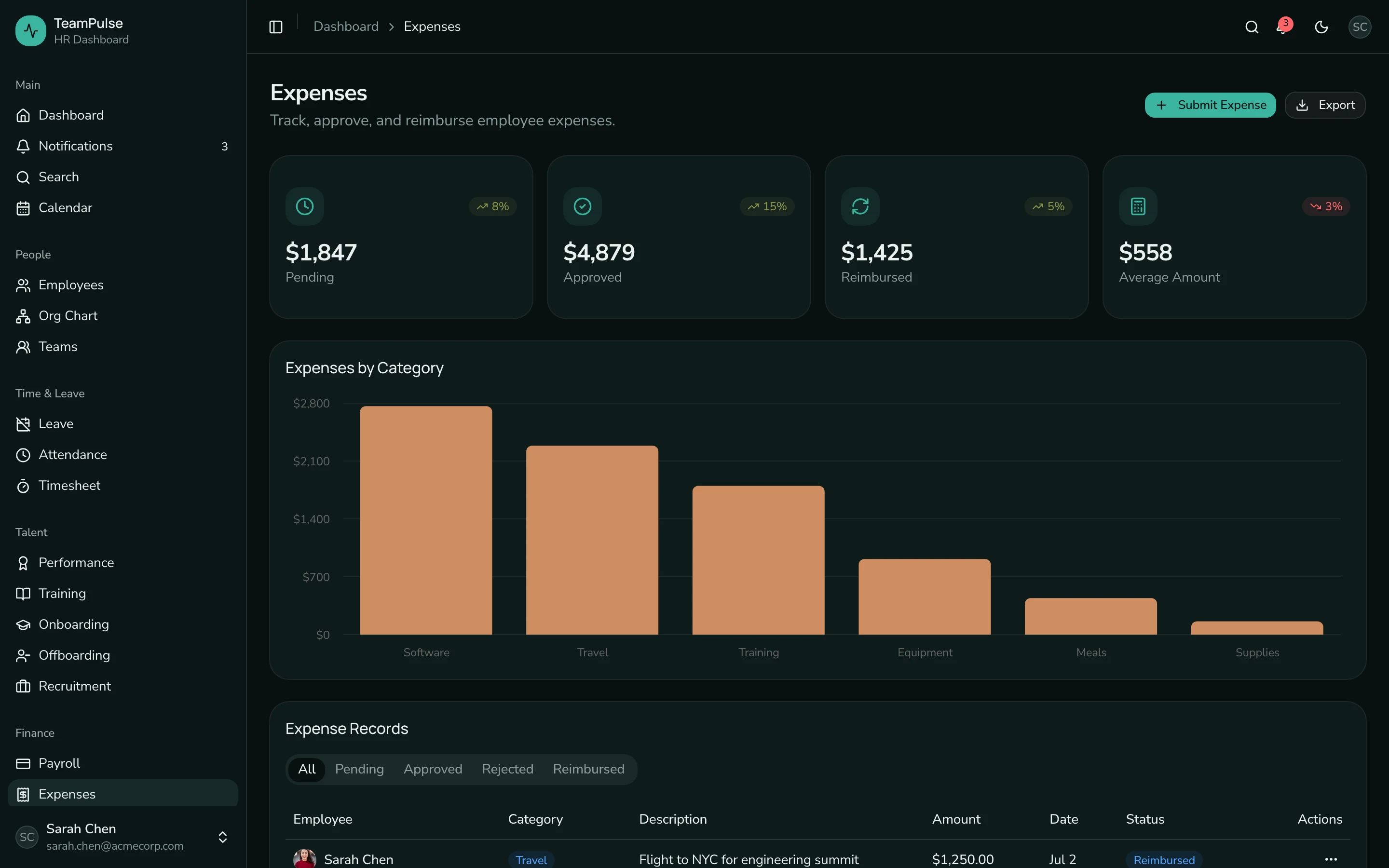
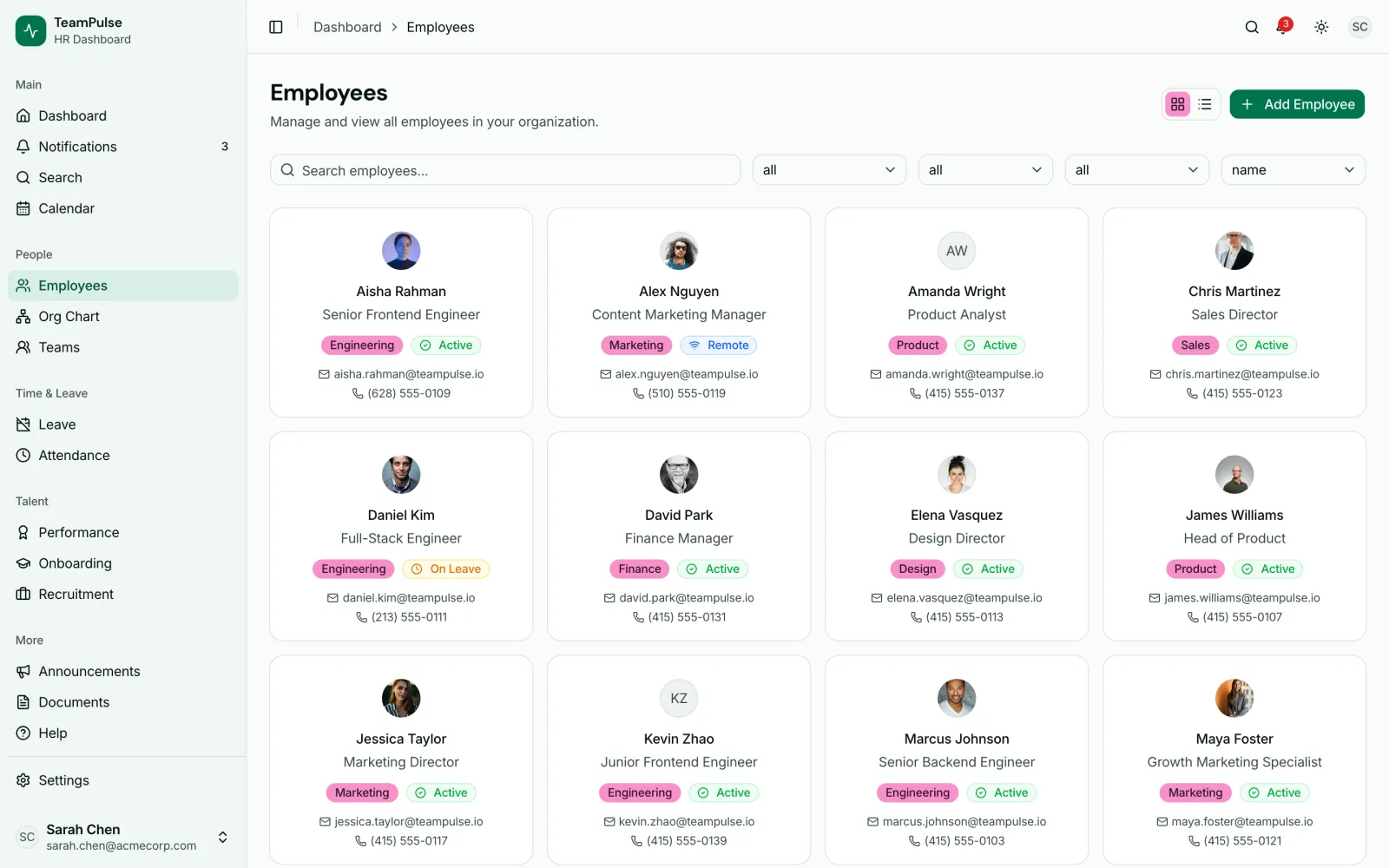
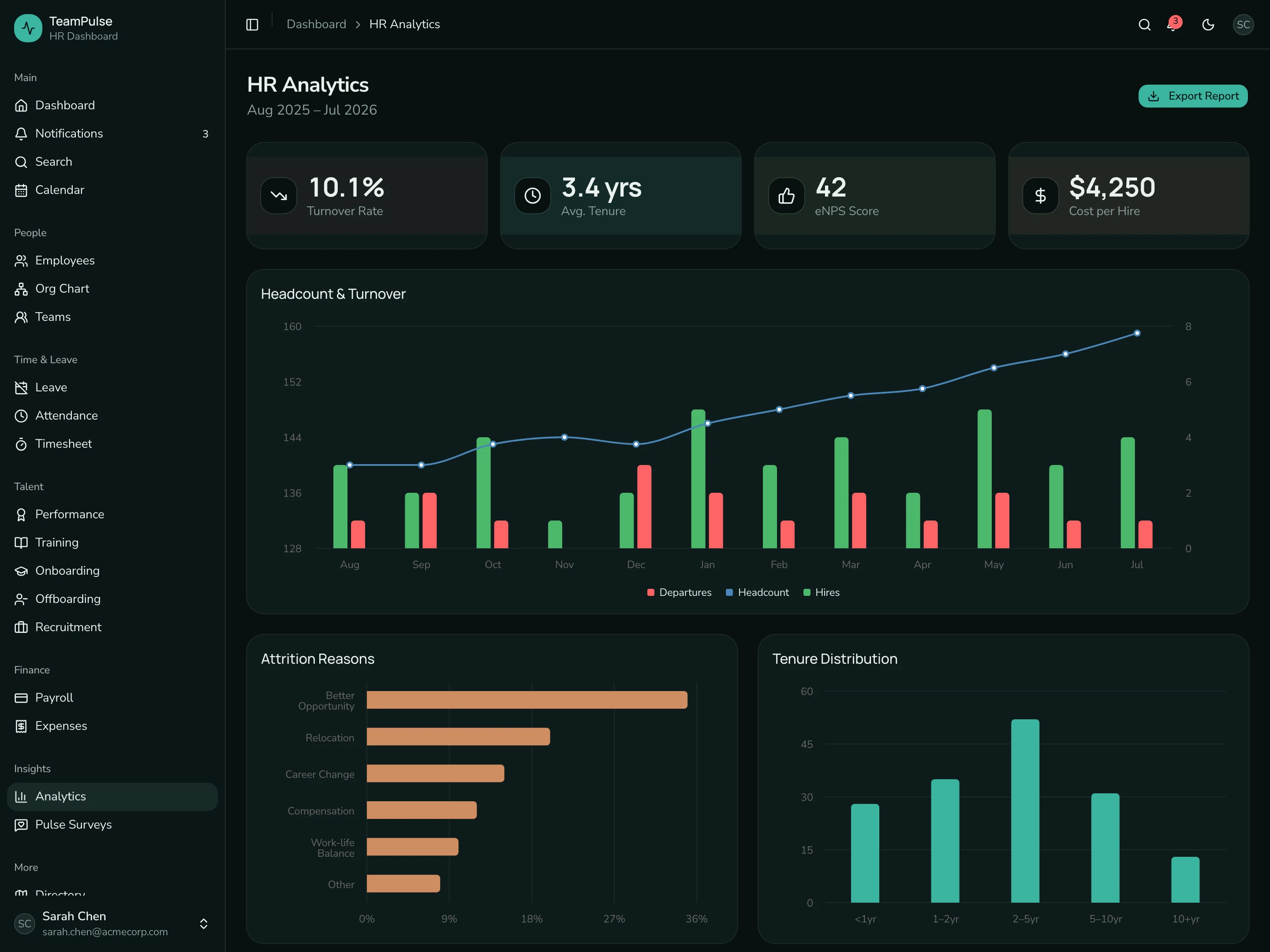
If you're an agency building HR software for clients, or a company with its own developers that wants an internal HR app, the HR Dashboard Kit gives you 48 screens to start from: employee directory with org chart, leave with approvals, attendance, payroll and expenses, onboarding and offboarding checklists, performance reviews and a recruitment Kanban board. Next.js 16, Tailwind CSS v4 and shadcn/ui, wired to Supabase for auth, Postgres and storage. $131 solo. Live demo.
Get the HR Dashboard Kit → or get every kit (18 total) for $749 via All UI Kits →
TL;DR: Quick Picks for 2026
| Need | Top pick | Price |
|---|---|---|
| Scheduling plus payroll for one location | Homebase | Free (1 location, 10 employees), Essentials $30/location/mo |
| Simple per-user scheduling | When I Work | $2.50/user/mo (one location), $5 (multi-location) |
| Multi-site teams, labor compliance | Deputy | $5/user/mo (Lite, annual) |
| Restaurants | 7shifts | Free (15 employees), Essentials $39.99/location/mo |
| Cheapest paid scheduling | Sling | Free (scheduling, 30 users), Premium $1.70/user/mo |
| Construction and field crews | Workyard | From $6/user/mo (annual) |
| Time clock first | Buddy Punch | $4.99/user/mo + $19/mo base (annual) |
| Frontline chat and news app | Blink | $3.75/user/mo (annual) |
| Free time tracking, any team size | Jibble | Free plan, unlimited users |
| Open source, run it yourself | TimeTrex | See vendor site |
| HR app inside your own product | HR Dashboard Kit | $131+ one-time |
Prices shown were checked on each vendor's own pricing page in November 2026.
What Connecteam Does Well
Connecteam tries to be the whole toolkit for a deskless team in one mobile app. A worker can clock in with GPS, see their shift, fill out a checklist, read the company news, finish a training course and request a day off without leaving it. That means one app to roll out to staff who don't sit at a desk.
The pricing suits small teams too. The free Small Business Plan covers up to 10 users, and a team of 12 pays the same as a team of 30.
When to Leave Connecteam
Four signals:
- You pay for three hubs but use one well. Each hub is billed on its own. If scheduling is the only part your managers open every day, a scheduler like When I Work or Sling costs less.
- You've grown well past 30 users. The per-user fees past 30 add up, and per-location tools like Homebase or 7shifts can work out cheaper for a big team at one site.
- You run a restaurant or a construction crew. Tools built for one industry, like 7shifts with tip management or Workyard with job costing, go deeper than a general app.
- You want payroll from the same vendor. Connecteam's pricing page lists a payroll integration on the Operations hub. Homebase, 7shifts and Deputy sell their own payroll add-ons.
1. Homebase
The closest swap for a small, single-location business that wants scheduling, a time clock and payroll from one vendor.
Strengths:
- Free Basic plan for one location with up to 10 employees, including scheduling and time tracking
- Priced per location with unlimited employees on paid plans
- Payroll add-on calculates wages from timesheets, pays staff and files taxes
- Hiring tools, tip pooling and task lists available as add-ons
Weaknesses:
- Per-location pricing gets expensive for businesses with many small sites
- Onboarding and HR & compliance features sit on the top All-in-One plan
Pricing: Basic free (1 location, up to 10 employees). Essentials $30/location/month, Plus $70, All-in-One $120 (monthly billing). Payroll add-on $49/month base fee plus $6 per employee paid.
Best for: Restaurants, retail shops and service businesses with one or two locations.
2. When I Work
A focused scheduling, time clock and team messaging app with a single per-user price.
Strengths:
- Two plans and a short price list: one rate for single locations, one for multi-location
- Scheduling, time and attendance and messaging included on every plan
- GPS and geofence clock-in
Weaknesses:
- No free plan
- No training, forms or knowledge base like Connecteam's other hubs
- Payroll comes through a partner, not When I Work itself
Pricing: $2.50/user/month for single-location teams, $5/user/month for multi-location businesses. Month-to-month or annual billing.
Best for: Teams that only need scheduling and time tracking and want to pay per head.
3. Deputy
A workforce management platform with stronger compliance and forecasting tools for teams across several sites.
Strengths:
- Labor law compliance features on every plan
- Auto-scheduling, demand forecasting and wage budgets on Core
- Location hierarchies, SSO and a sandbox on Pro
- HR, payroll and analytics add-ons
Weaknesses:
- Every admin and manager counts as a paid user
- Monthly plans have a minimum spend of $30 per invoice
Pricing: Lite $5/user/month, Core $6.50, Pro $9 (billed annually, upfront or in monthly installments). HR add-on $2/user/month. Payroll add-on $8/user/month plus a $49 monthly base fee, available on annual Core and Pro in the US.
Best for: Multi-site retail, hospitality and healthcare teams that need compliance rules built in.
4. 7shifts
A scheduling and team management platform made for restaurants.
Strengths:
- Free Comp plan for a single location with up to 15 employees
- Sales-based labor targets and POS integrations
- Tip management, manager log book and task lists
- Payroll built in on Premium in the US
Weaknesses:
- Built for restaurants, so it's a poor fit for field crews or offices
- Employee caps per plan (30 on Essentials, 60 on Pro)
- Priced per location, so many locations add up
Pricing: Comp free (1 location, up to 15 employees). Essentials $39.99/location/month (up to 30 employees), Pro $79.99 (up to 60), Premium $134.99 (unlimited employees), billed annually. Payroll on its own is $39.99/location/month plus $6 per employee paid.
Best for: Restaurants, cafes and bars.
5. Sling
The lowest-cost paid scheduler here, with a free plan that covers scheduling for up to 30 users.
Strengths:
- Free shift scheduling, time-off requests, news sharing and messaging for up to 30 users
- Paid plans add time tracking, labor cost and overtime tracking
Weaknesses:
- Lighter on HR features than Connecteam's HR hub
- Kiosk time tracking, reports and PTO management need the Business plan
Pricing: Free for up to 30 users. Premium $1.70/user/month, Business $3.40, billed annually. 15-day free trial.
Best for: Small teams that mostly need a shared schedule and a time clock on a tight budget.
6. Workyard
A GPS time tracking and job costing app for contractors and field crews.
Strengths:
- GPS-verified time, location and mileage tracking
- Project tracking and labor cost reporting on Pro
- Payroll and accounting integrations
- Smart Forms add-on for safety and compliance paperwork
Weaknesses:
- Built for the trades, so it's a poor fit for retail or hospitality
- The pricing page shows a starting price, not each plan's price
- No team chat or training tools like Connecteam's other hubs
Pricing: Plans start at $6/user/month billed annually, with monthly billing also available. Starter, Pro and Autopilot tiers, plus Enterprise through sales. See the vendor's pricing page for each tier.
Best for: Construction, electrical, HVAC and restoration companies with crews on job sites.
7. Buddy Punch
A time clock app with scheduling and payroll you add as you need them.
Strengths:
- Free administrator users
- GPS on punches, plus geofencing, QR code and kiosk punches on Pro
- Scheduling included on Pro, or $1/user/month on Starter
Weaknesses:
- A $19 monthly base fee on top of per-user pricing
- No team chat, knowledge base or training tools
- Real-time GPS and onboarding are paid add-ons below Advanced
Pricing: Starter $4.99/user/month, Pro $6.99, Advanced $12.99, each plus a $19/month base fee (billed annually). Payroll $8/user/month plus a $49 base fee.
Best for: Teams where accurate timesheets for payroll are the main problem.
8. Blink
An employee app for frontline communication: news feed, chat and a knowledge hub.
Strengths:
- Strong internal comms: feed, chat, channels, polls and recognition
- Multi-language publishing and translation on Pro
- Native apps for iOS, Android, Windows and Mac
- Shift management and scheduling listed in its feature comparison
Weaknesses:
- Focused on communication, so time clock and job tracking are lighter
- Deeper integrations and API access sit on Enterprise
Pricing: Core $3.75/user/month billed annually ($4.50 monthly), Pro $5.00 ($6.00 monthly). Enterprise pricing on request.
Best for: Companies that mostly used Connecteam's Communications hub.
9. Jibble
A time and attendance app with a free plan for unlimited users.
Strengths:
- Free plan with no user limit
- Face recognition, selfie capture, geofencing and GPS to stop buddy punching
- Kiosk mode, offline mode and timesheets
- Time off, work schedules and project time reports
Weaknesses:
- Time tracking first, with no chat feed or training tools
- Scheduling is lighter than a dedicated shift scheduler
Pricing: Free plan with unlimited users. For paid tiers, see the vendor site.
Best for: Teams that want a free time clock and already have chat and HR covered.
10. TimeTrex
Workforce management software with an on-site version that's open source.
Strengths:
- On-site deployment is open source, with full access to the source code
- Time and attendance, scheduling, leave, payroll and HR modules
- REST API and webhooks for connecting other systems
- Cloud version if you'd rather not host it
Weaknesses:
- You need someone to install, host and update the on-site version
- Prices come from a calculator by headcount, with a minimum 1-year term
Pricing: See the vendor site. The pricing page builds a monthly price from your employee count, based on a minimum 1-year term.
Best for: Companies with an IT team that want to own and customize their workforce software.
11. Build Your Own with the HR Dashboard Kit
Some teams want the HR app inside their own platform, like a staffing agency portal or a franchise back office. No hosted tool rents you that.
The HR Dashboard Kit is a starting codebase for that build:
- What's in it: 48 screens covering the HR dashboard, employee directory and org chart, leave management with approvals, attendance, payroll and expenses, onboarding and offboarding, performance reviews and a recruitment pipeline on a Kanban board
- Stack: Next.js 16, Tailwind CSS v4 and shadcn/ui, wired to Supabase for auth, Postgres and file storage
- Price: $131 solo, one-time
To be plain about the gap: shift scheduling, a GPS mobile time clock and payroll tax filing aren't part of the kit, so you'd build those or connect a tool from the list above. Live demo.
Recommendation by Profile
| You | Pick |
|---|---|
| One location, want payroll too | Homebase |
| Just need schedules, pay per head | When I Work |
| Several sites, strict labor rules | Deputy |
| Restaurant or bar | 7shifts |
| Tight budget, small team | Sling |
| Construction or field crews | Workyard |
| Timesheets for payroll are the problem | Buddy Punch |
| Mostly used Connecteam for chat and news | Blink |
| Want a free time clock for a big team | Jibble |
| Want open source you can host | TimeTrex |
| HR app inside your own product | HR Dashboard Kit |
Pricing at a Glance (25 Users, One Location)
| Product | Tier | Price basis | ~Monthly cost |
|---|---|---|---|
| Connecteam | Operations Advanced (annual) | Flat for first 30 users | $49 |
| Connecteam | All three hubs, Advanced (annual) | Flat for first 30 users per hub | $147 |
| Homebase | Essentials (monthly) | Per location | $30 |
| When I Work | Single location | Per user | $62.50 |
| Deputy | Lite (annual) | Per user | $125 |
| 7shifts | Essentials (annual) | Per location, up to 30 employees | $39.99 |
| Sling | Premium (annual) | Per user | $42.50 |
| Workyard | Starting price (annual) | Per user | From $150 |
| Buddy Punch | Starter (annual) | Per user + base fee | $143.75 |
| Blink | Core (annual) | Per user | $93.75 |
| Jibble | Free plan | Free | $0 |
| TimeTrex | Quote | Per employee | See vendor site |
| HR Dashboard Kit | Solo | One-time | $131 once, plus hosting |
List prices from vendor pricing pages in November 2026, before taxes and add-ons. For one hub, Connecteam is cheap at this size.
Frequently Asked Questions
What is the best free alternative to Connecteam?
It depends on what you used. For scheduling, Sling is free for up to 30 users and 7shifts Comp is free for one location with up to 15 employees. Homebase Basic is free for one location with up to 10 employees and includes a time clock. For time tracking alone, Jibble has a free plan with unlimited users.
How much does Connecteam cost?
Each hub (Operations, Communications, HR & Skills) is priced on its own. Billed yearly, Basic is $29/month, Advanced $49 and Expert $99, covering the first 30 users. Billed monthly, they're $35, $59 and $119. Extra users past 30 cost a set amount per user per month, and the Small Business Plan is free for up to 10 users.
What's the cheapest paid Connecteam alternative?
Sling Premium at $1.70/user/month billed annually is the lowest per-user price here. When I Work is $2.50/user/month for a single location. For a large team at one site, Homebase Essentials at $30/location/month with unlimited employees can cost less than any per-user plan.
Which Connecteam alternative works best for restaurants?
7shifts is built for restaurants, with sales-based labor targets, POS integrations and tip management. Homebase is also popular with restaurants and adds payroll and a tip manager as add-ons.
Does Connecteam connect to payroll software?
Connecteam lists payroll integration on its Operations hub, so timesheets can feed your payroll provider. If you're switching tools and need timesheets, HR data and payroll connected again, our workflow automation services can set that up.
The Honest Take
Connecteam is a strong deal for a small deskless team that wants scheduling, chat and HR basics in one app, especially under 30 people on one hub. It gets less attractive when you're paying for three hubs, when you've grown well past 30 users, or when you need tools built for one industry.
Pick by the job you need done. Sling and When I Work keep scheduling cheap, Homebase and 7shifts add payroll for shops and restaurants, Deputy handles multi-site compliance, Workyard and Buddy Punch fix timesheets, and Blink covers communication. If the HR app has to live inside your own product, start from code you own.
Switching from Connecteam? We'll wire up the new HR and payroll system.
Picking a new HR and payroll system is the easy part. The work is reconnecting it to your accounting, Slack and the rest of your stack, and rebuilding the automations your team counts on. Frontkit Studio does that as fixed-scope projects, in tools like Zapier, Make and n8n or as custom code, documented and handed over.
Make one of these tools, or a better one? Get it listed in this roundup →