Section 508 Compliance Checklist for Software Vendors
Section 508 Compliance Checklist for Software Vendors
If you sell software to a US federal agency, someone in the buying process will ask how your product meets Section 508. This checklist walks through what the Revised 508 Standards actually require from a web app or desktop product, how to test against them, and which documents federal buyers expect to see. Every requirement below comes from the standards text published by the U.S. Access Board, or from Section508.gov, the government's own guidance site run by the General Services Administration (GSA).
One thing up front: no checklist makes a product "508 compliant" by itself, and nobody certifies it. What you can do is test honestly, fix what you find, and describe the result accurately. That's what buyers check.
TL;DR
- Section 508 applies to federal agencies, not directly to vendors. Agencies must develop, buy, maintain and use accessible technology, so they ask vendors to show how their products conform.
- The technical bar for software is WCAG 2.0 Level A and AA, which the Revised 508 Standards incorporate by reference. Non-web software and documents get four narrow exceptions.
- Software has extra rules beyond WCAG: working with assistive technology, caption controls for video, authoring tool rules, and accessible support documentation.
- The main document buyers ask for is an Accessibility Conformance Report (ACR), made with the 508 edition of the VPAT. Section508.gov says the ACR must be complete and submitted according to the VPAT instructions to be considered for award.
- Exceptions belong to the agency. A vendor can't declare its own product exempt.
What Section 508 Covers
Section 508 is part of the Rehabilitation Act of 1973. Congress amended it in 1998 to require federal agencies to make their electronic and information technology accessible to people with disabilities. Section508.gov puts it plainly: the law applies to all federal agencies when they develop, procure, maintain or use that technology.
The U.S. Access Board writes the technical standards. On January 18, 2017 it issued a final rule that updated them, and the rule went into effect on January 18, 2018. These are the Revised 508 Standards, published at 36 CFR Part 1194. On the purchasing side, the Federal Acquisition Regulation (FAR) carries the requirement into contracts. Subpart 39.2 holds the main accessibility acquisition rules, updated in a version published August 11, 2021.
So where does a vendor fit? Section508.gov's page for sellers says that if you build, design, create or resell technology products or services, you're an ICT vendor, and to do business with the federal government you need to show that your product is accessible and conforms to the Section 508 Standards. The legal duty sits with the agency. The practical duty to prove it lands on you.
How the Revised 508 Standards Are Organized
The standards split into two parts that work together:
| Part | What it does |
|---|---|
| 508 Chapters 1 and 2 (Appendix A) | Scoping: which technology is covered, which exceptions exist, which technical chapters apply |
| Chapter 3 | Functional Performance Criteria: outcomes for people without vision, hearing, speech and so on |
| Chapter 4 | Hardware |
| Chapter 5 | Software |
| Chapter 6 | Support documentation and services |
| Chapter 7 | Referenced standards, including WCAG 2.0 |
For a typical SaaS product, Chapters 3, 5 and 6 matter most, plus WCAG 2.0 through the scoping rules. Most of Chapter 4 won't apply unless you ship hardware.
The Section 508 Compliance Checklist
Work through these in order. Each item names the provision it comes from, so you can check the source text yourself.
1. Confirm WCAG 2.0 Level A and AA conformance
The scoping rule for software (E207.2) says user interface components and the content of applications shall conform to Level A and Level AA Success Criteria and Conformance Requirements in WCAG 2.0. Electronic content gets the same rule under E205.4. This is the bulk of the work for any web app.
- Every image, icon button and chart has a text alternative
- Everything works with a keyboard alone, with a visible focus indicator and no keyboard traps
- Text and interactive elements meet contrast minimums
- Form fields have labels, and errors are identified in text with suggestions to fix them
- Headings, lists and tables use real markup so screen readers can follow the structure
- Video has captions, and prerecorded video has audio description where needed
- Nothing flashes more than three times a second
- Users get enough time, or a way to extend time limits
Our WCAG AA checklist for web apps goes through these criteria in more detail. Note that 508 references WCAG 2.0, not 2.1 or 2.2. Meeting a later version generally covers 2.0 too, because the later versions add criteria on top. Many buyers ask about WCAG 2.1 anyway, so it's worth testing against it as well.
2. Know the four exceptions for non-web software and documents
If your product is desktop or mobile software, or a document such as a PDF, four WCAG criteria don't apply under the Revised 508 Standards: 2.4.1 Bypass Blocks, 2.4.5 Multiple Ways, 3.2.3 Consistent Navigation and 3.2.4 Consistent Identification. Wherever WCAG says "Web page", you read "software" or "document" instead.
These exceptions do not apply to web apps. If your product runs in a browser, all Level A and AA criteria apply.
3. Check that the software works with assistive technology
Section 502 covers interoperability with assistive technology. Under 502.3.1, the role, state, properties, boundary, name and description of each object must be programmatically determinable. That means a screen reader can find out that a control is a checkbox, what it's called, and whether it's checked.
The rest of 502.3 adds similar rules for table rows and headers, values, label relationships, parent-child relationships and text. Under 502.2.2, software must not disrupt platform features documented as accessibility features. In a web app, most of this comes down to using native HTML elements, or correct ARIA roles and states where you build custom widgets.
4. Check the application rules in Section 503
- User preferences (503.2): applications must respect platform settings for color, contrast, font type, font size and focus cursor. Web apps are exempt from this specific rule, because they're isolated from the platform, but desktop apps aren't.
- Caption and audio description controls (503.4): if your product plays video with sound, the caption control must sit at the same menu level as the volume or program controls.
- Alternative interfaces (503.3): if you provide a separate interface that works as assistive technology, it must use platform accessibility services.
5. Check authoring tool features, if users create content
If your product lets users create content, such as a page builder, email editor, LMS or document tool, Section 504 applies. Under 504.2, the tool must offer a way to create content that conforms to WCAG 2.0 Level A and AA, and must let authors override information needed for accessibility. Under 504.2.1, it must keep the information needed for accessibility when it converts content to another format, as far as the destination format supports it. If an editor strips alt text on export, that's a finding.
6. Make documentation and support accessible
Chapter 6 is easy to miss. Under 602.2, documentation must list and explain how to use the product's accessibility and compatibility features. Under 602.3, electronic documentation, including web-based self-service support, must conform to WCAG 2.0 Level A and AA. Under 603, help desks, call centers and training services must include information on those accessibility features and accommodate the communication needs of people with disabilities.
In practice, that means your help center, onboarding emails and PDF guides are in scope, and your support team should be able to answer accessibility questions.
7. Review the Functional Performance Criteria
Chapter 3 describes outcomes rather than techniques. For each mode of use your product offers, there must be at least one way to use it without vision, with limited vision, without perception of color, without hearing, with limited hearing, without speech, with limited manipulation, and with limited reach and strength. Under 302.9, the product must also include features that make it simpler and easier for people with limited cognitive, language and learning abilities.
Under E204.1, these criteria apply directly where the technical chapters don't cover a function. They also appear in the 508 edition of the VPAT, so you'll need to report on them.
8. Test with real methods, then record findings
Automated scanners catch part of the problems, not all of them. A credible test includes:
- An automated scan of every main screen and flow, including logged-in areas
- Keyboard-only testing of every task
- Screen reader testing with at least one common pairing, such as NVDA with a Windows browser or VoiceOver with Safari
- Zoom and text resize checks
- Checks of exported documents and email templates
Record each failure with the page, the element, the criterion and the steps to reproduce. You'll need these details for the report and for your developers.
9. Produce the Accessibility Conformance Report
Section508.gov says the easiest way to show product accessibility to government buyers is an ACR. You build it with the VPAT, a free template from the Information Technology Industry Council (ITI). For federal buyers, use the 508 edition, or the INT edition if you also sell in Europe. Section508.gov also offers an ACR Editor that creates reports in OpenACR, a machine-readable format.
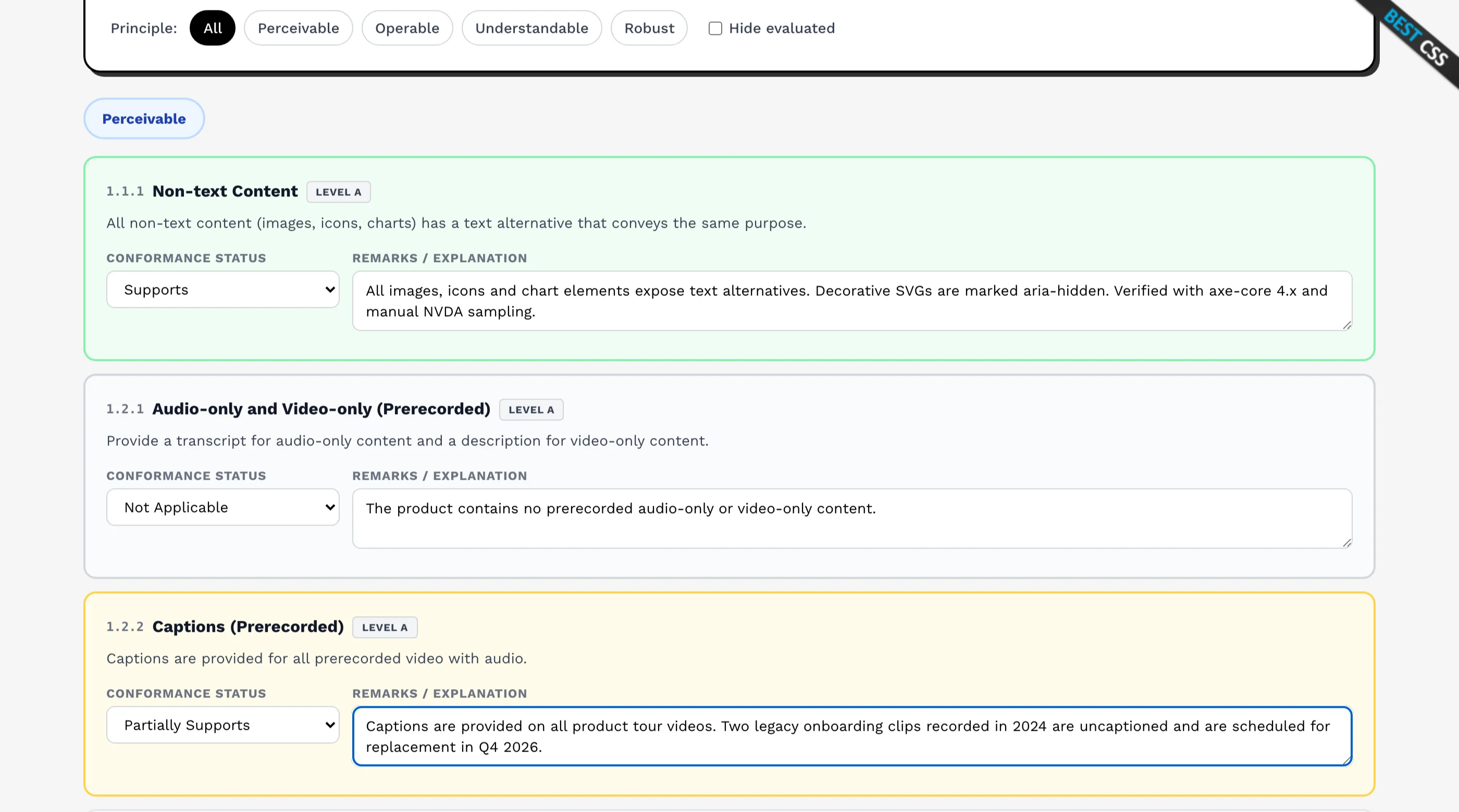
Every Partially Supports or Does Not Support row needs a specific remark. Our guide to the accessibility conformance report covers how buyers read one, and What Is a VPAT? explains the basics.
10. Prepare the extra documents buyers may ask for
Section508.gov suggests vendors consider adding these to a solicitation response:
- A Supplemental Accessibility Report (SAR) that documents the evaluation methods behind the ACR, highlights accessibility features, and explains how to configure the product to support accessibility
- The ACR Issue Detail Supplement, a GSA companion document that gives severity ratings and user impact for each issue found
- A demonstration of how you'll configure or maintain the product to meet the agency's requirements
- Samples of accessible content produced by your authoring tools, if your product creates documents or media
For services, where there's no product to test, Section508.gov suggests a short accessibility statement that explains your approach.
11. Plan fixes and keep the report current
A report with gaps is normal. What hurts is a report with no plan. Keep a remediation roadmap with target dates for each Partially Supports item, and update the ACR when a release changes something that affects accessibility.
What Federal Buyers Do With Your Report
On the agency side, solicitations involving technology include a list of accessibility requirements. Section508.gov notes that this list used to be called a GPAT. Your response has to explain how you'll meet each one.
Section508.gov's guidance for agencies tells them to ask for a written ACR for each technology item, and a SAR describing the evaluation methods to show due diligence behind the conformance claims. Reviewers compare these documents across bidders. Thin evaluation methods or blank remarks on gaps are the quickest way to lose trust.
Exceptions: What Vendors Can and Can't Claim
The Revised 508 Standards include general exceptions, but the agency decides when they apply:
- Legacy ICT (E202.2): existing technology that met the earlier 508 standards and hasn't been altered on or after January 18, 2018 doesn't need to be modified
- National security systems (E202.3)
- Incidental to a contract (E202.4): technology a contractor acquires incidental to a contract
- Maintenance spaces (E202.5): controls located where only service staff go
- Undue burden or fundamental alteration (E202.6): the agency must make and document this determination, and conformance is still required to the extent it doesn't impose an undue burden
None of these let a vendor skip testing. If a buyer grants an exception, that's their documented decision, not a claim you put in your ACR.
What Breaks in Practice
- Testing only the marketing site. Buyers use the logged-in product, the admin screens and the exported reports.
- Forgetting Chapter 6. An accessible app with an inaccessible help center still has findings.
- Custom components without roles and states. Dropdowns, date pickers and modals built from plain divs fail 502.3 and WCAG 4.1.2 together.
- Claiming "fully compliant". There's no official 508 certification. Describe conformance per criterion instead.
- A stale ACR. A report from several releases ago describes a different product.
- Using the wrong VPAT edition. A WCAG-only report doesn't cover Chapters 3, 5 and 6.
Quick Checklist
Copy this list into your release process:
- WCAG 2.0 Level A and AA tested on every main flow, including logged-in areas
- Non-web exceptions applied only to desktop or mobile software and documents, never to web apps
- Every custom control exposes role, name, state and value to assistive technology
- Platform accessibility features aren't disrupted
- Desktop apps respect platform color, contrast and font settings
- Video players offer caption and audio description controls next to volume
- Authoring features can produce accessible content and keep accessibility information
- Help center, guides and PDFs meet WCAG 2.0 Level A and AA
- Documentation lists your accessibility features and how to use them
- Support team can answer accessibility questions and handle accessible communication
- Functional Performance Criteria reviewed for each mode of use
- Keyboard, screen reader and zoom testing done and recorded
- ACR completed in the 508 or INT edition, with specific remarks on every gap
- SAR and Issue Detail Supplement ready if the solicitation asks
- Remediation roadmap with dates, and an ACR review at each major release
Frequently Asked Questions
What does Section 508 compliance mean?
It means a federal agency's technology meets the Revised 508 Standards, so employees and members of the public with disabilities get comparable access to information. For a software vendor, it usually means showing that your product conforms to those standards, mostly through an Accessibility Conformance Report.
Does Section 508 apply to private companies?
The law applies to federal agencies. A private company isn't directly covered, but if you sell technology to federal agencies, they must buy accessible products, so they'll ask you to document how your product conforms. Some state agencies and universities have their own accessibility purchasing policies and ask for the same documents.
What is the difference between Section 508 and the ADA?
They are separate laws. Section 508 covers the technology that federal agencies develop, buy, maintain and use, and it has detailed technical standards. The Americans with Disabilities Act is a broader civil rights law. If you need to know how either applies to your business, ask a lawyer. This checklist covers the 508 technical standards only.
How do you test for Section 508 compliance?
Combine automated scans with manual testing. Test every task by keyboard, test with at least one screen reader, check zoom and contrast, and review your documents and help content. Record each failure against the WCAG or 508 provision it breaks. Automated tools alone miss many issues.
Is there a Section 508 certification?
No. There's no official certification for Section 508 or for an ACR. Be wary of anyone selling a "508 certified" badge. What buyers trust is a detailed ACR backed by clear evaluation methods.
Which WCAG version does Section 508 require?
The Revised 508 Standards reference WCAG 2.0 Level A and AA. Later versions add criteria, so meeting WCAG 2.1 or 2.2 AA generally meets 2.0 AA as well. Many buyers ask about 2.1, so testing against it is a sensible default.
Need Help Before a Federal Deal?
Most vendors start this work because a contracting officer asked for an ACR with a deadline attached. The fastest honest path is to test the real product, fix the worst gaps, and write a report that describes the rest clearly. If you want a team to do the testing and write the report with you, our VPAT and ACR service covers the 508 edition, with every finding tied to a reproducible issue your developers can fix. We won't promise a clean report or legal compliance. We'll give you an accurate one you can defend in a review.
Has a buyer asked for your VPAT?30% OFF
We test your product by hand with a keyboard and real screen readers, then write the ACR from what we found: WCAG, Section 508, EU or International edition. VPAT Essentials from $2,030$2,900 with a lighter audit included, or $4,130$5,900 with a full 25-page audit and retest.