Todoist Alternatives: 10 To-Do Apps Compared for 2026
Todoist Alternatives: 10 To-Do Apps Compared for 2026
Short answer: TickTick if you want more features for less money, Things 3 if you live on Apple devices and hate subscriptions, Microsoft To Do if free matters most, Sunsama or Akiflow if you want to plan your day against your calendar, and Vikunja or Super Productivity if you'd rather own the app and the data.
Todoist is cheap, and most people who leave it aren't leaving over price. Pro is $5/month billed yearly ($60 a year) or $7 billed monthly. Business is $8 per user per month billed yearly, or $10 monthly. A 10-person team on Business pays $960 a year.
People leave for other reasons. The free Beginner plan caps you at 5 personal projects and 3 filter views, and the calendar layout is Pro-only. Some folks want time blocking built in. Others want habits, a Pomodoro timer, or a one-time price. And some just want their task list on a server they control.
So here's what each alternative does better than Todoist, and what you give up. Every price below comes from the vendor's own pricing page (or the App Store, for Things), checked October 2026.
Outgrowing a to-do list? Start with the Kanban PM Kit
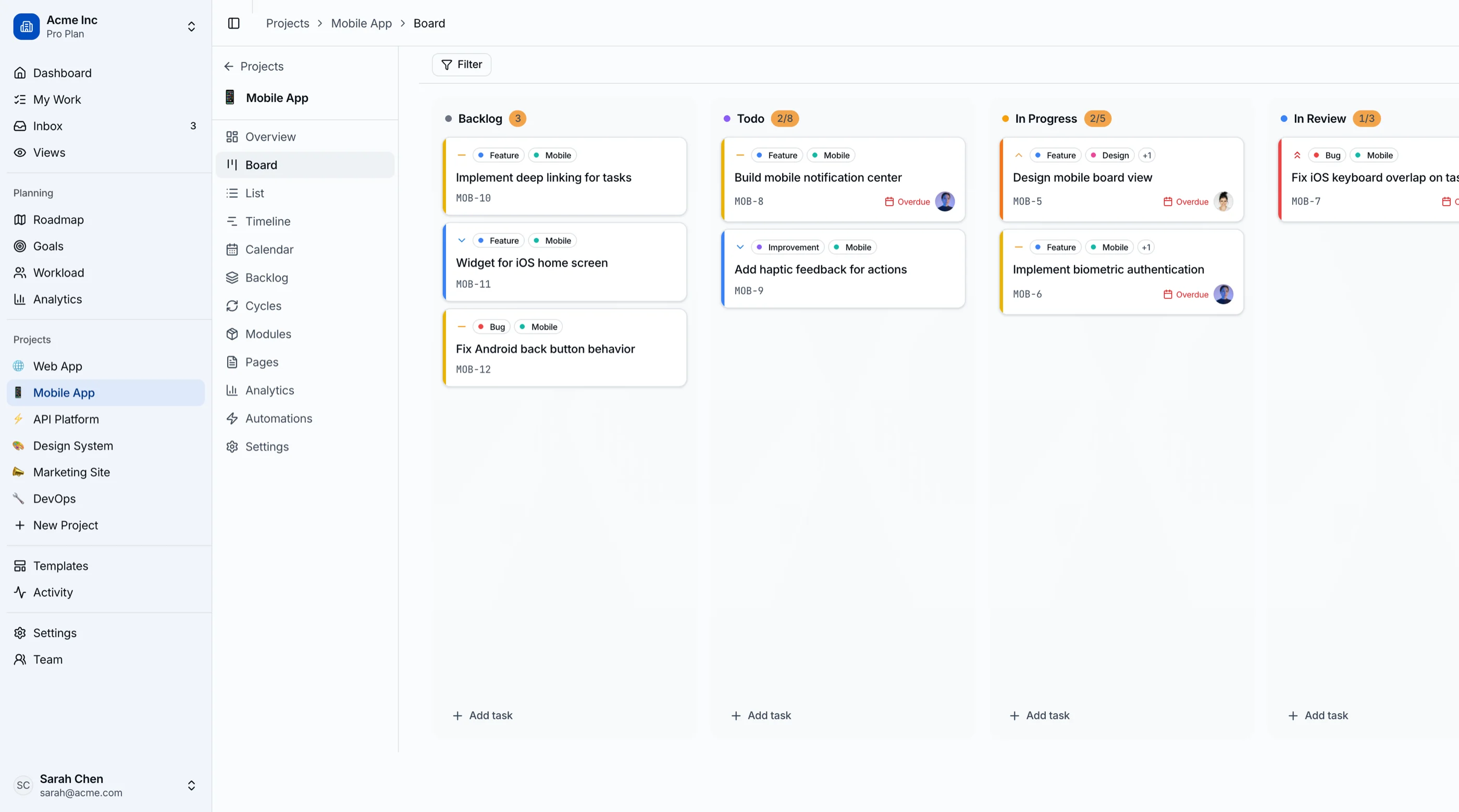
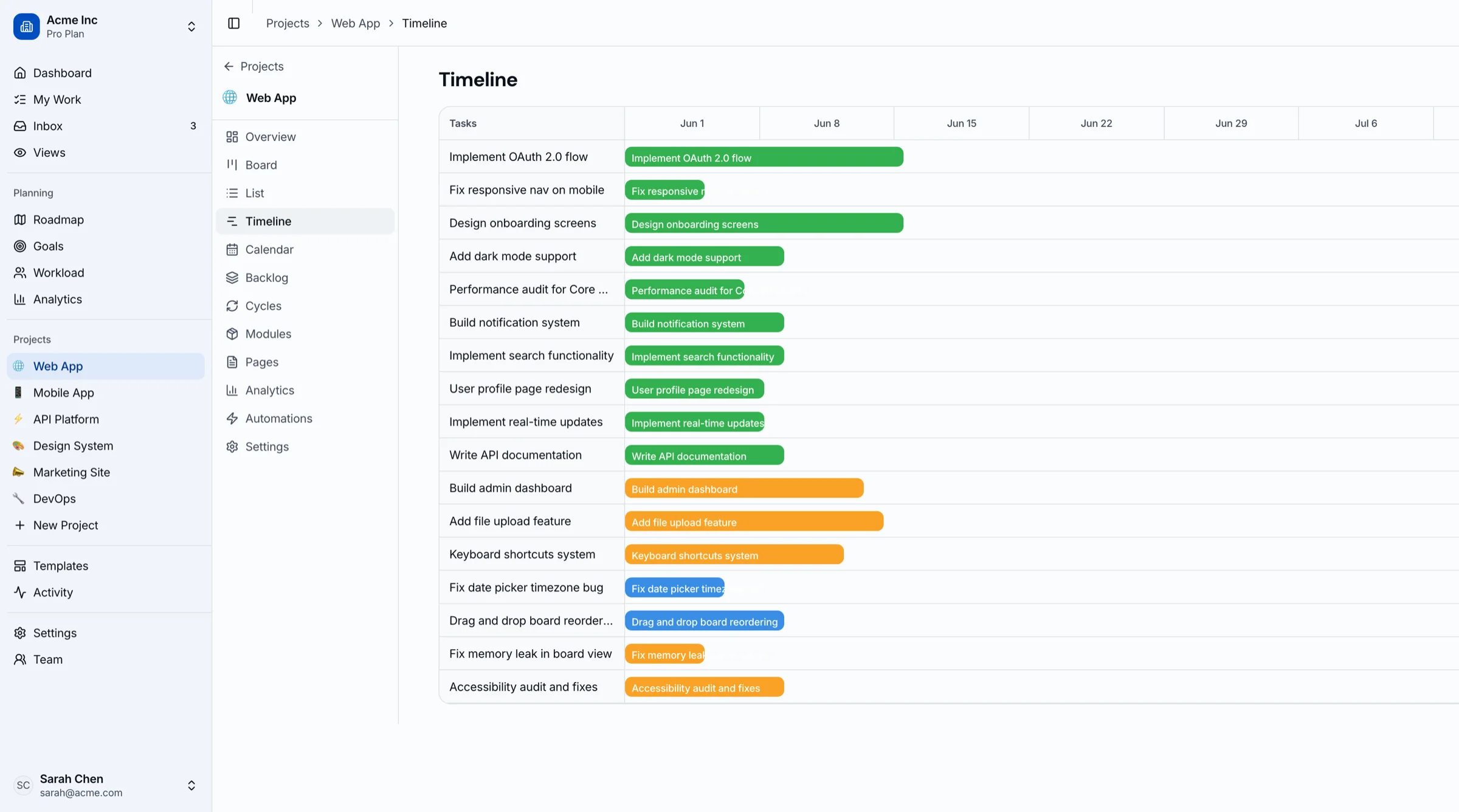
Sometimes the real problem is that your "tasks" turned into projects with sprints, owners, and deadlines, and you want your own tool for that. The Kanban PM Kit gives you 45 screens of project management UI: a drag-and-drop Kanban board, sprint cycles with burndown tracking, a roadmap timeline, a My Work view, workload, and analytics, in Next.js + Tailwind + shadcn/ui. It's frontend only, so you bring your own backend and data. $131 solo. Live demo.
Get the Kanban PM Kit → or get every kit (18 total) for $749 via All UI Kits →
TL;DR: Quick Picks for 2026
| Need | Top pick | Price |
|---|---|---|
| More features per dollar | TickTick | Free, Premium $49.99/yr |
| Apple-only, one-time purchase | Things 3 | $49.99 Mac, $9.99 iPhone, $19.99 iPad |
| Completely free | Microsoft To Do | Free |
| Personal tasks plus family lists | Any.do | Free, Premium from $4.99/mo (yearly) |
| Calm daily planning | Sunsama | $17/mo yearly, $22 monthly |
| Tasks and calendar in one inbox | Akiflow | $19/mo yearly, $34 monthly |
| Build your own system | Amazing Marvin | $8/mo or $96/yr |
| Open source, self-hosted | Vikunja | Free self-host, cloud from €4/mo |
| Free, offline, with time tracking | Super Productivity | Free |
| Your own team PM tool | Build it | $131+ one-time |
What Todoist Actually Does Well
Quick Add is still the best in the business. Type "pay rent every 1st #Home p1" and it parses the date, project, and priority without you touching a menu. Most alternatives have natural language input now, but few feel as quick.
It also runs everywhere: web, desktop, phones, browser extensions, email forwarding. And the free plan is genuinely usable for one person with a handful of projects. Business is fair, too, at $8 per user with up to 500 team projects and 1,000 members and guests.
If Quick Add and cross-platform sync are what you love, be careful switching. Most of the apps below win on one specific job, and match Todoist on the basics at best.
When to Leave Todoist
- You keep hitting free plan limits. 5 personal projects and 3 filter views go fast once you split work and life.
- You want to plan your day as well as list it. Todoist has a calendar layout on Pro, but daily planning rituals and time blocking are what Sunsama and Akiflow are built around.
- You want habits, timers, or focus tools in the same app. TickTick and Super Productivity include them.
- You'd rather pay once. Things 3 is a one-time App Store purchase.
- You want to self-host. Todoist is cloud only. Vikunja and Super Productivity aren't.
1. TickTick
The closest like-for-like swap, with extras Todoist doesn't have.
Strengths:
- Free plan is generous: 9 lists, 99 tasks per list, list and Kanban views
- Premium adds calendar views, task duration, and email reminders
- Built-in Pomodoro timer and habit tracker, so you can drop a second app
- Cross-platform, with natural language input
Weaknesses:
- Premium is sold yearly only on the pricing page
- Team collaboration is light next to Todoist Business
- Lots of features means a busier interface
Pricing: Free. Premium is $49.99/year (billed annually), with 299 lists and 999 tasks per list.
Best for: Individuals who want Todoist plus habits and focus timers for less than Todoist Pro.
2. Things 3
The beautiful one. Apple only, paid once.
Strengths:
- One-time purchase per platform, no subscription
- The Today and This Evening views make daily planning feel easy
- Free sync between your Apple devices via Things Cloud
- Free trial on Mac
Weaknesses:
- No Android, Windows, or web app
- No real collaboration or shared projects
- Buying for Mac, iPhone, and iPad adds up to $79.97
Pricing: On the US App Store: $49.99 for Mac, $9.99 for iPhone and Watch, $19.99 for iPad. Cultured Code sets prices in US dollars and Apple converts them per country.
Best for: Solo Apple users who want a calm, finished app and hate monthly fees.
3. Microsoft To Do
Free, simple, and already tied to Outlook.
Strengths:
- Free, with sync across web, iOS, Android, and Windows
- My Day suggests tasks to focus on each day
- Works with Outlook tasks, so flagged emails show up in one place
- Shared lists for households or small groups
Weaknesses:
- No natural language parsing on Todoist's level
- No labels-and-filters system for complex setups
- Little in the way of reporting or productivity stats
Pricing: Free.
Best for: People already in Microsoft 365 who want a free list that just works.
4. Any.do
To-dos, calendar, and family lists in one app.
Strengths:
- Free plan includes unlimited tasks, subtasks, and grocery lists
- Daily planner and calendar on the free tier
- Premium adds recurring tasks, WhatsApp reminders, and location reminders
- A Family plan for 4 members with shared projects and a shared grocery list
Weaknesses:
- Recurring tasks are Premium only, which feels stingy
- Family plan is fixed at 4 members, and you can't add more
Pricing: Personal is free. Premium is $4.99/month billed yearly or $7.99 monthly. Family is $8.33/month yearly or $9.99 monthly for 4 members. Teams is $4.99 per member per month yearly or $7.99 monthly.
Best for: Households that want personal and shared lists in the same place.
5. Sunsama
A daily planner that happens to manage tasks.
Strengths:
- Guided daily planning: pull tasks into today, set time, drag them onto your calendar
- Pulls tasks in from your other tools so you plan from one place
- Unlimited usage and integrations on the one paid plan
- 14-day free trial, no card needed
Weaknesses:
- No free plan
- About 3x the price of Todoist Pro
- Built for planning one person's day, with little for team project tracking
Pricing: Pro is $17/month billed yearly or $22 billed monthly. Enterprise is custom.
Best for: Overloaded knowledge workers who want a calmer, time-boxed day.
6. Akiflow
Tasks and calendar in one keyboard-driven inbox.
Strengths:
- Collects tasks from your apps into one inbox, then you time-block them
- AI assistant and an MCP connector on Pro
- Free 1:1 onboarding call
- Multi-year "Believer" plans bring the monthly cost down
Weaknesses:
- No free plan, and the 7-day trial needs a card
- Most expensive option here on monthly billing
- The AI meeting assistant is a separate $19/month add-on
Pricing: Pro is $19/month billed yearly ($228/year) or $34 billed monthly. A 2-year Believer plan is $357.60 total, and a 5-year plan is $699. Team pricing is by quote.
Best for: People who live in their calendar and want to time-block every task.
7. Amazing Marvin
The customizable one. You build the system you want.
Strengths:
- Turn features ("strategies") on and off to fit how you think
- Popular with people who find rigid to-do apps hard to stick with
- 14-day trial with full access, no card needed
- 50% student discount on request
Weaknesses:
- No free plan
- All that flexibility means real setup time
- Smaller team and ecosystem than Todoist
Pricing: Marvin Pro is $8/month, or $96/year billed annually.
Best for: Tinkerers who've tried every to-do app and want one they can shape.
8. Vikunja (Open Source)
Self-hosted to-do and project app, with a paid cloud if you skip servers.
Strengths:
- AGPLv3 licensed and free to self-host, for personal or company use
- List, Kanban, Gantt, and table views
- Hosted cloud plans if you'd rather not run it yourself
- 14-day trial on every cloud plan
Weaknesses:
- Self-hosting means you handle updates, backups, and uptime
- Mobile apps and polish trail Todoist
- Smaller integration list
Pricing: Self-hosted is free. Cloud: Personal €4/month or €40/year, Family €10/month or €99/year for up to 5 users, Organization €5 per user per month or €50 per user per year.
Best for: Developers and privacy-minded teams who want their tasks on their own server.
9. Super Productivity (Open Source)
Free to-do app with time tracking built in.
Strengths:
- Free and open source (MIT), on Windows, macOS, Linux, Android, iOS, and the web
- Built-in time tracking with timesheets and reports
- Pulls issues from Jira, GitHub, and GitLab
- Works offline, and sync (WebDAV, Dropbox, or Super Sync) is optional
Weaknesses:
- Built for one person, with no shared team projects
- The interface is dense until you learn it
- No natural language parsing on Todoist's level
Pricing: Free.
Best for: Developers and freelancers who want tasks and time tracking in one free app.
10. Build Your Own Project Tool
If your to-do list has quietly turned into a team project tracker, a to-do app won't fix that. And some teams want a PM tool shaped around their own workflow (an agency client portal, an internal ops board) that they fully own.
What that looks like:
- The Kanban PM Kit gives you 45 screens: Kanban board with drag-and-drop, sprints, roadmap, a My Work view with assigned tasks and priority filters, workload, goals, and analytics
- Next.js 16 + Tailwind CSS v4 + shadcn/ui
- You wire it to your own backend and data
- One-time $131 solo
Be realistic: the kit is UI only, so the backend is on you. It pays off when the PM tool is part of your product or your client delivery. Try the demo or read how to build a Kanban app in Next.js.
Recommendation by Profile
| You | Pick |
|---|---|
| Want more for less | TickTick |
| Apple only, no subscriptions | Things 3 |
| Want free | Microsoft To Do or Super Productivity |
| Sharing lists with family | Any.do |
| Want a calmer daily plan | Sunsama |
| Time-block everything | Akiflow |
| Want to design your own system | Amazing Marvin |
| Want to self-host | Vikunja |
| Track time on tasks | Super Productivity |
| Need a team PM tool you own | Build it |
Pricing at a Glance (1 Person, Annual)
| Product | Plan | ~Annual cost |
|---|---|---|
| Akiflow | Pro, yearly | $228 |
| Sunsama | Pro, yearly | $204 |
| Amazing Marvin | Pro, yearly | $96 |
| Things 3 | Mac + iPhone + iPad | $79.97 one-time |
| Todoist | Pro, yearly | $60 |
| Any.do | Premium, yearly | ~$60 |
| TickTick | Premium | $49.99 |
| Vikunja | Cloud Personal | €40 (or free self-hosted) |
| Microsoft To Do | Free | $0 |
| Super Productivity | Free | $0 |
Todoist is already one of the cheaper paid options. If you're switching to save money, TickTick, Microsoft To Do, and Super Productivity are the real savings. If you're switching to Sunsama or Akiflow, you're paying 3-4x more for a different way of working.
Frequently Asked Questions
What is the best free alternative to Todoist?
Microsoft To Do is free with sync across web, iOS, Android, and Windows. Super Productivity is free and open source with built-in time tracking. TickTick's free plan gives you 9 lists with up to 99 tasks each.
Is TickTick better than Todoist?
For individuals, often yes. TickTick Premium ($49.99/year) costs less than Todoist Pro ($60/year) and adds a Pomodoro timer and habit tracker. Todoist is stronger for teams, with Business supporting up to 500 team projects.
Is there an open source Todoist alternative?
Yes. Vikunja is AGPLv3 and free to self-host, with list, Kanban, and Gantt views. Super Productivity is MIT licensed and runs on desktop, mobile, and the web.
Which Todoist alternative works without a subscription?
Things 3. It's a one-time App Store purchase: $49.99 for Mac, $9.99 for iPhone, and $19.99 for iPad. It only runs on Apple devices.
How much does Todoist cost in 2026?
Beginner is free. Pro is $5/month billed yearly or $7 monthly. Business is $8 per user per month billed yearly or $10 monthly, plus local tax.
The Honest Take
Todoist is cheap and quick, and its Quick Add is still the one to beat. If the free plan's limits are your only gripe, Pro at $60 a year is probably the right move.
Leave when you want something it isn't built for. TickTick adds habits and focus timers. Things gives you a one-time price and a calmer app. Sunsama and Akiflow turn your list into a planned day. Vikunja and Super Productivity hand you the source code.
And if your list has turned into a team project board, look past to-do apps entirely, toward a PM tool or one you build yourself.
Want it shipped without hiring a developer?
The build path above assumes you have engineers. If you don't, the team behind thefrontkit does done-for-you launches: we deploy the kit, apply your branding, and wire it to your stack. Fixed quotes, most builds ship in 2-4 weeks, from $1999.