LiveChat Alternatives: 10 Live Chat Tools Compared for 2026
LiveChat Alternatives: 10 Live Chat Tools Compared for 2026
Short answer: Tidio or Crisp if you want something similar for less. Tawk.to if the budget is zero. Zoho SalesIQ if you already run Zoho. Intercom or Zendesk if chat has become part of a bigger support operation. LiveAgent if you want chat, email and a ticketing desk at a low seat price. Chatwoot if you'd rather self-host and drop seat fees. And if chat belongs inside your own product, build the interface and own it.
This post is about LiveChat, the live chat software at livechat.com for website and in-app customer chat. It's one of the most established tools in the category, with a polished agent app, a long integration list and AI resolutions built into its plans.
As of October 2026, LiveChat's pricing page lists two self-serve plans. Essential is $19 per user per month billed annually, or $25 monthly. Growth is $79 per user per month billed annually, or $99 monthly. Enterprise is a custom quote. Essential includes 10 AI resolutions a month and Growth 200, with extra packs of 50 resolutions at $49.50. There's a 14-day trial with no card required.
For a 5-agent team on Growth billed annually, that's $79 × 5 × 12 = $4,740 a year, before any extra AI packs. The jump from Essential to Growth is where many teams start comparing.
Want chat inside your own product? There's a build path
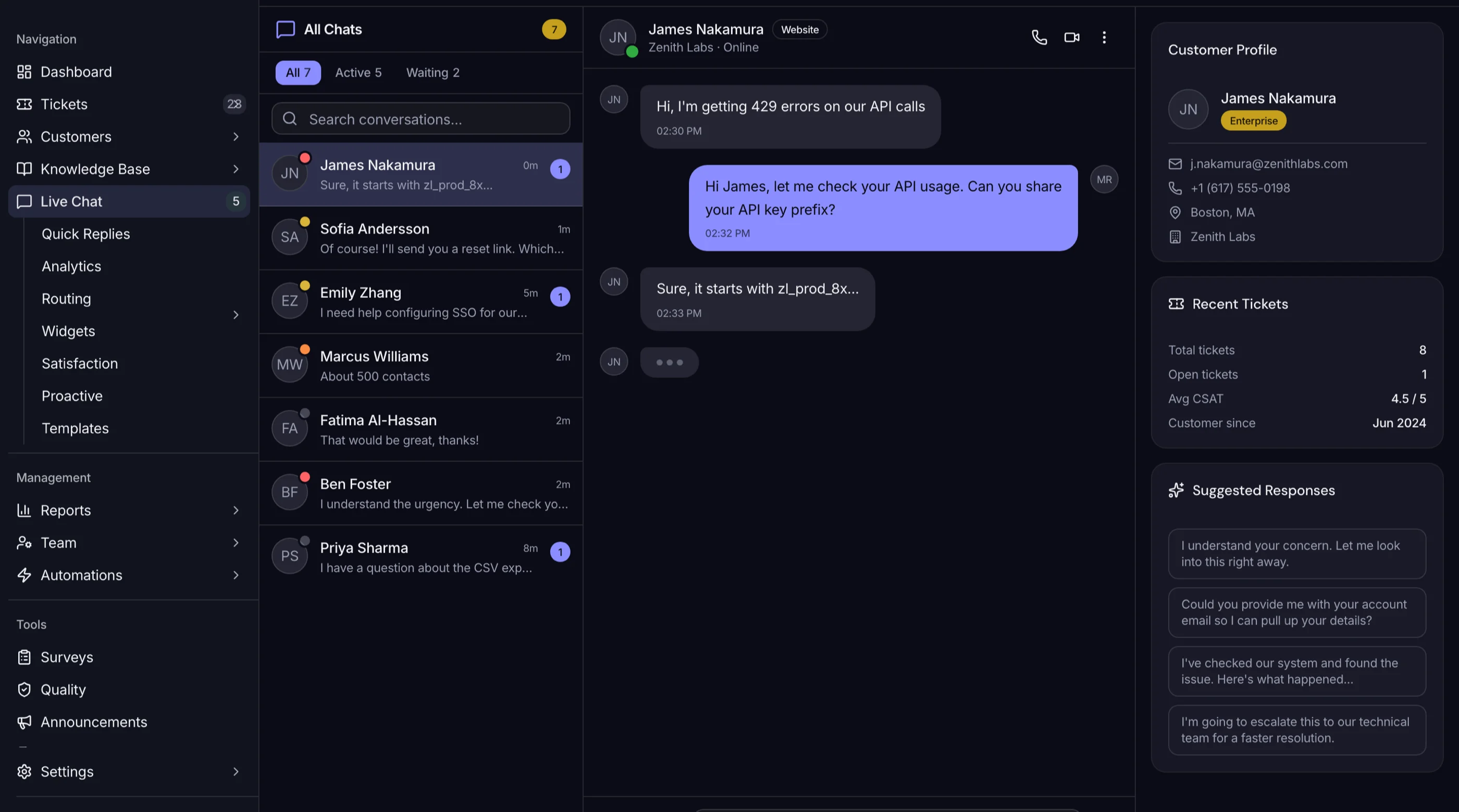
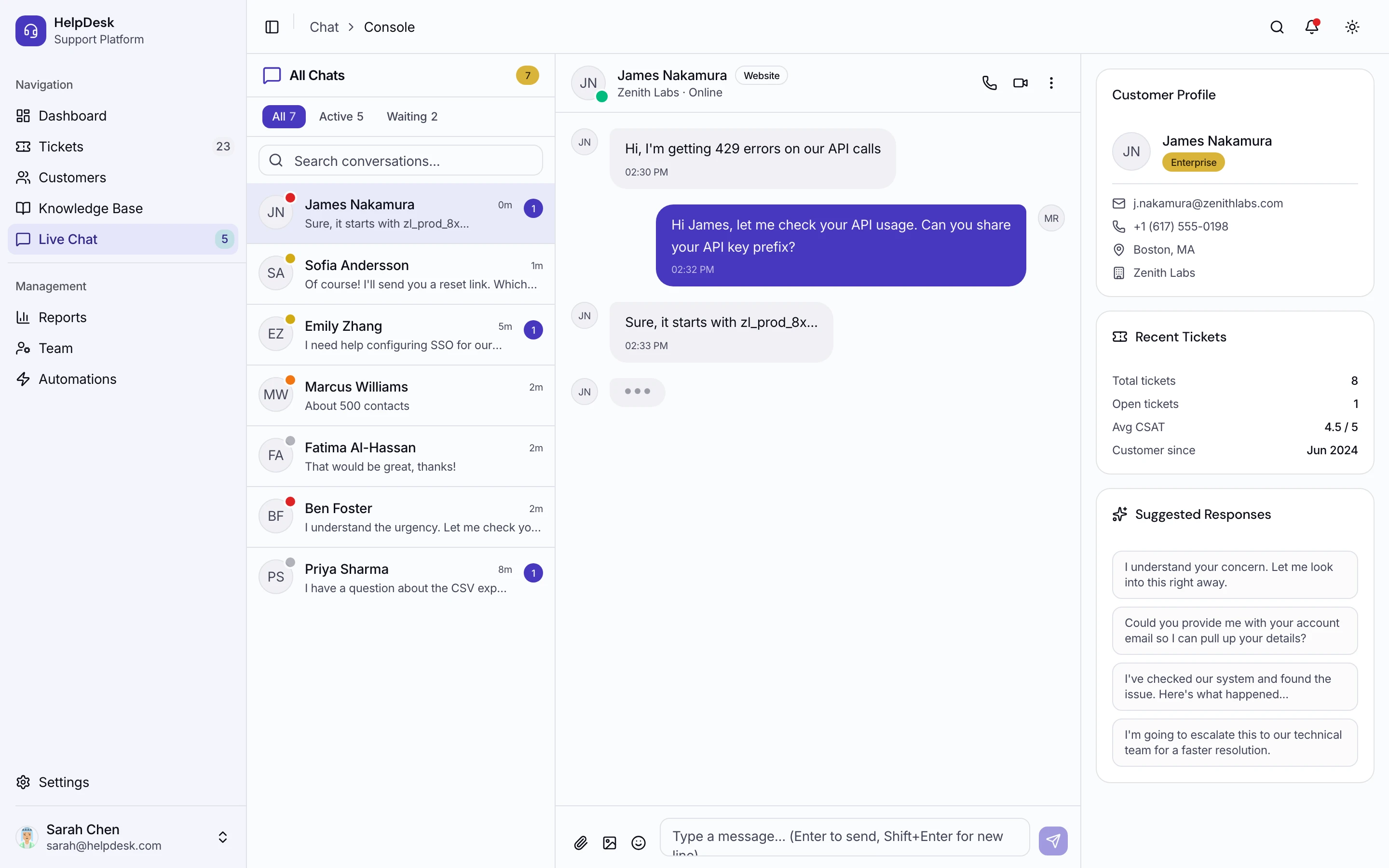
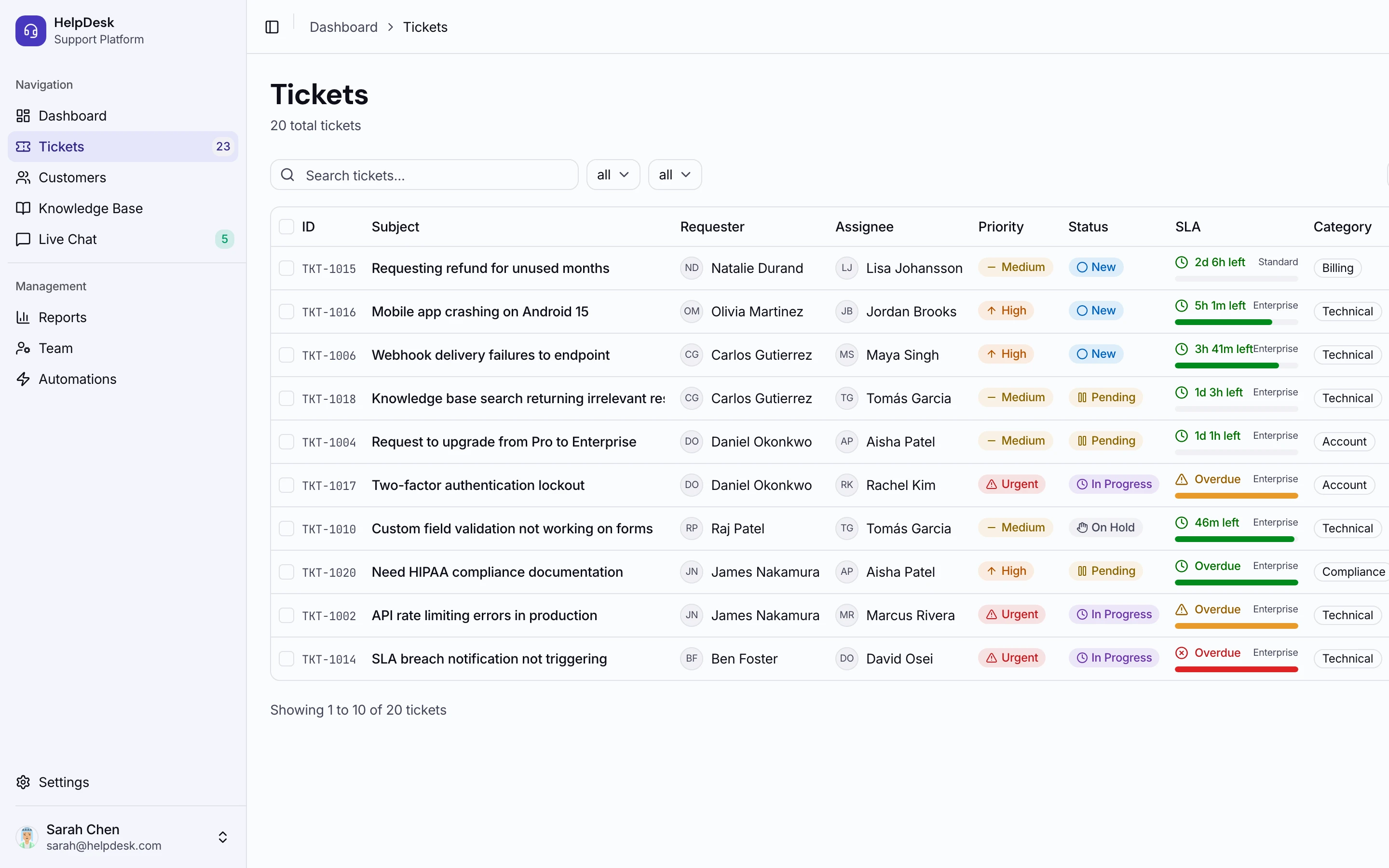
The Help Desk Kit is a Next.js help desk template with 110 screens, including a full live chat layer: conversation threads, customer context, queue management, routing, canned replies, a chatbot builder screen and widget settings. Around it you get tickets, a knowledge base, customer profiles, SLA tracking and reports. Next.js 16, Tailwind CSS v4 and shadcn/ui. $131 solo, $199 team, $349 agency, one-time. Try the live demo.
Get the Help Desk Kit → or get every kit (18 total) for $749 via All UI Kits →
TL;DR: Quick Picks for 2026
| Need | Top pick | Price |
|---|---|---|
| Closest swap for small teams | Tidio | Free tier, $29/mo (or $24.17/mo annual) |
| Nicer inbox, flat workspace pricing | Crisp | Free for 2 seats, $45+/mo per workspace |
| Free forever | Tawk.to | Free, $29/mo to remove branding |
| Inside the Zoho stack | Zoho SalesIQ | Free for 3 operators |
| Chat plus AI agent, upmarket | Intercom | $29+/seat/mo + $0.99/outcome |
| Chat as part of a full help desk | Zendesk | $55+/agent/mo for Suite (annual) |
| Chat, email and tickets on a budget | LiveAgent | $15+/agent/mo (annual) |
| Simple human chat, AI optional | Olark | $29/agent/mo |
| Open source, self-hosted | Chatwoot | Free self-host, cloud $19+/agent/mo |
| Chat inside your own app | Help Desk Kit or AI Chat UI Kit | $131+ one-time |
Chat tools price on seats, conversations, workspaces or AI resolutions depending on the vendor. Run your real traffic through each one before you compare.
What LiveChat Actually Does Well
LiveChat is easy to like. The agent app is fast and well thought through, visitors see a clean widget, and the integration marketplace covers most of what a store or SaaS team needs. Ticketing, canned responses, chat routing and reporting are mature because the product has been doing this for a long time.
The AI side is also simpler to budget than some competitors, since a block of AI resolutions comes inside each plan instead of being billed from the first conversation.
So the case for leaving is rarely about quality. It's about seat price, especially the gap between Essential and Growth, and about whether chat should be a separate tool at all.
When to Leave LiveChat
Three signals:
- You need Growth features but not Growth pricing. Going from $19 to $79 per seat is a big step for a small team.
- Chats keep turning into tickets. If most conversations need follow-up, SLAs and ownership, a help desk with chat built in may fit better.
- Chat belongs inside your product. A third-party widget knows little about your logged-in user, and you can't fully design it.
1. Tidio
The closest swap for small businesses and stores.
Strengths:
- Fast setup with a clean widget
- Free plan with 50 billable conversations and up to 10 seats
- Lyro AI agent and Flows automation available
- Priced on conversations, so adding agents doesn't multiply the bill
Weaknesses:
- Conversation-based pricing climbs with traffic
- Ticketing is lighter than LiveChat's
- Lyro and Flows are separate meters
Pricing: Free for 50 billable conversations. Starter is $29 per month billed monthly or $24.17 per month on annual billing (two months free), for 100 conversations. Growth starts at $59 monthly or $49.17 annually from 250 conversations. Plus starts at $300 per month plus usage. Standalone Lyro starts at $32.50 per month. More options in Tidio Alternatives.
Best for: Small stores with modest chat volume and several people answering.
2. Crisp
A friendlier inbox with flat pricing per workspace.
Strengths:
- Chat, email and social in one shared inbox
- Flat price per workspace with seats included
- Free plan for 2 seats
- AI credits included on paid plans
Weaknesses:
- Prices are per workspace, so multi-brand setups pay more than once
- Reporting is lighter than LiveChat's
- Prices exclude VAT
Pricing: Free for 2 seats. Mini is $45 per month with 4 seats, Essentials $95 with 10 seats and Plus $295 with 20 or more, per workspace, as listed monthly. Extra seats are $10 a month. Yearly billing can be turned on inside the app.
Best for: Teams of 4 to 10 who want predictable flat pricing.
3. Tawk.to
Free, and honest about how it makes money.
Strengths:
- Live chat free forever with unlimited agents
- Simple to install and run
- Optional hired chat agents and AI Assist
Weaknesses:
- Interface feels dated next to LiveChat
- Branding stays unless you pay to remove it
- Automation and reporting are thin
Pricing: Free. Removing "Powered by tawk.to" branding is $29 a month. AI Assist starts at $29 a month. Hired chat agents are $1 an hour.
Best for: Teams with no budget who need basic chat on a website today.
4. Zoho SalesIQ
The obvious pick if your CRM and help desk are already Zoho.
Strengths:
- Free plan with 3 operators and 100 chat sessions a month
- Visitor tracking and chatbots alongside chat
- Native links to Zoho CRM and Zoho Desk
Weaknesses:
- Dense interface
- Best value only inside Zoho
- Pricing page shows regional currency, so confirm your rate
Pricing: Free for 3 operators. Paid plans are priced per operator, and Zoho says yearly billing includes more than two months free. The page didn't show USD prices for paid tiers from our region, so check yours.
Best for: Zoho customers who want chat that already talks to their CRM.
5. Intercom
The upmarket move, with a strong AI agent.
Strengths:
- Fin AI agent that resolves a meaningful share of conversations
- Messenger, product tours and in-app messaging in one place
- Full help desk included
Weaknesses:
- Two meters: seats plus $0.99 per Fin outcome
- Hard to forecast as volume grows
- More than a small store needs
Pricing: Essential $29, Advanced $85 and Expert $132 per seat per month billed annually; the page currently shows Essential discounted to $19 for new customers. Fin is $0.99 per outcome. See Intercom Alternatives for the full breakdown.
Best for: Product-led SaaS where chat drives onboarding and support.
6. Zendesk
For when chat is one channel of a larger support desk.
Strengths:
- Messaging, email, ticketing and help center under one roof
- Deep routing, SLAs and reporting
- Large app marketplace
Weaknesses:
- Messaging needs a Suite plan, which costs more than LiveChat Essential
- Admin overhead is real
- Heavy if chat is all you need
Pricing: Support Team $19, Suite Team $55 and Suite Professional $115 per agent per month billed annually; $25, $69 and $149 monthly. Self-hosted options are in Zendesk Alternatives.
Best for: Teams already running tickets who want chat in the same queue.
7. LiveAgent
Chat, email, social and a ticketing desk for less than LiveChat Growth.
Strengths:
- Live chat and a full ticketing help desk in one product
- Low per-agent pricing with clear annual discounts
- 30-day free trial without a card
Weaknesses:
- Interface is busy
- No free plan
- Starter caps at 5 agents and Team at 15
Pricing: Starter $15, Team $29 and Business $49 per agent per month billed annually; $19, $35 and $59 monthly. Enterprise is $3,199 per month annually or $3,999 monthly with 80 agents included.
Best for: Small support teams that want chat and tickets together without paying Zendesk prices.
8. Olark
Straightforward human live chat, with an AI agent if you want one.
Strengths:
- Simple, focused chat tool
- Human-only Live Chat plan
- Optional AI website agent plan
Weaknesses:
- The AI plan is a big jump at $400 a month billed annually
- Fewer channels than Crisp or LiveAgent
- Billing period isn't stated for the Live Chat plan
Pricing: Live Chat is $29 per agent per month. The Standard AI Website Agent plan is $400 per month billed annually with one human seat, plus $29 per extra agent.
Best for: Teams that just want humans answering chat with minimal setup.
9. Chatwoot
Open source, and the way out of per-seat SaaS pricing.
Strengths:
- Website chat, email, WhatsApp and social in one inbox
- Free Community Edition to self-host with no seat cap
- Cloud plans if you'd rather not run it
- Active project: pushed to on 24 October 2026, with over 38,000 GitHub stars
Weaknesses:
- Self-hosting means Rails, Redis and Docker
- Community Edition leaves out Captain AI, SLA policies and SSO
- Open core: MIT licensed except the
enterprise/folder
Pricing: Cloud Hacker plan is free for up to 2 agents with 500 conversations a month. Startups $19, Business $39 and Enterprise $99 per agent per month. Self-hosted Community Edition is free.
Best for: Teams with engineering capacity who want chat without seat fees.
10. Build Chat into Your Product
The option that fits when chat belongs inside your app.
A widget from any vendor loads its own bundle, carries its own design, and knows only what you pass it about the user. For a SaaS where support is part of the experience, or where you're shipping support tooling to your own customers, that boundary is the problem. There are two ways we'd start, depending on what you're building.
If you're building a support desk with live chat: the Help Desk Kit. 110 screens, including 11 chat screens: live chat with conversation threads and customer context, queue, routing, canned replies, chat history, proactive messages, a chatbot builder screen and widget settings. Around it sit tickets with SLA tracking, a knowledge base with a Markdown editor, customer profiles, automations with AI agent assist, CSAT surveys, QA scoring and team scheduling. Next.js 16, Tailwind CSS v4 and shadcn/ui.
What's not included: a backend, database or API logic, WebSocket or real-time messaging infrastructure, email or SMS notification delivery, and AI chatbot or natural language processing logic. The chat UI is built; you connect your own real-time layer, such as Socket.io, Pusher or Supabase Realtime. $131 solo, $199 team, $349 agency. Live demo.
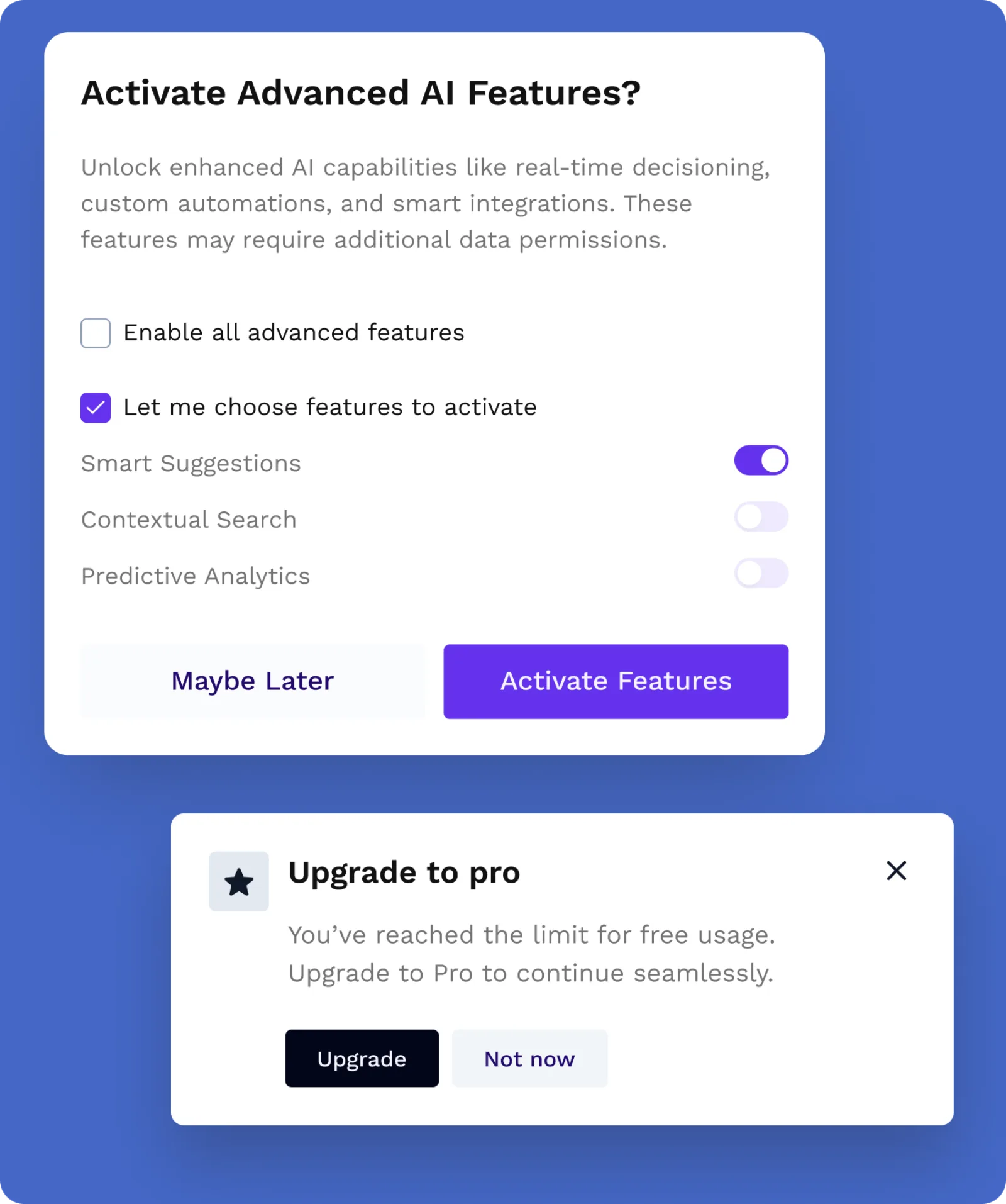
If you're building an AI chat assistant: the AI Chat UI Kit. 114 components for the chat widget itself: prompt inputs with attachments, Markdown responses with loading, error and retry states, citations, thumbs and rating feedback, voice recording, file upload and model comparison. Mock data hooks mark where your API and streaming plug in. Next.js 16, Tailwind CSS 4 and shadcn/ui. It doesn't include a backend, LLM provider integration, streaming transport or retrieval, so you bring the model. $79 solo. Live demo.
For a wider look at starting points, see Best Help Desk Templates.
Recommendation by Profile
| You | Pick |
|---|---|
| Small store, low chat volume | Tidio or Tawk.to |
| Team of 4 to 10, want flat pricing | Crisp |
| Already on Zoho | Zoho SalesIQ |
| SaaS with AI budget | Intercom |
| Chat is one channel of a big desk | Zendesk |
| Want chat plus tickets cheaply | LiveAgent |
| Just want humans on chat | Olark |
| Engineering team, no seat fees | Chatwoot |
| Chat belongs inside your product | Help Desk Kit or AI Chat UI Kit |
| Happy on Essential and it fits | Stay on LiveChat |
Pricing at a Glance (5 Agents, Annual)
| Product | Tier | ~Annual cost |
|---|---|---|
| LiveChat | Essential, $19/user/mo | $1,140 |
| LiveChat | Growth, $79/user/mo | $4,740 |
| Tidio | Starter, $24.17/mo (100 conversations) | $290 |
| Crisp | Essentials, $95/mo listed monthly (10 seats) | $1,140 |
| Tawk.to | Free, or branding removed | $0 or $348 |
| Zoho SalesIQ | Paid tiers | Check your region |
| Intercom | Essential at list, $29/seat/mo | $1,740 plus Fin outcomes |
| Zendesk | Suite Team, $55/agent/mo | $3,300 |
| LiveAgent | Starter, $15/agent/mo | $900 |
| Olark | Live Chat, $29/agent/mo | $1,740 |
| Chatwoot Cloud | Startups, $19/agent/mo | $1,140 |
| Help Desk Kit | One-time | $131 once, plus your backend |
List prices from each vendor's pricing page on 24 October 2026. Tidio and Crisp don't price per agent, so their totals depend on conversation volume and seat bundles. AI resolutions are extra almost everywhere.
Feature Comparison
| Live chat | Ticketing | AI agent | Free plan | Self-host | |
|---|---|---|---|---|---|
| LiveChat | Yes | Yes | Included resolutions | No (14-day trial) | No |
| Tidio | Yes | Light | Lyro | Yes | No |
| Crisp | Yes | Light | AI credits | Yes | No |
| Tawk.to | Yes | Basic | AI Assist add-on | Yes | No |
| Zoho SalesIQ | Yes | Via Zoho Desk | Chatbots | Yes | No |
| Intercom | Yes | Yes | Fin | No | No |
| Zendesk | Suite plans | Yes | Yes | No | No |
| LiveAgent | Yes | Yes | Not core | No | No |
| Olark | Yes | No | AI plan | No | No |
| Chatwoot | Yes | Basic | Captain (paid tiers) | Yes | Yes |
| Help Desk Kit | UI only | UI only | UI only, you add the model | No | You host it |
Frequently Asked Questions
What is LiveChat?
LiveChat is live chat software at livechat.com for talking to website and app visitors in real time. It includes an agent app, ticketing, routing, reporting, AI resolutions and a large integration marketplace.
How much does LiveChat cost?
As of October 2026, Essential is $19 per user per month billed annually ($25 monthly) and Growth is $79 annually ($99 monthly). Enterprise is a custom quote. Essential includes 10 AI resolutions a month and Growth 200, with extra packs of 50 at $49.50.
What is the best free alternative to LiveChat?
Tawk.to is free with unlimited agents if you can live with its branding. Tidio, Crisp and Zoho SalesIQ all have free tiers with limits. Chatwoot is free to self-host if you have someone to run it.
What is the best open source alternative to LiveChat?
Chatwoot. It's actively maintained, covers chat, email and social channels, and has a modern agent interface. Its licence is MIT except for the enterprise folder, so treat it as open core.
Can I build live chat into my own app instead of using a widget?
Yes, and for product-embedded support it's often the better call. You control the design, user context is already there, and no third-party script loads on every page. You supply the real-time transport. The Help Desk Kit covers the support interface and the AI Chat UI Kit covers an AI assistant's chat UI.
The Honest Take
LiveChat is a solid product, and Essential at $19 a seat on annual billing is fair for what you get. The pressure shows up at Growth, or when AI resolutions run past the included block.
The alternatives each win at one edge: price (Tawk.to, Tidio, LiveAgent), flat pricing (Crisp), ecosystem (Zoho SalesIQ), AI depth (Intercom), help desk depth (Zendesk), or no seat fees (Chatwoot).
The question worth asking separately is whether chat should be a widget at all. If support is part of your product, the interface is worth owning.
Want it shipped without hiring a developer?
The build path above assumes you have engineers. If you don't, the team behind thefrontkit does done-for-you launches: we deploy the kit, apply your branding, and wire it to your stack. Fixed quotes, most builds ship in 2-4 weeks, from $1,999.