Notion Alternatives: 8 Workspace Tools for 2026
Notion Alternatives: 8 Options Compared for 2026
Notion Plus is $10/seat/month, Business is $15-$20, and the AI add-on stacks more on top. For a 30-person company that's $3,600-$7,200/year for docs and databases. But price is rarely why people search for Notion alternatives. The real reasons: it's cloud-only (your company's entire knowledge base lives on Notion's servers), offline support is still unreliable, and big workspaces get slow.
There's also a quieter reason. Notion tries to be everything (docs, wikis, databases, projects, calendars), and teams eventually notice they're fighting the tool to do one specific thing well. Eight alternatives worth comparing, most of which pick a lane.
Using Notion to run projects? There's a build path too
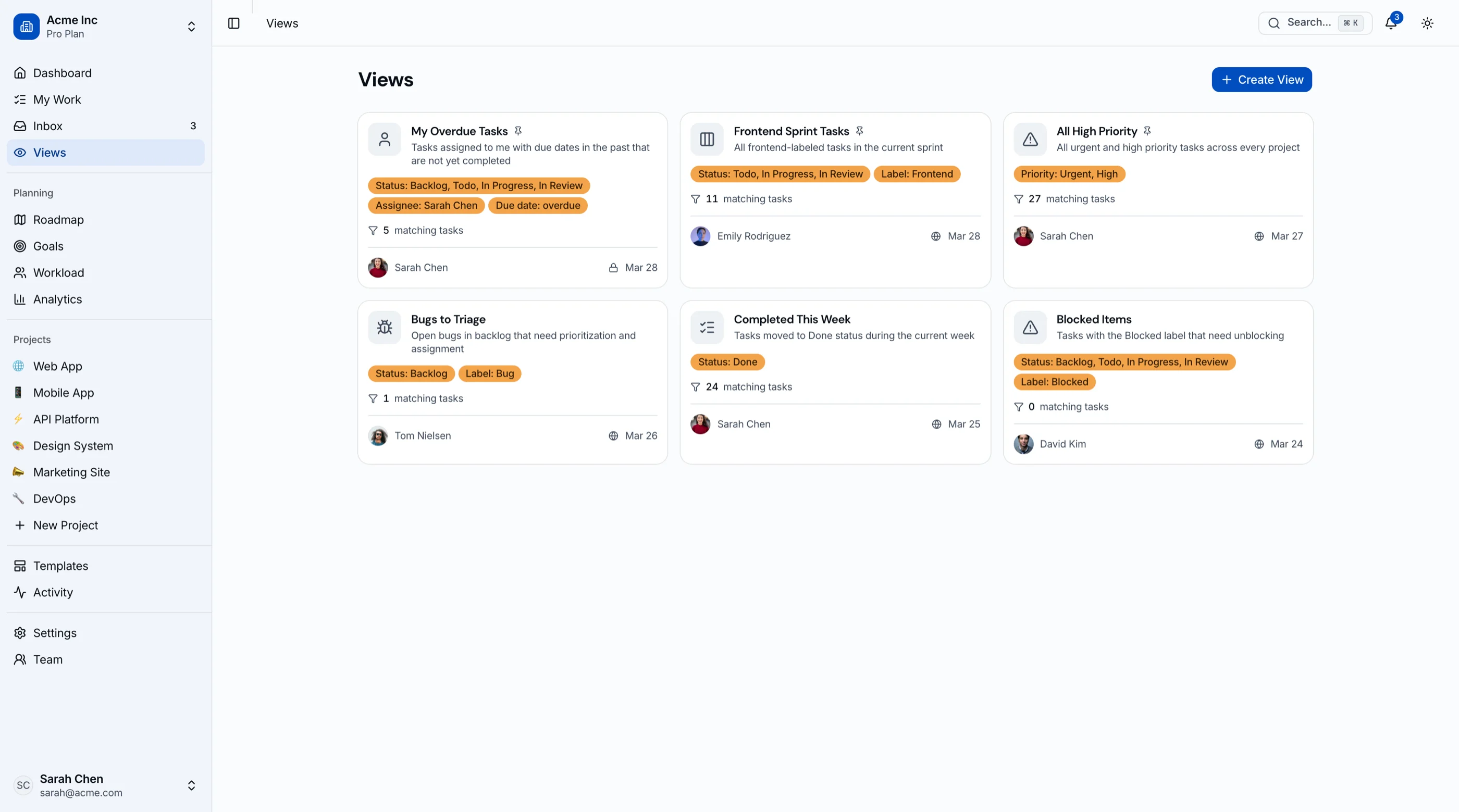
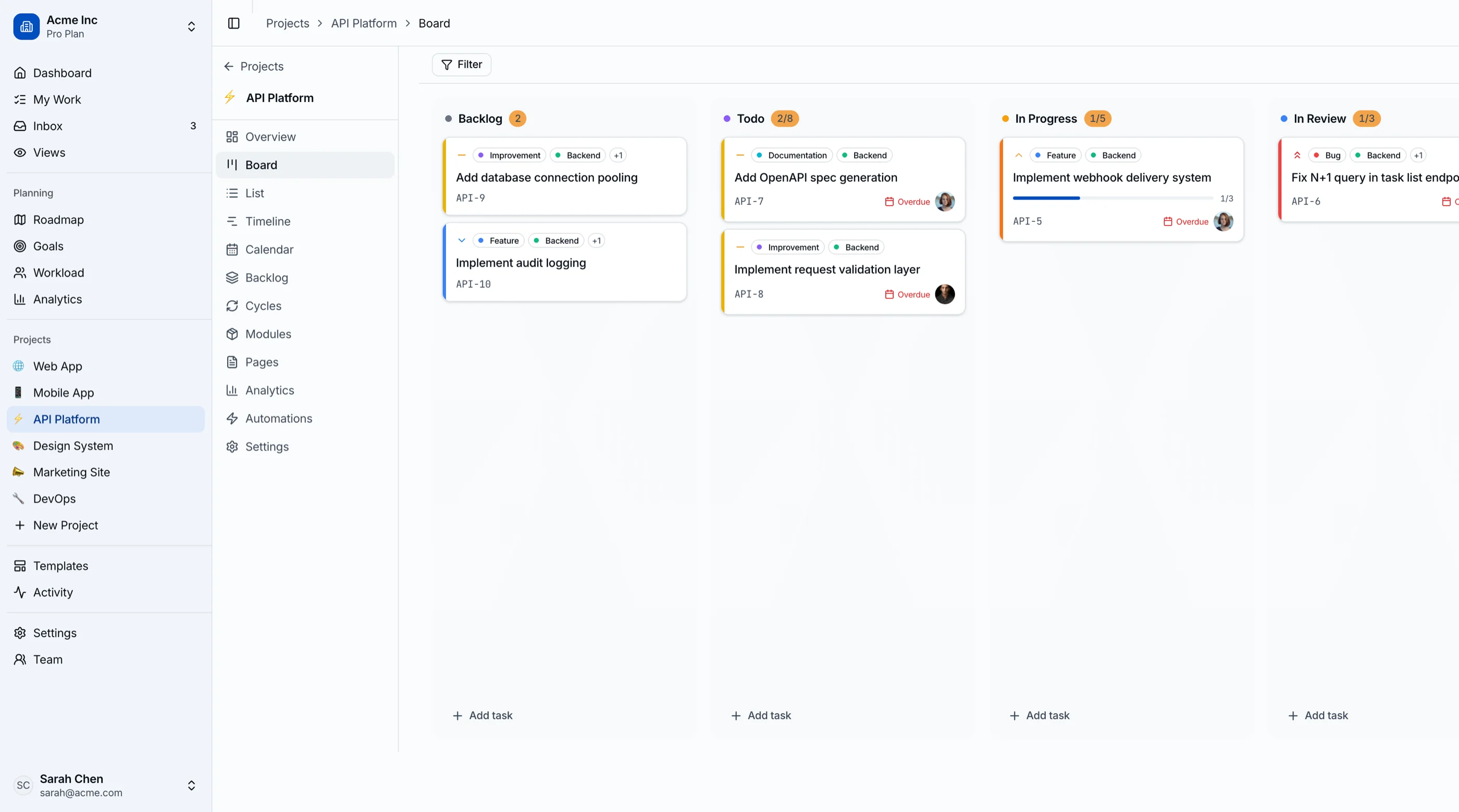
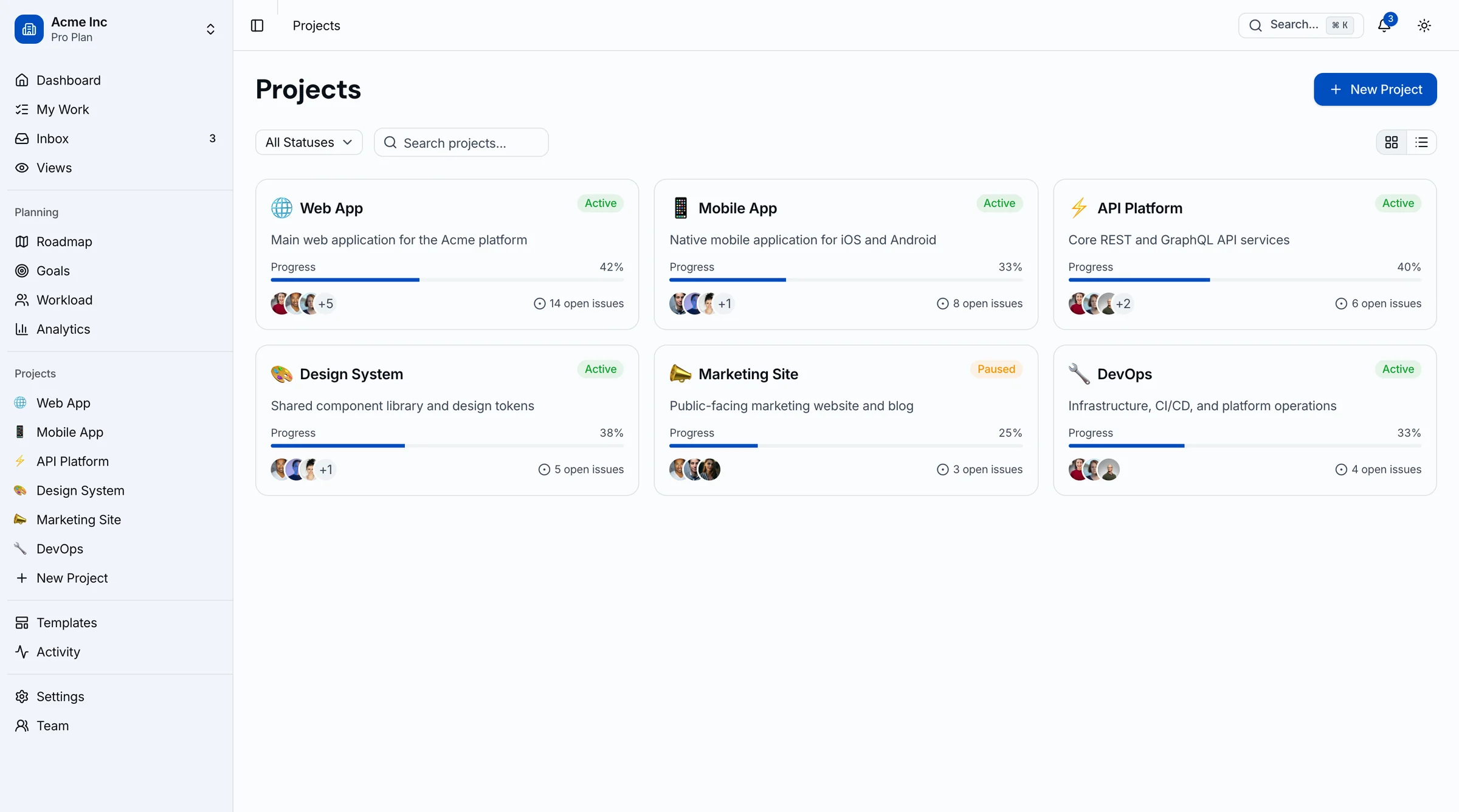
If the thing you actually use Notion for is boards and sprints, and you're a product team, the Kanban PM Kit ships that as real software you own: 45 screens of kanban, sprints, roadmap, OKRs, and analytics in Next.js + Tailwind + shadcn/ui. $131 solo. Live demo.
Get the Kanban PM Kit → or get every kit (18 total) for $749 via All UI Kits →
TL;DR: Quick Picks for 2026
| Need | Top pick | Price |
|---|---|---|
| Local-first notes, maximum ownership | Obsidian | Free, $4+/mo sync |
| Open-source Notion clone | AppFlowy | Free (self-host) |
| Open-source docs + whiteboards | AFFiNE | Free (self-host) |
| Local-first with sync, object-based | Anytype | Free, paid sync tiers |
| Docs that compute (formulas, buttons) | Coda | Free tier, $10+/maker/mo |
| Docs plus real project management | ClickUp | Free tier, $7+/user/mo |
| Networked personal knowledge | Capacities | Free tier, $9.99+/mo |
| Workspace features in your own product | Build it | $131+ one-time |
What Notion Actually Does Well
Notion's databases-with-views model is still the best general-purpose data tool a non-programmer can use. Relations, rollups, and linked views let ops teams build real internal tools without engineering. Templates and sharing make it the fastest way to stand up a company wiki. And the network effects are real: everyone has used it, so onboarding costs nothing.
The alternatives win on ownership, on offline, on speed, or on doing one of Notion's five jobs properly instead of all five at 80%.
When to Leave Notion
Three signals:
- The knowledge base became critical infrastructure. If Notion going down (or your account getting locked) would stop the company, cloud-only is a risk decision, not a feature.
- Offline actually matters. Flights, field work, unreliable connections. Notion's offline story remains its weakest point.
- You're really using one feature. If 90% of usage is notes, or 90% is project boards, a dedicated tool does that job better for less.
1. Obsidian
Local-first Markdown notes with a plugin ecosystem that rivals VS Code's.
Strengths:
- Files are plain Markdown on your disk; ownership doesn't get more complete
- Fast at any scale; graph view, backlinks, canvas
- 1,000+ community plugins (databases, kanban, calendars, spaced repetition)
- Free for personal use; Sync is $4-$8/month or bring your own (Git, iCloud)
Weaknesses:
- Not really multiplayer; real-time collaboration isn't the model
- Databases need plugins and never quite match Notion's
- Sharing docs with non-Obsidian users takes extra steps
Best for: Individuals and technical teams whose center of gravity is notes and thinking, not shared databases.
2. AppFlowy
The open-source Notion clone, and the most direct swap on this list.
Strengths:
- Notion's core model (pages, databases with grid/board/calendar views) rebuilt open source
- Self-hostable; data stays on your infrastructure
- Local storage with sync, so offline works properly
- Active development, Rust + Flutter stack
Weaknesses:
- Younger: fewer block types, integrations, and polish than Notion
- Collaboration features trail the cloud incumbents
- Self-hosting the sync server is on you
Best for: Teams that want Notion's shape with data ownership, and are fine trading some polish for it.
3. AFFiNE
Open-source docs and whiteboards in one canvas.
Strengths:
- Docs and infinite-canvas whiteboards share one data model (edgeless mode)
- Open source, self-hostable, local-first with sync
- Modern block editor that feels closer to Notion than AppFlowy's in places
- Databases and kanban included
Weaknesses:
- Ambitious scope means rough edges shift release to release
- Smaller community than Obsidian or AppFlowy
- Mobile apps still maturing
Best for: Teams that live between docs and diagrams and want both open source.
4. Anytype
Local-first, object-based, encrypted. The most privacy-serious option.
Strengths:
- Everything is an encrypted object stored locally first; peer-to-peer sync
- Object types and relations are genuinely more powerful than Notion's databases once learned
- Works fully offline by design
- Free for personal use with generous limits
Weaknesses:
- The object model has a real learning curve
- Team collaboration is newer and thinner than Notion's
- No web version for quick access from any machine
Best for: Privacy-conscious individuals and small teams who want structure and encryption without a server dependency.
5. Coda
Docs that behave like apps.
Strengths:
- Formulas, buttons, and automations turn docs into real internal tools
- Tables are more spreadsheet-powerful than Notion databases
- Maker-based pricing: only doc creators pay, viewers and editors are free
- Packs integrate Jira, Slack, GSuite data live into docs
Weaknesses:
- Cloud-only, same ownership trade as Notion
- Big docs get slow, same as Notion
- The power features have a spreadsheet-formula learning curve
Best for: Ops-heavy teams building internal tools and trackers; the maker pricing often makes it cheaper than Notion at scale.
6. ClickUp
The pick when "Notion" really meant "project management with some docs".
Strengths:
- Real PM features Notion approximates: sprints, workload, Gantt, time tracking
- Docs, whiteboards, and goals included alongside tasks
- Free tier is broad; paid from $7/user/month
- One of the few here with serious reporting
Weaknesses:
- Dense; the everything-app learning curve is real
- Performance dips on large workspaces
- Notification defaults need taming
Best for: Teams that built a project tracker in Notion and are hitting its limits. (It shows up in our Jira alternatives comparison for the same reason.)
7. Capacities
The networked-thought option for personal knowledge.
Strengths:
- Object-based notes (people, books, meetings) with automatic linking
- Cleaner and more focused than Notion for pure knowledge work
- Daily notes and calendar integration done well
- Free tier is usable; Pro at $9.99/month
Weaknesses:
- Personal tool first; team features are minimal
- Cloud-based (local-first is on the roadmap, not shipped)
- No databases-for-ops story
Best for: Researchers, writers, and PMs keeping a personal knowledge system separate from company tooling.
8. Build the Workspace Features Into Your Product
One recurring reason teams outgrow Notion: they were using it to prototype a product. The client portal in Notion becomes the actual client portal. The project tracker shared with customers becomes the product. At that point you don't need a Notion alternative, you need to ship.
What this looks like:
- Your backend owns projects, tasks, docs, and users
- The Kanban PM Kit provides the project-management frontend: kanban with drag-and-drop, sprints with burndown, roadmap, OKRs, workload views, analytics; 45 screens, WCAG AA, Next.js + Tailwind + shadcn/ui
- The Blog CMS Kit covers the content/editorial side if docs are the product
- One-time $99-$349 instead of per-seat forever
For the comparison-shopping version of this path, see Best Kanban Board Templates.
Recommendation by Profile
| You | Pick |
|---|---|
| Notes and thinking, want file ownership | Obsidian |
| Want Notion's shape, self-hosted | AppFlowy |
| Docs + whiteboards, open source | AFFiNE |
| Privacy and encryption first | Anytype |
| Internal tools and trackers | Coda |
| Project management outgrew Notion | ClickUp |
| Personal knowledge base | Capacities |
| The Notion prototype became your product | Build it (Kanban PM Kit) |
Pricing at a Glance (30-Person Team, Annual)
| Product | Typical tier | ~Annual cost (30 seats) |
|---|---|---|
| Notion (Plus) | $10/seat/mo | $3,600 |
| Notion (Business) | $15-20/seat/mo | $5,400-$7,200 |
| Obsidian (commercial + Sync) | ~$12/user/mo | ~$4,320 |
| AppFlowy (self-hosted) | Free | Hosting only (~$300-600) |
| AFFiNE (self-hosted) | Free | Hosting only (~$300-600) |
| Anytype | Free + paid sync | ~$0-1,200 |
| Coda (Team) | $10/maker/mo | Often < $2,000 (only makers pay) |
| ClickUp (Unlimited) | $7/user/mo | $2,520 |
| Capacities (Pro) | $9.99/user/mo | Personal tool; per-user |
Directional as always. Coda's maker-only pricing and the self-hosted options are the structural outliers: they break the everyone-pays-per-seat assumption.
Frequently Asked Questions
What is the best free alternative to Notion?
Obsidian for personal use (free, and your files are just Markdown). AppFlowy if you want Notion's page-and-database model self-hosted for free. Notion's own free tier is fine for individuals; the alternatives matter once teams, offline, or ownership enter the picture.
What is the best open-source alternative to Notion?
AppFlowy is the most direct clone of the Notion model. AFFiNE adds whiteboards to the mix. Both are self-hostable and local-first. For pure notes, Obsidian isn't open source itself but stores everything in open Markdown files, which is the ownership property most people are actually after.
Which Notion alternative works fully offline?
Obsidian and Anytype are local-first by design and work completely offline. AppFlowy and AFFiNE store locally and sync when connected. Notion, Coda, and ClickUp are cloud-first, and their offline modes are partial at best.
Can I self-host a Notion alternative?
Yes: AppFlowy and AFFiNE both ship self-hostable sync servers (Docker). Obsidian sidesteps the question since notes are local files you can sync however you like. Anytype's peer-to-peer model means there's no central server to host at all.
How do I migrate out of Notion?
Notion exports Markdown/CSV for everything, and Obsidian, AppFlowy, AFFiNE, and Anytype all import it. Databases survive as CSV but lose relations and rollups, which you'll rebuild by hand. Do the wiki first (it ports cleanly), then rebuild the two or three databases the team genuinely uses, and let the rest die in the export folder. Most teams discover that's 80% of their Notion.
The Honest Take
Notion is still the best answer for mixed teams that genuinely use docs, wikis, and databases together and don't care where the data lives. Every alternative picks a narrower fight and wins it: Obsidian on ownership, AppFlowy and AFFiNE on open source, Anytype on privacy, Coda on computation, ClickUp on project management, Capacities on personal knowledge.
Decide which job you actually hired Notion for. Then hire the specialist. And if the Notion setup you built is quietly becoming a product, stop renting the prototype and ship the real thing.
Want it shipped without hiring a developer?
The build path above assumes you have engineers. If you don't, the team behind thefrontkit does done-for-you launches: we deploy the kit, apply your branding, and wire it to your stack. Fixed quotes, most builds ship in 2-4 weeks, from $1999.