ClickUp Alternatives: 8 Project Management Tools for 2026
ClickUp Alternatives: 8 Options Compared for 2026
ClickUp's pitch is "one app to replace them all," and the pricing supports it: Unlimited at $7/user/month is the best deal in project management. So why do teams leave? Almost always the same three words: too much app. The feature density that makes ClickUp a bargain also makes it slow to load, noisy by default, and a two-week onboarding project. Teams that consolidate into ClickUp often discover they've traded three simple tools for one complicated one.
Eight alternatives worth comparing, organized by what you're actually escaping: the clutter, the performance, or the per-seat model itself.
For what a kanban tool needs underneath, see our How to Build a Kanban App in Next.js guide.
Or skip the build entirely: get the Kanban PM Kit
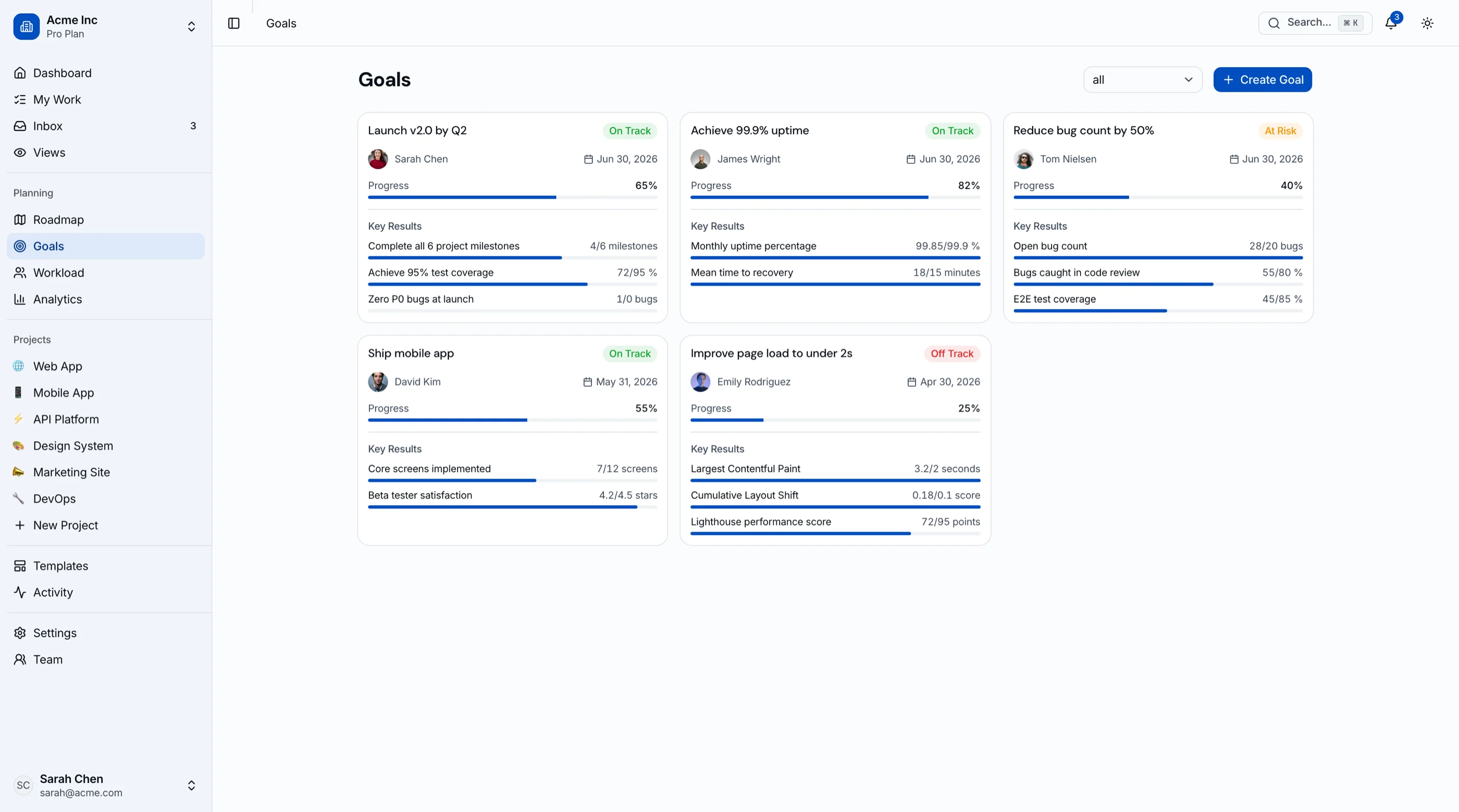
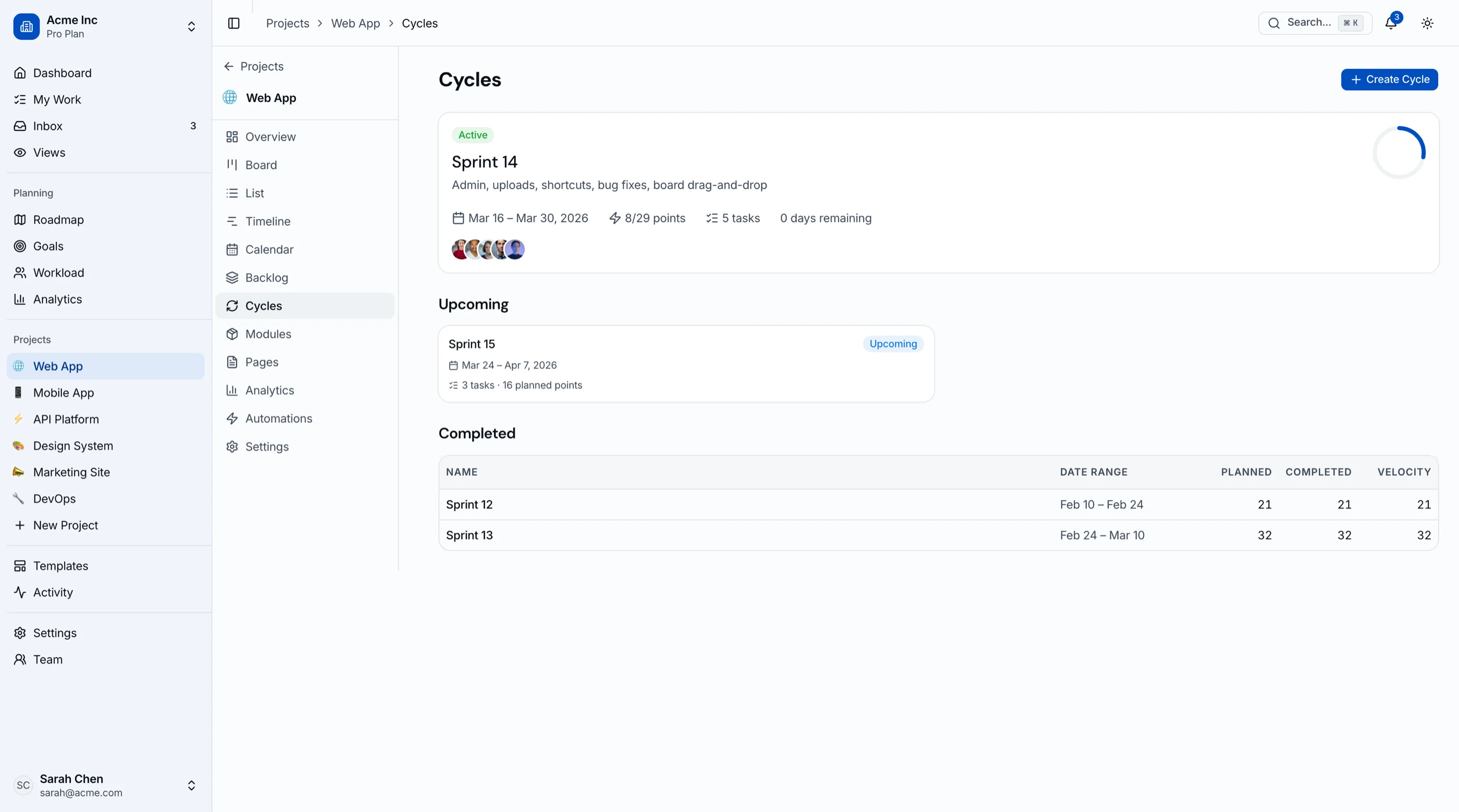
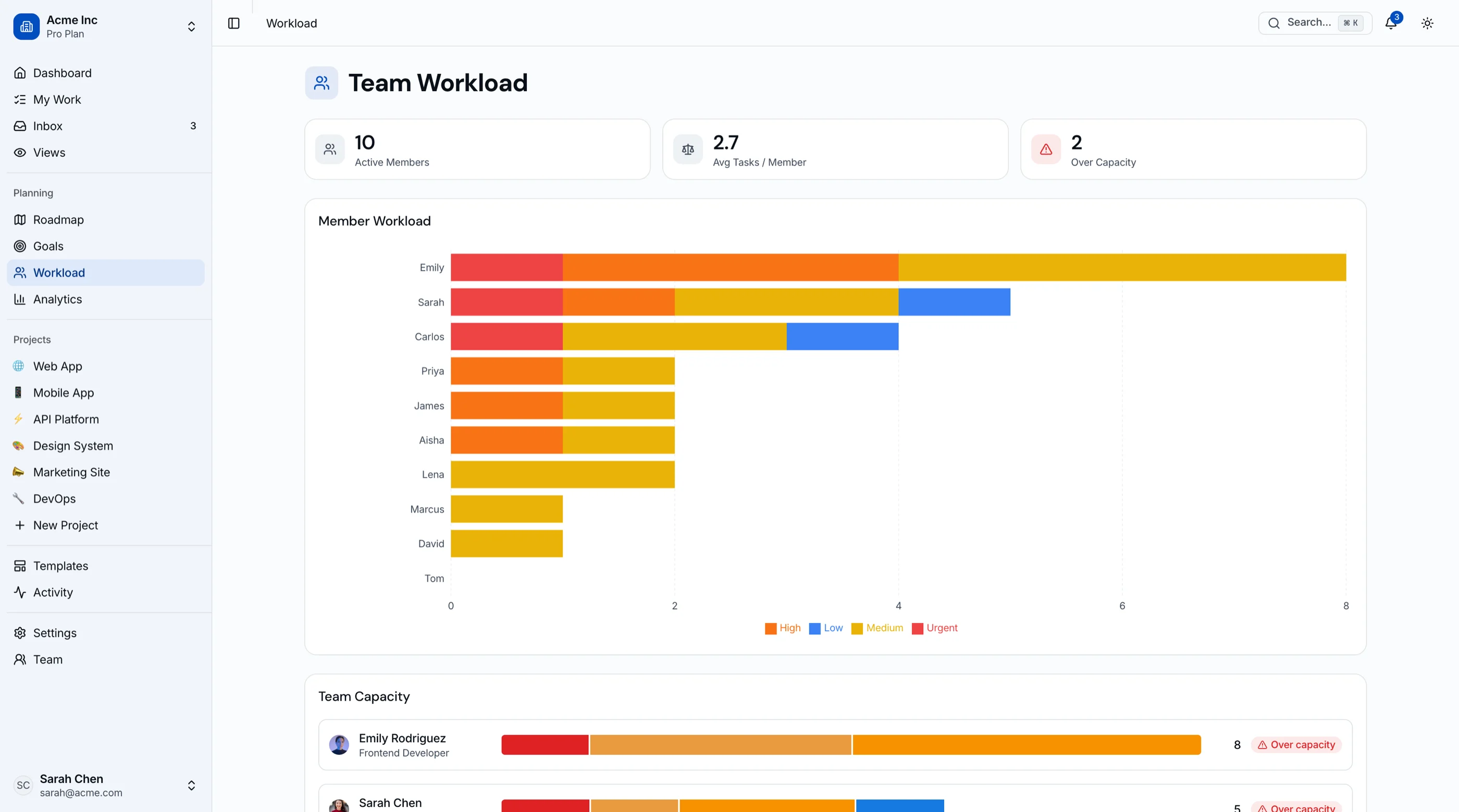
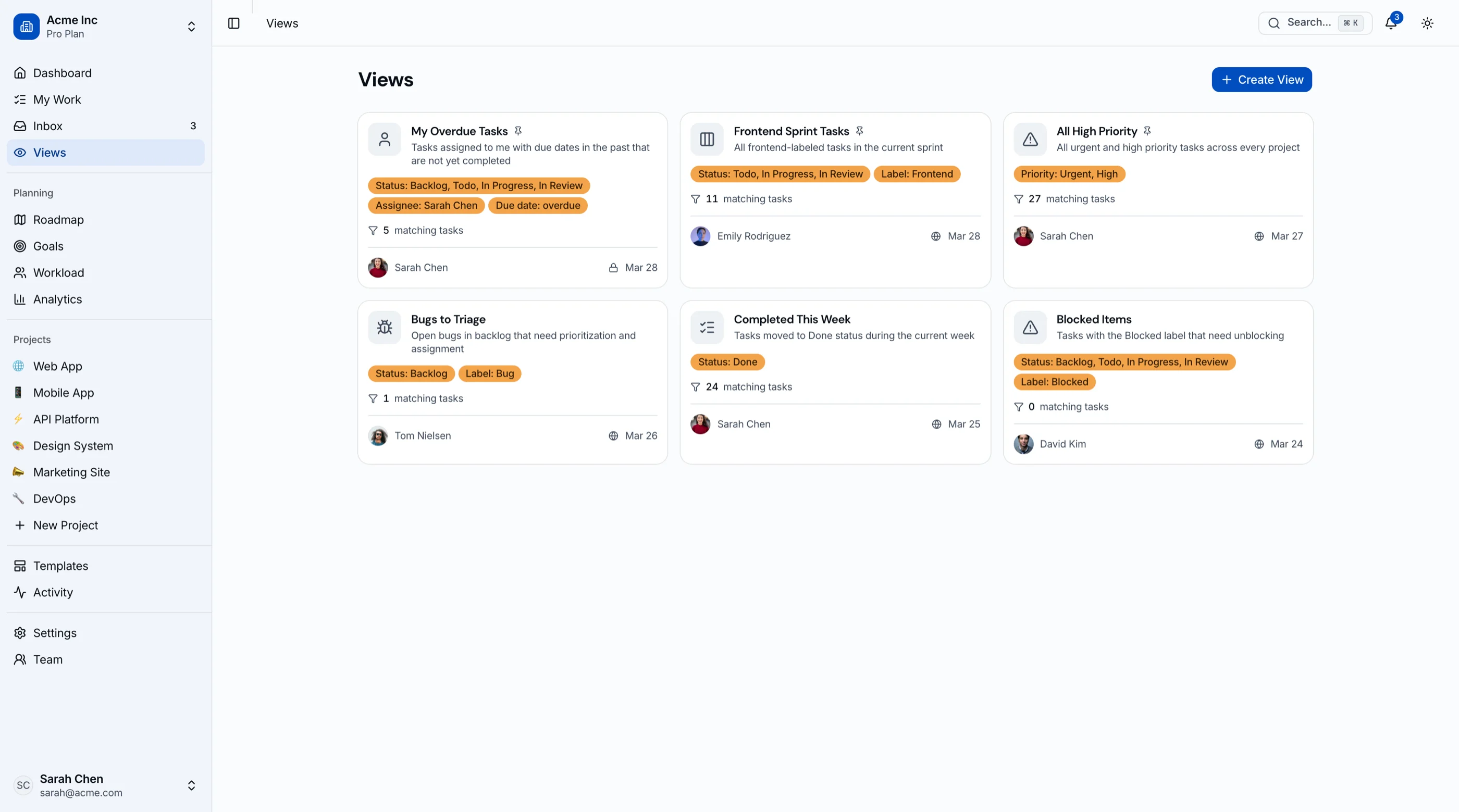
The Kanban Board & Project Management Kit is shipped: 45 screens covering kanban with drag-and-drop, sprint cycles with burndown, roadmap, goals and OKRs, workload view, and project analytics. Next.js + Tailwind + shadcn/ui, WCAG AA. $131 solo, $199 team, $349 agency. Try the live demo.
Get the Kanban PM Kit → or get every kit (18 total) for $749 via All UI Kits →
TL;DR: Quick Picks for 2026
| Need | Top pick | Price |
|---|---|---|
| Speed and focus for engineering | Linear | Free tier, $8+/user/mo |
| Cross-functional structure, less clutter | Asana | Free tier, $10.99+/user/mo |
| Visual and approachable | monday.com | $9+/seat/mo |
| Tasks next to docs | Notion | Free tier, $10+/seat/mo |
| Radical simplicity | Trello | Free tier, $5+/user/mo |
| Open-source, self-hosted | Plane | Free (self-host) |
| Gantt-first classic PM | OpenProject | Free (self-host) |
| PM features inside your product | thefrontkit Kanban PM Kit | $131+ one-time |
What ClickUp Actually Does Well
Credit first: no tool ships more capability per dollar. Tasks, docs, whiteboards, goals, time tracking, and every view invented, all on a $7 tier, with a free tier that embarrasses competitors. For a cost-conscious team willing to invest in setup and discipline, ClickUp genuinely can replace three subscriptions.
The alternatives win on speed, on focus, and on the discovery that most teams wanted less software, not more.
When to Leave ClickUp
Three signals:
- Load times became a joke. When the tab spinner is a team meme, the everything-app is costing you in seconds what it saves in dollars.
- Nobody uses 80% of it. If your team runs one view and ignores the rest, you're paying in complexity for features that only show up in settings menus.
- Configuration became a role. When someone owns "the ClickUp setup," you've reinvented the Jira admin.
1. Linear
The anti-ClickUp: fewer features, all of them fast.
Strengths:
- The fastest UI in project management; keyboard-first everything
- Opinionated cycles, triage, and roadmaps with zero configuration
- Git-native workflows for engineering
- Calm by design: no notification storms
Weaknesses:
- Deliberately narrow: engineering-shaped work only
- Docs, goals, and the rest of ClickUp's sprawl aren't here
- Limited customization by philosophy
Best for: Product engineering teams escaping ClickUp's weight. (It leads our Jira alternatives guide too.)
2. Asana
Structure without the junk drawer.
Strengths:
- Portfolios, goals, and workload with a cleaner information architecture than ClickUp
- The rules engine automates without a settings labyrinth
- Cross-functional adoption is its specialty
- More polish, fewer toggles
Weaknesses:
- Costs more tier-for-tier ($10.99-$24.99)
- Free tier caps at 10 users
- Charges viewers like editors
Best for: Mixed teams that wanted ClickUp's coordination features with a curated experience. (Its market: our Asana alternatives guide.)
3. monday.com
The visual work-OS with guardrails.
Strengths:
- Approachable boards non-technical teams adopt willingly
- Strong automations at mid tiers
- Flexible without ClickUp's infinite-toggle feeling
- Good template ecosystem
Weaknesses:
- Per-seat with 3-seat minimums; costs climb with tiers
- Deep reporting gated high
- Can still sprawl without discipline
Best for: Ops-led teams that found ClickUp's density hostile but need more than Trello.
4. Notion
Tasks where the knowledge lives.
Strengths:
- Databases with board and timeline views inside your wiki
- Context-rich task management: specs and tasks in one place
- One subscription replaces ClickUp Docs ambitions properly
- AI features integrated across workspace
Weaknesses:
- No sprints, workload, or PM reporting
- Board interactions slower than dedicated tools
- Large workspaces lag
Best for: Teams whose ClickUp use was really docs-plus-light-tasks. (Full picture: our Notion alternatives guide.)
5. Trello
The radical simplification.
Strengths:
- A board. Cards. Done
- Free tier covers small teams; $5/user when you pay
- Butler automations handle more than expected
- Zero onboarding
Weaknesses:
- No structure beyond boards: no sprints, workload, goals
- Reporting is minimal
- Scaling pain arrives fast
Best for: Teams that consolidated into ClickUp and realized they only ever needed a board. (Its market: our Trello alternatives guide.)
6. Plane
Open-source, self-hosted, no seat math.
Strengths:
- Free, self-hostable, modern UI
- Issues, cycles, modules, roadmaps: the useful core of ClickUp's project features
- No per-seat fees ever
- Cloud option available
Weaknesses:
- You operate it
- Docs and goals features are lighter than ClickUp's
- Younger ecosystem
Best for: Teams that liked ClickUp's capability but want ownership and no subscription.
7. OpenProject
The classical-PM specialist.
Strengths:
- Gantt, dependencies, budgets, time tracking: mature and complete
- Self-hosted free; 15+ years of development
- EU data residency friendly
- Serious phase-gate and client-reporting workflows
Weaknesses:
- Dated UI
- Rails stack to run
- Agile features are secondary
Best for: Organizations whose ClickUp Gantt charts were doing load-bearing work.
8. Build PM Features Into Your Product with the Kanban PM Kit
The build path serves the case no rental does: project management as a feature of your product. Client portals with boards, delivery dashboards customers log into, vertical SaaS where tasks sit next to your domain objects.
What this looks like:
- Your backend owns projects, tasks, and users
- The Kanban PM Kit provides the frontend: drag-and-drop kanban with keyboard alternatives, list and calendar views, timeline, sprints with burndown, workload view, roadmap, OKRs, analytics
- 45 screens, WCAG AA, Next.js + Tailwind + shadcn/ui, token-driven theming
- One-time $99-$349
Try the live demo. Roundup view: Best Kanban Board Templates.
Recommendation by Team Profile
| You | Pick |
|---|---|
| Engineering team, want speed | Linear |
| Cross-functional, want curation | Asana |
| Ops-led, want visual | monday.com |
| Docs-heavy, light tasks | Notion |
| Only ever needed a board | Trello |
| Want ownership, no seats | Plane |
| Gantt was the point | OpenProject |
| PM inside your product | Build with the Kanban PM Kit |
Pricing at a Glance (25-Person Team, Annual)
| Product | Typical tier | ~Annual cost (25 seats) |
|---|---|---|
| ClickUp (Unlimited) | $7/user/mo | $2,100 |
| ClickUp (Business) | $12/user/mo | $3,600 |
| Linear (Basic) | $8/user/mo | $2,400 |
| Asana (Starter) | $10.99/user/mo | $3,297 |
| monday.com (Standard) | $12/seat/mo | $3,600 |
| Notion (Business) | $15/seat/mo | $4,500 |
| Trello (Standard) | $5/user/mo | $1,500 |
| Plane (self-hosted) | Free | Hosting only (~$300-600) |
| OpenProject (self-hosted) | Free | Hosting only (~$300-600) |
| Kanban PM Kit (build path) | One-time $131-$349 | $131-$349 once, plus hosting |
Directional numbers. Note the honest finding: almost nothing beats ClickUp on price. Teams leave over experience, not cost, and the alternatives charge more for less software on purpose.
Frequently Asked Questions
What is the best free alternative to ClickUp?
Trello free for boards, Linear free for small engineering teams, Plane self-hosted for unlimited users. But note that ClickUp's free tier is the most generous in the category; if free is the constraint, leaving ClickUp rarely helps.
What is the best open-source alternative to ClickUp?
Plane covers the project core (issues, cycles, roadmaps) with a modern UI. OpenProject covers classical PM depth. Neither replicates ClickUp's docs-whiteboards-goals sprawl, which for most leavers is the point.
Is Linear or ClickUp better?
Opposite philosophies. ClickUp maximizes features per dollar; Linear maximizes speed and focus by shipping fewer, opinionated features. Engineering teams overwhelmingly prefer Linear's experience; mixed teams needing docs, goals, and dashboards in one place stay ClickUp-shaped.
Why is ClickUp slow, and do alternatives fix it?
Density has a cost: every view, custom field, and automation loads somewhere. Linear and Trello are structurally faster because they render radically less. If performance is the complaint, pick a tool that does less, not a different tool that does everything.
How hard is it to migrate off ClickUp?
ClickUp exports CSV (tasks, fields, assignees), and Asana, monday, Linear, and Plane all import it. Docs, whiteboards, and automations don't come along, which is the real cost of consolidating into an everything-app. Migrate the active work, export the docs to Markdown, and accept the automation rebuild.
The Honest Take
ClickUp won the value war; nothing gives you more for $7. The alternatives compete on what value-per-dollar misses: Linear on speed, Asana on curation, monday on approachability, Notion on context, Trello on simplicity, Plane and OpenProject on ownership.
The consolidation lesson most ClickUp refugees carry out: the goal was never one app to replace them all. It was fewer things to think about. Sometimes that's one app. Sometimes it's a board, a docs tool, and silence.
Want it shipped without hiring a developer?
The build path above assumes you have engineers. If you don't, the team behind thefrontkit does done-for-you launches: we deploy the kit, apply your branding, and wire it to your stack. Fixed quotes, most builds ship in 2-4 weeks, from $1999.