Jira Alternatives: 9 Project Management Tools for 2026
Jira Alternatives: 9 Options Compared for 2026
Jira Standard is $8.60/user/month. Premium is $17. For a 50-person engineering org, that's $5,160-$10,200/year, and the free tier caps at 10 users. The price isn't the main complaint, though. The main complaint is weight. Jira can model any workflow, which means someone at your company has configured it to model a workflow nobody actually follows.
Teams that leave Jira in 2026 mostly leave for one of three reasons: speed (the UI still lags behind modern tools), configuration debt (years of custom fields and schemes nobody dares touch), or cost at scale. Nine alternatives worth comparing, from polished SaaS to open-source self-hosted to building the frontend yourself.
For a deeper rubric on what a kanban tool actually has to do, see our How to Build a Kanban App in Next.js guide.
Or skip the build entirely: get the Kanban PM Kit
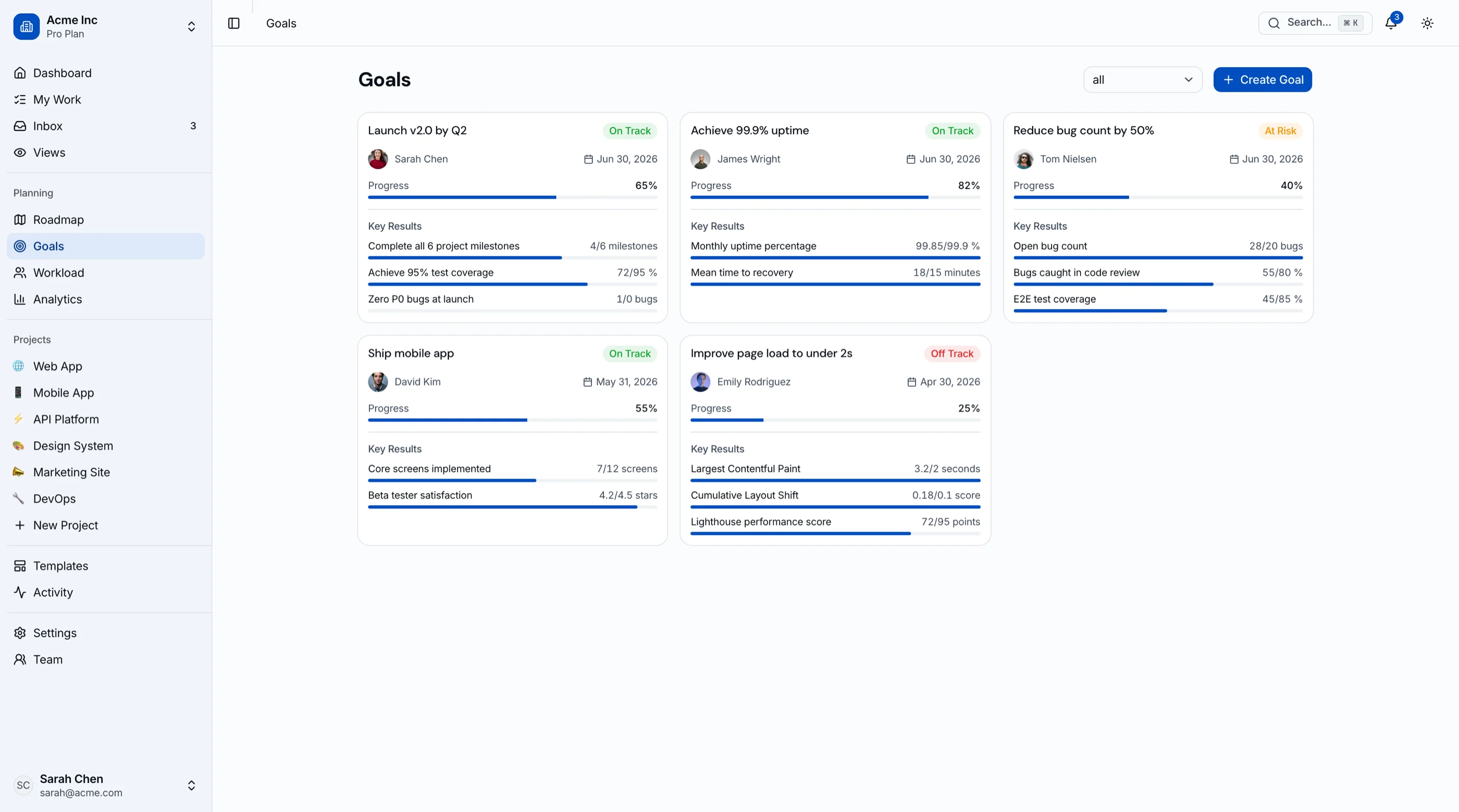
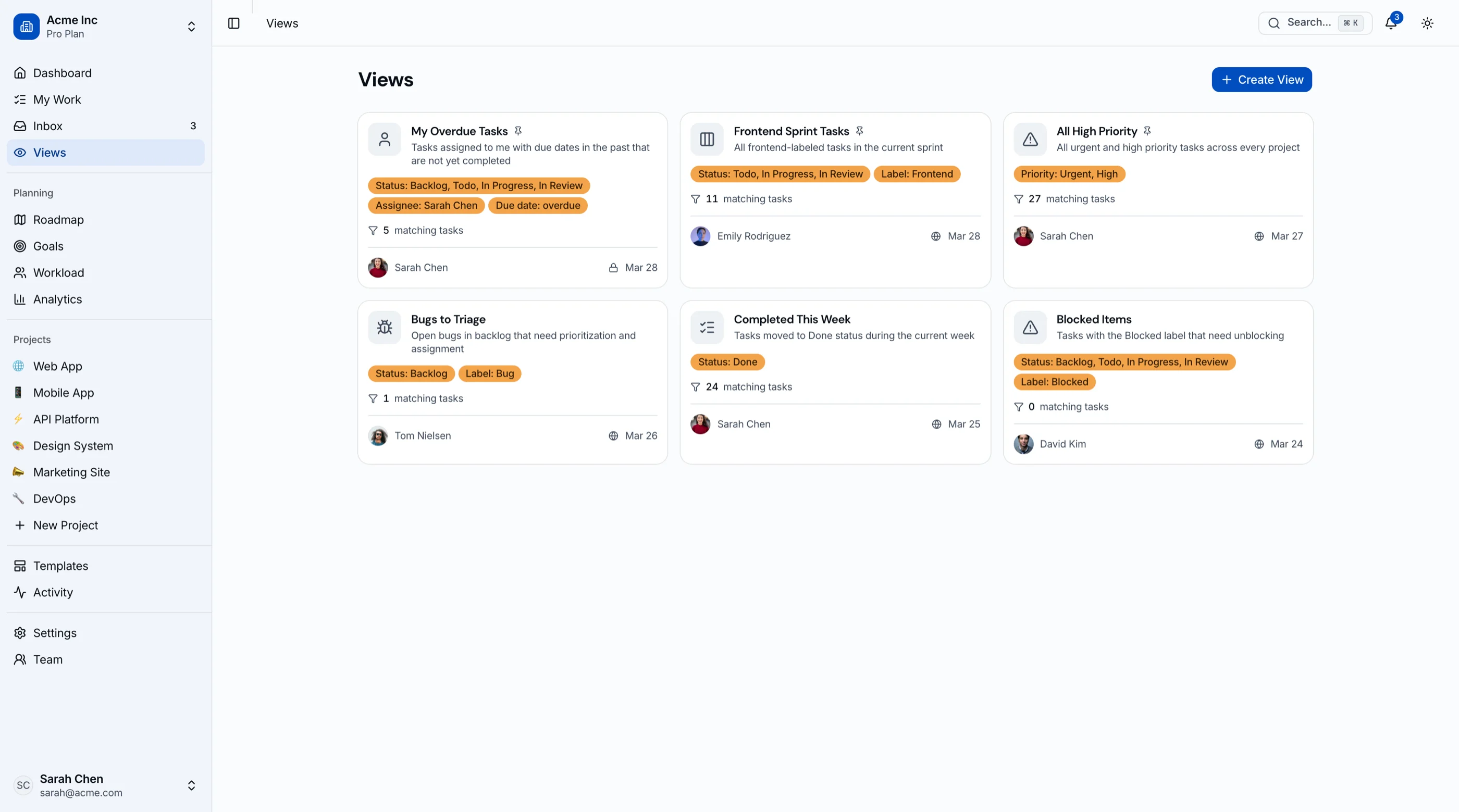
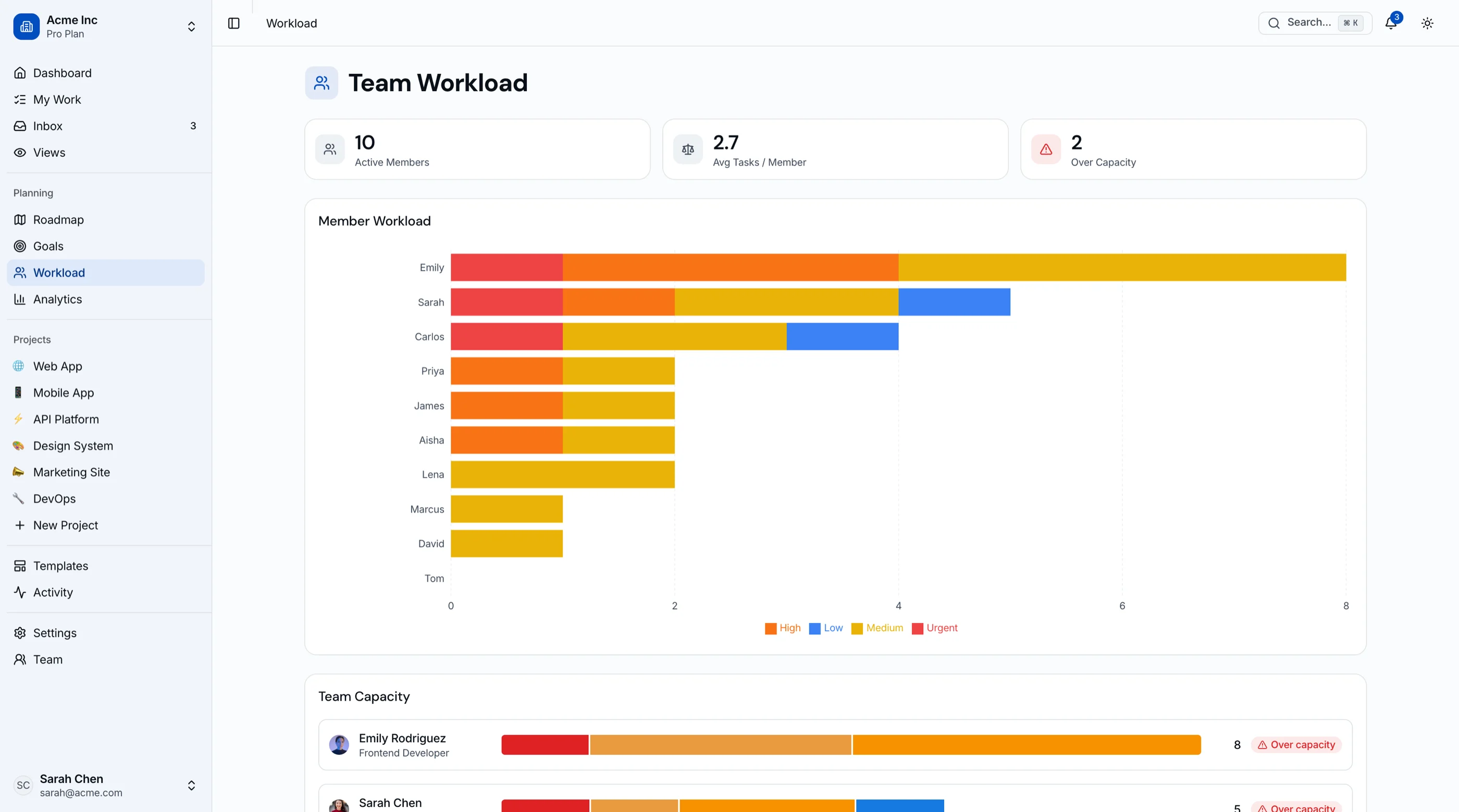
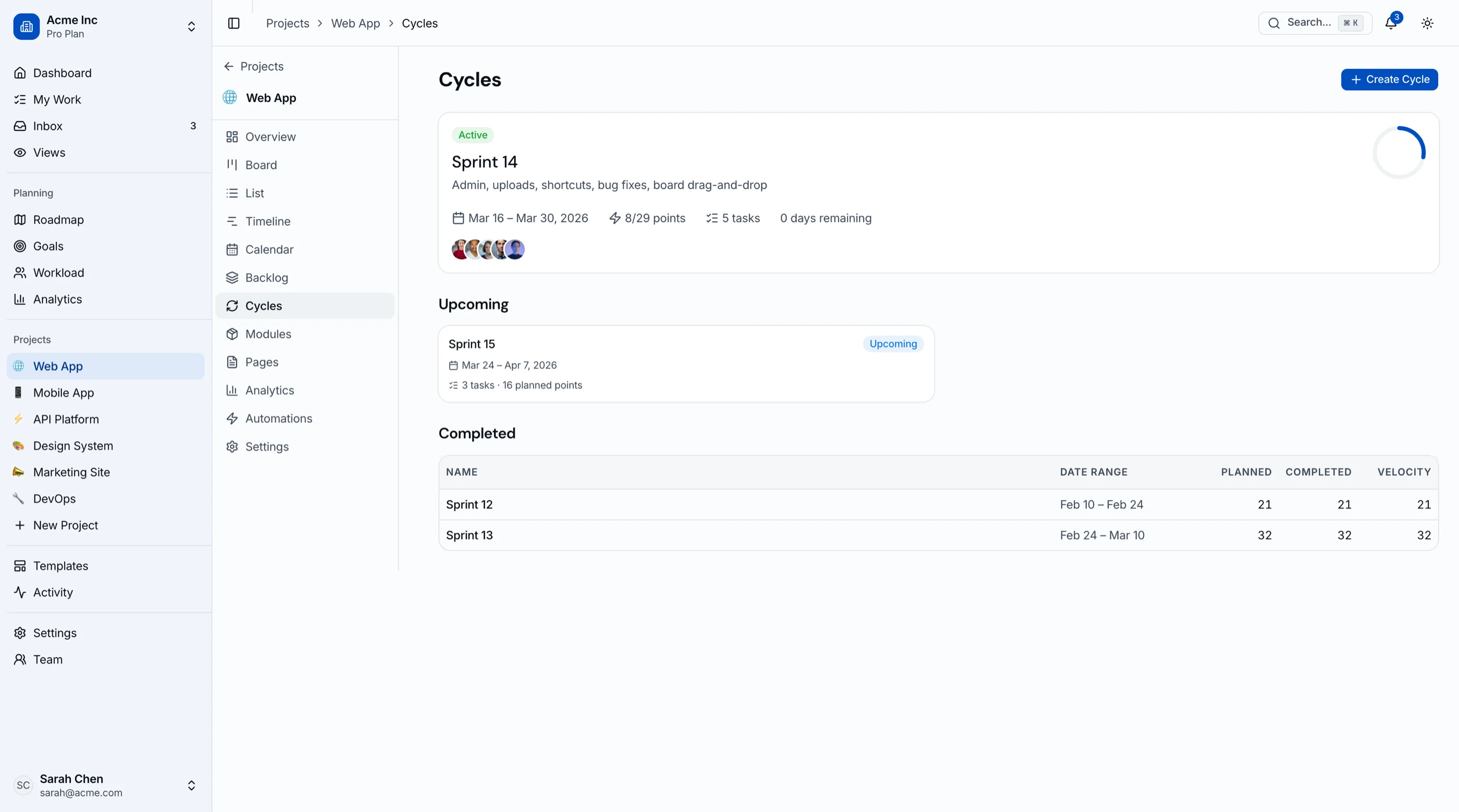
The Kanban Board & Project Management Kit is shipped: 45 screens and roughly 45 screens covering kanban with drag-and-drop, sprint cycles with burndown, roadmap, goals and OKRs, workload view, and project analytics. Next.js + Tailwind + shadcn/ui. $131 solo, $199 team, $349 agency. Try the live demo.
Get the Kanban PM Kit → or get every kit (18 total) for $749 via All UI Kits →
TL;DR: Quick Picks for 2026
| Need | Top pick | Price |
|---|---|---|
| Fast, opinionated, engineering-led | Linear | Free tier, $8+/user/mo |
| Everything-in-one workspace | ClickUp | Free tier, $7+/user/mo |
| Cross-functional teams, not just engineering | Asana | Free tier, $10.99+/user/mo |
| Simple kanban, nothing else | Trello | Free tier, $5+/user/mo |
| Jira-like for startups | Shortcut | Free tier, $8.50+/user/mo |
| Open-source Jira replacement | Plane | Free (self-host) |
| Open-source traditional PM | OpenProject | Free (self-host) |
| Already living in GitHub | GitHub Projects | Free with GitHub |
| PM tool inside your own product | thefrontkit Kanban PM Kit | $131+ |
What Jira Actually Does Well
Credit where due: Jira is the most configurable issue tracker ever built. Custom workflows, issue types, permission schemes, and automation rules can model almost any process. The Atlassian ecosystem (Confluence, Bitbucket, Jira Service Management) is deeply integrated. For regulated industries that need audit trails and approval workflows, Jira handles requirements most tools can't.
The case for leaving isn't that Jira lacks features. It's that most teams use 10% of them and pay in speed and complexity for the other 90%.
When to Leave Jira
Three signals:
- Creating a ticket takes longer than doing small tasks. Configuration debt has won.
- Your team quietly tracks real work somewhere else (a spreadsheet, Slack threads, a whiteboard) and updates Jira after the fact for reporting.
- You're building a product that needs project management inside it and embedding Jira isn't an option.
1. Linear
The tool most engineering teams leave Jira for in 2026.
Strengths:
- Fastest UI in the category, fully keyboard-driven
- Opinionated cycles (sprints), triage, and roadmap that need almost no setup
- Git-native: branch names, PR linking, auto-closing issues
- Free tier is generous for small teams
Weaknesses:
- Opinionated means less flexible: if your process doesn't match, you can't reconfigure much
- Weak for non-engineering teams (marketing, ops)
- Reporting is thinner than Jira's
- No self-hosted option
Best for: Product engineering teams that want speed and are happy adopting Linear's process instead of designing their own.
2. ClickUp
The everything-app of project management: docs, goals, whiteboards, chat, and tasks in one tool.
Strengths:
- Replaces several tools at once (tasks, docs, goals, time tracking)
- Highly customizable views: list, board, Gantt, calendar, workload
- Free tier is unusually complete
- $7-$12/user/month undercuts Jira Premium
Weaknesses:
- Feature density creates its own learning curve
- Performance degrades on large workspaces
- The everything-app approach means some features are shallow
- Notification defaults are noisy
Best for: Teams that want one tool for tasks, docs, and goals, and are willing to spend setup time taming the options.
3. Asana
The strongest pick when project management spans beyond engineering. (Its own market is mapped in our Asana alternatives guide.)
Strengths:
- Best-in-class for cross-functional work (marketing, ops, design, engineering)
- Timeline, portfolio, and goals views managers actually use
- Rules engine for automation without admin certification
- Polished, low-friction UI
Weaknesses:
- Weak on developer workflows (no native git integration depth)
- Gets expensive at Advanced tier ($24.99/user/month)
- Sprint/velocity tooling is bolted on, not native
- Free tier caps collaboration features
Best for: Companies where engineering is one of several teams sharing the same tool.
4. Trello
The simplest serious kanban tool. Sometimes a board is all you need.
Strengths:
- Zero learning curve: it's a board with cards
- Free tier covers most small-team use
- Power-ups add calendar, automation, and integrations when needed
- Owned by Atlassian, so migration from Jira is well-supported
Weaknesses:
- No native sprints, estimates, or velocity
- Scales poorly past a few dozen active cards per board
- Reporting is minimal
- Multi-project visibility requires workarounds
Best for: Small teams and side projects where process overhead should be near zero.
5. Shortcut
The middle path: more structure than Trello, less weight than Jira.
Strengths:
- Stories, epics, iterations, and milestones map cleanly to agile without Jira's config maze
- Good git integrations and API
- Reporting (burndown, cycle time) included at reasonable tiers
- $8.50/user/month for most teams
Weaknesses:
- Smaller ecosystem than Jira or Asana
- UI is solid but not Linear-fast
- Less known, so fewer contractors arrive knowing it
Best for: Startups that want agile structure out of the box without hiring a Jira admin.
6. Plane
The open-source Jira replacement with modern UI. The Twenty-of-project-management.
Strengths:
- Free, open source, self-hostable (Docker)
- Issues, cycles, modules, and roadmap cover the core Jira workflow
- Modern UI that doesn't feel like enterprise software
- Cloud-hosted option if you outgrow self-hosting appetite
Weaknesses:
- Younger project: some features still maturing
- Integrations are limited compared to SaaS incumbents
- Self-hosting means you own upgrades and backups
- Smaller community than OpenProject
Best for: Teams that want Jira's core workflow, full data ownership, and zero per-seat fees, with engineering comfort to self-host.
7. OpenProject
The mature open-source option for traditional project management.
Strengths:
- 15+ years of development, very complete: Gantt, boards, time tracking, budgets, meetings
- Strong for classic PM (phases, dependencies, resource planning), not just agile
- Self-hosted free; Enterprise tiers add support and hosting
- EU-friendly data residency story
Weaknesses:
- UI feels dated next to Linear or Plane
- Ruby on Rails stack to operate
- Agile boards work but aren't the strength
- Config depth approaches Jira's, for better and worse
Best for: Organizations that need Gantt-and-dependencies project management, self-hosted, and treat agile boards as secondary.
8. GitHub Projects
If the work already lives in GitHub issues, the board can too.
Strengths:
- Free with GitHub, zero new accounts or sync
- Projects v2 tables and boards with custom fields
- Issues, PRs, and project state stay in one place
- Automation via Actions
Weaknesses:
- No native sprints, estimates, or burndown (community workarounds exist)
- Reporting is minimal
- Awkward for non-engineering work
- Cross-repo roadmaps take discipline
Best for: Small engineering teams already living in GitHub who want the lightest possible layer over issues.
9. Build It Into Your Product with the Kanban PM Kit
The build path is for a different problem: you're not choosing a PM tool for your team, you're shipping project management inside your own product. A client portal with per-project boards. An agency dashboard. A vertical SaaS where tasks are one feature among many.
What this looks like:
- Your product keeps its own data model (projects, tasks, users you already have)
- The Kanban PM Kit provides the frontend: kanban board with drag-and-drop (plus keyboard alternatives), list and calendar views, Gantt-style timeline, sprint cycles with burndown, workload view, roadmap, goals and OKRs, and project analytics
- 45 screens, Next.js + Tailwind + shadcn/ui, WCAG AA accessible
- You wire the components to your API and own everything
$131 solo, $199 team, $349 agency. Try the live demo. For how it compares to buying a hosted tool, see Kanban PM Kit vs Linear.
Recommendation by Team Profile
| You | Pick |
|---|---|
| Engineering team under 50, wants speed | Linear |
| One tool for tasks, docs, and goals | ClickUp |
| Cross-functional org, engineering plus everyone else | Asana |
| Tiny team, minimal process | Trello or GitHub Projects |
| Agile structure without a Jira admin | Shortcut |
| Self-hosted, modern, no per-seat fees | Plane |
| Gantt-first classic PM, self-hosted | OpenProject |
| Shipping PM features inside your product | Build with the Kanban PM Kit |
Pricing at a Glance (25-Person Team, Annual)
Rough annual cost for a 25-person team on the tier most teams land on, billed annually:
| Product | Typical tier | ~Annual cost (25 seats) |
|---|---|---|
| Jira (Standard) | $8.60/user/mo | $2,580 |
| Jira (Premium) | $17/user/mo | $5,100 |
| Linear (Basic) | $8/user/mo | $2,400 |
| ClickUp (Unlimited) | $7/user/mo | $2,100 |
| Asana (Starter) | $10.99/user/mo | $3,297 |
| Trello (Standard) | $5/user/mo | $1,500 |
| Shortcut (Team) | $8.50/user/mo | $2,550 |
| Plane (self-hosted) | Free | Hosting only (~$300-600) |
| OpenProject (self-hosted) | Free | Hosting only (~$300-600) |
| Kanban PM Kit (build path) | One-time $131-$349 | $131-$349 once, plus hosting |
Prices move around, so treat these as directional. The pattern is the same as every per-seat category: SaaS compounds with headcount, self-hosted compounds with your time.
Frequently Asked Questions
What is the best free alternative to Jira?
For teams of 10 or fewer, Linear's and ClickUp's free tiers are the strongest hosted options. If you need unlimited users for free, self-host Plane. GitHub Projects is free forever if your work already lives in GitHub issues.
What is the best open-source alternative to Jira?
Plane if you want Jira's core agile workflow (issues, cycles, roadmap) with a modern UI. OpenProject if you need traditional project management (Gantt charts, dependencies, resource planning) and don't mind an older interface.
Is Linear better than Jira?
For product engineering teams under about 50 people, usually yes: it's faster, needs no configuration, and reps adopt it without training. For organizations that need deep workflow customization, audit trails, or non-engineering teams in the same tool, Jira still wins.
Can I self-host a Jira alternative?
Yes. Plane and OpenProject are both self-hostable for free (Docker for Plane, Rails stack for OpenProject). Atlassian discontinued Jira Server, so self-hosting Jira itself now means Data Center pricing, which starts at enterprise scale. That discontinuation is a big reason self-hosted alternatives grew.
How hard is it to migrate off Jira?
Exporting issues is straightforward (CSV or the REST API), and Linear, ClickUp, Asana, and Plane all ship Jira importers. The hard part is workflow reconstruction: custom fields, automation rules, and permission schemes don't map one-to-one. Budget a sprint for the migration and run both tools in parallel for one cycle.
The Honest Take
Jira is the right answer for large organizations with genuinely complex workflows and compliance needs. The alternatives win at specific edges: speed (Linear), consolidation (ClickUp), cross-functional reach (Asana), simplicity (Trello, GitHub Projects), balance (Shortcut), or data ownership (Plane, OpenProject).
And if the actual job is shipping project management inside your own product, none of the hosted tools solve it. That's the ninth path: keep your stack, buy the frontend, own the result.
For the roundup of kanban-specific options, see Best Kanban Board Templates.
Want it shipped without hiring a developer?
The build path above assumes you have engineers. If you don't, the team behind thefrontkit does done-for-you launches: we deploy the kit, apply your branding, and wire it to your stack. Fixed quotes, most builds ship in 2-4 weeks, from $1999.