monday.com Alternatives: 8 Work Management Tools for 2026
monday.com Alternatives: 8 Options Compared for 2026
monday.com's colorful boards get teams in the door; the pricing structure is what sends them looking for the exit. Plans have 3-seat minimums and jump in seat bands, automations and integrations are metered per month, and the features that make the product actually powerful (time tracking, formula columns, chart views) live in Pro at $19/seat/month. A 12-person team on Pro pays about $2,700/year, and every viewer with edit access counts.
Eight alternatives worth comparing, from the direct competitors to open-source options that end seat math entirely.
For what a board tool takes to build, see our How to Build a Kanban App in Next.js guide.
Or skip the build entirely: get the Kanban PM Kit
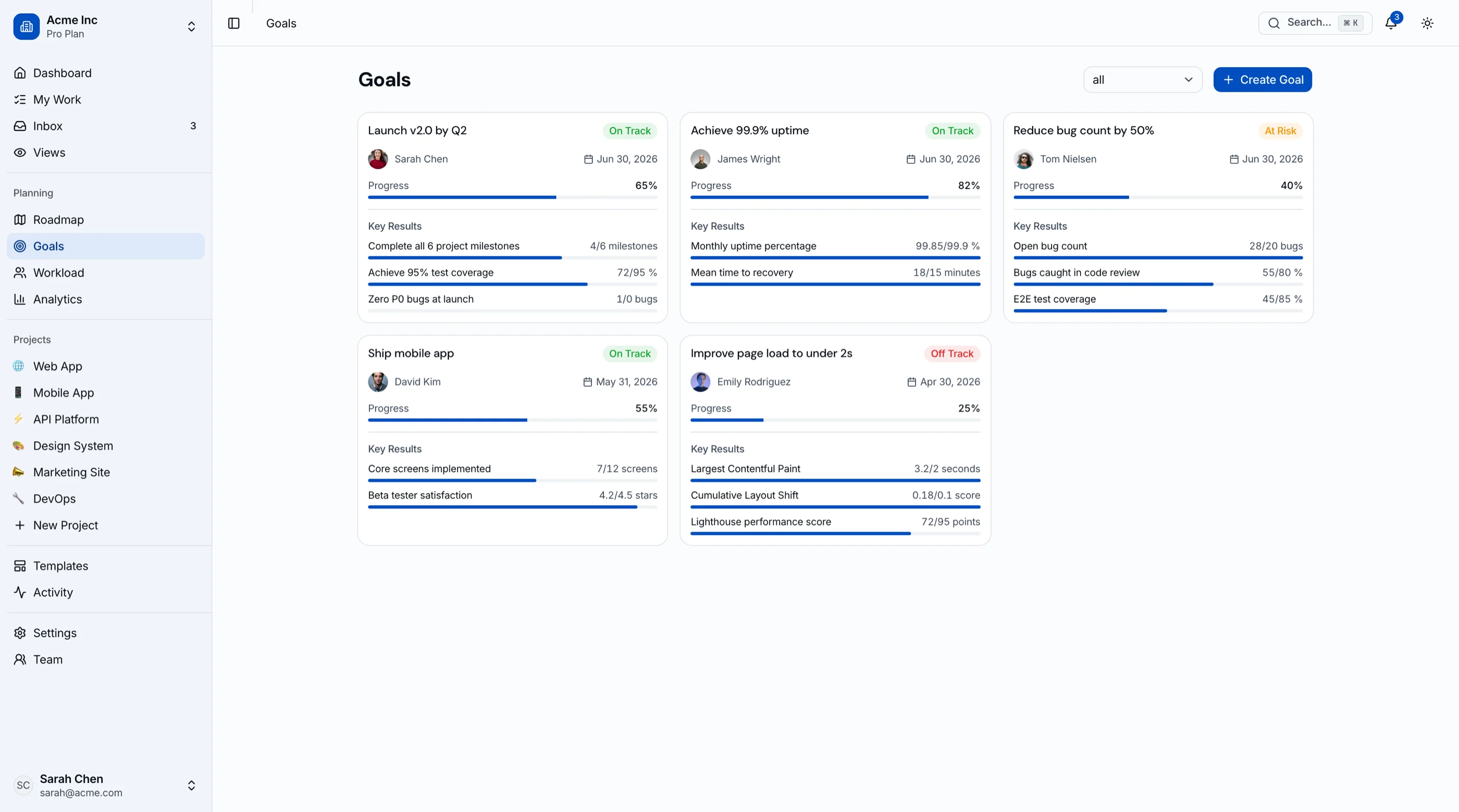
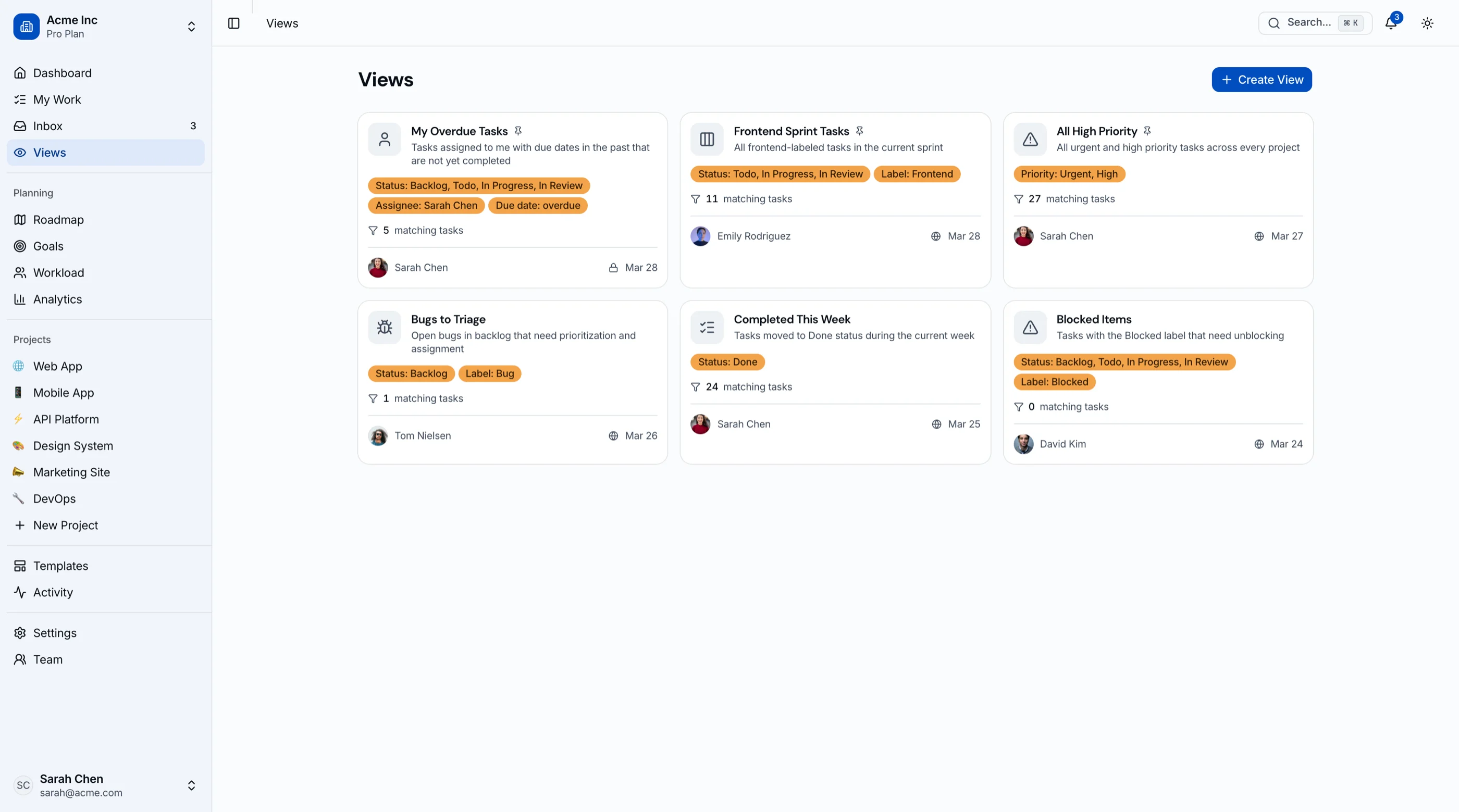
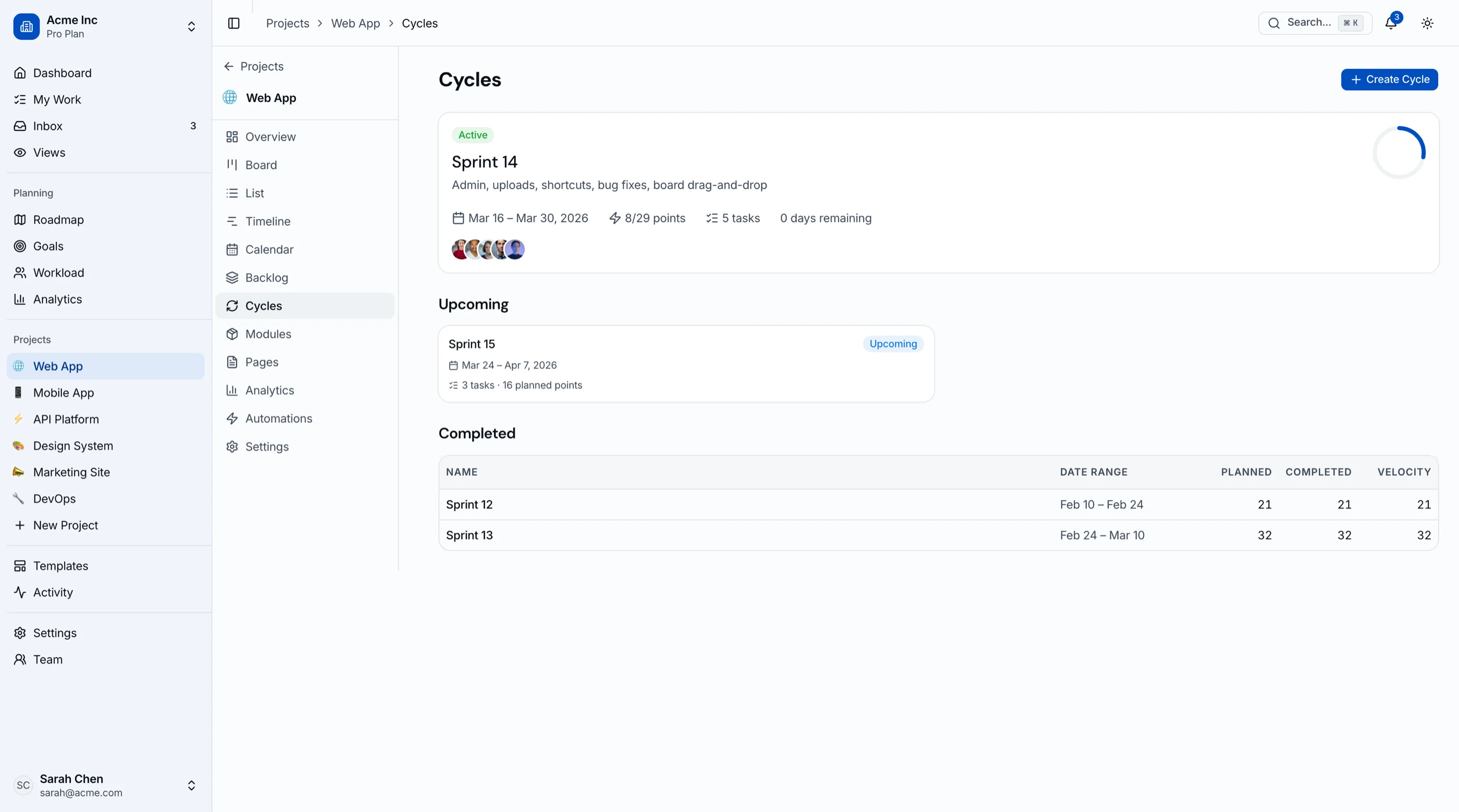
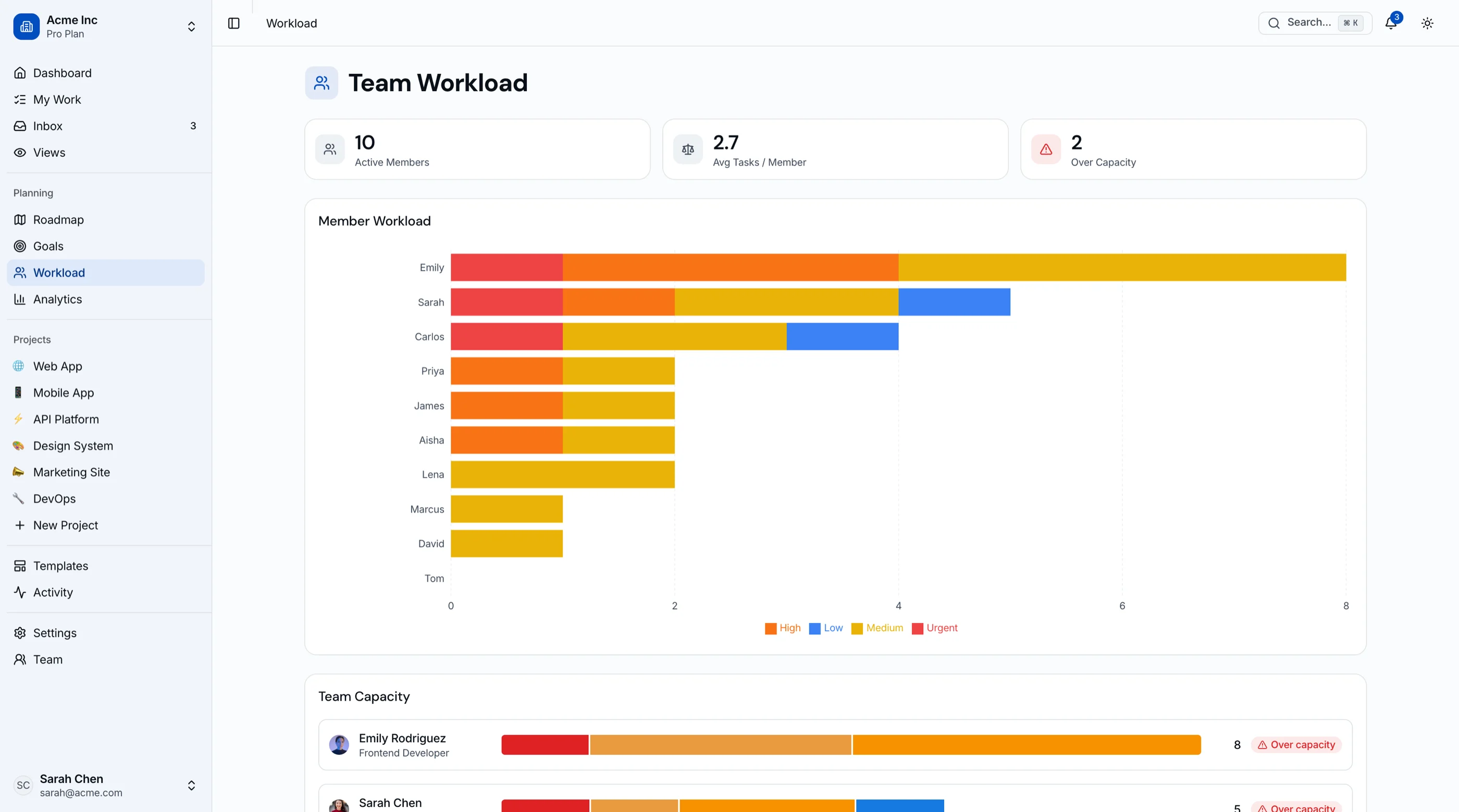
The Kanban Board & Project Management Kit is shipped: 45 screens covering kanban with drag-and-drop, sprint cycles with burndown, roadmap, goals and OKRs, workload view, and project analytics. Next.js + Tailwind + shadcn/ui, WCAG AA. $131 solo, $199 team, $349 agency. Try the live demo.
Get the Kanban PM Kit → or get every kit (18 total) for $749 via All UI Kits →
TL;DR: Quick Picks for 2026
| Need | Top pick | Price |
|---|---|---|
| Portfolio and goals depth | Asana | Free tier, $10.99+/user/mo |
| Most features per dollar | ClickUp | Free tier, $7+/user/mo |
| Simple boards, no minimums | Trello | Free tier, $5+/user/mo |
| Boards next to docs | Notion | Free tier, $10+/seat/mo |
| Engineering-led work | Linear | Free tier, $8+/user/mo |
| Open-source, self-hosted | Plane | Free (self-host) |
| Classic PM with Gantt | OpenProject | Free (self-host) |
| Boards inside your product | thefrontkit Kanban PM Kit | $131+ one-time |
What monday.com Actually Does Well
monday made work management likable. The board metaphor with colored statuses onboards non-technical teams faster than anything except Trello, and underneath sits real flexibility: the same product runs marketing calendars, light CRM, ops trackers, and project plans. Automations are approachable, dashboards are decent, and the template library covers most departments.
The alternatives win on pricing structure, on depth in a specific direction, or on ownership.
When to Leave monday.com
Three signals:
- The seat-band jump. Pricing by seat tiers means user 13 can cost as much as users 1-12 combined on renewal.
- Automation and integration caps. Metered actions per month turn your workflows into a budget line you monitor.
- The boards belong in your product. Client-facing monday boards mean your delivery experience runs on their brand and seat prices.
1. Asana
The depth pick for coordination at scale.
Strengths:
- Portfolios, goals, and workload reporting stronger than monday's dashboards
- Rules engine without per-action anxiety at its tiers
- Cleaner information architecture as project count grows
- Timeline and dependencies handled properly
Weaknesses:
- Less playful; adoption needs slightly more push
- Free tier caps at 10 users
- Advanced tier is $24.99/seat
Best for: Organizations coordinating many teams where monday's boards started sprawling. (Its market: our Asana alternatives guide.)
2. ClickUp
The value pick.
Strengths:
- $7/user Unlimited beats monday's $12 Standard with more included
- No seat minimums or bands
- Docs, goals, whiteboards, and time tracking bundled instead of gated
- Every view monday has, plus several
Weaknesses:
- Density: onboarding is a project
- Performance dips on large workspaces
- The everything-app trade (see our ClickUp alternatives guide)
Best for: Cost-conscious teams that will invest setup time to escape both monday's price and its caps.
3. Trello
The simple-and-cheap pick.
Strengths:
- No seat minimums; free tier covers small teams indefinitely
- $5/user Standard is the cheapest paid tier in the category
- Everyone already knows how it works
- Butler automations without metering drama
Weaknesses:
- Boards only: no timeline, workload, or dashboards worth the name
- Structure-faking via labels arrives quickly
- Reporting is minimal
Best for: Teams that used 20% of monday and can name the 20%. (Its market: our Trello alternatives guide.)
4. Notion
Boards inside the knowledge base.
Strengths:
- Database boards, timelines, and calendars living next to docs and wikis
- Relations and rollups give rows real behavior
- One tool replaces monday plus your wiki
- AI included across the workspace
Weaknesses:
- Automations are lightweight
- Slower board interactions than monday
- No workload or PM reporting
Best for: Teams whose monday boards were mostly trackers, and whose real center of gravity is documents. (Full picture: our Notion alternatives guide.)
5. Linear
The pick when the real work is engineering.
Strengths:
- Fast, keyboard-driven, opinionated
- Cycles, triage, roadmaps with zero configuration
- Git-native workflows
- Free tier generous for small teams
Weaknesses:
- Wrong shape for marketing and ops boards
- Deliberately limited customization
- Lean reporting
Best for: Companies where monday was bought for everyone but only engineering needed structure. (Compare: our Jira alternatives guide.)
6. Plane
The open-source escape from seat pricing.
Strengths:
- Free, self-hostable, unlimited users
- Issues, cycles, modules, and roadmaps with a modern UI
- No automation metering, no seat bands, ever
- Cloud option if you'd rather not host
Weaknesses:
- You operate it
- Fewer integrations than monday's ecosystem
- Dashboarding is basic
Best for: Teams whose complaint is the pricing model itself, with the ops capacity to self-host.
7. OpenProject
The classical project management specialist.
Strengths:
- Real Gantt, dependencies, budgets, and time tracking, free self-hosted
- Mature (15+ years), stable, complete
- EU data residency story
- Client reporting workflows built in
Weaknesses:
- UI is a decade behind monday's
- Rails stack to operate
- Boards are secondary
Best for: Project-driven firms whose monday Gantt add-ons were doing serious work.
8. Build the Boards Into Your Product with the Kanban PM Kit
The build path is for client-facing boards: delivery portals, project status pages customers log into, or vertical SaaS with work management inside. monday's guest access gets you partway, on their brand, at their prices, with their limits.
What this looks like:
- Your backend owns projects, tasks, and users
- The Kanban PM Kit provides the frontend: drag-and-drop kanban with keyboard alternatives, list and calendar views, timeline, sprints with burndown, workload view, roadmap, OKRs, analytics
- 45 screens, WCAG AA, Next.js + Tailwind + shadcn/ui, white-label-ready theming
- One-time $99-$349, no seat math forever
Try the live demo. Roundup view: Best Kanban Board Templates.
Recommendation by Team Profile
| You | Pick |
|---|---|
| Coordination depth at scale | Asana |
| Best value, will invest setup | ClickUp |
| Simple boards, tiny budget | Trello |
| Docs-centric team | Notion |
| Engineering is the real user | Linear |
| Done with seat pricing | Plane |
| Gantt-first delivery work | OpenProject |
| Boards inside your product | Build with the Kanban PM Kit |
Pricing at a Glance (12-Person Team, Annual)
| Product | Typical tier | ~Annual cost (12 seats) |
|---|---|---|
| monday.com (Standard) | $12/seat/mo | $1,728 |
| monday.com (Pro) | $19/seat/mo | $2,736 |
| Asana (Starter) | $10.99/user/mo | $1,583 |
| ClickUp (Unlimited) | $7/user/mo | $1,008 |
| Trello (Standard) | $5/user/mo | $720 |
| Notion (Plus) | $10/seat/mo | $1,440 |
| Linear (Basic) | $8/user/mo | $1,152 |
| Plane (self-hosted) | Free | Hosting only (~$240-600) |
| OpenProject (self-hosted) | Free | Hosting only (~$240-600) |
| Kanban PM Kit (build path) | One-time $131-$349 | $131-$349 once, plus hosting |
Directional numbers. monday's real-world cost usually lands above the sticker because of seat bands and the Pro-tier pull; budget against the tier you'll end up on, not the one you start on.
Frequently Asked Questions
What is the best free alternative to monday.com?
ClickUp's free tier is the most complete. Trello free covers board basics without monday's 2-seat free cap. Self-hosted Plane removes user limits entirely. All three escape the 3-seat paid minimum that catches tiny teams.
What is the best open-source alternative to monday.com?
Plane for modern boards-and-cycles work management. OpenProject for classical Gantt-and-dependencies delivery. Neither meters your automations or prices by seat band.
Is Asana or monday.com better?
The perennial matchup. monday wins onboarding and visual appeal; Asana wins portfolio management, goals, and reporting depth as organizations grow. Under 25 people, pick whichever demo the team likes; above that, Asana's structure usually ages better.
Which monday.com alternative doesn't meter automations?
Self-hosted Plane and OpenProject have no action metering at all. Among hosted tools, Asana's rules and Trello's Butler are effectively unmetered at normal usage tiers, while ClickUp's limits are high enough that most teams never see them. monday's per-month action caps are unusually visible in daily use.
How hard is it to migrate off monday.com?
Boards export to Excel/CSV, and Asana, ClickUp, and Plane import them. Column types mostly map; automations, dashboards, and connected boards don't. The connected-boards untangling is the real work: document which boards feed which before you start, migrate one workflow end-to-end, then batch the rest.
The Honest Take
monday.com made work management something teams volunteer to use, and its pricing engine is tuned to monetize exactly that enthusiasm. Asana out-depths it, ClickUp out-values it, Trello out-simplifies it, and the open-source pair out-owns it.
And if the boards your clients see are part of what you sell, the answer isn't a cheaper rental. It's the build path: your brand, your data, one-time cost.
Want it shipped without hiring a developer?
The build path above assumes you have engineers. If you don't, the team behind thefrontkit does done-for-you launches: we deploy the kit, apply your branding, and wire it to your stack. Fixed quotes, most builds ship in 2-4 weeks, from $1999.