Moodle Alternatives: 8 LMS Options for 2026
Moodle Alternatives: 8 Options Compared for 2026
Moodle is free, open source, and runs a substantial share of the world's e-learning. It's also the tool people describe with the same word every time: clunky. The UI has improved for two decades and still feels like it, administering a site is a part-time job, and plugin management is an ecosystem unto itself. Institutions tolerate this because Moodle is free and does everything. Everyone else searches for alternatives.
Eight worth comparing, sorted by what you're actually running: an institution, a course business, corporate training, or an LMS inside your own product.
For the build-side view of this space, see our How to Build an LMS in Next.js guide.
Building a learning product? Start from the kit
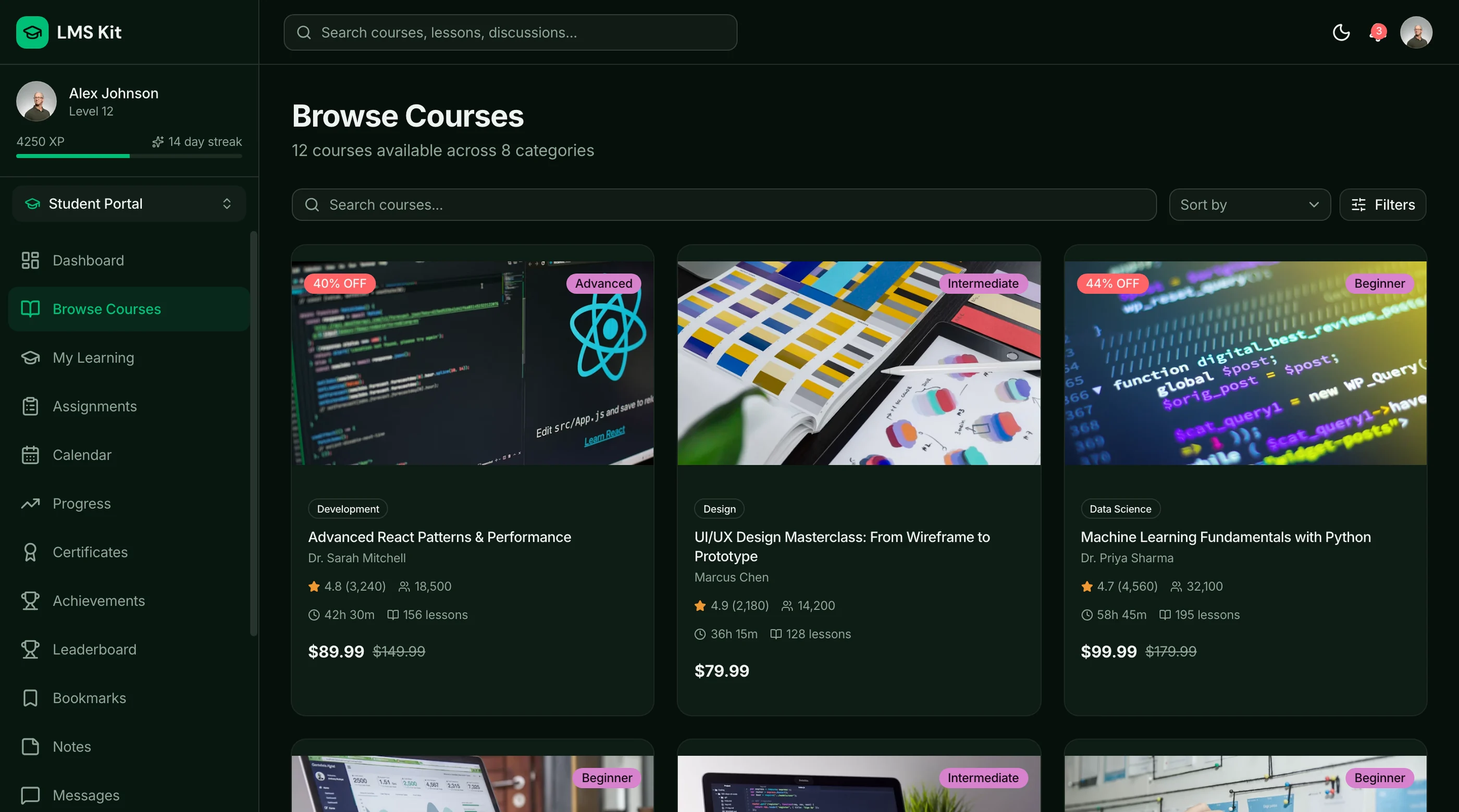
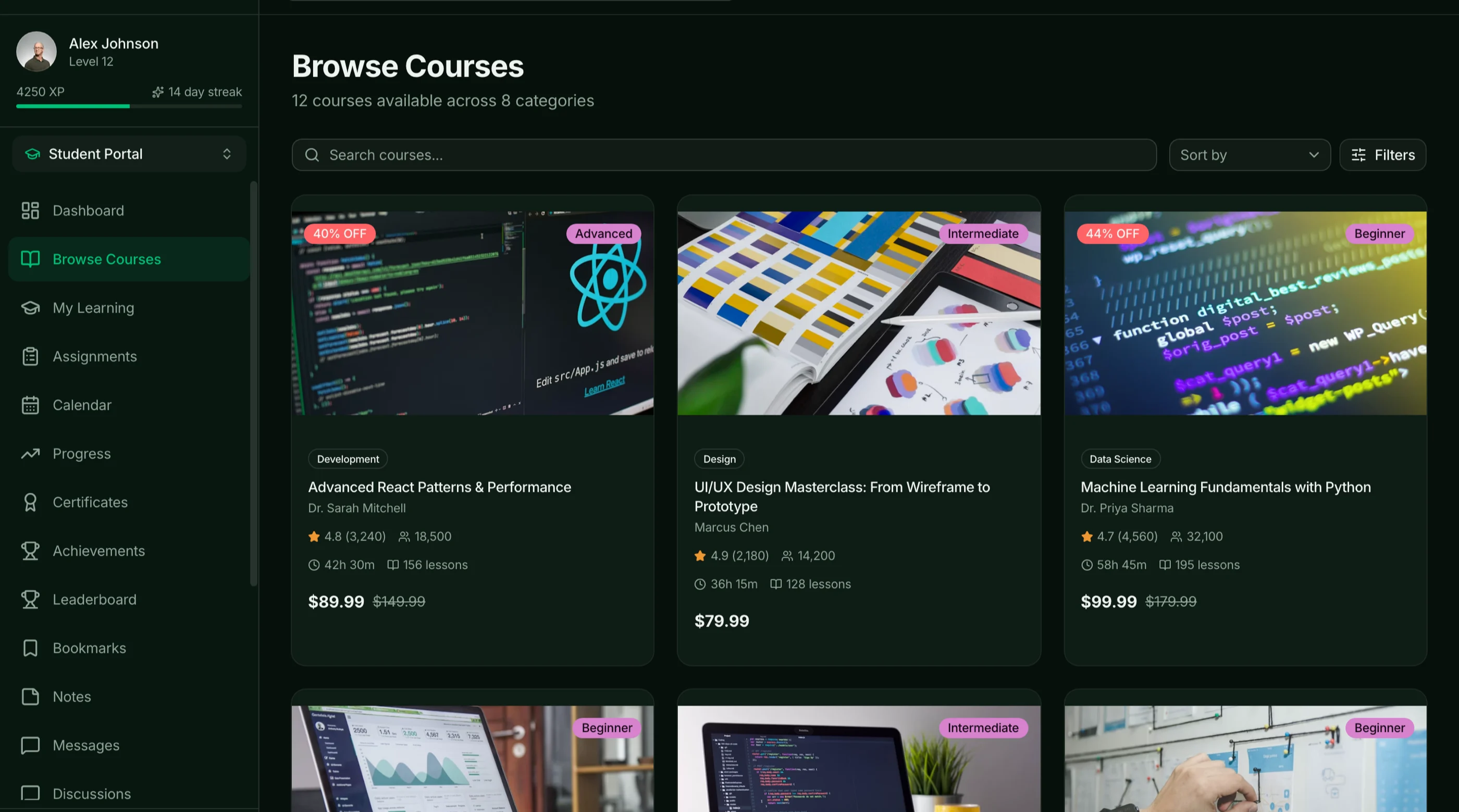
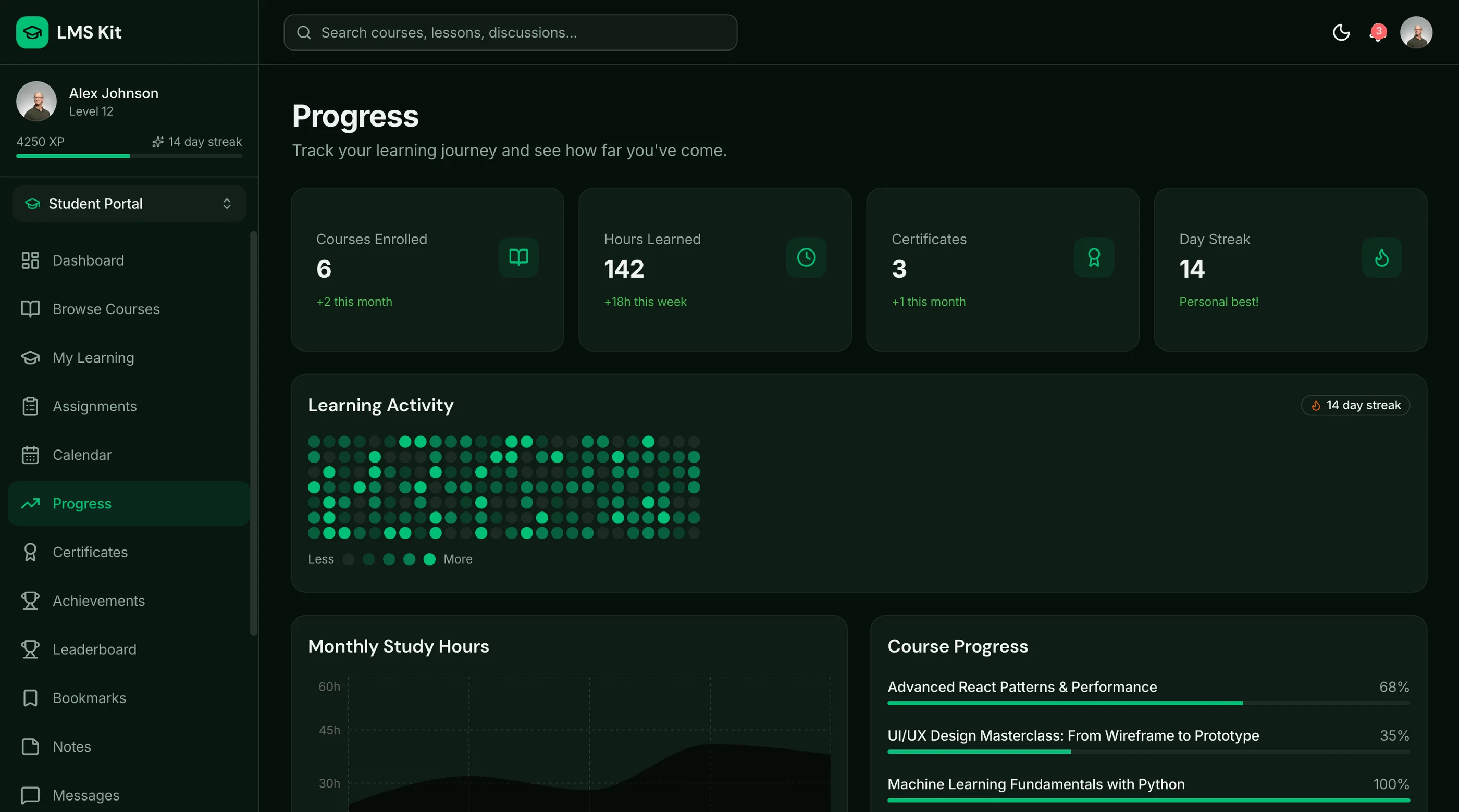
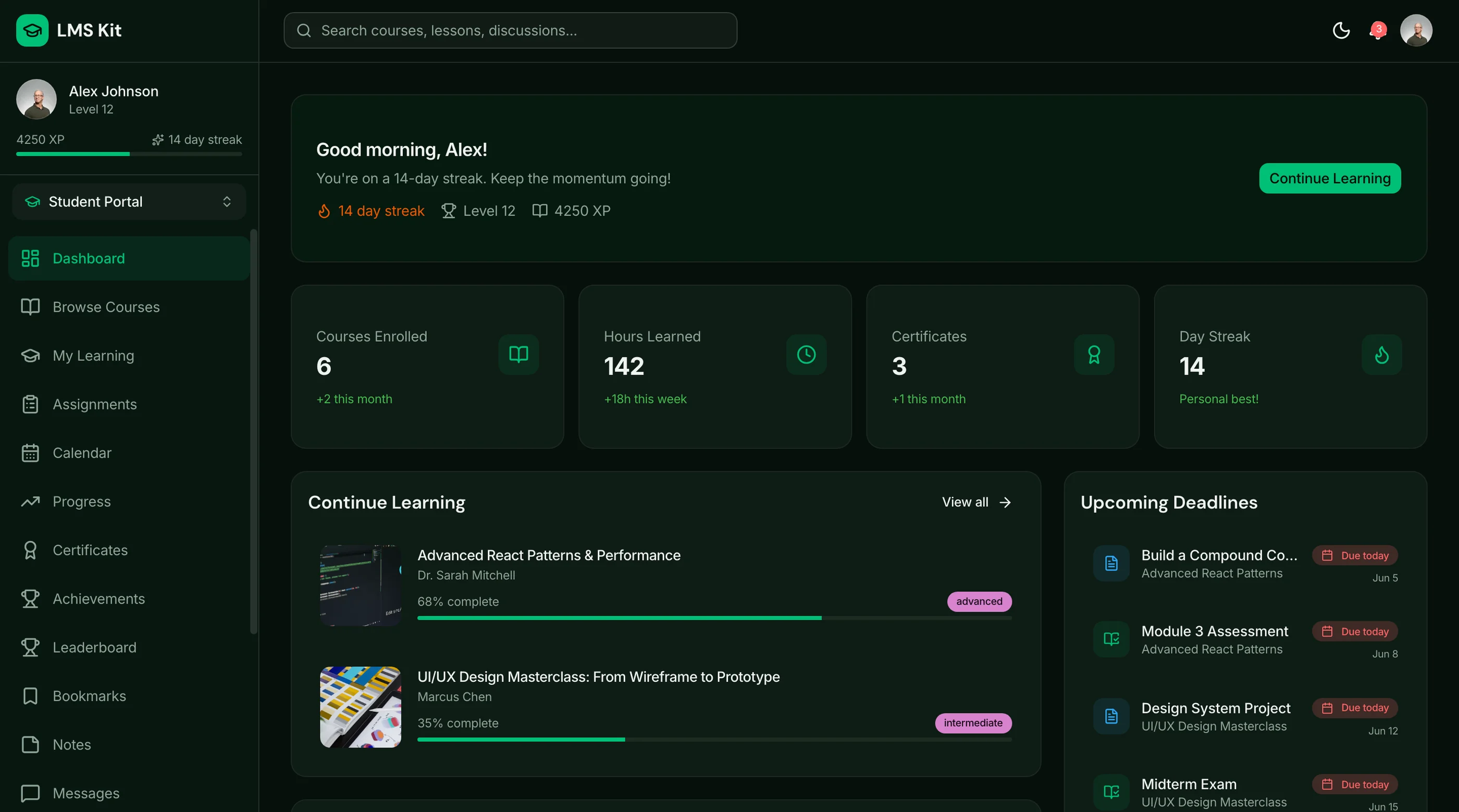
The LMS Kit ships 39 screens: student dashboard, course catalog, lesson player, quizzes, progress tracking, and instructor admin. Next.js + Tailwind + shadcn/ui, WCAG AA (which matters: education buyers audit accessibility). $131 solo, $199 team, $349 agency.
Get the LMS Kit → or get every kit (18 total) for $749 via All UI Kits →
TL;DR: Quick Picks for 2026
| Need | Top pick | Price |
|---|---|---|
| Higher-ed institution, modern UX | Canvas | Free tier, institutional pricing |
| MOOC-scale open source | Open edX | Free (self-host) |
| Selling courses, no ops | Teachable | $39+/mo |
| WordPress-based course site | LearnDash | $199+/year |
| Corporate training | TalentLMS | Free tier, $89+/mo |
| Lightweight open source | Frappe LMS | Free (self-host) |
| K-12 and simple classrooms | Google Classroom | Free with Workspace for Education |
| LMS inside your product | thefrontkit LMS Kit | $131+ one-time |
What Moodle Actually Does Well
Moodle deserves its install base. It's genuinely free at any scale, endlessly customizable, and pedagogically complete: quizzes, gradebooks, SCORM, forums, rubrics, competencies, and a plugin for everything else. Data sovereignty is total, which is why governments and universities standardize on it. Twenty years of academic use means every workflow an institution needs exists somewhere in the settings.
The alternatives win on usability, on time-to-launch, or on being the right shape for a business rather than an institution.
When to Leave Moodle
Three signals:
- Administering it became someone's job. The free license paid for itself in salary.
- Learners complain about the experience. Course completion is a UX metric, and Moodle's UX taxes it.
- You're a business, not an institution. Selling courses or training customers needs commerce and polish Moodle wasn't built for.
If you're weighing a hosted platform against building your own, our custom LMS development guide compares three-year costs for both.
1. Canvas
The modern institutional standard.
Strengths:
- The UX Moodle users dream about: clean, consistent, mobile-first
- SpeedGrader and the gradebook are genuinely loved by faculty
- Free-for-teachers tier; open-source core (Canvas LMS) exists
- Deep integrations across the education stack
Weaknesses:
- Institutional pricing is opaque and substantial
- Self-hosting the open-source core is harder than Moodle
- Less pedagogically configurable than Moodle's everything-buffet
Best for: Institutions ready to pay for the experience Moodle can't deliver.
2. Open edX
The MOOC-scale open-source alternative.
Strengths:
- Free, open source, built for Harvard/MIT-scale delivery
- Strong assessment engine, cohorts, and analytics
- Modern learner experience compared to Moodle
- Managed hosting available (edX partners, OpenCraft)
Weaknesses:
- Heavy: a microservices platform, not a PHP app
- DevOps burden exceeds Moodle's considerably
- Overkill below thousands of learners
Best for: Organizations delivering courses at scale that want open source without Moodle's interface debt.
3. Teachable
The sell-your-course platform.
Strengths:
- Course sales, checkout, coupons, and affiliates out of the box
- Zero ops: hosted, fast, reliable
- Clean student experience that converts
- $39-$159/month with transaction fees dropping by tier
Weaknesses:
- It's a storefront with lessons, not a full LMS: light on assessment
- Platform fees and lock-in
- Limited branding control at lower tiers
Best for: Creators monetizing courses who need commerce more than pedagogy. (Its market: our Teachable alternatives guide.)
4. LearnDash
The WordPress path.
Strengths:
- Turns any WordPress site into a course platform for $199/year
- Full quiz engine, drip content, certificates, and gamification
- WooCommerce integration for selling
- Your hosting, your data, familiar admin
Weaknesses:
- Inherits WordPress's maintenance and security surface
- Performance depends on your hosting discipline
- Complex setups accumulate plugin sprawl (Moodle's disease, milder)
Best for: Course businesses already on WordPress that want ownership without Moodle's weight.
5. TalentLMS
The corporate training pick.
Strengths:
- Built for employee and customer training: assignments, paths, compliance reporting
- Genuinely easy admin; launch in a day
- Free tier (5 users) to trial honestly
- SCORM/xAPI support without plugins
Weaknesses:
- Per-user pricing climbs with headcount
- Course authoring is functional, not rich
- Less flexible than open-source options
Best for: Companies training staff or customers that want an LMS that runs itself.
6. Frappe LMS
The lightweight open-source option.
Strengths:
- Free, open source, modern UI on the Frappe framework
- Courses, quizzes, certificates, and live classes without Moodle's sprawl
- Simple self-hosting (Docker) or affordable Frappe Cloud
- Pleasant to use, which in this category is remarkable
Weaknesses:
- Young; feature depth far below Moodle
- Small ecosystem and community
- Enterprise features (deep SCORM, competencies) absent
Best for: Teams that wanted "Moodle but pleasant" and need the core 20% of features.
7. Google Classroom
The zero-friction classroom layer.
Strengths:
- Free with Workspace for Education; everyone already has accounts
- Assignments, grading, and Meet integration with no training
- The lowest-friction option in education
Weaknesses:
- Not really an LMS: no SCORM, paths, or serious assessment
- Minimal structure for anything beyond a class
- Google's product-lifecycle risk
Best for: K-12 and simple training contexts where Moodle was always a cannon for a fly.
8. Build the LMS Into Your Product with the LMS Kit
The build path is for learning as a product feature: customer education inside your SaaS, a cohort platform with your brand, or a vertical learning product where Moodle theming would fight you forever.
What this looks like:
- Your backend owns courses, enrollment, and progress
- The LMS Kit provides the frontend: 39 screens covering student dashboard, course catalog, lesson player, quiz screens, progress tracking, certificates, and instructor admin
- Next.js + Tailwind + shadcn/ui, WCAG AA (education buyers audit for it), token-driven theming
- One-time $99-$349
For why generic LMS templates fail course creators, see Why Most LMS Templates Fail Course Creators, and compare options in Best LMS Templates.
Recommendation by Profile
| You | Pick |
|---|---|
| Institution, budget exists | Canvas |
| Open source at MOOC scale | Open edX |
| Creator selling courses | Teachable |
| WordPress-based business | LearnDash |
| Corporate training | TalentLMS |
| Want Moodle-lite, pleasant | Frappe LMS |
| K-12 / simple classes | Google Classroom |
| Learning inside your product | Build with the LMS Kit |
Pricing at a Glance (Annual, Representative)
| Product | Typical setup | ~Annual cost |
|---|---|---|
| Moodle (self-hosted) | Free | Hosting + admin time (~$600-6,000) |
| MoodleCloud | Hosted tiers | $200-1,000+ |
| Canvas | Institutional | Five figures typically |
| Open edX (self-hosted) | Free | Serious hosting (~$2,000+) |
| Teachable (Pro) | $119/mo | $1,428 |
| LearnDash | $199/year + hosting | ~$400 |
| TalentLMS (Core, 100 users) | $149/mo | $1,788 |
| Frappe LMS (self-hosted) | Free | Hosting (~$120-360) |
| Google Classroom | Included in Workspace Edu | $0 extra |
| LMS Kit (build path) | One-time $131-$349 | $131-$349 once, plus hosting |
Directional numbers. Moodle's line is the honest one to stare at: the license is free, and the total cost rarely is.
Frequently Asked Questions
What is the best free alternative to Moodle?
Frappe LMS if you want self-hosted and pleasant with core features. Open edX if you need scale and depth. Google Classroom if the job is classes, not courseware. Canvas's free-for-teachers tier covers individual educators.
What is the best open-source alternative to Moodle?
Open edX for institutional scale and assessment depth. Frappe LMS for lightweight modern deployments. Canvas's open-source core exists but is the hardest of the three to operate independently.
Is Canvas better than Moodle?
For user experience, almost universally yes: students and faculty prefer it in every published satisfaction comparison. Moodle wins on cost (free), configurability, and data sovereignty. The institutional trade is money for happiness.
What should I use to sell courses instead of Moodle?
Moodle was never built for commerce. Teachable or Podia handle selling out of the box; LearnDash plus WooCommerce does it on infrastructure you own. Full comparison in our Teachable alternatives guide.
How hard is it to migrate off Moodle?
Course content exports via Moodle backup format and SCORM packages, which most institutional LMSs (Canvas, Open edX) import with fidelity varying by activity type. Quizzes and forums translate worst. Grades and user history export as CSV. Pilot-migrate one real course, inventory what broke, then plan the batch.
The Honest Take
Moodle is the free, sovereign, infinitely-configurable option, and it charges you in interface and administration. Canvas sells the experience, Open edX open-sources the scale, Teachable and LearnDash serve the course business, TalentLMS serves the training department, and Frappe LMS serves everyone who whispered "surely this could just be nice."
And when learning is a feature of your product rather than your institution, none of them fit cleanly. That's the build path: your data model, your brand, 39 screens already drawn.
Want it shipped without hiring a developer?
The build path above assumes you have engineers. If you don't, the team behind thefrontkit does done-for-you launches: we deploy the kit, apply your branding, and wire it to your stack. Fixed quotes, most builds ship in 2-4 weeks, from $1999.