Basecamp Alternatives: 9 Project Tools for 2026
Basecamp Alternatives: 9 Options Compared for 2026
Short answer: Keep Basecamp's calm feel with Trello or Todoist plus Twist. Get real boards, Gantt and workload views at a flat price with Nifty. For the most PM features per dollar, pick ClickUp. For zero seat fees, self-host Plane or OpenProject.
Basecamp's pricing is still the best deal in the category for the right team. Per basecamp.com/pricing: there's a free plan for one project and 5 users, then Freelancer at $25/month (3 active projects, 20 users), Studio $59 (10 active projects), Pro $99 (25 active projects) and Unlimited $299 billed annually (unlimited projects). Studio and up include unlimited users, and clients count as users, so they're free too. A 10-person agency on Pro pays $1,188 a year. That's $9.90 a head, and it drops to $3.30 once you hit 30 people.
So why do people leave? Usually it's the views. Basecamp gives you to-do lists, message boards, a schedule and Card Tables (its take on kanban). There's no task-level Gantt, no dependencies, no workload or capacity view, and reporting stays light on purpose. Once a team starts running sprints, juggling overlapping client deadlines, or asking "who's overbooked next week?", that simplicity turns into spreadsheets on the side. And the project caps matter: an agency with 12 live clients has already outgrown Studio.
Nine alternatives below, from "Basecamp but a bit more" to full PM suites.
Want the PM views as code you own?
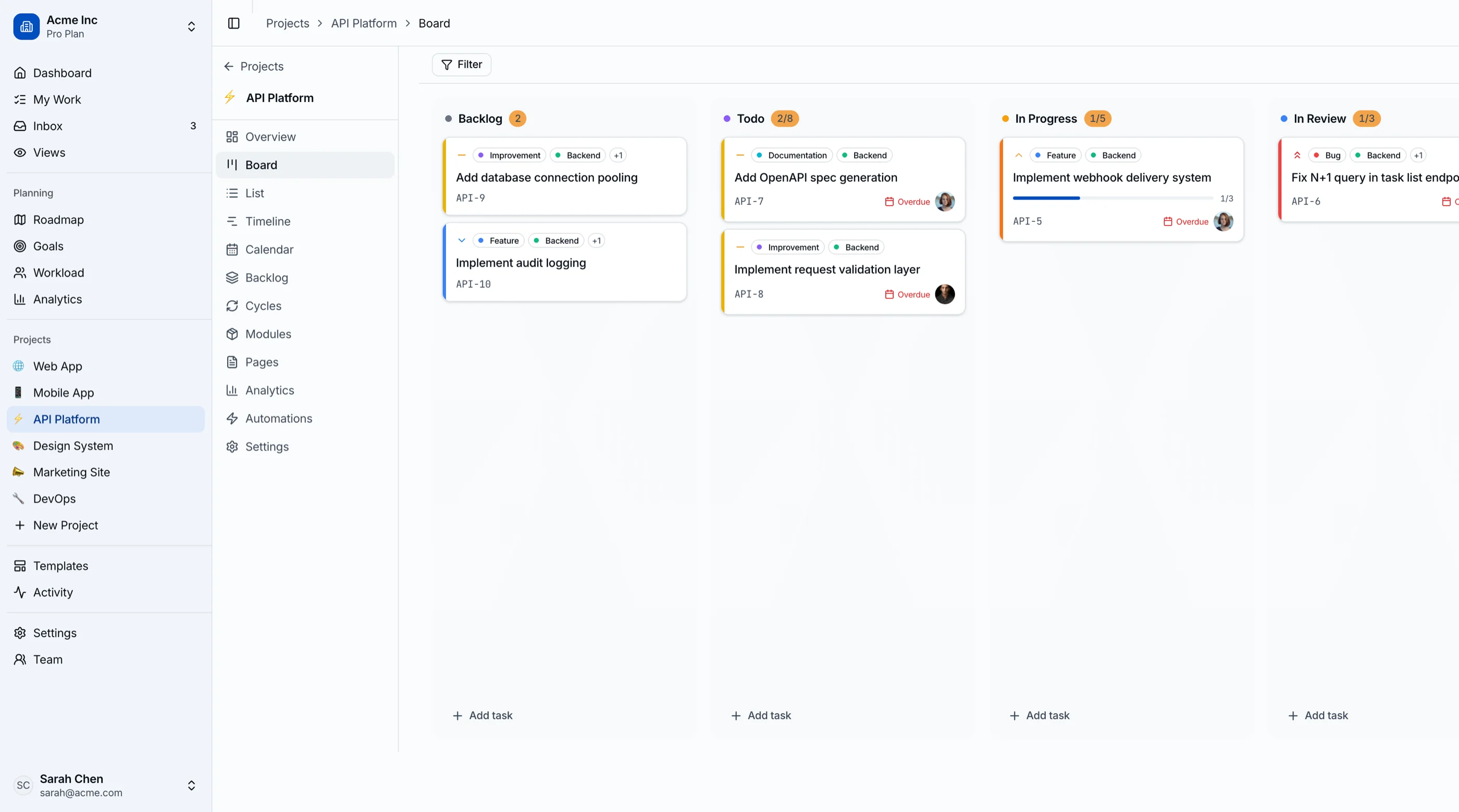
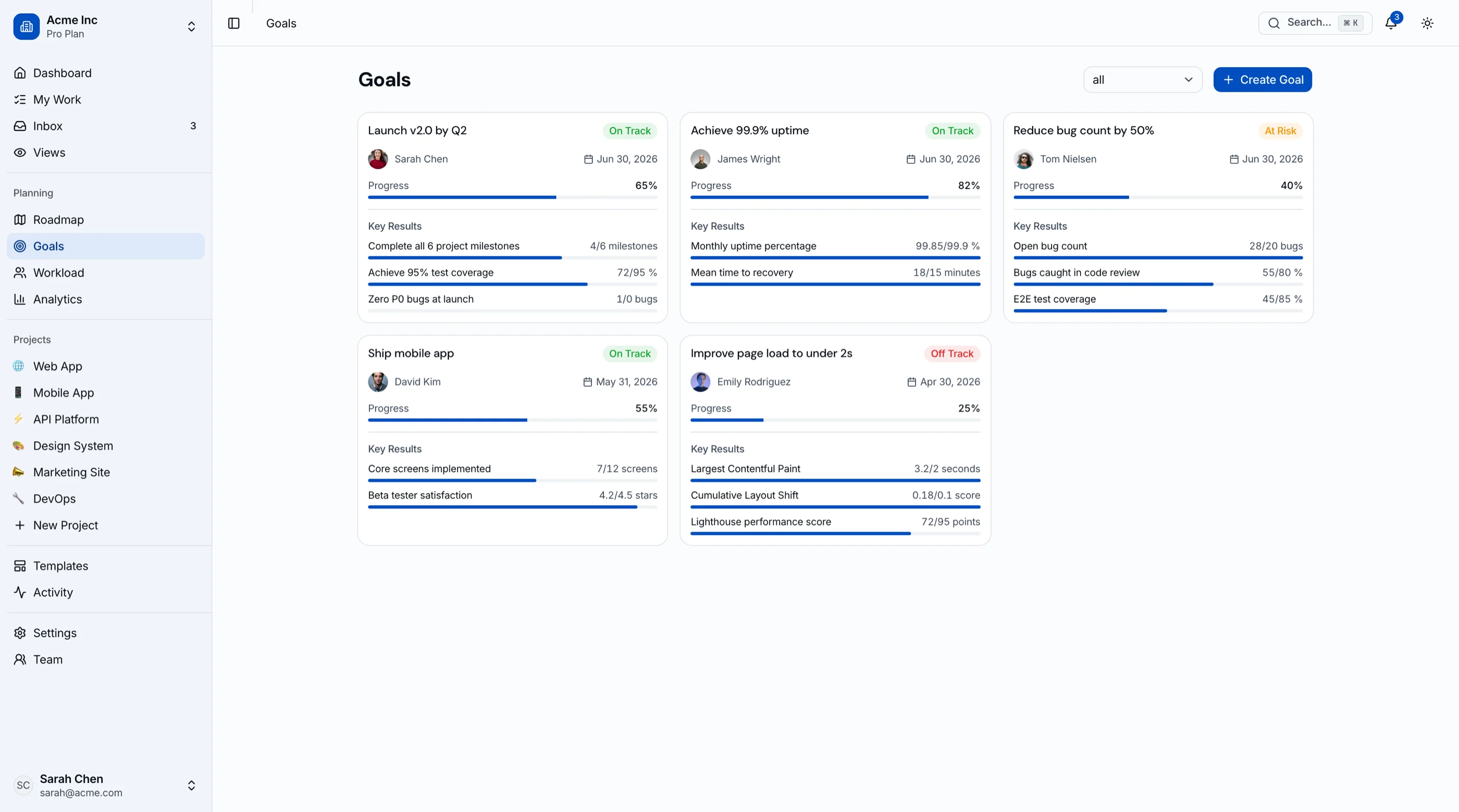
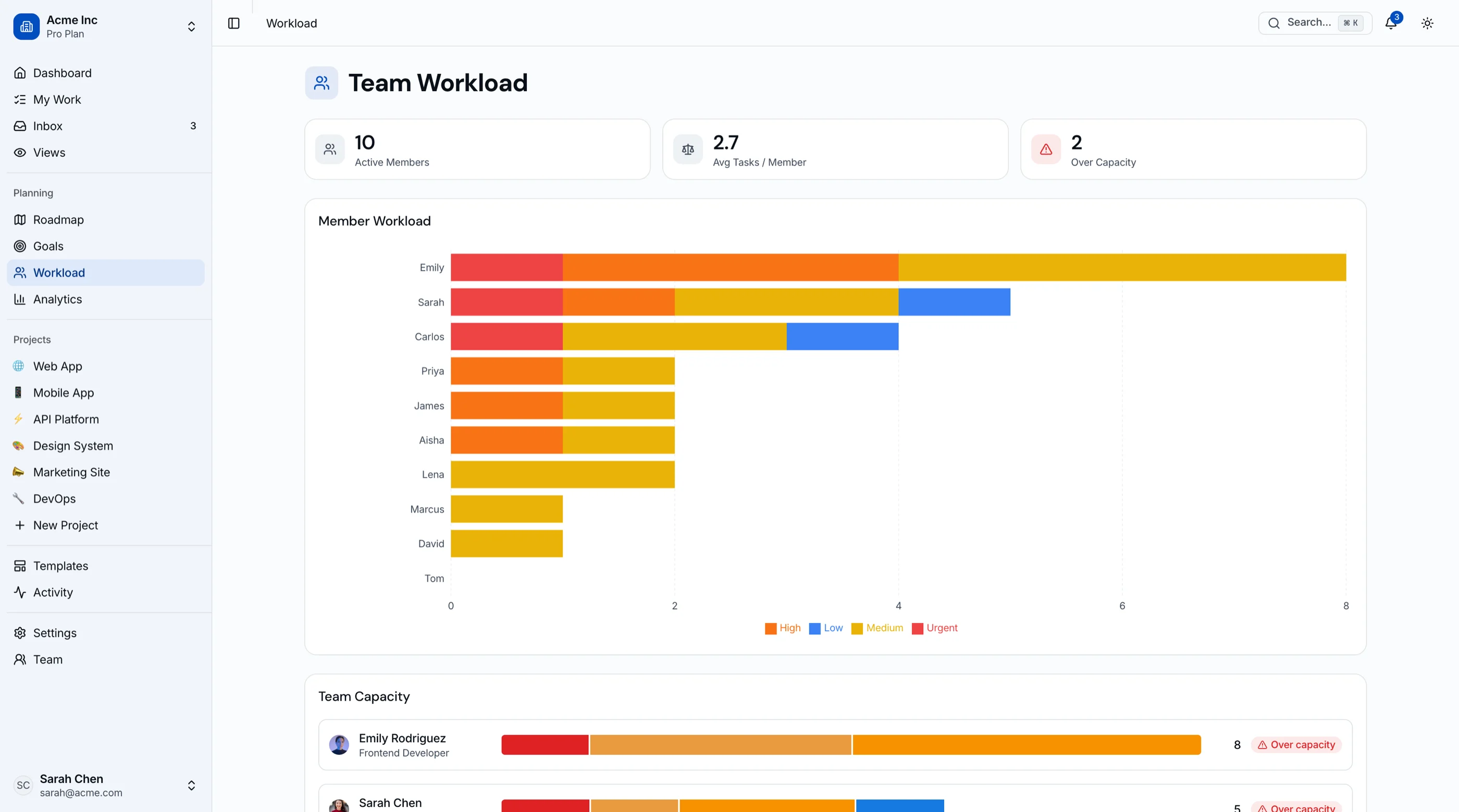
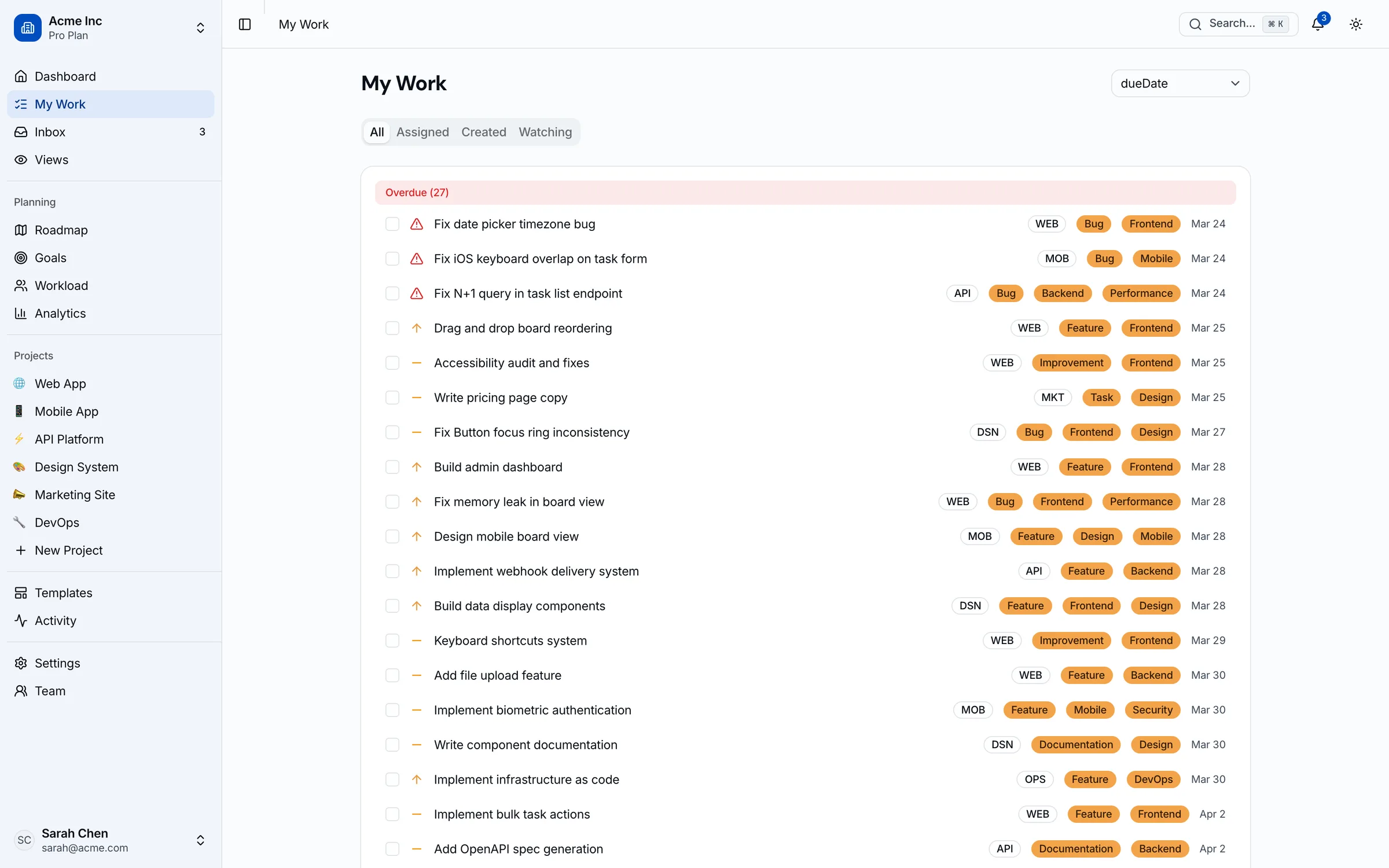
If you're building a project tool for your clients or your own team, the Kanban PM Kit gives you the frontend Basecamp leaves out: 45 screens with a drag-and-drop kanban board, sprints with burndown, a Gantt-style timeline and roadmap, a workload view with capacity status, goals/OKRs and analytics. Next.js + Tailwind + shadcn/ui. $131 solo. Live demo.
Get the Kanban PM Kit → or get every kit (18 total) for $749 via All UI Kits →
TL;DR: Quick Picks for 2026
| Need | Top pick | Price |
|---|---|---|
| Simple boards, cheaper seats | Trello | Free (10 collaborators), $5+/user/mo |
| Calm tasks plus async threads | Todoist + Twist | $8 + $6/user/mo |
| Flat pricing with Gantt-style roadmaps | Nifty | Free (2 projects), $79+/mo flat |
| Easiest upgrade for non-technical teams | monday.com | Free (2 seats), $9+/seat/mo (3-seat min) |
| Most PM features per dollar | ClickUp | Free tier, $7+/user/mo |
| Timelines and goals across teams | Asana | Free (2 users), $10.99+/user/mo |
| Client work with billable time | Teamwork.com | Free (5 users), $9.99+/user/mo (3-user min) |
| Open source, modern, cheap cloud | Plane | Free (12 users), $6+/user/mo |
| Open source with classic Gantt | OpenProject | Free (self-host) |
| Your own client portal or PM product | Build it | $131+ one-time |
What Basecamp Actually Does Well
Basecamp is opinionated in a way most PM tools are scared to be. Every project gets the same shape: message board, to-dos, docs and files, schedule, chat. New hires and clients learn it in an afternoon, because there's nothing to configure. Automatic check-ins replace a chunk of status meetings. And Pro and Unlimited now include time tracking, which used to be a common reason to leave.
The flat price is the other big one. Invite five client reviewers and two contractors, and the bill doesn't move. Almost every tool below charges for that in some way.
When to Leave Basecamp
Three signals:
- You need to see work over time. If you're building Gantt charts in Google Sheets because Basecamp's schedule can't show dependencies or overlap, you've outgrown it.
- You need to see people, not just projects. Capacity questions ("can Priya take the Acme redesign?") have no answer in Basecamp. Workload views live in ClickUp, monday Pro, Asana Advanced, Nifty Business and Teamwork.com Accelerate.
- You run sprints. Card Tables work fine as a kanban board. They don't do cycles, estimates or burndown.
If none of those apply, stay. Seriously. Basecamp at $99 flat is hard to beat for a team that mostly needs to talk and check things off.
1. Trello
The smallest step away from Basecamp.
Strengths:
- Boards people understand instantly, with a free plan for up to 10 collaborators per Workspace
- Premium adds Timeline, Table, Calendar and Dashboard views
Weaknesses:
- Timeline and Table views are locked to Premium
- No message boards or docs, so discussion moves to Slack or email
- Per-user pricing means clients cost money past the free tier
Pricing: Standard $5/user/month annual ($6 monthly), Premium $10 annual ($12.50 monthly), Enterprise $17.50 billed annually.
Best for: Small teams whose main Basecamp complaint is that Card Tables feel clunky. Where it runs out of road is covered in our Trello alternatives guide.
2. Todoist + Twist
Basecamp's philosophy, split into two apps from the same company (Doist).
Strengths:
- Todoist Business gives every member shared team projects with list, board and calendar layouts
- Twist handles the message-board side: threaded, async, searchable
- Twist includes free single-channel guests on its paid plan
Weaknesses:
- Two tools, two bills
- No Gantt, workload or time tracking in either one
- Twist's free plan hides anything older than one month
Pricing: Todoist Business $8/user/month yearly ($10 monthly). Twist Unlimited $6/user/month yearly ($8 monthly). Both have free plans.
Best for: Remote teams who love Basecamp's calm but want a sharper task manager and better threads.
todoist.com and twist.com
3. Nifty
The closest thing to "Basecamp with real PM views."
Strengths:
- Flat pricing like Basecamp: Pro covers 10 members, Business 30, Unlimited everyone
- Unlimited guests and clients on paid plans
- Milestones on a visual timeline (Nifty's Gantt-style roadmap), plus kanban, list and calendar
- Discussions, docs and chat per project, so Basecamp habits carry over
- Time tracking and budget tracking on Pro; team workloads and goals on Business
Weaknesses:
- Member caps on Pro and Business, so an 11th person pushes you up a tier
- Smaller integration ecosystem than ClickUp or monday
Pricing: Pro $79/month flat (10 members, 100 active projects), Business $124 (30 members, unlimited projects), Unlimited $399, all billed annually. Monthly billing is $99, $149 and $499. Teams under 7 can pay per member instead: Pro $10, Business $16 annual. Free plan covers 2 active projects.
Best for: Agencies that want Basecamp's all-in-one project hub plus a timeline and workload view, without switching to per-seat pricing.
4. monday.com
The pick when the team is non-technical and needs to adopt fast.
Strengths:
- The friendliest UI in the category; account managers pick it up in a day
- Gantt on Standard; time tracking and workload on Pro
- Unlimited free read-only viewers on paid plans, so clients can watch boards
Weaknesses:
- 3-seat minimum and seat buckets
- The useful stuff (workload, time tracking) sits in Pro
- Free plan caps at 2 seats
Pricing: Basic $9, Standard $12, Pro $19 per seat/month billed annually ($11, $15 and $24 monthly). Enterprise is custom.
Best for: Marketing teams and small agencies moving to visual boards for the first time. The pricing quirks are in our monday.com alternatives post.
5. ClickUp
Every view Basecamp skips, for $7 a seat.
Strengths:
- Gantt, workload, goals, time tracking, docs and whiteboards on Unlimited
- Guests included: 5 on Unlimited, plus 2 per extra paid user
- Free plan with unlimited members
Weaknesses:
- The exact opposite of Basecamp's simplicity; plan on a week of setup
- Gantt, goals and workload are trial-only on the free plan
Pricing: Unlimited $7/user/month annual ($10 monthly), Business $12 annual ($19 monthly). No seat minimum.
Best for: Teams that want one tool for everything and have someone willing to configure it. If it gets too dense, see our ClickUp alternatives.
6. Asana
Structure that holds up as the team grows.
Strengths:
- Timeline view on Starter, with a clean task model that scales across departments
- Goals, portfolios and workload on Advanced
Weaknesses:
- Workload needs Advanced at $24.99/user
- Every commenter needs a seat, which adds up with clients
- Free Personal plan allows only 2 users
Pricing: Starter $10.99/user/month annual ($13.49 monthly), Advanced $24.99 annual ($30.49 monthly). Enterprise is custom.
Best for: Companies of 20+ where several teams need to coordinate. Our Asana alternatives guide runs the flat-versus-per-seat math against Basecamp in detail.
7. Teamwork.com
Built for agencies that bill by the hour.
Strengths:
- Free plan for up to 5 users and 5 projects, with Gantt, board and table views
- Billable time tracking and reporting from Basics
- Workload, capacity planning and invoicing on Accelerate
Weaknesses:
- 3-user minimum on Basics, 5 on Accelerate
- Capacity planning starts at $24.99/user
- Overkill for teams that never bill time
Pricing: Basics $9.99/user/month, Accelerate $24.99, billed annually. Optimize and Enterprise are custom.
Best for: Client-service teams that used Basecamp for delivery and a separate tool for timesheets and invoices.
8. Plane
Open source, modern, and cheap even when you don't self-host.
Strengths:
- Cloud free plan for up to 12 users, which covers most Basecamp-sized teams
- Cycles (sprints), modules, and list, board, calendar, spreadsheet and Gantt layouts
- Community Edition is free under AGPL v3 and self-hosts with Docker
- Time tracking and dashboards on Pro
Weaknesses:
- Leans toward product and engineering teams; client-facing features are thin
- Self-hosting means you own backups and upgrades
Pricing: Pro $6/user/month annual ($8 monthly), Business $13 annual ($15 monthly). Free cloud plan up to 12 users; Community Edition free to self-host.
Best for: Small product teams that want sprints and roadmaps with no per-seat bill, or data on their own servers.
9. OpenProject
Classic project management, self-hosted for free.
Strengths:
- Community Edition includes Gantt charts, agile boards and time tracking at no cost
- Real dependencies and phase planning, which Basecamp never had
Weaknesses:
- Dated UI next to everything above
- A Rails app to run and maintain
- Paid Enterprise plans start at 25 users, so they rarely fit a small team
Pricing: Community Edition is free to self-host. Enterprise cloud and on-premises plans are per user with a 25-user minimum (see pricing page).
Best for: Teams that need Gantt and dependencies, have someone who can run a server, and don't want a subscription.
10. Build Your Own PM Tool
Some teams leave Basecamp because the thing they really want is a custom view: a client portal that shows only their board, a delivery dashboard in the agency's own brand, or PM features inside a product they already sell. Renting another tool per seat won't get you there.
What the build path looks like:
- Your backend owns projects, tasks, clients and permissions
- The Kanban PM Kit covers the frontend: drag-and-drop kanban, sprints with burndown, a Gantt-style timeline and roadmap, a workload view with capacity status, goals/OKRs and analytics across 45 screens
- Next.js + Tailwind + shadcn/ui, so restyling it per client is straightforward
- $131 one-time for a solo license, with no per-seat bill as the team grows
For what the build involves, see How to Build a Kanban App in Next.js or compare starting points in Best Kanban Board Templates.
Recommendation by Profile
| You | Pick |
|---|---|
| Card Tables feel clunky, everything else is fine | Trello |
| Love the calm, want better tasks and threads | Todoist + Twist |
| Agency wanting flat pricing plus a timeline | Nifty |
| Non-technical team, visual boards | monday.com |
| Want every view in one tool | ClickUp |
| 20+ people across several teams | Asana |
| Bill clients by the hour | Teamwork.com |
| Product team running sprints, tight budget | Plane |
| Need Gantt and dependencies, self-hosted | OpenProject |
| The client portal is the product | Build it (Kanban PM Kit) |
Pricing at a Glance (10-Person Team, Annual)
| Product | Typical tier | ~Annual cost (10 people) |
|---|---|---|
| Basecamp (Studio) | $59/mo flat, 10 active projects | $708 |
| Basecamp (Pro) | $99/mo flat, 25 active projects | $1,188 |
| Basecamp (Unlimited) | $299/mo flat | $3,588 |
| Trello (Premium) | $10/user/mo | $1,200 |
| Todoist Business + Twist Unlimited | $8 + $6/user/mo | $1,680 |
| Nifty (Pro) | $79/mo flat, 10 members | $948 |
| Nifty (Business) | $124/mo flat, 30 members | $1,488 |
| monday.com (Standard) | $12/seat/mo | $1,440 |
| monday.com (Pro) | $19/seat/mo | $2,280 |
| ClickUp (Unlimited) | $7/user/mo | $840 |
| Asana (Starter) | $10.99/user/mo | $1,319 |
| Teamwork.com (Basics) | $9.99/user/mo | $1,199 |
| Plane (Free cloud) | Up to 12 users | $0 |
| Plane (Pro) | $6/user/mo | $720 |
| OpenProject (Community) | Self-hosted | Hosting only |
| Kanban PM Kit (build path) | One-time | $131 once, plus hosting and dev time |
Annual list prices from each vendor's pricing page in September 2026. Add four client reviewers and the per-seat tools shift: Asana Starter goes to 14 seats ($1,846), while Basecamp, Nifty and monday's free viewers stay put. Grow to 11 people and Nifty Pro stops fitting, so you're on Business.
Frequently Asked Questions
What is the best Basecamp alternative for small teams?
Nifty if you want to keep flat pricing and add a timeline and workload view. Trello if you just want nicer boards. ClickUp if you want every PM view and don't mind setup time. For a team of 12 or fewer, Plane's free cloud plan is worth a look too.
Is there a cheaper alternative to Basecamp?
For a small team, yes. Plane's cloud plan is free up to 12 users, ClickUp Unlimited runs $840 a year for 10 people, and Trello's free plan covers 10 collaborators. Past 25 people, Basecamp's $299 Unlimited plan gets hard to beat, because it never charges per seat.
Does Basecamp have Gantt charts?
No task-level Gantt. Basecamp gives each project a schedule and a to-do list with due dates, and Card Tables for kanban, but there are no task dependencies or workload views. Nifty, ClickUp, monday.com Standard, Teamwork.com, Plane and OpenProject all include Gantt-style views.
Which Basecamp alternative is best for agencies with clients?
Nifty keeps clients free with unlimited guests and flat pricing. Teamwork.com is better if you bill hours and need invoicing. monday.com gives unlimited read-only viewers on paid plans. The Wrike alternatives guide goes deeper on agency tools like Productive and Float.
How do I migrate from Basecamp?
Basecamp lets an account owner export the account's data as a downloadable archive. To-do lists and dates are the parts worth carrying over; most target tools accept a CSV import, so expect some spreadsheet cleanup. Message board history rarely moves well, so keep the export as an archive and start new projects fresh in the new tool.
The Honest Take
Basecamp is still the right call for small teams that mostly need to communicate, share files and tick off to-dos, especially with clients in the loop. The flat price is genuinely great, and Pro and up now cover time tracking. What it won't give you is a view of time and people: Gantt, dependencies, workload, sprints.
So pick by the view you're missing. Nicer boards: Trello. Calmer tasks: Todoist and Twist. Flat pricing with a timeline: Nifty. Everything: ClickUp. Adoption: monday. Billable hours: Teamwork.com. Ownership: Plane or OpenProject. If you're coming from a spreadsheet-heavy setup rather than Basecamp, our Smartsheet alternatives guide covers that trade. And if the view you keep wishing for is really a product your clients should log into, build it.
Want it shipped without hiring a developer?
The build path above assumes you have engineers. If you don't, the team behind thefrontkit does done-for-you launches: we deploy the kit, apply your branding, and wire it to your stack. Fixed quotes, most builds ship in 2-4 weeks, from $1,999.